GameCuki is reader-supported. When you buy through links on our site, we may earn an affiliate commission at no extra cost to you. As an Amazon Associate I earn from qualifying purchases. Learn more.
GameCuki VerdictGameCuki Top Pick
What Our Verdicts Mean
GameCuki Top PickThe best option in its class, with no serious, repeated problems.
RecommendedA good buy for most people. Weaknesses are minor or only matter to some players.
Buy With CaveatsRight for a specific kind of player only, because of a significant drawback.
Skip ItNot recommended. A better option exists at a similar price.
The Bottom LineThe best all-round controller for Switch and PC players who like a SNES-style symmetrical layout, packing TMR sticks, switchable triggers and a charging dock for a mid-range price.
TMR with 12-bit ADC sampling, wear-resistant rings
Triggers
linear Hall effect, switchable to micro-switch tactile mode
Extra buttons
L4/R4 micro-switch fast bumpers, 2 back paddles
D-pad
tactile, with a bump on each direction
Face buttons
swappable magnetic ABXY (Switch or Xbox layout)
Connection
2.4GHz adapter (stored in the dock), Bluetooth, wired USB-C
Polling rate
250Hz in XInput wired and 2.4GHz (8BitDo)
Battery
1,000mAh, about 20 hours, 4-hour charge
Features
6-axis motion (Switch and Steam), rumble, turbo, 3 custom profiles
Size and weight
6.0 x 4.0 x 2.5 inches, 8.6 oz (242.4g)
Platforms
Switch 1 and 2, Windows, SteamOS, Android, Apple (iOS and macOS 26 and later)
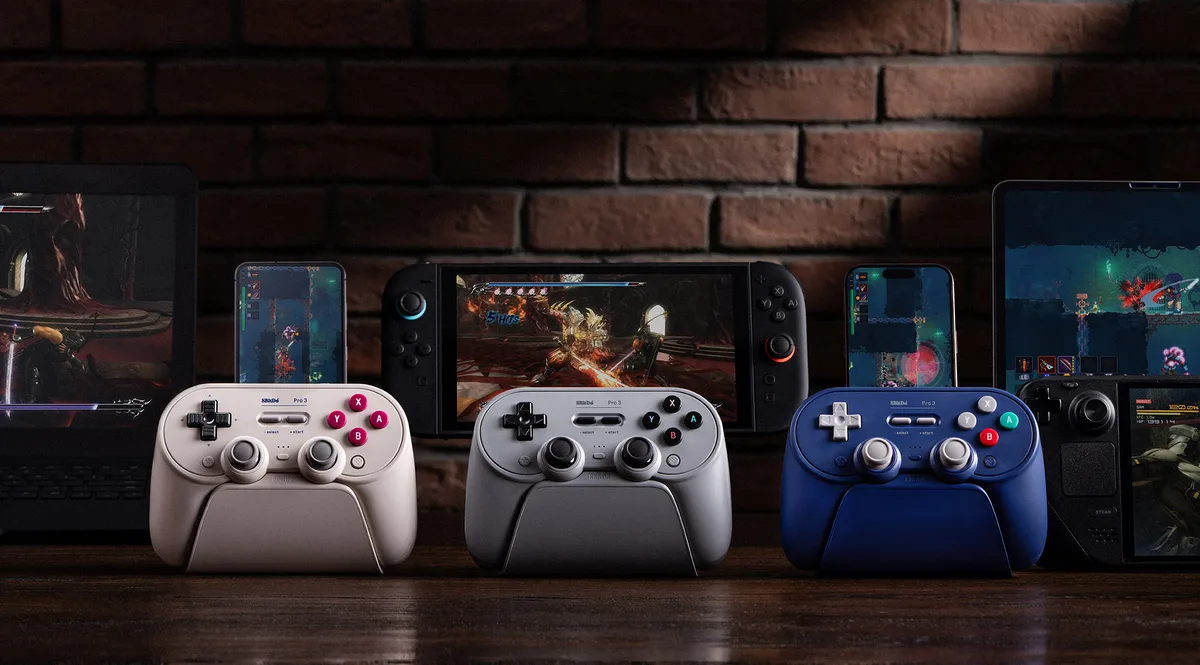
8BitDo’s SNES-inspired Pro line has been the go-to third-party pad for Switch and PC players for years, and this 8BitDo Pro 3 review finds the third generation a big step up from the Pro 2. The sticks move to TMR sensors, the triggers gain a Hall effect hair-trigger mode, the face buttons become swappable, and a charging dock now comes in the box. It runs on almost everything, from Switch and Switch 2 to PC, Steam Deck, Android and Apple devices. The trade-offs are loud face buttons, a sealed battery and software that still feels unfinished.
What’s in the Box: A Dock as Standard
The Pro 3 comes with its charging dock, a 2.4GHz adapter, a USB cable, a small suction tool for swapping the face buttons, two ball-top stick caps and a paper manual. The sticks arrive protected by foam rings, and the cable is color-matched to the controller and dock. A compartment in the base of the dock holds the 2.4GHz adapter, the button tool and a spare set of face buttons, so the small parts stay together. The only thing without a home is the pair of ball-top caps.
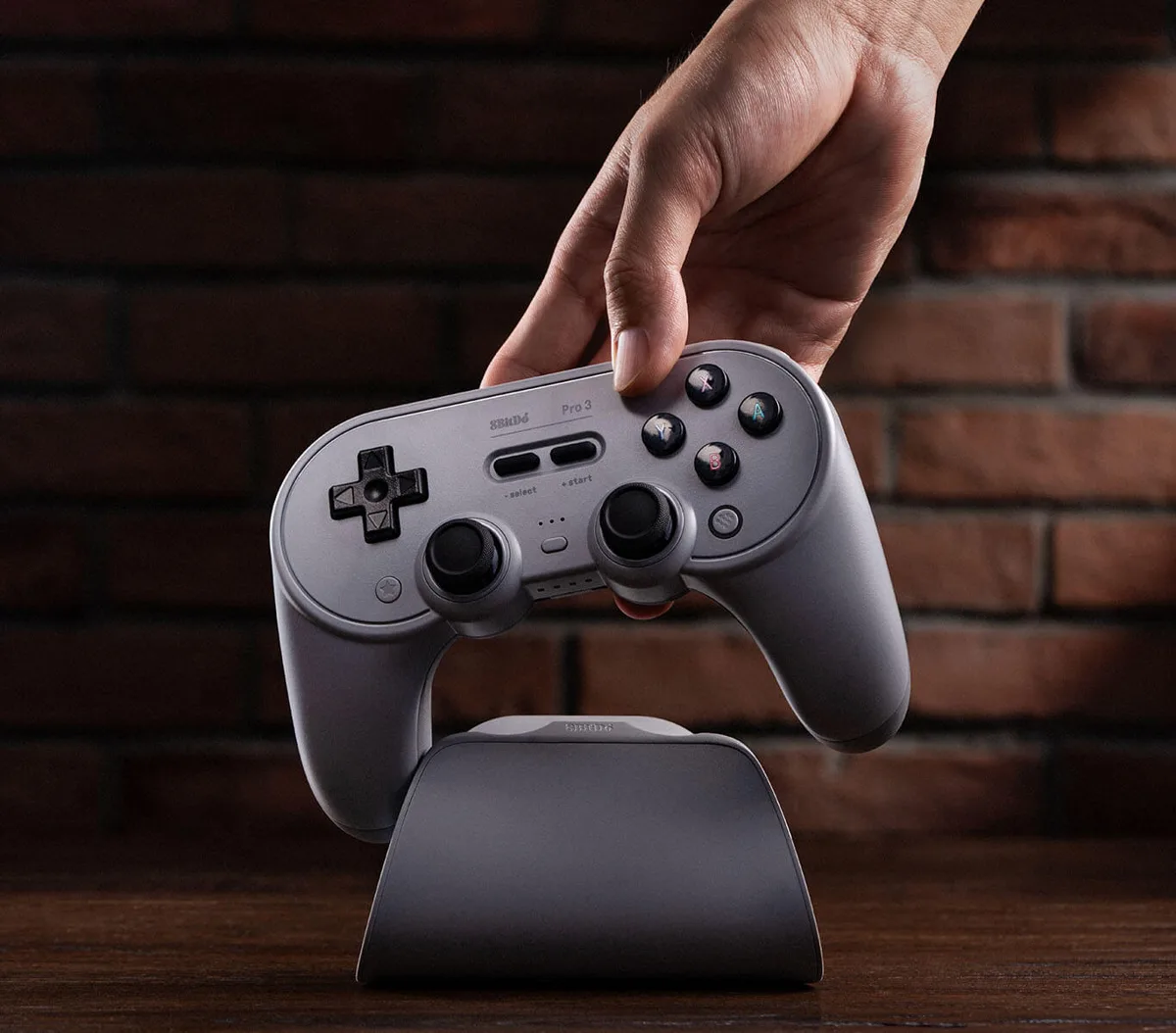
Lift the Pro 3 off its dock and it wakes up and reconnects on its own. (Image: 8BitDo)
Design and Comfort: The Pro 2 Shape, Built Sturdier
From the outside, the Pro 3 looks almost identical to the Pro 2, a SNES-style body with grips and PlayStation-style symmetrical sticks. The textured plastic is grippy and comfortable over long sessions, and it feels much more premium and sturdier than the Pro 2, flexing only slightly if you deliberately twist it hard. Reaching the sticks takes a bit of a stretch, which may matter if you have small hands. And if you prefer Xbox-style offset sticks, this layout still isn’t for you. It weighs 8.6 oz and comes in Purple, G Classic and Gray, plus an Orange edition sold on 8BitDo’s own store.
Face Buttons and D-Pad: Swappable, Tactile and Loud
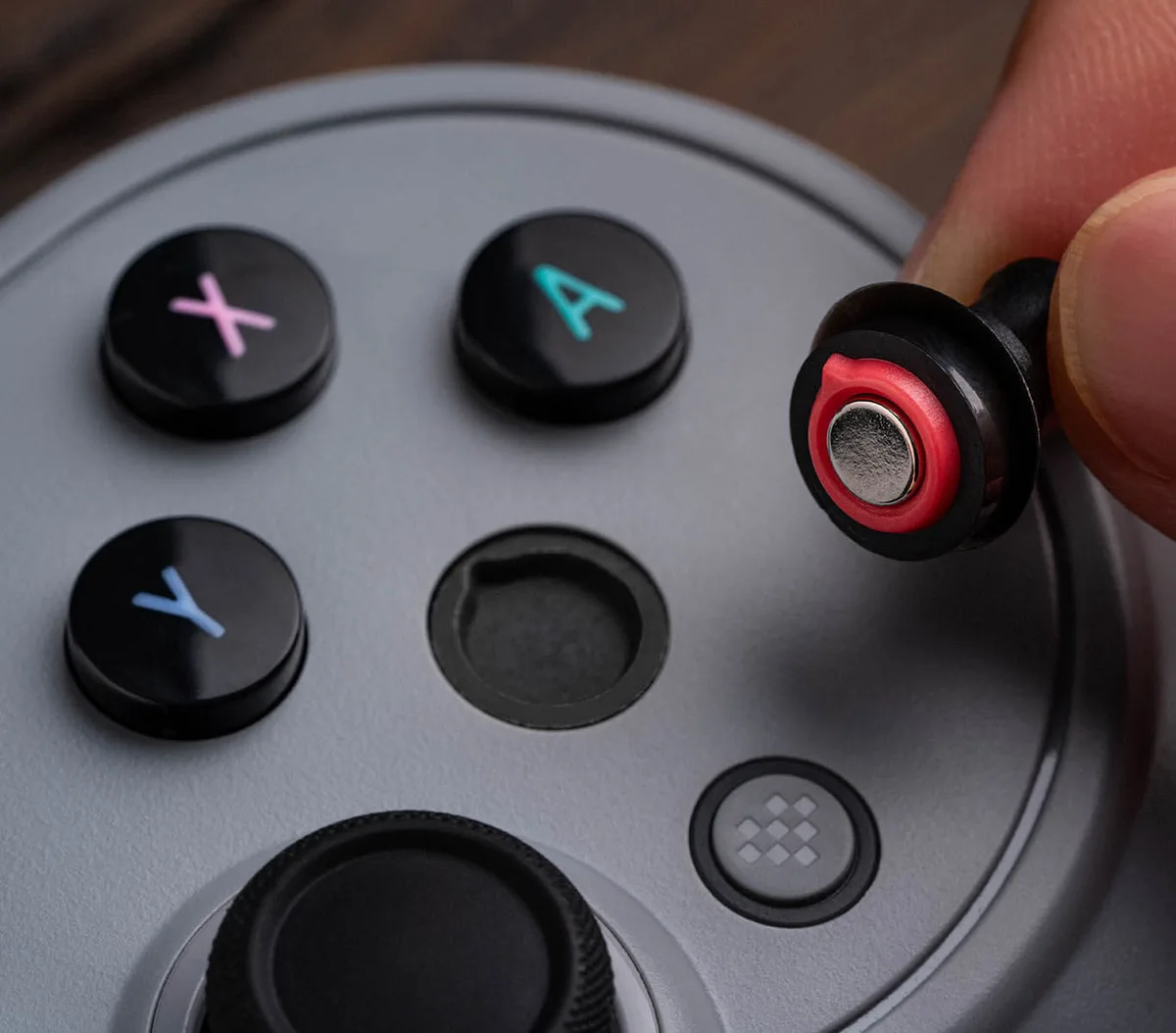
The ABXY buttons are now magnetic and pop out with the included suction tool. You can rearrange them from the Switch layout to the Xbox layout or swap in the spare set of colored buttons with and without letters. Swapping is easy, though the buttons don’t always sit perfectly straight. The buttons themselves feel crisp, but they’re loud and clacky, enough to bother people a room or two away.
The magnetic ABXY buttons swap between Switch and Xbox layouts. (Image: 8BitDo)
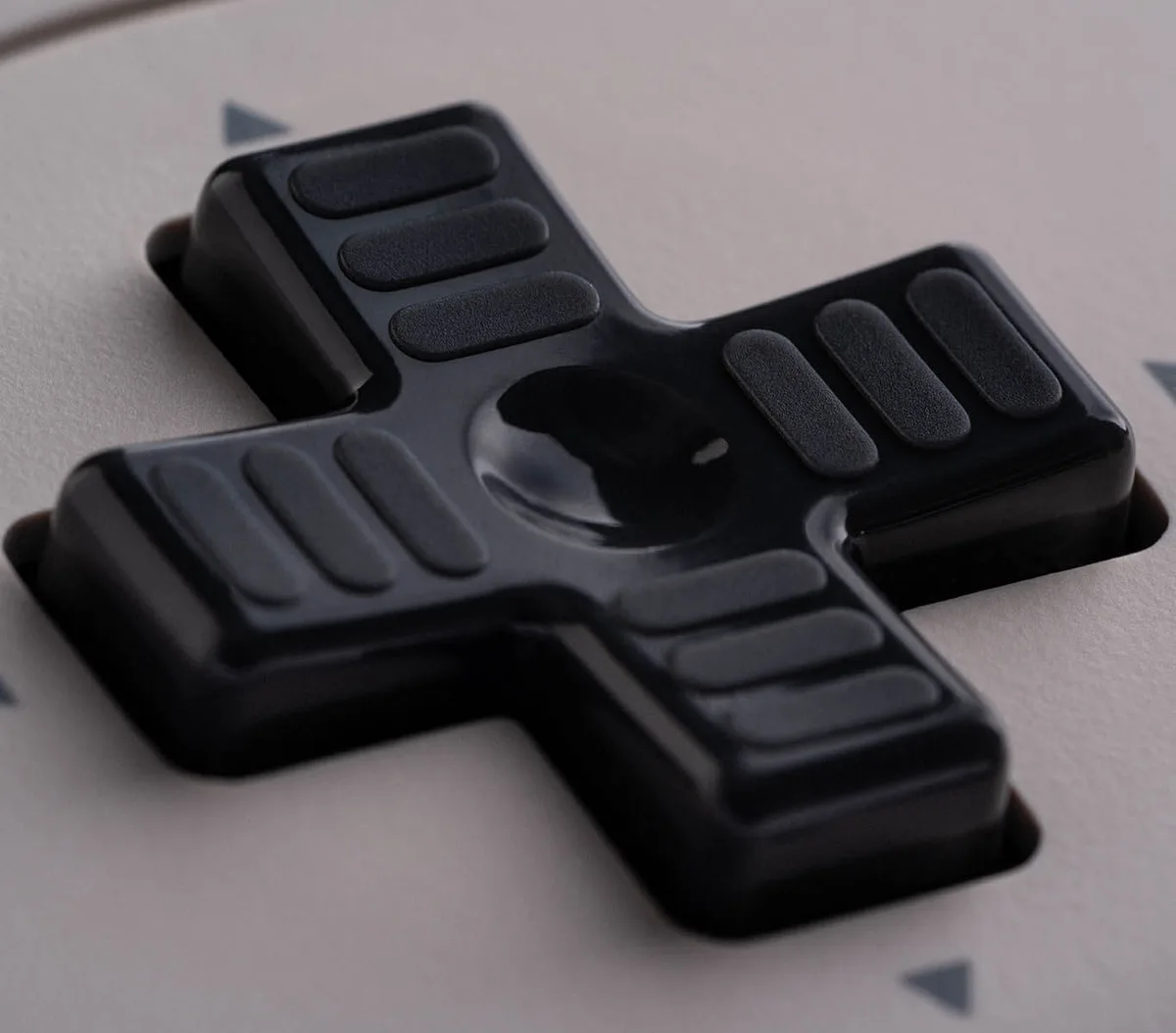
The D-pad is a highlight. It has a distinct tactile bump on each of the four directions but still rolls easily into diagonals. It’s one of the best D-pads on any controller right now, ideal for retro games, platformers and Tetris. It is clicky, though, so if you love a soft, quiet D-pad, the Pro 2’s is still an option.
The tactile D-pad is a big upgrade for retro and 2D games. (Image: 8BitDo)
Sticks: TMR Precision, with Slippery Tops
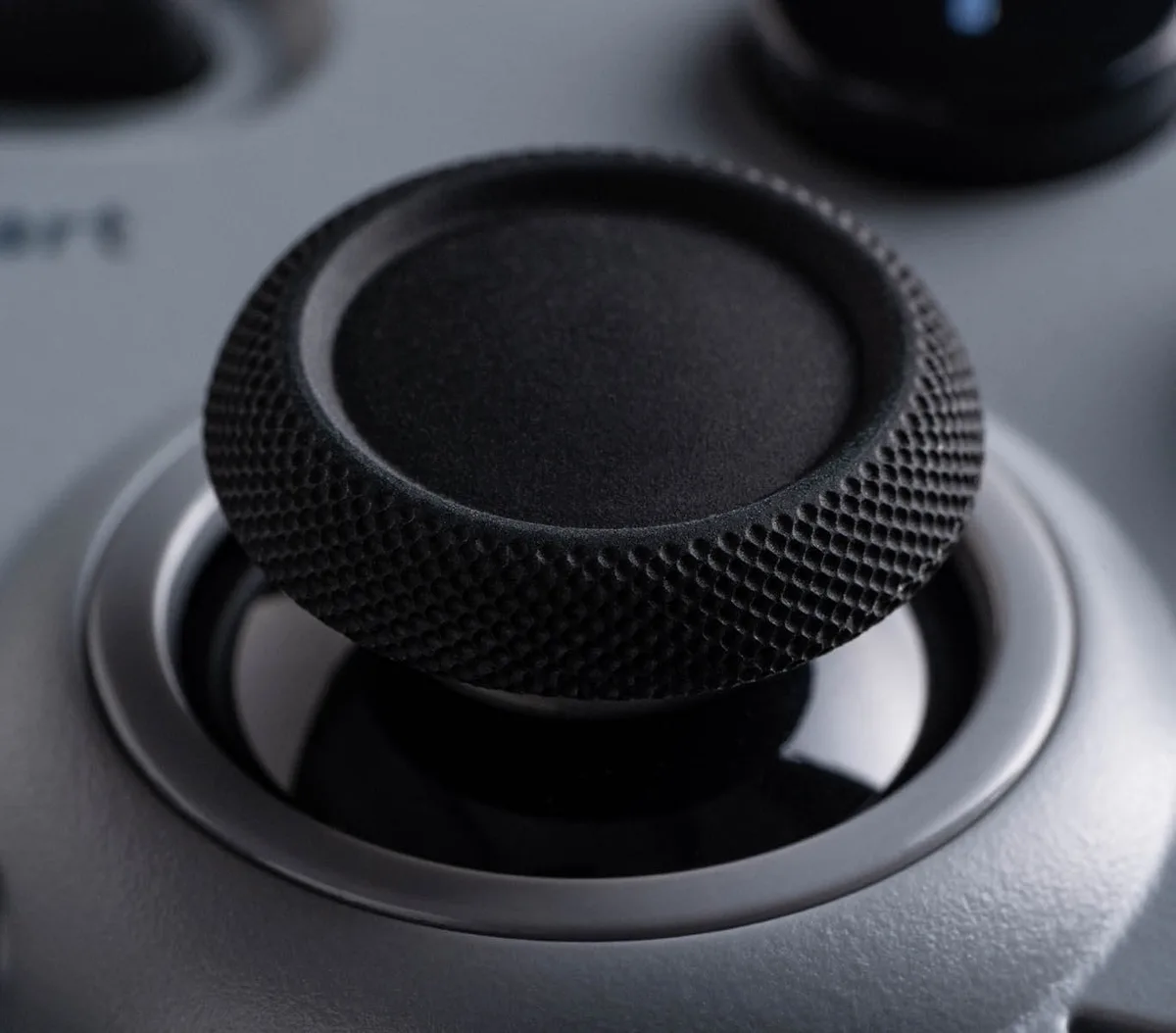
The Pro 3 swaps the Pro 2’s Hall effect sticks for TMR (tunneling magnetoresistance) sticks. Like Hall effect sensors, they use magnets instead of wearing contacts, so they resist drift, but they draw less power and offer finer resolution. 8BitDo pairs them with a 12-bit ADC sampling chip and wear-resistant metal rings around the stems. They’re smooth across their whole range with no grinding, and the default dead zones work well, though you can shrink them all the way to zero in Ultimate Software. The one complaint is that the stick tops feel a little too smooth and slippery.
The ball-top caps pull straight off and on. They’re more of a fun extra than something you’ll use daily, but the taller caps are genuinely helpful in twin-stick shooters like Geometry Wars.
TMR joysticks resist drift and use less power than Hall effect sticks. (Image: 8BitDo)
Triggers and Extra Buttons: Two Modes, Four Extras
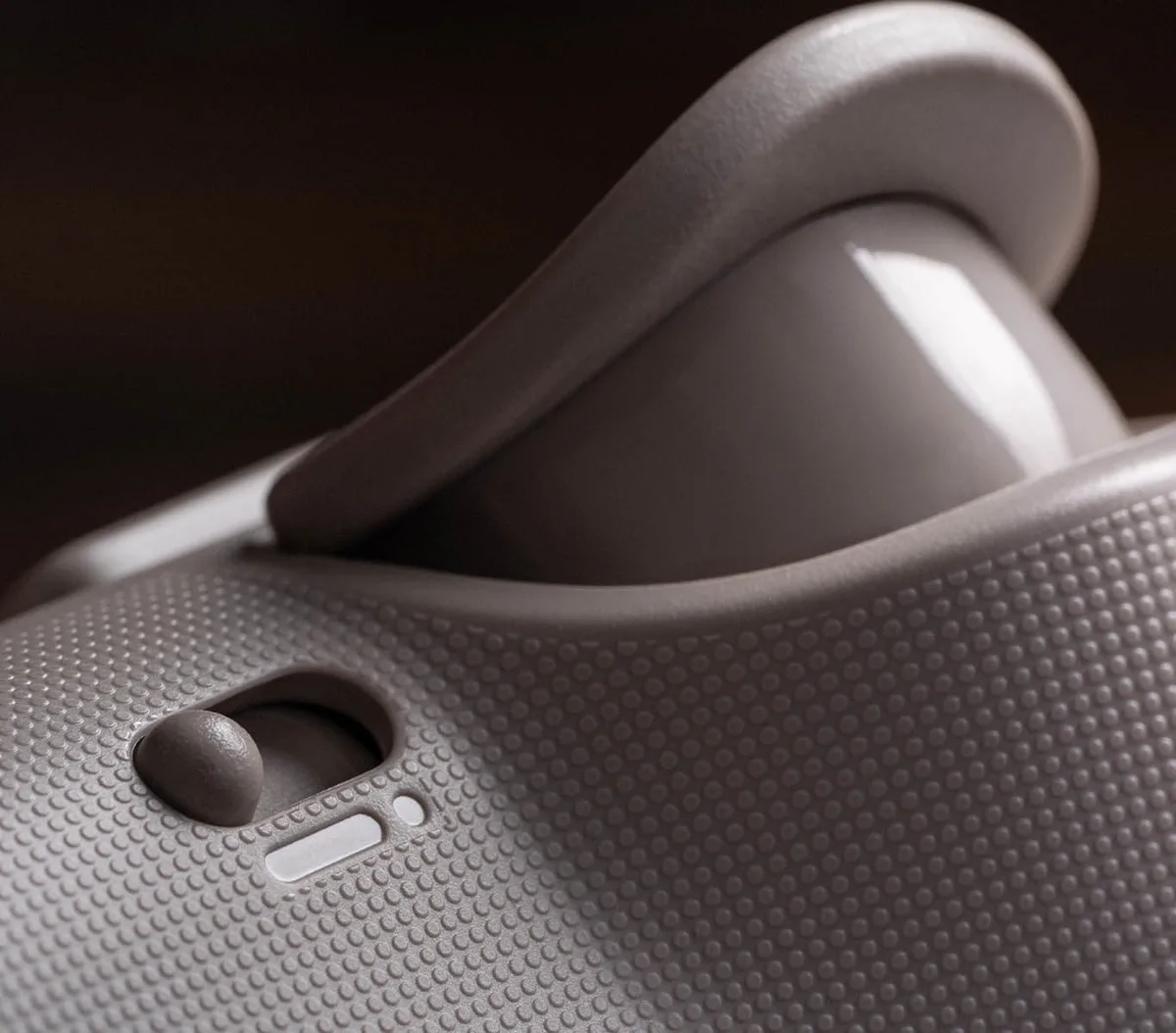
Each trigger has its own switch. In one position, it’s a linear Hall effect trigger for racing games and anything else that needs analog control. Flip it, and a micro-switch slides in to turn it into a short, mouse-click style digital trigger, which suits shooters, older games and the Switch, since Switch games only use digital triggers. There’s a little free travel before the switch engages, which takes some getting used to, and the full analog pull is a bit short, so fine throttle control in racing games like Forza Horizon 5 is harder than it should be.
A switch beside each trigger flips it between analog and tactile modes. (Image: 8BitDo)
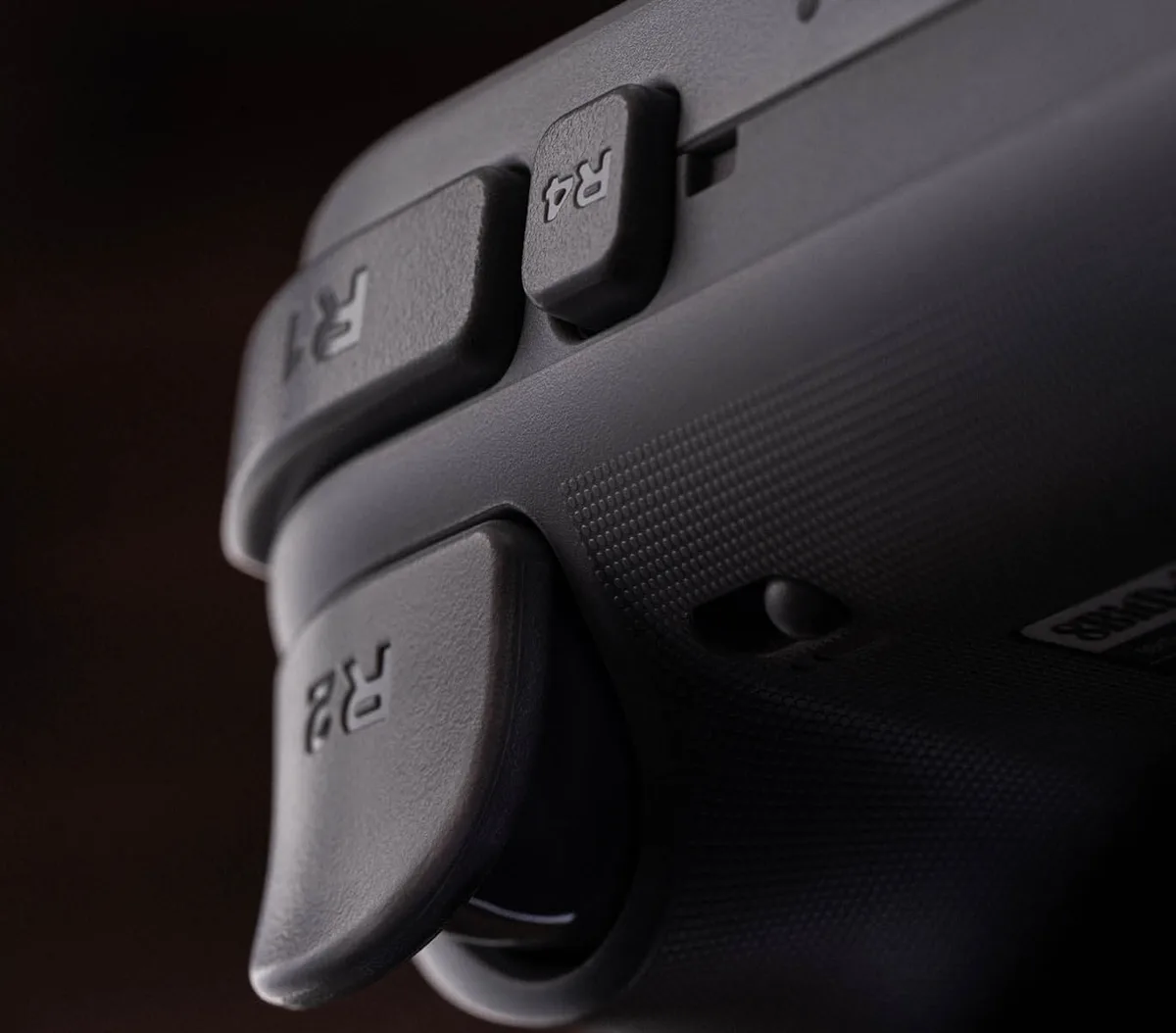
New L4 and R4 buttons sit beside the bumpers and use micro-switches, so they click like a mouse button. You can remap them without any software. They feel good, but they sit a little too far in to reach comfortably with some grips. The two back paddles return from the Pro 2, slightly firmer than before, which makes accidental presses less likely.
The new L4 and R4 fast bumpers use micro-switches. (Image: 8BitDo)
Connectivity: Works With Almost Everything
A three-position switch on the underside picks the mode. The 2.4GHz adapter handles Windows and Switch, Bluetooth covers Switch, SteamOS, Android and Apple devices, and a USB cable works everywhere. Because the adapter lives inside the dock, plugging the dock into your PC or Switch means the controller turns on and connects as soon as you lift it off, which is especially convenient. 8BitDo also includes a USB-C adapter for the 2.4GHz dongle.
On PC, Bluetooth is the better choice because Steam recognizes the L4, R4 and back buttons natively, so you can map them in Steam Input without 8BitDo’s app. On Switch, the Pro 3 acts like a Switch Pro Controller, with motion controls and rumble, but its back paddles don’t work as the Switch 2’s GL and GR buttons. It can wake a Switch with a shake, and wake-up works on both consoles after a setup trick that feels a little hacky. Apple support requires iOS, iPadOS or macOS 26 or later.
The Pro 3 works with Switch, PC, Steam Deck, Android and Apple devices. (Image: 8BitDo)
Latency: Quick Wired, Solid Wireless
Latency is solid rather than class-leading. Wired in XInput mode, it averages about 5.9ms for buttons and 11.4ms for sticks at roughly 250Hz. On the 2.4GHz adapter, the averages rose to about 9.2ms and 14.8ms. Bluetooth in Switch mode was slower at about 11.9ms for buttons and 28.1ms for sticks, which is fine for most Switch games. Bluetooth in D-input mode was much slower, so stick with XInput, Switch mode or the adapter.
Battery Life and Charging: Sealed In, but Always Topped Up
8BitDo rates the 1,000mAh battery at about 20 hours, with a 4-hour charge. Unlike the Pro 2’s removable pack, it’s sealed inside, a small step back. In practice, the dock makes up for it, since the controller is always charged if you put it back after playing. The dock lights up while charging, and the battery level indicator is on the controller itself.
Ultimate Software: Powerful but Rough
8BitDo’s Ultimate Software V2 for Windows and macOS lets you remap buttons, tune stick and trigger ranges, adjust vibration, build macros and save three custom profiles you can switch between with a button on the controller. It connects over a cable or the 2.4GHz adapter. It’s functional but unpolished, with empty profile slots labeled “null,” an awkward profile assignment process and the occasional detection problem, and buttons can only be remapped to other controller inputs, not keyboard keys. Steam Input avoids most of this on PC.
Rumble: Better, but Not HD Rumble
The rumble motors are stronger and more varied than the Pro 2’s. But the Pro 3 doesn’t support Nintendo’s HD Rumble or amiibo scanning, and its rumble feels imprecise in Switch games, so it won’t match Nintendo’s own controller there.
8BitDo Pro 3 vs Pro 2 and Ultimate 2
Compared with the Pro 2, the Pro 3 adds TMR sticks, switchable Hall effect triggers, L4 and R4 buttons, swappable face buttons, a 2.4GHz adapter and a dock, and it’s better in nearly every way. The Pro 2 still makes sense if you want a softer D-pad or a removable battery, as we explain in our 8BitDo Pro 3 vs Pro 2 comparison. If you prefer an Xbox-style layout, the 8BitDo Ultimate 2 is the better match, and our 8BitDo Pro 3 vs Ultimate 2 breakdown covers the differences. It also costs less than Nintendo’s own Pro Controller while adding a dock and far more features.
Final Thoughts
8BitDo Pro 3
GameCuki VerdictGameCuki Top Pick
What Our Verdicts Mean
GameCuki Top PickThe best option in its class, with no serious, repeated problems.
RecommendedA good buy for most people. Weaknesses are minor or only matter to some players.
Buy With CaveatsRight for a specific kind of player only, because of a significant drawback.
Skip ItNot recommended. A better option exists at a similar price.
The 8BitDo Pro 3 isn't perfect. Its face buttons are loud, its battery is sealed, and Ultimate Software still needs a UX overhaul. But few controllers at this price bring together TMR sticks, switchable Hall effect triggers, a tactile D-pad this good and a charging dock, and it works with nearly every system you own. If you like a symmetrical layout and play on Switch, PC or Steam Deck, the Pro 3 is the controller we'd buy first.
I'm Fraser, and I write the reviews on GameCuki. That covers consoles and handhelds, PC gaming hardware, controllers, headsets and accessories, from big purchases like gaming laptops to small add-ons like screen protectors and grips. I build each review from the manufacturer's specs, professional reviews and verified owner feedback, and I check long-term issues like comfort, battery life and durability against several sources before they make it into the pros and cons. Every review ends with who the product is for and who should skip it. I don't accept free products or paid placements, and what I write comes from research, not my own use of the products. You can read my full process on our How We Review page.