GameCuki is reader-supported. When you buy through links on our site, we may earn an affiliate commission at no extra cost to you. As an Amazon Associate I earn from qualifying purchases. Learn more.
GameCuki VerdictRecommended
What Our Verdicts Mean
GameCuki Top PickThe best option in its class, with no serious, repeated problems.
RecommendedA good buy for most people. Weaknesses are minor or only matter to some players.
Buy With CaveatsRight for a specific kind of player only, because of a significant drawback.
Skip ItNot recommended. A better option exists at a similar price.
The Bottom LineA big, heavy, wired full-size board that packs real macro keys, a programmable dial and a plush wrist rest into one package, best for MMO players and desk-bound creators with room to spare.
Eight dedicated macro inputs, five M keys plus three side buttons
Razer Command Dial with eight presets and up to 100 custom modes
Metal volume roller and four dedicated media keys
Magnetic wrist rest that extends the underglow by 20 zones
Per-key RGB plus underglow, synced through Chroma
Up to 8,000 Hz polling and a USB 2.0 passthrough port
Razer Green, Yellow and Orange switch choices with two layers of internal foam
Solid, heavy build with an aluminum alloy top plate
Cons
Very large and heavy, so it needs a wide desk
Macro keys and custom dial modes depend on Synapse 3
Doubleshot ABS keycaps may shine or wear with heavy use
Razer BlackWidow V4 Pro Specs
Layout
Full-size with five macro keys, three side buttons and a Command Dial
Switches
Razer Green (clicky), Razer Yellow (linear), Razer Orange (tactile)
Green switch
1.9 mm actuation, 50 g force
Yellow switch
1.2 mm actuation, 45 g force
Connectivity
Wired USB-C, 6.5 ft cable (2 m)
Polling rate
Up to 8,000 Hz
Passthrough
1 USB 2.0 port
Lighting
Per-key RGB plus underglow (18 zones, 38 with the wrist rest)
Keycaps
Doubleshot ABS
Dimensions
18.25 x 6 x 1 in (464 x 152 x 25 mm)
Weight
2.26 lb (1,027 g), wrist rest 13.76 oz (390 g)
Onboard profiles
5
Software
Razer Synapse 3
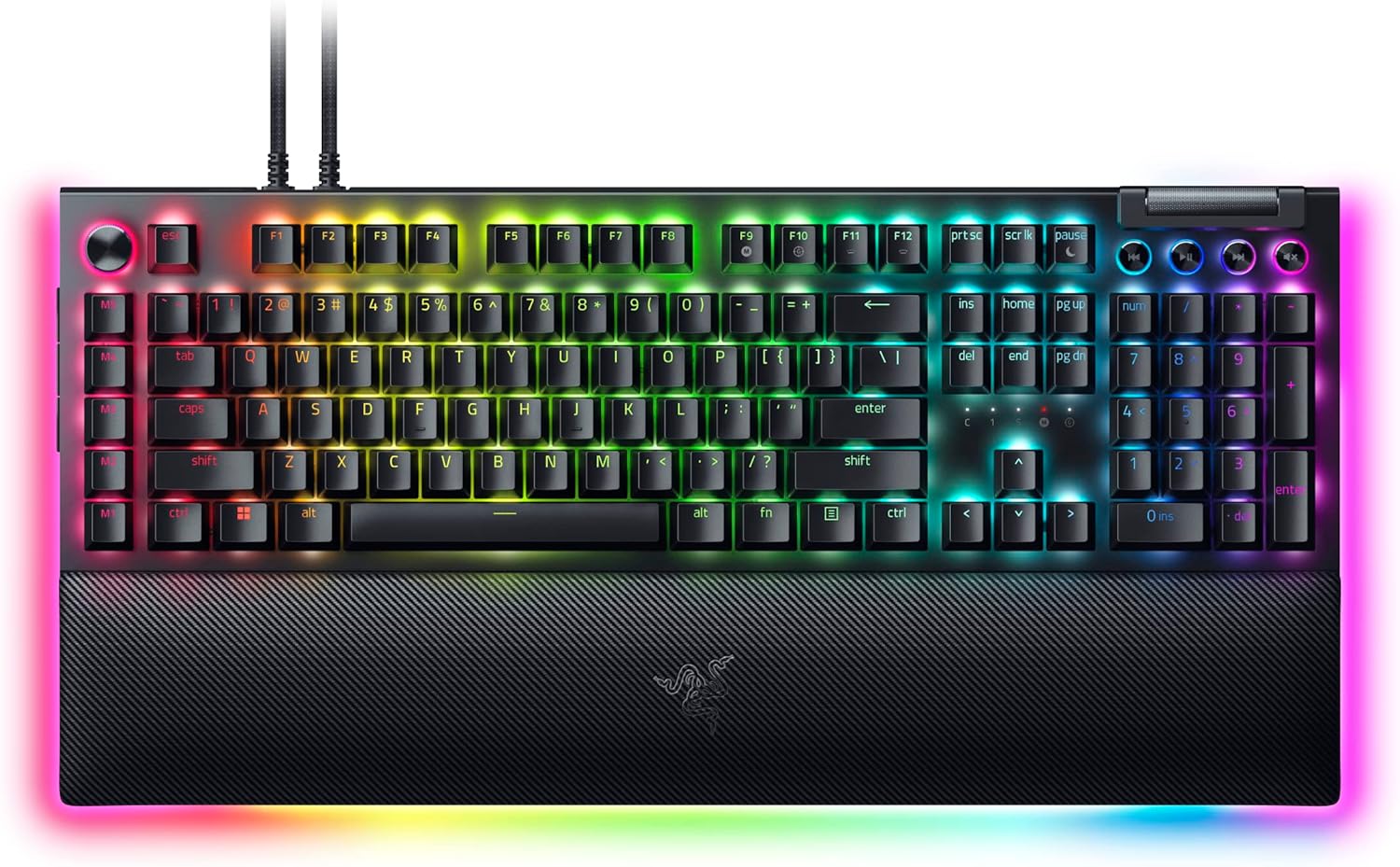
If you play MMOs, edit photos or just miss dedicated macro keys, this Razer BlackWidow V4 Pro review is for you. The V4 Pro is Razer’s full-size wired flagship, and it brings back a column of macro keys, a multi-function dial, a metal volume roller and a padded magnetic wrist rest. It is also huge, heavy and loud with the clicky switches, so we go through the design, the switches, the Command Dial, the lighting and the software, and point to slimmer rivals like the Keychron Q1 Max if the size is a problem.
Design and Build: Big, Heavy and Built to Stay Put
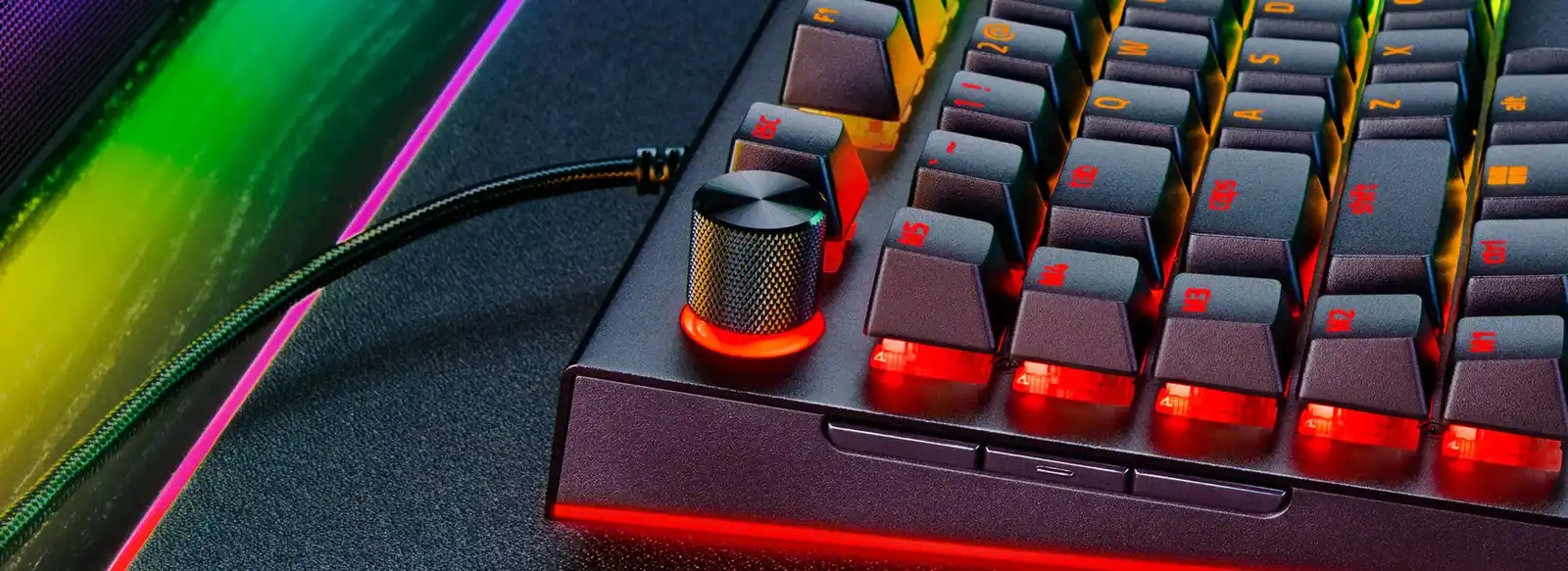
The left side holds the Command Dial, five macro keys and three programmable side buttons. (Image: Razer)
The V4 Pro pairs a matte black aluminum alloy top plate with a plastic chassis. It is 18.25 by 6 inches and about 1 inch thick without keycaps, and the macro column makes it wider than a normal full-size board. The keyboard alone weighs about 2.26 lb, and the detachable wrist rest adds another 13.76 oz. With the rest attached the whole setup is about 9.25 inches deep, so this is not a board for a cramped desk.
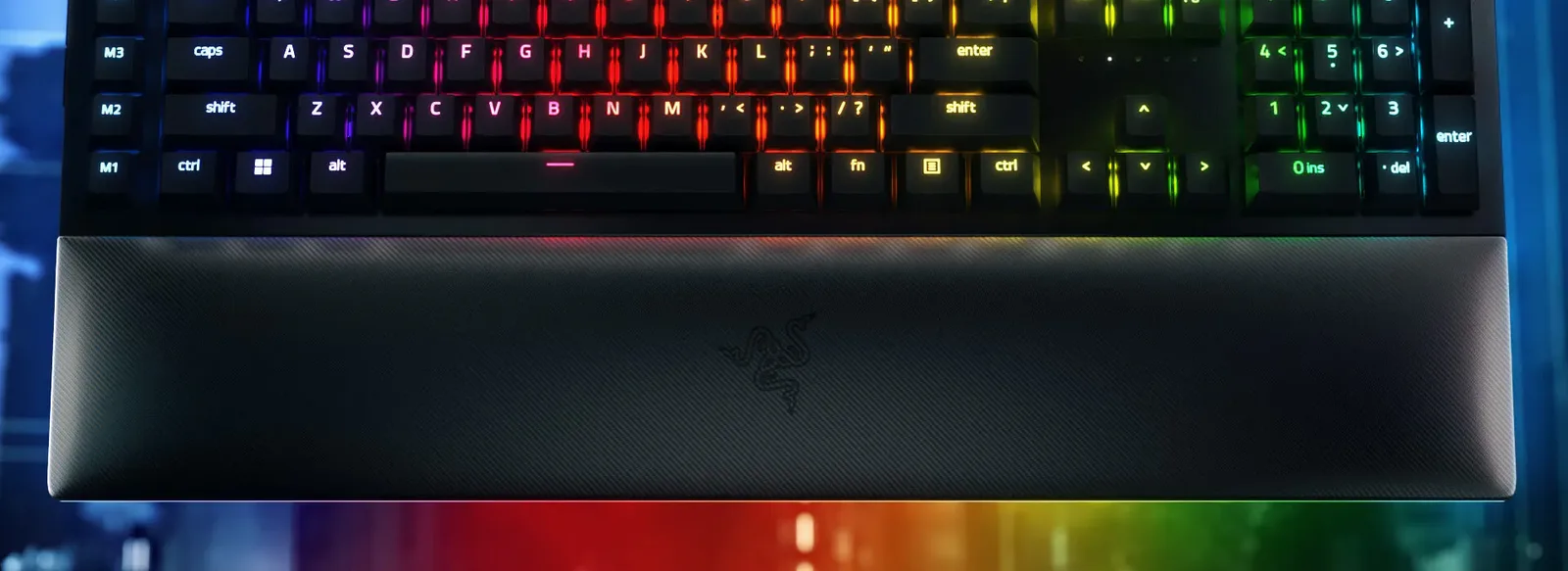
The leatherette wrist rest attaches magnetically and carries the underglow around the front edge. (Image: Razer)
The wrist rest is padded, covered in textured black leatherette and snaps on with magnets. A 5-pin connector under the keyboard feeds it, which adds 20 more underglow zones to the 18 on the sides of the board. Underneath, rubber pads and two sets of flip-out feet help keep the board planted. The box includes two 6.5 ft USB-C to USB-A cables, since the passthrough port needs a second cable.
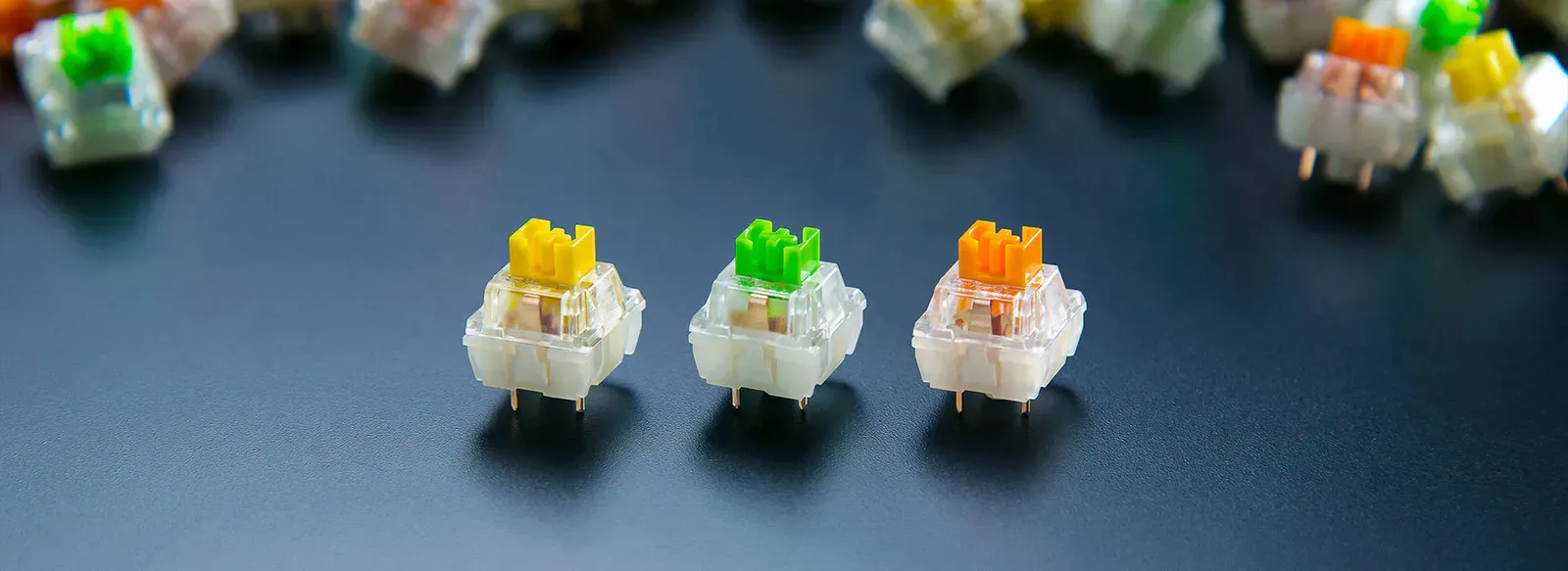
Razer offers yellow (linear), green (clicky) and orange (tactile) switches across its mechanical keyboards. (Image: Razer)
Razer’s in-house switches come in three flavors. Razer Green is clicky, with a tactile bump and an audible click at 1.9 mm of actuation and 50 g of force. Razer Yellow is linear, with no bump or click at 1.2 mm and 45 g, and Razer adds silicone sound dampeners to keep it quiet. An Orange tactile option is also sold. Two layers of foam inside the case cut some ping and reverb, but the Green version is loud, and large keys like the spacebar, backspace and enter sound more like a dull thud than a crisp click. Yellow is the safer choice for shared rooms and fast shooters.
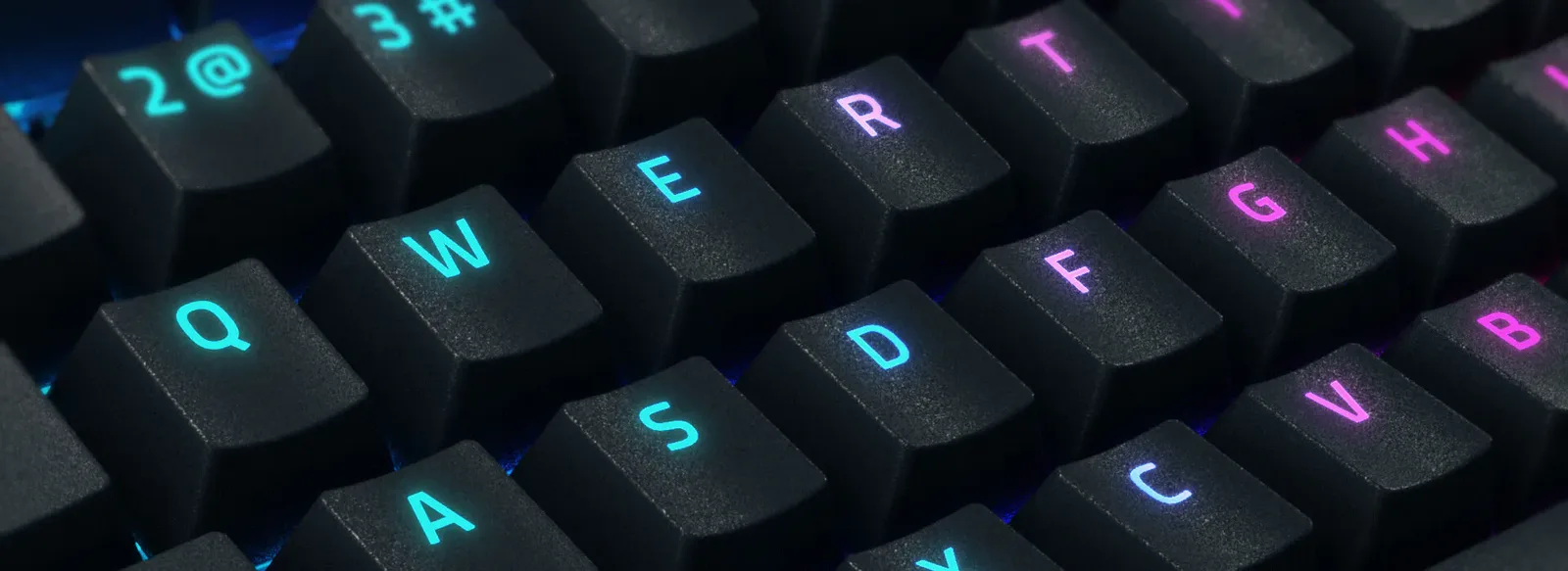
The doubleshot ABS keycaps have a light matte texture and shine-through legends. (Image: Razer)
The keycaps are full-height doubleshot ABS with a lightly textured matte finish and legends that glow through. They look close to PBT at a glance, but ABS can get shiny over time, and the V3 Pro’s keycaps showed wear within months of daily use, so expect the same here. A cheap PBT set is an easy upgrade if you care.
Command Dial, Macro Keys and Media Controls: The Reason to Buy
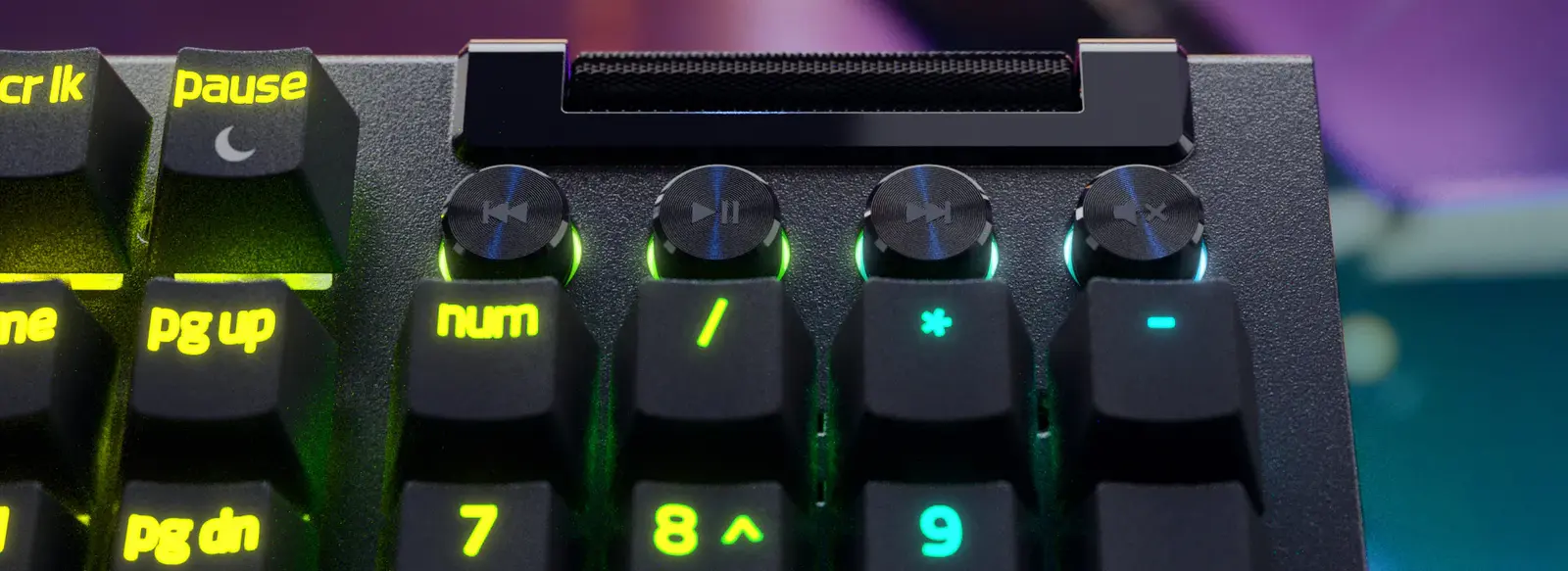
A textured metal roller and four machined media keys sit in the upper right corner. (Image: Razer)
Eight macro inputs are what set the V4 Pro apart: five keys labeled M1 to M5, plus three side buttons for screenshots, the Xbox Game Bar and Windows Task View out of the box. The macro keys are disabled until you turn them on in Synapse 3, which is an odd default. They can be remapped to keyboard or mouse actions, media controls, app launches, shortcuts or F13 to F24, and Razer HyperShift adds a second keybind layer on the Fn key. The metal volume roller and four media keys cover the rest.
The Command Dial sits above the macro keys and works like a mini control knob. It ships with eight presets, such as keyboard brightness, window zoom, switching applications and track jogging, and four are active by default, with a color showing the current mode. Clicking the dial advances modes. You can build up to 100 custom modes in Synapse 3, handy for brush size in Photoshop or timeline scrubbing, though custom modes only run while Synapse is running.
Lighting, Polling and Software: Synapse 3 Does the Heavy Lifting
Per-key RGB and underglow sync with other Chroma devices, and Chroma Studio handles custom effects. The board can store five onboard profiles, and the polling rate goes up to 8,000 Hz. Few players will feel anything above 1,000 Hz, but the option is there. Because the connection is wired, input lag is not a concern for ordinary play. Synapse 3 is Windows software, and Mac support is limited, so Mac users will get less out of the extras.
Is the Razer BlackWidow V4 Pro Worth It?
Razer BlackWidow V4 Pro
GameCuki VerdictRecommended
What Our Verdicts Mean
GameCuki Top PickThe best option in its class, with no serious, repeated problems.
RecommendedA good buy for most people. Weaknesses are minor or only matter to some players.
Buy With CaveatsRight for a specific kind of player only, because of a significant drawback.
Skip ItNot recommended. A better option exists at a similar price.
The Razer BlackWidow V4 Pro is worth it if you want a do-everything wired board with real macro keys, a programmable dial and a comfortable wrist rest, and you have a wide desk to hold it. MMO players, streamers and creators will use the extras daily. Skip it if you prefer a compact layout, want wireless, hate loud switches or do not want to depend on Synapse 3. Shoppers who want a quieter, more typing-focused board can look at our Keychron K2 HE review instead.
I'm Fraser, and I write the reviews on GameCuki. That covers consoles and handhelds, PC gaming hardware, controllers, headsets and accessories, from big purchases like gaming laptops to small add-ons like screen protectors and grips. I build each review from the manufacturer's specs, professional reviews and verified owner feedback, and I check long-term issues like comfort, battery life and durability against several sources before they make it into the pros and cons. Every review ends with who the product is for and who should skip it. I don't accept free products or paid placements, and what I write comes from research, not my own use of the products. You can read my full process on our How We Review page.