GameCuki is reader-supported. When you buy through links on our site, we may earn an affiliate commission at no extra cost to you. As an Amazon Associate I earn from qualifying purchases. Learn more.
GameCuki VerdictRecommended
What Our Verdicts Mean
GameCuki Top PickThe best option in its class, with no serious, repeated problems.
RecommendedA good buy for most people. Weaknesses are minor or only matter to some players.
Buy With CaveatsRight for a specific kind of player only, because of a significant drawback.
Skip ItNot recommended. A better option exists at a similar price.
The Bottom LineA slim, quiet-ish wireless TKL with a long battery rating and deep key remapping at a fraction of the G915 price, held back by a plastic chassis, no volume control and flat, slippery keycaps.
Low-profile GL switches with a 1.3 mm actuation point and 3.2 mm of travel
Lightspeed 2.4 GHz at 1000 Hz, Bluetooth and USB-C wired, switchable with dedicated buttons
Rated for up to 36 hours with full backlighting and over 600 hours with it off
KEYCONTROL remapping in G Hub, with up to 15 functions per key
Factory-lubed switches and sound-dampening foam in the case
Sturdy plastic build at a much lower price than the G915 TKL
Cons
No volume wheel or dedicated media keys
All-plastic chassis, and it weighs about 1.94 lb, more than the G915 TKL
Flat keycaps can feel slippery in fast shooters
Logitech G515 Lightspeed TKL Specs
Layout
Tenkeyless (TKL)
Switches
Logitech GL low-profile, linear (43 g) or tactile (45 g), factory-lubed
Actuation
1.3 mm, 3.2 mm total travel
Connectivity
Lightspeed 2.4 GHz, Bluetooth, USB-C wired
Polling rate
1000 Hz (Lightspeed)
Battery
Up to 36 hours with full backlighting, up to 600 hours without (Logitech rating)
Keycaps
Double-shot PBT, shine-through legends
Software
Logitech G Hub (KEYCONTROL)
Dimensions
14.5 x 5.9 x 0.87 in
Weight
1.94 lb (880 g)
If your desk is small, your laptop sits next to your gaming rig, or you simply prefer a thin board, this Logitech G515 Lightspeed TKL review is aimed at you. The G515 is Logitech’s cheaper take on its premium G915 TKL: the same compact footprint and low-profile feel, but with a plastic chassis, updated switches and no volume wheel. Below we go through the design, the switches, the software, the wireless modes and the battery, and who should look at rivals like the Keychron Q1 Max instead.
Design and Build: Slim, Solid and Plastic
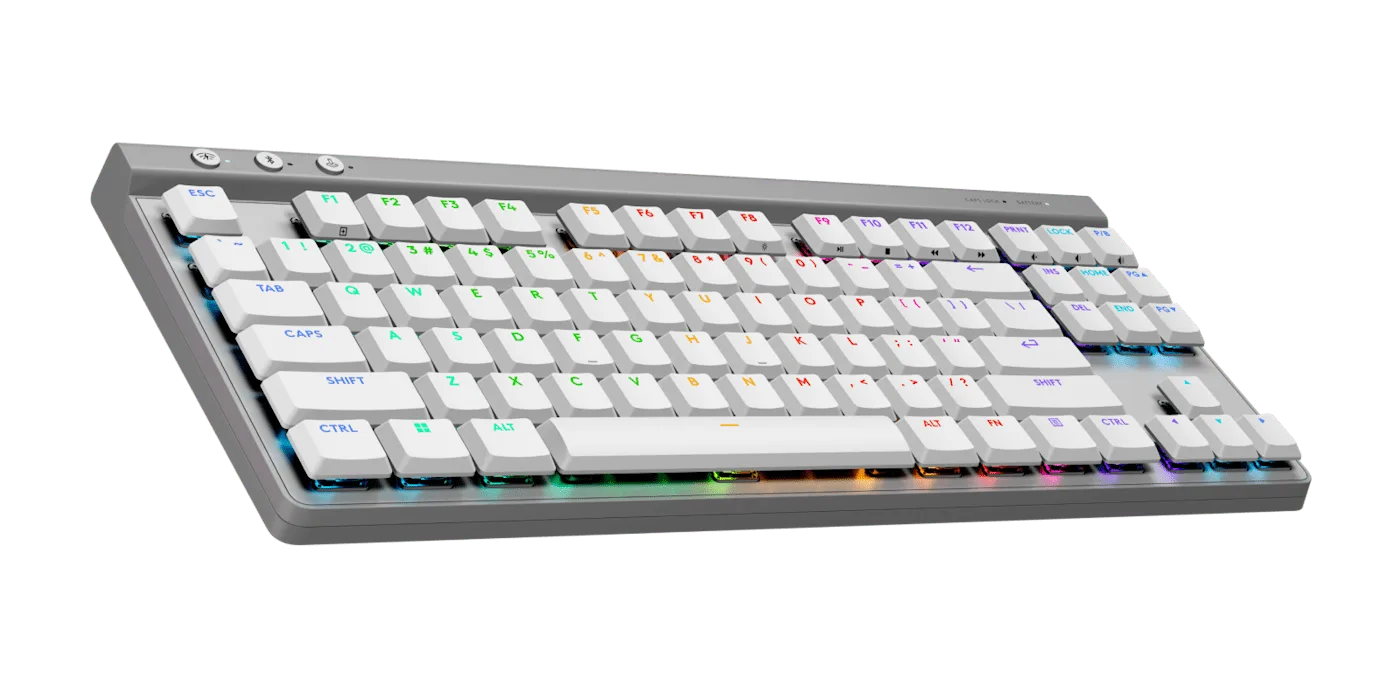
The G515 TKL uses a tenkeyless layout with three buttons above the function row. (Image: Logitech G)
The G515 TKL is 14.5 by 5.9 inches and 0.87 inches thick at its tallest point, the same footprint as the G915 TKL. It drops the aluminum backplate for an all-plastic chassis and weighs about 1.94 lb, which is a little more than its pricier sibling. Even so, the matte top plate feels sturdy, and the keycaps are thick double-shot PBT with shine-through legends. The tops of a few switch stems show through the legends, which can make the backlight look slightly uneven.
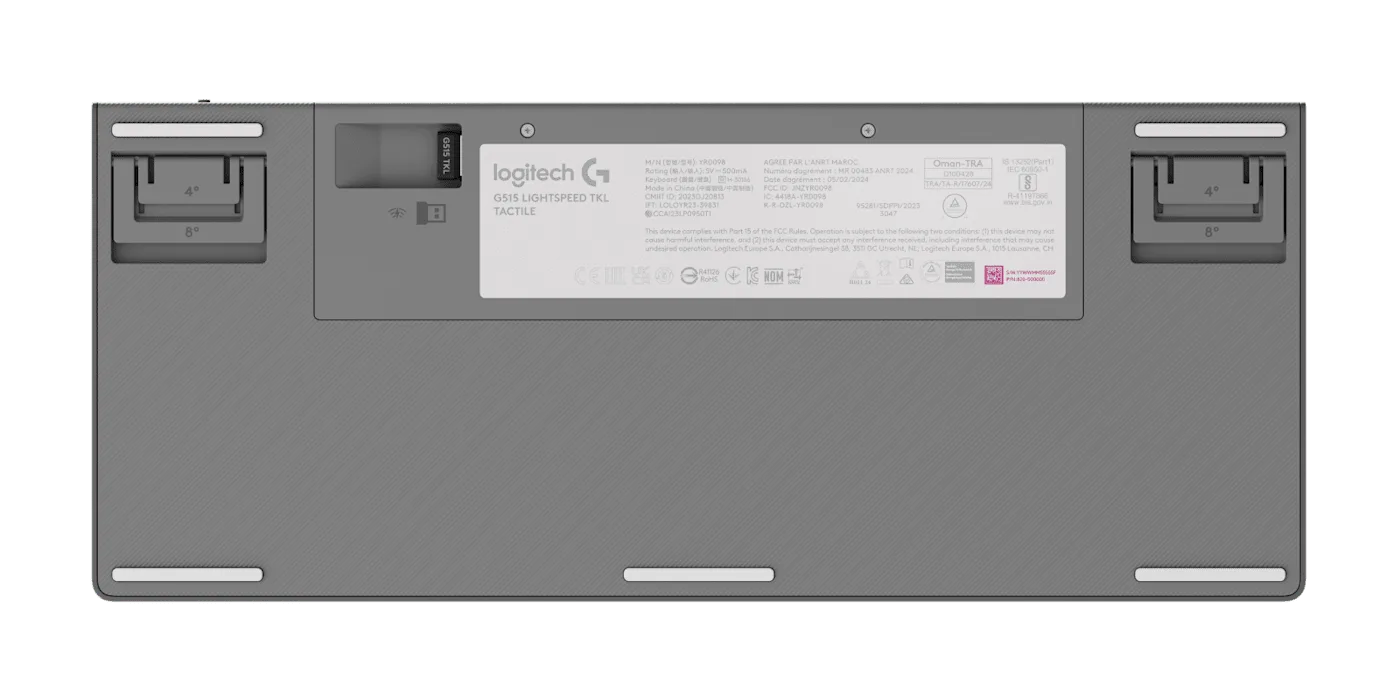
Two sets of flip-out feet set the angle to 4 or 8 degrees, and the Lightspeed dongle stores in a slot on the underside. (Image: Logitech G)
Under the board there are five rubber strips, two sets of flip-out feet and a small nook that stores the 2.4 GHz dongle. The USB-C port is on the left edge and the power switch sits on the back right. There is no volume wheel and no dedicated media keys, only secondary media functions printed on the function row. That is the most obvious cut compared with the G915.
Switches and Typing Feel: Low Profile, Lubed and a Little Flat
The low-profile switches keep the board close to the desk, which pairs well with a wrist rest. (Image: Logitech G)
The G515 uses Logitech’s GL low-profile switches in linear or tactile versions, now with a POM cross-style stem for less wobble. Both actuate at 1.3 mm and have 3.2 mm of total travel. The linear switch needs about 43 g and the tactile switch about 45 g, a bit lighter than the 50 g of the previous generation. Switches are factory-lubed, and foam inside the case helps the sound. Keys do not make much noise on their own, but bottoming out gives a slightly plasticky thunk, and some case rattle can come through.
The tactile version can make a low-profile board easier to adapt to, because the bump gives a clear sense of when a key registers. The flip side is that the 45 g tactile switch can feel stiff over a long session, so the linear version is the safer choice if you prefer a lighter touch. The keycaps are textured, but the flat tops can feel slippery in fast shooters, where accuracy matters more than speed. For strategy, RPGs and general desk use, the board works well. If you want hot-swap sockets and your own switches, this is not that keyboard, since the switches are not swappable.
Software and KEYCONTROL: Deep Remapping Without the Macro Keys
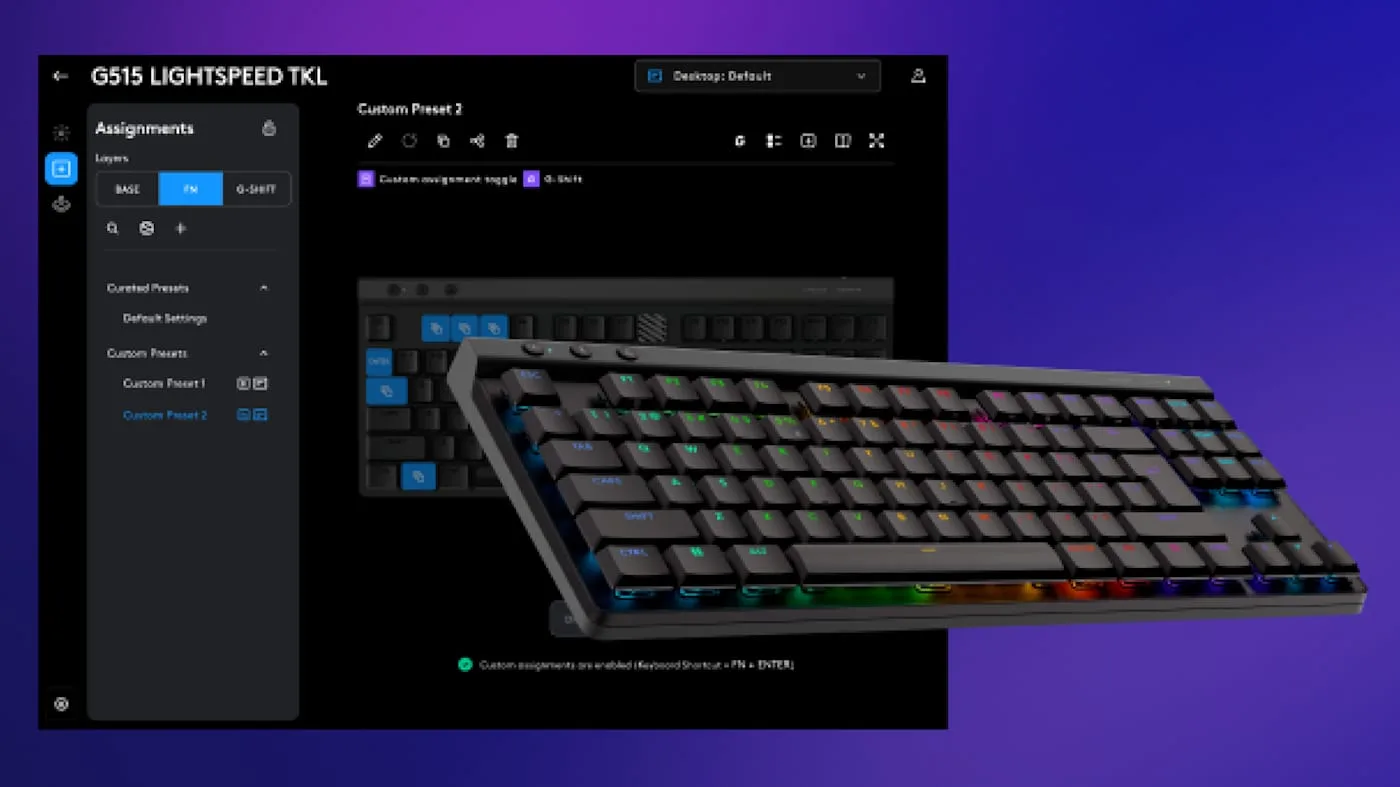
KEYCONTROL in G Hub lets you assign actions across the Base, Fn and G-Shift layers. (Image: Logitech G)
The G515 works with Logitech G Hub for lighting presets, Game Mode key locks and KEYCONTROL, the multi-layer remapping system. You start with three layers (Base, Fn and G-Shift), and each key can be mapped by modifier or by event type such as press, hold and release. In total that allows up to 15 functions on one key, which is overkill for most people but useful if you miss a numpad and macro keys. Presets can be saved and shared, and the board has onboard memory for lighting profiles.
Wireless and Battery: Lightspeed, Bluetooth and a Long Rating
The board connects over Lightspeed 2.4 GHz at a 1000 Hz polling rate, over Bluetooth, or with a 6 ft USB-C cable. Three buttons in the upper left switch between wireless and Bluetooth and toggle Game Mode. The dongle is a 2:1 model, so it can pair with the keyboard and a compatible Lightspeed mouse or headset on a single USB port. Lightspeed latency is close to a wired connection, while Bluetooth adds the usual latency, so use the dongle or the cable for games. One limit: the G515 pairs with only one Bluetooth device at a time, which is less handy than boards that store three.
Logitech rates the battery at up to 36 hours with the backlight at full brightness and over 600 hours with it turned off. That is a strong rating for a slim wireless board, and it means charging is rare if you dim the lighting.
Is the Logitech G515 Lightspeed TKL Worth It?
Logitech G515 Lightspeed TKL
GameCuki VerdictRecommended
What Our Verdicts Mean
GameCuki Top PickThe best option in its class, with no serious, repeated problems.
RecommendedA good buy for most people. Weaknesses are minor or only matter to some players.
Buy With CaveatsRight for a specific kind of player only, because of a significant drawback.
Skip ItNot recommended. A better option exists at a similar price.
The Logitech G515 Lightspeed TKL is worth it if you want a thin, compact wireless board with reliable Lightspeed performance, a long battery rating and flexible remapping, and you do not want to pay G915 prices. It suits small desks, mixed work and gaming setups, and Logitech fans who already use G Hub. Skip it if you want a volume wheel, hot-swap switches, an all-metal build or sculpted, grippier keycaps for competitive shooters. If a wireless magnetic board appeals more, our Keychron K2 HE review covers a very different take on the compact keyboard.
I'm Fraser, and I write the reviews on GameCuki. That covers consoles and handhelds, PC gaming hardware, controllers, headsets and accessories, from big purchases like gaming laptops to small add-ons like screen protectors and grips. I build each review from the manufacturer's specs, professional reviews and verified owner feedback, and I check long-term issues like comfort, battery life and durability against several sources before they make it into the pros and cons. Every review ends with who the product is for and who should skip it. I don't accept free products or paid placements, and what I write comes from research, not my own use of the products. You can read my full process on our How We Review page.