GameCuki is reader-supported. When you buy through links on our site, we may earn an affiliate commission at no extra cost to you. As an Amazon Associate I earn from qualifying purchases. Learn more.
GameCuki VerdictRecommended
What Our Verdicts Mean
GameCuki Top PickThe best option in its class, with no serious, repeated problems.
RecommendedA good buy for most people. Weaknesses are minor or only matter to some players.
Buy With CaveatsRight for a specific kind of player only, because of a significant drawback.
Skip ItNot recommended. A better option exists at a similar price.
The Bottom LineA feature-packed wireless 75% with a knob, gasket mount and full QMK/VIA support at a mid-range price, held back by a plastic body, a slightly hollow sound and thin-feeling keycaps.
Gasket mount and sound-absorbing foam give a softer, more flexible typing feel
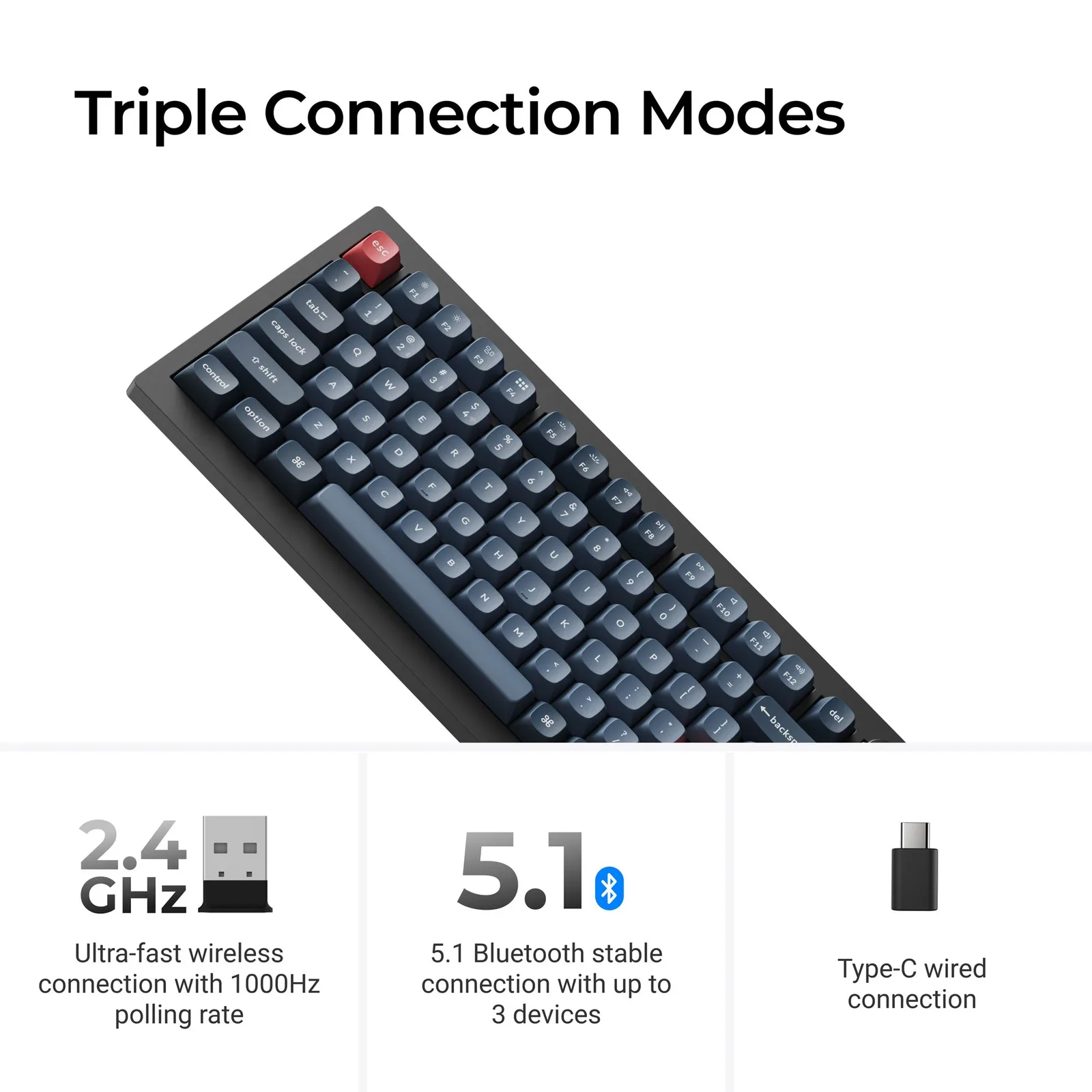
2.4 GHz at 1000 Hz plus Bluetooth 5.1 for up to 3 devices
Hot-swappable sockets for 3-pin and 5-pin MX switches
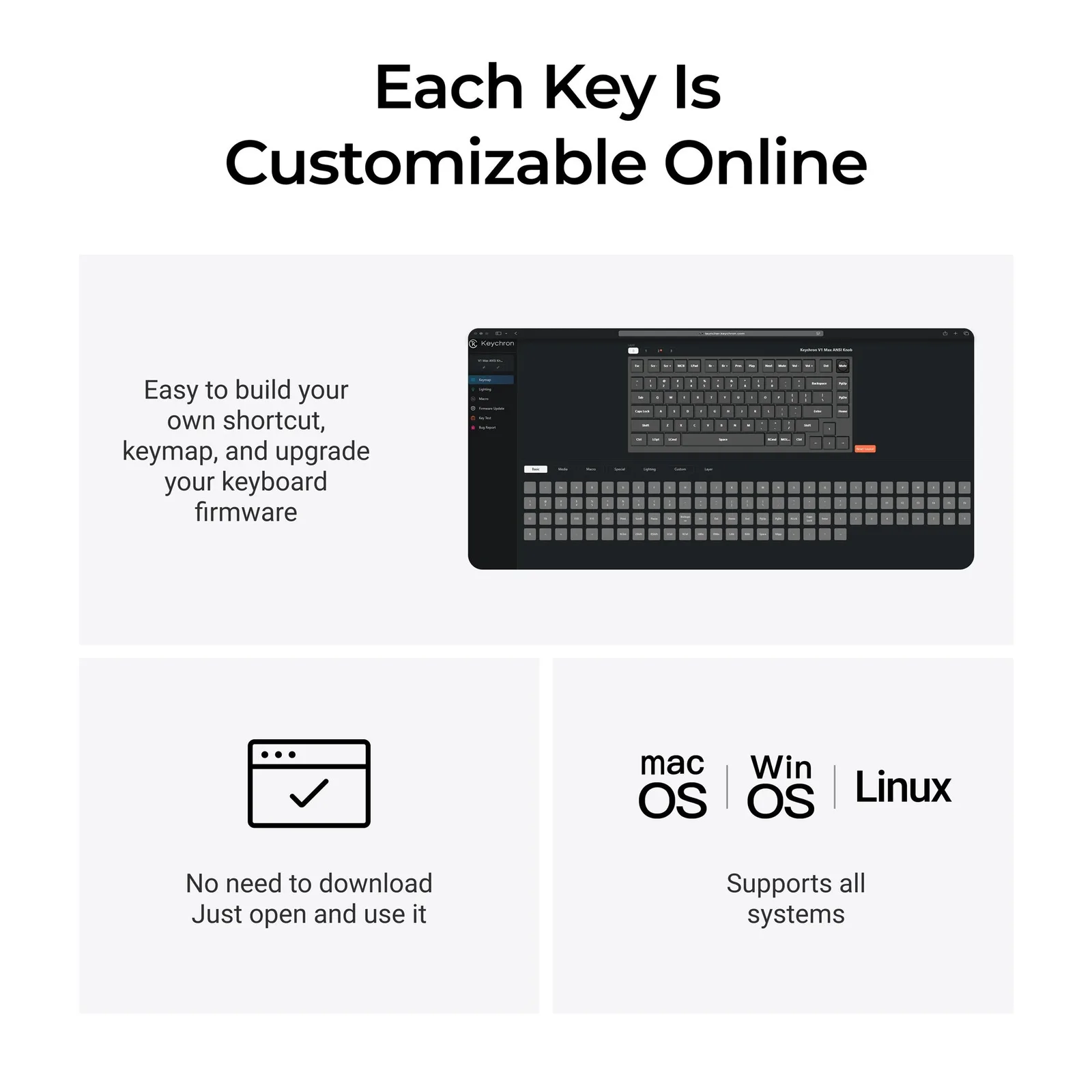
Full QMK and VIA support, remap in a browser with Keychron Launcher
Clickable volume knob and a Mac/Windows toggle with two saved layouts
USB-A and USB-C 2.4 GHz receivers in the box
Cons
ABS plastic case and polycarbonate plate feel less solid than a metal board
Typing can sound slightly hollow
Keycaps feel somewhat thin and light
Keychron V1 Max Specs
Layout
75% ANSI with knob
Switches
Gateron Jupiter, hot-swappable (3-pin and 5-pin MX)
Connectivity
2.4 GHz, Bluetooth 5.1 (3 devices), USB-C
Polling rate
1000 Hz (2.4 GHz and wired), 90 Hz (Bluetooth)
Battery
4000 mAh, up to 190 hours (backlight off), up to 100 hours (RGB at lowest brightness)
Case and plate
ABS plastic, polycarbonate
Mount
Gasket mount with acoustic foam
Keycaps
Double-shot PBT, OSA profile
Software
QMK, VIA, Keychron Launcher
Weight
1.7 lb (770 g)
Dimensions
12.9 x 5.9 in (328.5 x 148.7 mm)
Finding a wireless, hot-swappable 75% keyboard that does not cost as much as a custom build is harder than it sounds, and this Keychron V1 Max review looks at whether Keychron’s answer holds up. The V1 Max takes the compact V1 layout, adds 2.4 GHz and Bluetooth 5.1, and wraps it in a gasket-mount design with QMK and VIA support. It sits close to Keychron’s pricier Q Max boards in features and is built to be modded. If you like that idea, our guide on how to build a custom keyboard shows where to go next.
Design and Build: Plastic Body, Metal-Board Features
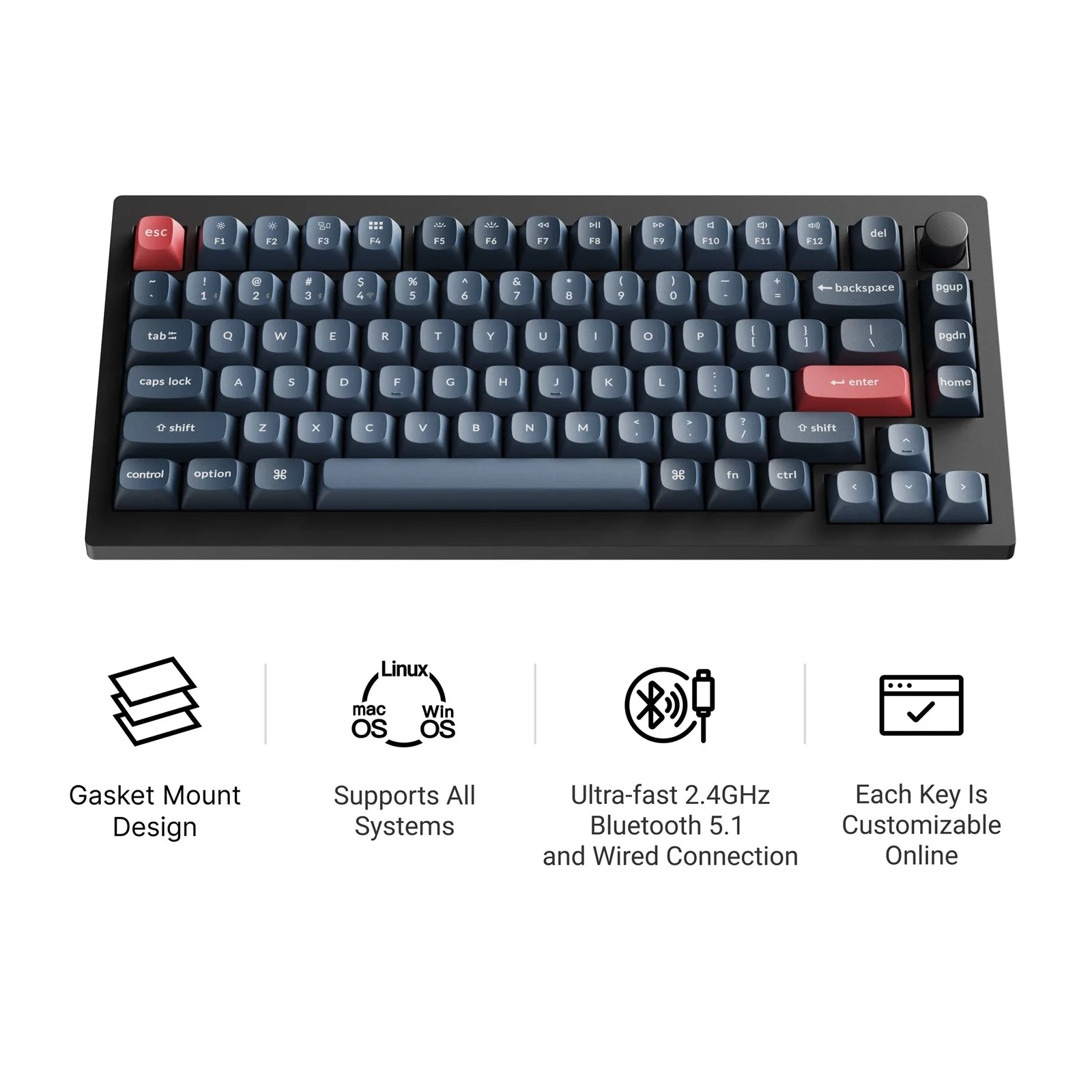
The 75% layout keeps arrow keys, the function row and a clickable knob. (Image: Keychron)
The V1 Max is a compact 75% board with 84 keys, ANSI only at launch. It is about 12.9 x 5.9 inches (328.5 x 148.7 mm) and weighs roughly 1.7 lb (770 g), so it feels planted on a desk without being a brick. The case is ABS plastic with a polycarbonate plate, and that is the main compromise. A metal case would add rigidity and a more premium feel, and the plastic here is the first thing to notice if you are coming from an all-aluminum board.
The clickable volume knob in the upper-right corner is the standout daily-use feature. On the back you get a USB-C port, a power LED, a Mac/Windows switch and a connection-mode switch, and both 2.4 GHz receivers (USB-C and USB-A) clip into the underside. Feet raise the board to 3.5, 7.1 or 9.5 degrees. A small gripe: the legends on the keycaps are hard to read in dim light.
Typing Feel and Sound: Gasket Mount Softens the Bottom-Out
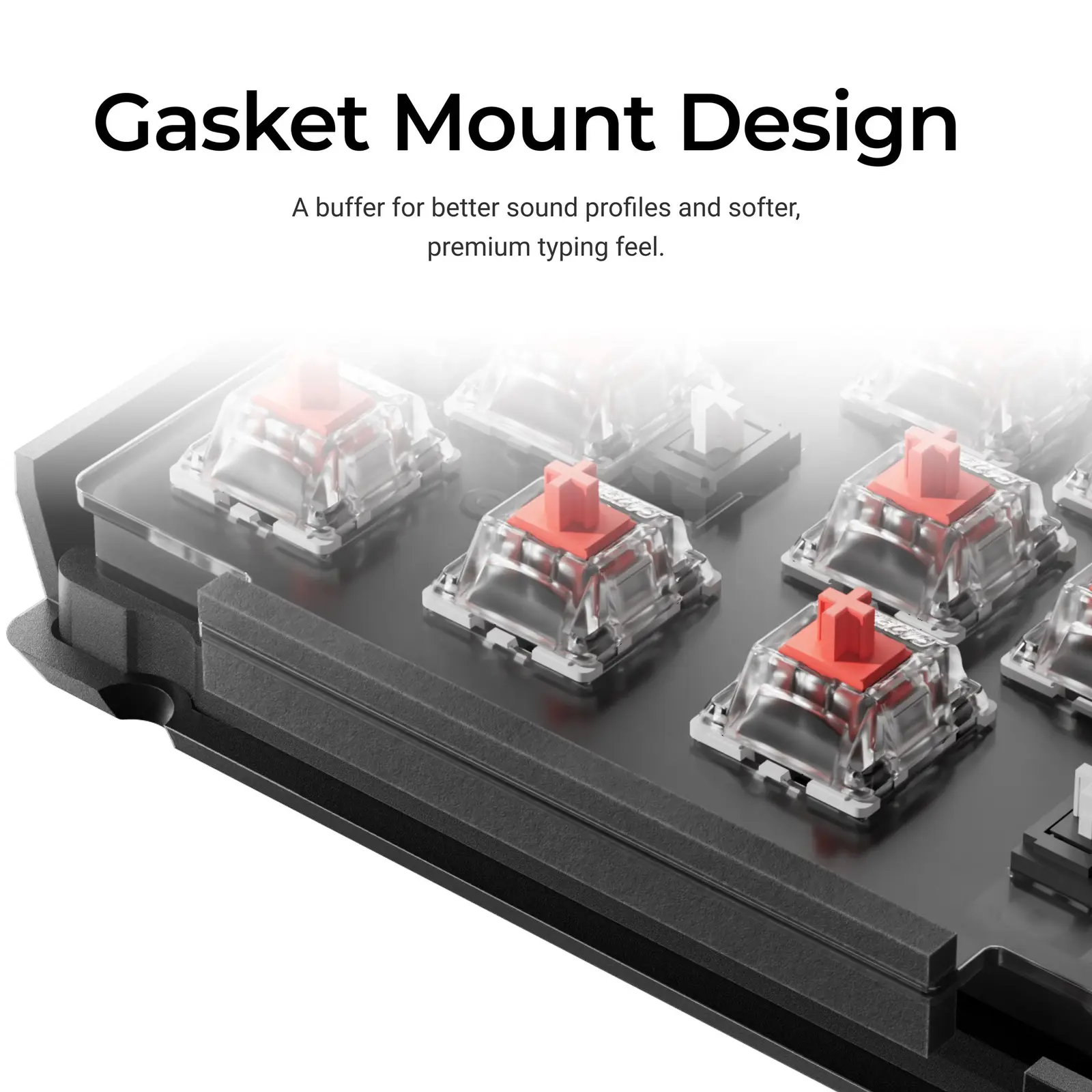
A foam gasket sits between the polycarbonate plate and the case. (Image: Keychron)
Keychron uses a gasket mount with a polycarbonate plate and sound-absorbing foam, which cuts acoustic resonance and gives typing a softer, more flexible feel than a rigid, screwed-down plate. It is a feature usually found on pricier boards, and it is a big reason the V1 Max feels more refined than its price suggests.
The sound is a mixed bag. The foam keeps volume down, so it works in a shared room or office, but the plastic case can sound slightly hollow, and the keys feel lighter than on the older V1 and the K2 Pro. The double-shot PBT keycaps use Keychron’s OSA profile, a shape close to OEM height with an SA-like curve, and PBT resists shine and fading better than ABS. They can feel somewhat thin, though, which is an easy fix with an aftermarket set.
Switches and Hot-Swap: Gateron Jupiter, Easy to Replace
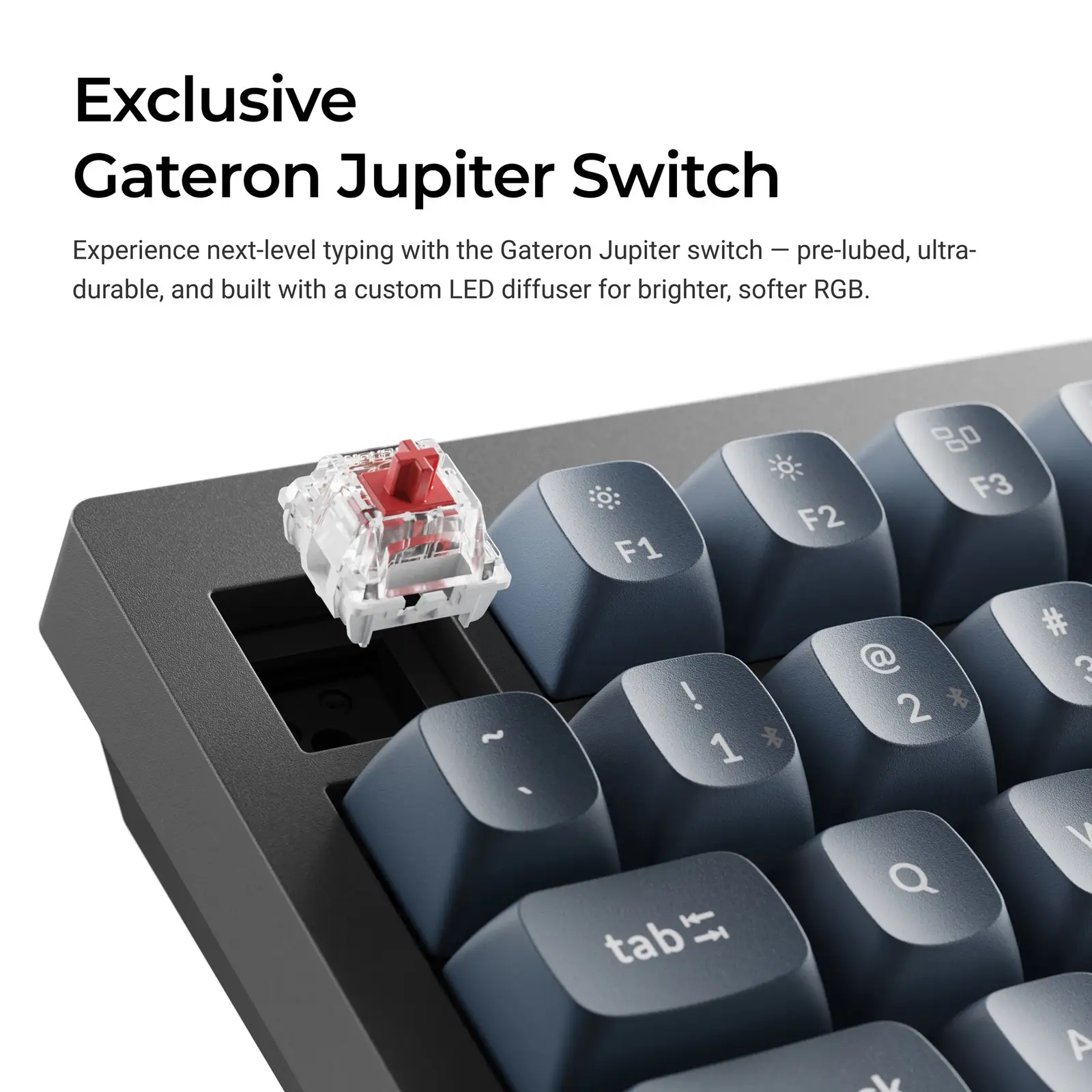
The hot-swap sockets let you pull a Gateron Jupiter switch without soldering. (Image: Keychron)
The V1 Max ships with Gateron Jupiter switches, offered as Red (linear), Brown (tactile) and Banana (tactile). Keychron says they are pre-lubed and built with a custom LED diffuser for softer RGB. The sockets accept both 3-pin and 5-pin MX-style switches, so Cherry, Kailh and other brands drop in with the included puller and no soldering. Barebone versions skip the switches and keycaps if you already have a set.
The south-facing RGB is bright and has plenty of effects, such as breathing, reactive and rainbow. The 4000 mAh battery is rated at up to 190 hours with the backlight off and up to 100 hours with RGB at the lowest brightness.
Wireless and Gaming: 2.4 GHz at 1000 Hz
The V1 Max connects over 2.4 GHz, Bluetooth 5.1 or a USB-C cable. (Image: Keychron)
The V1 Max has three ways to connect: a 2.4 GHz receiver at 1000 Hz, Bluetooth 5.1 for up to three devices, and a wired USB-C cable. Polling is 1000 Hz on 2.4 GHz and wired, but only 90 Hz over Bluetooth, so use the dongle or the cable for games and keep Bluetooth for laptops, tablets and phones. The USB-C receiver connects to a MacBook or iPad without an adapter, and a USB-A to USB-C adapter and an extension adapter come in the box.
For gaming this is a solid, if not top-end, board. 1000 Hz is the standard for wireless boards at this level, though Keychron now sells V1 8K versions with higher polling. If you want the fastest possible response, check those first.
Software and Customization: QMK, VIA and Keychron Launcher
Keychron Launcher remaps keys and macros in a Chrome, Edge or Opera tab. (Image: Keychron)
Full QMK and VIA support is the V1 Max’s strongest selling point. Keychron Launcher is a web app, so there is nothing to install: open it in Chrome, Edge or Opera, plug the keyboard in over USB, and remap keys, build macros, change lighting and set the knob function. The Mac/Windows toggle also lets you store two layouts, one per operating system.
Keychron V1 Max vs the Original V1
The original V1 is wired only, with a steel plate. The V1 Max adds 2.4 GHz and Bluetooth, a rechargeable battery and a polycarbonate plate, and it moves to the gasket design. If you never use wireless and want a more solid feel, the older board can still make sense. For everyone else the Max is the more flexible keyboard.
Keychron V1 Max FAQ
Is the Keychron V1 Max hot-swappable?
Yes. The sockets take 3-pin and 5-pin MX-style switches.
Does the Keychron V1 Max work with Mac and Windows?
Yes, it has a Mac/Windows switch and keycaps for both. Keychron lists Linux as supported for the Launcher app as well.
How long does the V1 Max battery last?
Keychron rates the 4000 mAh battery at up to 190 hours with the backlight off and up to 100 hours with RGB at the lowest brightness.
Is there an ISO version?
The layout is ANSI at launch, with no ISO option when it came out.
Is the Keychron V1 Max Worth Buying?
Keychron V1 Max
GameCuki VerdictRecommended
What Our Verdicts Mean
GameCuki Top PickThe best option in its class, with no serious, repeated problems.
RecommendedA good buy for most people. Weaknesses are minor or only matter to some players.
Buy With CaveatsRight for a specific kind of player only, because of a significant drawback.
Skip ItNot recommended. A better option exists at a similar price.
The Keychron V1 Max is worth buying if you want your first wireless, customizable 75% board without paying custom-keyboard money. The gasket mount, QMK and VIA support, knob and 2.4 GHz receivers cover most of what enthusiasts want. Skip it if you need a metal case, want the fastest polling rate for competitive play (look at the V1 8K) or need an ISO layout.
I'm Fraser, and I write the reviews on GameCuki. That covers consoles and handhelds, PC gaming hardware, controllers, headsets and accessories, from big purchases like gaming laptops to small add-ons like screen protectors and grips. I build each review from the manufacturer's specs, professional reviews and verified owner feedback, and I check long-term issues like comfort, battery life and durability against several sources before they make it into the pros and cons. Every review ends with who the product is for and who should skip it. I don't accept free products or paid placements, and what I write comes from research, not my own use of the products. You can read my full process on our How We Review page.