

If your fingers run out of room before the Shift key or you keep clipping the number row mid-fight, the board is too big for you, not the other way around. Finding the best gaming keyboard for small hands comes down to three things: a shorter layout that pulls every key closer, a low body that keeps your wrist flat, and switches fast enough for competitive play. This guide covers seven 60%, 75% and slim TKL boards, wired and wireless, plus what to check before you buy.
Best Gaming Keyboard for Small Hands in 2026
GameCuki is reader-supported. When you buy through links on our site, we may earn an affiliate commission at no extra cost to you. As an Amazon Associate I earn from qualifying purchases. Learn more.
Our Top Picks

Best Overall
NuPhy Air60 V2
Bottom line: The Air60 V2 is the smallest, slimmest wireless board here, so it is the easiest to reach across and the one to buy if you can live without a dedicated function row.
- Only 0.53 in tall, so your wrist stays flat
- 60% layout keeps every key close
- 1000 Hz polling in wireless mode
- Up to 150 hours per charge with lights off
- Remap any key with QMK/VIA
- No dedicated function row
- Wired is the safer choice for competitive play
- Low-profile switches feel different from full-height ones

Best for FPS
NuPhy Air60 HE
Bottom line: If you play shooters with small hands, the Air60 HE packs Hall effect switches and rapid trigger into the same tiny 60% footprint as the Air60 V2.
- Rapid Trigger and adjustable key travel
- Same compact footprint as the Air60 V2
- Hot-swappable low-profile build
- SOCD and Hyper Tap options for movement keys
- Magnetic Hall effect switches you can tune
- Wired only
- Heavier than the Air60 V2 at 0.53 kg
- 60% layout has no arrow keys on their own

Best Esports 60%
Razer Huntsman V3 Pro Mini
Bottom line: A wired 60% board built for esports, with Razer's adjustable analog optical switches and a clever trick for getting arrow keys back on a 61-key layout.
- Adjustable actuation from 0.1 to 4.0 mm
- Rapid Trigger and Snap Tap for movement
- Adjust settings on the keyboard with no software
- Bottom-right modifiers double as arrow keys
- Compact 61-key layout with a small desk footprint
- Wired only
- Heavier than the NuPhy boards
- Snap Tap needs the latest firmware update

Best Wireless Esports
Logitech G Pro X 60 Lightspeed
Bottom line: Logitech's wireless 60% is the pick if you want low-latency Lightspeed play on a small board with a familiar gaming-brand setup.
- Lightspeed wireless with 1 ms response
- Optical switches with zero debounce delay
- KEYCONTROL gives 5 layers of key assignments
- Bluetooth pairing for a second device
- Compact 61-key layout from a gaming brand
- Not a low-profile board
- Heavier than the NuPhy boards at 1.3 lb
- Full customization needs G HUB

Best 75% Value
Keychron V1 Max
Bottom line: A wireless 75% with a knob, hot-swap sockets and 1000 Hz polling that gives small hands arrow keys and an F-row without a bulky frame.
- Arrow keys and function row stay on the board
- Hot-swappable sockets for any switch you like
- 1000 Hz on 2.4 GHz and wired
- Connects to up to 3 devices over Bluetooth
- PBT keycaps resist wear
- Remap in a browser with the Keychron Launcher
- Larger than a 60% board
- Full-height body is taller than the NuPhy boards
- Linear Red is the listed switch, not a tactile
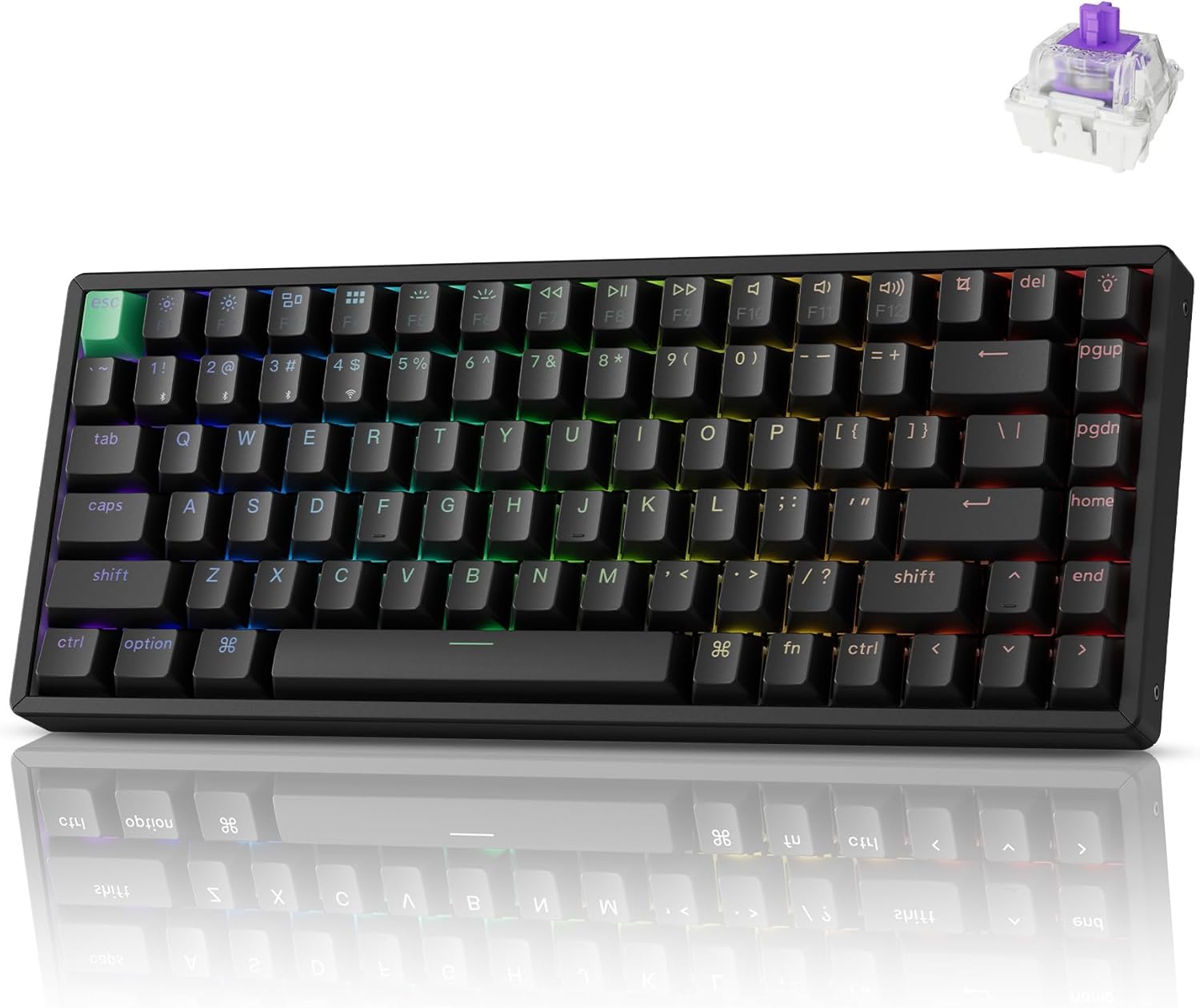
Best Wireless Hall Effect
Keychron K2 HE
Bottom line: A 75% with Hall effect switches and rapid trigger over 2.4 GHz wireless, for small-handed players who do not want to plug in to get competitive features.
- Hall effect switches with Rapid Trigger
- Wireless 2.4 GHz and Bluetooth 5.2
- Shine-through PBT keycaps
- Arrow keys and function row stay available
- Pairs with up to 3 devices
- Actuation from 0.2 to 3.8 mm in 0.1 mm steps
- 2.2 lb is heavy
- Sockets take only Gateron magnetic switches
- Thicker than the low-profile picks

Best Low-Profile TKL
Keychron K1 Max
Bottom line: For small hands that still want a full set of arrows and an F-row, the ultra-slim K1 Max keeps a low body even though it is the longest board here.
- Under 1 in tall, so the wrist stays low
- Full arrow and function keys
- Hot-swappable low-profile sockets
- 1000 Hz on 2.4 GHz and wired
- Double-shot PBT keycaps
- Remap anything with QMK
- Longest board here at 13.62 in
- Sockets take only Gateron or Keychron low-profile switches
- Tenkeyless layout is a stretch for the smallest hands
Table of Contents
Best Gaming Keyboard for Small Hands: Our Picks in Detail
1
Best Overall
NuPhy Air60 V2
Bottom line: The Air60 V2 is the smallest, slimmest wireless board here, so it is the easiest to reach across and the one to buy if you can live without a dedicated function row.
The Air60 V2 is a 64-key aluminum-frame board that drops the function row you rarely touch in a match.
Pros & Cons
Pros
- Only 0.53 in tall, so your wrist stays flat
- 60% layout keeps every key close
- 1000 Hz polling in wireless mode
- Up to 150 hours per charge with lights off
- Remap any key with QMK/VIA
Cons
- No dedicated function row
- Wired is the safer choice for competitive play
- Low-profile switches feel different from full-height ones
Why We Picked It
At 11.7 inches long and 0.53 inch tall, it is the most compact board on the list in two directions at once. A short layout shortens the stretch between the left Shift and the arrow cluster, and the low-profile body means your fingers do not have to climb over tall keycaps. The function keys still work on a layer, so you lose the extra keys but not the actions.
Who It's For
Small-handed players who want a wireless board that sits flat on the desk and leaves the whole pad free for a wide mouse swing. The 64-key layout keeps every key within a short reach, and the board pairs over Bluetooth, 2.4 GHz or USB-C, so one slim keyboard covers the gaming desk and a laptop on the couch.
Specs & Configurations
- Layout
- 60%, 64 keys
- Size
- 11.7 x 4.22 x 0.53 in
- Weight
- 463 g
- Switches
- Low-profile mechanical
- Connection
- Bluetooth 5.1/2.4 GHz/USB-C
- Polling rate
- 1000 Hz wireless
- Software
- QMK/VIA
Get It Now
Check Price on Amazon
2
Best for FPS
NuPhy Air60 HE
Bottom line: If you play shooters with small hands, the Air60 HE packs Hall effect switches and rapid trigger into the same tiny 60% footprint as the Air60 V2.
The Air60 HE is NuPhy's gaming version of the Air60. It keeps the 61-key layout and swaps the switches for magnetic Hall effect ones that you can tune.
Pros & Cons
Pros
- Rapid Trigger and adjustable key travel
- Same compact footprint as the Air60 V2
- Hot-swappable low-profile build
- SOCD and Hyper Tap options for movement keys
- Magnetic Hall effect switches you can tune
Cons
- Wired only
- Heavier than the Air60 V2 at 0.53 kg
- 60% layout has no arrow keys on their own
Why We Picked It
Competitive shooters reward quick key release, and Rapid Trigger resets a key the moment you ease off it. Hyper Tap lets you bind a second key to that reset point, and SOCD lets you decide what happens when two opposing movement keys are held. All of it lives in a board only 11.7 inches wide, which keeps your mouse hand free and your key reach short.
Who It's For
Valorant, CS2 and Apex players with small hands who want tunable magnetic switches in the smallest layout. Rapid Trigger, Hyper Tap and SOCD give movement keys the quick release shooters reward, and the 11.7 inch width leaves plenty of room for big mouse swings. Hot-swappable low-profile sockets let you adjust the feel over time.
Specs & Configurations
- Layout
- 60%, 61 keys
- Size
- 11.7 x 4.22 x 0.74 in
- Weight
- 0.53 kg
- Switches
- Hall effect magnetic, low-profile
- Connection
- Wired USB-C
- Features
- Rapid Trigger, Hyper Tap, SOCD
- Hot-swappable
- Yes
Get It Now
Check Price on Amazon
3
Best Esports 60%
Razer Huntsman V3 Pro Mini
Bottom line: A wired 60% board built for esports, with Razer's adjustable analog optical switches and a clever trick for getting arrow keys back on a 61-key layout.
The Huntsman V3 Pro Mini is Razer's 60% esports board, and it is built around analog optical switches that let you decide how deep a press has to be.
Pros & Cons
Pros
- Adjustable actuation from 0.1 to 4.0 mm
- Rapid Trigger and Snap Tap for movement
- Adjust settings on the keyboard with no software
- Bottom-right modifiers double as arrow keys
- Compact 61-key layout with a small desk footprint
Cons
- Wired only
- Heavier than the NuPhy boards
- Snap Tap needs the latest firmware update
Why We Picked It
A common worry about 60% boards is losing the arrow keys. The Huntsman's bottom-right modifier keys double as arrows when you tap them, so you keep navigation without growing the board. Actuation can be set anywhere between 0.1 and 4.0 mm, and a row of LEDs on the board lets you change it on the fly, which is handy if you play different games with different feel.
Who It's For
Esports-minded players with small hands who want the compact layout and tweakable switches from a big gaming brand. Actuation can be set per game with the on-board LED guide, so you can switch between a twitchy shooter setup and a deeper press for other titles, all without opening software.
Specs & Configurations
- Layout
- 60%, 61 keys
- Switches
- Razer Analog Optical Gen-2
- Actuation
- 0.1 to 4.0 mm adjustable
- Weight
- 1.7 lb
- Connection
- Wired USB-C
- Features
- Rapid Trigger, Snap Tap
- Adjustments
- On-board LED guide
Get It Now
Check Price on Amazon
4
Best Wireless Esports
Logitech G Pro X 60 Lightspeed
Bottom line: Logitech's wireless 60% is the pick if you want low-latency Lightspeed play on a small board with a familiar gaming-brand setup.
The G Pro X 60 was designed with esports athletes and uses the same Lightspeed radio as Logitech's pro mice, in a 61-key chassis.
Pros & Cons
Pros
- Lightspeed wireless with 1 ms response
- Optical switches with zero debounce delay
- KEYCONTROL gives 5 layers of key assignments
- Bluetooth pairing for a second device
- Compact 61-key layout from a gaming brand
Cons
- Not a low-profile board
- Heavier than the NuPhy boards at 1.3 lb
- Full customization needs G HUB
Why We Picked It
Small hands benefit from a small board, and wireless players benefit from a quick radio. The G Pro X 60 gives you both, with GX optical switches that register without debounce delay and five layers of KEYCONTROL assignments so you can park extra binds under your fingertips. It also pairs over Bluetooth when you want to use it with another device.
Who It's For
Players who already use a Logitech mouse and want a matching wireless 60% for a clean, cable-free desk. It shares the Lightspeed radio with Logitech's pro mice and stays small enough to leave plenty of room for mouse swings, with Bluetooth ready when you want to hop to another device.
Specs & Configurations
- Layout
- 60%, 61 keys
- Switches
- GX optical linear
- Weight
- 1.3 lb
- Connection
- Lightspeed 2.4 GHz/Bluetooth/USB
- Response
- 1 ms Lightspeed
- Software
- G HUB with KEYCONTROL
Get It Now
Check Price on Amazon
5
Best 75% Value
Keychron V1 Max
Bottom line: A wireless 75% with a knob, hot-swap sockets and 1000 Hz polling that gives small hands arrow keys and an F-row without a bulky frame.
The V1 Max is Keychron's wireless 75%, and it is the answer if a 60% layout feels like it has too many missing keys.
Pros & Cons
Pros
- Arrow keys and function row stay on the board
- Hot-swappable sockets for any switch you like
- 1000 Hz on 2.4 GHz and wired
- Connects to up to 3 devices over Bluetooth
- PBT keycaps resist wear
- Remap in a browser with the Keychron Launcher
Cons
- Larger than a 60% board
- Full-height body is taller than the NuPhy boards
- Linear Red is the listed switch, not a tactile
Why We Picked It
Moving to 75% brings back the arrow cluster and function row while still staying clearly smaller than a tenkeyless board. Hot-swappable sockets let you drop in lighter or quieter switches, the PBT keycaps resist wear, and the QMK Launcher lets you remap in a browser. It is a friendly step up for someone who finds 60% boards too stripped back.
Who It's For
Small-handed players who want arrow keys and a function row but still want a keyboard noticeably smaller than a full-size one. The 75% layout gives you navigation keys for strategy games and daily typing, the knob and hot-swap sockets let you tune the feel, and wireless play keeps the desk clear.
Specs & Configurations
- Layout
- 75%
- Switches
- Gateron Linear Red, hot-swappable
- Connection
- 2.4 GHz/Bluetooth 5.1/USB-C
- Polling rate
- 1000 Hz on 2.4 GHz and wired
- Build
- Gasket mount with sound-absorbing foam
- Software
- QMK with Keychron Launcher
6
Best Wireless Hall Effect
Keychron K2 HE
Bottom line: A 75% with Hall effect switches and rapid trigger over 2.4 GHz wireless, for small-handed players who do not want to plug in to get competitive features.
The K2 HE is the tallest and heaviest board on the list, but it adds magnetic switches that let you tune each key without a cable.
Pros & Cons
Pros
- Hall effect switches with Rapid Trigger
- Wireless 2.4 GHz and Bluetooth 5.2
- Shine-through PBT keycaps
- Arrow keys and function row stay available
- Pairs with up to 3 devices
- Actuation from 0.2 to 3.8 mm in 0.1 mm steps
Cons
- 2.2 lb is heavy
- Sockets take only Gateron magnetic switches
- Thicker than the low-profile picks
Why We Picked It
Actuation can be set between 0.2 and 3.8 mm in 0.1 mm steps, and Rapid Trigger resets keys on a light lift. That is a rare combination in a wireless 75%. It runs 1000 Hz over 2.4 GHz and can pair with three devices, so it also doubles as your work keyboard. If you want the same idea on a Mac, we cover it in our best gaming keyboard for Mac guide.
Who It's For
Players with small hands who want wireless magnetic switches and are fine with a thicker 75% body. You can tune each key from 0.2 to 3.8 mm, play over 2.4 GHz without a cable, and pair with other devices so the same board handles a work laptop between matches.
Specs & Configurations
- Layout
- 75%, 84 keys
- Size
- 12.46 x 4.99 x 1.6 in
- Weight
- 2.2 lb
- Switches
- Gateron double-rail magnetic, hot-swappable
- Actuation
- 0.2 to 3.8 mm in 0.1 mm steps
- Connection
- 2.4 GHz/Bluetooth 5.2/USB-C
- Polling rate
- 1000 Hz
7
Best Low-Profile TKL
Keychron K1 Max
Bottom line: For small hands that still want a full set of arrows and an F-row, the ultra-slim K1 Max keeps a low body even though it is the longest board here.
The K1 Max is an 87-key ultra-slim board and the one pick that is a TKL, so treat it as the comfortable middle ground between compact and full-size.
Pros & Cons
Pros
- Under 1 in tall, so the wrist stays low
- Full arrow and function keys
- Hot-swappable low-profile sockets
- 1000 Hz on 2.4 GHz and wired
- Double-shot PBT keycaps
- Remap anything with QMK
Cons
- Longest board here at 13.62 in
- Sockets take only Gateron or Keychron low-profile switches
- Tenkeyless layout is a stretch for the smallest hands
Why We Picked It
Not every small-handed player wants to give up the F-row. The K1 Max keeps a normal tenkeyless layout, but its low-profile double-shot PBT keycaps and under-1-inch frame mean your hands do not travel up and over a tall board. It also runs 1000 Hz over 2.4 GHz and wired, and QMK lets you remap anything. For another look at slim boards, see our best low profile gaming keyboard picks.
Who It's For
Gamers who need the full set of keys for MMOs or strategy games but want a thin, light-feeling board. The under-1-inch frame keeps hands low, the 87-key layout holds a full arrow and function set, and 1000 Hz wireless or wired keeps it ready for long sessions.
Specs & Configurations
- Layout
- 80% TKL, 87 keys
- Size
- 13.62 x 4.66 x 0.95 in
- Weight
- 608 g
- Switches
- Gateron low-profile, hot-swappable
- Connection
- 2.4 GHz/Bluetooth 5.1/USB-C
- Polling rate
- 1000 Hz on 2.4 GHz and wired
- Software
- QMK with Keychron Launcher
Get It Now
Check Price on AmazonHow to Choose a Gaming Keyboard for Small Hands
Start With the Layout
Layout decides how far your fingers have to travel. A 60% board drops the arrow keys, function row and numpad, and the shortest boards here are about 11.7 inches long. A 75% like the K2 HE is 12.46 inches, and the 80% K1 Max is 13.62 inches. The smallest 60% boards are the most appealing for small hands, but they lack some useful keys, while tenkeyless boards are noticeably larger.
Look for a Low Profile
Switch and keycap height both change how hard your fingers have to work. The Air60 V2 is 0.53 inch tall and the K1 Max is 0.95 inch, while the K2 HE is 1.6 inches. A lower board also keeps your wrist flatter on the desk.
Pick Wired or Wireless
Wireless makes a small board easy to move, and the NuPhy Air60 V2 and the Keychron boards run at 1000 Hz over 2.4 GHz. Wired boards with a detachable USB-C cable avoid any worry about latency or charging, which is why the Huntsman and the Air60 HE stay wired.
Check the Missing Keys
A 60% board is not a lock-in. Layers, QMK remapping and tap-to-arrow modifiers like the Huntsman’s bring the arrows and function keys back. If you also need smaller gear elsewhere, our guides to the best gaming mouse for small hands and the best PC controller for small hands use the same logic. For more 60% options aimed at shooters, see our best 60 percent keyboard for Fortnite.
FAQ
Are 60% keyboards good for small hands?
Yes. A 60% layout cuts the distance between keys and leaves more room for your mouse. The trade-off is that arrow keys, the function row and the numpad move onto layers.
What makes a keyboard good for small hands?
A compact layout, a low body and easy remapping. Pick a 60% or 75% board with a low-profile or short-travel design so you can reach every key without stretching.
What are the downsides of a 60% keyboard?
You give up dedicated arrow keys, the function row and the numpad, so some actions need a layer key. The Huntsman V3 Pro Mini softens that with modifiers that double as arrows, or you can step up to a 75% like the Keychron V1 Max.
Should I get a wired or wireless gaming keyboard?
Wireless adds portability, and the NuPhy Air60 V2, the Pro X 60 and the Keychron boards here all support it. Wired boards avoid latency and charging worries, so it comes down to whether you move your setup around.
Which Gaming Keyboard for Small Hands Should You Buy?
Get the NuPhy Air60 V2 if you want the smallest, slimmest wireless board, and move to the Air60 HE or the Huntsman V3 Pro Mini if you play competitive shooters and want rapid trigger. If you hate losing the F-row, the Keychron V1 Max is the 75% to pick, and the K1 Max is the answer when you want a slim TKL. Whatever you choose, the best gaming keyboard for small hands is the one with a layout short enough to reach without stretching and a body low enough to keep your wrist flat.