

Not every gaming setup has room for a tower, and a small box under the TV or beside the monitor can free up a lot of desk. The best mini PC for gaming depends on what you play and at what resolution, because the graphics chip inside decides almost everything. These eight picks run from a Minisforum with a desktop-class RTX 5060 to a Beelink that suits esports and cloud gaming, and each one lists the exact configuration of the listing we link, since one model name often covers several very different builds.
Best Mini PC for Gaming in 2026: 8 Picks for Every Budget
GameCuki is reader-supported. When you buy through links on our site, we may earn an affiliate commission at no extra cost to you. As an Amazon Associate I earn from qualifying purchases. Learn more.
Our Top Picks

Best for 1440p in a Small Box
Minisforum G1 Pro (RTX 5060)
Bottom line: A 3.8-liter chassis that fits an RTX 5060 and a 16-core Ryzen 9, built for players who want 1440p frame rates without a full tower.
- RTX 5060 with 8GB of GDDR7 and DLSS 4 handles current games at 1440p with sensible settings
- Ryzen 9 8945HX has 16 cores and 32 threads, plenty for gaming while streaming or recording
- Built-in 350W power supply means no bulky external brick
- Memory is expandable up to 96GB and storage up to 8TB across two M.2 slots
- Wi-Fi 7 and 5GbE keep downloads and online play fast
- Up to five display outputs, including three DisplayPort and two HDMI
- Compact vertical case about 3.8 liters, small enough for a shelf or entertainment center
- Cooling is mixed under heavy load, so fan noise can rise in long sessions
- CPU performance is below what the 16-core spec suggests in some workloads
- The RTX 5060 has 8GB of VRAM, so it is a 1080p and 1440p card, not a 4K card

Best Premium Gaming Mini PC
ASUS ROG NUC (2025) RTX 5070
Bottom line: The most powerful graphics on this list in a 3-liter case, for players who want a console-sized PC and can pay for it.
- RTX 5070 mobile GPU with DLSS runs demanding games well beyond 1080p
- Intel Core Ultra 9 (Series 2) ARL-HX processor keeps the CPU from holding back the GPU
- Three fans and a dual vapor chamber keep temperatures and noise in check
- Thumbscrew access makes RAM and storage upgrades quick in a 3-liter case
- Power and fan speeds can be tuned to favor performance or quiet
- ROG styling with ARGB lighting looks at home beside a monitor or TV
- Handles any current PC game at 1080p and many at 1440p
- Pricing is steep compared with a laptop or tower with similar graphics
- Mobile-class hardware means 4K on a TV needs lowered settings in the heaviest games
- The GPU is soldered, so graphics cannot be upgraded later

Best for Work and Play
HP Z2 Mini G1a (Ryzen AI Max Pro 385)
Bottom line: A small workstation with integrated graphics strong enough for real gaming, for players who also want a machine that handles serious daytime work.
- Ryzen AI Max Pro pairs desktop-class CPU cores with unified memory shared with the graphics
- Radeon 8050S integrated graphics sit well above the typical mini PC GPU
- 32GB of RAM and a 1TB SSD ship in the configuration, ready for a Steam library
- Plenty of ports, including Ethernet for wired networking
- Internal power supply keeps the desk clear of external bricks
- Can be mounted on a desk, behind a monitor or in a rack
- Windows 11 Pro installed, so you can start gaming right away
- It is built and priced as a business workstation, so you pay for features such as RAID support that games never use
- Integrated graphics trail dedicated RTX cards in the most demanding ray-traced games at higher resolutions

Best Without a Graphics Card
Minisforum Venus UM790 Pro
Bottom line: A fast Ryzen 9 with Radeon 780M graphics and quiet cooling, for 1080p play without paying for a dedicated GPU.
- Ryzen 9 7940HS has 8 cores and 16 threads and boosts up to 5.2GHz
- Radeon 780M is one of the stronger integrated GPUs for 1080p games
- 32GB of DDR5-5600 is included and can grow to 64GB with two slots
- Liquid metal cooling and an active cooler for memory and SSD keep the case quiet under load
- Two 40Gbps USB4 ports connect docks, displays and external storage
- Two M.2 PCIe 4.0 slots offer room for a larger game library
- Drives up to four screens through HDMI and USB4
- There is no DisplayPort output, so some monitors need an HDMI or USB-C connection
- Opening it to upgrade RAM or storage is fiddly
- Integrated graphics mean medium settings at 1080p in newer demanding games

Best Cheap Build-Your-Own
Minisforum X1-255 Barebones
Bottom line: A low-cost Ryzen 7 box with Radeon 780M graphics and an OCuLink port that lets you add a graphics card later, if you are willing to supply the RAM and SSD.
- Ryzen 7 255 has 8 cores and 16 threads, enough for 1080p esports and indie games
- Radeon 780M integrated graphics are the same class used in many handheld PCs
- OCuLink port supports an external GPU at PCIe 4.0 x4 speeds for a future upgrade
- Two SO-DIMM slots accept up to 96GB of RAM, so you choose the memory
- Multiple M.2 PCIe 4.0 slots allow storage up to 12TB in total
- Wi-Fi 7 and 2.5G Ethernet cover wireless and wired play
- Four video outputs from HDMI, DisplayPort and two USB4 ports
- It ships without RAM, an SSD or an operating system, so you must buy and install those yourself
- Integrated graphics mean 1080p with reduced settings in newer games
- OCuLink needs a separate external GPU dock and graphics card, which adds cost

Best for Esports and Cloud Gaming
Beelink EQR6 (Ryzen 5 6600H)
Bottom line: An inexpensive ready-to-use Ryzen 5 mini PC that suits lighter games, esports titles and cloud gaming services.
- Ryzen 5 6600H has 6 cores and 12 threads and boosts up to 4.5GHz
- 24GB of LPDDR5 memory is more than most budget mini PCs include
- Dual 2.5G Ethernet ports suit wired cloud gaming and fast downloads
- Built-in 85W power supply keeps cables simple
- Drives two displays through dual HDMI at up to 4K 60Hz
- Dual M.2 slots allow storage up to 4TB
- Ready to use out of the box with a 3-year warranty
- Integrated graphics only handle simple 2D, pixel art and esports titles locally
- Demanding AAA games need a cloud service such as GeForce NOW or Xbox Cloud Gaming
- 500GB of storage fills quickly with modern game installs
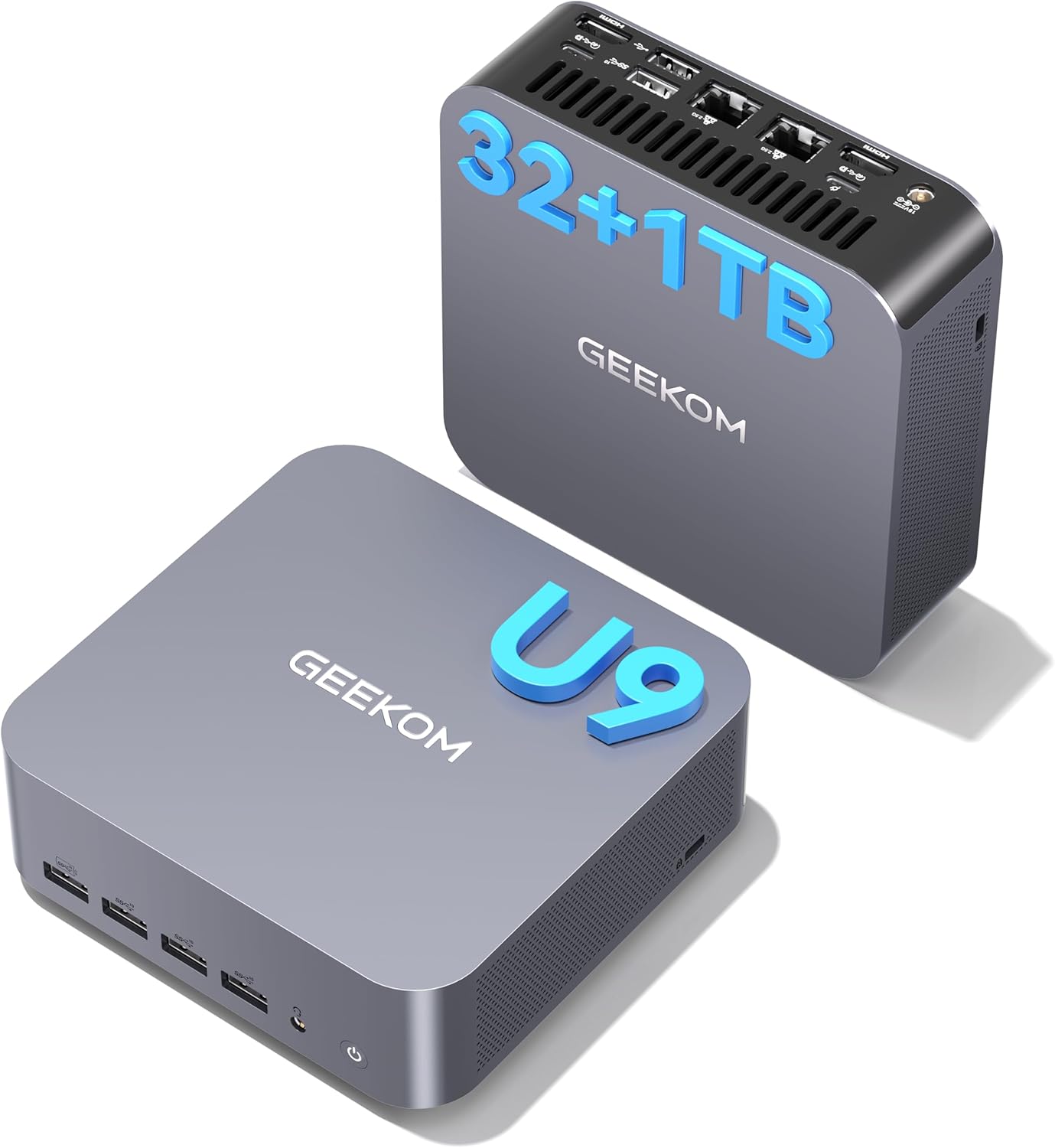
Best Compact All-Rounder
GEEKOM GT1 Mega (Core Ultra 9 185H)
Bottom line: A compact Core Ultra 9 machine with Intel Arc graphics, Wi-Fi 7 and a 3-year warranty, for lighter local gaming and cloud play.
- Core Ultra 9 185H has 16 cores for fast multitasking alongside games
- Intel Arc integrated graphics handle less demanding games locally
- 32GB of DDR5 comes installed and expands to 96GB
- Wi-Fi 7 and dual 2.5G Ethernet give flexible, fast networking
- USB4 and HDMI drive up to four displays
- SD card slot is handy for storage and cameras
- 3-year limited warranty is longer than the typical one year
- Integrated graphics limit local play to less demanding games
- Heavy AAA titles are better streamed from a cloud service
- Gaming is one use among several, so it costs more than budget boxes that play similar games

Best for Mac Gamers
Apple Mac mini (M4)
Bottom line: A five-by-five-inch Mac with a 10-core M4 that plays a growing list of macOS games, for players already in Apple's ecosystem.
- Five by five inches, it fits beside a monitor or on a shelf
- 10-core CPU and 10-core GPU play a wide range of games at decent frame rates
- Gaming performance is better than older Mac generations
- Front-facing USB-C ports and a headphone jack make plugging in headsets and drives easy
- Thunderbolt, HDMI and Gigabit Ethernet cover monitors and wired networking
- More developers keep releasing games on macOS, and the Metal graphics API keeps improving
- Only games that run on macOS or through translation will play, so the library is smaller than on Windows
- Translation through Rosetta is less reliable than Proton on Linux
- A Windows PC is the better pick for pure gaming performance
Table of Contents
Best Mini PC for Gaming: Our Picks in Detail
1
Best for 1440p in a Small Box
Minisforum G1 Pro (RTX 5060)
Bottom line: A 3.8-liter chassis that fits an RTX 5060 and a 16-core Ryzen 9, built for players who want 1440p frame rates without a full tower.
This listing is the G1 Pro (sold in some reviews as the AtomMan G1 Pro) with a Ryzen 9 8945HX, an RTX 5060 with 8GB of GDDR7, 32GB of DDR5 and a 1TB SSD.
Pros & Cons
Pros
- RTX 5060 with 8GB of GDDR7 and DLSS 4 handles current games at 1440p with sensible settings
- Ryzen 9 8945HX has 16 cores and 32 threads, plenty for gaming while streaming or recording
- Built-in 350W power supply means no bulky external brick
- Memory is expandable up to 96GB and storage up to 8TB across two M.2 slots
- Wi-Fi 7 and 5GbE keep downloads and online play fast
- Up to five display outputs, including three DisplayPort and two HDMI
- Compact vertical case about 3.8 liters, small enough for a shelf or entertainment center
Cons
- Cooling is mixed under heavy load, so fan noise can rise in long sessions
- CPU performance is below what the 16-core spec suggests in some workloads
- The RTX 5060 has 8GB of VRAM, so it is a 1080p and 1440p card, not a 4K card
Why We Picked It
Most mini PCs rely on integrated graphics, which caps them near 1080p. The G1 Pro breaks that pattern by pairing a high-wattage RTX 5060 with a laptop-class flagship CPU inside a case about the size of a small console. That combination is what separates a mini PC you tolerate from one you actually want to game on, and it leaves room to upgrade memory and storage later.
Who It's For
You want a real gaming PC but your desk, shelf or living room cannot hold a tower. You play modern games at 1440p or 1080p with DLSS turned on, you plug in a monitor or TV and a controller, and you would rather spend on one capable box than build around a bulky case.
Specs & Configurations
- CPU
- AMD Ryzen 9 8945HX (16 cores, 32 threads)
- GPU
- NVIDIA GeForce RTX 5060 8GB GDDR7
- RAM
- 32GB DDR5
- Storage
- 1TB SSD
- Networking
- 5GbE, Wi-Fi 7
- Chassis
- 3.8L vertical
Get It Now
Check Price on Amazon
2
Best Premium Gaming Mini PC
ASUS ROG NUC (2025) RTX 5070
Bottom line: The most powerful graphics on this list in a 3-liter case, for players who want a console-sized PC and can pay for it.
This listing is the 2025 ROG NUC with an Intel Core Ultra 9 (Series 2) ARL-HX, an RTX 5070 mobile GPU, 32GB of DDR5 and a 1TB NVMe SSD.
Pros & Cons
Pros
- RTX 5070 mobile GPU with DLSS runs demanding games well beyond 1080p
- Intel Core Ultra 9 (Series 2) ARL-HX processor keeps the CPU from holding back the GPU
- Three fans and a dual vapor chamber keep temperatures and noise in check
- Thumbscrew access makes RAM and storage upgrades quick in a 3-liter case
- Power and fan speeds can be tuned to favor performance or quiet
- ROG styling with ARGB lighting looks at home beside a monitor or TV
- Handles any current PC game at 1080p and many at 1440p
Cons
- Pricing is steep compared with a laptop or tower with similar graphics
- Mobile-class hardware means 4K on a TV needs lowered settings in the heaviest games
- The GPU is soldered, so graphics cannot be upgraded later
Why We Picked It
The ROG NUC is one of the few mini PCs built specifically around gaming rather than adapted from an office design. It looks like a cable box, it opens without tools, and its RTX graphics let it run current releases at 1440p with DLSS, which integrated-graphics boxes cannot do. It is expensive, but that price buys the combination of tiny size and genuine gaming hardware.
Who It's For
You want the strongest mini gaming PC you can fit beside a TV or on a crowded desk, and you plan to play at 1080p or 1440p. You care about a clean, quiet setup and about getting RTX features like DLSS, and the budget is not the deciding factor.
Specs & Configurations
- CPU
- Intel Core Ultra 9 (Series 2) ARL-HX
- GPU
- NVIDIA GeForce RTX 5070 Mobile
- RAM
- 32GB DDR5
- Storage
- 1TB NVMe SSD
- Cooling
- Three fans, dual vapor chamber
- Chassis
- 3L
Get It Now
Check Price on Amazon
3
Best for Work and Play
HP Z2 Mini G1a (Ryzen AI Max Pro 385)
Bottom line: A small workstation with integrated graphics strong enough for real gaming, for players who also want a machine that handles serious daytime work.
This listing is the HP Z2 Mini G1a with a Ryzen AI Max Pro 385, Radeon 8050S graphics, 32GB of RAM, a 1TB SSD and Windows 11 Pro.
Pros & Cons
Pros
- Ryzen AI Max Pro pairs desktop-class CPU cores with unified memory shared with the graphics
- Radeon 8050S integrated graphics sit well above the typical mini PC GPU
- 32GB of RAM and a 1TB SSD ship in the configuration, ready for a Steam library
- Plenty of ports, including Ethernet for wired networking
- Internal power supply keeps the desk clear of external bricks
- Can be mounted on a desk, behind a monitor or in a rack
- Windows 11 Pro installed, so you can start gaming right away
Cons
- It is built and priced as a business workstation, so you pay for features such as RAID support that games never use
- Integrated graphics trail dedicated RTX cards in the most demanding ray-traced games at higher resolutions
Why We Picked It
The Z2 Mini G1a is far more powerful than the typical mini PC because its Ryzen AI Max chip puts workstation-class cores and unusually capable integrated graphics in one package. That makes it a good fit if your PC has to earn its place with productivity work and still play modern games. It sits between the budget boxes and the RTX-based models in this list.
Who It's For
You edit, code or run heavy apps during the day and want to play in the evening on the same small machine. You are happy to play at 1080p or 1440p with adjusted settings, and you value a quiet, tidy workstation more than a flashy gaming case.
Specs & Configurations
- CPU
- AMD Ryzen AI Max Pro 385
- GPU
- AMD Radeon 8050S (integrated)
- RAM
- 32GB
- Storage
- 1TB NVMe SSD
- OS
- Windows 11 Pro
- Mounting
- Desk, monitor or rack
Get It Now
Check Price on Amazon
4
Best Without a Graphics Card
Minisforum Venus UM790 Pro
Bottom line: A fast Ryzen 9 with Radeon 780M graphics and quiet cooling, for 1080p play without paying for a dedicated GPU.
This listing is the Venus UM790 Pro with a Ryzen 9 7940HS, Radeon 780M graphics, 32GB of DDR5 and a 1TB SSD.
Pros & Cons
Pros
- Ryzen 9 7940HS has 8 cores and 16 threads and boosts up to 5.2GHz
- Radeon 780M is one of the stronger integrated GPUs for 1080p games
- 32GB of DDR5-5600 is included and can grow to 64GB with two slots
- Liquid metal cooling and an active cooler for memory and SSD keep the case quiet under load
- Two 40Gbps USB4 ports connect docks, displays and external storage
- Two M.2 PCIe 4.0 slots offer room for a larger game library
- Drives up to four screens through HDMI and USB4
Cons
- There is no DisplayPort output, so some monitors need an HDMI or USB-C connection
- Opening it to upgrade RAM or storage is fiddly
- Integrated graphics mean medium settings at 1080p in newer demanding games
Why We Picked It
Integrated graphics have improved enough that a good Ryzen mini PC can run many games at 1080p without a graphics card. The UM790 Pro pairs a high-end Ryzen 9 with the Radeon 780M and a cooling design that keeps noise low, so it works well as an everyday desktop that also plays games. It is the most sensible step up from a basic budget box.
Who It's For
You play esports titles, indie games and older or less demanding releases at 1080p, and you want the same small box to handle browsing, streaming and work. You are not chasing the newest ray-traced games, and a dedicated GPU would be money you would rather keep.
Specs & Configurations
- CPU
- AMD Ryzen 9 7940HS (8 cores, 16 threads)
- GPU
- AMD Radeon 780M (integrated)
- RAM
- 32GB DDR5-5600
- Storage
- 1TB PCIe 4.0 SSD
- Ports
- 2x USB4, 2x HDMI 2.1, 4x USB-A
- Wireless
- Wi-Fi 6E, Bluetooth 5.3
Get It Now
Check Price on Amazon
5
Best Cheap Build-Your-Own
Minisforum X1-255 Barebones
Bottom line: A low-cost Ryzen 7 box with Radeon 780M graphics and an OCuLink port that lets you add a graphics card later, if you are willing to supply the RAM and SSD.
This listing is the barebones X1-255, which includes the Ryzen 7 255 mini PC but no memory, storage or Windows license.
Pros & Cons
Pros
- Ryzen 7 255 has 8 cores and 16 threads, enough for 1080p esports and indie games
- Radeon 780M integrated graphics are the same class used in many handheld PCs
- OCuLink port supports an external GPU at PCIe 4.0 x4 speeds for a future upgrade
- Two SO-DIMM slots accept up to 96GB of RAM, so you choose the memory
- Multiple M.2 PCIe 4.0 slots allow storage up to 12TB in total
- Wi-Fi 7 and 2.5G Ethernet cover wireless and wired play
- Four video outputs from HDMI, DisplayPort and two USB4 ports
Cons
- It ships without RAM, an SSD or an operating system, so you must buy and install those yourself
- Integrated graphics mean 1080p with reduced settings in newer games
- OCuLink needs a separate external GPU dock and graphics card, which adds cost
Why We Picked It
Budget mini PCs are often sold barebones, which is why they cost less than the equivalent configured model. The X1-255 uses that approach to put a modern Ryzen 7 and Radeon 780M in a small chassis for a low entry price, and its OCuLink port gives it an upgrade path that most cheap boxes lack. Buying your own RAM and SSD is usually cheaper than paying for the upgrades a maker builds in.
Who It's For
You are comfortable installing RAM and an SSD, you may already have spare parts, and you want the cheapest way into PC gaming at 1080p. If you might add an external graphics card down the road, the OCuLink port keeps that option open.
Specs & Configurations
- CPU
- AMD Ryzen 7 255 (8 cores, 16 threads)
- GPU
- AMD Radeon 780M (integrated)
- RAM
- Not included, 2 SO-DIMM slots up to 96GB
- Storage
- Not included, M.2 PCIe 4.0 slots
- Wireless
- Wi-Fi 7, Bluetooth 5.4
- Extras
- OCuLink, 2.5G LAN
Get It Now
Check Price on Amazon
6
Best for Esports and Cloud Gaming
Beelink EQR6 (Ryzen 5 6600H)
Bottom line: An inexpensive ready-to-use Ryzen 5 mini PC that suits lighter games, esports titles and cloud gaming services.
This listing is the Beelink EQR6 with a Ryzen 5 6600H, Radeon 660M graphics, 24GB of LPDDR5 and a 500GB SSD.
Pros & Cons
Pros
- Ryzen 5 6600H has 6 cores and 12 threads and boosts up to 4.5GHz
- 24GB of LPDDR5 memory is more than most budget mini PCs include
- Dual 2.5G Ethernet ports suit wired cloud gaming and fast downloads
- Built-in 85W power supply keeps cables simple
- Drives two displays through dual HDMI at up to 4K 60Hz
- Dual M.2 slots allow storage up to 4TB
- Ready to use out of the box with a 3-year warranty
Cons
- Integrated graphics only handle simple 2D, pixel art and esports titles locally
- Demanding AAA games need a cloud service such as GeForce NOW or Xbox Cloud Gaming
- 500GB of storage fills quickly with modern game installs
Why We Picked It
Mini PCs like this one are ideal for streaming games from the cloud, and two Ethernet ports make wired connections easy. Locally, the Ryzen 5 6600H handles graphically simple games well, which covers a lot of the Steam library. For a small, quiet box that costs far less than the RTX models, the EQR6 is a practical choice.
Who It's For
You mostly play lighter games, older titles or esports shooters, and you plan to stream demanding games through a cloud service on a good wired connection. You also want a tidy machine for streaming video and everyday work, and you are watching your budget.
Specs & Configurations
- CPU
- AMD Ryzen 5 6600H (6 cores, 12 threads)
- GPU
- AMD Radeon 660M (integrated)
- RAM
- 24GB LPDDR5
- Storage
- 500GB M.2 NVMe SSD
- Networking
- Dual 2.5G Ethernet, Wi-Fi 6
- Power
- Built-in 85W supply
Get It Now
Check Price on Amazon
7
Best Compact All-Rounder
GEEKOM GT1 Mega (Core Ultra 9 185H)
Bottom line: A compact Core Ultra 9 machine with Intel Arc graphics, Wi-Fi 7 and a 3-year warranty, for lighter local gaming and cloud play.
This listing is the GT1 Mega with a Core Ultra 9 185H, Intel Arc integrated graphics, 32GB of DDR5 and a 1TB SSD.
Pros & Cons
Pros
- Core Ultra 9 185H has 16 cores for fast multitasking alongside games
- Intel Arc integrated graphics handle less demanding games locally
- 32GB of DDR5 comes installed and expands to 96GB
- Wi-Fi 7 and dual 2.5G Ethernet give flexible, fast networking
- USB4 and HDMI drive up to four displays
- SD card slot is handy for storage and cameras
- 3-year limited warranty is longer than the typical one year
Cons
- Integrated graphics limit local play to less demanding games
- Heavy AAA titles are better streamed from a cloud service
- Gaming is one use among several, so it costs more than budget boxes that play similar games
Why We Picked It
Geekom's GT1 Mega is a well-rounded small PC that works for office tasks, light creative work and gaming. Its Intel Arc graphics are enough for less demanding games, and it works well with cloud services such as NVIDIA GeForce NOW for the heavier ones. The 3-year warranty and generous connectivity set it apart from many similar boxes.
Who It's For
You want one compact PC for everything, with gaming as a side activity. You play less demanding games locally, stream AAA titles from the cloud, and want strong connectivity and a longer warranty for peace of mind.
Specs & Configurations
- CPU
- Intel Core Ultra 9 185H (16 cores)
- GPU
- Intel Arc Graphics (integrated)
- RAM
- 32GB DDR5, up to 96GB
- Storage
- 1TB SSD
- Wireless
- Wi-Fi 7, Bluetooth 5.4
- Ports
- USB4, HDMI, dual 2.5G LAN, SD card slot
Get It Now
Check Price on Amazon
8
Best for Mac Gamers
Apple Mac mini (M4)
Bottom line: A five-by-five-inch Mac with a 10-core M4 that plays a growing list of macOS games, for players already in Apple's ecosystem.
This listing is the 2024 Mac mini with the M4 chip, a 10-core CPU and 10-core GPU, 16GB of unified memory and a 512GB SSD.
Pros & Cons
Pros
- Five by five inches, it fits beside a monitor or on a shelf
- 10-core CPU and 10-core GPU play a wide range of games at decent frame rates
- Gaming performance is better than older Mac generations
- Front-facing USB-C ports and a headphone jack make plugging in headsets and drives easy
- Thunderbolt, HDMI and Gigabit Ethernet cover monitors and wired networking
- More developers keep releasing games on macOS, and the Metal graphics API keeps improving
Cons
- Only games that run on macOS or through translation will play, so the library is smaller than on Windows
- Translation through Rosetta is less reliable than Proton on Linux
- A Windows PC is the better pick for pure gaming performance
Why We Picked It
Gaming is not the first thing people think of with a Mac mini, yet the M4 plays many games at decent frame rates, and it does so in a case smaller than most routers. If you already use a Mac for work, this single machine can double as a games box, and it costs less than most of the Windows models above that have dedicated graphics.
Who It's For
You work on macOS and want a compact desktop that handles games too. You already know your favorite games run on Mac or through cloud services, and you value a quiet machine with a small footprint over the widest game library.
Specs & Configurations
- CPU
- Apple M4 (10-core)
- GPU
- 10-core Apple GPU
- Memory
- 16GB unified
- Storage
- 512GB SSD
- Size
- 5 x 5 in
- Ports
- Thunderbolt, HDMI, Gigabit Ethernet, front USB-C
Get It Now
Check Price on AmazonHow to Choose a Mini PC for Gaming
Choosing the best mini PC for gaming starts with the games you play and the resolution you play them at. Mini PCs are much smaller than desktops and even many laptops, and that size naturally limits the components inside.
Graphics Card or Integrated Graphics
This is the biggest decision. A mini PC with an RTX or Radeon discrete GPU can run recent games at 1080p and 1440p, while integrated graphics suit esports games, indie titles and older releases at 1080p with reduced settings. Almost every discrete GPU in a mini PC is a laptop-class chip, and it is soldered to the board, so it cannot be swapped out later.
CPU, RAM and Storage
Look for a CPU with at least 6 cores and a high boost clock so the system does not stall when you multitask. Plan on at least 16GB of RAM and a 512GB SSD, and prefer models with open memory and M.2 slots so you can add more later. Game installs are large, so storage fills up fast.
Ports and Connectivity
Check that the mini PC has HDMI or DisplayPort outputs that match your monitor or TV, plus enough USB ports for a keyboard, mouse and controller. Wired Ethernet is worth having for online play and cloud gaming, and USB4 or Thunderbolt is useful for fast external storage or docks. If you plan to add a graphics card later, an OCuLink port is the feature to look for.
Cooling and Noise
Small cases hold heat, so look for models with proper heat pipes or vapor chambers and active cooling for memory and storage. Higher-power gaming mini PCs run their fans harder, so noise can be part of the trade-off.
Mini PC for Gaming FAQ
Are mini PCs good for gaming?
Yes, with the right expectations. Mini PCs with RTX graphics play recent games at 1080p and 1440p, while models with integrated graphics play esports, indie and older games at 1080p with lower settings. They are unlikely to match a full-size gaming PC at 4K.
Can a mini PC play AAA games?
It can, if you pick the right one. Models with an RTX GPU run AAA games locally, and any mini PC with a fast wired connection can stream them through services such as NVIDIA GeForce NOW or Xbox Cloud Gaming.
What are the downsides of a mini PC for gaming?
Upgradability is the main one. The processor is usually fixed, and any discrete GPU is a laptop-class chip that cannot be replaced. You also trade some performance or pay a premium for high-end parts in such a small case.
Do mini PCs overheat easily?
Cooling used to be a weak point, but good models now include heat pipes, vapor chambers and active cooling for memory and SSDs. Even so, the most powerful boxes get loud under sustained load, so check how a model manages noise before you buy.
Should I get a mini PC or a gaming laptop?
A mini PC takes less desk space and works with the monitor, keyboard and mouse you already own. A laptop is better if you want to carry your games around, so compare it with our best gaming laptop guide before you decide.
Which Mini PC for Gaming Should You Buy?
If you want the best mini PC for gaming and can spend more, the Minisforum G1 Pro is the practical choice for 1440p, while the ROG NUC adds a stronger RTX 5070 and the sleekest build for anyone who can pay for it. The HP Z2 Mini G1a suits people who split time between work and play, the Venus UM790 Pro and X1-255 stretch integrated graphics for lower budgets, and the Beelink EQR6 and GEEKOM GT1 Mega make sense if you lean on cloud gaming. Mac owners should look at the Mac mini M4. If you want more power than any of these offer, our best prebuilt gaming PCs and best gaming PCs for 1440p guides cover full-size desktops.