GameCuki is reader-supported. When you buy through links on our site, we may earn an affiliate commission at no extra cost to you. As an Amazon Associate I earn from qualifying purchases. Learn more.
GameCuki VerdictRecommended
What Our Verdicts Mean
GameCuki Top PickThe best option in its class, with no serious, repeated problems.
RecommendedA good buy for most people. Weaknesses are minor or only matter to some players.
Buy With CaveatsRight for a specific kind of player only, because of a significant drawback.
Skip ItNot recommended. A better option exists at a similar price.
The Bottom LineA dense, great-sounding wireless 75% board that adds per-key adjustable actuation and Rapid Trigger to the Q1 formula, held back by a high price, a narrow switch pool and no tilt feet.
Full CNC aluminum body with a double gasket mount feels solid and typing is smooth and stable
Actuation adjustable per key with Rapid Trigger and up to four actions on one key
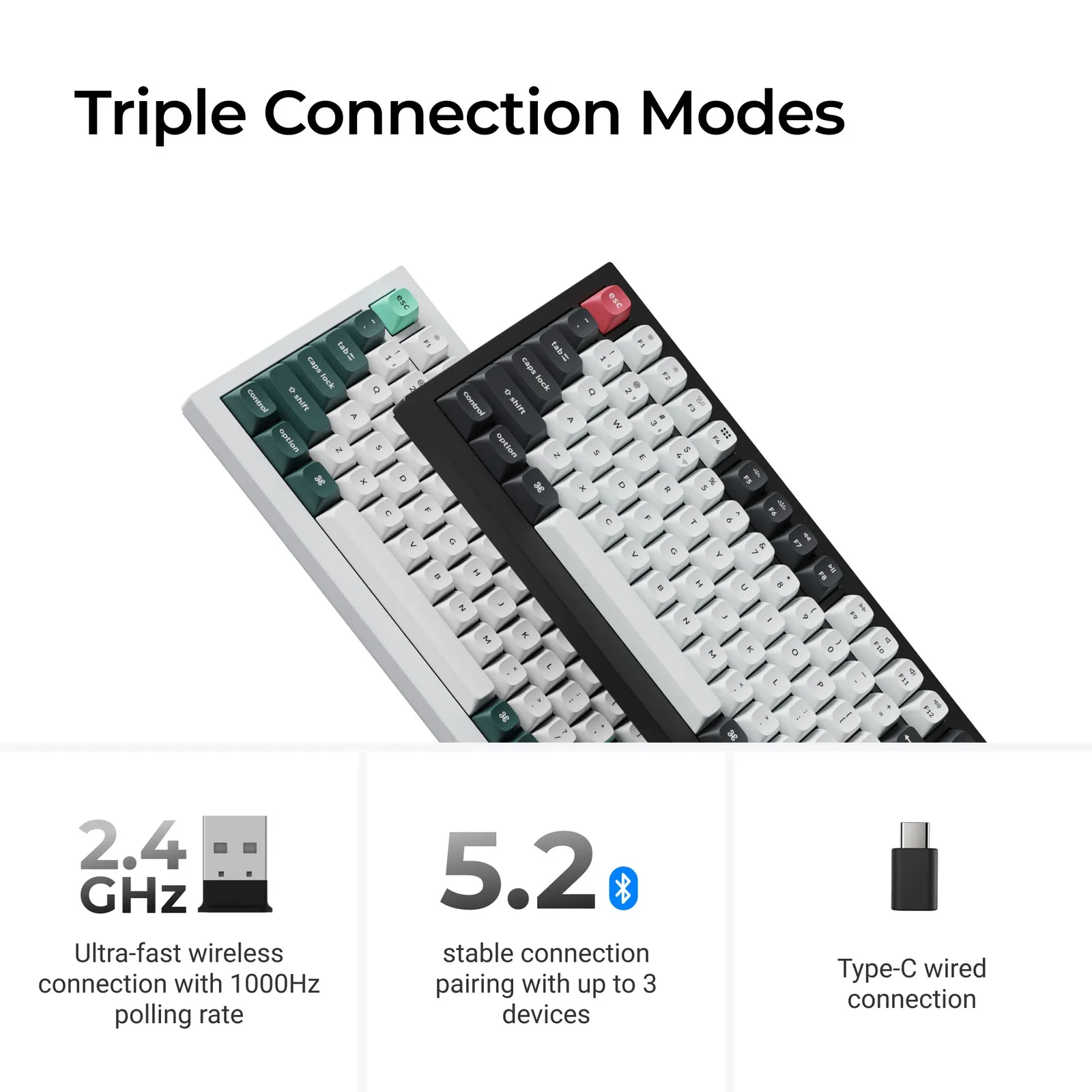
2.4 GHz at 1000 Hz, Bluetooth for up to three devices and USB-C wired mode
Browser-based Keychron Launcher, nothing to install
Programmable metal knob, bright RGB and double-shot PBT keycaps
Works with Windows, macOS and Linux
Cons
Expensive next to other magnetic 75% boards
Hot-swap works only with compatible Keychron magnetic switches
No tilt feet, so it sits at a fixed angle
Keychron Q1 HE Specs
Layout
75% (81 keys) with knob
Body
CNC 6063 aluminum, double gasket mount
Switches
Gateron double-rail magnetic (Hall Effect), linear, pre-lubed
Actuation
adjustable per key, 0.1 mm sensitivity, up to 3.8 mm
Rapid Trigger
Yes
Connectivity
2.4 GHz, Bluetooth, USB-C
Polling rate
1000 Hz (2.4 GHz and wired)
Battery
4000 mAh, up to 100 hours with backlight off (maker rating)
Keycaps
Double-shot PBT, OSA profile
Software
Keychron Launcher (web app), QMK
Dimensions
12.89 x 5.71 x 1.41 in
Weight
about 3.75 lb
If you want a Hall Effect keyboard that feels more like a custom build than a gaming peripheral, this Keychron Q1 HE review is the place to start. The Q1 HE keeps the heavy aluminum shell and gasket-mounted design of the original Q1, then swaps in magnetic switches so every key can have its own actuation point and Rapid Trigger setting. It adds 2.4 GHz wireless at 1000 Hz, which is what makes it a serious option for games as well as typing. Below we cover the build, switches, software and wireless modes, how it differs from the non-magnetic Keychron Q1 Max, and which boards in our best 75% gaming keyboards list suit other budgets.
Design and Build: A Slab of 6063 Aluminum
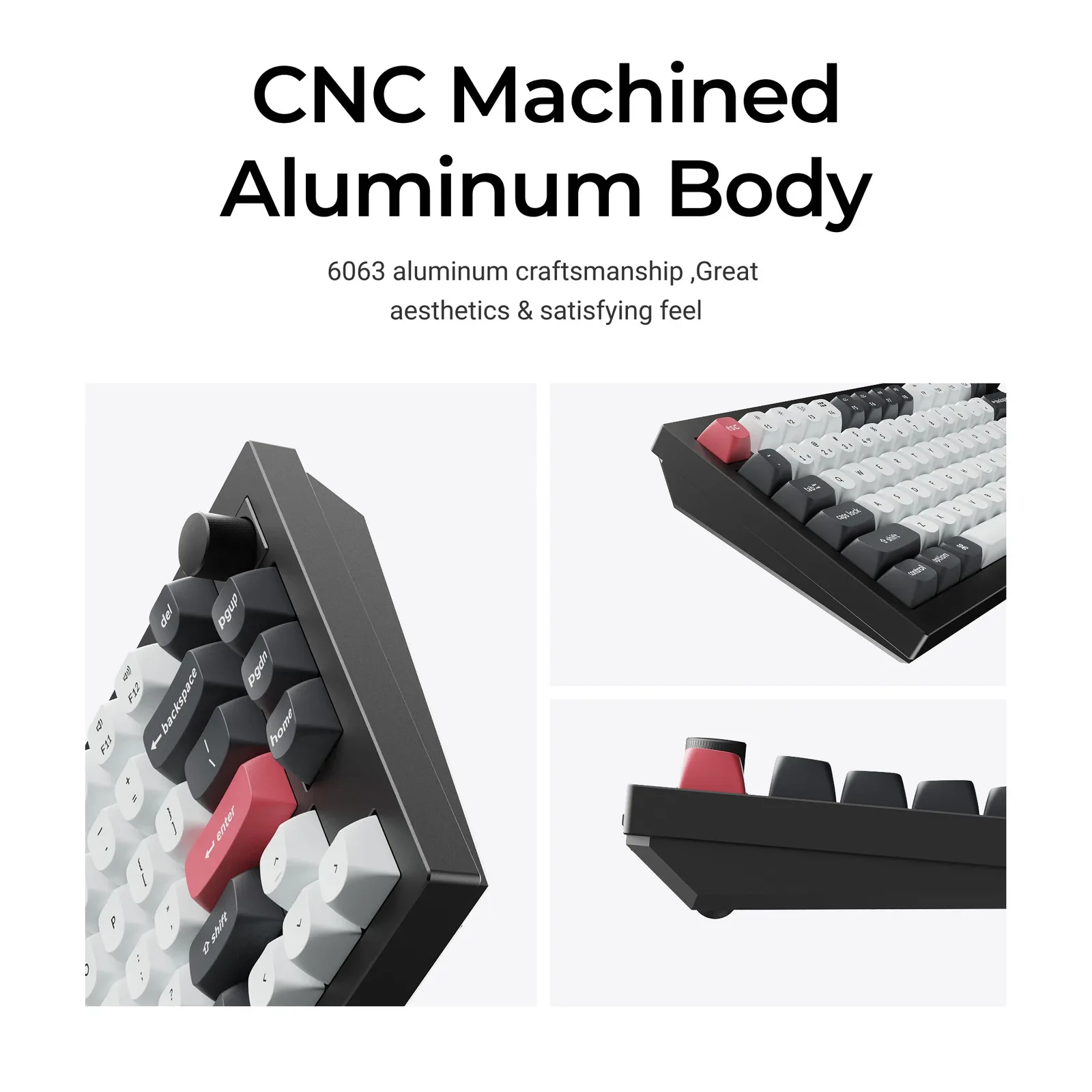
The case is machined from 6063 aluminum, with a metal knob in the top-right corner. (Image: Keychron)
The Q1 HE is an 81-key 75% board with a full function row, arrow keys and a compact navigation column under a rotary knob. The top and bottom case are both aluminum, and the whole keyboard weighs about 3.75 lb (roughly 1,700 g). At about 12.89 x 5.71 x 1.41 inches, the footprint is modest, but the weight means it stays exactly where you put it and rarely flexes or creaks.
Two things are missing. There are no flip-up feet, so the board sits at a fixed angle of about 5 degrees on four small rubber feet, and the front edge is close to an inch tall, which is why many people will want a wrist rest. There is also no slot to store the USB dongle, a small omission that is easy to feel on a keyboard at this price. The box includes extra navigation keycaps, Windows and Mac keycaps, a combined keycap and switch puller, a screwdriver and hex key with spare gaskets and screws, a USB-C cable and a USB extender.
Magnetic Switches and Typing Feel: Smooth, Stable and Fairly Quiet
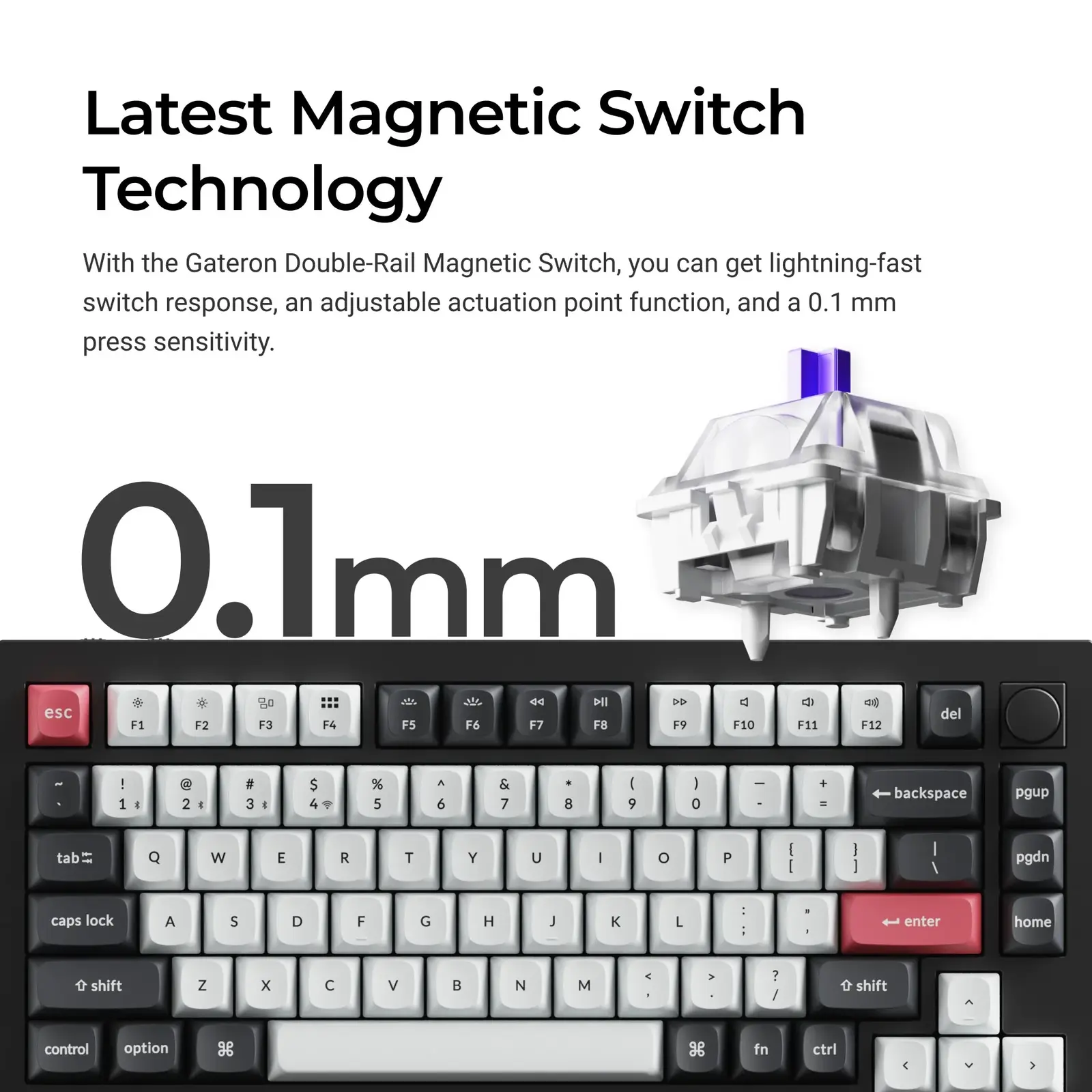
The Q1 HE uses Gateron double-rail magnetic switches with 0.1 mm press sensitivity. (Image: Keychron)
The prebuilt Q1 HE ships with pre-lubed Gateron double-rail magnetic switches. They are linear, and the two rails help keep the stem steady, so wobble is low. A double gasket mount, a layer of sound-dampening foam and an acoustic pad round off the feel: soft, even and a little cushioned rather than harsh. The sound is mostly muted and low-pitched, though the bottom-out can sound slightly dull and the stabilizers, especially under the space bar, can rattle until you lube or tune them.
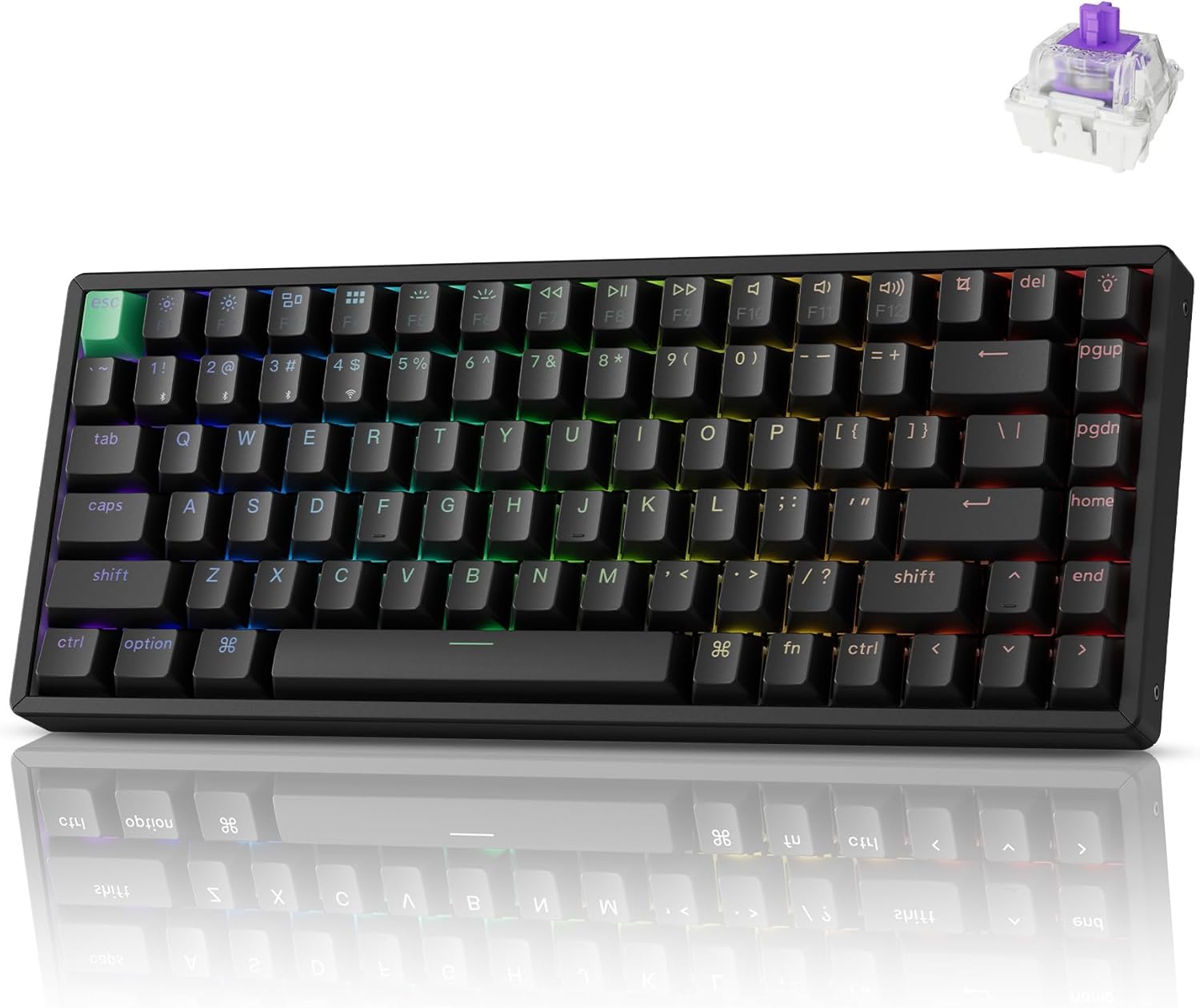
The keycaps are double-shot PBT in Keychron’s OSA profile, a gently dished shape that makes it easy to settle in and hit the right keys. They are matte, thick and not shine-through. The RGB backlight faces south and is bright enough to glow around the caps, but the legends themselves stay dark.
The catch is the switch pool. The board is hot-swappable, but only with compatible magnetic switches sold by Keychron. Regular mechanical switches will not work, and neither will every Hall Effect switch on the market. If you want to try clicky or tactile switches, this is not the board for you. For a more flexible, cheaper typing board, the Q1 Max is the better fit.
Gaming Features: Adjustable Actuation, Rapid Trigger and Multi-Action Keys
Magnetic switches detect key depth instead of relying on metal contacts, so you can set how far each key has to travel before it registers. The Q1 HE offers 0.1 mm sensitivity with an actuation distance of up to 3.8 mm, and Rapid Trigger resets a key the moment it starts to rise. That helps with counter-strafing and quick repeated taps in shooters, and the shallow settings can make movement feel sharper. A single key can also carry up to four actions depending on how deep you press, such as walking on a light press of W and sprinting on a full press.
Polling is 1000 Hz over both the 2.4 GHz dongle and the USB-C cable, and the wireless connection feels close to wired in play. Because magnetic switches also report press depth, the board can emulate analog input, which is handy in racing games. It is not sold as a gaming board, so there is no dedicated game mode, but the features are there. If you want to compare it with compact magnetic rivals, our Drunkdeer A75 vs Wooting 60HE comparison is a good next read.
Keychron Launcher: Customization in a Browser Tab
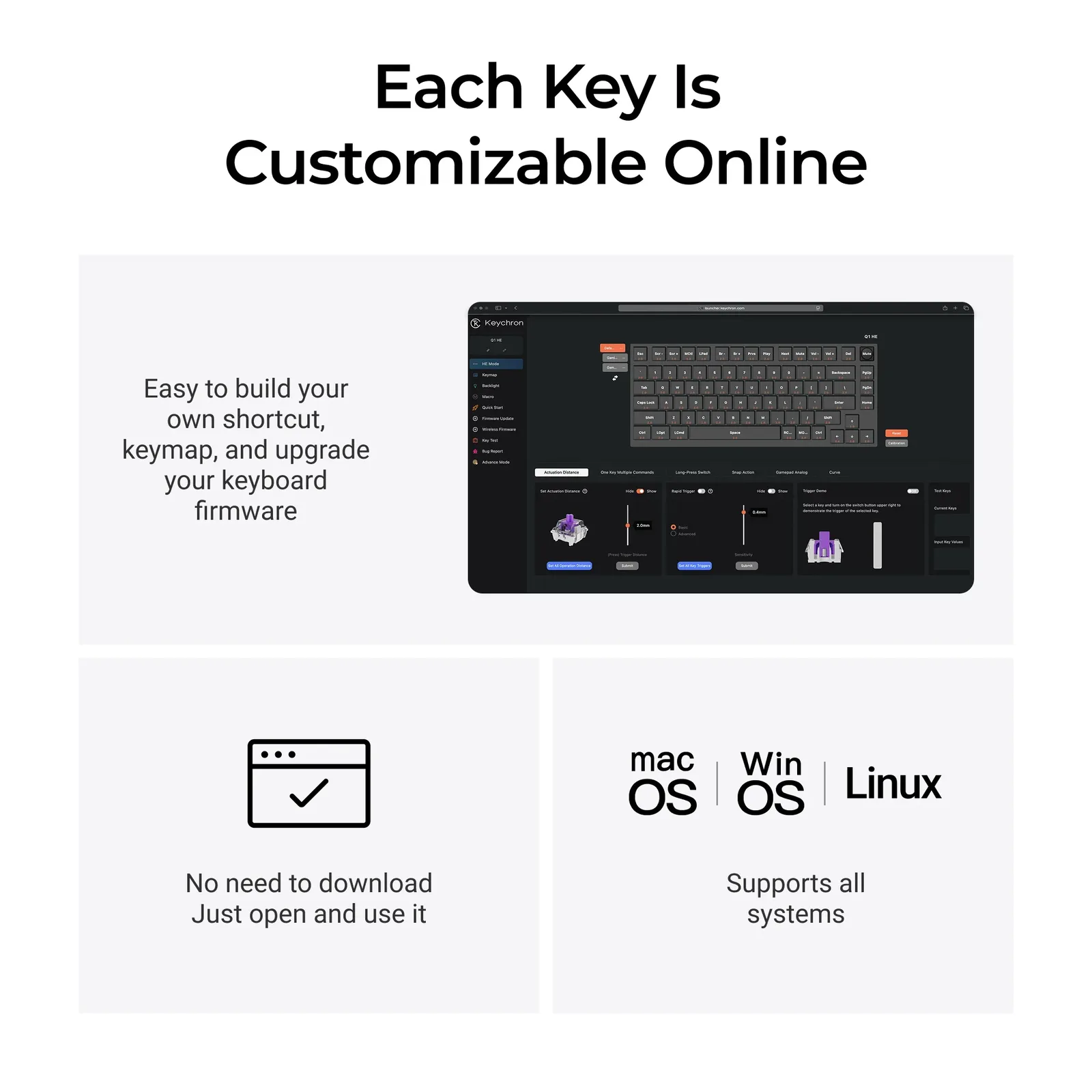
The HE Mode tab in Keychron Launcher sets actuation distance, Rapid Trigger and the other magnetic options. (Image: Keychron)
Keychron Launcher is a web app, so there is nothing to install. Plug the board in over USB-C, open the app in a browser that supports WebHID and you can remap keys, record macros, change the lighting and tune the magnetic switch settings in the HE Mode tab. It also handles firmware updates and a key-press checker, and the lighting menu includes more than 20 effects, though most only let you change speed or color.
The software is not flawless. Launcher replaces VIA on this board, so VIA itself will not work, and a firmware update may be needed before Launcher connects. Updating can be a little messy, so read the steps before you start. It also needs a wired connection to configure, so keep the cable handy.
Wireless and Battery: Three Modes, Charge Often With RGB On
The Q1 HE connects over a 2.4 GHz dongle, Bluetooth with up to three devices, or a USB-C cable. (Image: Keychron)
Two switches on the top-left edge change the connection mode and swap between Windows and Mac layouts. The 2.4 GHz dongle is the mode to use for games. Bluetooth pairs with up to three devices, but it adds noticeable lag, so keep it for a laptop or tablet. The keyboard works with Windows, macOS and Linux.
Keychron rates the 4000 mAh battery at up to 100 hours with the backlight off. With RGB on and the dongle in use, it can drain far sooner, so plan to plug it in regularly. Given the weight, this board is more likely to live on a desk than in a bag.
Is the Keychron Q1 HE Worth It?
Keychron Q1 HE
GameCuki VerdictRecommended
What Our Verdicts Mean
GameCuki Top PickThe best option in its class, with no serious, repeated problems.
RecommendedA good buy for most people. Weaknesses are minor or only matter to some players.
Buy With CaveatsRight for a specific kind of player only, because of a significant drawback.
Skip ItNot recommended. A better option exists at a similar price.
The Keychron Q1 HE is worth it if you want a premium aluminum 75% keyboard that types beautifully and also gives you adjustable actuation and Rapid Trigger over a reliable 2.4 GHz connection. It suits people who split their time between work and games and plan to keep the board on one desk. Skip it if you want to use regular mechanical switches, need tilt feet or a travel-friendly weight, or would rather spend less on a lighter magnetic keyboard such as the Keychron K2 HE.
I'm Fraser, and I write the reviews on GameCuki. That covers consoles and handhelds, PC gaming hardware, controllers, headsets and accessories, from big purchases like gaming laptops to small add-ons like screen protectors and grips. I build each review from the manufacturer's specs, professional reviews and verified owner feedback, and I check long-term issues like comfort, battery life and durability against several sources before they make it into the pros and cons. Every review ends with who the product is for and who should skip it. I don't accept free products or paid placements, and what I write comes from research, not my own use of the products. You can read my full process on our How We Review page.