GameCuki is reader-supported. When you buy through links on our site, we may earn an affiliate commission at no extra cost to you. As an Amazon Associate I earn from qualifying purchases. Learn more.
GameCuki VerdictRecommended
What Our Verdicts Mean
GameCuki Top PickThe best option in its class, with no serious, repeated problems.
RecommendedA good buy for most people. Weaknesses are minor or only matter to some players.
Buy With CaveatsRight for a specific kind of player only, because of a significant drawback.
Skip ItNot recommended. A better option exists at a similar price.
The Bottom LineThe wired Xbox controller to beat on a budget, with drift-resistant Hall effect sticks, back buttons and on-pad audio controls for well under the price of Microsoft's own pad.
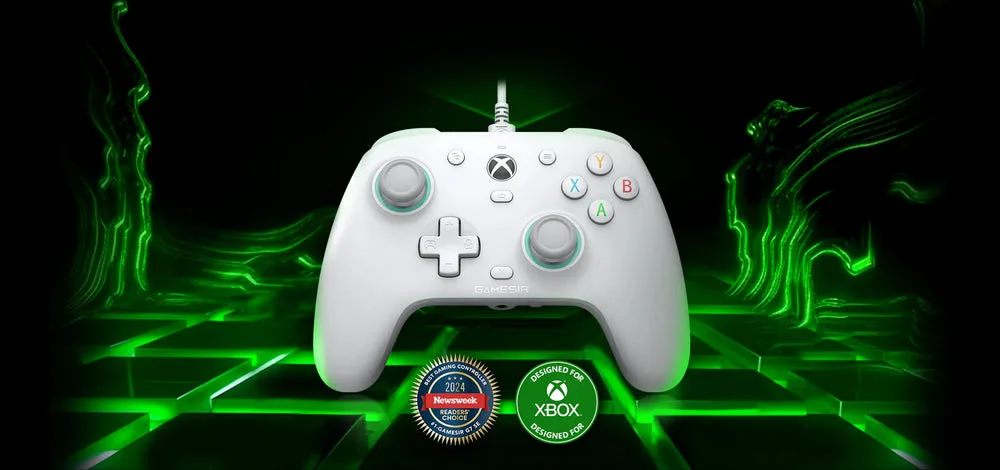
Officially licensed for Xbox Series X/S, Xbox One and PC
Hall effect sticks and triggers resist drift
Two lockable back buttons
On-controller volume, game/chat mix and mic mute
Very low wired latency
Magnetic faceplate you can paint or swap
Cons
Wired only
Back buttons are easy to press by accident until locked
Stick tops are flatter than Xbox sticks
GameSir G7 SE Specs
Sticks
Hall effect, with anti-friction rings
Triggers
Hall effect analog
Extra buttons
2 quick-latch back buttons with lockout switches
Audio
3.5mm jack with on-controller volume, game/chat mix and mic mute
Connection
wired, detachable 3m USB-C cable
Polling rate
1000Hz on PC
Faceplate
magnetic, swappable, paint-friendly
Software
GameSir Nexus app (PC)
License
officially licensed for Xbox
Platforms
Xbox Series X/S, Xbox One, Windows 10 and up
Hall effect sticks used to be a premium feature. The GameSir G7 SE helped change that, and this GameSir G7 SE review checks whether it’s still the best cheap wired pad for Xbox. GameSir’s licensed G7 SE plugs straight into an Xbox Series X/S, Xbox One or Windows PC and adds Hall effect sticks and triggers, two back buttons, on-pad audio controls and a swappable magnetic faceplate, all for less than Microsoft’s standard controller. The trade-offs are a cable, light back buttons and stick tops that feel a little different.
Design and Comfort: Familiar Shape, Lighter Feel
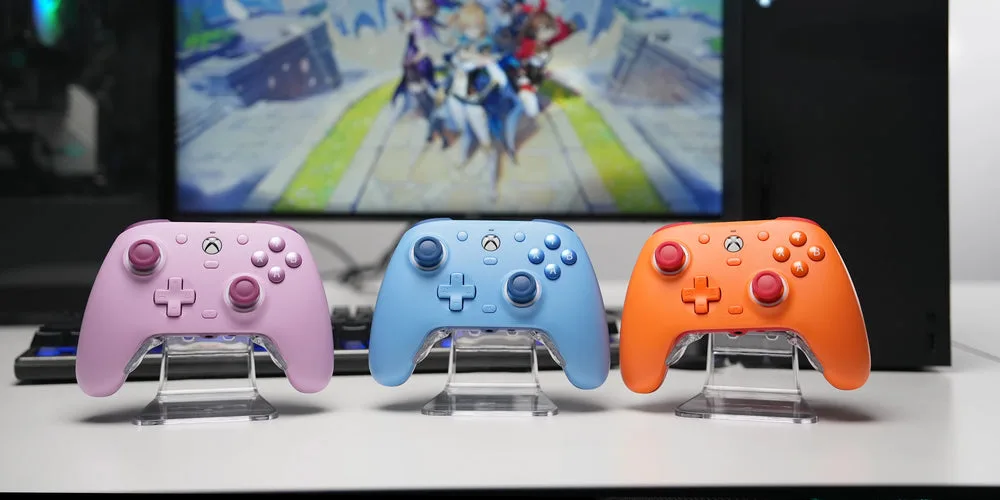
The G7 SE uses the same overall shape and size as an Xbox Wireless Controller, so it feels instantly familiar. Without a battery inside, it’s a little lighter, which makes it comfortable for long sessions without feeling cheap. The top has a matte finish, the grips have a fine laser texture, and the Xbox button sits slightly raised with the View and Menu buttons placed higher on either side. White is the classic color, and GameSir now sells it in several brighter colors too.
Beyond classic white, the G7 SE now comes in several brighter colors. (Image: GameSir)
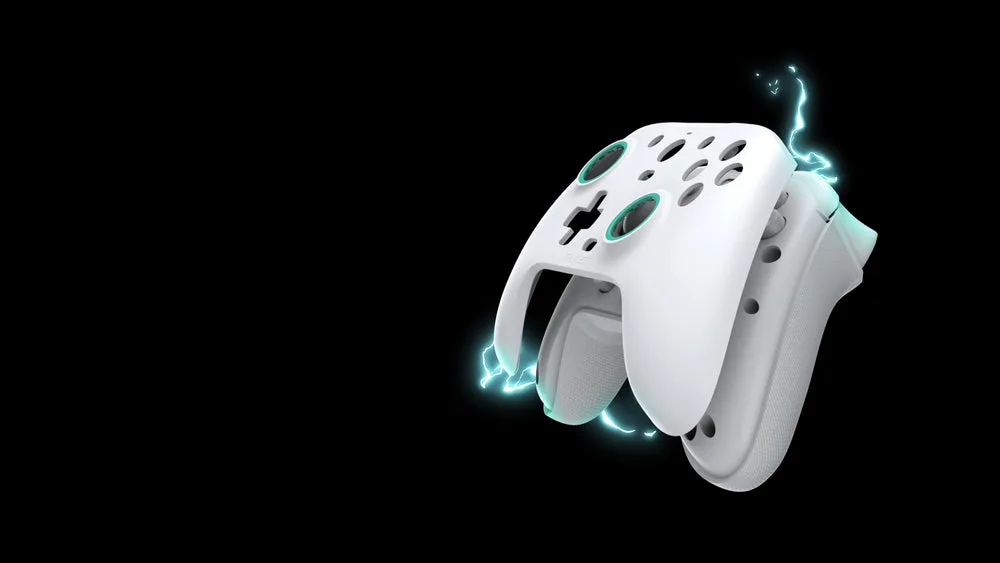
The front plate is magnetic and pops off, so you can swap in one of GameSir’s G7-series faceplates or paint your own, which also makes cleaning easy.
The magnetic faceplate lifts off for swapping, painting or cleaning. (Image: GameSir)
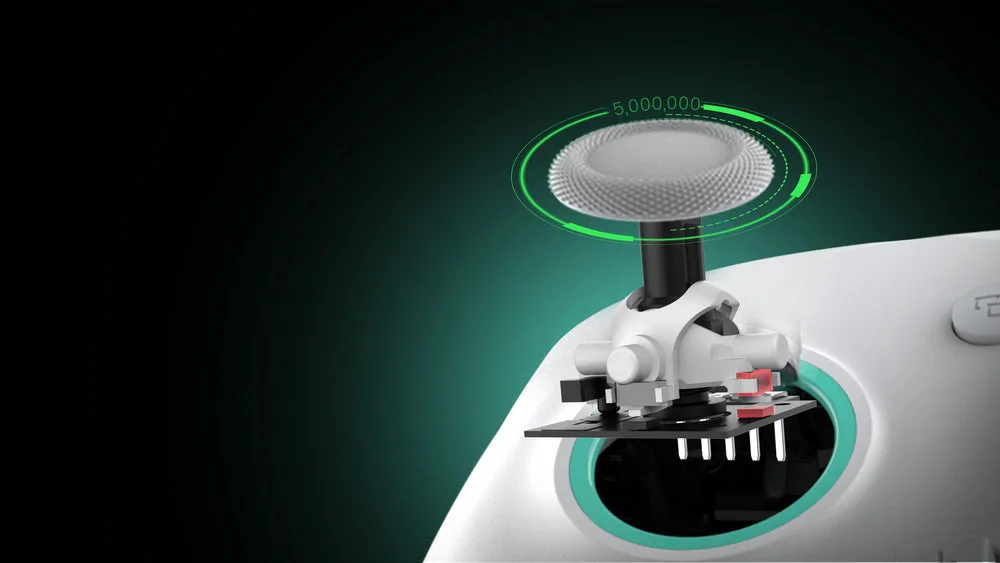
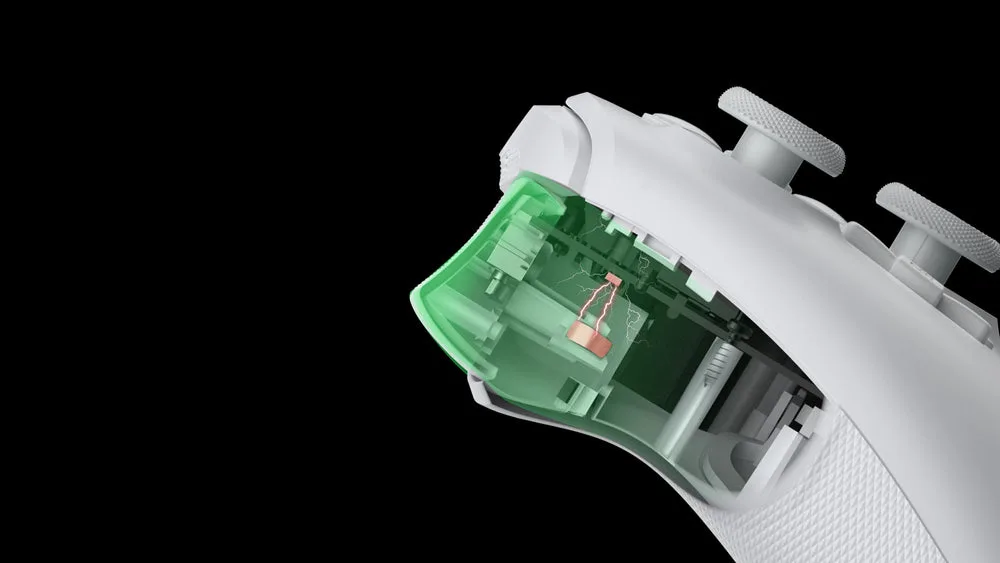
The main reason to buy a G7 SE is its Hall effect sticks. They use magnets instead of a contact track, so the parts that cause stick drift on standard controllers don’t wear out, and reviewers saw no drift or ghost inputs. The sticks feel smooth and responsive, and a low deadzone setting works well in shooters.
Hall effect sticks use magnets, so there is no contact track to wear out. (Image: GameSir)
Two small quirks are worth knowing about. The stick tops are flatter than Xbox sticks, closer to a DualSense, so they’re a little less grippy. And the teal anti-friction rings around the sticks can squeak when you push a stick hard against the edge, something XboxTavern noticed during long football sessions. GameSir sells replacement rings and thumb grip caps if either bothers you.
Triggers, Buttons and D-Pad: Precise and Familiar
The triggers are also Hall effect, which GameSir says gives a smooth, consistent pull, and they give you finer throttle control in racing games like Forza. The ABXY buttons and D-pad use dome switches that feel close to Microsoft’s controller, while the bumpers and back buttons click like microswitches. The D-pad is a classic cross design that’s firm and accurate for menus and platformers, though fighting game fans may prefer something more specialized.
The triggers use Hall effect sensors for a smooth analog pull. (Image: GameSir)
Back Buttons: Handy, but Easy to Press
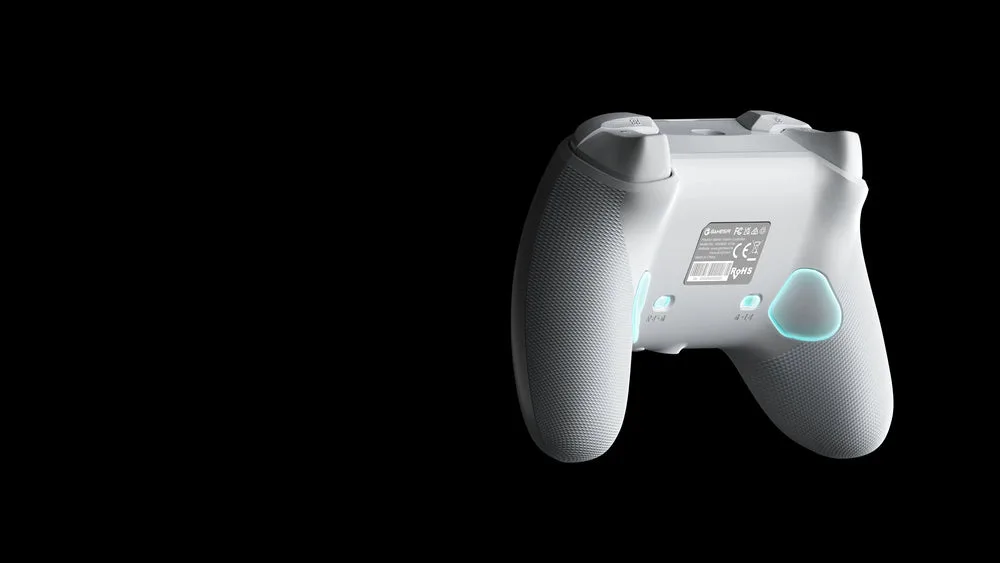
Two quick-latch buttons sit on the back where your middle fingers rest. You program them on the fly by holding the M button and pressing the button you want to copy, so you can jump or reload without leaving the sticks. They’re light and positioned where a tight grip can press them by accident, but each has a lockout switch, so you can disable them when you don’t need them. Each back button copies a single existing button, rather than running macros.
Two quick-latch back buttons sit under your middle fingers. (Image: GameSir)
Audio Controls: Better Than Microsoft’s Pad
The G7 SE has a 3.5mm headset jack plus controls the standard Xbox controller doesn’t. Hold the M button and press up or down on the D-pad to change volume, or left and right to adjust the game and chat mix, and a dedicated button mutes your mic. Being able to change audio without opening the Xbox guide is a genuine quality-of-life upgrade. The jack is the one part to treat gently, so leave your headset plugged in rather than pulling it out constantly.
Connection and Software: Wired, Plug and Play
The G7 SE is wired only, using a detachable 3m USB-C cable that reaches across most living rooms, and it needs no drivers on Xbox or Windows. Wired also means you never deal with batteries or low-battery warnings. On PC it supports a 1000Hz polling rate. GameSir’s Nexus app for Windows lets you remap buttons, set stick and trigger deadzones and build profiles.
Performance: Excellent Wired Latency
Latency is outstanding. Over USB on PC at 1000Hz, the controller averages about 3ms of button latency and about 3.2ms of stick latency, which is excellent and faster than many wireless controllers. A 500Hz mode is also available and still responsive. On Xbox consoles the polling rate is capped by the console, but the controller still feels snappy.
Official Xbox licensing means it works on Xbox consoles without adapters. (Image: GameSir)
G7 SE vs G7 HE vs G7 Pro
The G7 HE is a near-identical update that swaps the SE’s dome-switch face buttons and D-pad for clicky mechanical switches, which suits players who like a crisp, mouse-like feel. The G7 Pro is the bigger upgrade, adding TMR sticks, trigger stops, extra bumpers and wireless play on PC with a charging dock, though it’s still wired on Xbox. Read our GameSir G7 Pro vs G7 SE and GameSir G7 Pro vs G7 HE comparisons for the full breakdown.
Alternatives: What to Consider Instead
If you want the cheapest Hall effect pad for Xbox and don’t need back buttons, the GameSir T7 costs less. If you want stick tension you can adjust, the Flydigi Vader 5S is a wired Xbox alternative. And if you’d rather go wireless on Xbox, you’ll need a licensed wireless model like the Razer Wolverine V3 Pro, which costs several times more. Our best Xbox controller guide covers all of these.
Final Thoughts
GameSir G7 SE
GameCuki VerdictRecommended
What Our Verdicts Mean
GameCuki Top PickThe best option in its class, with no serious, repeated problems.
RecommendedA good buy for most people. Weaknesses are minor or only matter to some players.
Buy With CaveatsRight for a specific kind of player only, because of a significant drawback.
Skip ItNot recommended. A better option exists at a similar price.
The GameSir G7 SE still nails what most Xbox and PC players want from a cheap controller. Hall effect sticks and triggers keep drift away, the back buttons and on-pad audio controls add features Microsoft's own pad lacks, and its wired latency is excellent. The flatter stick tops, squeak-prone rings and easily bumped back buttons are minor once you get used to them, and the lockout switches help. If you play close to your console or PC and want a durable controller for less than a standard pad, we recommend the G7 SE.
I'm Fraser, and I write the reviews on GameCuki. That covers consoles and handhelds, PC gaming hardware, controllers, headsets and accessories, from big purchases like gaming laptops to small add-ons like screen protectors and grips. I build each review from the manufacturer's specs, professional reviews and verified owner feedback, and I check long-term issues like comfort, battery life and durability against several sources before they make it into the pros and cons. Every review ends with who the product is for and who should skip it. I don't accept free products or paid placements, and what I write comes from research, not my own use of the products. You can read my full process on our How We Review page.