GameCuki is reader-supported. When you buy through links on our site, we may earn an affiliate commission at no extra cost to you. As an Amazon Associate I earn from qualifying purchases. Learn more.
GameCuki VerdictRecommended
What Our Verdicts Mean
GameCuki Top PickThe best option in its class, with no serious, repeated problems.
RecommendedA good buy for most people. Weaknesses are minor or only matter to some players.
Buy With CaveatsRight for a specific kind of player only, because of a significant drawback.
Skip ItNot recommended. A better option exists at a similar price.
The Bottom LineOne of the few licensed PS5 pro controllers with Hall effect sticks and triggers, a strong pick for Xbox-layout fans who can live without haptics and adaptive triggers.
Hall effect sticks and triggers resist stick drift
Officially licensed for PS5, also works on PS4 and PC
Xbox-style offset sticks and large, clicky face buttons
Trigger blockers and four remappable back paddles
Pairs Bluetooth earbuds or headphones directly
Generous kit with case, two D-pads, stick heads and weights
Cons
No haptic feedback, adaptive triggers or rumble in PS5 games
Can't wake the PS5, and wireless play needs the USB dongle
Lower back paddles are easy to press by accident
Nacon Revolution 5 Pro Specs
Sticks
Hall effect, asymmetric (Xbox-style) layout
Triggers
Hall effect with trigger blockers for short or full pulls
Back buttons
4 remappable Omron micro-switch paddles, with an on/off switch
D-pad
2 swappable designs (Mister Crimson fighting-game pad and traditional cross)
Connection
USB-A wireless adapter, or wired with the 3m USB-C to USB-A cable
Audio
3.5mm headset jack, Bluetooth 5.2 for headphones
Battery
10+ hours (Nacon)
Profiles
4 per platform, 60+ settings in the app
Vibration
PS4 and PC games only
Platforms
PS5, PS4, Windows PC
Release
October 2023
Stick drift is the DualSense’s best-known weakness, and the Nacon Revolution 5 Pro is one of the few officially licensed PS5 pro controllers built to avoid it, with Hall effect sticks and triggers. In this Nacon Revolution 5 Pro review, the question is whether that’s worth what Sony doesn’t let it have. It pairs them with Xbox-style offset sticks, four back paddles, trigger blockers, Bluetooth audio and a case full of swappable parts. The catch is what’s missing: no haptic feedback, no adaptive triggers and no rumble in PS5 games.
What’s in the Box: A Full Kit of Extras
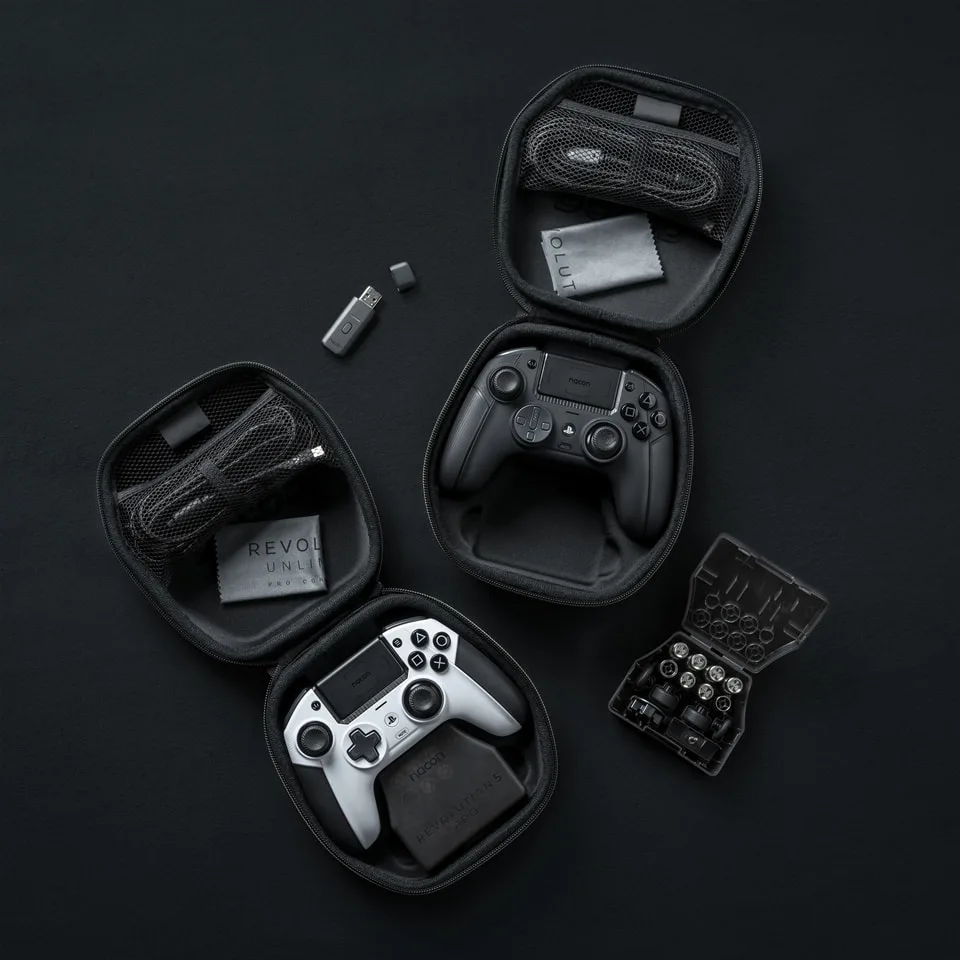
The controller arrives in a sturdy zippered carrying case. Inside you’ll find the Revolution 5 Pro, the USB wireless adapter, a 3m braided USB-C to USB-A cable, a cleaning cloth and a small plastic storage box for the extras. That box holds three pairs of weights, a second D-pad (a traditional cross to swap with the circular fighting-game pad), extra concave and convex stick heads in different heights, metal precision rings for the sticks and a plug-in external microphone.
The case holds the controller, the wireless adapter, the cable and a box of swappable parts. (Image: Nacon)
Design and Comfort: Xbox Layout, PlayStation Buttons
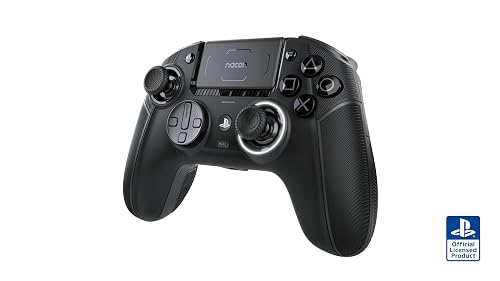
The biggest difference from a DualSense is the stick layout. The left stick sits above the D-pad, like on an Xbox controller, which is more comfortable for many hands over long sessions. If you’ve used Sony’s symmetrical layout for years, expect a short adjustment period. The body is larger than a DualSense, with a matte finish, rubber grips on the handles and textured triggers. It’s noticeably heavy out of the box, a heft that feels premium and sturdy, yet it stays comfortable even across marathon sessions of nearly ten hours.
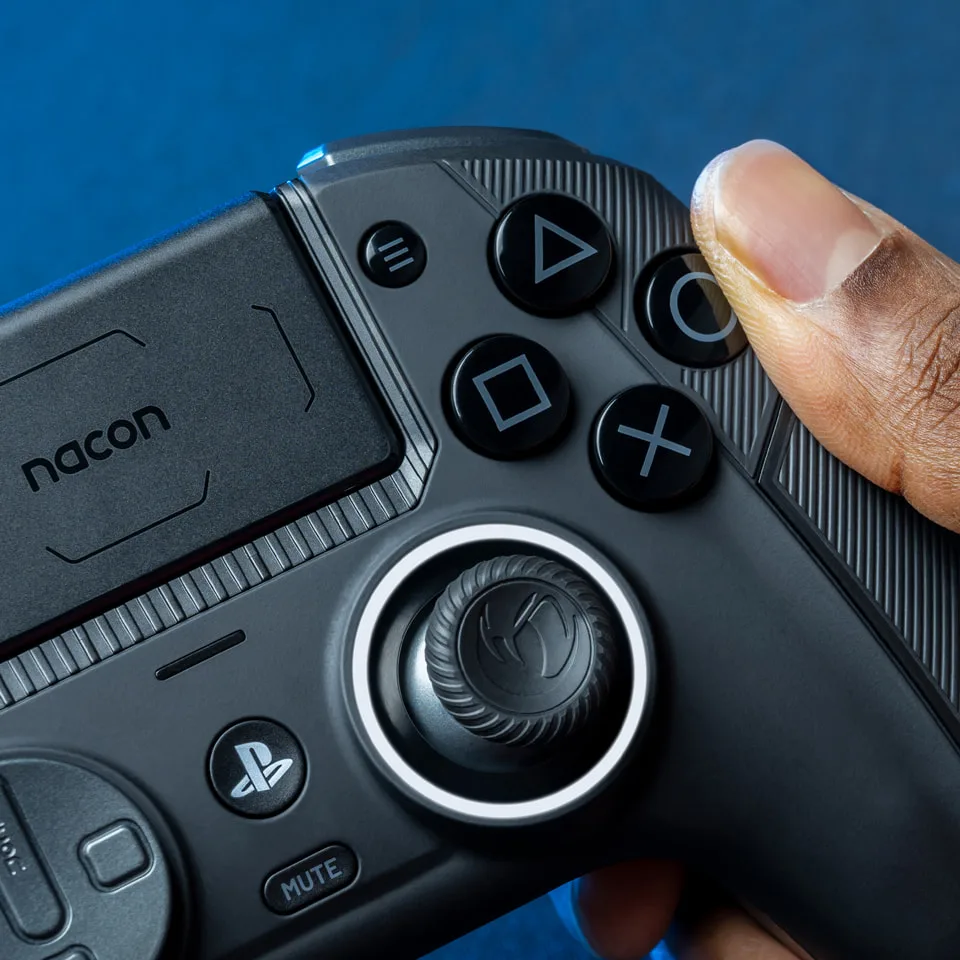
The face buttons are slightly larger than Sony’s and feel clicky, and the share button is easy to reach. A customizable light ring surrounds the right stick, and the touchpad doubles as an audio control. It comes in black and white, plus a camo edition.
Large face buttons and a light ring around the right stick. (Image: Nacon)
Sticks and Triggers: Hall Effect on Both
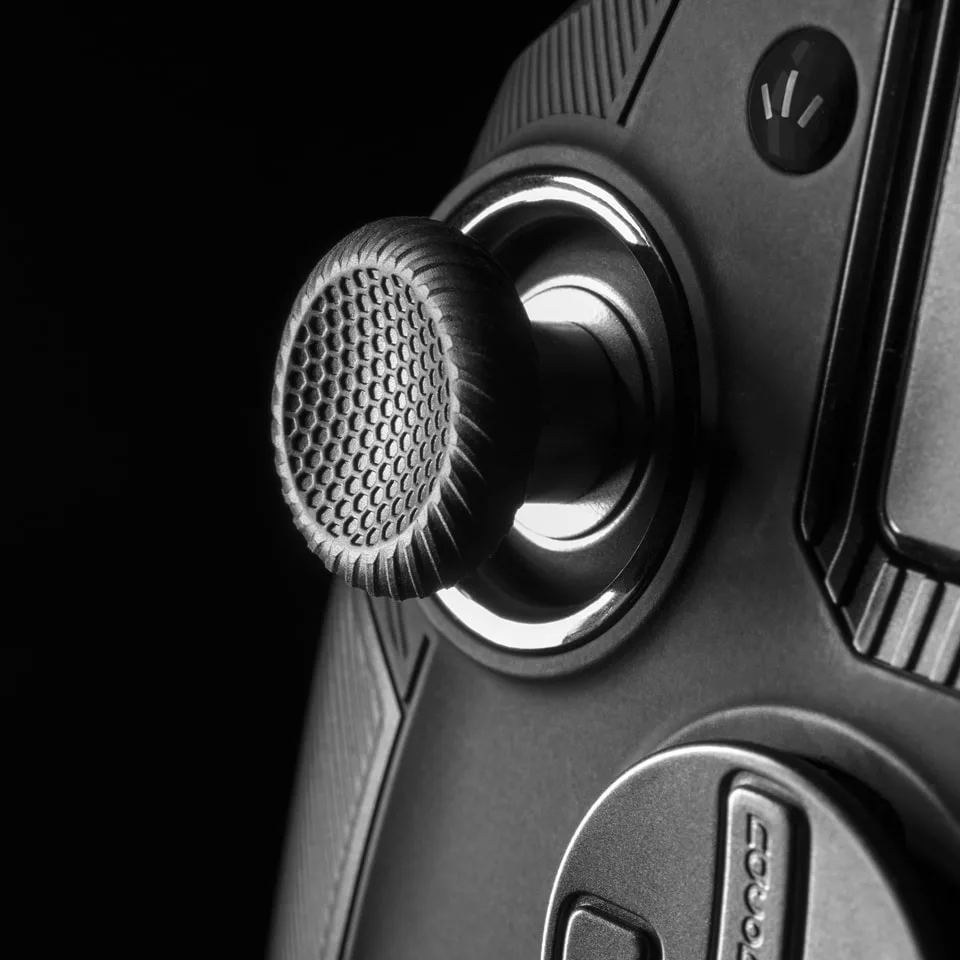
Both sticks and both triggers use magnetic Hall effect sensors instead of the potentiometers in a standard DualSense or DualSense Edge. Because nothing rubs against a contact strip, they’re far less prone to drift and should stay accurate much longer. The sticks sit in a good middle ground between tight and loose and are precise once you’re used to them, but the adjustment period is longer than usual, so it’s worth warming up in a less competitive game first.
Average button latency is about 8.1ms wired and 8.4ms on the wireless adapter in PC XInput mode, with a polling rate of about 250Hz. In PlayStation mode, the average was a little higher at around 9 to 10ms. That’s responsive enough for most players, but it isn’t in the same class as the 1,000Hz pro controllers built mainly for PC.
Both sticks use magnetic Hall effect sensors to resist drift. (Image: Nacon)
Back Paddles: Two Great, Two Awkward
There are four remappable back buttons, built on Omron micro-switches. The upper two (S1 and S2) stick out and fall naturally under your middle fingers. The lower two (S3 and S4) are set into the grips, which makes them harder to find, and they sit low on the grips, right where your little fingers rest. It’s easy to press them by accident when you grip tightly, and they’re awkward with smaller hands, so you may end up turning them off.
The good news is that a switch on the back disables the paddles completely, which few controllers offer. You can also remap them without any app: hold the multi-function button, press the paddle, then press the button you want to assign.
Trigger Blockers: Short Pulls at the Flip of a Switch
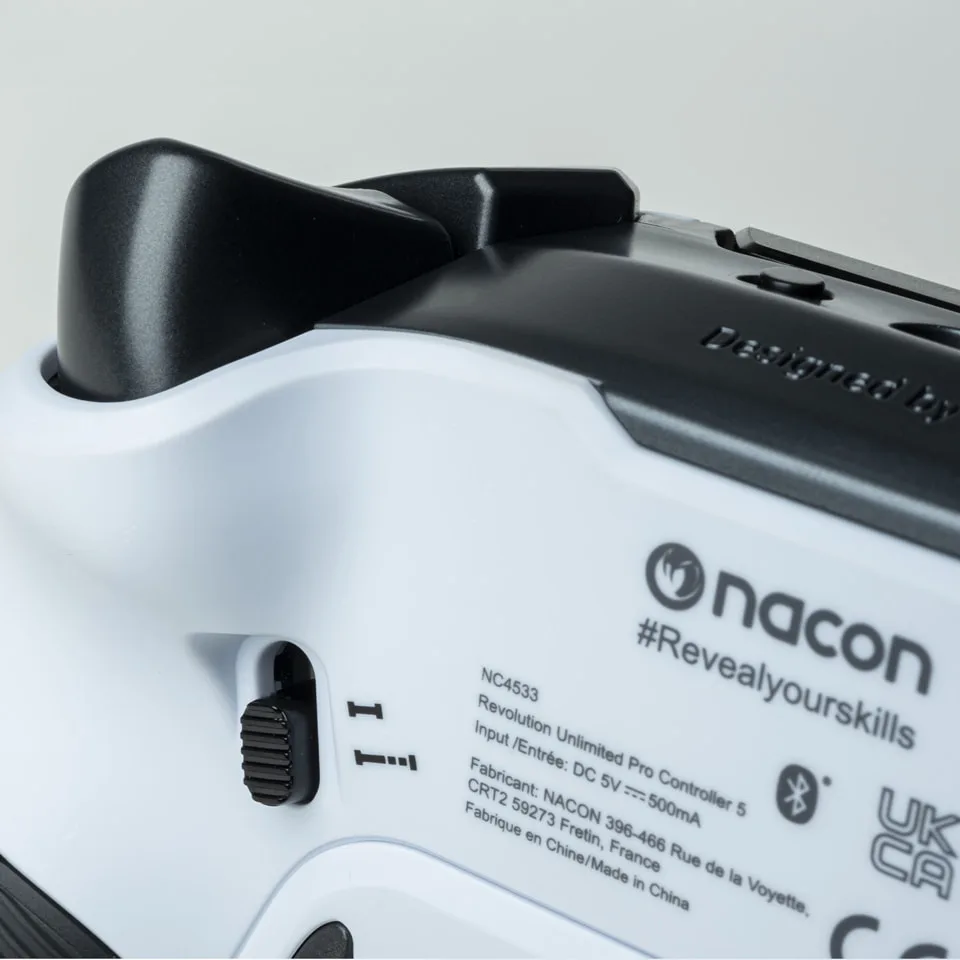
Each trigger has a switch on the back that cuts its travel roughly in half. Short pulls make shooters feel faster, and full travel is better for racing games, so you can flip between them without opening anything up. The app lets you fine-tune the trigger range and dead zones further. The triggers curve outward a bit and feel slightly long at full travel, so the short setting may suit you even outside shooters.
A switch behind each trigger sets short or full travel. (Image: Nacon)
Swappable Parts: Easy, Except the Stick Heads
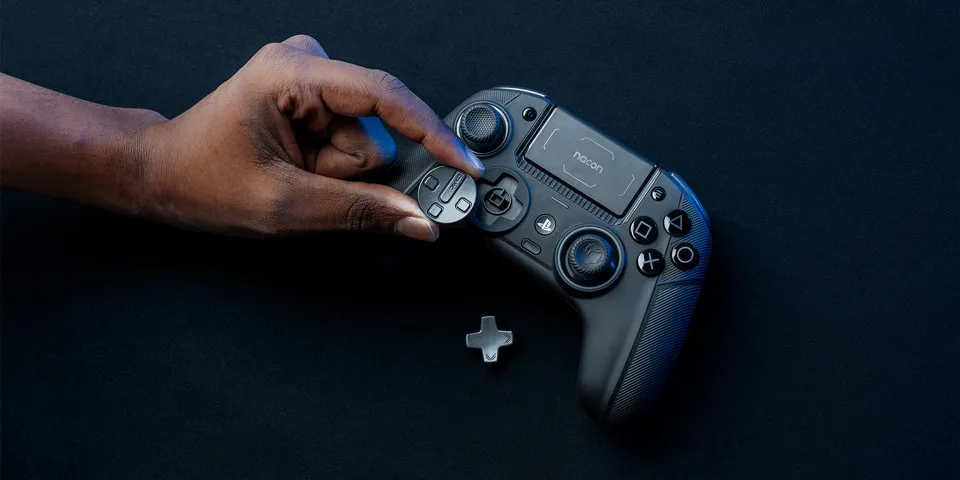
Swapping the D-pad and adding weights is simple, and the weights add up to 32g for players who like a heavier controller. Changing the stick heads takes more nerve, because you have to pull them straight off, and there’s no guide in the box showing that this is the intended method. After physical changes like the trigger length, you also need to update your profile in the app so the controller reads the new range correctly.
Stick heads pull off and swap for taller or convex options. (Image: Nacon)
What It Gives Up on PS5: No Haptics, No Adaptive Triggers
Sony doesn’t let third-party controllers use the DualSense’s haptic feedback or adaptive triggers, so you won’t feel either in PS5 games. The two rumble motors only work in PS4 and PC games, which can make PS5 exclusives built around haptics feel flat. The controller also can’t turn on your PS5 (Nacon says only a Sony controller can), so you’ll need to press the console’s power button. It doesn’t connect to the console over Bluetooth either, so wireless play takes up a USB port with the included adapter.
Bluetooth Audio: A Feature the DualSense Lacks
Here the Revolution 5 Pro does something Sony’s controllers can’t. It pairs Bluetooth 5.2 earbuds or headphones directly, so you can hear your game and chat on PS5 without a separate dongle. Hold the Bluetooth button for six seconds to pair, and you can switch between the console sound and your Bluetooth device. There’s still a 3.5mm jack for wired headsets, and the app includes EQ presets you can customize.
App and Profiles: Deep Settings, but Only on a Computer
The Revolution 5 Pro app offers more than 60 settings, including stick response curves, dead zones, button remapping, 4-way or 8-way D-pad input, EQ and the light ring color. The controller stores four profiles per platform (PS5, PS4 and PC), and a mode switch on the back picks the platform. Out of the box, the four profiles are tuned for racing and sports, FPS, arcade and fighting, and stealth games. There are no macros, which Nacon left out to stay within esports rules.
The downside is that the app doesn’t run on PS5, so you’ll need to plug the controller into a computer to change anything beyond the paddles, trigger stops and audio. That makes quick experiments mid-session a hassle.
Battery Life: Easily a Full Day
Nacon rates the battery at 10 hours or more, and a battery saving mode stretches it further by turning off the light ring and the mic’s noise reduction. In practice, it lasts about nine hours from full to empty, enough to play from morning to night on one charge and noticeably longer than a DualSense. The lack of haptics and adaptive triggers likely helps. A battery and charging indicator on the controller shows the level at a glance, and you can always play wired with the long included cable.
Reliability: A Few Reported Problems
Build quality is solid overall, but there are a few issues worth knowing about. The printed square and cross symbols can start fading within a week on some units, and the controller can occasionally disconnect, even in wired mode, until you restart the console. These look like individual cases rather than a widespread defect, and the Hall effect sticks hold up without drift after a year of daily use, but keep your receipt and use the one-year warranty if something goes wrong.
Revolution 5 Pro vs DualSense Edge
Both controllers sit in the same premium price range, and the choice comes down to what you value. The DualSense Edge keeps haptic feedback, adaptive triggers, the built-in speaker and Sony’s symmetrical layout, and its stick modules can be swapped when they drift. The Revolution 5 Pro gives you Hall effect sticks that shouldn’t drift in the first place, two more back buttons, an Xbox-style layout, Bluetooth audio and longer battery life. At a similar price, most PS5 players will get more from the Edge’s haptics. If drift has burned you before, or the DualSense layout hurts your hands, the Nacon makes more sense. It’s our pick for PS5 in our best Hall effect controllers guide, and you’ll find more options in our best game controller for PS5 roundup.
Final Thoughts
Nacon Revolution 5 Pro
GameCuki VerdictRecommended
What Our Verdicts Mean
GameCuki Top PickThe best option in its class, with no serious, repeated problems.
RecommendedA good buy for most people. Weaknesses are minor or only matter to some players.
Buy With CaveatsRight for a specific kind of player only, because of a significant drawback.
Skip ItNot recommended. A better option exists at a similar price.
The Nacon Revolution 5 Pro can't match the DualSense Edge on PS5 features: there's no haptic feedback, no adaptive triggers and no rumble in PS5 games, and the lower back paddles take getting used to. But it fixes the problem that sends many PS5 players shopping in the first place, with Hall effect sticks and triggers that resist drift, plus an Xbox-style layout, trigger stops, Bluetooth audio and a battery that lasts a full day. If you want a licensed PS5 pro controller built to last, the Revolution 5 Pro is the one we'd recommend.
I'm Fraser, and I write the reviews on GameCuki. That covers consoles and handhelds, PC gaming hardware, controllers, headsets and accessories, from big purchases like gaming laptops to small add-ons like screen protectors and grips. I build each review from the manufacturer's specs, professional reviews and verified owner feedback, and I check long-term issues like comfort, battery life and durability against several sources before they make it into the pros and cons. Every review ends with who the product is for and who should skip it. I don't accept free products or paid placements, and what I write comes from research, not my own use of the products. You can read my full process on our How We Review page.