GameCuki is reader-supported. When you buy through links on our site, we may earn an affiliate commission at no extra cost to you. As an Amazon Associate I earn from qualifying purchases. Learn more.
If you already own a Pro 2, or you’re torn between the two, the 8BitDo Pro 3 vs Pro 2 decision comes down to this: are the Pro 3’s new sticks, triggers and 2.4G dock worth the higher price, or does the cheaper Pro 2 still do everything you need? Connectivity, latency, buttons, D-pad, features and battery each answer part of that.
Best Overall
8BitDo Pro 3
Bottom LineThe better controller and a real upgrade for most players, especially on PC and Switch, if you can live with louder buttons.
TMR sticks with a 12-bit ADC, versus Hall effect sticks on the Pro 2
Hall effect triggers with a switch for short, clicky micro-switch presses
Two extra L4/R4 bumpers, for 18 buttons versus 16
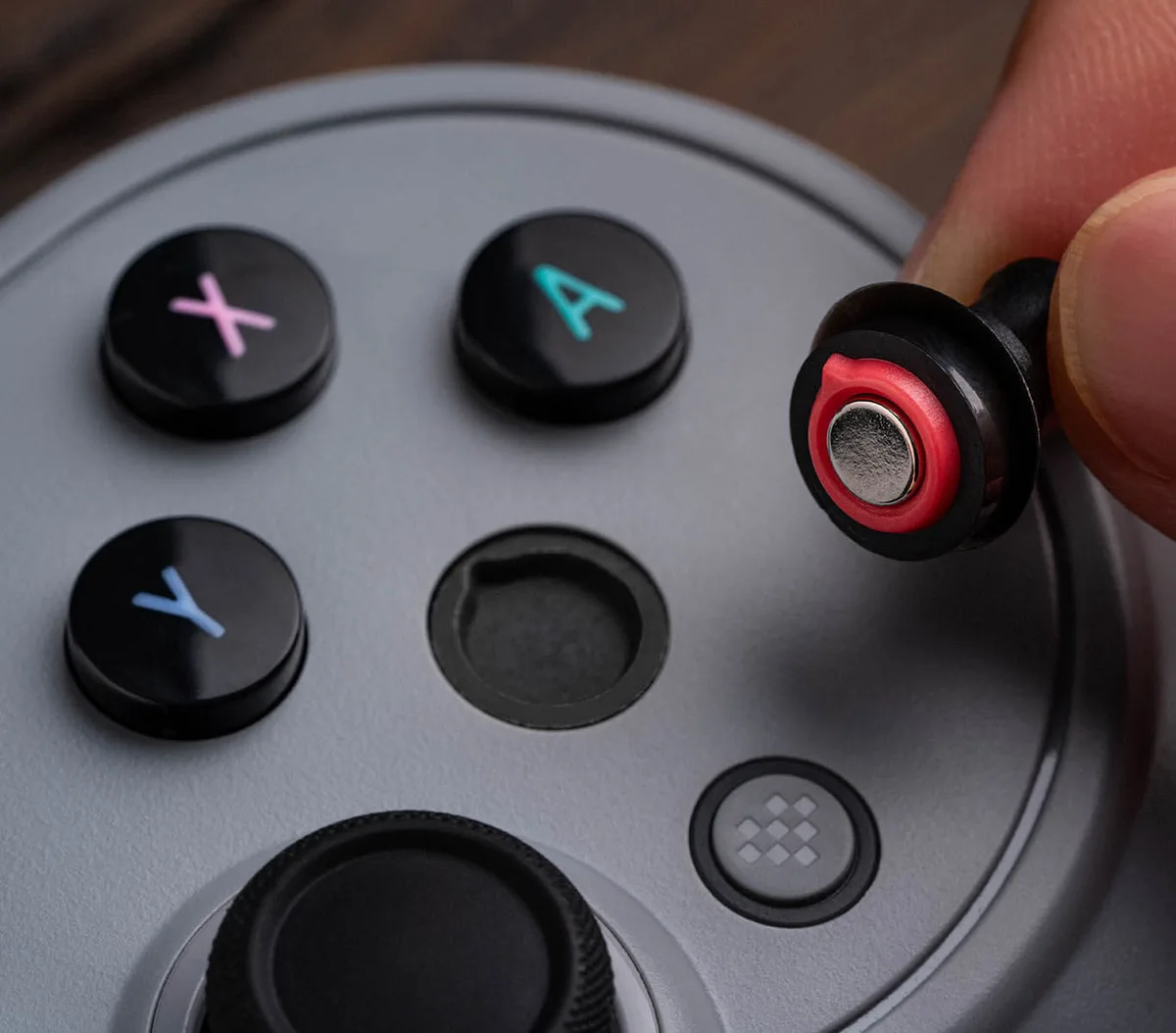
Magnetic ABXY buttons that swap between Switch and Xbox layouts
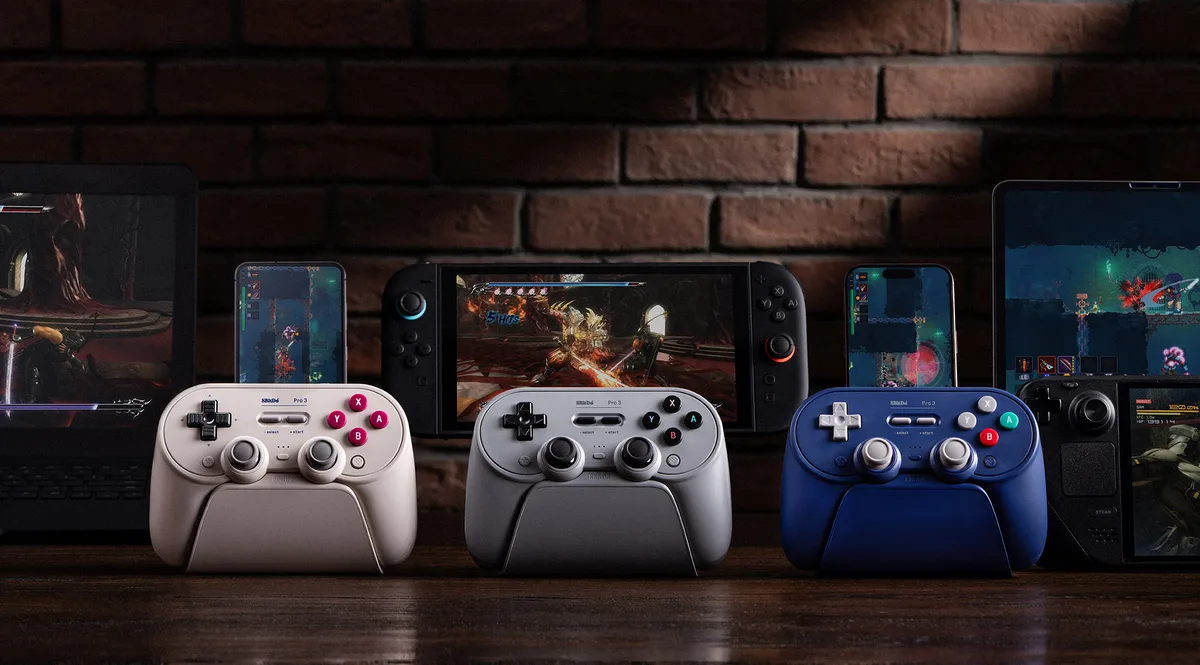
2.4G adapter and charging dock in the box
Higher polling rates and lower button latency
Motion controls on Switch and Steam, and shake-to-wake on Switch and Switch 2 (Switch 2 added in firmware v2.00)
The Pro 3’s magnetic ABXY buttons swap between Switch and Xbox layouts. (Image: 8BitDo)
Why pick the 8BitDo Pro 2:
Costs less
A softer, membrane-style D-pad that many retro fans prefer
Quieter face buttons
Removable battery pack
Works with older devices: Android 9, iOS 16.3, macOS 13.2 and Raspberry Pi
Lighter, at 228g versus 242.4g
Connectivity: The Pro 3 Adds 2.4G and a Dock
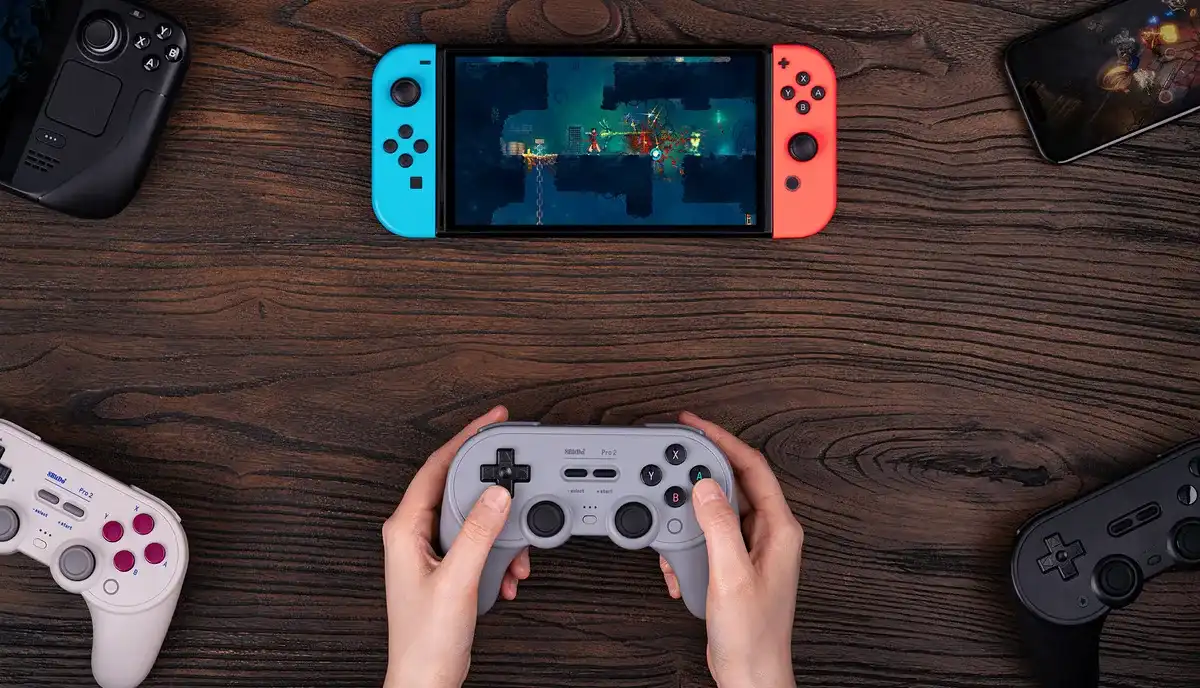
The Pro 2 connects over Bluetooth or a USB cable only. The Pro 3 adds a USB-C 2.4G adapter that lives in its charging dock, and it uses that adapter on Windows and Switch. On SteamOS, Android and Apple devices, the Pro 3 connects over Bluetooth or a cable, just like the Pro 2.
8BitDo lists these polling rates for each mode:
Polling rate (8BitDo)
8BitDo Pro 3
8BitDo Pro 2
X-input (Windows)
250Hz wired or 2.4G Wins
100Hz wired
D-input
Bluetooth 60-100Hz, wired 100-200Hz Wins
Bluetooth 60Hz, wired 100Hz
Switch mode
Bluetooth 60-200Hz, wired or 2.4G 125Hz Wins
Bluetooth 60-200Hz, wired 100Hz
One catch on the Pro 3: 8BitDo lists no 2.4G option in D-input mode, and SteamOS connects over Bluetooth or a cable only, so plan on Bluetooth for wireless gyro through Steam Input. If you already have a Pro 2 and mainly want 2.4G, you can add 8BitDo’s USB Wireless Adapter 2 (sold separately) instead of upgrading.
Device support is the other big difference. The Pro 3 needs Android 13 or later and Apple’s 26 releases (iOS, iPadOS, tvOS, macOS and visionOS 26). The Pro 2 works with Android 9, iOS and iPadOS 16.3, macOS 13.2, tvOS 16.3, visionOS 1.1 and Raspberry Pi, so it’s the better pick for an older phone, tablet or Mac. Both support Switch, Switch 2 (20.1.1 and later), Windows 10 and SteamOS 3.7.13 and later, and both made our list of the best 8BitDo controllers for Switch 2.
The Pro 2 works over Bluetooth or a cable with Switch, PC, Steam Deck, Android and Apple devices. (Image: 8BitDo)
Latency: The Pro 3 Responds Faster
The Pro 3 is clearly faster on button presses. Note that the Pro 2 figures below come from the original version with potentiometer sticks, not the current Hall effect model, and there’s no wired stick figure for the Pro 2.
Latency
8BitDo Pro 3
8BitDo Pro 2
Buttons, cable
5.9ms Wins
13.2ms
Buttons, Bluetooth
11.9ms Wins
19.6ms
Sticks, Bluetooth
28.1ms
26.8ms Wins
Buttons, 2.4G
9.2ms Wins
No 2.4G in the box
Over a cable, the Pro 3’s buttons respond in less than half the time. Over Bluetooth, its buttons are faster too, while stick latency is about the same. The Pro 3 also has higher stick resolution (11 bits versus 6.4) and better centering, while the older Pro 2 is better on circularity and asymmetry. For retro and turn-based games you won’t feel the gap, but for action and fighting games on PC, the Pro 3 is the quicker controller.
Buttons, Sticks and Triggers
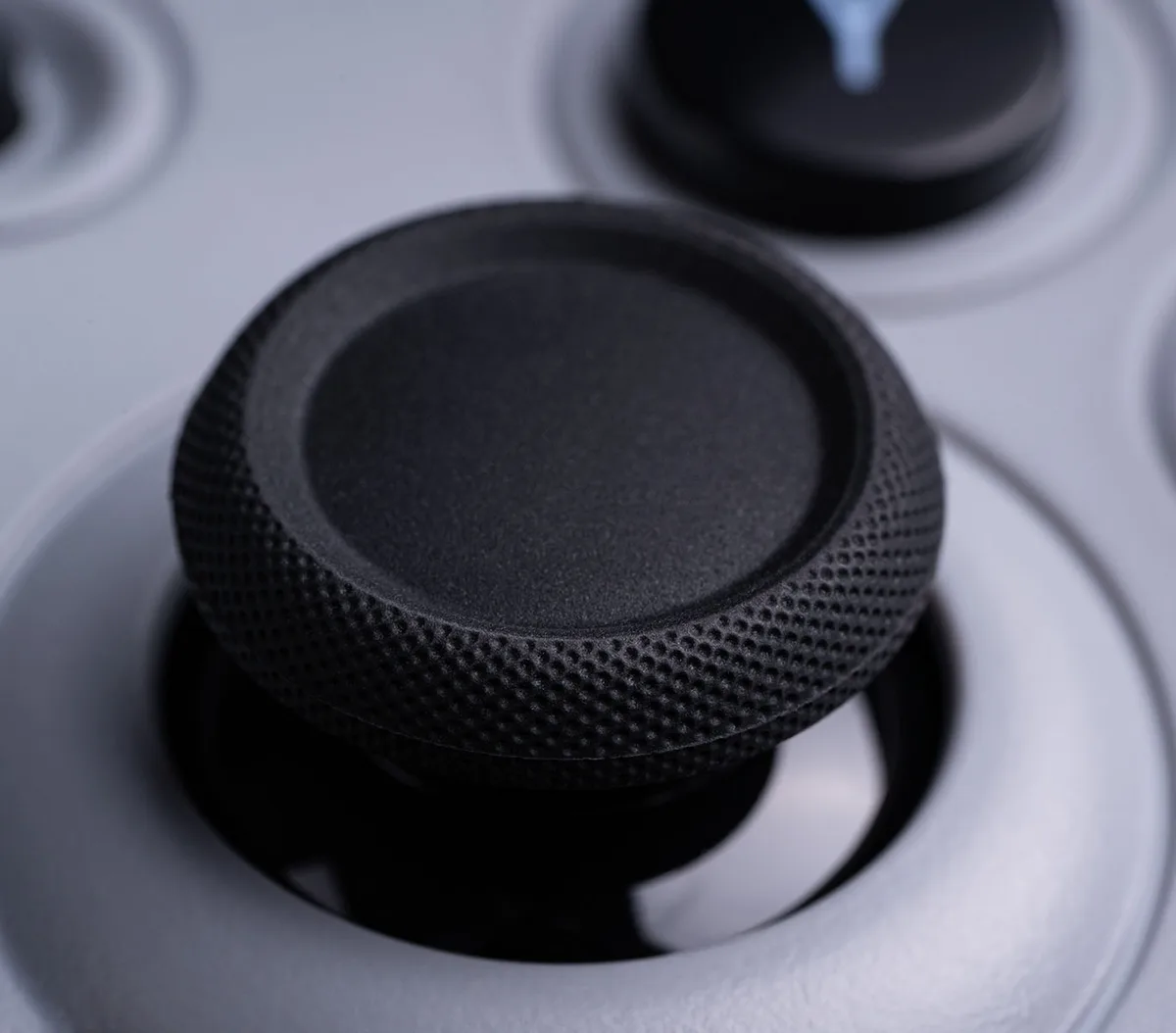
The Pro 3’s TMR sticks are a step up on paper. 8BitDo says they’re more sensitive, more precise and more power efficient, and they add wear-resistant rings. The current Pro 2 uses Hall effect sticks, which also avoid the drift issues of older potentiometer sticks.
The current Pro 2 ships with Hall effect joysticks. (Image: 8BitDo)
The triggers are a bigger change. The Pro 2 has plain linear triggers. The Pro 3 has linear Hall effect triggers plus a switch for short micro-switch presses, which work well as hair triggers in shooters or for Switch games that don’t use analog triggers anyway.
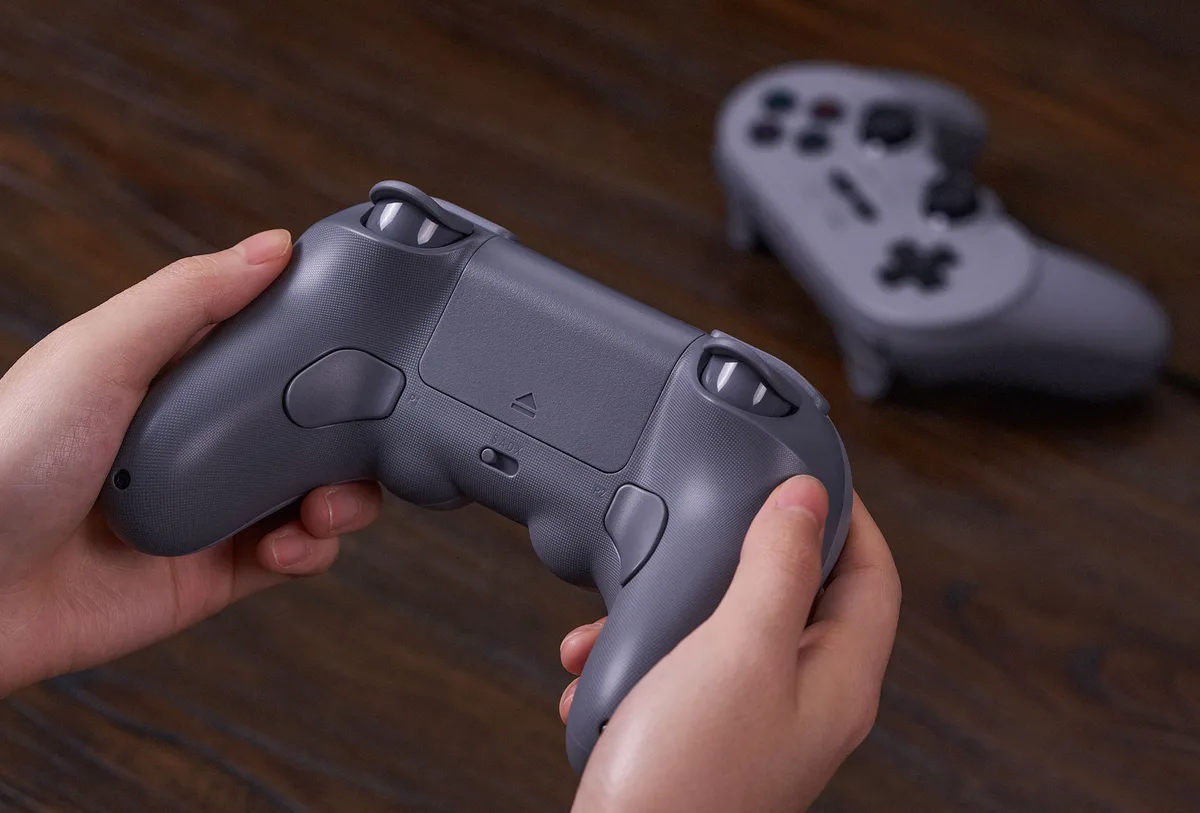
Both have two remappable back paddles, and the Pro 3 adds L4 and R4 micro-switch bumpers between the triggers and the USB-C port. The Pro 3 also has magnetic ABXY buttons. Pull them off with the included tool and swap them to match Switch or Xbox prompts, and the box includes two ball-top stick caps for an arcade feel.
Both controllers have two remappable back paddles. (Image: 8BitDo)
D-Pad and Face Buttons
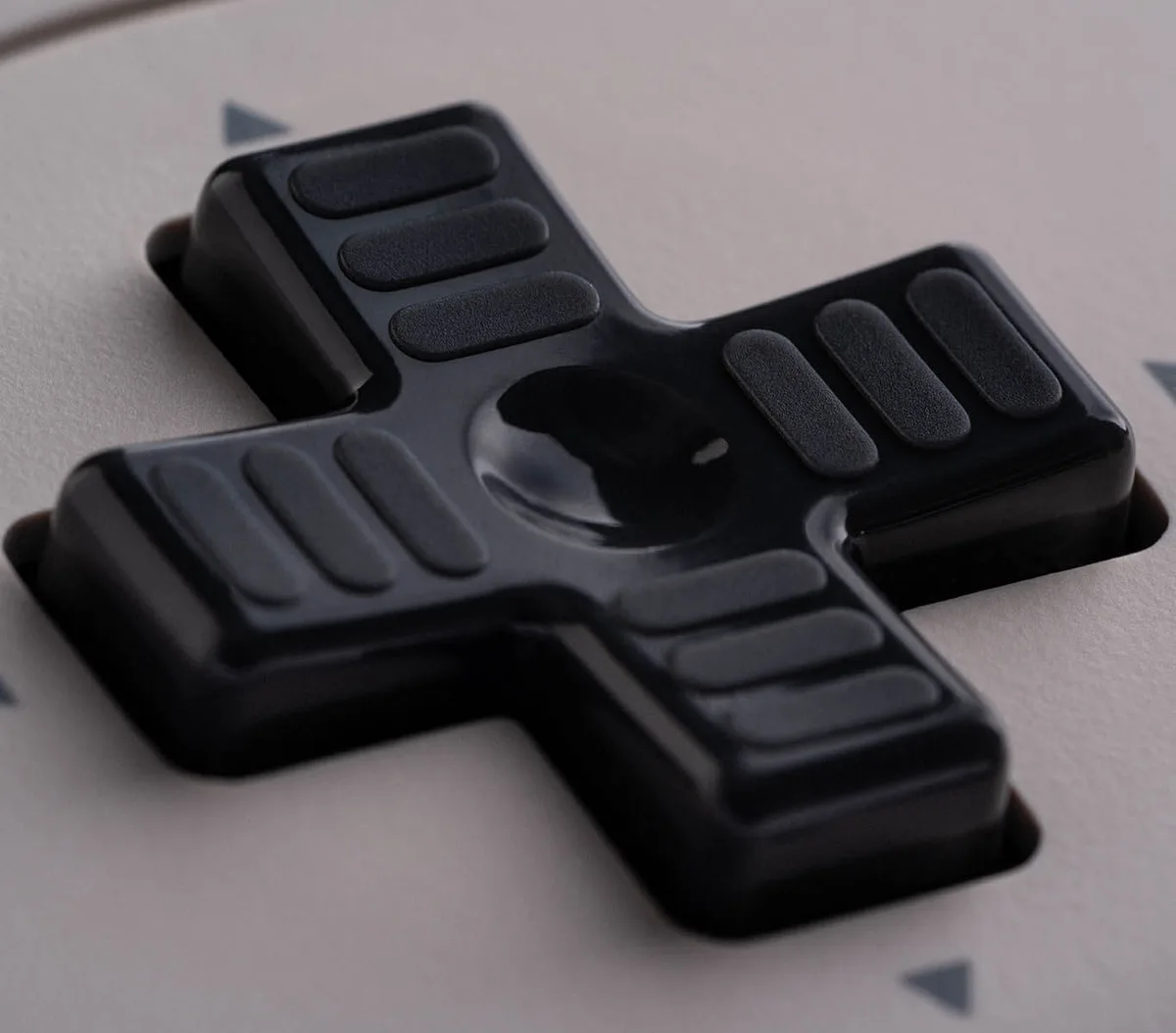
This is where the Pro 2 still has fans. Its D-pad uses a membrane, with a softer feel close to the SNES pad, and many retro fans prefer it for 2D games. The Pro 3 uses a clickier, mechanical tactile D-pad. It’s precise and well suited to 2D games, but it can produce more false diagonals in fighting games, where the Pro 2’s softer pad may suit you better.
The Pro 3’s face buttons are its biggest weakness. They’re loud and clacky, louder than the Pro 2’s, though later production batches are a little quieter. If you play next to someone at night, the Pro 2 is the safer choice.
The Pro 3’s D-pad is clickier than the Pro 2’s softer pad. (Image: 8BitDo)
Features: Motion, Rumble and Software
Both controllers have 6-axis motion controls, rumble and turbo. On the Pro 2, motion works on Switch only. The Pro 3 supports motion on Switch and in Steam. The Pro 3 can wake a Switch with a shake, and firmware v2.00 added shake-to-wake for Switch 2 as well (8BitDo’s product page still lists Switch 1 only). The Pro 2 can’t wake either console. The Pro 2 doesn’t support HD rumble or amiibo scanning on Switch, and the Pro 3’s rumble feels imprecise in Switch games, so neither matches Nintendo’s own controllers there.
Both have three custom profiles and support button mapping, stick and trigger tuning, vibration control and macros. The Pro 3 uses Ultimate Software V2, which connects on Windows or macOS over a cable or 2.4G and also handles firmware updates. Since firmware v2.00, it can also connect to the mobile app when you hold the Profile button for 2 seconds after powering on. The Pro 2 uses the original Ultimate Software, which 8BitDo offers on PC, Android and iOS.
Design and Battery
The two are nearly identical in size, at 153.6 x 100.5 x 64.5mm for the Pro 3 and 153.6 x 100.6 x 64.5mm for the Pro 2. The Pro 3 is a little heavier at 242.4g versus 228g. Both have a 1000mAh battery rated for 20 hours of play with a 4-hour charge.
The Pro 3 charges on its included dock, which also holds the 2.4G adapter. (Image: 8BitDo)
The battery design differs, though. The Pro 3 charges on its dock, and its battery is sealed inside. The Pro 2 has no dock, but its battery pack can be removed and swapped for AA batteries, which keeps it usable long after a built-in battery would wear out.
Colors differ too. The Pro 3 comes in Purple, G Classic and Gray, plus an Orange edition on 8BitDo’s eShop. The Pro 2 comes in Black, G Classic, Gray, Translucent Purple, Jade Green, Transparent Blue and Transparent Black.
8BitDo Pro 3 vs Pro 2: Full Specs
Feature
8BitDo Pro 3
8BitDo Pro 2
Platforms
Switch 1/2, Windows, SteamOS, Android 13+, Apple (26+)
Switch 1/2, Windows, SteamOS, Android 9+, Apple (iOS 16.3+, macOS 13.2+), Raspberry Pi Wins
Connection
Switch: Bluetooth, 2.4G or wired. Windows: 2.4G or wired. SteamOS, Android, Apple: Bluetooth or wired Wins
Bluetooth 4.0 or wired
Max polling rate
250Hz (X-input, wired or 2.4G) Wins
Up to 200Hz (Switch mode, Bluetooth)
Modes
Switch, X-input, D-input
Switch, Android, X-input, D-input
Sticks
TMR, 12-bit ADC, wear-resistant rings Wins
Hall effect
Triggers
Linear Hall effect or micro-switch (mode switch) Wins
The Pro 3 is the better controller, and it wins most of the rounds in this comparison. TMR sticks, Hall effect triggers with a hair-trigger mode, L4/R4 bumpers and swappable face buttons are real upgrades, and the 2.4G dock and faster button response make it noticeably better on PC and Switch. It isn’t flawless. The face buttons are loud, the battery is sealed, and the Pro 2’s softer D-pad still has plenty of fans. If you already own a recent Hall effect Pro 2 that works well, those trade-offs make it easy to keep what you have. But if you’re buying your first Pro controller or replacing a worn-out one, the 8BitDo Pro 3 vs Pro 2 decision isn’t close. Get the Pro 3. It’s worth the extra money.
I'm Sean, and I write the comparisons on GameCuki. I cover anything gamers weigh up before buying: consoles and handhelds, PC components and gaming laptops, monitors, controllers, headsets and accessories, plus subscriptions and services like Game Pass and PlayStation Plus. I put both options on the same checklist, using official specs, professional reviews and owner feedback, and I only mention what owners say when at least two of them report the same thing. Every comparison ends with one clear verdict and the type of player each option suits. I don't accept free products or payment from brands, and what I write comes from research, not my own use of the products. You can read my full process on our How We Review page.
Areas of Focus
Controller Match-UpsHeadset Match-UpsConsole vs. ConsoleSpecs & Latency