GameCuki is reader-supported. When you buy through links on our site, we may earn an affiliate commission at no extra cost to you. As an Amazon Associate I earn from qualifying purchases. Learn more.
Valve’s handheld PC and Nintendo’s new hybrid cost about the same, fit in a bag and play very different libraries, which is why Steam Deck OLED vs Nintendo Switch 2 is such a common question. One has the better screen and battery. The other is smaller, easier to dock and home to Nintendo’s own games. The real question is which library and play style you want.
Best for Steam Libraries and Long Sessions
Steam Deck OLED
Bottom LineThe pick if your games live on Steam or PC, you want a real HDR OLED screen and you play away from an outlet, as long as you can live with some tinkering.
Bottom LineThe pick if you want Nintendo's exclusives, a slim console that docks to the TV and works out of the box, and you mostly play near a charger.
Steam Deck OLED vs Nintendo Switch 2: Which Screen Is Better?
The Steam Deck OLED has a 7.4-inch HDR OLED panel at 1,280 x 800 and up to 90Hz, with about 1,000 nits of peak brightness in HDR and 600 nits in SDR. The Switch 2 has a 7.9-inch LCD at 1,920 x 1,080 and up to 120Hz, with HDR10 support and variable refresh rate. Each wins something. The Switch 2 is sharper and smoother on paper, and its screen area is roughly 8 percent larger. The Deck wins on picture quality.
An LCD cannot turn pixels off, so the Switch 2 shows blacks as dark gray, and its panel tops out around 400 nits with a contrast ratio near 1,100:1. That limits HDR. Its pixel response is also slow enough to leave visible ghosting in fast motion, and its color leans cold. The OLED has near-instant response, true blacks and HDR that reaches the level most HDR content is mastered for. The Deck’s lower resolution shows in 2D games and small text, where the Switch 2 looks cleaner.
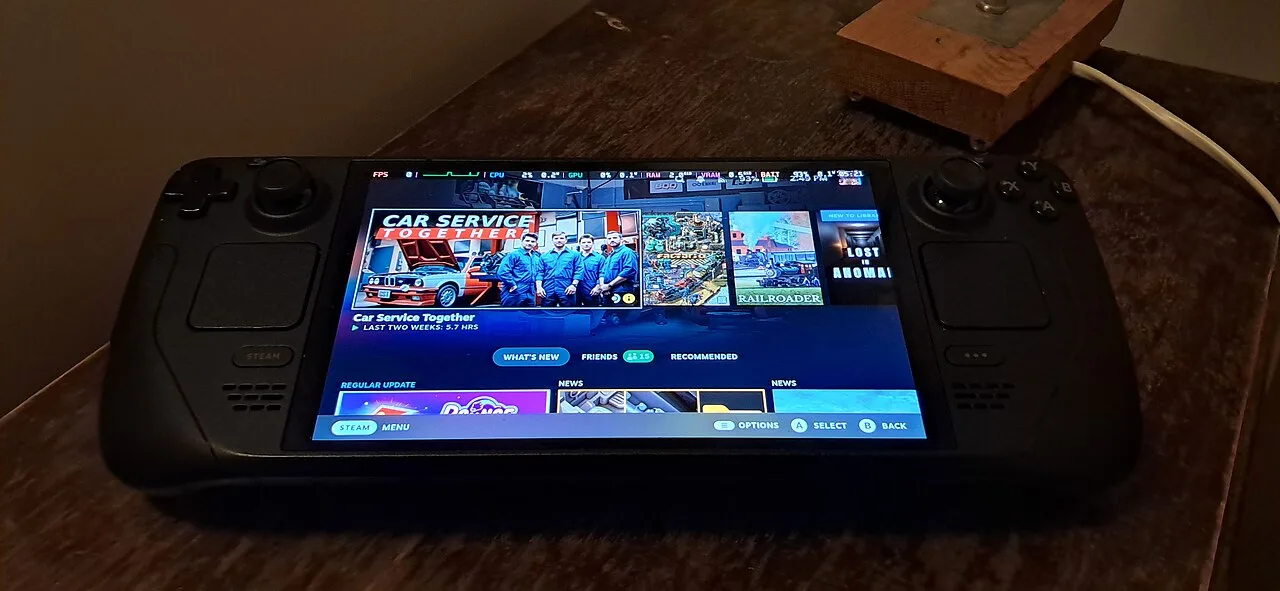
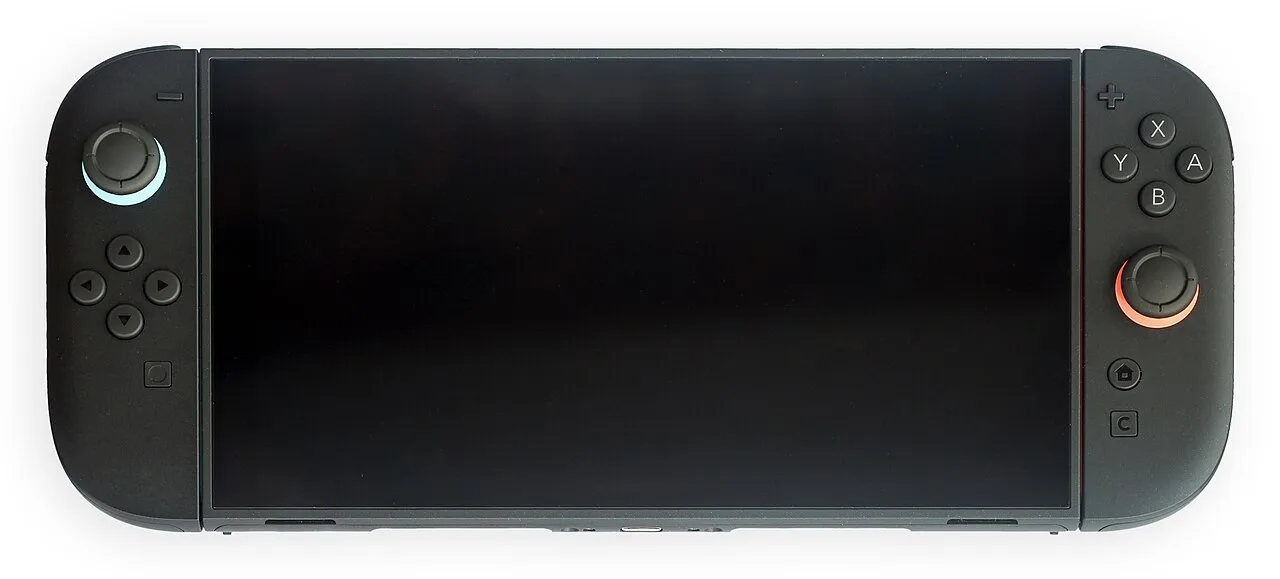
The Steam Deck OLED with its trackpads and Steam home screen (Image: SparklesTrainNerd, CC BY-SA 4.0, via Wikimedia Commons)The Nintendo Switch 2 in handheld mode (Image: Crisco 1492, CC BY-SA 4.0, via Wikimedia Commons)
Quick pick: if you play on the screen itself and care about contrast and HDR, go with the Deck.
Performance: Close in Handheld Mode
The Steam Deck OLED uses a 6 nm AMD chip with a four-core Zen 2 CPU and RDNA 2 graphics, plus 16GB of LPDDR5. The Switch 2 uses an Nvidia Tegra T239 with an eight-core Arm Cortex-A78C CPU, Ampere graphics and 12GB of LPDDR5X. The two are hard to compare on paper because the Switch 2’s chip supports DLSS upscaling and the Deck uses AMD’s FSR.
In practice, the Switch 2 is competitive in handheld mode. Games built for it get tailored settings and steady frame pacing, while the Deck runs the PC version and can stumble on demanding open-world titles that lean on the CPU. DLSS helps the Switch 2 look cleaner at a lower internal resolution. In older or lighter games the Deck can pull ahead, and its settings menus let you trade resolution, frame rate and effects game by game. The Switch 2 offers far fewer options.
Docked Play: The Switch 2 Is Built for the TV
Docking is where the Switch 2 pulls ahead. It switches to higher clocks on the dock, outputs up to 1440p at 120Hz or 4K at 60Hz over HDMI, and adjusts settings for your TV automatically. In demanding games the docked image tends to be sharper and the frame rate steadier than on the Deck. Controllers pair without fuss, and the console picks up where you left off when you pick it back up.
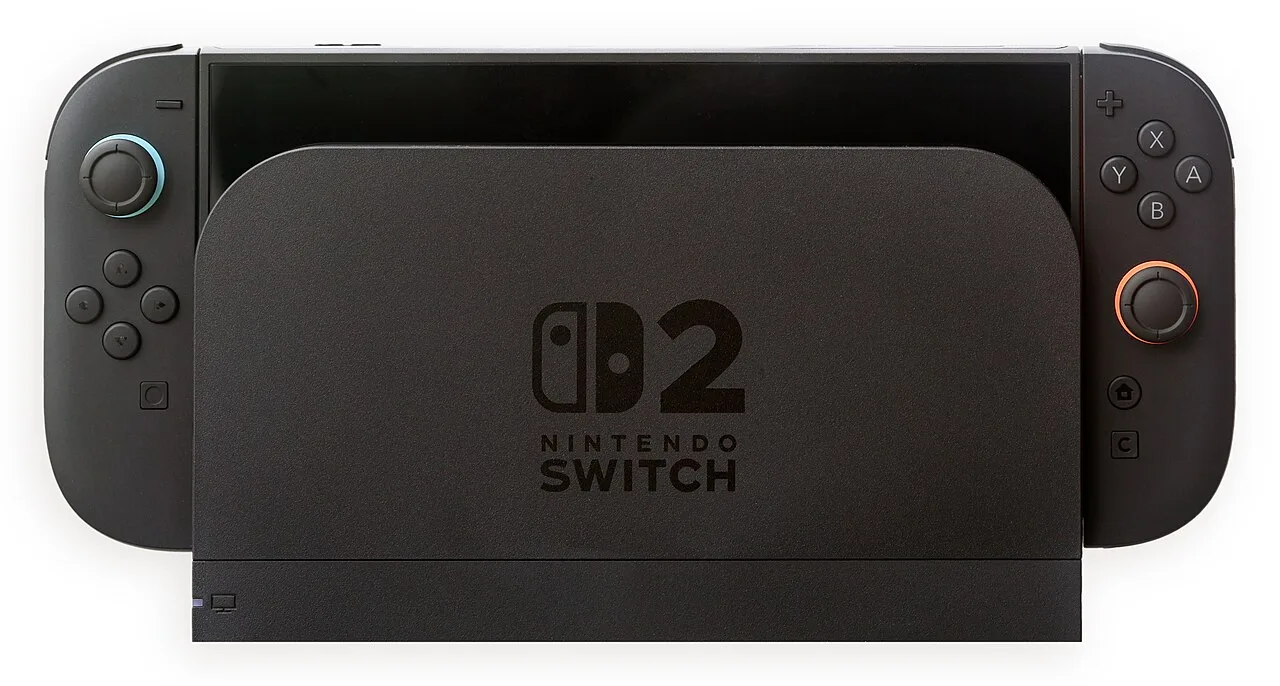
The Nintendo Switch 2 seated in its dock (Image: Crisco 1492, CC BY-SA 4.0, via Wikimedia Commons)
The Deck docks too, but with more friction. It can output up to 4K, yet you need a separate dock or cable, there is no automatic display tuning, so games often render at 720p or 800p and get scaled up, and some PC launchers expect a mouse. Bluetooth controllers can also be inconsistent. If the TV is half of how you play, the Switch 2 is easier to live with. If you mostly want a Steam Deck on a desk with a keyboard and monitor, it is fine.
Battery Life: The Deck’s 50Wh Cell Lasts Longer
The Steam Deck OLED has a 50Wh battery rated for roughly 3 to 12 hours depending on the game. The Switch 2 has a 19.74Wh (5,220mAh) battery that Nintendo rates at about 2 to 6.5 hours. The Switch 2’s chip draws less power, so the gap in real use is smaller than the battery sizes suggest, but the Deck still comes out ahead.
In a demanding 3D game at full brightness, the Switch 2 can last roughly 2 hours 45 minutes, against closer to 4 hours on the Deck OLED. In lighter games the difference widens, with the Deck able to run past 7 hours in a light title while the Switch 2 manages a little over 4 hours on older Switch games. The Switch 2 recharges in about 3 hours in sleep mode. If you often play away from an outlet, the Deck is the safer pick.
Size, Weight and Controls
The Switch 2 is the more portable of the two. It weighs 534 g (about 1.18 lb) and is about 10.7 x 4.6 x 0.55 inches with Joy-Con 2 attached. The Steam Deck OLED weighs about 640 g (1.4 lb) and is about 11.7 x 4.6 x 1.9 inches. The Deck is noticeably thicker, which fits in a bag less easily, though its large built-in grips make it comfortable in the hand for long sessions. A Switch 2 in a protective case closes much of the weight gap, and a carrying case ships with the Deck, while the Switch 2 does not include one.
Controls split in the same way. The Deck has two trackpads, back buttons, gyro and a layout built for PC games, which makes strategy games, MMOs and menu-heavy titles playable. Its sticks sit deep in the shell and the rumble is weak. The Switch 2 has a conventional layout with strong, precise rumble and detachable Joy-Con 2 controllers that make local multiplayer easy straight out of the box. It has no traditional d-pad and no analog triggers, which matters for some 2D and racing games.
Quick pick: choose the Switch 2 if you travel light or share a couch with friends, and the Deck if you want back buttons and a fuller control scheme.
Games and Library: Nintendo Exclusives vs the PC Catalog
This is the deciding factor for many players. The Switch 2 plays Nintendo’s own games, including Mario Kart World and Donkey Kong Bananza, and most Switch games through backward compatibility. Many first-party titles run better on it, and a few third-party games have native Switch 2 versions. Some physical releases use game-key cards, which only hold a license and require a download. The card must stay inserted to launch the game.
The Steam Deck gives you the Steam catalog, most indie releases on day one, and access to older PC games with much more configuration freedom. Other stores take extra setup, and you can stream from an Xbox, PlayStation or gaming PC with remote play. What it cannot do is play Nintendo exclusives, and it has no equivalent of a first-party Mario or Zelda. Steam also discounts games often, while Nintendo tends to hold prices high.
Software and Ease of Use
The Switch 2 behaves like a console. The interface is controller-driven, stable and made for a limited set of hardware configurations. Friend codes are awkward, and online play needs a Nintendo Switch Online subscription, but nothing about daily use requires reading a tutorial. GameChat and GameShare work out of the box, and GameChat needs that subscription.
SteamOS is the best handheld PC interface available, but it still asks more of you. Some parts of the Steam store need touch input, sleep and wake can be inconsistent, and anything outside Steam, including Discord or another launcher, takes some setup. In return you get per-game settings, frame limiters, Desktop Mode and free online play. If you want a device that works without any setup, the Switch 2 wins this category.
Storage and Ongoing Costs
The Switch 2 comes in one configuration with 256GB of built-in storage and accepts only microSD Express cards to load games, which cost more than ordinary microSD. The Steam Deck OLED ships with 512GB or 1TB of NVMe storage and takes standard microSD cards. Prices on both handhelds have changed since launch, so check current listings.
Over a few years, the costs split differently. The Switch 2 includes a dock and two controllers, so the box price covers TV and local multiplayer. The Deck needs a dock and controllers for the same setup. Steam sales and a library that carries over across devices can lower long-term spending, while Nintendo’s online features and first-party games add up. For more on the Deck side, see our guide to the best Steam Deck accessories, and if you are weighing Valve’s handheld against a more powerful Windows machine, read Steam Deck OLED vs ROG Ally X.
Steam Deck OLED vs Nintendo Switch 2: Full Specs
Feature
Steam Deck OLED
Nintendo Switch 2
Display
7.4-inch HDR OLED
7.9-inch LCD
Resolution
1,280 x 800
1,920 x 1,080 Wins
Refresh rate
Up to 90Hz
Up to 120Hz with VRR Wins
HDR
Up to 1,000 nits peak Wins
HDR10 support, panel about 400 nits
Processor
AMD 6 nm APU, 4-core Zen 2, RDNA 2
Nvidia Tegra T239, 8-core Arm Cortex-A78C, Ampere
Memory
16GB LPDDR5
12GB LPDDR5X
Storage
512GB or 1TB NVMe SSD Wins
256GB UFS 3.1
Expansion
microSD (UHS-I)
microSD Express only
Battery
50Wh, 3 to 12 hours rated Wins
19.74Wh, 2 to 6.5 hours rated
Weight
About 640 g (1.4 lb)
534 g (1.18 lb) Wins
Dimensions
11.7 x 4.6 x 1.9 in
10.7 x 4.6 x 0.55 in Wins
TV output
Up to 4K via USB-C (dock sold separately)
Up to 4K60 or 1440p120, dock included Wins
Wi-Fi and Bluetooth
Wi-Fi 6E, Bluetooth 5.3 Wins
Wi-Fi 6, Bluetooth
Controls
Trackpads, back buttons, gyro
Detachable Joy-Con 2, no analog triggers
Game library
Steam and PC
Nintendo exclusives and Switch games
And the Winner Is…
WinnerSteam Deck OLED
The Switch 2 does several things better. It is lighter, sharper, easier to dock, simpler to use and the only way to play Nintendo’s new games. If those are the reasons you are shopping, buy it and stop reading. The Steam Deck OLED wins for most people because it is the better device in the hand. Its OLED screen is clearly nicer, its battery is much larger, and Steam gives it a bigger library with frequent sales. It also runs on an open platform you can customize. Choose the Deck if your games are on PC, you play on the go or you want the best screen. Choose the Switch 2 if Nintendo or couch play is the point.
Final Thoughts on Steam Deck OLED vs Nintendo Switch 2
For Steam Deck OLED vs Nintendo Switch 2, the answer follows your library more than the hardware. A player with a Steam backlog, a taste for indies and long flights is better served by the Deck. A household that wants Mario Kart, local multiplayer and a TV-ready console is better served by the Switch 2. Neither is a bad buy, and plenty of players end up owning both. If you pick the Switch 2, our guide to the best Switch 2 controllers covers the next upgrade.
I'm Sean, and I write the comparisons on GameCuki. I cover anything gamers weigh up before buying: consoles and handhelds, PC components and gaming laptops, monitors, controllers, headsets and accessories, plus subscriptions and services like Game Pass and PlayStation Plus. I put both options on the same checklist, using official specs, professional reviews and owner feedback, and I only mention what owners say when at least two of them report the same thing. Every comparison ends with one clear verdict and the type of player each option suits. I don't accept free products or payment from brands, and what I write comes from research, not my own use of the products. You can read my full process on our How We Review page.
Areas of Focus
Controller Match-UpsHeadset Match-UpsConsole vs. ConsoleSpecs & Latency