GameCuki is reader-supported. When you buy through links on our site, we may earn an affiliate commission at no extra cost to you. As an Amazon Associate I earn from qualifying purchases. Learn more.
Steam Deck OLED vs ROG Ally X is a choice between two different ideas of a handheld PC. One is a tuned, console-like machine built around an OLED screen. The other is a Windows 11 handheld with far more horsepower and a battery nearly twice the size. The real question is whether you value polish or raw power.
Best for Most Players
Steam Deck OLED
Bottom LineThe easier handheld to live with, with a standout OLED screen, simple SteamOS and a lower price, best for anyone who mostly plays Steam games.
Bottom LineThe pick if you want higher frame rates, a sharper 120Hz screen and every PC game launcher, and you can live with Windows on a small display.
The Steam Deck OLED has a 7.4-inch HDR OLED screen at 1,280 x 800 and up to 90Hz. The ROG Ally X has a 7-inch IPS panel at 1,920 x 1,080 and up to 120Hz, with FreeSync Premium variable refresh rate. On paper the Ally X looks better, and it is visibly sharper. At this screen size, though, the OLED is the one people notice. It has deeper blacks, richer color, a much higher peak brightness and an anti-glare coating that holds up better near a window.
HDR is the other gap. In games that support it, the Deck’s panel can reach roughly 1,000 nits at peak, about double what the Ally X’s 500-nit screen manages. The Ally X does win on smoothness and detail: 120Hz helps lighter games, and 1080p looks cleaner on text-heavy or strategy titles. For a pure screen, though, most players will prefer the Deck.
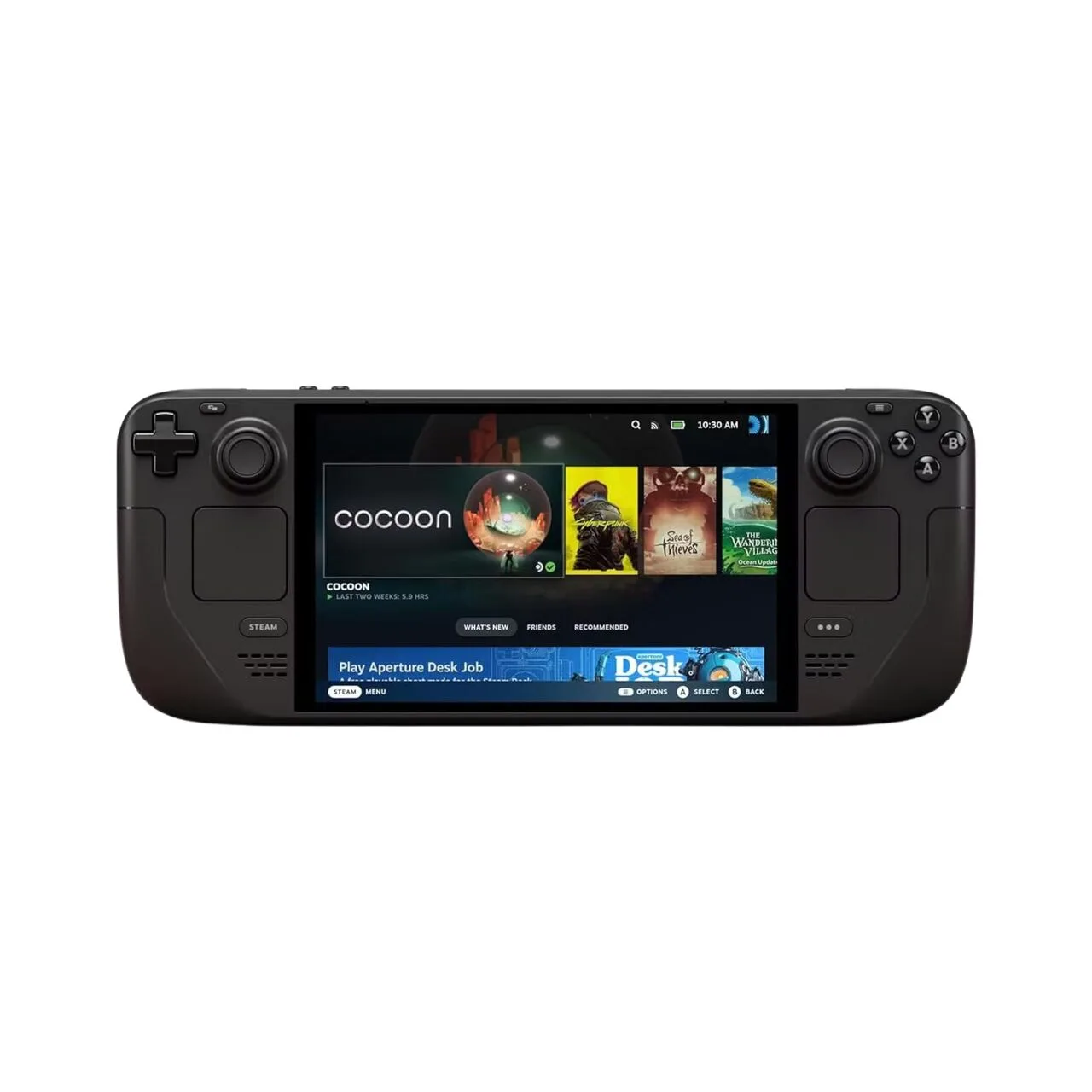
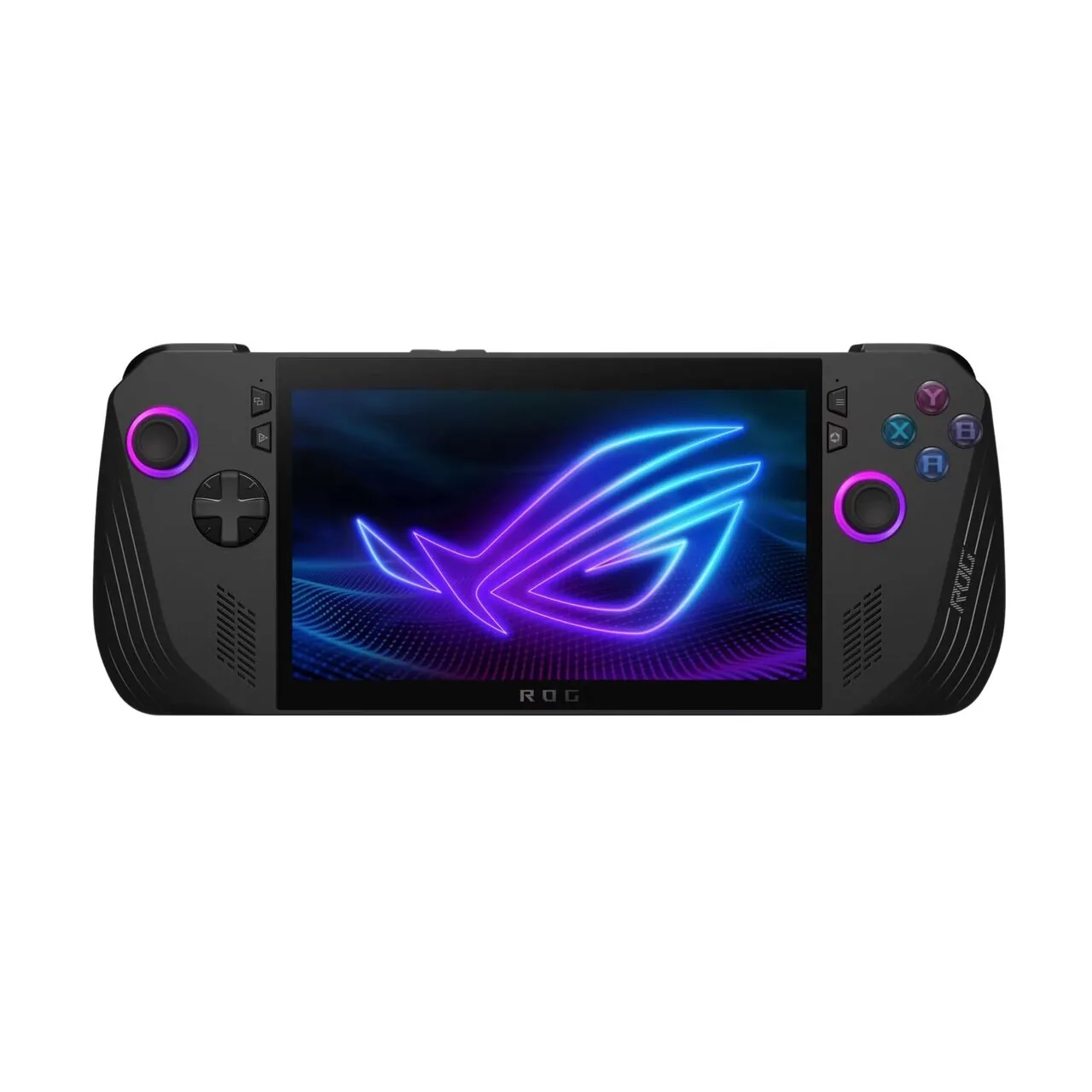
The Steam Deck OLED (Image: Pocket-lint)The ASUS ROG Ally X (Image: Pocket-lint)
Performance: The ROG Ally X Is Clearly Faster
This is where the Ally X earns its price. It uses an AMD Ryzen Z1 Extreme (Zen 4 CPU, RDNA 3 graphics) with 24GB of RAM and a configurable power limit of 9 to 30W. The Steam Deck OLED uses a custom AMD chip with a Zen 2 CPU and RDNA 2 graphics, 16GB of RAM and no equivalent of the Ally X’s Turbo mode.
In practice, the gap is small at the Deck’s native 720p to 800p resolution, where many games run within a few frames per second of each other. It grows in demanding titles and at 1080p. Some heavy games that struggle on the Deck are playable on the Ally X, especially in Turbo mode. If you want to push resolution, frame rate or ray tracing on a handheld, the Ally X is the stronger machine.
Battery Life: A Bigger Cell vs a More Efficient Chip
The ROG Ally X carries an 80Wh battery, up from 40Wh on the original ROG Ally. The Steam Deck OLED has a 50Wh battery. In demanding modern games, the bigger cell gives the Ally X longer sessions. In lighter or older games, the Deck’s lower-power chip and efficient OLED panel can close the gap or even come out ahead.
The tradeoff is charging. A bigger battery takes longer to refill, and the Ally X also draws more power when you push it. If your sessions are mostly short, either handheld is fine. If you play heavy 3D games on long trips, the Ally X is the safer bet. For indies, retro and older titles, expect the Deck to last longer than its smaller battery suggests.
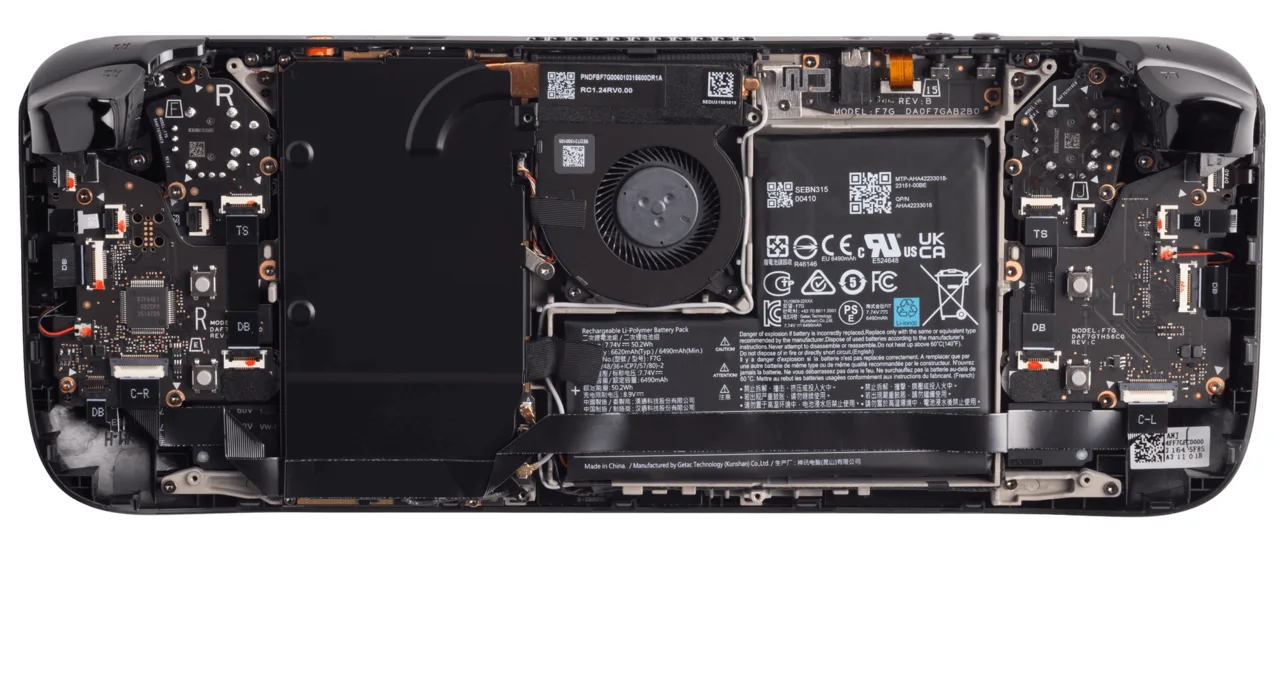
Inside the Steam Deck OLED, with its battery and cooling fan (Image: Valve)
Software and Game Library: SteamOS vs Windows 11
The Steam Deck OLED runs SteamOS, which behaves like a console. You turn it on, open your Steam library, install a game and play. Valve’s Verified labels tell you which games are made for the Deck, and the two trackpads make Desktop Mode usable without a mouse. Getting non-Steam stores such as Epic or Game Pass running takes extra setup.
The ROG Ally X runs Windows 11, so every launcher works natively, including Steam, Epic, Battle.net and Xbox. That freedom comes with friction. Windows is built for a mouse and keyboard, and navigating it with thumbsticks on a 7-inch screen is clumsy, even with ASUS’s Armoury Crate launcher layered on top. If your library is spread across several stores, the Ally X wins. If it is mostly on Steam, SteamOS is the smoother experience.
The Steam Deck OLED (Image: Valve)
Design and Comfort: Close, With a Slight Edge for Valve
Both handhelds have comfortable grips and good thumbsticks. The Steam Deck OLED is lighter at about 640 g (1.4 lb), against 678 g (1.49 lb) for the Ally X, and adds two trackpads that make desktop navigation easier. The Ally X is slimmer and has deeper grips than the original ROG Ally, Hall effect analog triggers and two USB-C ports, one of them USB4. That second port means you can charge while using a dock, a monitor or a controller accessory, which the Deck’s single USB-C port cannot do on its own.
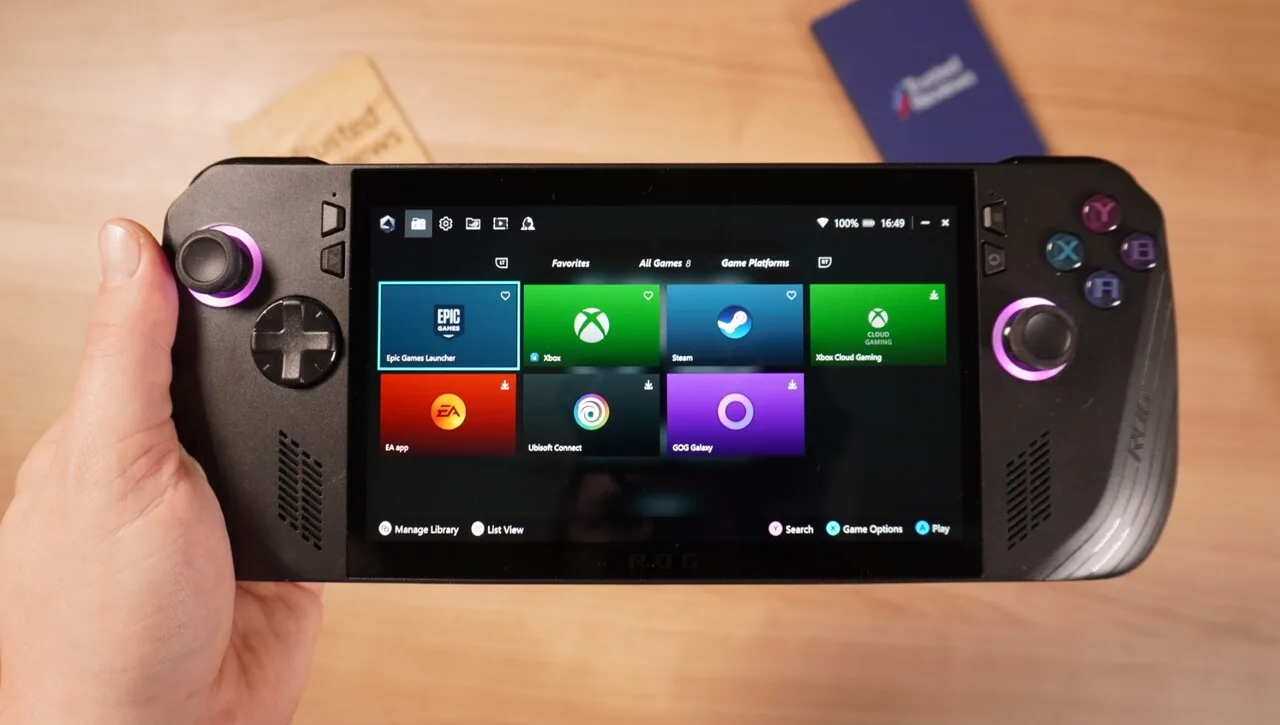
The ROG Ally X in hand (Image: Trusted Reviews)
Price: The Deck Costs Noticeably Less
The Steam Deck OLED costs considerably less than the ROG Ally X, and that gap pushes the Ally X toward gaming laptop pricing. Prices change often and the Ally X has been discounted at times, so check current listings before you decide. One more point: the Ally X launched in 2024. Asus has since released the ROG Xbox Ally X with a newer Ryzen AI Z2 Extreme chip, an Xbox-styled interface and a higher price. If you want the newest Asus hardware, look at that model instead of this comparison.
Steam Deck OLED vs ROG Ally X: Full Specs
Feature
Steam Deck OLED
ROG Ally X
Display
7.4-inch HDR OLED Wins
7-inch IPS
Resolution
1,280 x 800
1,920 x 1,080 Wins
Refresh rate
Up to 90Hz
Up to 120Hz (FreeSync Premium) Wins
Peak brightness
About 1,000 nits (HDR) Wins
500 nits
Processor
Custom AMD APU, Zen 2 CPU, RDNA 2 GPU
AMD Ryzen Z1 Extreme, Zen 4 CPU, RDNA 3 GPU Wins
Memory
16GB LPDDR5
24GB LPDDR5 Wins
Storage
512GB or 1TB NVMe SSD
1TB or 2TB PCIe 4.0 NVMe SSD Wins
Battery
50Wh
80Wh Wins
Operating system
SteamOS
Windows 11 Home
Ports
1 USB-C, microSD, 3.5mm
USB4 Type-C, USB 3.2 Gen 2 Type-C, microSD, 3.5mm Wins
Weight
About 640 g (1.4 lb) Wins
678 g (1.49 lb)
Dimensions
11.73 x 4.6 x 1.93 in
11.02 x 4.37 x 0.97 to 1.45 in
Trackpads
2 Wins
None
And the Winner Is…
WinnerSteam Deck OLED
The ROG Ally X is the more powerful handheld, with a faster chip, a bigger battery, a sharper 120Hz screen, a second USB-C port and support for every PC game store. If you play demanding games at higher settings or your library lives outside Steam, it is the better tool. The Steam Deck OLED still wins for most people because it gets the everyday things right. Its OLED screen is better, SteamOS is simpler than Windows on a small display, it weighs a little less, and it costs noticeably less. The performance gap matters mainly in heavy games and at 1080p. If you mostly play Steam titles, buy the Deck. If you want maximum performance and launcher freedom, buy the Ally X.
For most players, the Steam Deck OLED is the handheld to buy: it is easier to use, has the better screen and leaves money for accessories. Choose the ROG Ally X only if you have a clear reason, such as demanding games, multiple game stores or a desire to dock it as a mini PC. If you pick the Deck, our guides to the best Steam Deck accessories and the best controller for Steam Deck docked are good next stops.
I'm Sean, and I write the comparisons on GameCuki. I cover anything gamers weigh up before buying: consoles and handhelds, PC components and gaming laptops, monitors, controllers, headsets and accessories, plus subscriptions and services like Game Pass and PlayStation Plus. I put both options on the same checklist, using official specs, professional reviews and owner feedback, and I only mention what owners say when at least two of them report the same thing. Every comparison ends with one clear verdict and the type of player each option suits. I don't accept free products or payment from brands, and what I write comes from research, not my own use of the products. You can read my full process on our How We Review page.
Areas of Focus
Controller Match-UpsHeadset Match-UpsConsole vs. ConsoleSpecs & Latency