GameCuki is reader-supported. When you buy through links on our site, we may earn an affiliate commission at no extra cost to you. As an Amazon Associate I earn from qualifying purchases. Learn more.
Meta sells two current headsets that run the same games on the same chip, so the Meta Quest 3 vs Quest 3S decision is really about your eyes and your budget. The two differ in lenses, sharpness, fit and storage, not in what they can play. Here is what each difference means in a headset you wear for an hour at a time.
Best for Sharp Visuals and Glasses Wearers
Meta Quest 3
Bottom LineThe better headset for people who watch video, work in VR or wear glasses and want the cleanest image, as long as the higher price fits.
Bottom LineThe easier pick for newcomers and casual players who want the full Quest game library at a lower price, with softer edges and fixed eye settings as the trade.
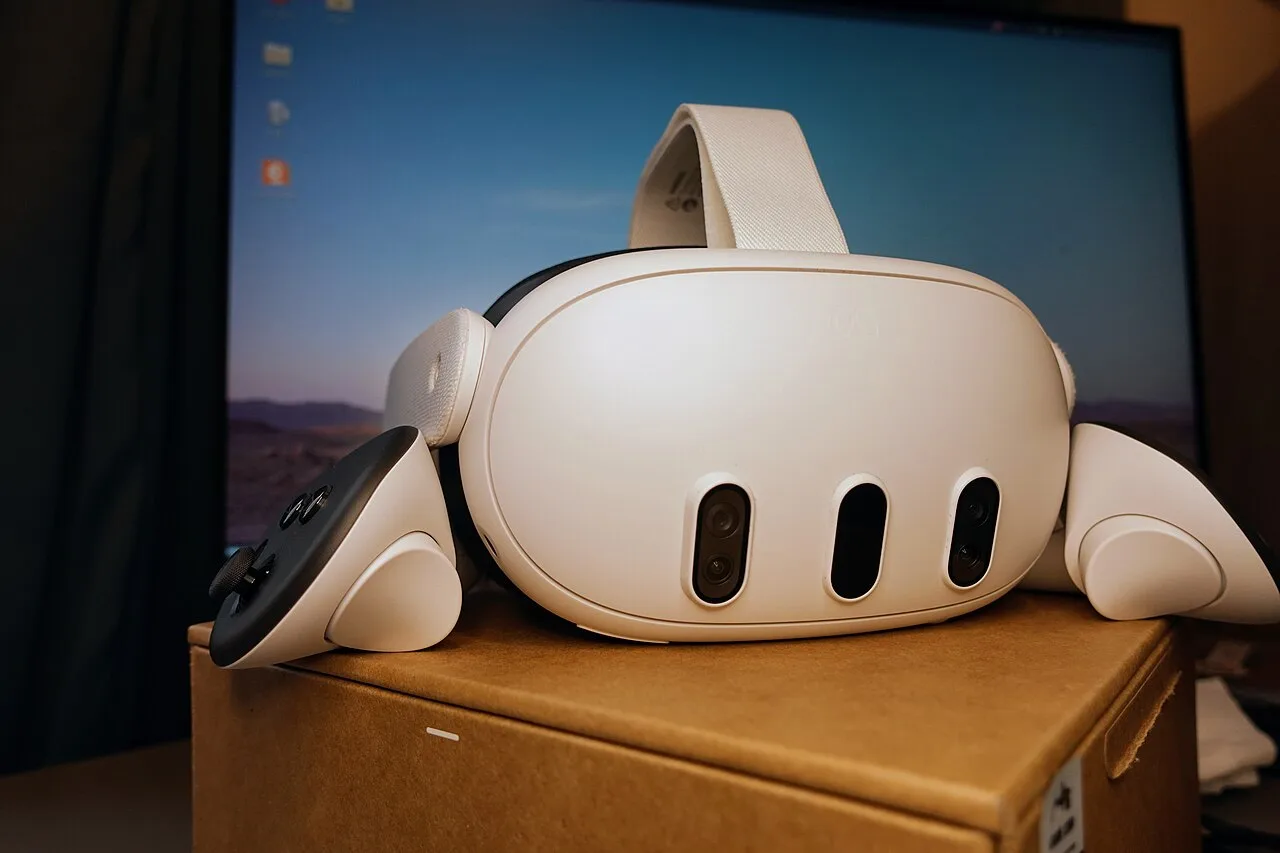
The Quest 3 uses pancake lenses and a 2064 x 2208 display per eye. (Image: Roy.wonder.cohen, CC BY-SA 4.0, via Wikimedia Commons)
This is the biggest gap between the two. The Quest 3 has a 2064 x 2208 display per eye, about 25 pixels per degree and a 110 degree horizontal field of view. The Quest 3S drops to 1832 x 1920 per eye, about 20 pixels per degree and a 96 degree horizontal field of view.
The lenses matter as much as the numbers. The Quest 3 uses pancake lenses and the Quest 3S uses Fresnel lenses. In practice the Quest 3 looks sharp from edge to edge, while the 3S gets blurrier toward the edges and can show more color fringing and glare around bright objects. Text in menus, browsers and virtual desktops is where that shows most.
Quick pick: if you plan to read text, watch movies or work in VR, go with the Quest 3.
Fit and Comfort: Adjustable IPD vs Three Presets
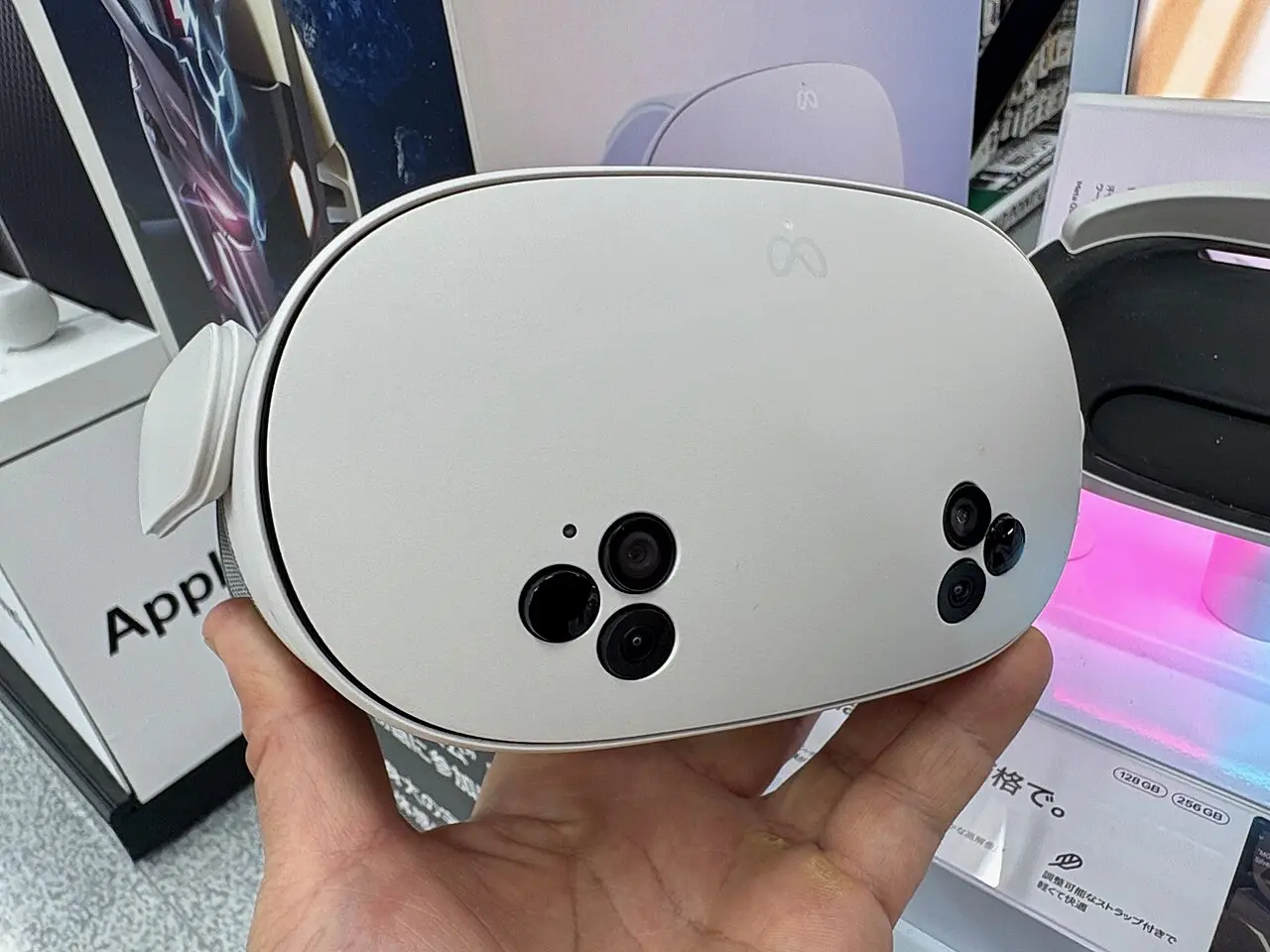
The Quest 3S keeps the same chip and cameras in a more basic optical package. (Image: Kyu3a, CC BY-SA 4.0, via Wikimedia Commons)
Both headsets weigh almost the same, about 18.2 oz (515 g) for the Quest 3 and 18.1 oz (514 g) for the Quest 3S, and both ship with a fabric strap. The difference is in how they fit your face.
The Quest 3 has a continuous wheel for interpupillary distance (IPD), the space between your pupils. The Quest 3S has three fixed presets at 58, 63 and 68 mm. If your eye spacing lands between two presets, the image can look slightly soft, so it helps to be able to try one before you commit.
Glasses wearers get a similar split. The Quest 3 has a built-in mechanism to move the lenses away from your face. The Quest 3S needs a plastic spacer that snaps in. Because the Quest 3S lenses sit further from the face, some people also find it more neck-heavy over a longer session. A third-party strap or facial interface can help on either model, and our best facial interface for Meta Quest 3 list covers the options.
Controllers, Tracking and Passthrough: Mostly a Tie
Both headsets use the same Touch Plus controllers, the same app library and the same 4MP color passthrough cameras. Mixed reality games and room mapping behave the same on both.
The small differences favor the 3S. It has a dedicated button for switching to passthrough, where the Quest 3 uses a double tap on the headset. It also has infrared illuminators that help hand and head tracking in dim rooms. Controller add-ons such as grips fit both, and our best Quest 3 controller grips list is a good place to start.
Performance and Battery: Same Chip, Same Limits
Both run the Snapdragon XR2 Gen 2 with 8GB of RAM and support 72, 90 and 120Hz refresh rates. You will not see faster loading or smoother frame rates on the more expensive headset. Games that run on one run on the other, and developers target both.
Battery life is limited on both. Neither lasts much beyond about 2.5 hours of active use, and the Quest 3S can run slightly longer. If you play long sessions, plan on a charging dock or a battery strap either way.
Quick pick: if you mostly play short sessions of fitness, rhythm or party games, the Quest 3S gives you the same performance for less.
Meta Quest 3 vs Quest 3S: Full Specs
Feature
Meta Quest 3
Meta Quest 3S
Processor
Snapdragon XR2 Gen 2
Snapdragon XR2 Gen 2
Memory
8GB
8GB
Storage
512GB
128GB or 256GB
Display per eye
2064 x 2208 Wins
1832 x 1920
Pixels per degree
About 25 Wins
About 20
Lenses
Pancake Wins
Fresnel
Horizontal field of view
110 degrees Wins
96 degrees
Refresh rates
72, 90 and 120Hz
72, 90 and 120Hz
IPD adjustment
Continuous wheel Wins
Three presets (58, 63, 68 mm)
Passthrough
Color, 4MP
Color, 4MP
Controllers
Touch Plus
Touch Plus
Weight
515 g (about 1.1 lb)
514 g (about 1.1 lb)
Glasses fit
Built-in lens spacing Wins
Snap-in spacer
Battery life
Up to about 2.5 hours
Up to about 2.5 hours
And the Winner Is…
WinnerMeta Quest 3S
The Quest 3 is the better headset. Its pancake lenses, wider field of view, adjustable IPD and easier glasses fit give a cleaner and more comfortable picture, and those are the things you notice every time you put it on. Still, the Meta Quest 3 vs Quest 3S question is about value, and the 3S gives you the same chip, the same controllers and the same game library for noticeably less. For newcomers, families and casual players, that makes it the smarter buy. Pick the Quest 3 if you watch video, use VR for work, wear glasses or are sensitive to blur at the edges of the image.
I'm Sean, and I write the comparisons on GameCuki. I cover anything gamers weigh up before buying: consoles and handhelds, PC components and gaming laptops, monitors, controllers, headsets and accessories, plus subscriptions and services like Game Pass and PlayStation Plus. I put both options on the same checklist, using official specs, professional reviews and owner feedback, and I only mention what owners say when at least two of them report the same thing. Every comparison ends with one clear verdict and the type of player each option suits. I don't accept free products or payment from brands, and what I write comes from research, not my own use of the products. You can read my full process on our How We Review page.
Areas of Focus
Controller Match-UpsHeadset Match-UpsConsole vs. ConsoleSpecs & Latency