GameCuki is reader-supported. When you buy through links on our site, we may earn an affiliate commission at no extra cost to you. As an Amazon Associate I earn from qualifying purchases. Learn more.
GameCuki VerdictRecommended
What Our Verdicts Mean
GameCuki Top PickThe best option in its class, with no serious, repeated problems.
RecommendedA good buy for most people. Weaknesses are minor or only matter to some players.
Buy With CaveatsRight for a specific kind of player only, because of a significant drawback.
Skip ItNot recommended. A better option exists at a similar price.
The Bottom LineOne of the longest-lasting wireless headsets you can buy for around $100, with Bluetooth and a deep EQ app, as long as you can live with a firm clamp and a plasticky build.
2.4GHz wireless plus Bluetooth with one-button switching
Xbox version also works with PlayStation and PC
Swarm II app with 10-band EQ and mic tuning
Clear mic with AI noise reduction
Glasses-friendly, breathable fabric cushions
Cons
Firm clamp can tire you out on long sessions
Hinges and yokes feel flimsy
No wired audio option
Turtle Beach Stealth 600 Gen 3 Specs
Drivers
50mm Nanoclear
Frequency response
20Hz to 20kHz
Connection
2.4GHz USB wireless transmitter, Bluetooth
Battery
up to 80 hours (rated), quick charge
Mic
uni-directional, flip-to-mute, AI noise reduction
Ear cushions
athletic weave fabric with memory foam, glasses-friendly
App
Swarm II (Windows, iOS, Android)
In the box
headset, USB wireless transmitter, 0.7m USB-A to USB-C charging cable
Xbox version
Xbox Series X/S, Xbox One, PS5, PS4, PC, Bluetooth devices
PlayStation version
PS5, PS4, PC, Bluetooth devices
Most wireless headsets around $100 need a charge every couple of days. The third-generation Stealth 600 promises 80 hours, adds Bluetooth and a deep companion app, and this Turtle Beach Stealth 600 Gen 3 review finds it actually beats that battery rating. The trade-offs are a firm, uneven clamp, a plasticky build and bass-heavy tuning out of the box. Its main rivals are the SteelSeries Arctis Nova 5 and Turtle Beach’s own lighter Stealth 500.
Design and Build: Cleaner Look, Plasticky Hinges
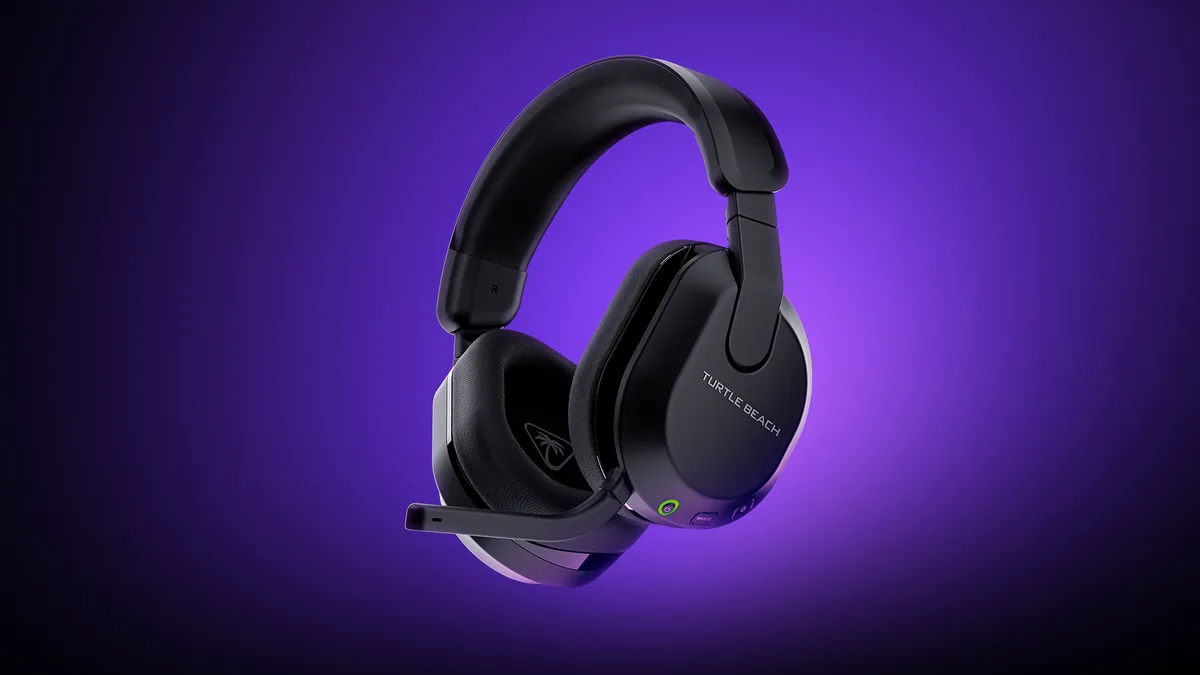
The Gen 3 drops the colored accents of the Stealth 600 Gen 2 for a more mature design, with a simple Turtle Beach wordmark on each ear cup. It comes in black or white, plus a purple option for the Xbox version. The ear cups rotate so the headset can lie flat on a desk or around your neck.
The Gen 3 drops the colored accents of earlier models for a cleaner look. (Image: Turtle Beach)
The build is mostly plastic, and that’s its weak point. The hinges and yokes have noticeable give, which raises questions about long-term durability, especially if you flip the mic up and down a lot. The good news is that the ear cushions are replaceable, so worn pads don’t mean replacing the whole headset. The Stealth 600 is built as a desk and couch headset, not a travel companion, and there’s no carrying case in the box.
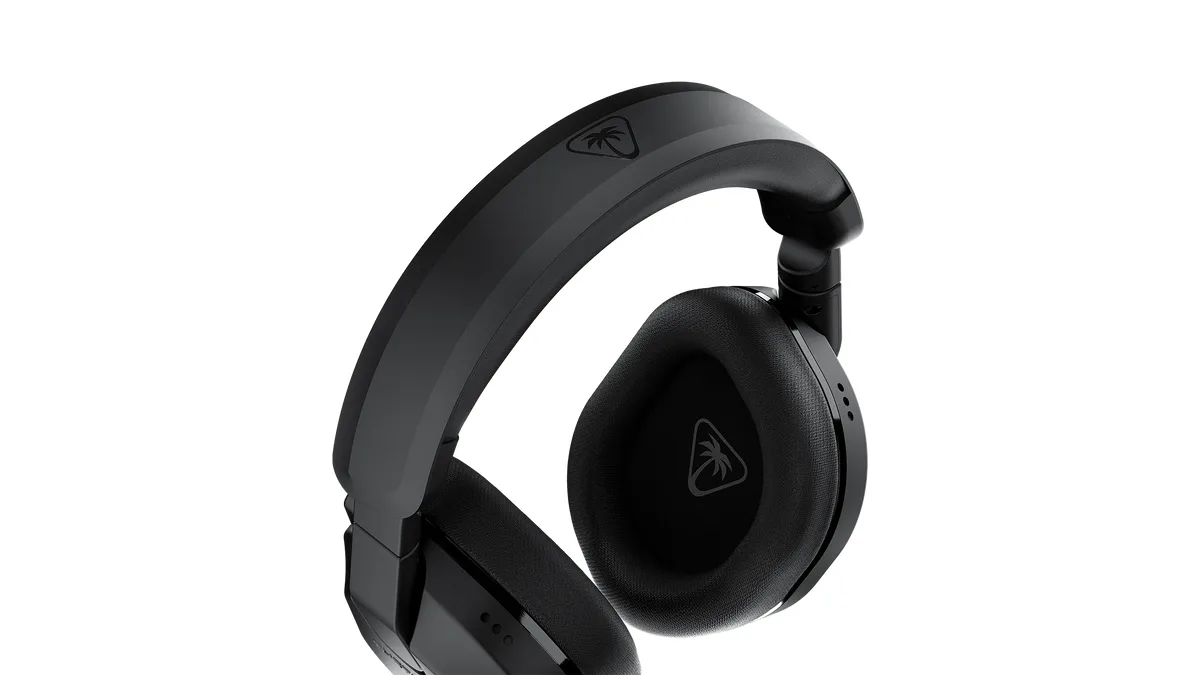
Turtle Beach wraps memory foam cushions in an athletic weave fabric and builds in a glasses-friendly design, so the pads press less on your glasses’ arms. The fabric breathes well and stays fairly cool during long sessions, though it doesn’t seal out noise as well as leatherette.
Memory foam cushions are wrapped in breathable athletic weave fabric. (Image: Turtle Beach)
The clamp is the main comfort concern. It’s noticeably firmer than the Gen 2, and the pressure isn’t spread evenly, so you may feel it on the top of your head and under your ears after a few hours. On larger heads the cushioned headband keeps it stable, but if you’re sensitive to clamping pressure, the lighter Stealth 500 is the more comfortable Turtle Beach option.
Controls: Plenty of Options, but Easy to Mix Up
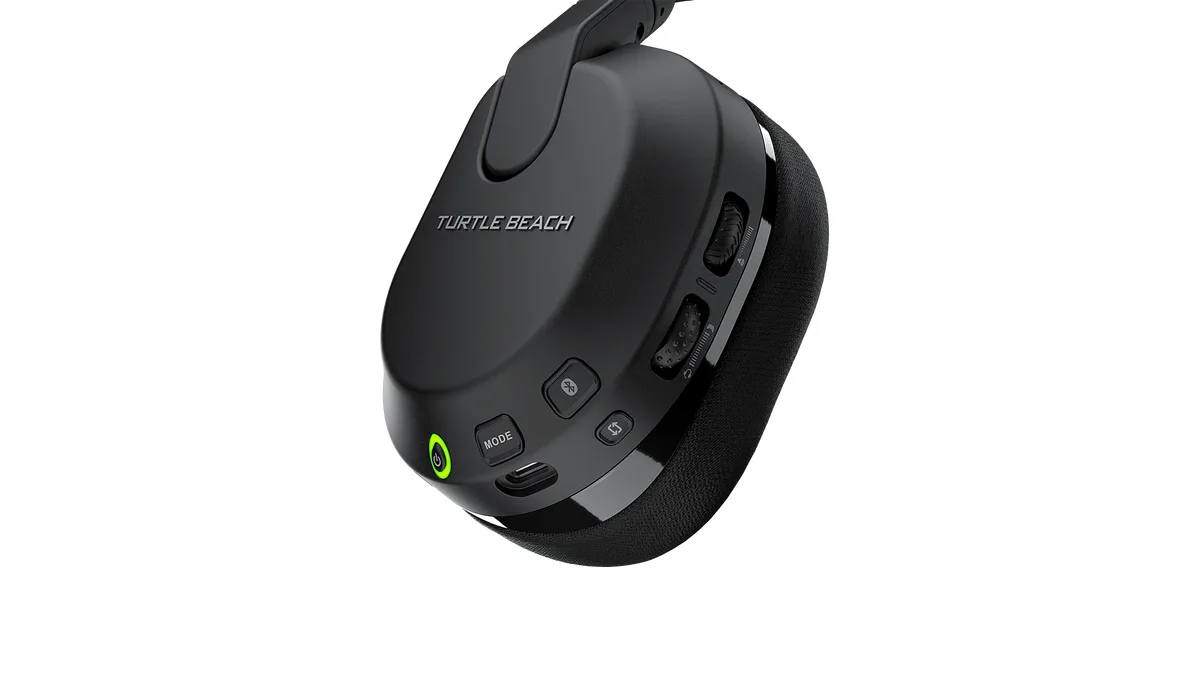
All of the controls sit on the left ear cup: a power button, a QuickSwitch Bluetooth button that also handles play, pause and track skipping, a mode button, a volume wheel and a second, mappable wheel. On the Xbox version the second wheel defaults to game and chat mix, while on the PlayStation version it controls mic monitoring so you can hear your own voice. Audio tones confirm volume limits, mode changes and EQ presets.
Every control sits on the left ear cup. (Image: Turtle Beach)
There are a lot of controls for one ear cup, and the buttons feel alike, so it takes a while to find the right one by touch. They also need a firm press, which can shift the headset slightly on your head.
Swarm II App: Worth Installing
Turtle Beach’s Swarm II app for Windows, iOS and Android is one of the headset’s strengths. It gives you a 10-band EQ with presets, a Superhuman Hearing mode that boosts footsteps and other quiet cues in shooters, mic EQ, sensitivity, noise gate and monitoring controls, button mapping, LED brightness and an auto-off timer. You’ll also need it for firmware updates, and it’s worth updating before your first session, because the headset works best on current firmware. There’s no macOS version, and console players will need a phone or PC for setup.
Connectivity: Pick the Right Version
The Stealth 600 Gen 3 comes in two versions, so choose carefully. The Xbox version’s transmitter has a mode switch and works with Xbox Series X/S, Xbox One, PS5, PS4 and PC. The PlayStation version works with PS5, PS4 and PC but not Xbox. If you own an Xbox, or might in the future, the Xbox version is the safer buy.
Both versions connect through a low-latency 2.4GHz USB transmitter for gaming and Bluetooth for phones, tablets and handhelds like the Steam Deck. The QuickSwitch button toggles between them, but you can’t hear both sources at the same time, and Bluetooth latency is too high for serious gaming. There’s no 3.5mm jack, and the USB cable only charges the headset, so there’s no wired audio fallback. If the headset keeps dropping and reconnecting on PS5, move the transmitter away from your router or switch your Wi-Fi to 5GHz, since both use the 2.4GHz band.
Battery Life: Best in Its Class
Battery life is the Stealth 600 Gen 3’s headline feature. Turtle Beach rates it at 80 hours, and it runs a little longer than that in continuous playback, enough for several days of gaming between charges. That’s nearly four times the Stealth 600 Gen 2’s 21-hour rating and longer than most headsets at any price.
The catch is charging time. A full charge from empty takes just over four hours, though quick charge helps if you only need a top-up, and you can keep playing while it charges with a USB port nearby. The auto-off timer, adjustable to 5, 10, 20 or 30 minutes, keeps the battery from draining if you forget to switch it off.
Noise Isolation: Weak on Low Rumbles
There’s no active noise cancelling, so the closed ear cups and fabric cushions do all the work. Isolation is strong in the treble, around 30 to 40 dB, but almost nonexistent below 100Hz, so engine rumble, bass from nearby speakers and HVAC noise pass straight through. Mid-range sounds like voices and keyboard clicks are only partly reduced. It’s fine for a quiet bedroom, but not ideal for a loud shared space.
Sound Quality: Big Bass, Easy to Fix With EQ
The Stealth 600 Gen 3 uses 50mm Nanoclear drivers with a V-shaped sound out of the box. The bass is heavily emphasized, roughly 6 to 10 dB above neutral between 30 and 200Hz, with the treble boosted about 4 dB. That gives explosions plenty of rumble, but it can bury footsteps and dialogue at the default setting. Peaks between 4 and 8kHz help bring out footsteps and other tactical cues, though they can sound sharp after long sessions.
The fix is simple. Lower the bass in the Swarm II EQ or switch to the Vocal Boost preset, which pulls the low end back and lifts the upper mids for clearer chat and dialogue. Once tuned, it’s immersive with natural timbre, though distortion creeps in at high volume. For a headset around $100, it sounds good once tuned, but it won’t satisfy audiophiles.
Microphone: Clear, With Smart Noise Reduction
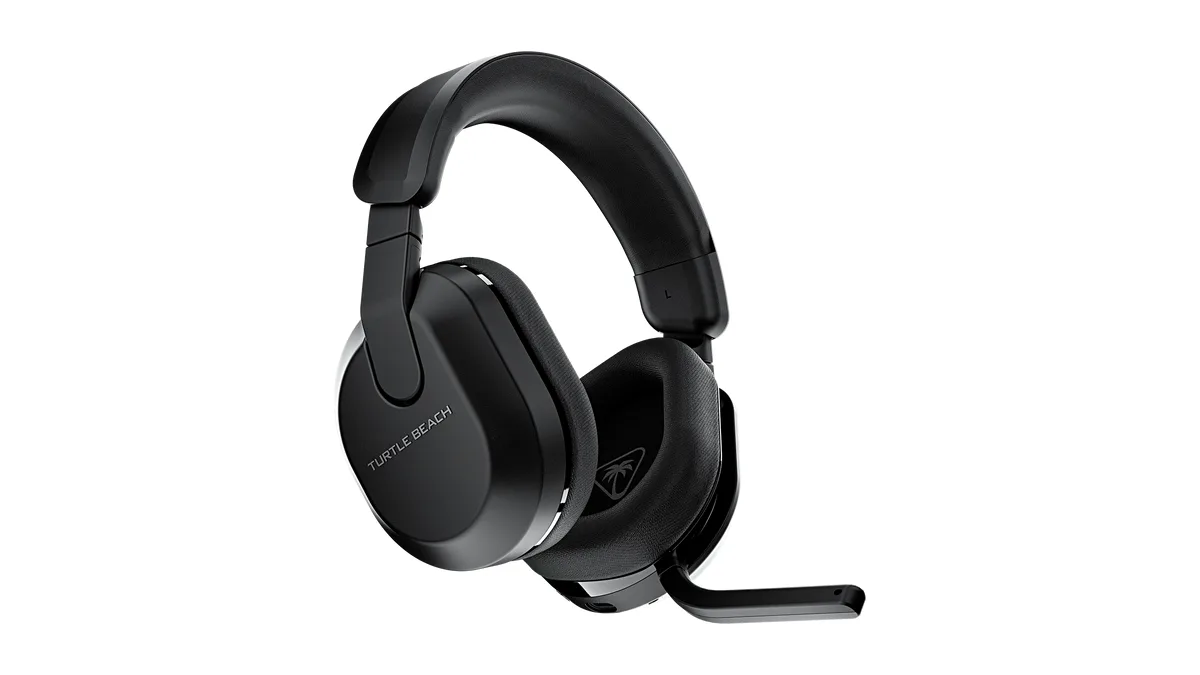
The redesigned uni-directional mic flips down to talk and up to mute, and it sits flush with the ear cup when it’s off. Its AI-based noise reduction works well out of the box, keeping fan and air-conditioner noise in the background while your voice stays clear, and teammates should have no trouble understanding you in a busy room. Very loud, sudden sounds can still break through. The boom can’t be repositioned, and it doesn’t detach, so it’s always attached to the headset.
Flip the mic down to talk and up to mute. (Image: Turtle Beach)
Stealth 600 Gen 3 vs Gen 2: What’s New
The Gen 3 is a clear upgrade over the Stealth 600 Gen 2. Battery life jumps from 21 hours to 80, Bluetooth with QuickSwitch is new, the bass is fuller, and the Swarm II app adds far more EQ and button customization. The trade-offs are a firmer clamp and hinges that feel less solid than the Gen 2’s. If you own a Gen 2 that still works, the battery and Bluetooth are the reasons to upgrade. If you own a first-generation Stealth 600, the Gen 3 is a big step up in nearly every way.
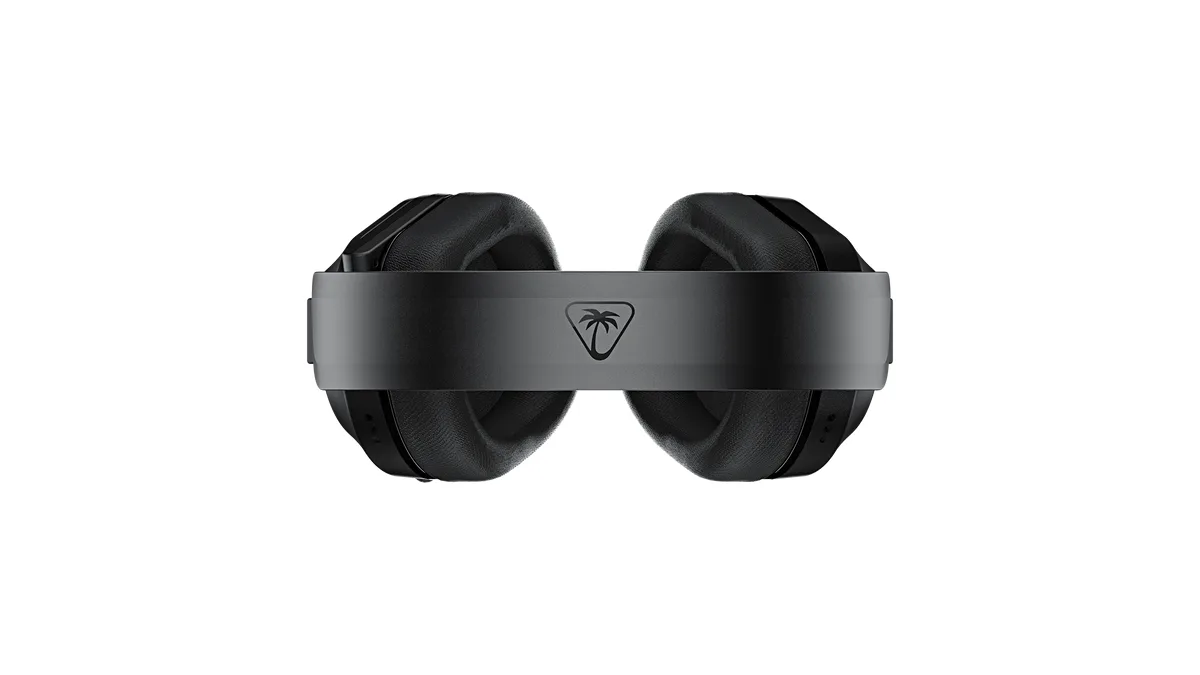
The cushioned headband carries the Turtle Beach logo on top. (Image: Turtle Beach)
Alternatives: What to Consider Instead
The SteelSeries Arctis Nova 5 Wireless costs a bit more but has a sturdier build, a better mic and a companion app with game-specific presets, though its battery doesn’t last as long. If the Stealth 600’s clamp is too firm for you, the Turtle Beach Stealth 500 is lighter and more comfortable with half the battery life and fewer features. And if you want a big step up in build quality and an open-back sound, the Turtle Beach Atlas Air is worth the extra money, though it leaks sound and doesn’t work with Xbox.
Turtle Beach Stealth 600 Gen 3 FAQ
Does the Turtle Beach Stealth 600 Gen 3 work on PS5 and Xbox?
Yes, but you need the right version. The Xbox version works with Xbox, PS5, PS4 and PC. The PlayStation version works with PS5, PS4 and PC only.
Can you connect the Stealth 600 Gen 3 to a phone?
Yes. It pairs with phones, tablets and handhelds over Bluetooth, and the QuickSwitch button flips between Bluetooth and the 2.4GHz transmitter.
Can you use the Stealth 600 Gen 3 wired?
No. It has no 3.5mm jack, and the USB-C cable is for charging only.
How long does the battery last?
Turtle Beach rates it at 80 hours, and it lasts a little longer than that in practice. A full charge takes just over four hours.
Is the Stealth 600 Gen 3 good for glasses wearers?
Yes. Its glasses-friendly cushions reduce pressure on glasses arms, though the firm clamp may still bother some people over long sessions.
Final Thoughts
Turtle Beach Stealth 600 Gen 3
GameCuki VerdictRecommended
What Our Verdicts Mean
GameCuki Top PickThe best option in its class, with no serious, repeated problems.
RecommendedA good buy for most people. Weaknesses are minor or only matter to some players.
Buy With CaveatsRight for a specific kind of player only, because of a significant drawback.
Skip ItNot recommended. A better option exists at a similar price.
The Turtle Beach Stealth 600 Gen 3 does one thing better than almost any headset near its price: it keeps going. More than 80 hours of battery, Bluetooth with one-button switching and a genuinely useful Swarm II app make it an easy pick for players who hate charging, and the Xbox version covers Xbox, PlayStation and PC in one box. It isn't perfect. The clamp is firm, the hinges feel cheap and you'll want to tame the bass in the EQ. But for console and PC players who want a long-lasting wireless headset without paying premium prices, we recommend it, ideally the Xbox version and ideally on sale.
I'm Fraser, and I write the reviews on GameCuki. That covers consoles and handhelds, PC gaming hardware, controllers, headsets and accessories, from big purchases like gaming laptops to small add-ons like screen protectors and grips. I build each review from the manufacturer's specs, professional reviews and verified owner feedback, and I check long-term issues like comfort, battery life and durability against several sources before they make it into the pros and cons. Every review ends with who the product is for and who should skip it. I don't accept free products or paid placements, and what I write comes from research, not my own use of the products. You can read my full process on our How We Review page.