GameCuki is reader-supported. When you buy through links on our site, we may earn an affiliate commission at no extra cost to you. As an Amazon Associate I earn from qualifying purchases. Learn more.
GameCuki VerdictRecommended
What Our Verdicts Mean
GameCuki Top PickThe best option in its class, with no serious, repeated problems.
RecommendedA good buy for most people. Weaknesses are minor or only matter to some players.
Buy With CaveatsRight for a specific kind of player only, because of a significant drawback.
Skip ItNot recommended. A better option exists at a similar price.
The Bottom LineOne of the most comfortable wireless gaming headsets you can buy, with a battery that runs for weeks and Bluetooth for your phone, though it skips Xbox and has only an average mic.
The original Cloud III Wireless was comfortable and lasted forever, but it couldn’t take a phone call. The S version fixes that with Bluetooth, built-in mics for calls and an even longer battery, for only a little more money, and this HyperX Cloud III S Wireless review finds it also sounds noticeably cleaner than its predecessor while keeping the Cloud line’s famous comfort. The trade-offs are no Xbox support, no wired audio, an average boom mic and a slow charge.
What’s in the Box: The Essentials
The Cloud III S Wireless comes with a drawstring microfiber pouch, a short 2 ft USB-C to USB-C charging cable, the 2.4GHz USB-C wireless dongle with a USB-C to USB-A adapter, and the detachable boom mic. The adapter means the dongle works with older PCs and the PS5’s USB-A ports as well as newer USB-C devices.
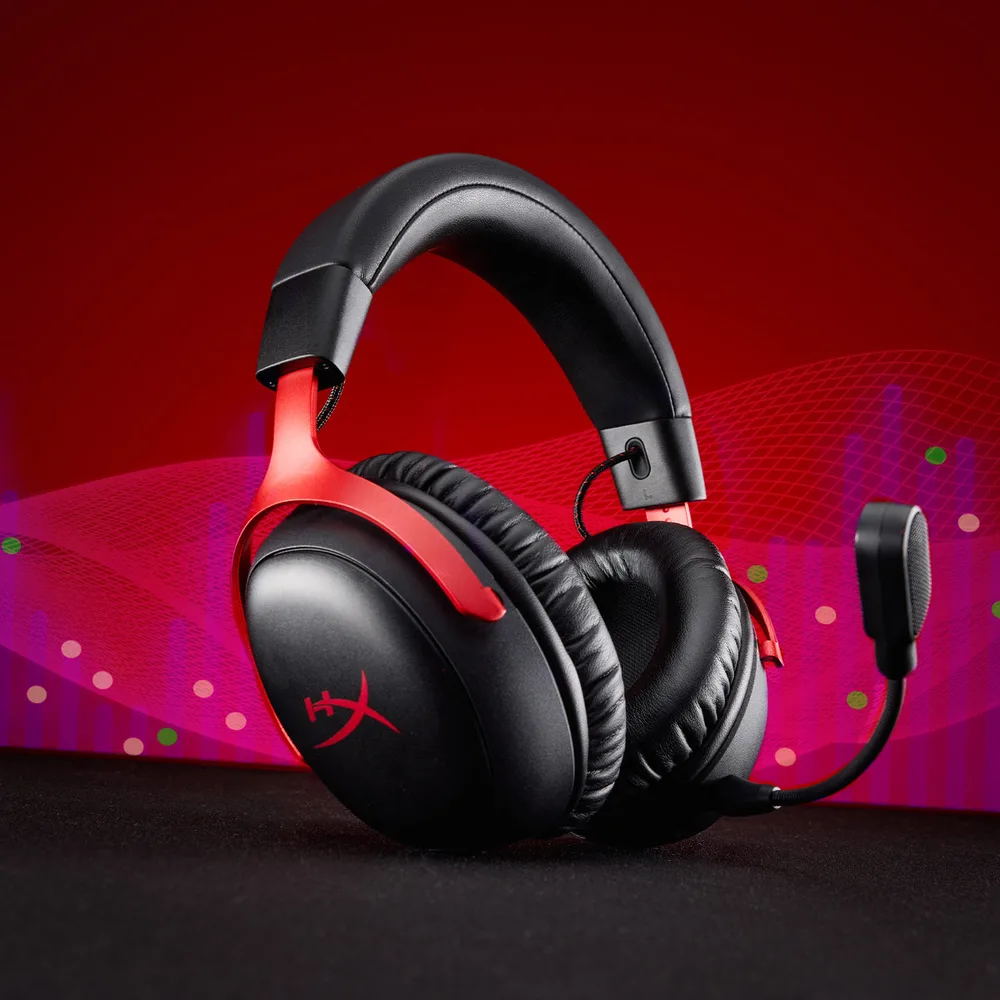
The Cloud III S looks almost identical to the Cloud III Wireless, with a padded leatherette headband, curved aluminum forks on a stainless steel frame and angled oval ear cups. New magnetic caps on the outside of the ear cups can be swapped for decorative ones later. It comes in several colorways, including black, black and red, and white.
The Cloud III S Wireless keeps the angled ear cups and aluminum forks of the Cloud III. (Image: HyperX)
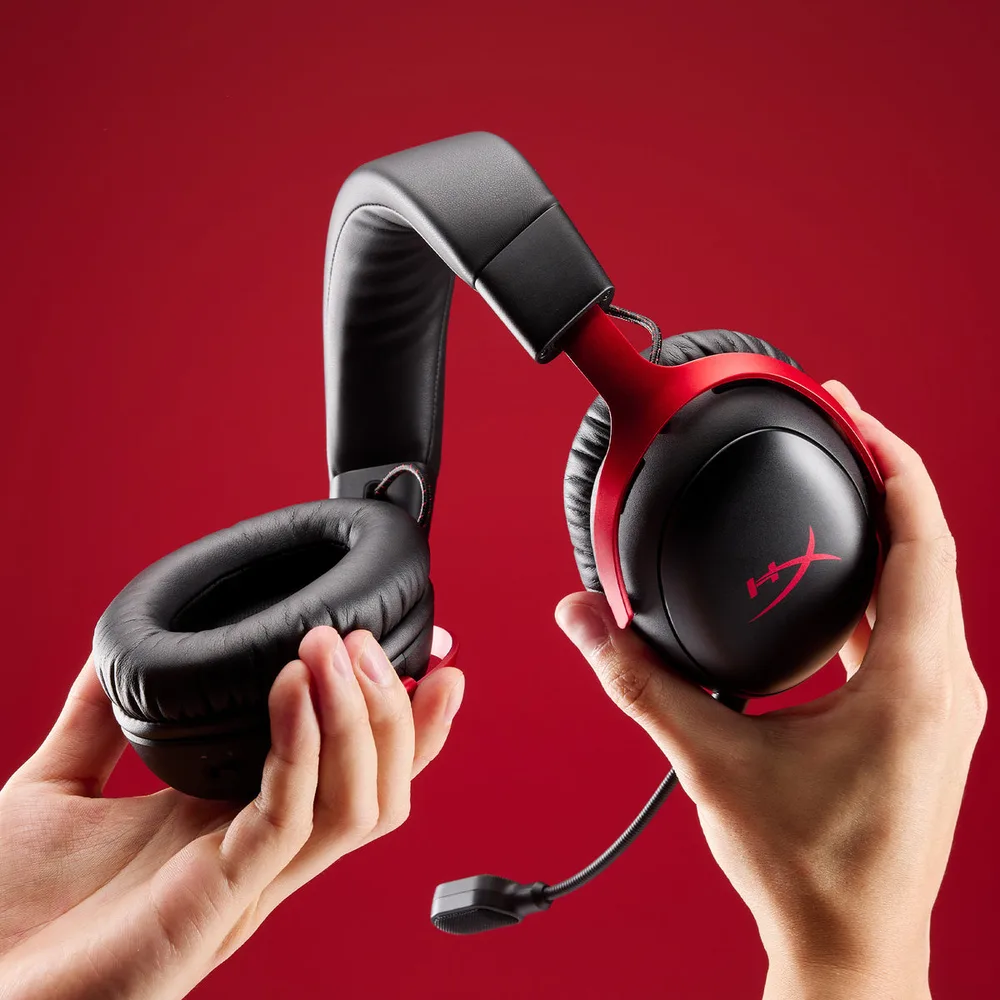
Comfort is the headline. The clamp is light but still secure, the memory foam is plush, and the deep ear cups leave plenty of room for most ears, so it stays comfortable through long sessions and suits larger heads especially well. Each cup adjusts in nine notched steps and tilts, but the cups don’t swivel or fold flat, so it’s less travel-friendly than some rivals, and the fit depends a bit on how the flexible headband settles on your head. At about 341g without the mic, it’s slightly heavier than the Cloud III Wireless, but still feels light.
The flexible headband and stainless steel frame handle everyday knocks. (Image: HyperX)
Controls: Simple and Physical
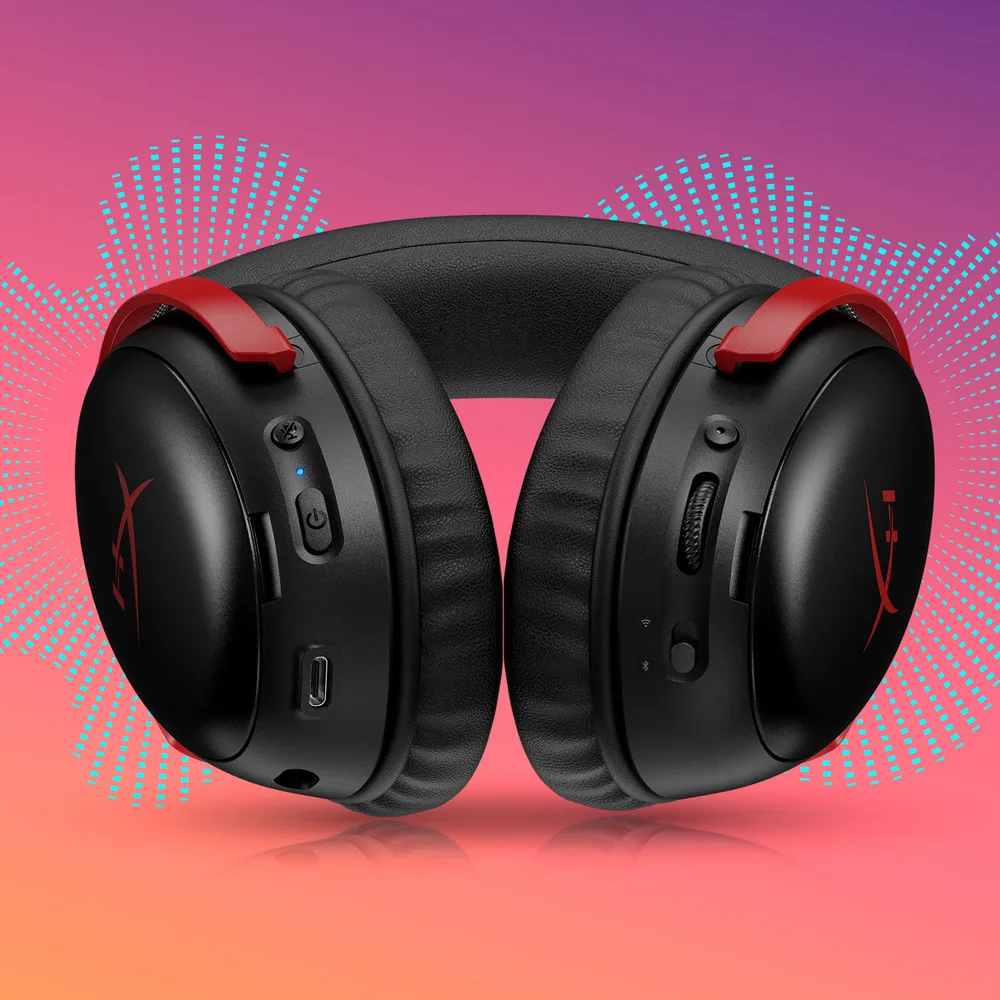
The left ear cup has the mic mute button, the power button, the USB-C charging port and the jack for the boom mic. The right ear cup holds a new multi-function button for play, pause, track skipping and calls, the volume wheel and a switch that flips between 2.4GHz and Bluetooth. The mute and power buttons sit close together and can be confused at first, and the volume steps are a little coarse.
Mute, power, volume, the mode switch and the new multi-function button sit on the ear cups. (Image: HyperX)
Connectivity: 2.4GHz and Bluetooth, but No Xbox
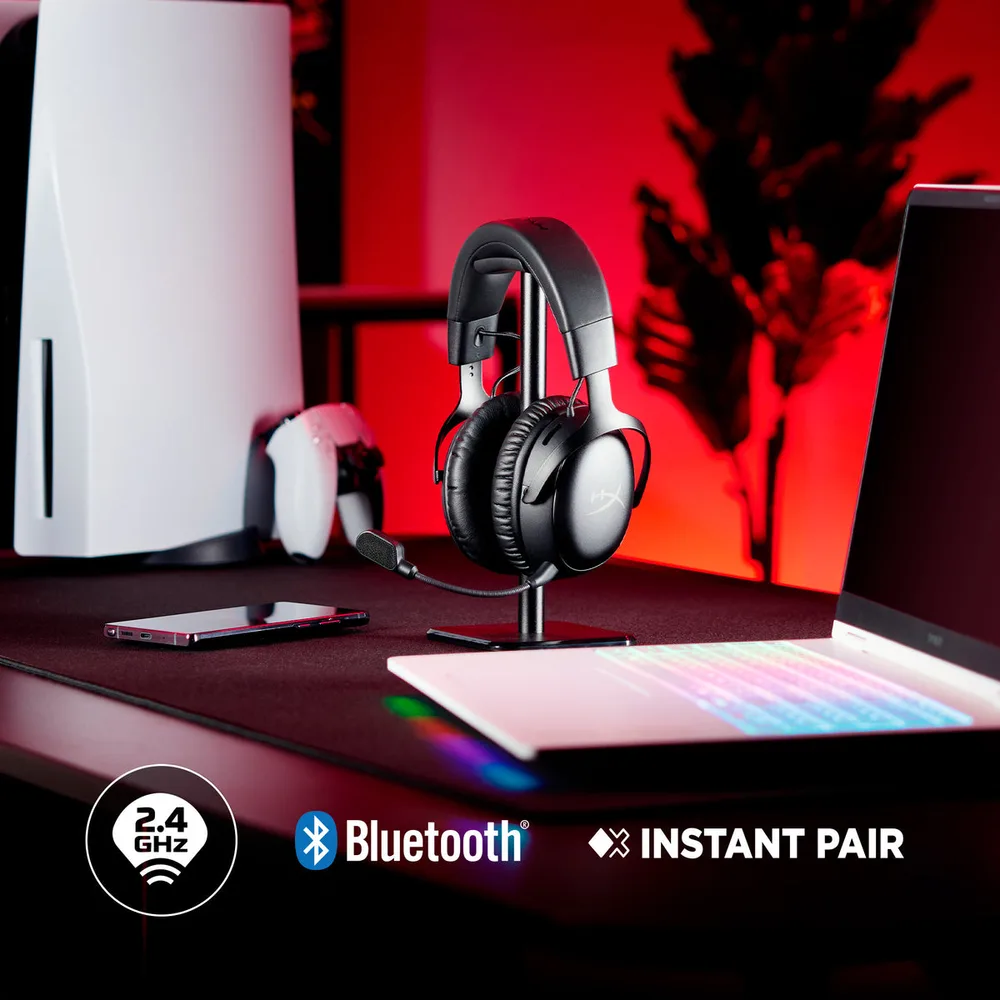
The low-latency 2.4GHz USB-C dongle handles gaming on PC, Mac, PS5 and Nintendo Switch, while Bluetooth 5.3 connects your phone, tablet or laptop. Flip the switch on the right ear cup to jump from your game to a phone call and back. You can’t hear both sources at the same time, though. Owners of select HP OMEN laptops can also use Instant Pair, which connects without the dongle.
There are two notable gaps. There’s no wireless Xbox support, and there’s no 3.5mm or USB-C wired audio either, so you can’t plug it into an Xbox controller as a fallback. Xbox players should look elsewhere.
It connects over 2.4GHz, Bluetooth or HP’s Instant Pair. (Image: HyperX)
Battery Life: Weeks Between Charges
HyperX rates the battery at up to 120 hours on 2.4GHz and up to 200 hours on Bluetooth. In real use, it runs more than 110 hours on 2.4GHz, enough for daily players to go weeks without charging. Only a few headsets last longer, like HyperX’s own Cloud Alpha Wireless.
The downside is charging. A full charge takes about five hours and there’s no quick charging, though you can use the headset while it charges. HyperX headsets can occasionally fail to power back on after the battery is completely drained, so it’s best to top it up before it hits zero.
Sound Quality: A Real Step Up
The angled 53mm drivers are shared with the Cloud III line, but the S version is tuned better. It sounds clearly better than the original Cloud III Wireless, with more natural timbre and much lower distortion. The tuning is relaxed and versatile, with a sub-bass lift, a slightly softer upper midrange and a touch of sparkle around 8 to 10kHz, which makes it forgiving for long sessions and especially pleasant with rock and metal.
In games, the details are easy to pick out and directional cues are clear, which helps in shooters. The slightly relaxed upper mids mean it isn’t the most detailed headset for critical music listening. DTS Headphone:X spatial audio comes with a lifetime activation on PC. The effect is hit or miss depending on the game, so try it on and off and keep whichever sounds better to you.
Noise Isolation: Decent for a Closed-Back Headset
There’s no active noise cancelling, but the deep leatherette cushions seal well and block typical household noise. Low rumbles still come through. Isolation is better than lighter headsets like the Fractal Scape but not as strong as the heavier Audeze Maxwell.
Microphone: Boom for Gaming, Built-In for Calls
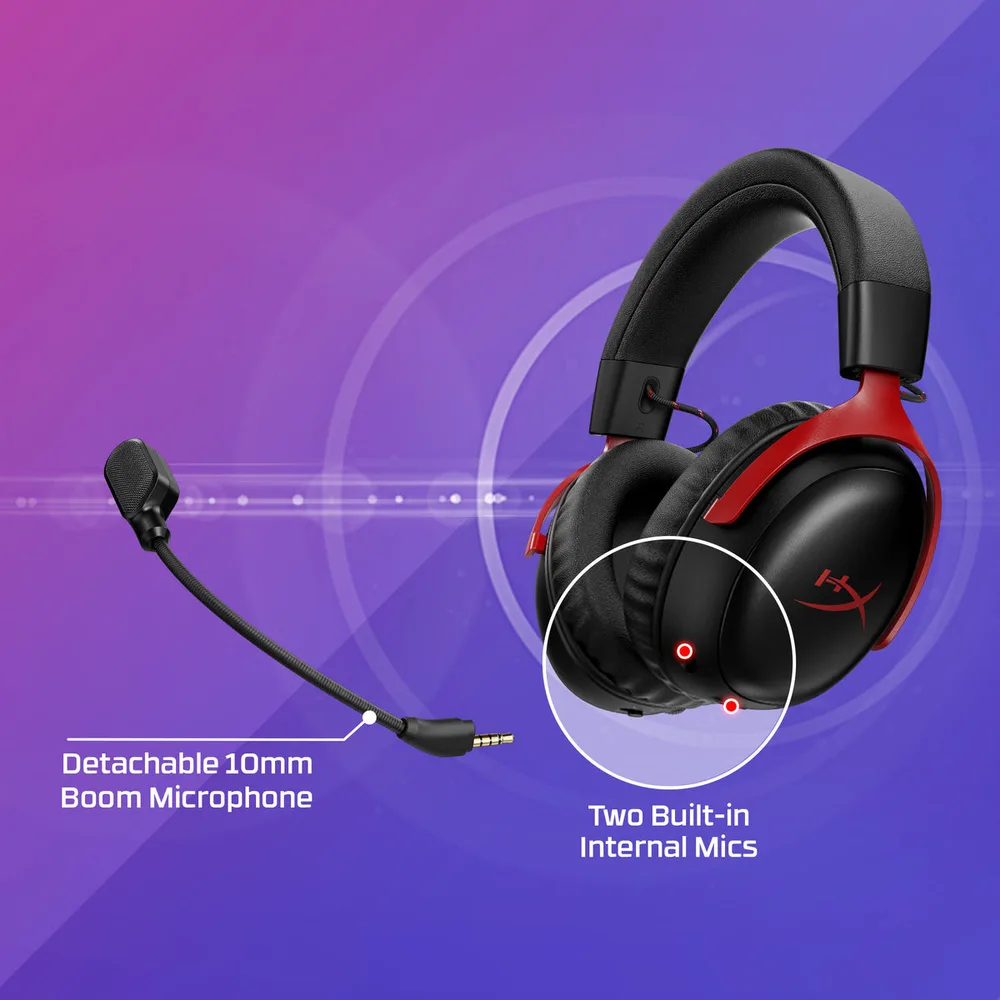
The detachable 10mm boom mic has a mesh pop filter and an LED that lights up when you’re muted. It’s clear and easy to understand, but it records at a fairly low volume and doesn’t sound especially rich, even with the gain turned up, and it prioritizes noise rejection over tone. The new built-in mics let you take calls with the boom removed. They pick up more background noise but work well enough for phone calls, even outdoors. Both mics work in 2.4GHz and Bluetooth modes. Streamers should still use a separate microphone.
A detachable boom mic for gaming and two built-in mics for calls. (Image: HyperX)
Ngenuity Software: Basic, but Useful
HyperX’s Ngenuity app lets you adjust the EQ, mic gain and monitoring, toggle DTS spatial audio, change the auto-off timer and update firmware. Your EQ saves to the headset, so it carries over when you switch to your phone over Bluetooth. The EQ uses fixed bands rather than a parametric EQ, so you can nudge the sound but not reshape it precisely. The app only runs on Windows, and it may install a driver update and ask for a restart the first time you connect.
Cloud III S Wireless vs Cloud III Wireless
The S version adds Bluetooth, built-in mics, a multi-function button, swappable magnetic ear cup caps and longer Bluetooth battery life, and it sounds noticeably cleaner. It’s slightly heavier and costs a bit more. If you already own the Cloud III Wireless and only game on PC, the upgrade is hard to justify, but for new buyers the S is the better pick, especially on sale.
Alternatives: What to Consider Instead
If you play on Xbox, the Turtle Beach Stealth 700 Gen 3 works across Xbox, PlayStation and PC, though it’s bulkier. For a better mic and lower-latency wireless, read our Razer BlackShark V3 review. And if battery life matters more than anything else, the HyperX Cloud Alpha Wireless lasts even longer on a single charge.
HyperX Cloud III S Wireless FAQ
Does the HyperX Cloud III S Wireless work with PS5 and Xbox?
It works with PS5 through the 2.4GHz dongle. It isn’t officially supported on Xbox, and it has no 3.5mm jack to plug into an Xbox controller.
Can you use the Cloud III S Wireless while it charges?
Yes, but the USB-C port doesn’t carry audio, so you still need the dongle or Bluetooth connection.
Does the Cloud III S Wireless have Dolby Atmos?
No. It includes a lifetime activation of DTS Headphone:X Spatial Audio on PC instead.
Is the Cloud III S Wireless good for big heads?
Yes. Its light clamp, flexible headband and deep ear cups make it one of the more comfortable options for larger heads. If you’re shopping by fit, see our best gaming headset for big heads guide.
Final Thoughts
HyperX Cloud III S Wireless
GameCuki VerdictRecommended
What Our Verdicts Mean
GameCuki Top PickThe best option in its class, with no serious, repeated problems.
RecommendedA good buy for most people. Weaknesses are minor or only matter to some players.
Buy With CaveatsRight for a specific kind of player only, because of a significant drawback.
Skip ItNot recommended. A better option exists at a similar price.
The HyperX Cloud III S Wireless fixes the original's biggest weakness by adding Bluetooth, then backs it up with a battery that lasts weeks, cleaner sound and the kind of comfort the Cloud line is known for. Its mic is only average, it can't connect to Xbox at all, and the five-hour charge is slow. But for PC, PlayStation, Switch and phone users who want one comfortable headset that rarely needs charging, the Cloud III S Wireless is easy to recommend, ideally on sale.
I'm Fraser, and I write the reviews on GameCuki. That covers consoles and handhelds, PC gaming hardware, controllers, headsets and accessories, from big purchases like gaming laptops to small add-ons like screen protectors and grips. I build each review from the manufacturer's specs, professional reviews and verified owner feedback, and I check long-term issues like comfort, battery life and durability against several sources before they make it into the pros and cons. Every review ends with who the product is for and who should skip it. I don't accept free products or paid placements, and what I write comes from research, not my own use of the products. You can read my full process on our How We Review page.