GameCuki is reader-supported. When you buy through links on our site, we may earn an affiliate commission at no extra cost to you. As an Amazon Associate I earn from qualifying purchases. Learn more.
GameCuki VerdictRecommended
What Our Verdicts Mean
GameCuki Top PickThe best option in its class, with no serious, repeated problems.
RecommendedA good buy for most people. Weaknesses are minor or only matter to some players.
Buy With CaveatsRight for a specific kind of player only, because of a significant drawback.
Skip ItNot recommended. A better option exists at a similar price.
The Bottom LineA comfortable, sturdy wireless headset with excellent battery life and three ways to connect, held back only by a microphone that doesn't match its premium price.
PC, Mac, PS5, PS4, Switch (docked), phones, Xbox by 3.5mm only
Premium wireless headsets now usually come with noise cancelling, and the G Pro X 2 doesn’t. That’s the question at the center of this Logitech G Pro X 2 Lightspeed review: is it still worth buying without it? Logitech’s answer is a sturdy metal headset with 50mm graphene drivers, a detachable boom mic and three ways to connect: Lightspeed 2.4GHz wireless, Bluetooth and a 3.5mm cable. It sounds balanced, it’s comfortable for long sessions and its battery runs far past Logitech’s 50-hour rating. Its microphone is the clear weak spot, and rivals like the HyperX Cloud Alpha Wireless and Razer BlackShark V3 undercut it on price or add newer features.
What’s in the Box: Everything You Need, Plus Spare Pads
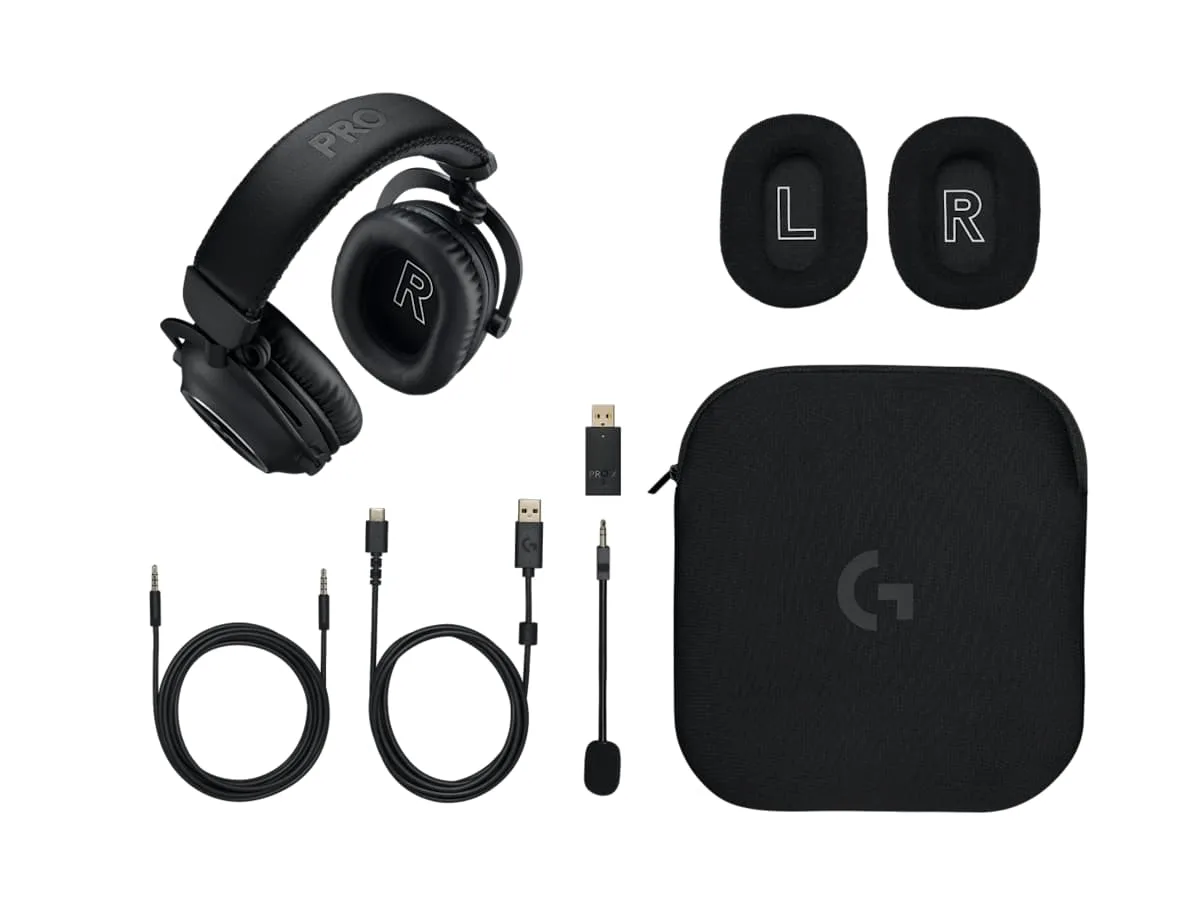
The G Pro X 2 ships with the headset, a USB-C charging cable, the 2.4GHz Lightspeed USB-A dongle, the detachable boom mic, a 3.5mm cable for wired use and a second set of ear pads, all packed with a soft carrying pouch. The headset wears leatherette pads out of the box, and the extra velour pair is a welcome inclusion if synthetic leather makes your ears sweat during long matches. The pouch keeps the headset and accessories together if you travel with it.
Everything in the box, including the velour pads and carrying pouch. (Image: Logitech)
Design and Comfort: Built Like a Tank, Comfortable for Hours
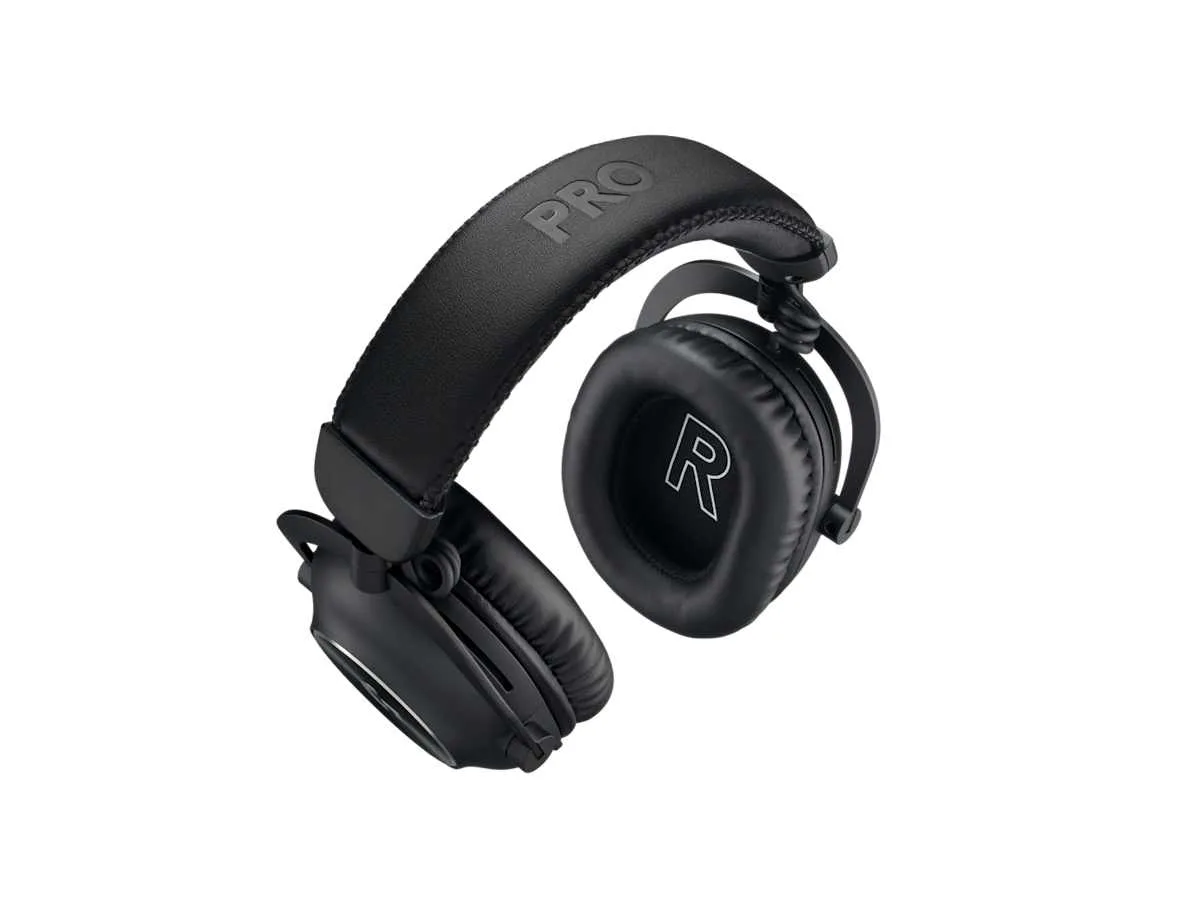
The G Pro X 2 keeps the look of the original G Pro X, with a mostly steel and aluminum frame that feels far sturdier than the plastic builds of many newer headsets. The biggest change is a new hinge just above each ear cup, so the cups rotate to match your head shape and swivel 90 degrees to lie flat on a desk or around your neck.
The new hinges let both ear cups swivel flat. (Image: Logitech)
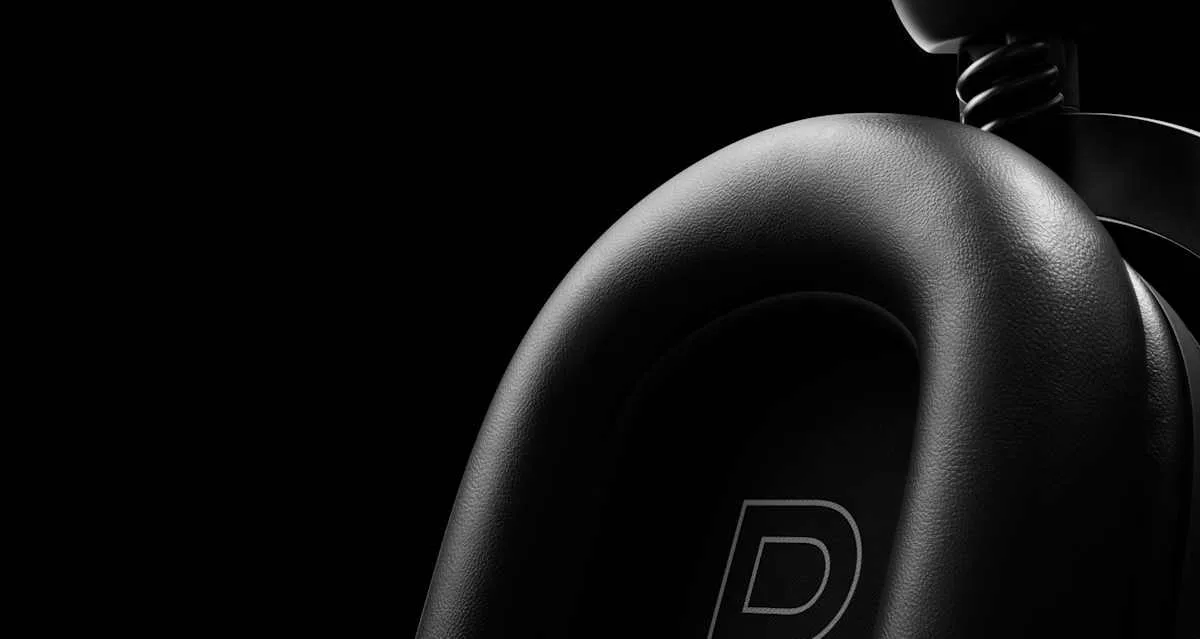
Comfort is one of its strengths. The clamp is snug without squeezing, which works well for glasses wearers, and the memory foam pads stay comfortable through long sessions without pressure points. The two pad options change the feel: leatherette seals a little better and blocks more noise, while velour runs cooler and creates less friction against glasses frames.
Memory foam cushions come in leatherette and velour versions. (Image: Logitech)
The trade-off for the metal frame is weight. At 345g it’s heavier than lighter rivals, its weight shows over very long sessions and the clamp can feel firm on larger heads.
Controls and G HUB Software: Simple Buttons, Powerful EQ
The physical controls are minimal and easy to learn: a mic mute button, a Bluetooth button, a power switch and a volume dial, all on the left ear cup next to the mic jack and USB-C port.
Most settings live in Logitech G HUB on PC and Mac. It gives you a five-band EQ with savable profiles, community-made EQ presets for games like Counter-Strike 2 and Dota 2, DTS Headphone:X 2.0 virtual surround, the Blue VO!CE mic suite and firmware updates, which install wirelessly. The software is straightforward to use and more stable than many rival apps. There’s no console app, so set up your EQ on a computer before playing on PS5 or Switch.
Connectivity: Works Almost Everywhere, Except Xbox Wirelessly
You get three connection options. The Lightspeed USB-A dongle is the one to use for gaming on PC, PS5 and a docked Switch, and moving it between devices needs no re-pairing. Bluetooth supports the SBC and AAC codecs, so it’s fine for music and videos on your phone, but Bluetooth latency runs roughly 200 to 250ms, too slow for competitive play. The 3.5mm cable covers Xbox controllers, handhelds and anything else with a headphone jack, though it only works with the headset powered off, so EQ and Blue VO!CE don’t apply in wired mode.
There’s no Bluetooth multipoint, and you can’t hear the dongle and Bluetooth at the same time. You can only switch between them. That’s one area where newer headsets like the Razer BlackShark V3, which mixes 2.4GHz and Bluetooth audio, pull ahead. The USB-C port is for charging only, not audio.
Battery Life: Far Better Than Logitech Claims
Logitech rates the G Pro X 2 at up to 50 hours on Lightspeed, and that’s conservative. It runs close to 90 hours of playback at moderate volume, and still lasts close to 80 hours after many charge cycles, which points to minimal battery wear. A full charge from empty takes just under two hours, and you can keep playing while it charges with the dongle plugged in.
In daily use, that means most players charge it about once a week or less. Only a few headsets beat it on a single charge, such as the HyperX Cloud Alpha Wireless, while models like the SteelSeries Arctis Nova Pro Wireless get around charging with swappable batteries.
Sound Quality: Balanced and Detailed, Not Revolutionary
The 50mm graphene drivers are the G Pro X 2’s headline feature. Graphene is lighter and stiffer than the mylar used in most drivers, which in theory cuts distortion. In practice, its tuning is more balanced than many gaming headsets, with restrained bass and clear mids, but it isn’t a dramatic leap over good conventional drivers.
The 50mm drivers use a graphene diaphragm. (Image: Logitech)
That balanced tuning works well in games. Footsteps and directional cues stand out clearly in shooters like Counter-Strike 2 and Apex Legends, and explosions have impact without masking everything else. Music sounds natural, though the treble is a little less detailed than audiophile headphones. Out of the box, the sound can come across dull or bass-heavy on PC, so plan to spend a few minutes in G HUB or Windows’ spatial sound settings. DTS Headphone:X 2.0 surround can help with atmosphere in games, but it adds an echo that hurts music, so turn it off when you’re not gaming.
Noise Isolation: Average Without ANC
The G Pro X 2 has no active noise cancelling, so isolation comes only from the closed ear cups and pads. It muffles household noise like conversation and dishes reasonably well, but low rumbles such as air conditioning or a busy coffee shop come through. The leatherette pads isolate a bit better than the velour ones. If you game in a loud room, an ANC headset like the Razer BlackShark V3 Pro or Sony INZONE H9 II is a better fit.
Microphone: The One Real Letdown
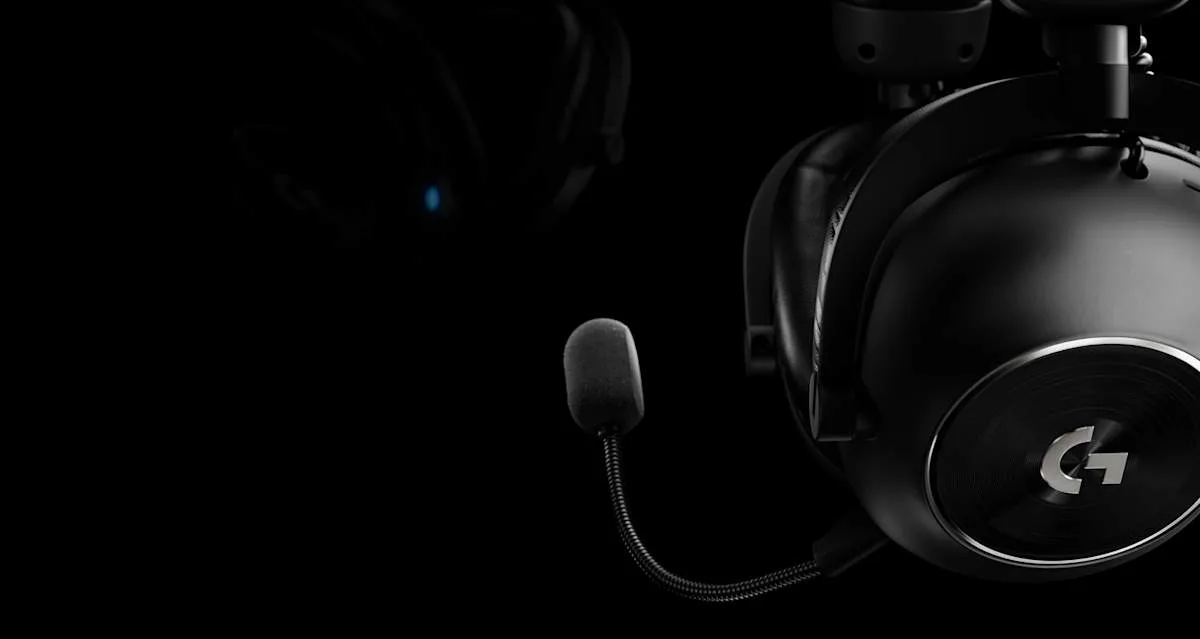
The detachable 6mm cardioid mic is where the G Pro X 2 falls short of its price. It’s clear enough for Discord and team chat, and it does a good job blocking keyboard clicks and background noise, but voices sound flat or muffled next to the best headset mics. Turning on Blue VO!CE in G HUB helps once you tune its EQ, de-esser, compressor and limiter, but it can’t fully close the gap. If you stream or record, plan on a separate USB microphone. The good news is that the boom unplugs completely, so it’s easy to leave off when you use a desk mic or wear the headset outside.
The 6mm cardioid boom mic plugs into the left ear cup. (Image: Logitech)
Alternatives: What to Consider Instead
If battery life is your top priority, the HyperX Cloud Alpha Wireless lasts far longer on a single charge and keeps a similar metal build and detachable mic. If you want lower-latency wireless and the ability to hear your phone and game together, the Razer BlackShark V3 is a strong option. For noise cancelling and swappable batteries, the SteelSeries Arctis Nova Pro Wireless is the premium pick, though it costs more and its mic retracts rather than detaches.
Logitech G Pro X 2 Lightspeed FAQ
Is the Logitech G Pro X 2 Lightspeed worth it?
Yes, if you want a premium wireless headset with long battery life, a sturdy build and support for PC, PlayStation, Switch and phones. Skip it if a great built-in mic or active noise cancelling matters most to you.
Does the G Pro X 2 Lightspeed work with Xbox?
Only with the 3.5mm cable plugged into an Xbox controller. The Lightspeed dongle doesn’t work with Xbox consoles.
Can you use the G Pro X 2 Lightspeed wired?
Yes. The included 3.5mm cable works with any headphone jack, but the headset must be powered off in wired mode, so G HUB features like EQ and Blue VO!CE aren’t available.
Can you use it while charging?
Yes. You can keep playing over the Lightspeed dongle while the headset charges through USB-C.
What’s the difference between the G Pro X and G Pro X 2?
The G Pro X 2 adds graphene drivers, extra hinges for swiveling ear cups, Bluetooth alongside Lightspeed and a much longer rated battery life (50 hours vs 20 on the G Pro X Wireless), and it includes both leatherette and velour pads.
Final Thoughts
Logitech G Pro X 2 Lightspeed
GameCuki VerdictRecommended
What Our Verdicts Mean
GameCuki Top PickThe best option in its class, with no serious, repeated problems.
RecommendedA good buy for most people. Weaknesses are minor or only matter to some players.
Buy With CaveatsRight for a specific kind of player only, because of a significant drawback.
Skip ItNot recommended. A better option exists at a similar price.
The Logitech G Pro X 2 Lightspeed gets almost everything right. Its battery outlasts its own rating by a wide margin, the metal frame and swiveling cups make it one of the most comfortable and durable headsets you can buy, and Lightspeed, Bluetooth and a 3.5mm cable let it move between your PC, PS5, Switch and phone. Its microphone is the one real flaw, and newer rivals offer ANC or lighter builds. But for players who care most about comfort, battery life and balanced sound, it's still one of the best premium wireless gaming headsets, and we recommend it.
I'm Fraser, and I write the reviews on GameCuki. That covers consoles and handhelds, PC gaming hardware, controllers, headsets and accessories, from big purchases like gaming laptops to small add-ons like screen protectors and grips. I build each review from the manufacturer's specs, professional reviews and verified owner feedback, and I check long-term issues like comfort, battery life and durability against several sources before they make it into the pros and cons. Every review ends with who the product is for and who should skip it. I don't accept free products or paid placements, and what I write comes from research, not my own use of the products. You can read my full process on our How We Review page.