GameCuki is reader-supported. When you buy through links on our site, we may earn an affiliate commission at no extra cost to you. As an Amazon Associate I earn from qualifying purchases. Learn more.
GameCuki VerdictGameCuki Top Pick
What Our Verdicts Mean
GameCuki Top PickThe best option in its class, with no serious, repeated problems.
RecommendedA good buy for most people. Weaknesses are minor or only matter to some players.
Buy With CaveatsRight for a specific kind of player only, because of a significant drawback.
Skip ItNot recommended. A better option exists at a similar price.
The Bottom LineThe best wireless gaming headset for most players right now, pairing detailed, controlled sound with a light 270g build, very low-latency wireless and a 70-hour battery.
For years, the HyperX Cloud Alpha Wireless was the easy answer for a mid-range wireless gaming headset. This Razer BlackShark V3 review looks at the headset that finally knocks it off its perch. Razer’s mid-range BlackShark keeps the familiar aviation-style design but adds new TriForce Titanium Gen-2 drivers, HyperSpeed Gen-2 wireless with a 10ms low-latency mode, simultaneous Bluetooth and a 70-hour battery, all in a 270g frame. It skips the active noise cancelling and bigger mic of the pricier BlackShark V3 Pro.
Design and Comfort: Light, Simple and Built for Long Sessions
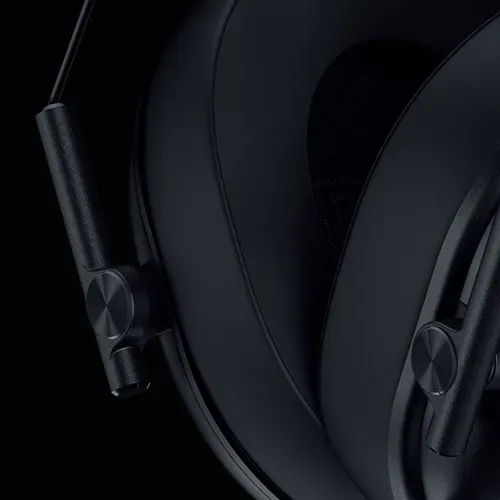
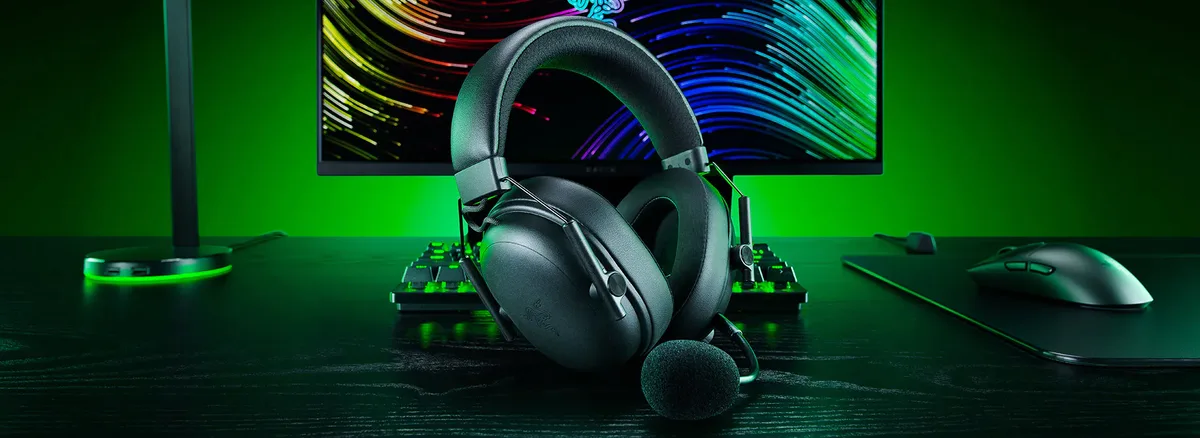
The BlackShark V3 keeps the aviation-inspired look of the BlackShark line, with a padded headband, slim yokes and a clean, mostly black design. It now comes in white too, along with dedicated PlayStation and Xbox versions. There’s no “Pro” stitching like on the V3 Pro, but the build feels solid and robust for daily use.
The BlackShark V3 keeps the aviation-style design of the line. (Image: Razer)
Comfort is one of its biggest strengths. At 270g it’s close to 100g lighter than the V3 Pro and around 50g lighter than the Cloud Alpha Wireless, and Razer tuned the clamping force to minimize pressure during long sessions. The memory foam ear cups wrapped in leatherette are among the most comfortable around, and the headset stays put when you move your head without squeezing like a vise. The lighter weight does make it feel a bit less premium in the hand than the heavier BlackShark V2 Pro.
Leatherette-wrapped memory foam cushions seal well without ANC. (Image: Razer)
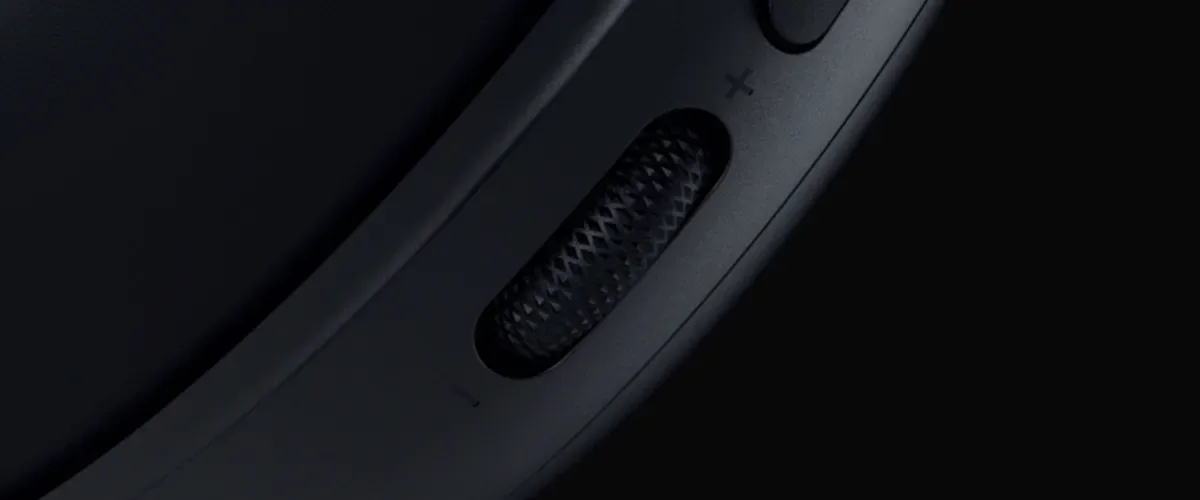
The control layout hasn’t changed much from the BlackShark V2, and that’s a good thing. The left ear cup has a big physical volume knob plus the mute and power buttons, while the right ear cup carries a connection toggle and a configurable secondary dial. Everything is easy to find by feel, so you won’t fumble for the wrong control mid-match.
A large physical volume dial sits on the left ear cup. (Image: Razer)
Connectivity: Fast Wireless, Simultaneous Bluetooth
The BlackShark V3 uses Razer’s HyperSpeed Wireless Gen-2 dongle for gaming. Its standard connection runs at around 25ms of latency, and a low-latency mode, on by default, drops that to as low as 10ms, which is excellent for competitive shooters. The dongle attaches to a cable rather than plugging straight into a USB port, which is a little awkward on a laptop but fine on a desktop, and the same cable charges the headset and carries audio over USB while it charges.
Bluetooth 5.3 lets you pair a phone at the same time, and the headset can mix 2.4GHz game audio with Bluetooth audio, so you can take a call or listen to Discord on your phone while gaming. Incoming phone calls get priority. The PC version works with PC, Mac, PlayStation, Switch, Steam Deck and phones, but not Xbox, so Xbox players should buy the dedicated Xbox version.
Battery Life: 70 Hours, With an Asterisk
Razer rates the BlackShark V3 at up to 70 hours on 2.4GHz, a full charge takes about four hours, and 15 minutes of charging gives about six hours of play. That’s long, though it’s far short of the Cloud Alpha Wireless’s 300-hour rating.
The catch is the low-latency mode. Because it’s enabled by default, it noticeably drains the battery, and Razer puts battery life at a little over 30 hours with it on at 50% volume. If you mostly listen to music or take calls, switch it off in Synapse to get closer to the full 70 hours, and turn it back on for competitive games.
Sound Quality: Detailed, Tight and Controlled
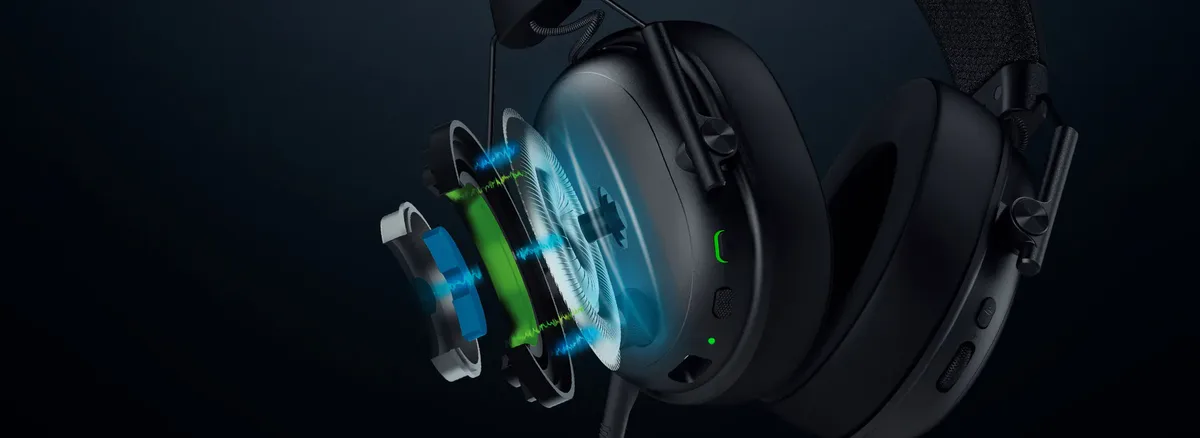
Sound is where the BlackShark V3 stands out. Its 50mm TriForce Titanium Gen-2 drivers use a titanium-coated diaphragm, a “driver plug” that Razer says cuts harmonic distortion by up to 50% and a 75% larger magnet to firm up the bass. The result is clear, detailed audio with bass that feels tight rather than boomy, and highs and vocals that keep their clarity.
The TriForce Titanium 50mm Gen-2 driver uses a titanium-coated diaphragm. (Image: Razer)
The difference shows most when a lot is happening at once. Side by side, the Cloud Alpha Wireless is almost as clear in quiet moments, but in chaotic firefights or busy music mixes the BlackShark V3 keeps individual sounds distinct, which makes footsteps and gunshots easier to place. There’s also little meaningful difference between the V3 and the V3 Pro’s bio-cellulose drivers. Next to the older BlackShark V2 Pro, the V3 can sound a little less bass-heavy and more detailed, so bass lovers may want to bump the low end in the EQ.
Noise Isolation: Good Without ANC
The BlackShark V3 doesn’t have active noise cancelling, but its snug leatherette and memory foam cups seal well and block a good amount of outside noise on their own. Skipping ANC also means there’s no extra pressure on your ears, which helps comfort. If you game in a very loud space, the V3 Pro adds ANC, though reviewers noted its ANC can introduce a faint hiss during quiet moments.
Microphone: Clear and Detachable
The detachable HyperClear Super Wideband 9.9mm mic is the same one used on the updated BlackShark V2 Pro. It captures a wider vocal range than a standard headset mic, so voices sound natural, and it’s clear enough for team chat, calls and meetings. Mic quality is best over a wired connection, and it sounds a step down over wireless. Synapse also includes mic EQ settings. The V3 Pro’s larger 12mm mic is better if you stream without a separate microphone.
The HyperClear Super Wideband mic detaches when you don’t need it. (Image: Razer)
Synapse and THX Spatial Audio: Useful, but Clunky
Razer Synapse on Windows gives you EQ presets and game-specific EQs you can add to a quick-access list, the low-latency toggle, controls for the simultaneous 2.4GHz and Bluetooth mix, mic EQ and an option to choose what the dongle’s LED shows, such as battery level. THX Spatial Audio adds a 7.1.4 virtual surround soundstage, but you need to register for an activation code to unlock it. Synapse remains a pain at times, for example asking for a full system restart when you plug in a new device. Razer also offers a mobile app for EQ and settings on the go.
Razer’s app offers EQ presets and custom tuning. (Image: Razer)
BlackShark V3 vs BlackShark V3 Pro
The V3 Pro adds hybrid active noise cancelling, a larger 12mm full band mic, bio-cellulose drivers and a 3.5mm wired option, but it costs about $100 more and weighs close to 100g more. Its sound is only marginally better, and its ANC can add a faint hiss. Unless you need ANC or the best built-in mic, the standard BlackShark V3 is the better value.
Alternatives: What to Consider Instead
If battery life matters most, the HyperX Cloud Alpha Wireless lasts far longer on a charge and has a similar detachable mic, though its sound gets less defined in busy scenes. If you want a sturdier metal build and a 3.5mm wired option, read our Logitech G Pro X 2 Lightspeed review, which lasts longer than its rating suggests but has a weaker mic. And if you need noise cancelling for a loud room, the BlackShark V3 Pro is the step up.
Final Thoughts
Razer BlackShark V3
GameCuki VerdictGameCuki Top Pick
What Our Verdicts Mean
GameCuki Top PickThe best option in its class, with no serious, repeated problems.
RecommendedA good buy for most people. Weaknesses are minor or only matter to some players.
Buy With CaveatsRight for a specific kind of player only, because of a significant drawback.
Skip ItNot recommended. A better option exists at a similar price.
The Razer BlackShark V3 gets the fundamentals exactly right. Its new TriForce drivers deliver detailed, controlled sound that keeps footsteps clear even in chaotic fights, the 270g frame is comfortable for hours and HyperSpeed Gen-2 is one of the fastest wireless connections you can get. Simultaneous Bluetooth, a detachable wideband mic and a 70-hour battery round out a headset with no real weak spot for the money. Watch the battery drain from the low-latency mode and buy the right version if you play on Xbox, but for most players who want one wireless headset to do it all, the BlackShark V3 is our top pick.
I'm Fraser, and I write the reviews on GameCuki. That covers consoles and handhelds, PC gaming hardware, controllers, headsets and accessories, from big purchases like gaming laptops to small add-ons like screen protectors and grips. I build each review from the manufacturer's specs, professional reviews and verified owner feedback, and I check long-term issues like comfort, battery life and durability against several sources before they make it into the pros and cons. Every review ends with who the product is for and who should skip it. I don't accept free products or paid placements, and what I write comes from research, not my own use of the products. You can read my full process on our How We Review page.