GameCuki is reader-supported. When you buy through links on our site, we may earn an affiliate commission at no extra cost to you. As an Amazon Associate I earn from qualifying purchases. Learn more.
ROG Xbox Ally vs ROG Xbox Ally X looks like a coin flip at first, because both have the same 7-inch 120Hz screen and the same Xbox-style interface on Windows 11. The gap is under the shell: a different chip, more memory and a much bigger battery. The real question is whether those upgrades are worth carrying an extra 45 grams.
Best for Lighter Weight and Lower Cost
ASUS ROG Xbox Ally
Bottom LineThe lighter, simpler way into Xbox and PC handheld gaming, a good fit if you mostly play lighter games or stream and want to spend less.
Design and Screen: Same Panel, Slightly Different Weight
Both handhelds use a 7-inch IPS display at 1,920 x 1,080 and up to 120Hz, rated at 500 nits, with FreeSync Premium and Gorilla Glass Victus. They share the same body size, 11.42 inches wide, with the ergonomic handles that ASUS added over the original ROG Ally. If you are choosing on screen quality alone, there is no difference to weigh.
The difference you will feel is weight. The ROG Xbox Ally is 670 g (1.48 lb) and the Ally X is 715 g (1.58 lb), a gap that comes mostly from the larger battery. It is small, but it can add up over a long session held in your hands.
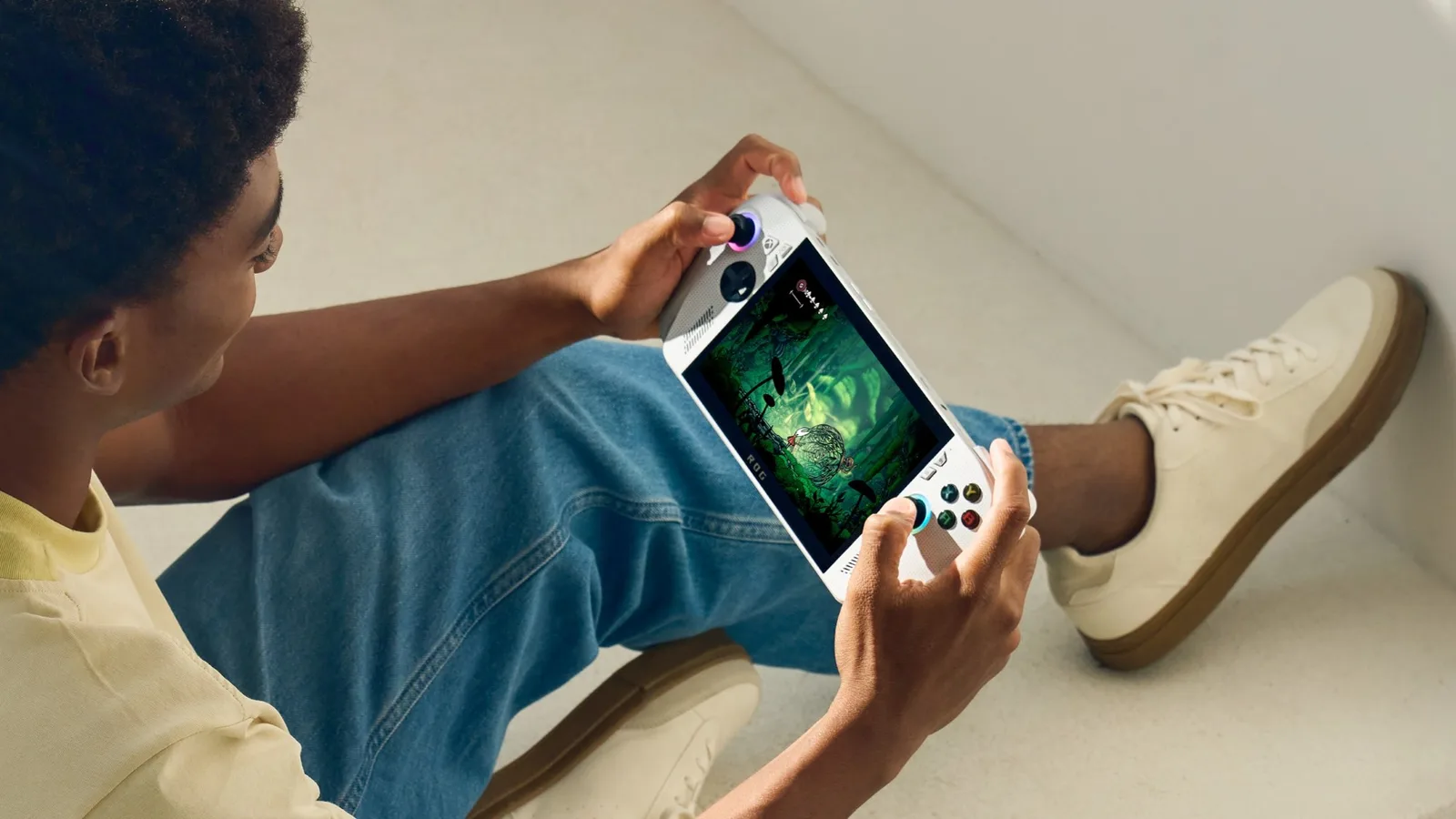
The ROG Xbox Ally in hand (Image: ASUS)
If you play for short sessions on the couch or in bed, either one is fine. If you carry the device all day, the lighter Ally has a small edge.
Performance: Ryzen Z2 A vs Ryzen AI Z2 Extreme
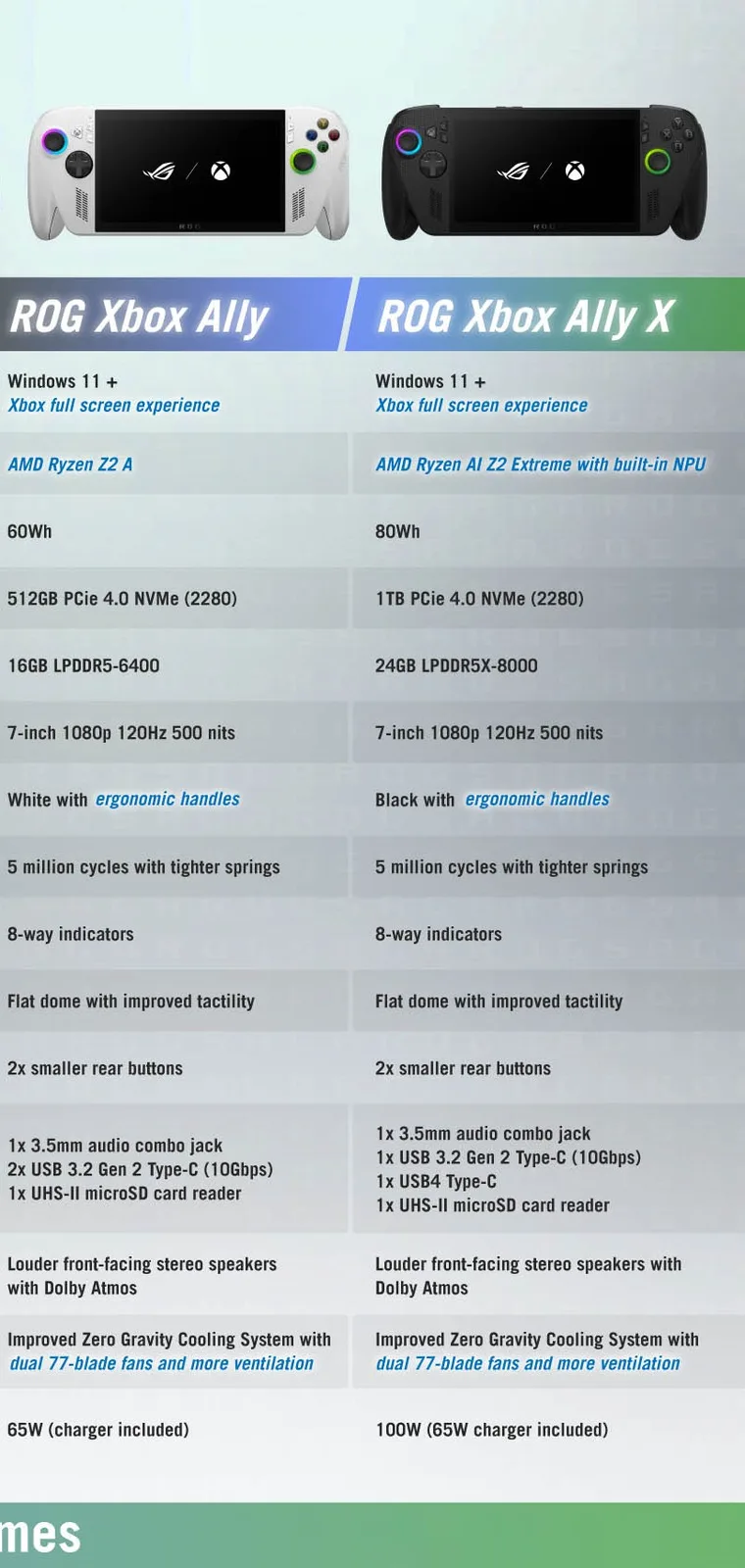
This is the biggest split. The ROG Xbox Ally uses the AMD Ryzen Z2 A with 4 cores and 8 threads, boosting up to 3.8GHz, plus 16GB of LPDDR5-6400 memory. The ROG Xbox Ally X uses the Ryzen AI Z2 Extreme with 8 Zen 5 cores and 16 threads, boosting up to 5.0GHz, an NPU rated up to 50 TOPS, and 24GB of LPDDR5X-8000 memory.
In plain terms, the Ally X has twice the cores and 50 percent more memory, so it is the one built for newer, heavier games at higher settings. The base Ally is better matched to lighter titles, older games, indie releases and cloud streaming. The NPU on the Ally X may also support AI-based features that the base model is unlikely to run well, though that matters less today than raw speed.
If you want to play recent AAA games on the go, go with the Ally X. If your library is mostly lighter games, the base Ally can be enough.
Battery and Charging: 60Wh vs 80Wh
The ROG Xbox Ally has a 60Wh battery. The Ally X has an 80Wh battery, a third larger, and it pairs that with a faster chip, so actual runtime depends heavily on the game and power setting. ASUS lists a maximum charging speed of 100W for the Ally X, with a 65W charger in the box, while the base Ally is rated for 65W.
Over a long flight or a full day away from an outlet, the extra capacity of the Ally X is the most practical benefit of the upgrade.
Storage and Ports
The ROG Xbox Ally comes with a 512GB PCIe 4.0 NVMe SSD and the Ally X with 1TB, and both use a standard M.2 2280 drive, so you can swap in a bigger one later. Both also have a UHS-II microSD reader, a 3.5mm audio jack and Wi-Fi 6E with Bluetooth 5.4. If you plan to expand storage, our best microSD card for Steam Deck guide covers cards that suit handheld use.
The ports are not the same. The base Ally has two USB 3.2 Gen 2 Type-C ports at 10Gbps. The Ally X has one USB 3.2 Gen 2 Type-C port and one USB4 Type-C port, which is Thunderbolt 4 compliant. That USB4 port matters if you want to connect a fast dock or an external display.
Software: Xbox Full Screen Experience on Both
Both devices run Windows 11 Home and boot into the Xbox full screen experience, and both can install other launchers such as Steam and Epic. Game Pass and Xbox cloud streaming are available on each. Nothing in the software separates the two, so the hardware is the whole decision.
AMD Ryzen AI Z2 Extreme, 8 cores, up to 5.0GHz Wins
NPU
None listed
Up to 50 TOPS Wins
Memory
16GB LPDDR5-6400
24GB LPDDR5X-8000 Wins
Storage
512GB PCIe 4.0 NVMe (M.2 2280)
1TB PCIe 4.0 NVMe (M.2 2280) Wins
Display
7-inch IPS, 1,920 x 1,080, 120Hz, 500 nits
7-inch IPS, 1,920 x 1,080, 120Hz, 500 nits
Battery
60Wh
80Wh Wins
Max charging
65W
100W (65W charger included) Wins
Ports
2 x USB 3.2 Gen 2 Type-C, microSD (UHS-II), 3.5mm jack
USB 3.2 Gen 2 Type-C, USB4 Type-C, microSD (UHS-II), 3.5mm jack Wins
Wireless
Wi-Fi 6E, Bluetooth 5.4
Wi-Fi 6E, Bluetooth 5.4
Operating system
Windows 11 Home
Windows 11 Home
Weight
670 g (1.48 lb) Wins
715 g (1.58 lb)
Dimensions
11.42 x 4.76 x 1.08 to 2.00 in
11.42 x 4.76 x 1.08 to 2.00 in
And the Winner Is…
WinnerROG Xbox Ally X
The ROG Xbox Ally is lighter, it costs less, and its screen, controls and software are the same as its bigger sibling. If you mostly play lighter games or stream, that is a sound purchase. Even so, the ROG Xbox Ally X wins this ROG Xbox Ally vs ROG Xbox Ally X matchup for most people. It has twice the CPU cores, 24GB of faster memory, a battery a third larger, a USB4 port and double the storage, and those upgrades matter more with every new AAA release. A handheld is hard to upgrade later, so the headroom is worth paying for if your budget allows. Choose the base Ally if you value price and weight above all.
I'm Sean, and I write the comparisons on GameCuki. I cover anything gamers weigh up before buying: consoles and handhelds, PC components and gaming laptops, monitors, controllers, headsets and accessories, plus subscriptions and services like Game Pass and PlayStation Plus. I put both options on the same checklist, using official specs, professional reviews and owner feedback, and I only mention what owners say when at least two of them report the same thing. Every comparison ends with one clear verdict and the type of player each option suits. I don't accept free products or payment from brands, and what I write comes from research, not my own use of the products. You can read my full process on our How We Review page.
Areas of Focus
Controller Match-UpsHeadset Match-UpsConsole vs. ConsoleSpecs & Latency