GameCuki is reader-supported. When you buy through links on our site, we may earn an affiliate commission at no extra cost to you. As an Amazon Associate I earn from qualifying purchases. Learn more.
Two PlayStation 5 consoles sit side by side on the shelf, and the only real difference is a slot for discs. PS5 digital vs disc is a choice about how you want to buy and keep games, because both run them identically. Here is what each edition changes and who should buy which.
Best for Download-Only Players
PS5 Digital Edition
Bottom LineA smaller, slightly cheaper PS5 for anyone who buys everything from the PlayStation Store and leans on PlayStation Plus.
Games and Ownership: Discs Let You Resell, Borrow and Buy Used
Both editions share the same game library, the same DualSense controller and the same accessories. What changes is where games can come from. The disc console installs games from discs or downloads them. The Digital Edition can only download, and the PlayStation Store is its only shop.
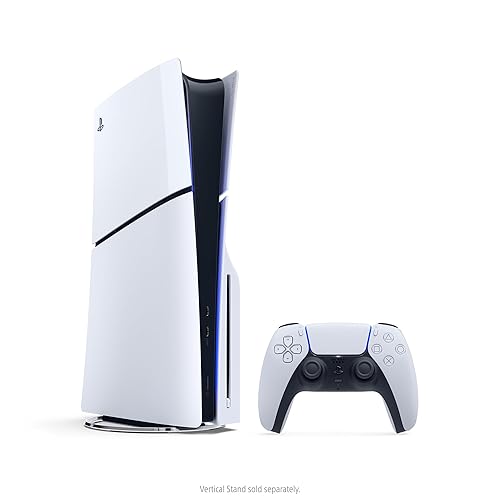
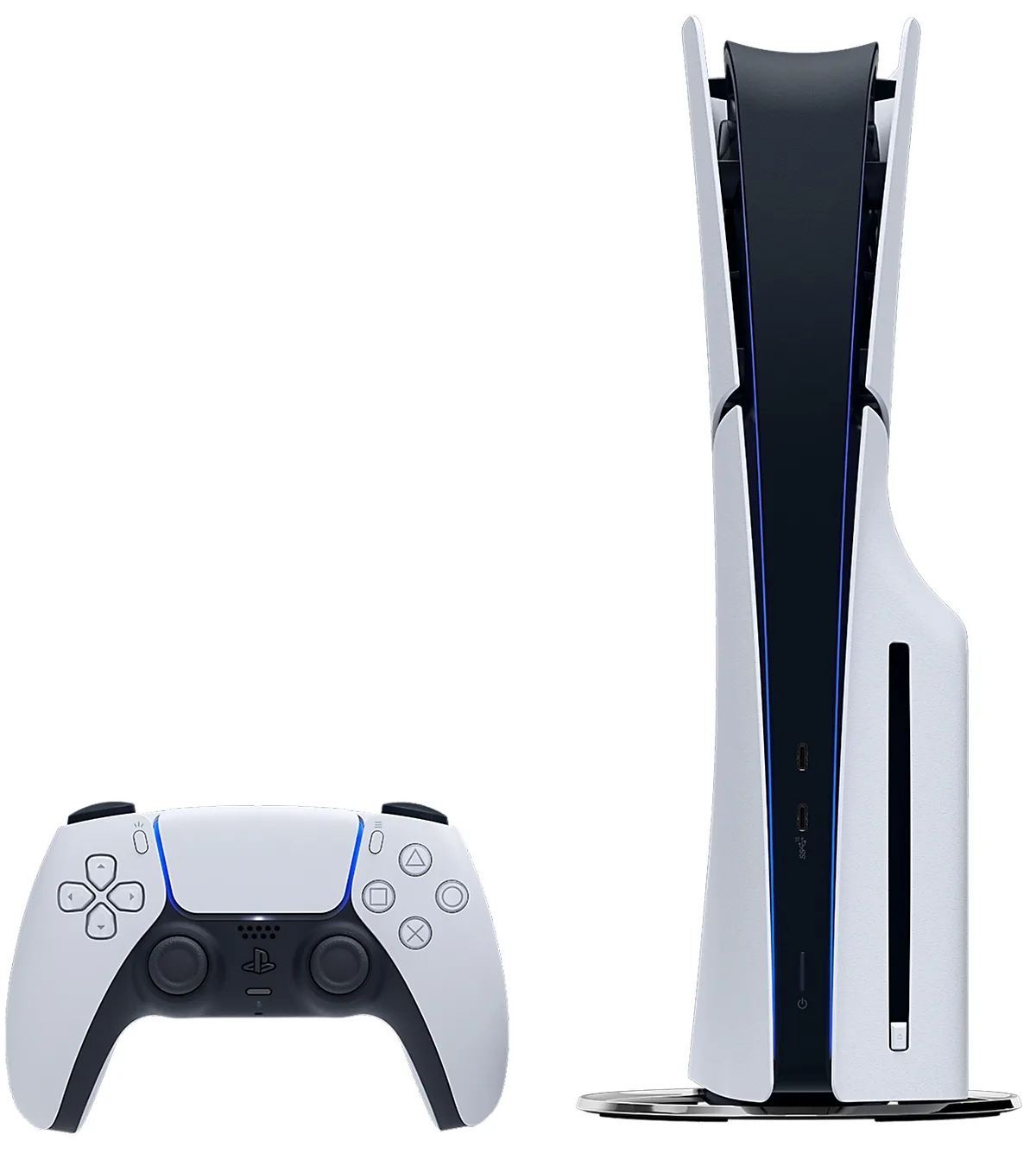
The PS5 Slim with its disc drive and DualSense controller. (Image: Sony Interactive Entertainment)
That limit matters more than it sounds. Physical copies can be lent to a friend, sold when you finish them and bought used or on sale at retailers. Digital purchases are tied to your account, and a game can disappear from the store even after you paid for it. The disc console also plays PS4 discs through backward compatibility, while the Digital Edition reaches those games only through the store.
Digital has one real convenience edge: no cases, no swapping, and any game is a button press away. If you rarely buy used and never resell, that convenience is worth something.
Storage: Discs Do Not Save Space
A common assumption is that buying discs spares your SSD. It does not. Disc games still install to internal storage and receive updates that grow them over time, so a disc library takes about the same room as a downloaded one.
The consoles do start with different amounts. The Slim with a disc drive has 1TB, while the current Slim Digital Edition has 825GB. Both have an M.2 slot, so extra space is a cheaper fix than buying a bigger console. If you are weighing a newer model, our PS5 Slim vs PS5 Pro comparison covers what the Pro adds.
Disc Drive Add-On: The Digital Edition Can Grow Into a Disc Console
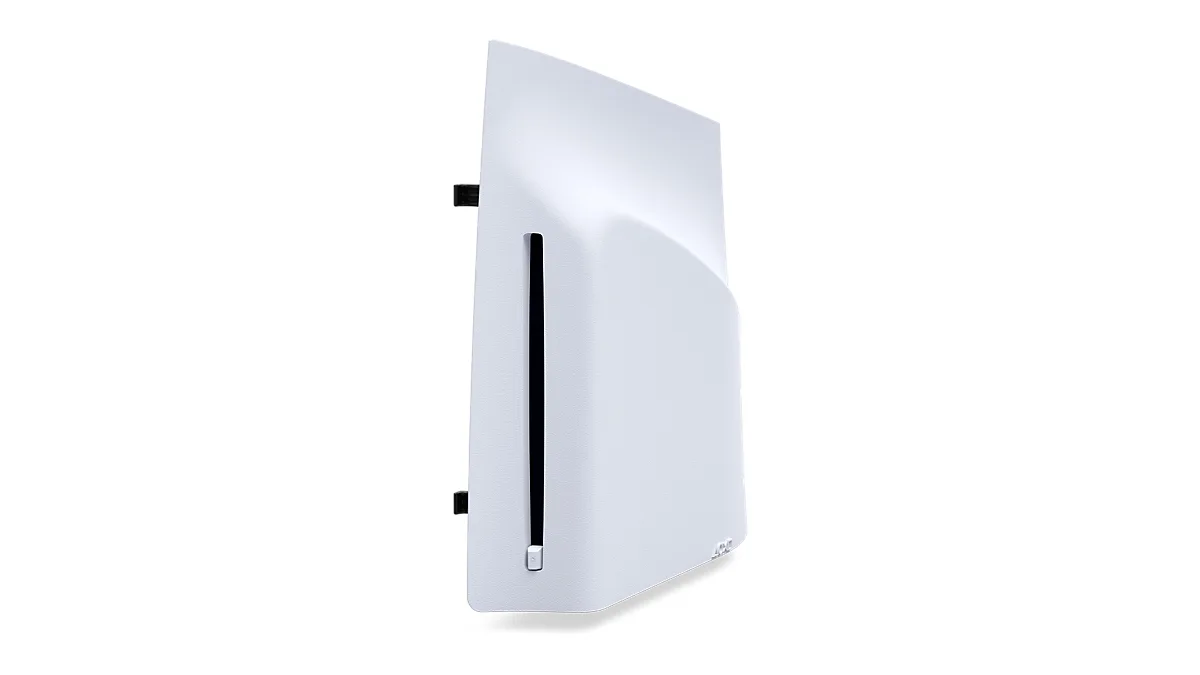
Sony sells a detachable disc drive for the Slim Digital Edition. It plays 4K Ultra HD Blu-ray, Blu-ray and DVD discs, and it needs an internet connection to pair with the console during setup. You can start digital and add the drive later if your habits change.
Sony’s detachable disc drive for the Slim Digital Edition. (Image: Sony Interactive Entertainment)
There are two catches. Among Digital Editions, the drive only fits the Slim model (it also fits the PS5 Pro), so the original 2020 Digital Edition cannot use it (our PS5 vs PS5 Slim guide covers the original). And buying the console and the drive separately costs more than buying the disc console in the first place. Go digital only if you are fairly sure you will not want discs.
Price and Value: Digital Is Cheaper Up Front, Disc Often Costs Less Over Time
The Digital Edition has the lower sticker price, and that saving is the main reason to choose it. Prices move often, so check the current gap before you decide.
The disc console pays you back through game costs. Used discs, sales at big retailers, borrowed games and resale after you finish a title all cut what you spend. The Digital Edition only gains on this front if you mostly play free monthly games and catalog titles from PlayStation Plus, where Extra and Premium tiers include more than 400 PS4 and PS5 games.
Size and Design: The Digital Edition Is Slimmer
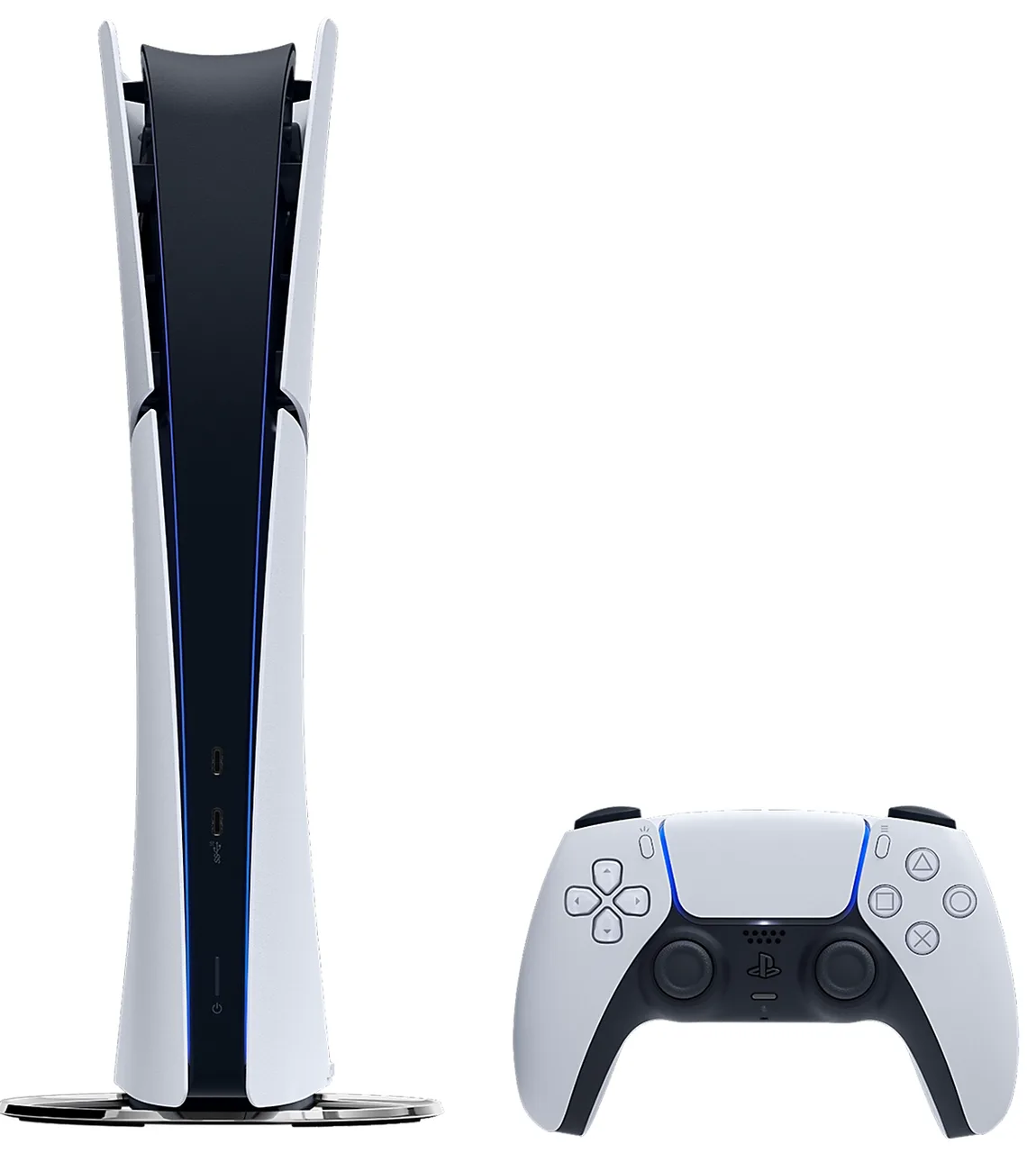
Without the drive, the Digital Edition is slightly thinner and lighter than the disc console, which helps on a crowded shelf. The difference is small, a fraction of an inch in thickness, and both models look alike apart from the missing disc slot. Both stand upright or lie flat, and the vertical stand is sold separately.
The PS5 Slim Digital Edition has no disc slot. (Image: Sony Interactive Entertainment)
Performance: Identical
The two editions use the same CPU, GPU and memory, output up to 4K at 120Hz over HDMI 2.1 and have the same ports. Ray tracing, load times and frame rates do not depend on the disc drive. Only the PS5 Pro offers more power, and that is a different console. Our PS5 vs Xbox Series X breakdown is the place to look if you are still deciding on a platform.
Are Discs Going Away?
Sony states that from January 2028, newly released games on PlayStation will be sold in digital format only, at the PlayStation Store and at retailers. Discs for games released before then will keep working on the console. That makes the disc drive a better fit for backlogs, used games and movies than for a long wait on future releases, and it is the strongest argument for digital if you plan to keep this console into the next decade.
PS5 Digital vs Disc: Full Specs
Feature
PS5 Digital Edition
PS5 Slim (Disc)
Disc drive
None, detachable drive sold separately
Built in, plays 4K Ultra HD Blu-ray Wins
Storage
825GB
1TB Wins
Game sources
PlayStation Store only
Discs and PlayStation Store Wins
PS4 games
Digital versions from the store
PS4 discs and digital versions Wins
Used games and resale
Not possible
Possible Wins
Size
Slightly thinner and lighter Wins
Slightly thicker
CPU and GPU
Eight-core Zen 2, RDNA 2 at 10.3 TFLOPS
Eight-core Zen 2, RDNA 2 at 10.3 TFLOPS
Memory
16GB GDDR6
16GB GDDR6
Max output
4K at 120Hz over HDMI 2.1
4K at 120Hz over HDMI 2.1
Ports
2x USB-C, 2x USB-A, Ethernet
2x USB-C, 2x USB-A, Ethernet
PS5 Digital vs Disc: FAQ
Which PS5 is better, digital or disc?
The disc console is better for most players because it has more storage, plays discs and Blu-ray movies, and does not need an add-on later. The Digital Edition suits people who buy only from the PlayStation Store.
What is the downside of a PS5 Digital Edition?
You cannot play discs, buy used games, lend games or resell them unless you add Sony’s separate disc drive. Digital games can also be pulled from the store.
Can you add a disc drive to a PS5 Digital Edition?
Yes, on the Slim Digital Edition (the same drive also fits the PS5 Pro). The original 2020 Digital Edition is not compatible with it.
Do PS5 discs take up less storage than digital games?
No. Disc games install to the internal SSD and receive updates, so they take roughly the same space.
And the Winner Is…
WinnerPS5 Slim (Disc)
The Digital Edition is the smaller console, it costs less at the register, and it removes disc handling entirely, which suits anyone who lives in the PlayStation Store and PlayStation Plus. Still, the PS5 digital vs disc choice goes to the disc console for most people. It carries more storage, accepts PS4 discs and used games, can be lent or resold, and plays 4K Blu-ray movies without a second purchase. Buy the Digital Edition only if you are sure you will never touch a disc and want the lowest price today.
I'm Sean, and I write the comparisons on GameCuki. I cover anything gamers weigh up before buying: consoles and handhelds, PC components and gaming laptops, monitors, controllers, headsets and accessories, plus subscriptions and services like Game Pass and PlayStation Plus. I put both options on the same checklist, using official specs, professional reviews and owner feedback, and I only mention what owners say when at least two of them report the same thing. Every comparison ends with one clear verdict and the type of player each option suits. I don't accept free products or payment from brands, and what I write comes from research, not my own use of the products. You can read my full process on our How We Review page.
Areas of Focus
Controller Match-UpsHeadset Match-UpsConsole vs. ConsoleSpecs & Latency