GameCuki is reader-supported. When you buy through links on our site, we may earn an affiliate commission at no extra cost to you. As an Amazon Associate I earn from qualifying purchases. Learn more.
Two handhelds that look like rivals but do very different jobs: that is the real puzzle in PlayStation Portal vs Steam Deck. One streams your PS5 games to an 8-inch screen, the other runs a full PC library on its own. The question is whether you want your console in your hands, or a handheld that does not need one.
Best for PS5 Owners Who Play Around the House
PlayStation Portal
Bottom LineA comfortable, lightweight way to play your PS5 library away from the TV, but it needs Wi-Fi and a PS5 or a PS Plus Premium plan to do anything at all.
Bottom LineA real handheld PC with an HDR OLED screen, a huge Steam library and full offline play, as long as you accept the higher price and heavier body.
How They Work: Streaming Client vs Standalone Handheld
Everything else in this comparison follows from one design choice. The PlayStation Portal is a Remote Player: it receives a video stream of games running on your PS5 over Wi-Fi, so the console does the work and the Portal supplies the screen and controls. With no connection, it has nothing to play.
The Steam Deck is the opposite. It carries an AMD APU with a four-core Zen 2 CPU and eight RDNA 2 compute units, installs games on its own SSD and runs them locally through SteamOS. Turn the Wi-Fi off and an installed game keeps working.
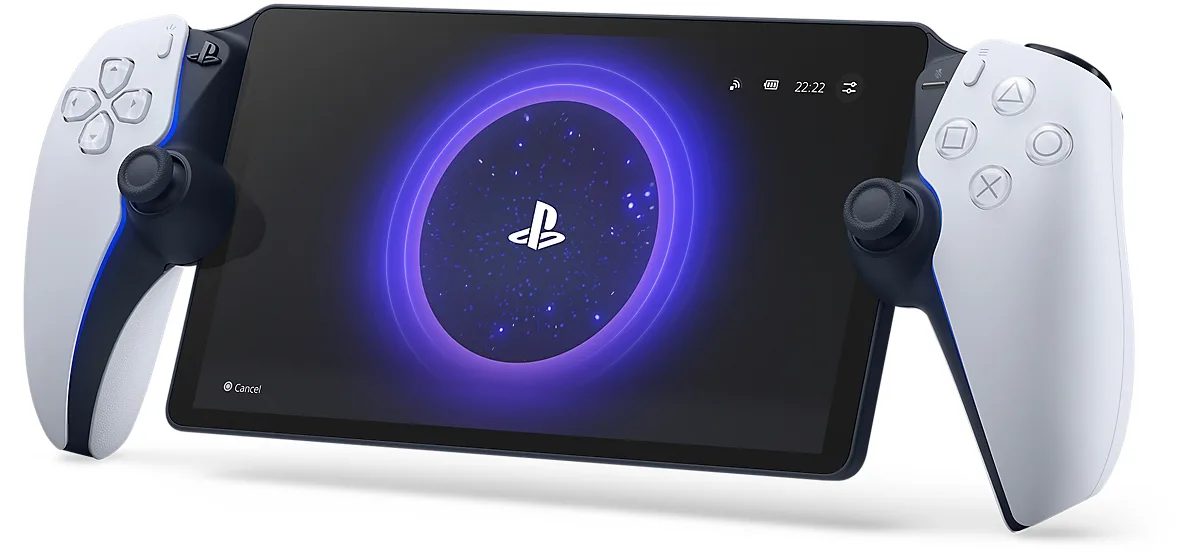
The PlayStation Portal wraps DualSense-style controls around an 8-inch screen. (Image: Sony Interactive Entertainment)
Game Library: Your PS5 Games vs Your Steam Library
The Portal plays compatible games installed on your own PS5, including PS5 and PS4 titles. Games that need a VR headset or extra peripherals do not work. Sony also offers cloud streaming with a PlayStation Plus Premium membership, which lets you play games from the Game Catalog, the Classics Catalog and select digital purchases even when the console is off. A PlayStation Plus subscription is not required for plain Remote Play.
The Steam Deck plays whatever you own on Steam, filtered through Valve’s Deck Verified and Playable ratings. Your PS5 library does not carry over, and PS5 exclusives will not run on it. If you already have a large Steam collection, the Deck puts it in your hands right away.
Quick pick: go with the Portal if your games live on a PS5 and you rarely leave your home Wi-Fi.
Display: 8-Inch 1080p LCD vs 7.4-Inch HDR OLED
On paper the Portal has the larger and sharper panel: an 8-inch screen at 1920 x 1080 and up to 60fps. The Steam Deck OLED uses a 7.4-inch panel at 1280 x 800, so it is smaller and lower in resolution. What it adds is an HDR OLED screen with up to 90Hz refresh and 1,000 nits of peak HDR brightness.
The result is a trade. The Portal’s extra pixels help text and fine detail, while the Deck’s deeper blacks and higher refresh rate tend to make dark scenes and fast action look better. If you are weighing the older LCD Deck instead, our Steam Deck LCD vs OLED breakdown covers what changed.
Controls and Comfort: DualSense Feel vs Trackpads and Extra Buttons
The Portal is essentially a DualSense split around a screen. Its thumbsticks are a little smaller than the console controller’s, but it keeps haptic feedback and adaptive triggers in games that support them, so PS5 owners will feel at home. It also weighs about 18.7 oz (529g).
The Steam Deck OLED weighs roughly 22.6 oz (640g) and has more inputs than a typical handheld, including two square trackpads. It is the heavier device, though it is also the one that can be tweaked, docked to a monitor and used as a small Linux PC in desktop mode. A good grip or case helps on both, and our best Steam Deck accessories guide is a good start.
The top edge of the Steam Deck OLED, with its vents, volume buttons and triggers. (Image: Valve)
Battery Life and Connectivity
The Portal’s 4,370mAh battery is usually described as lasting around five to six hours, charging over USB-C. Valve rates the Steam Deck OLED’s 50Wh battery at 3 to 12 hours of gameplay, and the real number depends heavily on the game. A demanding 3D title drains it far faster than a light indie game, while the Portal only has to decode a video stream.
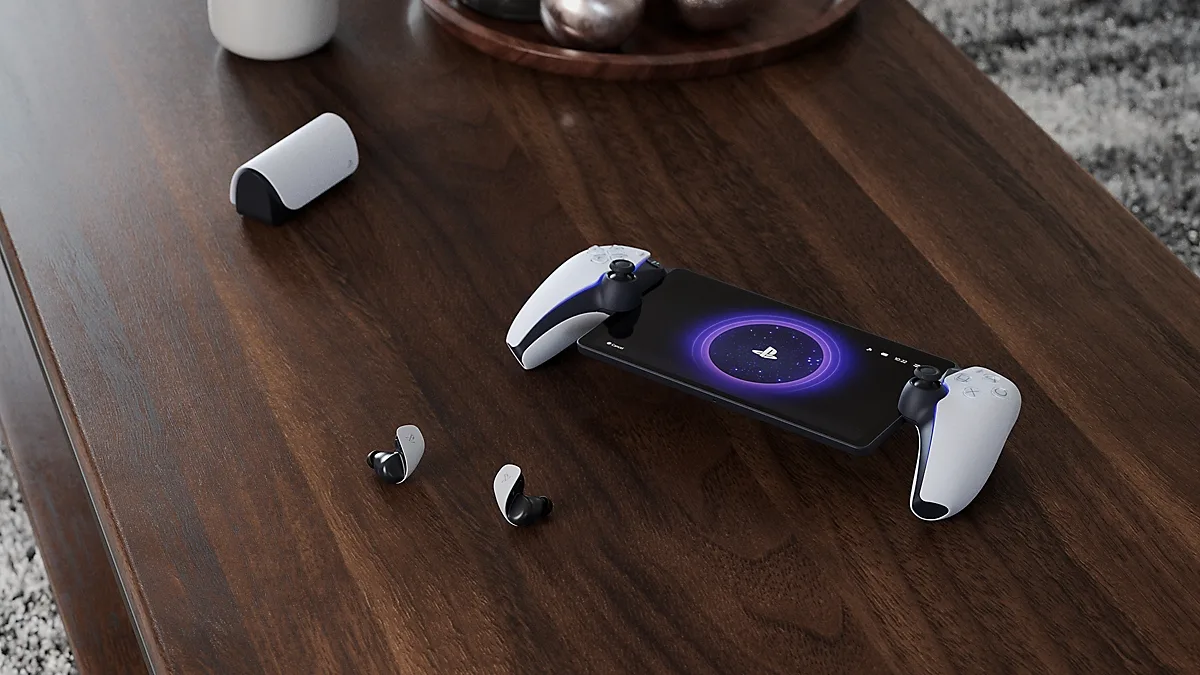
Wireless is another split. The Portal uses Wi-Fi 5 and PlayStation Link, so it pairs with PULSE Explore earbuds or the PULSE Elite headset, or you can plug into the 3.5mm jack, but it does not support Bluetooth audio. The Steam Deck OLED has Wi-Fi 6E and Bluetooth 5.3 for controllers and audio, plus a microSD slot for extra storage. Sony recommends at least a 15Mbps connection for a better streaming experience, so the Portal is only as good as the Wi-Fi under it.
The Portal pairs with PlayStation Link audio such as the PULSE Explore earbuds. (Image: Sony Interactive Entertainment)
Quick pick: go with the Steam Deck OLED if you want to play on a plane, in a car or anywhere the Wi-Fi is unreliable.
PlayStation Portal vs Steam Deck: Full Specs
Feature
PlayStation Portal
Steam Deck OLED
Type
Remote Player (streams from PS5 or cloud)
Standalone handheld PC Wins
Screen
8-inch LCD
7.4-inch HDR OLED Wins
Resolution
1920 x 1080 Wins
1280 x 800
Refresh rate
Up to 60fps
Up to 90Hz Wins
Peak brightness
Not published
1,000 nits HDR, 600 nits SDR Wins
Processing
None (video stream only)
AMD Zen 2 4C/8T, 8 RDNA 2 CUs Wins
Storage
None
512GB or 1TB NVMe, microSD slot Wins
Offline play
No
Yes, once installed Wins
Battery
4,370mAh, about 5 to 6 hours
50Wh, 3 to 12 hours Wins
Wi-Fi
Wi-Fi 5
Wi-Fi 6E Wins
Bluetooth audio
No (PlayStation Link or 3.5mm)
Yes, Bluetooth 5.3 Wins
Weight
About 18.7 oz (529g) Wins
About 22.6 oz (640g)
Adaptive triggers
Yes, in supported games Wins
No
And the Winner Is…
WinnerSteam Deck OLED
The Portal does a few things better: it is lighter, its screen is larger and sharper, and it keeps the DualSense haptics that PS5 players like. If you already own a PS5 and want to play in another room, it is also the simpler choice. Still, the Steam Deck OLED is the better pick for most people comparing PlayStation Portal vs Steam Deck. It runs its own games, works offline, has an HDR OLED screen and a long battery ceiling, and it does not depend on another device being on. Buy the Portal only if your library is PS5 and your Wi-Fi is solid at home. Everyone else gets more from the Deck.
PlayStation Portal vs Steam Deck: Which One Should You Buy?
If your games sit on a PS5 and you mostly play around the house, the Portal is a comfortable, light way to keep playing when someone else has the TV, and our best PlayStation Portal accessories cover the add-ons worth having. If you want one device that plays a large library at home, on the road and offline, the Steam Deck OLED is the stronger buy. Thinking about other PC handhelds too? See Steam Deck OLED vs ROG Ally X.
I'm Sean, and I write the comparisons on GameCuki. I cover anything gamers weigh up before buying: consoles and handhelds, PC components and gaming laptops, monitors, controllers, headsets and accessories, plus subscriptions and services like Game Pass and PlayStation Plus. I put both options on the same checklist, using official specs, professional reviews and owner feedback, and I only mention what owners say when at least two of them report the same thing. Every comparison ends with one clear verdict and the type of player each option suits. I don't accept free products or payment from brands, and what I write comes from research, not my own use of the products. You can read my full process on our How We Review page.
Areas of Focus
Controller Match-UpsHeadset Match-UpsConsole vs. ConsoleSpecs & Latency