GameCuki is reader-supported. When you buy through links on our site, we may earn an affiliate commission at no extra cost to you. As an Amazon Associate I earn from qualifying purchases. Learn more.
ROG Ally X vs Legion Go 2 is a choice between a compact, proven Windows handheld and a bigger, newer one built around an OLED screen and detachable controllers. Both run full PC games, and the gap in raw speed is smaller than the price gap suggests. The real question is whether you want a lighter device or a more ambitious one.
This comparison covers the original ROG Ally X from 2024. The newer ROG Xbox Ally X is a separate model and is not part of it.
Best for Lighter Weight and Value
ASUS ROG Ally X
Bottom LineThe easier handheld to carry and live with, with a bigger battery and a lower price, best for anyone who plays for long sessions without wanting a big device.
Display and Design: 8.8-Inch OLED vs a Lighter 7-Inch Panel
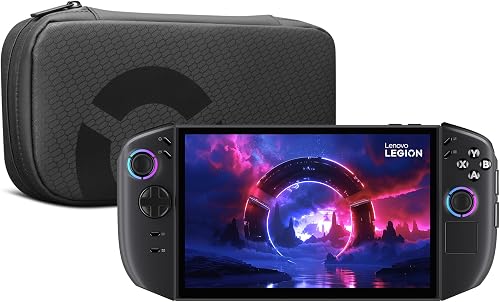
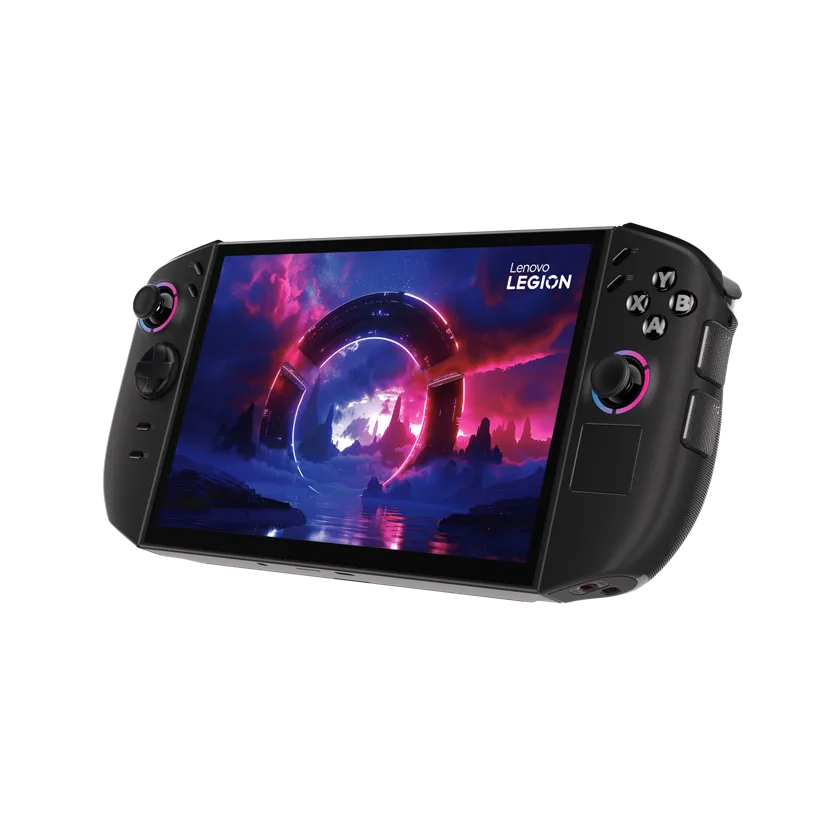
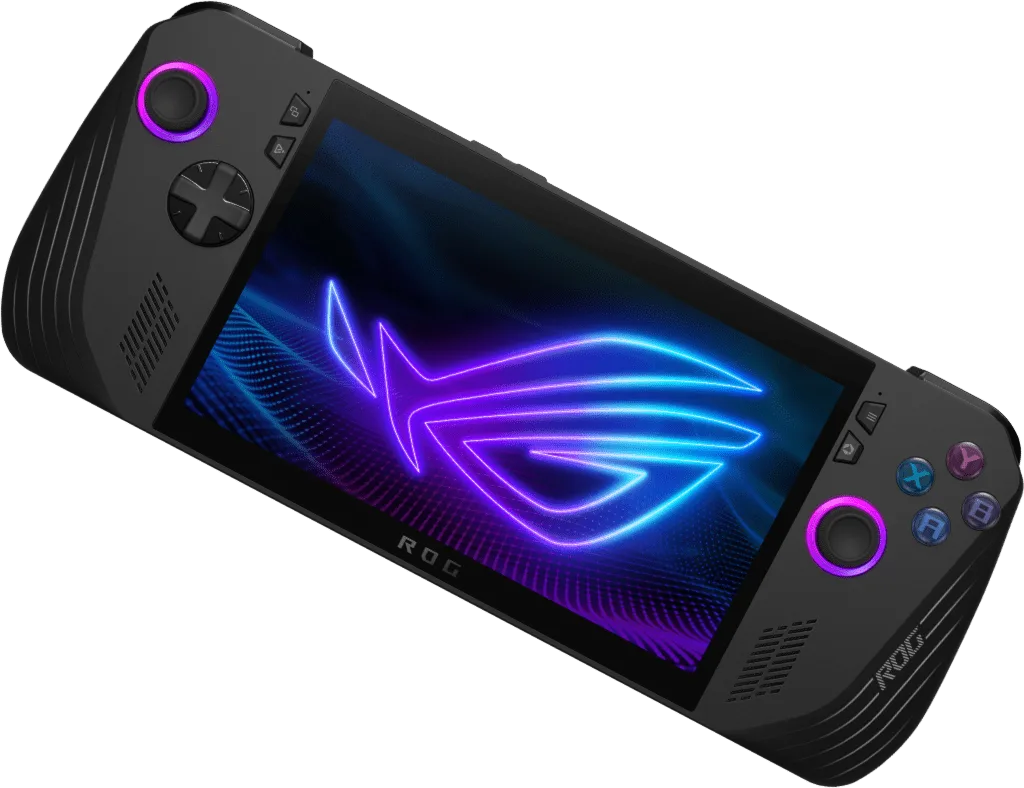
The Legion Go 2 has an 8.8-inch OLED screen at 1,920 x 1,200 and up to 144Hz, with variable refresh rate. The ROG Ally X has a 7-inch IPS panel at 1,920 x 1,080 and up to 120Hz, with FreeSync Premium. Both are rated at 500 nits, but the extra screen area and OLED contrast give the Lenovo a clear edge for anyone who plays single-player games or watches video on it.
That screen has a cost in size. The Legion Go 2 weighs about 2.03 lb (920 g) with its controllers attached and is about 11.6 inches wide. The Ally X weighs 1.49 lb (678 g) and is about 11 inches wide. The difference is easy to feel in a bag and in the hands after an hour.
The Lenovo Legion Go 2 (Image: Lenovo)The ASUS ROG Ally X (Image: ASUS)
If screen quality decides it for you, go with the Legion Go 2. If you want something that fits a smaller bag, the Ally X is the better fit.
Performance: Z2 Extreme Edges Ahead, but Not by Much
The Legion Go 2 is sold in two main configurations. The top model uses the AMD Ryzen Z2 Extreme, with Zen 5 and Zen 5c cores and Radeon 890M graphics (16 graphics cores), plus 32GB of LPDDR5X-8000 memory. The 16GB model uses the lower-tier Ryzen Z2 instead, so check the chip name on the listing before you buy, since the results below refer to the Z2 Extreme. The ROG Ally X uses the older Ryzen Z1 Extreme, with Zen 4 cores and 12 RDNA 3 compute units, and 24GB of LPDDR5. ASUS lists a 9 to 30W power range for the Ally X, and Lenovo lists 15 to 30W for the Legion Go 2.
In side-by-side game results, the Z2 Extreme Legion Go 2 is usually ahead, and the gap is largest at lower power limits around 17W. The Ally X can still win some games at 25W, so this is a small step rather than a generational jump. Lenovo’s cooling can also keep temperatures lower at the same power setting, which helps clock speeds stay steady in long sessions.
In practice, the Legion Go 2 is faster in most games, but nobody should buy it for frame rate alone. If you already own an Ally X, performance is not a reason to switch.
Controls: Detachable Controllers vs Fixed Grips
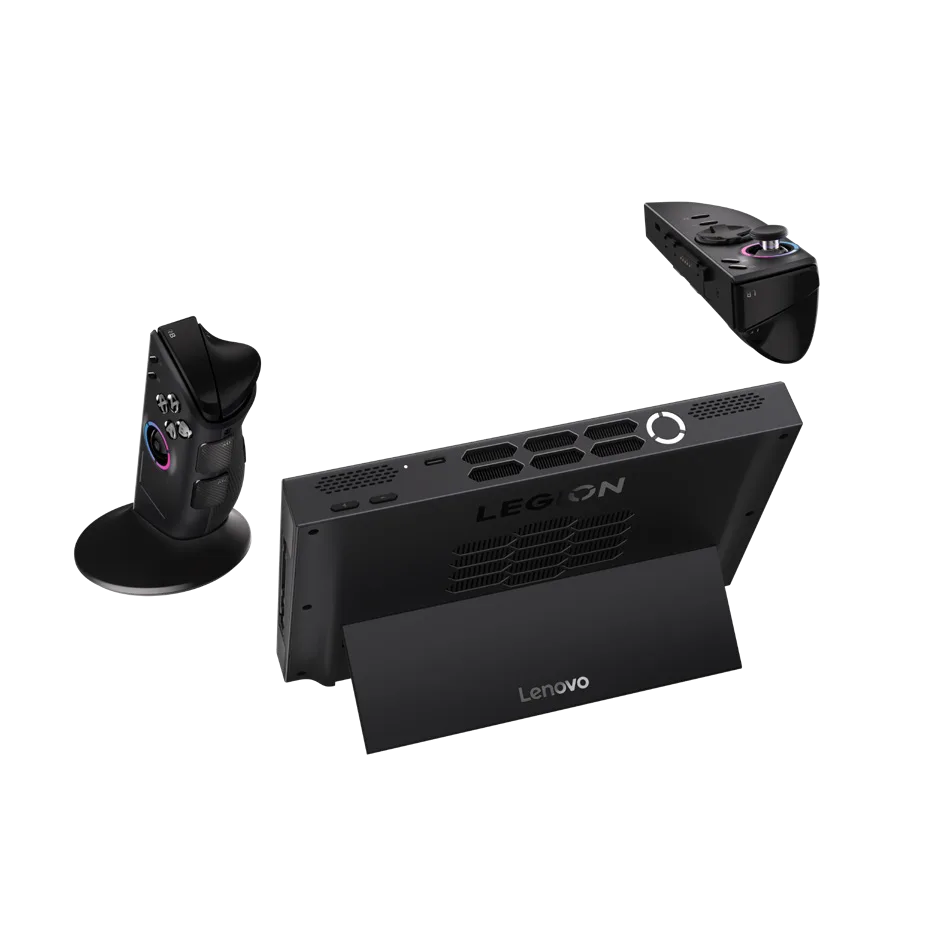
This is where the two handhelds differ most. The Legion Go 2 has detachable Legion TrueStrike controllers, a kickstand, a built-in trackpad and a mouse wheel and sensor on the right controller. Detach the right one and it works as a vertical mouse for shooters. There are six assignable grip buttons and Hall effect joysticks.
The ROG Ally X keeps everything in one solid body. You get Hall effect analog triggers, two assignable grip buttons, full-size thumbsticks and a more compact layout that is simple to pick up and play.
The Legion Go 2 with its controllers detached and the kickstand out (Image: Lenovo)
If you want a handheld that doubles as a tablet or a desk setup, go with the Legion Go 2. If you want one fixed, durable shape, the Ally X is simpler.
Battery, Ports and Storage
The ROG Ally X has an 80Wh battery. The Legion Go 2 has a 74Wh battery, which is about 50 percent more than the original Legion Go. On paper the Ally X has the larger cell, but the Z2 Extreme chip and OLED panel may make up some of the difference, so real runtime depends on the game and power setting.
Both use a 65W USB-C charger and have a microSD slot. The Legion Go 2 has two USB4 ports, one on top and one on the bottom. The Ally X has one USB4 port, one USB 3.2 Gen 2 Type-C port and a UHS-II microSD reader. If you plan to expand storage on either handheld, our best microSD card for Steam Deck guide covers cards that suit handheld use.
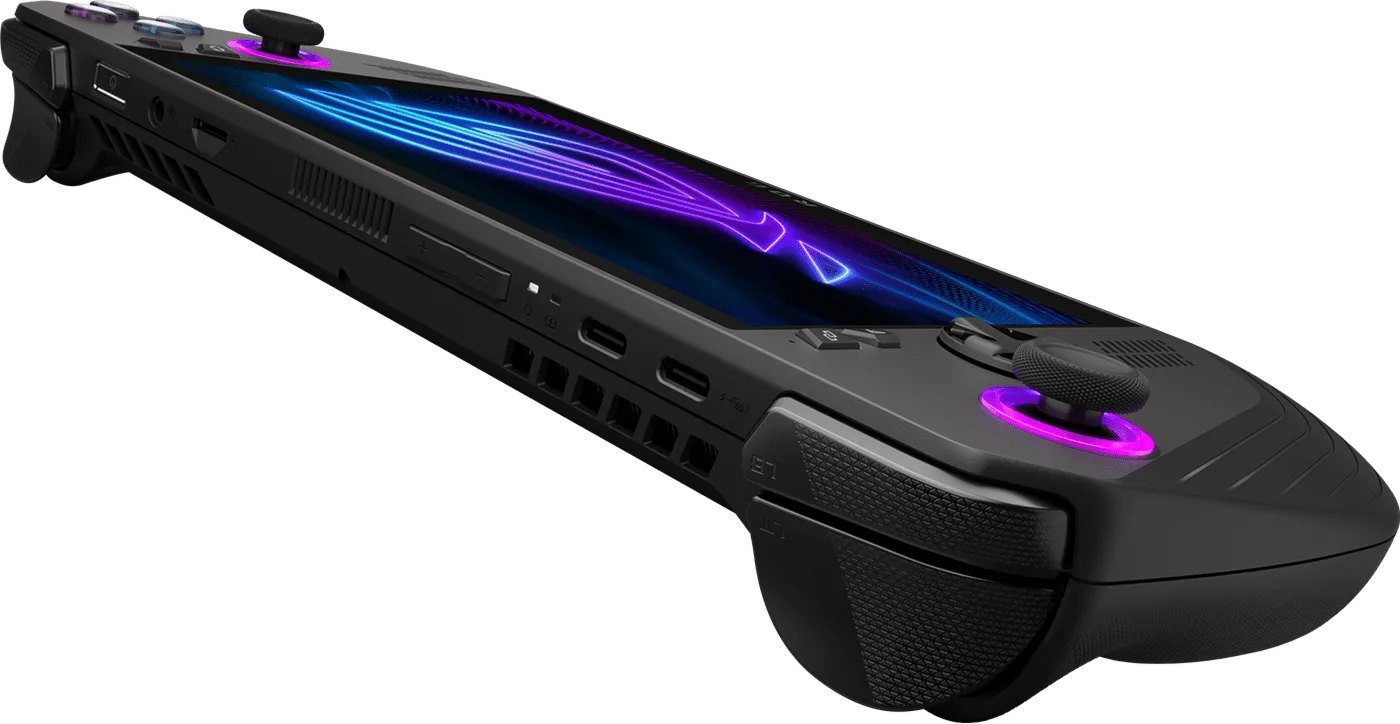
The ROG Ally X’s ports and vents (Image: ASUS)
Software: Windows 11 on Both
Both handhelds ship with Windows 11 and can run every PC launcher, including Steam, Epic and Xbox. ASUS adds Armoury Crate as its handheld launcher, and Lenovo adds Legion Space. Lenovo also lists a SteamOS version of the Legion Go 2 as coming soon, which may suit players who prefer a console-style interface.
If you are weighing the Ally X against a SteamOS handheld instead, see our Steam Deck OLED vs ROG Ally X comparison.
ROG Ally X vs Legion Go 2: Full Specs
Feature
ROG Ally X
Legion Go 2
Processor
AMD Ryzen Z1 Extreme (Zen 4)
AMD Ryzen Z2 Extreme (Zen 5 and Zen 5c) or Ryzen Z2
Graphics
Radeon, 12 RDNA 3 CUs
Radeon 890M, 16 cores (Z2 Extreme model)
Power range
9 to 30W
15 to 30W
Memory
24GB LPDDR5
16GB or 32GB LPDDR5X-8000
Display
7-inch IPS, 1,920 x 1,080, 120Hz
8.8-inch OLED, 1,920 x 1,200, 144Hz, VRR Wins
Brightness
500 nits
500 nits
Battery
80Wh Wins
74Wh
Controllers
Fixed, Hall effect triggers
Detachable, Hall effect sticks, mouse mode Wins
Ports
USB4, USB 3.2 Gen 2 Type-C, microSD (UHS-II)
2 x USB4, microSD
Operating system
Windows 11 Home
Windows 11
Weight
1.49 lb (678 g) Wins
2.03 lb (920 g)
And the Winner Is…
WinnerLegion Go 2
The ROG Ally X is the lighter, more compact handheld, it has the larger battery, and it usually costs less. Those are real advantages for anyone who carries a handheld everywhere. Even so, the Legion Go 2 wins this ROG Ally X vs Legion Go 2 matchup for most players. It has a larger OLED screen, a faster chip in its Z2 Extreme configuration, better cooling and controllers that detach for shooters, tablet play or a desk setup. If you value weight, runtime and price above all, or already own an Ally X, the Ally X is still a fine buy. For a new purchase where the screen and flexibility matter, the Legion Go 2 is the better handheld.
I'm Sean, and I write the comparisons on GameCuki. I cover anything gamers weigh up before buying: consoles and handhelds, PC components and gaming laptops, monitors, controllers, headsets and accessories, plus subscriptions and services like Game Pass and PlayStation Plus. I put both options on the same checklist, using official specs, professional reviews and owner feedback, and I only mention what owners say when at least two of them report the same thing. Every comparison ends with one clear verdict and the type of player each option suits. I don't accept free products or payment from brands, and what I write comes from research, not my own use of the products. You can read my full process on our How We Review page.
Areas of Focus
Controller Match-UpsHeadset Match-UpsConsole vs. ConsoleSpecs & Latency