

A Steam Deck fills up faster than you expect: a handful of modern AAA installs can swallow the internal drive, and a microSD card is the cheapest way to keep a bigger library on hand. Choosing the best microSD card for Steam Deck is mostly about capacity and a fair price, because the handheld cannot use the extra speed of pricier cards. These nine UHS-I microSDXC cards work in both the LCD and OLED models, and for broader add-ons see our best Steam Deck accessories.
Best microSD Card for Steam Deck in 2026
GameCuki is reader-supported. When you buy through links on our site, we may earn an affiliate commission at no extra cost to you. As an Amazon Associate I earn from qualifying purchases. Learn more.
Our Top Picks

Best Overall
Samsung PRO Plus (512GB)
Bottom line: A fast, well-built UHS-I card with a 10-year warranty and sizes up to 1TB, it is the safest all-round pick when you want one card and no second thoughts.
- Fast sequential speeds for a UHS-I card
- Water, temperature and drop protection
- Long 10-year warranty
- Samsung Magician software for authenticity and health checks
- Sizes from 128GB to 1TB
- Costs more per gigabyte than budget cards
- Extra speed beyond UHS-I is wasted on the Deck
Best for a Big Library
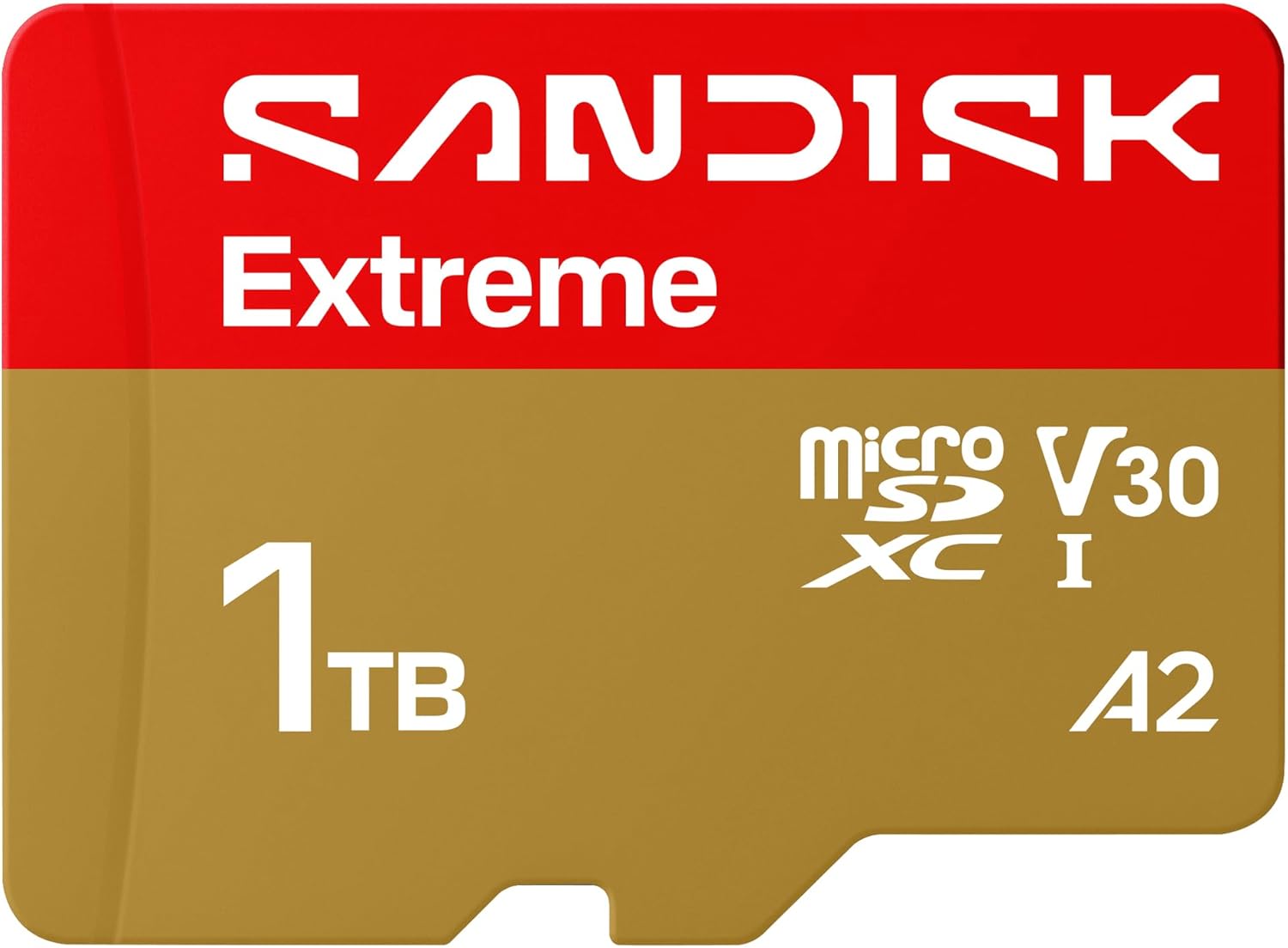
SanDisk Extreme (1TB)
Bottom line: A top-tier UHS-I card with a lifetime warranty and capacities up to 2TB, but its headline speeds go unused on the Deck, so only buy it if you need the space and the durability.
- Large capacities up to 2TB
- Lifetime limited warranty
- Waterproof, shockproof and temperature proof
- Strong reputation for consistency
- U3 and V30 speed classes
- Among the most expensive options here
- Rated speeds exceed what the Deck's UHS-I slot can use

Best Value Big Card
SanDisk Ultra (1TB)
Bottom line: A long-running, widely stocked card that gives you a terabyte for a lot less than the Extreme, and on the Deck you give up very little for it.
- Much cheaper than premium 1TB cards
- Capacity options up to 1.5TB
- Large installed base and wide availability
- Includes an SD adapter
- 150 MB/s read speed covers what the Deck's UHS-I slot can use
- Lower write speeds than U3 cards
- A1 rating, not A2

Best A2 Value
PNY PRO Elite (512GB)
Bottom line: A modest-looking card with an A2 rating and a lifetime warranty at a mid-range price, it is a quiet, sensible 512GB choice for a Deck.
- A2 application performance rating
- Lifetime warranty
- Priced well for the capacity
- Waterproof, magnet proof and shock proof
- Includes an SD adapter
- Lower headline read speed than newer cards

Best 256GB Pick
Kingston Canvas Go! Plus (256GB)
Bottom line: A fast, A2-rated card from a respected memory maker that suits a 256GB top-up, though it costs more per gigabyte than larger or cheaper cards.
- A2 rating aimed at portable game consoles
- High rated speeds
- Lifetime warranty
- Established memory brand
- Capacities from 64GB to 1TB
- Price per gigabyte is high at 256GB
- Rated speeds exceed the Deck's UHS-I limit

Best Budget
Lexar Play (256GB)
Bottom line: A card designed for handhelds and priced low, which makes it an easy way to add a first chunk of space for a Steam Deck.
- A2 rating built for portable gaming
- Low entry price
- Lexar lists Steam Deck compatibility
- Capacities up to 1TB
- Rated for up to 205 MB/s reads
- Shorter five-year warranty
- Less established than Samsung or SanDisk

Best Store-Brand Pick
Amazon Basics microSDXC (512GB)
Bottom line: A no-frills 512GB card with U3 and A2 ratings and a simple setup, though its top read speed needs a matching reader the Deck does not use.
- U3 and A2 ratings
- Waterproof and shockproof build
- Straightforward store-brand option
- Includes an SD adapter
- Works in the Deck's UHS-I slot like any other card
- 200 MB/s needs a matching Amazon Basics reader
- Less specialized for gaming than Lexar or Samsung

Best Lifetime Warranty Value
Lexar Silver GO (256GB)
Bottom line: A newer Lexar card with a lifetime limited warranty and Steam Deck compatibility listed, but it has little track record yet.
- Lifetime limited warranty
- Lexar lists Steam Deck compatibility
- Waterproof, shockproof and temperature proof
- Includes SD adapter and recovery software
- V30 speed class
- Top read speed needs Lexar's own reader
- Capacity tops out at 512GB
- New listing with little track record

Best Handheld-Focused 1TB
Lexar Play Blue (1TB)
Bottom line: A 1TB, A2-rated card aimed at gaming handhelds that offers plenty of room, though it is priced like a premium card at that size.
- A2-rated app performance for games
- 1TB option with a 2TB size above it
- Aimed at handheld gaming
- Rated for up to 160 MB/s reads
- V30 speed class
- Pricey at 1TB
- No published write speed or warranty term
Table of Contents
Best microSD Card for Steam Deck: Our Picks in Detail
1
Best Overall
Samsung PRO Plus (512GB)
Bottom line: A fast, well-built UHS-I card with a 10-year warranty and sizes up to 1TB, it is the safest all-round pick when you want one card and no second thoughts.
Samsung's PRO Plus is the card to buy if you would rather not think about it. It is built for handheld consoles as well as cameras, and it comes in sizes from 128GB up to 1TB.
Pros & Cons
Pros
- Fast sequential speeds for a UHS-I card
- Water, temperature and drop protection
- Long 10-year warranty
- Samsung Magician software for authenticity and health checks
- Sizes from 128GB to 1TB
Cons
- Costs more per gigabyte than budget cards
- Extra speed beyond UHS-I is wasted on the Deck
Why We Picked It
The PRO Plus pairs high rated speeds with a rugged, 6-proof build and a 10-year limited warranty. Because the Steam Deck reads microSD cards over UHS-I, the real-world gap between this card and cheaper ones is small, but the Samsung is the one that gives you strong performance, solid durability and no compromise on size. The listing here is the Sonic the Hedgehog edition, which is the same PRO Plus card in different packaging.
Who It's For
Steam Deck owners who want one dependable mid-to-large card and no second thoughts. The 6-proof build shrugs off water, heat and drops in a bag, the U3, V30 and A2 ratings cover game loading, and a 10-year warranty plus Samsung Magician health checks back it up for years of use.
Specs & Configurations
- Interface
- UHS-I microSDXC
- Read speed
- up to 180 MB/s
- Write speed
- up to 130 MB/s
- Speed class
- U3, V30, A2
- Capacities
- 128GB to 1TB
- Warranty
- 10-year limited
- Includes
- full-size SD adapter
Get It Now
Check Price on Amazon
2
Best for a Big Library
SanDisk Extreme (1TB)
Bottom line: A top-tier UHS-I card with a lifetime warranty and capacities up to 2TB, but its headline speeds go unused on the Deck, so only buy it if you need the space and the durability.
SanDisk's Extreme line is the premium choice, and the 1TB version gives a Steam Deck an enormous second drive. It is also available in smaller sizes if you prefer to spend less.
Pros & Cons
Pros
- Large capacities up to 2TB
- Lifetime limited warranty
- Waterproof, shockproof and temperature proof
- Strong reputation for consistency
- U3 and V30 speed classes
Cons
- Among the most expensive options here
- Rated speeds exceed what the Deck's UHS-I slot can use
Why We Picked It
The Extreme is a proven high-end card with strong build quality and a lifetime limited warranty, and it scales up to 2TB for players who want an entire library on one card. The 245 MB/s read figure is a ceiling that needs a faster slot than the Steam Deck has, so treat the speed as a bonus rather than a reason to pay extra.
Who It's For
Players who want a single large card for their whole Deck library. The 1TB size holds a big collection without swapping games in and out, and a lifetime warranty with a waterproof, shockproof build means the card is set for the long haul.
Specs & Configurations
- Interface
- UHS-I microSD
- Read speed
- up to 245 MB/s
- Write speed
- up to 170 MB/s (256GB to 1TB)
- Speed class
- U3, V30
- Capacities
- up to 2TB
- Warranty
- lifetime limited
Get It Now
Check Price on Amazon
3
Best Value Big Card
SanDisk Ultra (1TB)
Bottom line: A long-running, widely stocked card that gives you a terabyte for a lot less than the Extreme, and on the Deck you give up very little for it.
The Ultra is the budget-friendly way to get a lot of storage. It tops out at 150 MB/s, which is already above what the Deck's UHS-I slot can use.
Pros & Cons
Pros
- Much cheaper than premium 1TB cards
- Capacity options up to 1.5TB
- Large installed base and wide availability
- Includes an SD adapter
- 150 MB/s read speed covers what the Deck's UHS-I slot can use
Cons
- Lower write speeds than U3 cards
- A1 rating, not A2
Why We Picked It
Game loading on the Steam Deck depends mostly on read behavior over a UHS-I connection, not on the write speed that separates U1 from U3 cards. That makes the Ultra a sensible way to add 512GB or 1TB without paying for speed ratings you cannot use. It is also one of the few cards sold in a 1.5TB size.
Who It's For
Players who want maximum space and mostly install and play games rather than record video. A 1TB or even 1.5TB card holds a big Steam library, and because Deck loading leans on UHS-I read behavior, you give up very little in day-to-day play.
Specs & Configurations
- Interface
- UHS-I microSDXC
- Read speed
- up to 150 MB/s
- Speed class
- Class 10, U1, A1
- Capacities
- up to 1.5TB
- Includes
- SD adapter
Get It Now
Check Price on Amazon
4
Best A2 Value
PNY PRO Elite (512GB)
Bottom line: A modest-looking card with an A2 rating and a lifetime warranty at a mid-range price, it is a quiet, sensible 512GB choice for a Deck.
PNY's PRO Elite is a plain, reliable microSDXC card, and it is the one to look at if you want an A2 rating without paying a premium.
Pros & Cons
Pros
- A2 application performance rating
- Lifetime warranty
- Priced well for the capacity
- Waterproof, magnet proof and shock proof
- Includes an SD adapter
Cons
- Lower headline read speed than newer cards
Why We Picked It
The A2 class guarantees a minimum of 4,000 random read IOPS, compared with 1,500 for A1, and random reads matter more for loading games than top sequential speed does. The PRO Elite also pairs that rating with a lifetime warranty and a price that stays reasonable at 512GB and 1TB.
Who It's For
Players who want a safe 512GB card that carries an A2 rating and a lifetime warranty. The A2 class guarantees strong random reads for game loading, and the waterproof, magnet proof and shock proof build suits a Deck that travels in a bag.
Specs & Configurations
- Interface
- UHS-I microSDXC
- Read speed
- up to 100 MB/s
- Write speed
- up to 90 MB/s
- Speed class
- U3, V30, A2
- Capacities
- 64GB to 1TB
- Warranty
- lifetime
- Includes
- SD adapter
Get It Now
Check Price on Amazon
5
Best 256GB Pick
Kingston Canvas Go! Plus (256GB)
Bottom line: A fast, A2-rated card from a respected memory maker that suits a 256GB top-up, though it costs more per gigabyte than larger or cheaper cards.
Kingston markets the Canvas Go! Plus for mobile gaming and portable consoles, and the 256GB card is a tidy size for a lighter library.
Pros & Cons
Pros
- A2 rating aimed at portable game consoles
- High rated speeds
- Lifetime warranty
- Established memory brand
- Capacities from 64GB to 1TB
Cons
- Price per gigabyte is high at 256GB
- Rated speeds exceed the Deck's UHS-I limit
Why We Picked It
It combines U3, V30 and A2 ratings with a lifetime warranty from a long-standing memory brand. At 256GB it is a reasonable way to add space without a large outlay, though the 512GB and 1TB sizes carry noticeably higher prices than some rivals.
Who It's For
Players who want a mid-sized card from a major memory brand and expect to rotate games rather than install everything at once. The 256GB size is a tidy top-up for a lighter library, and the A2 rating is aimed at portable consoles like the Deck.
Specs & Configurations
- Interface
- UHS-I microSD
- Read speed
- up to 200 MB/s
- Write speed
- up to 160 MB/s
- Speed class
- U3, V30, A2
- Capacities
- 64GB to 1TB
- Warranty
- lifetime
- Includes
- SD adapter
Get It Now
Check Price on Amazon
6
Best Budget
Lexar Play (256GB)
Bottom line: A card designed for handhelds and priced low, which makes it an easy way to add a first chunk of space for a Steam Deck.
Lexar's Play series is aimed squarely at handheld gaming PCs, and Lexar names the Steam Deck and ROG Ally as compatible devices.
Pros & Cons
Pros
- A2 rating built for portable gaming
- Low entry price
- Lexar lists Steam Deck compatibility
- Capacities up to 1TB
- Rated for up to 205 MB/s reads
Cons
- Shorter five-year warranty
- Less established than Samsung or SanDisk
Why We Picked It
The Play combines A2 app performance with a low price, which suits a Steam Deck owner who wants extra space without spending much. The 205 MB/s rated read speed is more than the Deck's UHS-I slot can use, but the A2 class is the more relevant spec for games.
Who It's For
Budget-minded Steam Deck and ROG Ally owners who want a card designed for handhelds. The A2 rating helps with game loading, the 256GB size is a good first chunk of storage, and sizes up to 1TB leave room to grow later.
Specs & Configurations
- Interface
- UHS-I microSDXC
- Read speed
- up to 205 MB/s
- Write speed
- up to 140 MB/s
- Speed class
- V30, A2
- Capacities
- up to 1TB
- Warranty
- five-year limited
Get It Now
Check Price on Amazon
7
Best Store-Brand Pick
Amazon Basics microSDXC (512GB)
Bottom line: A no-frills 512GB card with U3 and A2 ratings and a simple setup, though its top read speed needs a matching reader the Deck does not use.
The Amazon Basics microSDXC is a simple, store-brand route to 512GB. It is a UHS-I card, so it works in the Deck's slot like any other.
Pros & Cons
Pros
- U3 and A2 ratings
- Waterproof and shockproof build
- Straightforward store-brand option
- Includes an SD adapter
- Works in the Deck's UHS-I slot like any other card
Cons
- 200 MB/s needs a matching Amazon Basics reader
- Less specialized for gaming than Lexar or Samsung
Why We Picked It
It carries U3 and A2 ratings, comes with an adapter and is built to resist water, shocks and temperature swings. The 200 MB/s read figure requires a matching Amazon Basics card reader, so on the Steam Deck you should expect UHS-I speeds instead.
Who It's For
Shoppers who want a simple, no-frills 512GB card for the Deck. U3 and A2 ratings cover game loading, the water and shock resistant build handles bag life, and the included adapter makes it easy to load games from a PC.
Specs & Configurations
- Interface
- UHS-I microSDXC
- Read speed
- up to 200 MB/s
- Write speed
- up to 150 MB/s
- Speed class
- Class 10, U3, A2
- Capacity
- 512GB
- Includes
- SD adapter
Get It Now
Check Price on Amazon
8
Best Lifetime Warranty Value
Lexar Silver GO (256GB)
Bottom line: A newer Lexar card with a lifetime limited warranty and Steam Deck compatibility listed, but it has little track record yet.
Lexar's Silver GO is a recent card that lists the Steam Deck among its compatible devices and backs it with a lifetime limited warranty.
Pros & Cons
Pros
- Lifetime limited warranty
- Lexar lists Steam Deck compatibility
- Waterproof, shockproof and temperature proof
- Includes SD adapter and recovery software
- V30 speed class
Cons
- Top read speed needs Lexar's own reader
- Capacity tops out at 512GB
- New listing with little track record
Why We Picked It
It offers the longest warranty of Lexar's gaming-friendly options, plus a rugged build and an adapter. The 250 MB/s headline speed only appears with Lexar's RW360 reader, so the Deck will run it at standard UHS-I speeds.
Who It's For
Players who want a lifetime warranty on a 256GB or 512GB card for a handheld. The card lists Steam Deck compatibility, the waterproof, shockproof and temperature proof build suits travel, and the included recovery software is a helpful extra.
Specs & Configurations
- Interface
- UHS-I microSD
- Read speed
- up to 250 MB/s with a Lexar RW360 reader
- Write speed
- up to 180 MB/s
- Speed class
- V30
- Capacities
- up to 512GB
- Warranty
- lifetime limited
Get It Now
Check Price on Amazon
9
Best Handheld-Focused 1TB
Lexar Play Blue (1TB)
Bottom line: A 1TB, A2-rated card aimed at gaming handhelds that offers plenty of room, though it is priced like a premium card at that size.
The Play Blue is Lexar's step up in capacity for gamers, with 1TB and even 2TB models for players who want a very large library on one card.
Pros & Cons
Pros
- A2-rated app performance for games
- 1TB option with a 2TB size above it
- Aimed at handheld gaming
- Rated for up to 160 MB/s reads
- V30 speed class
Cons
- Pricey at 1TB
- No published write speed or warranty term
Why We Picked It
It uses the same A2 class that matters for game loading, and its 160 MB/s rating sits well within what a UHS-I slot can use. The 1TB size is the main draw, giving you room for a large library on a single card.
Who It's For
Players who want a terabyte or more of game storage from a handheld-focused card. The A2 class matters for game loading, the 1TB size holds a large library on one card, and a 2TB size is available above it if your collection keeps growing.
Specs & Configurations
- Interface
- UHS-I microSDXC
- Read speed
- up to 160 MB/s
- Speed class
- V30, A2
- Capacities
- up to 2TB
Get It Now
Check Price on AmazonHow to Choose a microSD Card for Steam Deck
Start with capacity, then check price per gigabyte, and only then look at speed ratings. Both the Steam Deck LCD and OLED use a UHS-I microSD slot, so any microSDXC card will fit and work. A 512GB card is a sensible minimum, since large modern installs fill a 256GB card quickly.
Interface and speed. UHS-I tops out at 104 MB/s. UHS-II and UHS-III cards are backward compatible, but they run at UHS-I speeds in the Deck, so there is little point paying extra for them. The big “up to 200 MB/s” numbers on newer cards are best treated as marketing for other devices.
A2 versus U3. The U1 and U3 classes describe minimum write speed (10 and 30 MB/s) and matter more for recording video. The A1 and A2 Application Performance Classes describe random read performance, with A2 guaranteeing a minimum of 4,000 read IOPS against 1,500 for A1, which is closer to what game loading needs. A2 is a reasonable tiebreaker when prices are close.
Capacity. Only microSDXC cards cover the 64GB to 2TB range. 2TB cards usually cost more than twice a 1TB card, so two 1TB cards can be the better buy.
Warranty and seller. A longer warranty is a cheap way to protect a large investment, and a card from a reputable memory brand or a trustworthy seller lowers the risk of a counterfeit.
Steam Deck microSD Card FAQ
What microSD card does the Steam Deck use?
The Steam Deck takes UHS-I microSD, microSDHC and microSDXC cards. Stick to microSDXC, since microSD tops out at 2GB and microSDHC at 32GB.
Do I need to format a microSD card for the Steam Deck?
Probably, because most cards do not come ready for Linux. Insert the card, open Settings, go to System and choose Format SD Card.
Is a microSD card slower than the internal SSD?
In most games the main difference is load times, not frame rates. A few titles that stream heavily from fast storage, such as Cyberpunk 2077 and Ratchet and Clank: Rift Apart, can feel worse on a card, but they are the exception.
How do I install games to the microSD card?
Open Settings, go to Storage, highlight the card and press X to make it the default install location. To move an existing game, select it, press Y, choose the other drive and confirm the move.
Will a UHS-II or SD Express card be faster on the Steam Deck?
No. The slot is UHS-I, so those cards fall back to UHS-I speeds and you pay for performance you will not see. For related gear, see our best Steam Deck power bank.
Which microSD Card for Steam Deck Should You Buy?
If you want one card and no regrets, the Samsung PRO Plus is the best microSD card for Steam Deck owners who value build and warranty. Choose the SanDisk Ultra or Lexar Play when price per gigabyte matters most, and pick the SanDisk Extreme only if you truly want 1TB or more with a lifetime warranty. Whatever you buy, put capacity and price first, because the Deck cannot use the extra speed. When you are done, our best screen protector for Steam Deck OLED is a cheap next upgrade.