

That hollow, pingy sound from a stock mechanical board usually comes from empty space inside the case. A keyboard foam mod fills part of that space with a thin layer of foam, and it takes one evening, a few basic tools and no soldering. It is also reversible, so you can pull the foam out if you don’t like the sound.
Keyboard Foam Mod: How to Foam Mod a Keyboard Step by Step
GameCuki is reader-supported. When you buy through links on our site, we may earn an affiliate commission at no extra cost to you. As an Amazon Associate I earn from qualifying purchases. Learn more.
Table of Contents
Best Foam for Keyboard Sound Dampening and Tools You Might Need

RUNJRX 0.5mm PE Switch Pads (120 pcs)
Pre-cut 0.5mm white PE pads with an adhesive back, sized for 61 to 108 key hot swap boards, and a pair of tweezers is included.
Check Price on Amazon
KEMOVE P10 Switch and Keycap Puller
A semi-automatic puller that lifts switches straight up and also pulls keycaps from 1U to 6.25U.
Check Price on Amazon
iFixit Essential Electronics Toolkit
A precision driver with 16 bits plus opening tools for the case screws and clips.
Check Price on AmazonPrefer to watch first? This video shows a foam mod done with packing foam:
How to Foam Mod a Keyboard With Packing Foam CHEAP IDOBAO ID80 [Gateron Yellows]
Choose the Right Foam for a Keyboard Foam Mod
Where the foam goes decides how the board sounds, and each material does something a little different. Keyboard sound dampening is not one fix, so pick the foam that matches the sound you want.
- PE foam: the most popular choice, known for a “poppy,” “creamy” or “marbled” sound. Stick to 0.5mm, which dampens noise without getting in the way of switch seating. Avoid anything thicker than 1.5mm, since it can bend switch pins or stop switches from seating.
- IXPE foam: a higher-end PE that dampens vibration better and is anti-static. Plain white PE can build up static, so black IXPE is the safer pick for your PCB.
- EVA and Poron: denser materials that absorb more sound and give a deeper, more muted tone.
- Neoprene: a good case foam, since it fills the empty space inside the case and cuts the hollow sound.
On a budget, the thin white PE sheet that often comes in keyboard packaging works as a cheap stand-in. Dedicated foam sheets usually run about $8 to $15 and cover more than one board.
What You Need to Foam Mod a Keyboard
- Keycap puller and switch puller to take the board apart without bending stems or pins.
- Precision screwdriver set for the case screws.
- Scissors or a craft knife to cut the foam, ideally with a cutting mat under it.
- A hole punch, screwdriver, pen or sharpened stick to make holes for switch pins and LEDs. A 6 to 7mm punch gives the cleanest holes but is optional.
- Tweezers, painter’s tape and a marker to place the foam, hold it down and trace the PCB outline.
This mod is meant for hot-swap boards. Avoid it on a soldered PCB, because the heat from soldering or desoldering can melt the foam and damage the board.
How to Foam Mod a Keyboard Step by Step
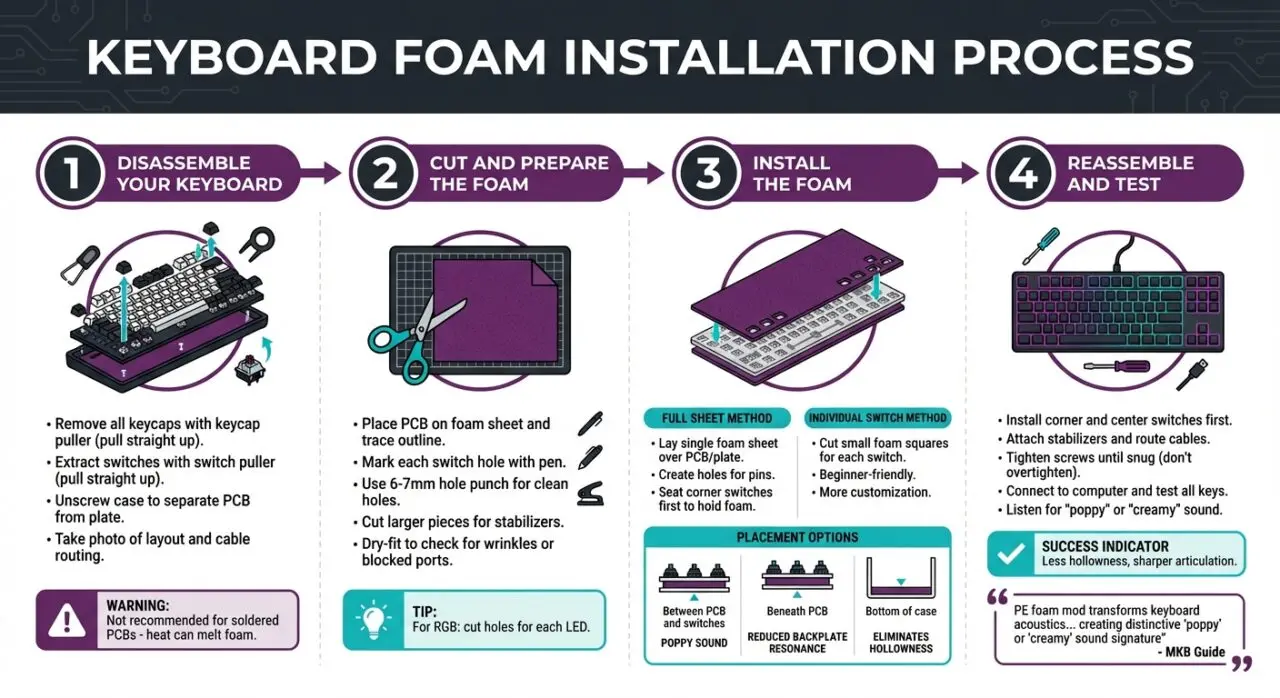
- Unplug the board. Pull off all the keycaps with a keycap puller, lifting straight up so you don’t damage the stems.
- Pull the switches out with a switch puller, again straight up, so the pins and hot-swap sockets stay straight.
- Unscrew the case and separate the PCB from the plate and outer shell. Keep the screws in a tray, and take a photo of the layout and cable routing so reassembly is easier.
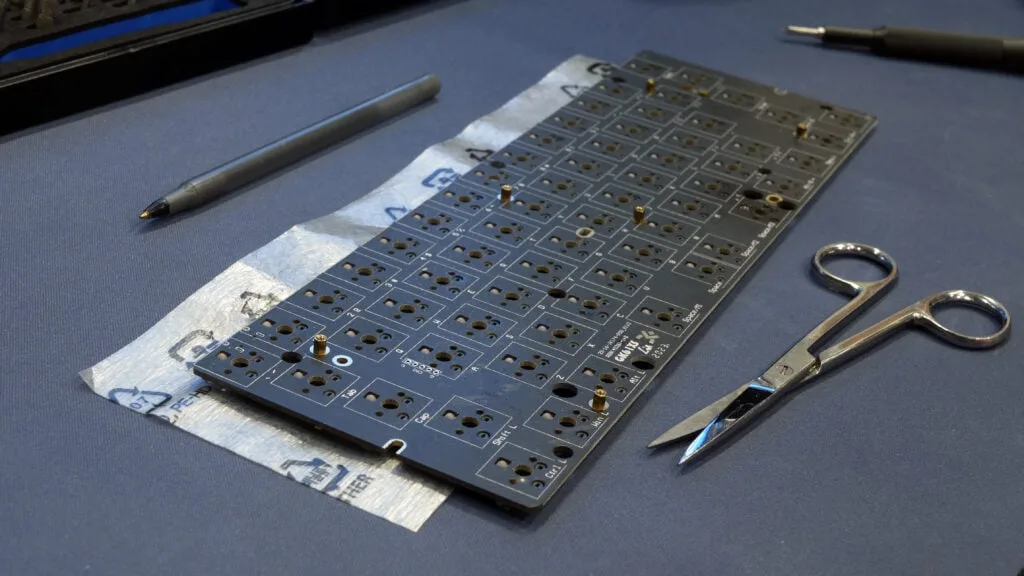
- Set the PCB on the foam sheet and trace its outline with a pen. Mark each switch position as well.
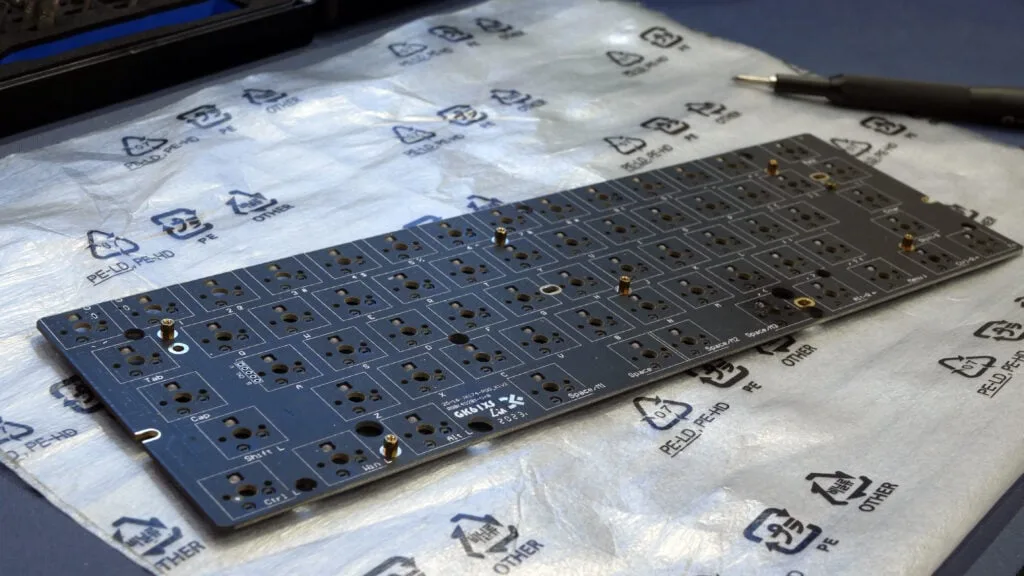
- Cut the foam to the PCB shape. Leave a little extra around the edges, since you can trim it after the switches are in.
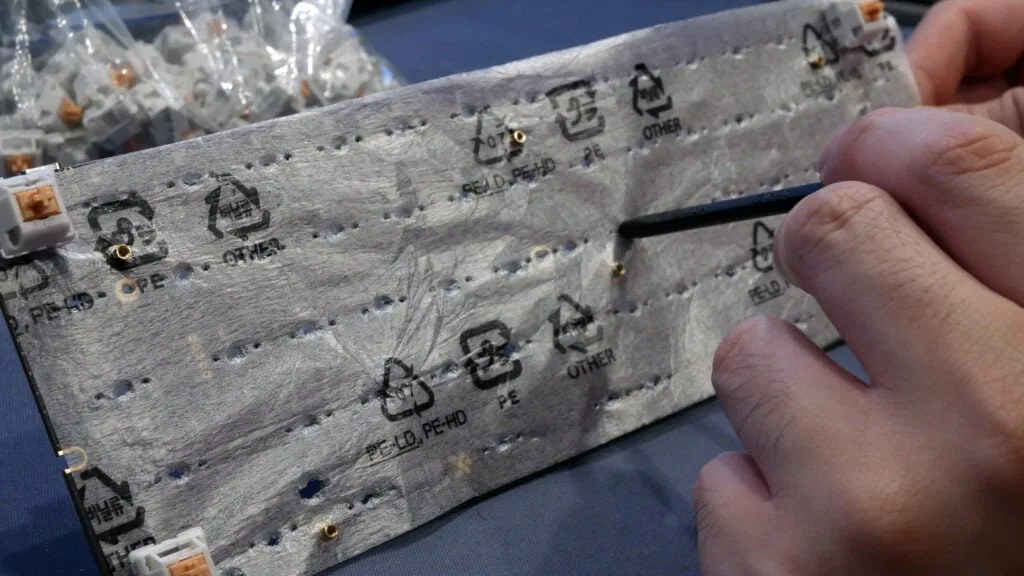
- Make a hole for every switch, at least for the center pin and the two plastic posts. If you have RGB, cut openings for each LED so the lighting stays visible. Cut out the spots where stabilizer housings meet the PCB, because they can feel mushy if the foam sits under them.
- Dry-fit the foam on the PCB and check for wrinkles, bunching or blocked ports.
- Install the foam. You can lay one full sheet over the PCB, or place small squares around each switch’s pins, which is easier for beginners and lets you customize the layout.
- Put the switches back in, starting with the four corners and the center so the foam stays flat. Then attach the PCB-mounted stabilizers and route any internal cables through their channels so they don’t get pinched.
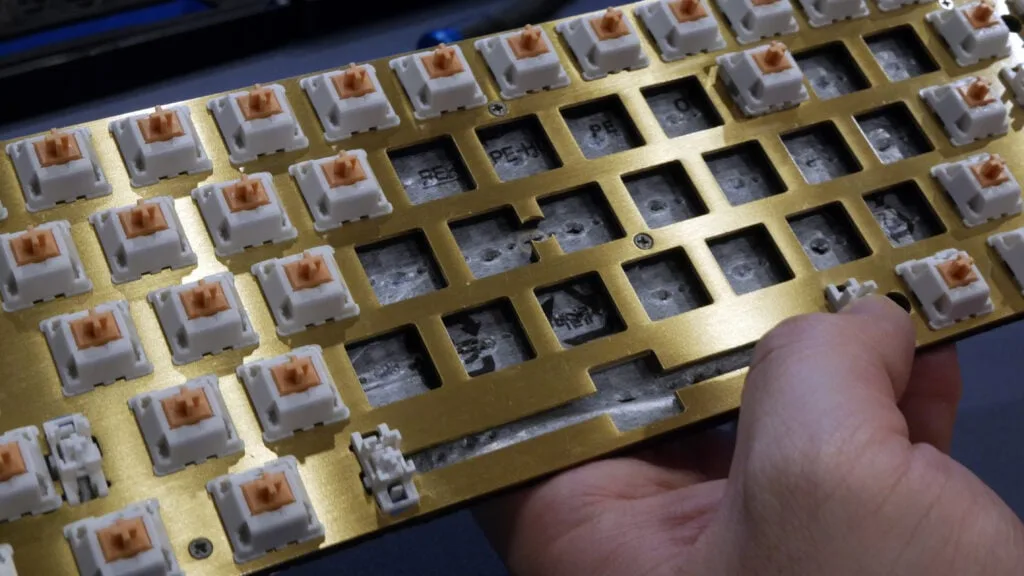
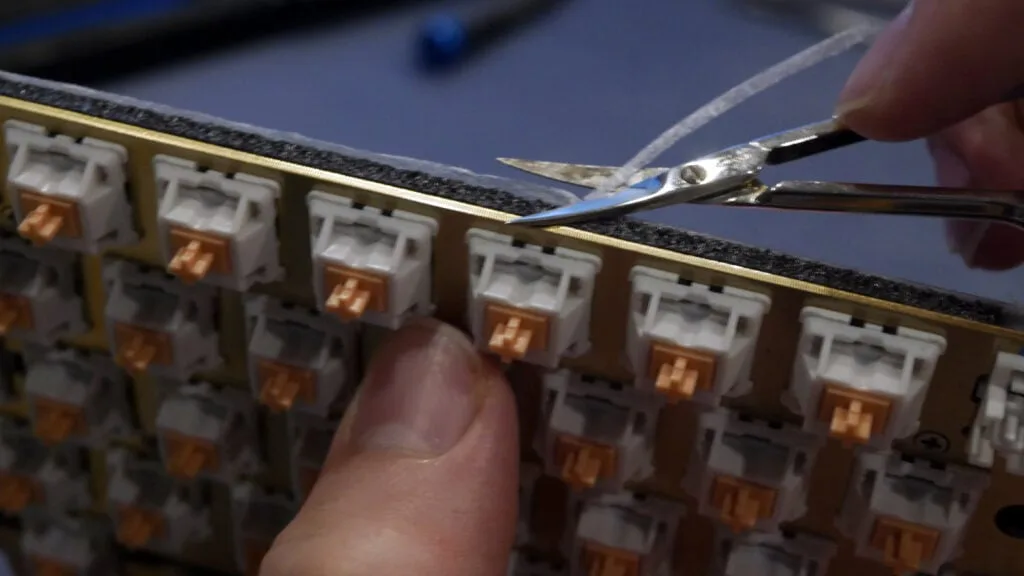
- Trim any foam sticking out past the edges of the PCB so it doesn’t catch on the case.
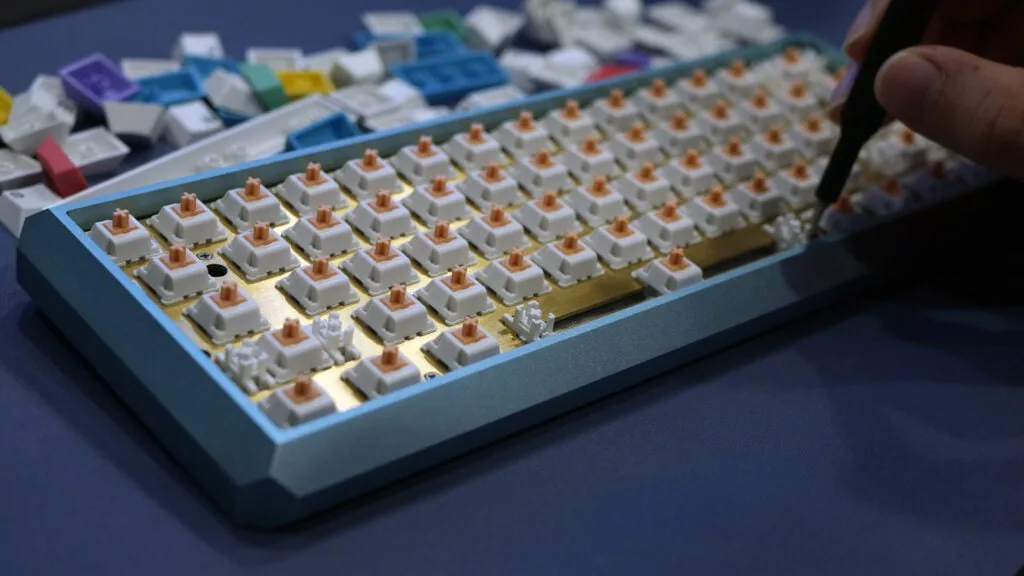
- Close the case and tighten the screws until snug. Overtightening can compress the foam and make typing feel stiff.
- Plug the board in before the keycaps go on and run a keyboard tester to confirm every key registers.
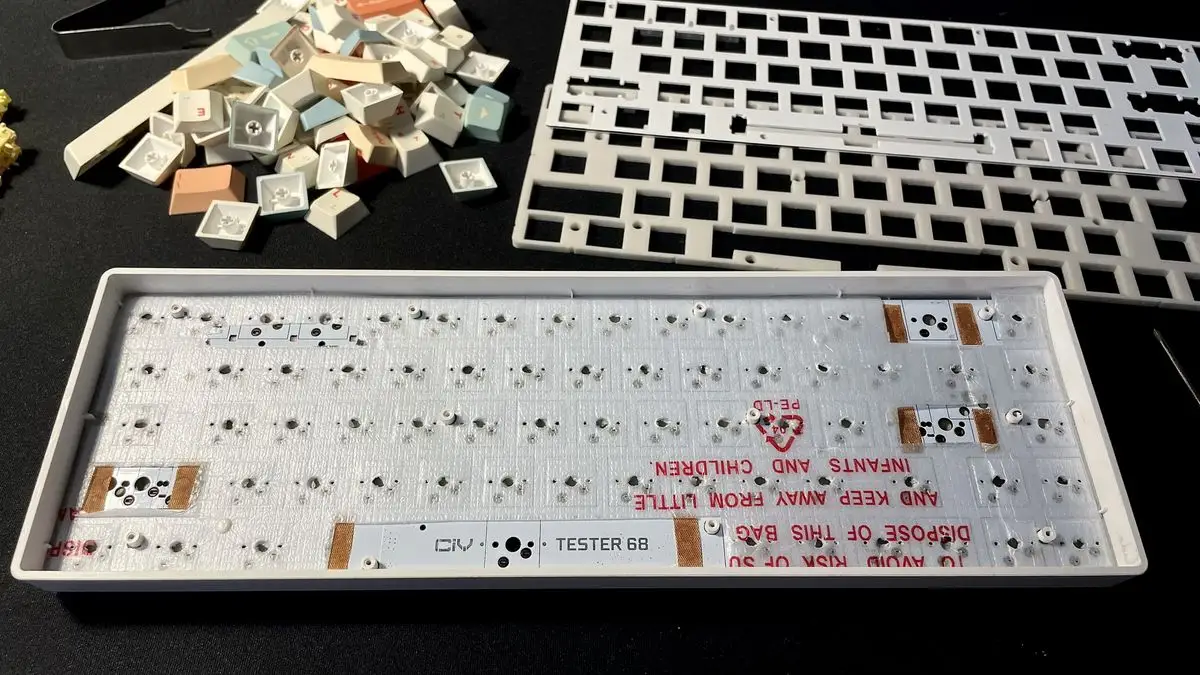
Where to Put the Foam
- Between the PCB and the switches: gives the poppy sound.
- Under the PCB: reduces backplate resonance.
- At the bottom of the case: removes the hollow sound.
How to Tell If the Foam Mod Worked
Record a short typing clip before you open the board and another one after, under the same conditions. Foam usually shifts the sound toward crisper, higher-pitched clacks with less hollowness instead of deep, bassy thock, and you may notice a slightly firmer bottom-out. If you want it deeper, try denser foam such as Poron or EVA, or add case foam. If you want a deeper sound instead, the tape mod works from the other side of the PCB and pairs well with foam.
Keyboard Foam Mod Troubleshooting
| Problem | Likely cause | Fix |
|---|---|---|
| Key not registering | Bent pin or foam blocking the socket | Remove the switch, straighten the pin and clear the foam hole. |
| Case won’t close flat | Foam thicker than 1.0mm | Switch to 0.5mm foam or compress it by hand. |
| Inconsistent key feel | Foam bunched or wrinkled | Flatten it and hold the corners down with small bits of tape. |
| Dim or no RGB | Opaque foam covering the LEDs | Cut an opening for each SMD LED. |
| Mushy bottom-out | Foam too soft or thick | Replace it with a denser, thinner sheet. |
Foam is only one upgrade. Our guide to mechanical keyboard mods covers lubing switches, tuning stabilizers and more.
Need a smaller board to try this on? Our best 60 percent keyboards for Fortnite guide is a good place to start.