

A budget mechanical board can sound hollow and clacky, even with decent switches inside. Learning how to tape mod a keyboard is one of the cheapest fixes there is: a roll of tape, a screwdriver and a few minutes of work. The result is usually a deeper, more muted sound, though how much it changes depends on the board.
How to Tape Mod a Keyboard: Tempest Mod Step by Step
GameCuki is reader-supported. When you buy through links on our site, we may earn an affiliate commission at no extra cost to you. As an Amazon Associate I earn from qualifying purchases. Learn more.
Table of Contents
Best Tape for Keyboard Mod and Other Tools You Might Need

ScotchBlue Original Painter's Tape
Blue painter’s tape that removes easily, the usual pick for this mod.
Check Price on Amazon
iFixit Essential Electronics Toolkit
A magnetic precision screwdriver with 16 bits plus plastic opening tools for case screws and clips.
Check Price on Amazon
iFixit Anti-Static Wrist Strap
Keeps you grounded while you handle the PCB, adjustable up to size XL.
Check Price on AmazonPrefer to watch first? This video explains what the mod does and how it works:
Tempest Tape Mod Explained
What Is the Tempest Tape Mod?
The tape mod, also called the Tempest mod after the keyboard builder who made it popular, means covering the underside of your keyboard’s PCB with a few layers of masking or painter’s tape. The tape acts a bit like a low pass filter, softening the high, sharp part of each keystroke so the board sounds deeper.
Traditionally, the mod also includes removing the foam that sits under the PCB. That part is optional. Some boards sound better with the foam kept in, so it’s worth trying both. The mod is also easy to undo, and low-tack tape peels off without leaving a mark.
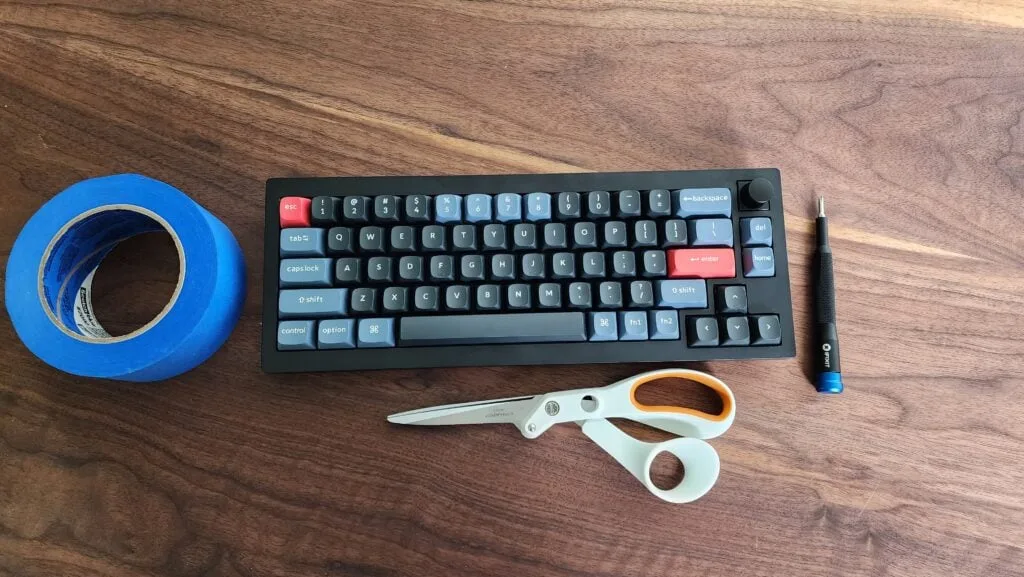
What You Need for a Keyboard Tape Mod
- Painter’s tape or masking tape: it must have non-conductive adhesive. Tape with conductive glue can stop the keyboard from working. Low-tack tape is best, so the PCB isn’t damaged if you have to peel it off later.
- A small screwdriver to remove the case screws.
- A plastic card or other thin straight edge to pry open clips if your case snaps together.
- Scissors or a hobby knife to trim tape around screw holes and components.
If you’re wondering about the best tape for keyboard mod work, standard blue painter’s tape is the go-to choice. Plain paper keyboard masking tape works too. Skip gaffer tape and other very sticky tapes, since they can pull small components off the PCB when removed.
How to Tape Mod a Keyboard Step by Step
The exact teardown differs from board to board, so check a disassembly video for your model if you’re unsure how the case comes apart. The taping itself is the same everywhere.
- Unplug the keyboard. Remove anything attached to the outside of the case, such as a volume knob or a wireless USB receiver stored in the back.
- Flip the board over and remove the case screws. They are often hidden under the feet or rubber pads, so lift those first. Keep the screws somewhere safe.
- If the case also uses clips, slide your card or straight edge into the seam and work your way around to release them. Hold each freed section apart with your fingers as you go, or it may snap back into place.
- Lift off the top half of the case. Carefully take out the PCB (with the plate and switches attached on most boards). If the board has a battery, gently disconnect its cable first.
- Remove the foam under the PCB if you want the full traditional mod. Keep it if you’d rather try the tape on its own first.
- Touch a grounded metal object to discharge static before handling the PCB. Lay it face down so the back of the board is facing up.
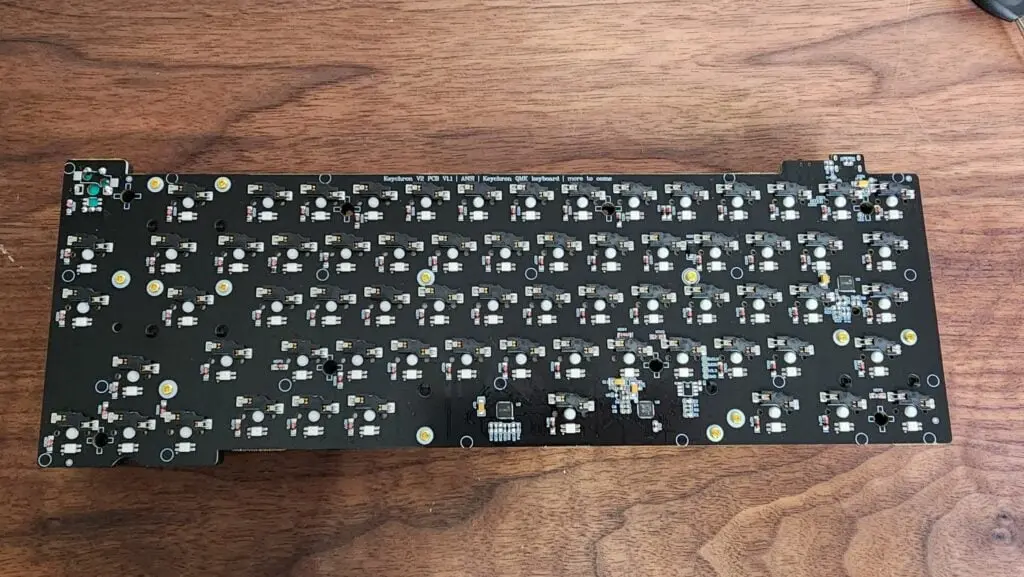
- Apply the first layer of tape across the back of the PCB, starting at the top and bottom edges and working inward. Overlap the strips slightly so no gaps are left.
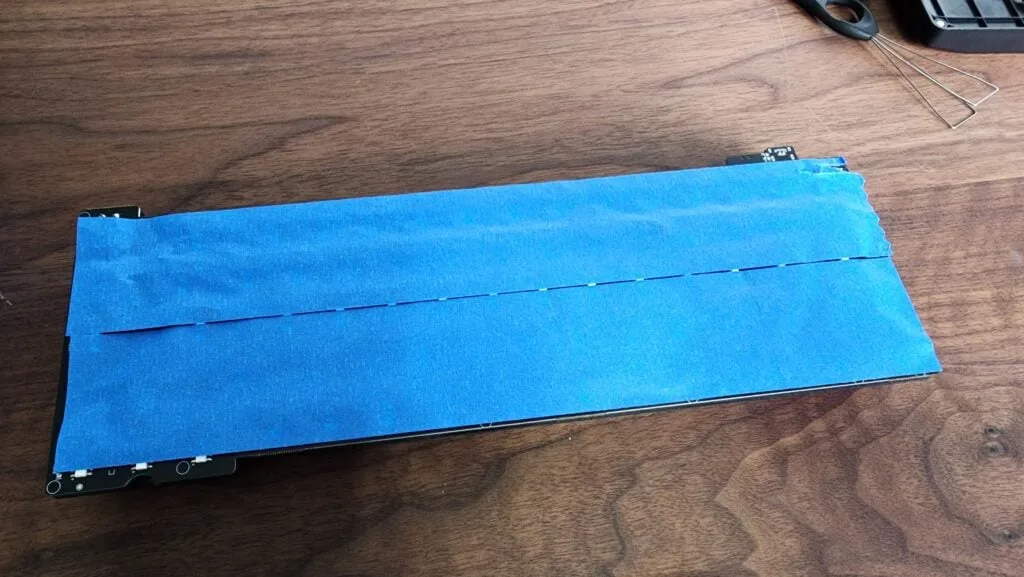
- Add two or three more layers, for three to four in total. Press each layer firmly along the PCB so there are as few air bubbles as possible.
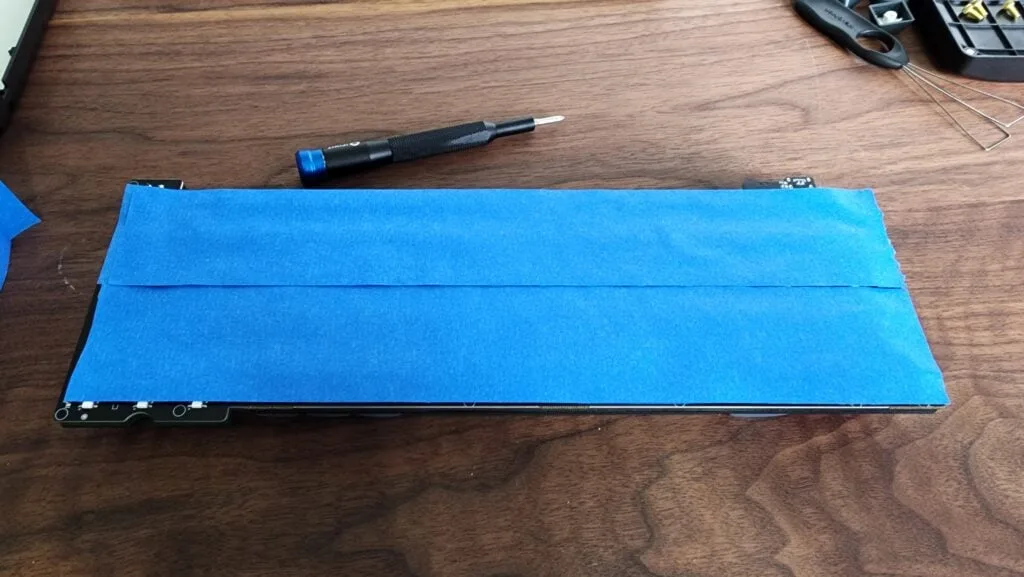
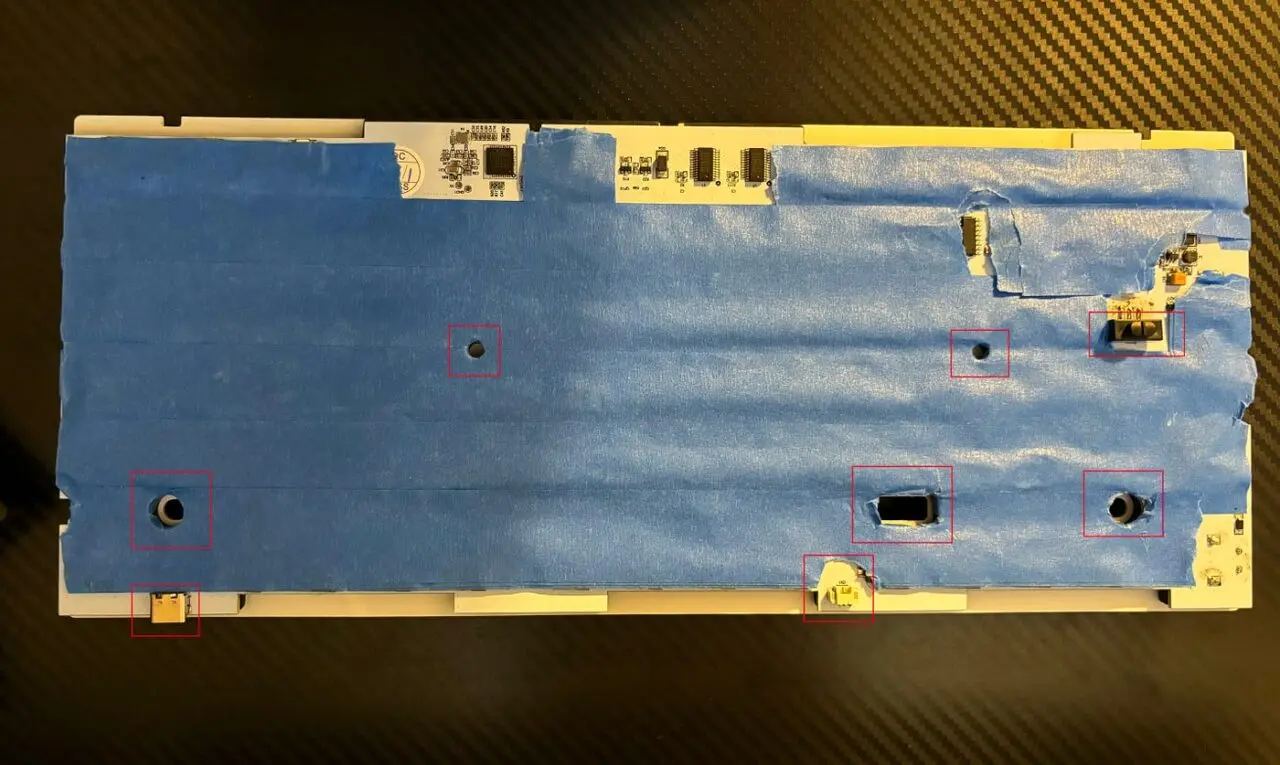
- Poke or cut through the tape over every screw hole, switch, connector and the USB-C port (see the list below), then trim any tape hanging over the edges.
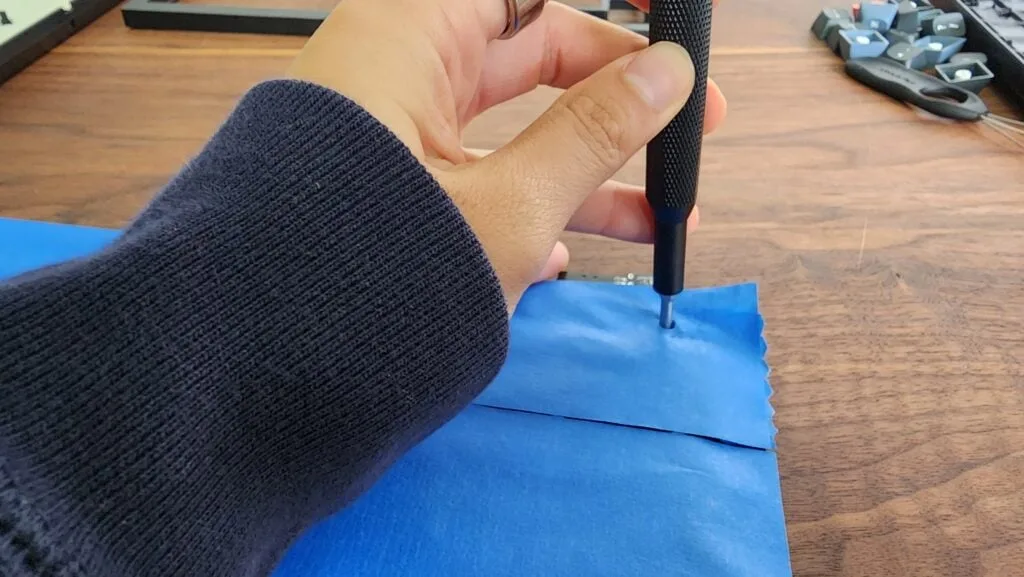
- Put the PCB back into the bottom case, reconnect the battery if there is one, and reassemble the case in reverse order.
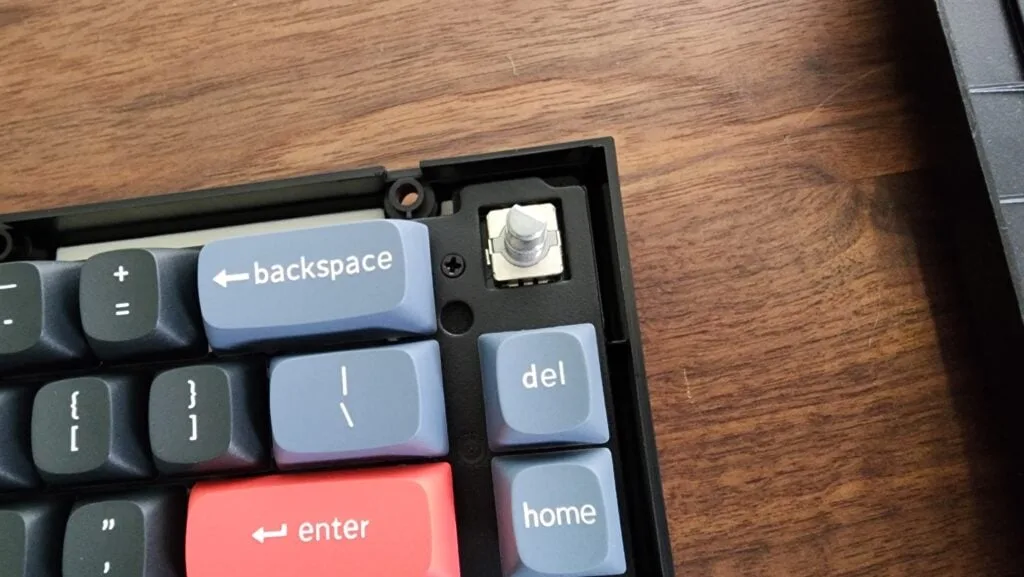
What Not to Tape Over
Leave these areas clear, or cut the tape away from them:
- Screw holes and standoffs that hold the PCB to the case
- Switches and toggles, such as an on/off or mode switch
- The battery connector and any other cable connectors
- The USB-C port area, so the board seats properly in the case
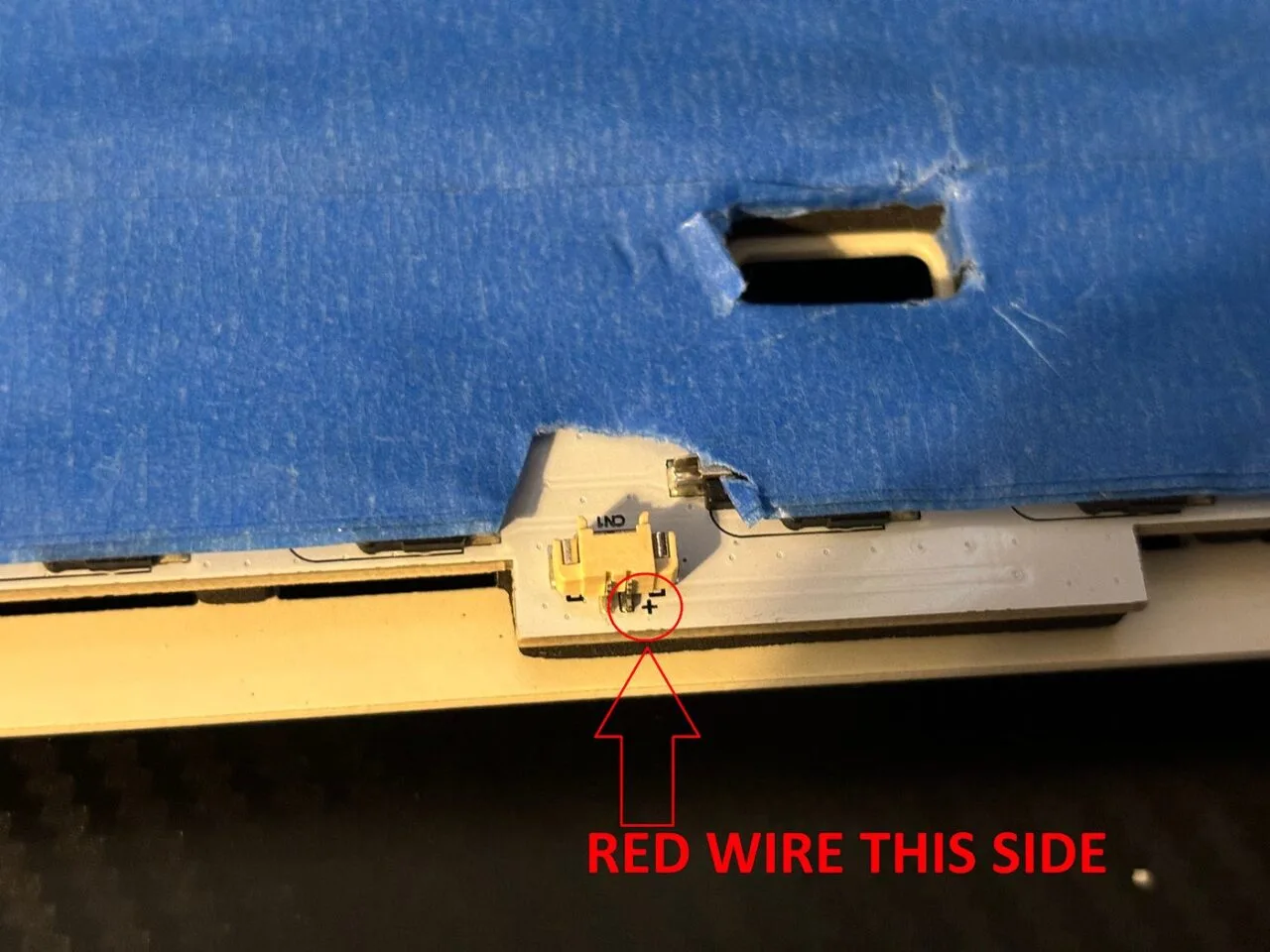
When reconnecting a battery, match the red wire to the “+” mark on the PCB.
Should You Tape Mod a Wireless Keyboard?
Be careful with any keyboard that has a built-in battery. The battery can warm up during use and charging, and pressing it against tape is not a great idea for safety. If you mostly use the board wirelessly, consider skipping the mod, or make sure no tape touches the battery at all.
Hot-swap and soldered boards are both fine to tape mod, since the tape goes on the bottom of the PCB, not around the switches.
How to Tell If the Tape Mod Worked
Record a short typing clip on your phone before you open the board, then record another one in the same spot afterward. Compare the two. Most boards pick up a deeper, softer sound, but results vary from board to board, and some sound almost the same.
If you don’t like the change, peel the tape off and put the foam back. For other ways to shape the sound, see our keyboard foam mod guide and our roundup of mechanical keyboard mods. Keep in mind that cheap masking tape adhesive can weaken over time, so check the tape if the sound changes again later.
Shopping for a compact board to try it on? Our best 60 percent keyboards for Fortnite guide is a good place to start.