GameCuki is reader-supported. When you buy through links on our site, we may earn an affiliate commission at no extra cost to you. As an Amazon Associate I earn from qualifying purchases. Learn more.
GameCuki VerdictRecommended
What Our Verdicts Mean
GameCuki Top PickThe best option in its class, with no serious, repeated problems.
RecommendedA good buy for most people. Weaknesses are minor or only matter to some players.
Buy With CaveatsRight for a specific kind of player only, because of a significant drawback.
Skip ItNot recommended. A better option exists at a similar price.
The Bottom LineA clear, forgiving cardioid USB mic whose Clipguard, tap-to-mute and Wave Link mixer make streaming simpler, though the newer MK.2 and its onboard DSP deserve a look first.
Clear, accurate speech with a clean cardioid pickup
Clipguard keeps loud moments from distorting so you can set gain once
Tap-to-mute and a single dial for gain, headphone volume and mic/PC mix
Wave Link software builds two separate mixes with up to eight extra sources
Internal pop filter and zero-latency headphone monitoring
Simple USB-C plug-and-play on PC and Mac
Cons
Superseded by the Wave:3 MK.2
One cardioid pattern only, so it is not a multi-person or room mic
Low end is on the thin side, which suits speech more than music
Elgato Wave:3 Specs
Type
USB condenser microphone
Pattern
Cardioid
Frequency response
70 Hz to 20 kHz
Bit depth
24-bit
Max SPL
120 dB
Dynamic range
95 dB
Sensitivity
-25 dBFS (min gain) to 15 dBFS (max gain)
Connection
USB-C, 3.5 mm headphone jack
Mounting
1/4-inch thread, 5/8-inch and 3/8-inch adapters
Size
40 x 66 x 153 mm without stand
Weight
280 g without stand
Software
Elgato Wave Link
If you want a streaming mic that sounds good without a mixer, an audio interface or an hour of gain tweaking, this Elgato Wave 3 review is for you. The Wave:3 is a USB-C cardioid condenser that pairs a tap-to-mute sensor and a multifunction dial with Wave Link, Elgato’s virtual mixer. It sits above the cheaper Wave:1 and Wave Neo, and a successor, the Wave:3 MK.2, now adds onboard DSP on top.
Elgato Wave 3 USB Microphone | Project Wave
Design and Setup: A Side-Address Mic You Point at Your Mouth
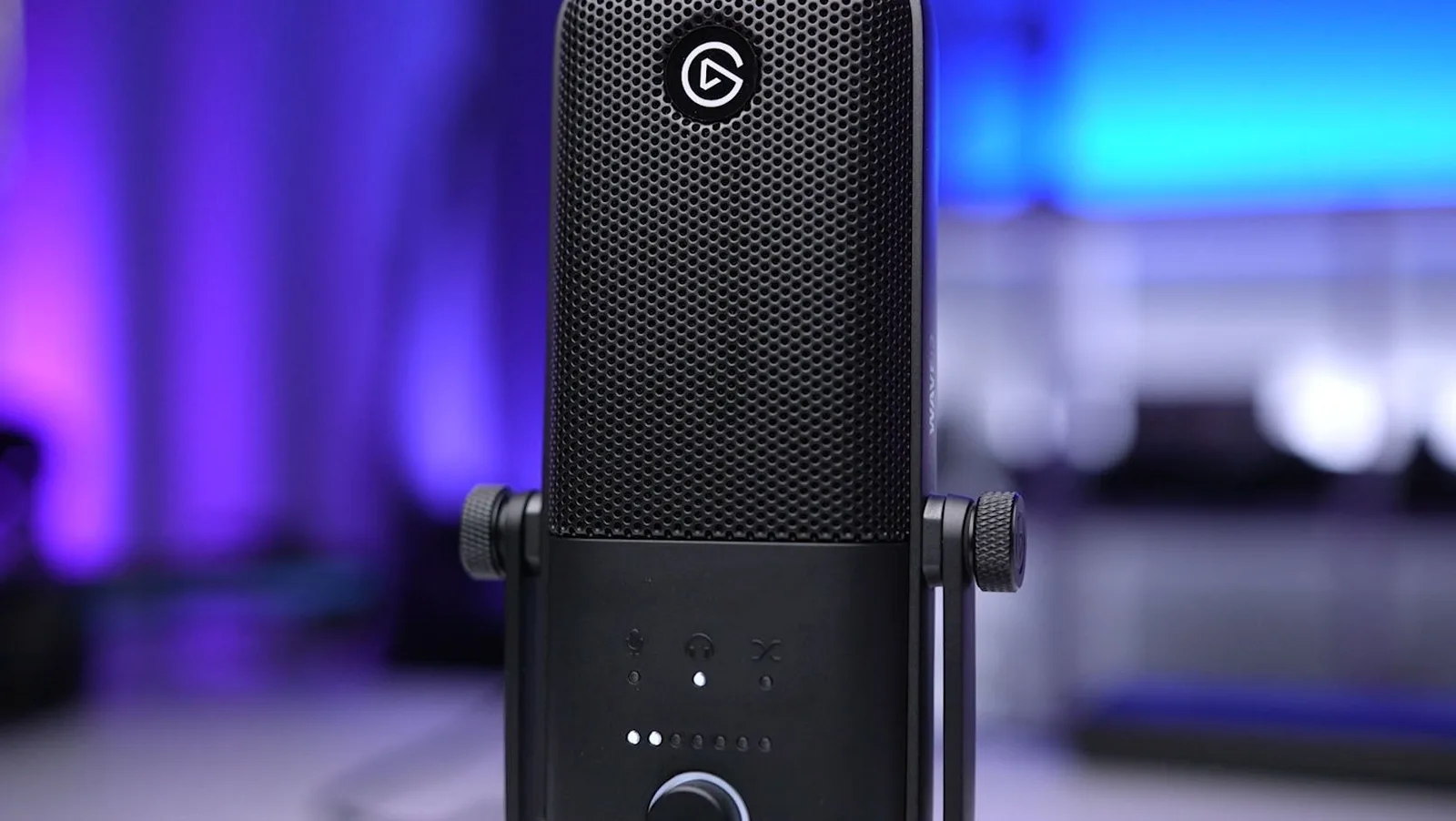
The Wave:3 is a side-address mic, so you speak into the grille with the Elgato logo. (Image: Tech Gear Talk)
The Wave:3 is a matte black, side-address microphone. You speak into the front of the mic rather than the top, ideally from around 8 inches away. The frame mixes metal and plastic, with a metal grille, and the desk stand is included. A mount thread with 5/8-inch and 3/8-inch adapters lets you move it to a boom arm later, and an internal multilayer pop filter takes the edge off plosives without an add-on.
Setup is as plain as USB gets. Plug the USB-C cable into your PC or Mac, install Wave Link and you are recording. A 3.5 mm headphone jack on the back gives zero-latency monitoring, so you hear yourself with no delay. Elgato sells a shock mount and an external pop filter separately, which is worth budgeting for if your desk gets bumped a lot.
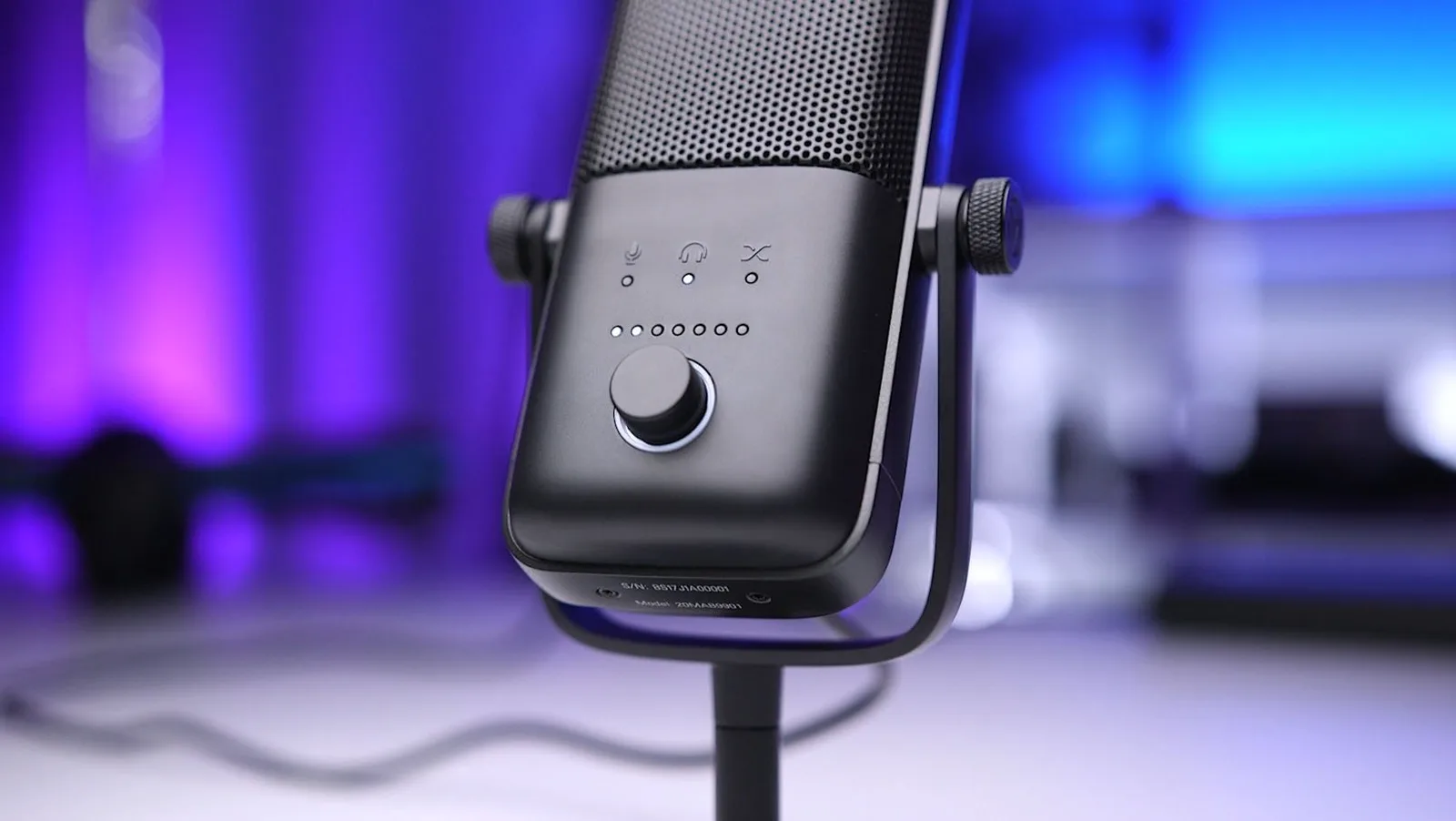
The dial switches between mic gain, headphone volume and the mic/PC mix, shown by the three icons above it. (Image: Tech Gear Talk)
Muting is a capacitive tap on top of the mic, and the LED ring on the dial turns red so you can see the state at a glance. The dial itself cycles between mic gain, headphone volume and the crossfade between your mic and PC audio. Click to switch, twist to adjust. It is a small thing, but it means you can fix a level mid-stream without alt-tabbing. The cheaper Wave:1 has fewer hardware controls, with a dial that handles headphone volume and mute only.
Sound Quality: Clean Speech, Light on Bass
The Wave:3 is tuned for speech. Mids and highs come through accurately, and the low end is deliberately pulled back, which counters the boomy proximity effect you get when you sit close to a condenser. That makes voices clear and easy to mix over game audio. The flip side is that bass-heavy sources such as a guitar or a deep voice can sound thinner than on a mic with a fuller low end.
There is only one pickup pattern. The cardioid capsule focuses on what is in front of it and rejects sound from the sides and back, which is right for a solo streamer but no help for a podcast with guests around one mic.
Clipguard: Set Levels Once and Stop Worrying
Clipguard is Elgato’s anti-distortion tech, and it works inside the analog-to-digital stage. It compresses loud peaks before they can clip, so a sudden shout in a clutch round does not blow out your recording. In practice you can leave it on and set your gain once. It is a safety net rather than a creative tool, and it will not fix a mic that is placed badly.
Wave Link: The Mixer Is Half the Product
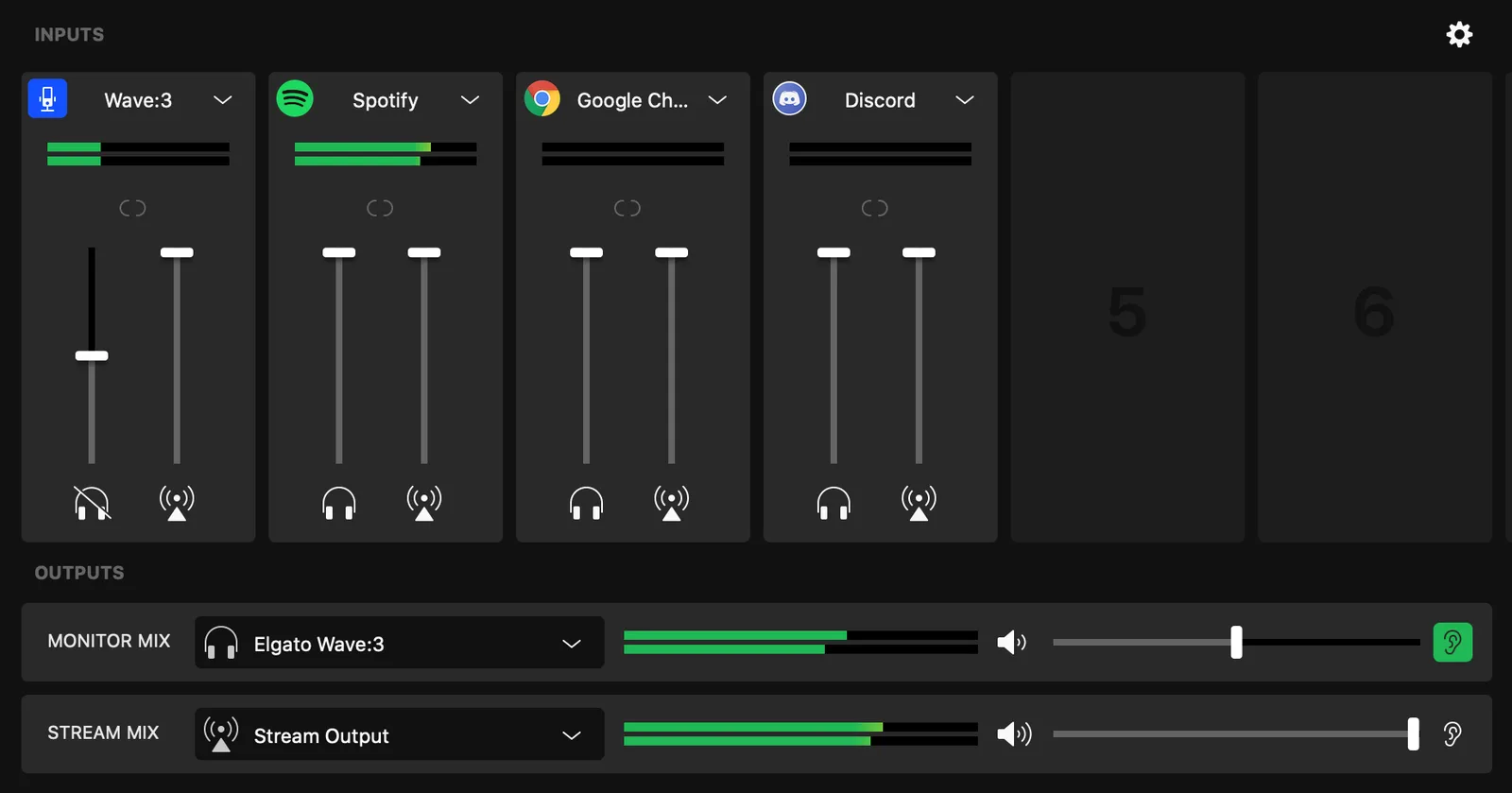
Wave Link gives every source its own faders for the monitor mix and the stream mix. (Image: SoundGuys)
Wave Link is what makes the Wave:3 more than a good USB mic. It is a virtual audio mixer that takes the mic plus up to eight other sources, such as game audio, voice chat, music, alerts and samples, and lets you build two independent mixes: one you hear in your headphones and one your audience hears. It works as a master audio source in OBS, supports audio profiles for quick switches such as muting the mic on a break, and integrates with Stream Deck.
For a streamer this removes the need for a hardware mixer or a stack of virtual cables. If you only ever jump on Discord for a few minutes, you may never touch most of it.
Elgato Wave 3 vs MK.2 and Wave:1
The Wave:3 MK.2 is the newer model. Elgato lists it with Clipguard 2.0 (the original has Clipguard 1.0), onboard DSP effects and VST inserts, a higher 130 dB max SPL against 120 dB, 110 dB of dynamic range against 95 dB, and a smaller, lighter 250 g body. If you want built-in voice effects, or you are buying new today, read up on the MK.2 before you commit.
The Wave:1 costs less, has fewer hardware controls and no tap-to-mute. If you only need a dependable mic and will not use the dial for mixing, it is the cheaper route. The Wave:3 is the better pick when you want quick hardware control and the mixer workflow.
Elgato Wave 3 FAQ
Is the Elgato Wave 3 worth it over the Wave:1?
Yes if you want tap-to-mute, a dial that handles gain, headphone volume and mix balance, and Clipguard. If you only want a simple USB mic, the Wave:1 covers the basics for less.
How far should I sit from the Wave:3?
About 8 inches, with the front of the mic pointed at your mouth.
Does the Wave:3 need an audio interface?
No. It connects over USB-C and does its own analog-to-digital conversion, so it needs no extra processing hardware.
Can I use the Wave:3 with an XLR interface such as the Wave XLR?
No. The Wave:3 is a USB mic, while the Wave XLR is built for XLR microphones.
Does it have a pop filter?
It has an internal multilayer pop filter. An external pop filter is available separately.
Can I put it on a boom arm?
Yes. It has a 1/4-inch thread with 5/8-inch and 3/8-inch adapters.
Is the Elgato Wave 3 Worth It?
Elgato Wave:3
GameCuki VerdictRecommended
What Our Verdicts Mean
GameCuki Top PickThe best option in its class, with no serious, repeated problems.
RecommendedA good buy for most people. Weaknesses are minor or only matter to some players.
Buy With CaveatsRight for a specific kind of player only, because of a significant drawback.
Skip ItNot recommended. A better option exists at a similar price.
The Wave:3 earns its reputation as a streamer's mic because it removes work: Clipguard handles loud moments, the dial and tap-to-mute handle live control and Wave Link handles the mix. Speech sounds clear and the build is solid. Skip it if you record music or share one mic between several people, since the single cardioid pattern and lighter bass will limit you. And if you are buying new today, compare it with the MK.2 first. If you are putting together a streaming setup, our Switch 2 capture card guide covers the video side.
I'm Fraser, and I write the reviews on GameCuki. That covers consoles and handhelds, PC gaming hardware, controllers, headsets and accessories, from big purchases like gaming laptops to small add-ons like screen protectors and grips. I build each review from the manufacturer's specs, professional reviews and verified owner feedback, and I check long-term issues like comfort, battery life and durability against several sources before they make it into the pros and cons. Every review ends with who the product is for and who should skip it. I don't accept free products or paid placements, and what I write comes from research, not my own use of the products. You can read my full process on our How We Review page.