GameCuki is reader-supported. When you buy through links on our site, we may earn an affiliate commission at no extra cost to you. As an Amazon Associate I earn from qualifying purchases. Learn more.
GameCuki VerdictRecommended
What Our Verdicts Mean
GameCuki Top PickThe best option in its class, with no serious, repeated problems.
RecommendedA good buy for most people. Weaknesses are minor or only matter to some players.
Buy With CaveatsRight for a specific kind of player only, because of a significant drawback.
Skip ItNot recommended. A better option exists at a similar price.
The Bottom LineA great-sounding, flexible USB-C streaming mic with four patterns and handy controls, though its 192 kHz/32-bit spec is overkill for most voices and the software mostly handles lighting.
Records up to 192 kHz and 32-bit, a big jump from the older 48 kHz/16-bit QuadCast S
Four polar patterns for solo streaming, interviews, group talk or music
Multifunction knob sets gain, headphone volume, monitor mix and pattern
Tap-to-mute sensor with a clear LED status
Spring-loaded shock mount comes off easily and fits 3/8 and 5/8 inch threads
Over 100 individually controllable aRGB LEDs
Cons
Overkill resolution for plain voice work
NGENUITY software is mostly about lighting, with little audio tuning
Big, heavy desk mic that can pick up desk bumps
HyperX QuadCast 2 S Specs
Type
USB condenser microphone
Polar patterns
Cardioid, omnidirectional, bidirectional, stereo
Sample rate and bit depth
up to 192 kHz, 32-bit
Frequency response
20 Hz to 20 kHz
Connection
USB-C to USB-C cable (3 m) with USB-C to USB-A adapter, 3.5 mm headphone jack
Mounting
3/8 inch and 5/8 inch threads
Lighting
100+ aRGB LEDs, 16M+ colors
Weight
345 g mic, 836 g with stand, shock mount and cable
Software
HyperX NGENUITY
Streaming and podcasting rigs have moved to USB-C, and this HyperX QuadCast 2 S review looks at whether the newest RGB mic from HyperX deserves a spot on your desk. The QuadCast 2 S keeps the look people know from the original QuadCast S, then adds 32-bit/192 kHz recording and a multifunction knob. It sits above the lighting-free QuadCast 2 and goes up against rivals such as the Elgato Wave:3, which we covered in our Elgato Wave 3 review.
HyperX Quadcast 2S Review – Better Than the Quadcast 2?
Design: A Familiar Shape With Tougher Materials
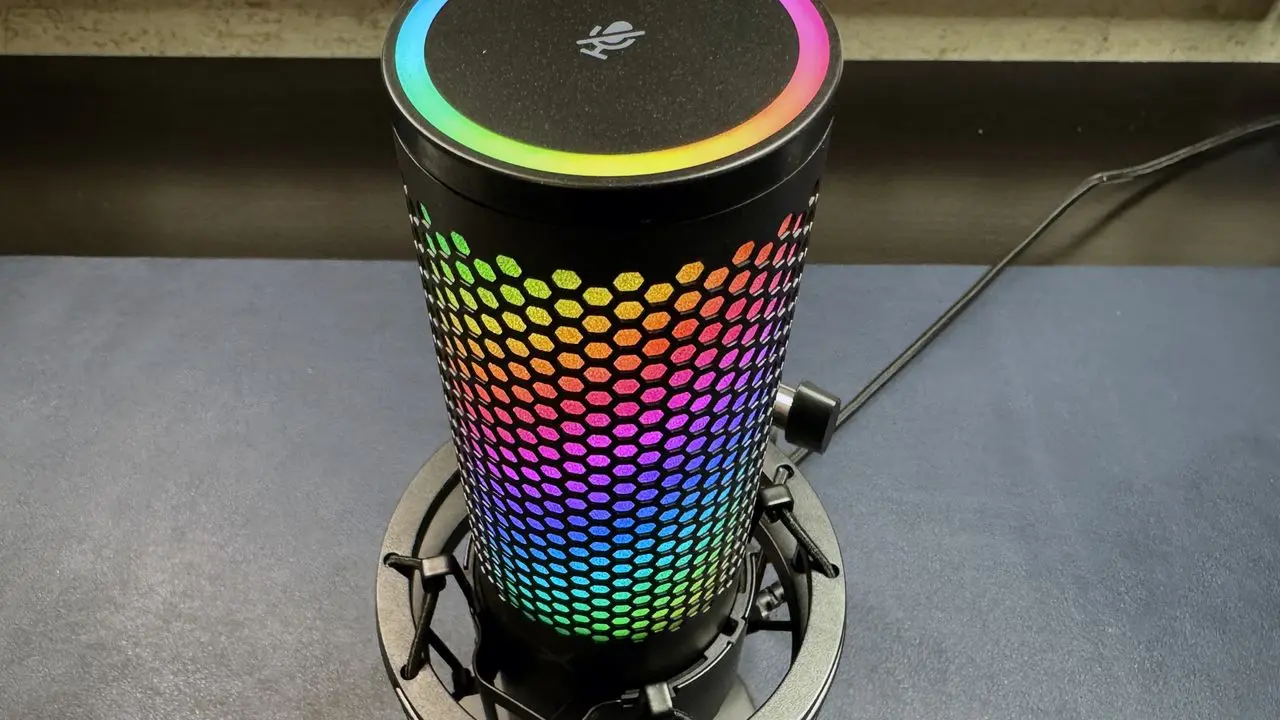
The tap-to-mute sensor sits on top, ringed by RGB lighting. (Image: Tom’s Hardware)
The body is slightly more cylindrical than the old QuadCast S, with straighter lines at the top and base. The earlier model used a coating that could peel and wear over time, while the 2 S uses materials that are built to resist that. A mute sensor sits on top, and the front carries an LED VU meter plus indicators for control mode, mute status, polar pattern and volume. The mic itself weighs 345 g, and with the stand, shock mount and cable the whole package comes to 836 g, so this is a desk mic that stays put.
The lighting is the headline for a lot of buyers. Over 100 individually controllable aRGB LEDs can show more than 16 million colors, and effects such as solid, blink and wave can be tuned and saved to the mic’s own memory.
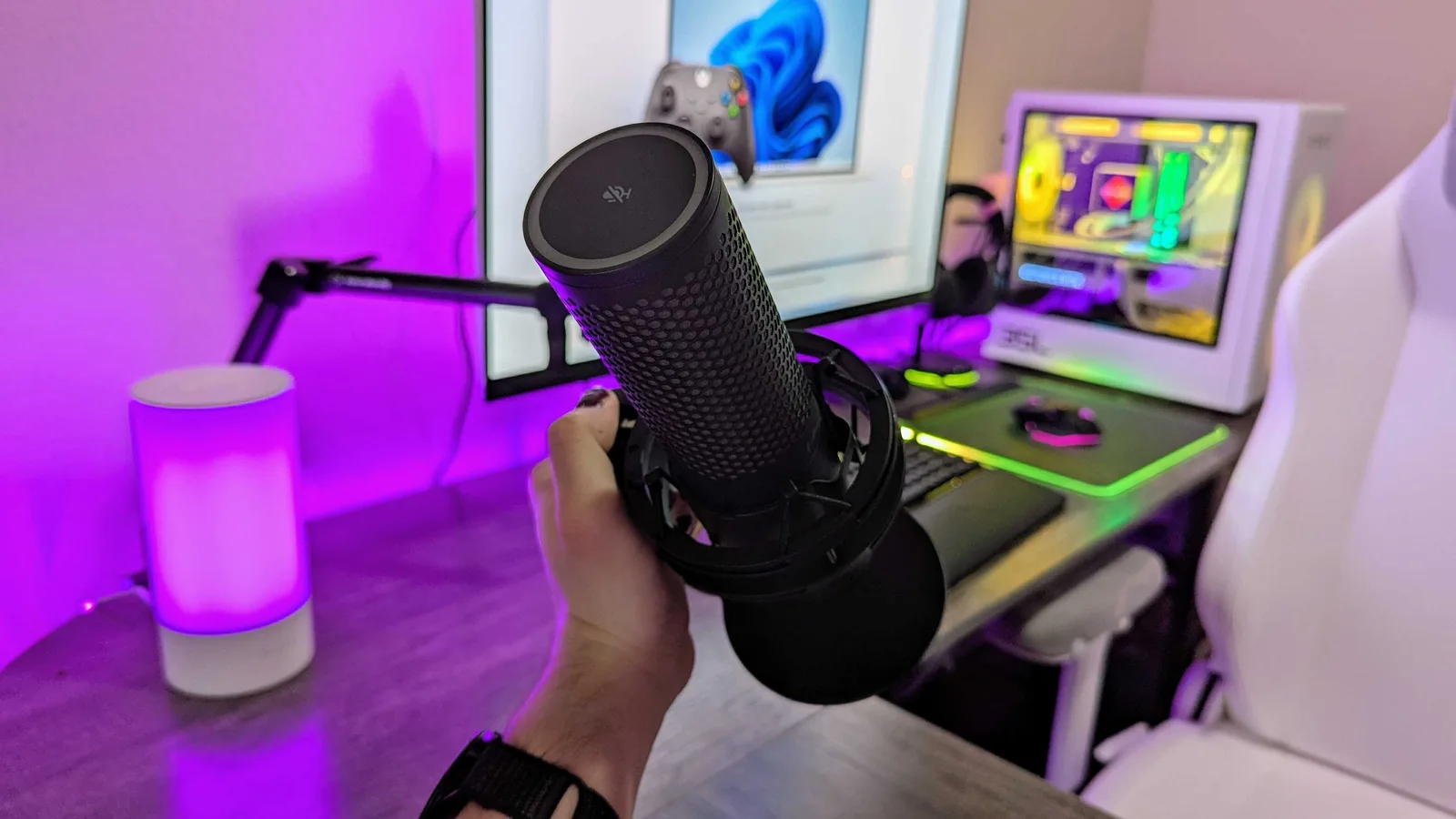
The QuadCast 2 S is a large desk mic built mainly for voice. (Image: Windows Central)
The QuadCast 2 S records at up to 192 kHz and 32-bit, with a frequency response of 20 Hz to 20 kHz. The original QuadCast and QuadCast S topped out at 48 kHz and 16-bit, so this is a real step up on paper. The capsule is built for voice, and the pattern switch lets you adapt it to the room.
The honest catch is that many streaming platforms and voice calls may not use that much resolution. It is future-proof headroom more than an audible upgrade for everyday talking, and it is why the spec can feel like overkill.
Controls and Polar Patterns: One Knob Does Most of the Work
The multifunction knob handles mic gain, headphone volume, monitor mix and polar pattern. Press to switch the function and turn to adjust the level, so you can fix a quiet voice mid-stream without opening an app. The tap-to-mute sensor on top silences the mic instantly, and the LED makes it obvious whether you are live.
Four polar patterns cover most setups:
Cardioid: best for one voice in front of the mic, which suits streaming and calls.
Omnidirectional: picks up the whole room, useful for a group around one mic.
Bidirectional: front and back, made for face-to-face interviews.
Stereo: wide pickup for music and ASMR.
Connectivity and Mounting: USB-C Plug and Play
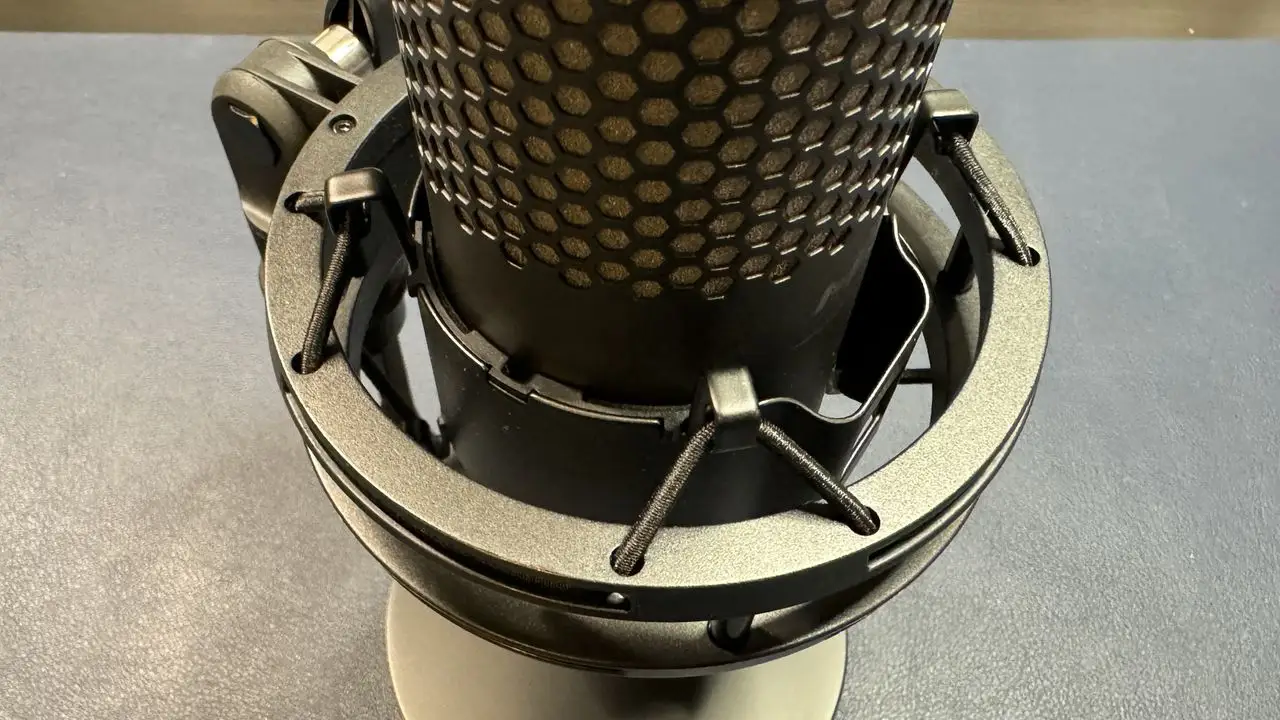
The pre-attached shock mount uses elastic bands to soak up desk bumps. (Image: Tom’s Hardware)
It plugs straight in with the 3 m USB-C to USB-C cable, and a USB-C to USB-A adapter is in the box for older ports. No audio interface or drivers are needed. A 3.5 mm headphone jack gives you monitoring with no delay. The shock mount is pre-attached, comes off easily thanks to spring-loaded pins and fits both 3/8 inch and 5/8 inch threads, so a boom arm is an easy upgrade. A boom arm and a shock mount also help here because the large capsule can pick up desk bumps.
NGENUITY Software: Mostly Lights, Some Audio
HyperX NGENUITY controls the lighting, with presets and saved effects, and it also exposes gain and a high-pass filter. The high-pass filter, which trims low rumble such as desk knocks, can only be turned on through the software. Audio control is fairly basic, so if you want EQ or heavy processing you will need another tool.
QuadCast 2 S vs the Original QuadCast S
If you already own the original, the upgrade is modest. The 2 S raises recording from 48 kHz/16-bit to 192 kHz/32-bit, moves to a more durable finish, and adds the multifunction knob, while tap-to-mute carries over from the original. Everyday voice quality is not dramatically different, so there is probably no strong reason to upgrade. New buyers who want lights should pick the 2 S. Buyers who do not need RGB can look at the standard QuadCast 2.
Is the HyperX QuadCast 2 S Worth It?
HyperX QuadCast 2 S
GameCuki VerdictRecommended
What Our Verdicts Mean
GameCuki Top PickThe best option in its class, with no serious, repeated problems.
RecommendedA good buy for most people. Weaknesses are minor or only matter to some players.
Buy With CaveatsRight for a specific kind of player only, because of a significant drawback.
Skip ItNot recommended. A better option exists at a similar price.
The QuadCast 2 S is a well-equipped RGB USB mic for a streaming desk, with four patterns, a knob that really speeds up live adjustments and simple plug-and-play USB-C. The 192 kHz/32-bit resolution is more than voice work needs, and the software leans toward lighting. Skip it if you own an original QuadCast S, or if you do not want RGB and would rather look at the QuadCast 2.
I'm Fraser, and I write the reviews on GameCuki. That covers consoles and handhelds, PC gaming hardware, controllers, headsets and accessories, from big purchases like gaming laptops to small add-ons like screen protectors and grips. I build each review from the manufacturer's specs, professional reviews and verified owner feedback, and I check long-term issues like comfort, battery life and durability against several sources before they make it into the pros and cons. Every review ends with who the product is for and who should skip it. I don't accept free products or paid placements, and what I write comes from research, not my own use of the products. You can read my full process on our How We Review page.