GameCuki is reader-supported. When you buy through links on our site, we may earn an affiliate commission at no extra cost to you. As an Amazon Associate I earn from qualifying purchases. Learn more.
The RTX 5070 vs RTX 5070 Ti question looks simple on a shelf: same Blackwell architecture, same DLSS 4 feature set, one step apart in the name. Underneath, NVIDIA gave the Ti a bigger chip, a wider memory bus and 4GB more VRAM. The real question is whether those upgrades show up in the games you play, and whether they justify the higher price.
Best for 1440p on a Budget
ASUS Prime GeForce RTX 5070 12GB OC
Bottom LineBuy it if you game at 1440p, want the full DLSS 4 toolkit and would rather spend the savings on a better monitor or CPU.
Both cards are sold only as partner models such as the ASUS Prime and PNY boards above, and cooler design and street price vary by model. That street price is where most of the argument lives, so check current listings before you decide.
The RTX 5070 Ti has 8,960 CUDA cores against 6,144 on the RTX 5070, which is about 46% more. It also pairs 16GB of GDDR7 with a 256-bit bus, while the RTX 5070 uses 12GB of GDDR7 on a 192-bit bus. That wider bus means roughly a third more memory bandwidth for the Ti, which helps most at 4K and with high-resolution textures.
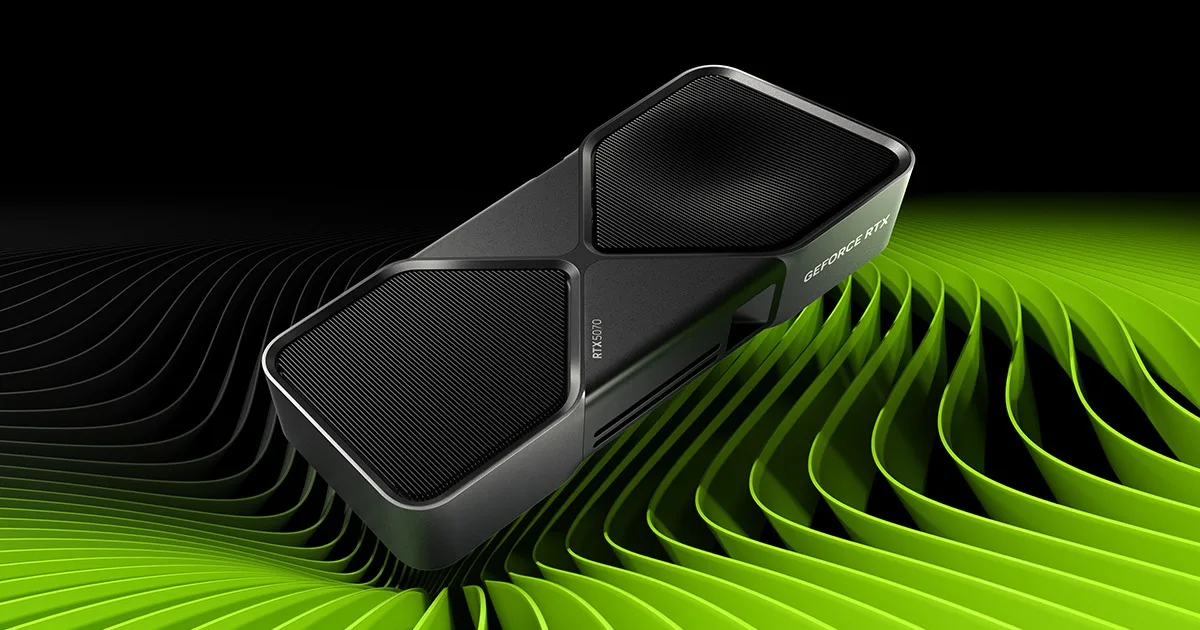
The RTX 5070 Founders Edition, rendered by NVIDIA. (Image: NVIDIA)
Clock speeds are almost identical, and the RTX 5070 actually lists a slightly higher boost clock. The Ti wins on width, not speed: more cores, more AI throughput and more ray tracing hardware, all running at similar frequencies.
1440p and 4K Performance: About 22% and 26% Faster
Across a 13-game average, the RTX 5070 Ti runs about 22% faster at 1440p (roughly 163 fps against 134 fps) and about 26% faster at 4K (roughly 97 fps against 77 fps). Other comparisons of the two cards land in the same range, around 20% to 25% at 1440p and 25% to 30% at 4K, so the gap is consistent rather than a one-game fluke.
Those numbers decide who needs what. An average of 134 fps at 1440p is already well past what most monitors can show, so the RTX 5070 is not struggling at that resolution. At 4K the picture changes: 77 fps on average is playable, but the heaviest games drop quickly, and the Ti’s extra 20 fps is the difference between locking 60 and chasing it.
Go with the RTX 5070 if you play at 1440p and are happy to turn one or two settings down in the most demanding releases.
VRAM: Is 12GB Enough?
For 1440p, 12GB is enough for nearly all current games at high settings. It starts to feel tight at native 4K with the highest texture packs, and with ray tracing on in the newest releases, where VRAM use climbs quickly. The RTX 5070 Ti’s 16GB gives more room for those cases, and it also leaves more margin for games released over the next few years.
This is the clearest long-term argument for the Ti. If you keep graphics cards for four or five years, the extra 4GB matters more than the average fps gap does today.
Ray Tracing, DLSS 4 and Frame Generation
Both cards support DLSS 4 with Super Resolution, Ray Reconstruction, Frame Generation and Multi Frame Generation, so neither one is locked out of NVIDIA’s feature set. The difference is horsepower: the Ti has more fourth-generation ray tracing hardware (NVIDIA lists 133 TFLOPS against 94 TFLOPS) and more fifth-generation Tensor Cores (1,406 AI TOPS against 988 AI TOPS).
In practice the Ti gives you a higher starting frame rate before frame generation kicks in, and that matters. Multi Frame Generation works best when you already see a smooth base frame rate, because extra generated frames cannot fix a sluggish starting point. A faster base card makes path-traced games more comfortable at 1440p and more realistic at 4K.
Power, Size and PSU Requirements
NVIDIA lists 250W total graphics power for the RTX 5070 and 300W for the RTX 5070 Ti, with recommended system power of 650W and 750W. If you are upgrading an older build, check your power supply first: a 650W unit can run the RTX 5070 but is below NVIDIA’s recommendation for the Ti.
The reference RTX 5070 is a 2-slot card, 242 mm long. NVIDIA does not give fixed dimensions for the Ti, since sizes vary by manufacturer, so measure your case before buying a triple-fan model.
The Ti also carries two ninth-generation NVENC encoders against one on the RTX 5070, a small plus if you stream or record while you play.
Price: Where the Gap Gets Hard to Ignore
The Ti costs noticeably more than the RTX 5070, and street pricing can widen that gap at some retailers. That is why the cost per frame favors the RTX 5070: you pay more per extra frame as you move up. If the Ti is only a modest step up in price, it is the better card. If it sits far above the RTX 5070, the cheaper card is the smarter buy for 1440p.
The RTX 5070 is the more sensible purchase on paper: it draws less power, fits smaller power supplies and delivers 1440p frame rates that most monitors cannot even display. But the RTX 5070 Ti is the better card in every way a player will notice at higher settings, with about a quarter more speed, 16GB of VRAM and more headroom for path tracing and frame generation. When the price gap is modest, that 4GB cushion is what keeps the card useful for years. Buy the RTX 5070 if you play at 1440p, are watching your budget and plan to upgrade again in two or three years. Everyone else deciding between the RTX 5070 and RTX 5070 Ti should lean toward the Ti.
If your screen is 1440p and your budget is firm, the RTX 5070 is the card to buy, and it will not feel slow. If you want 4K, plan to keep the card for years or play the newest ray-traced games with the settings up, the RTX 5070 Ti is worth the extra money. For a wider look at the market, see our guide to the best graphics card for gaming.
I'm Sean, and I write the comparisons on GameCuki. I cover anything gamers weigh up before buying: consoles and handhelds, PC components and gaming laptops, monitors, controllers, headsets and accessories, plus subscriptions and services like Game Pass and PlayStation Plus. I put both options on the same checklist, using official specs, professional reviews and owner feedback, and I only mention what owners say when at least two of them report the same thing. Every comparison ends with one clear verdict and the type of player each option suits. I don't accept free products or payment from brands, and what I write comes from research, not my own use of the products. You can read my full process on our How We Review page.
Areas of Focus
Controller Match-UpsHeadset Match-UpsConsole vs. ConsoleSpecs & Latency