GameCuki is reader-supported. When you buy through links on our site, we may earn an affiliate commission at no extra cost to you. As an Amazon Associate I earn from qualifying purchases. Learn more.
The ROG Ally vs ROG Ally X question looks odd on paper, because both handhelds run the same AMD Ryzen Z1 Extreme chip and the same 7-inch 1080p 120Hz screen. ASUS changed almost everything around the processor instead: battery, memory, storage, ports, grips and cooling. The real question is whether those changes matter more to you than the extra cost and weight.
Best for Light Carry and Lower Cost
ASUS ROG Ally (2023)
Bottom LineThe lighter, cheaper way into Windows handheld gaming, a good fit for shorter sessions near an outlet or anyone hunting a deal on the older model.
Both models use the AMD Ryzen Z1 Extreme, an 8-core, 16-thread Zen 4 processor with RDNA 3 graphics (12 compute units) and a 9 to 30W power range. The screen is also identical: a 7-inch 1080p IPS panel at 120Hz with 500 nits of brightness and FreeSync Premium. Because the silicon is shared, do not expect a generational jump in frame rates.
What the Ally X adds is headroom. It carries 24GB of faster LPDDR5X-7500 memory against 16GB of LPDDR5-6400 in the original, and its cooling is larger, so the chip has more room to hold its power limits in long sessions. Any speed gain in games is likely modest, since the processor itself has not changed.
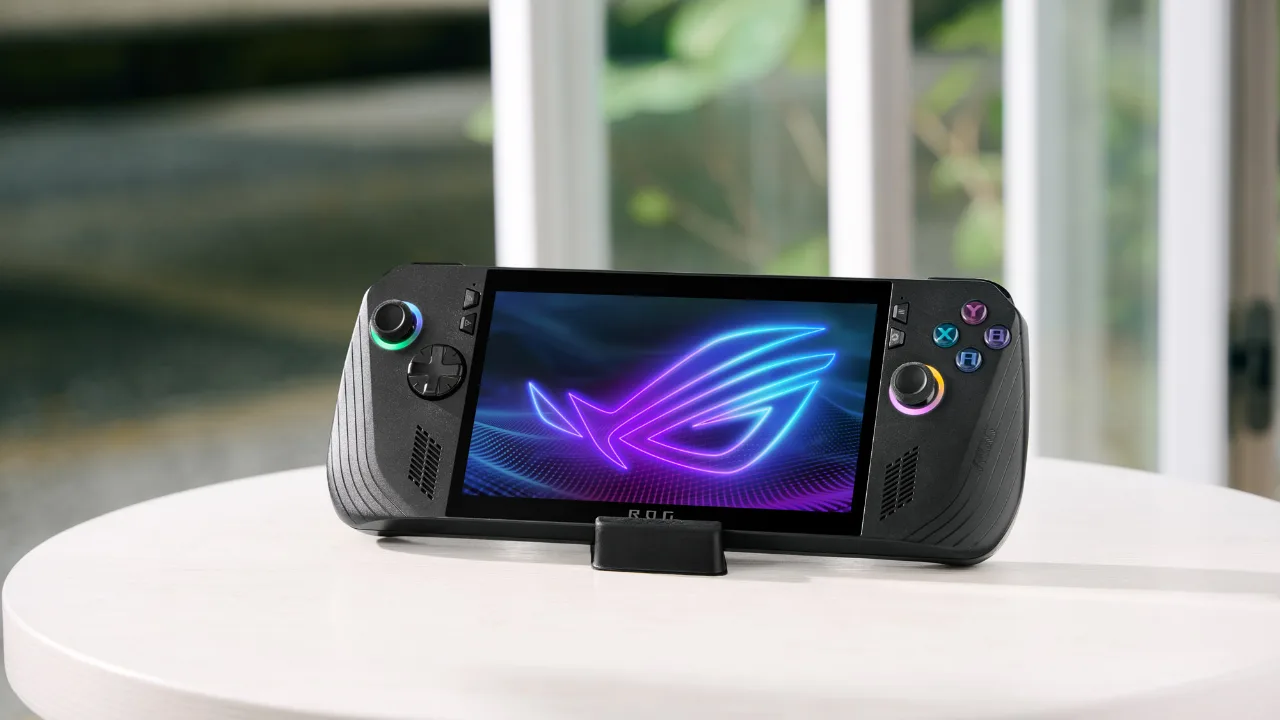
The ROG Ally X keeps the 7-inch 120Hz display of the original. (Image: ASUS ROG)
Quick pick: if you mostly play lighter and older games, the original already handles them well, and the Ally X performance edge will not change your day.
Battery and Charging: The Biggest Upgrade
The original ROG Ally has a 40Wh battery. The Ally X doubles it to 80Wh, which is the change original owners are most likely to notice. Heavy 3D games drain a handheld quickly, and the larger cell means fewer trips to the charger.
Charging also improves. Both ship with a 65W adapter, but the Ally X can accept up to 100W from a compatible USB-C charger, which helps when you want to top up quickly or play while plugged in.
Design and Controls: A Thicker, More Comfortable Grip
The Ally X moves from white to black and reshapes the grips to be more comfortable in the hand. The thumbsticks are rated for 5 million cycles with tighter springs, up from 2 million, the D-pad gains 8-way indicators in place of 4-way, the face buttons get better tactility, and the two rear macro buttons are smaller than the large ones on the original.
The cost is size. The Ally X weighs 678 g (1.49 lb) against 608 g (1.34 lb) for the original and is thicker, at up to 3.69 cm versus up to 3.24 cm. Because the shell changed, cases and accessories made for the first Ally may not fit the Ally X.
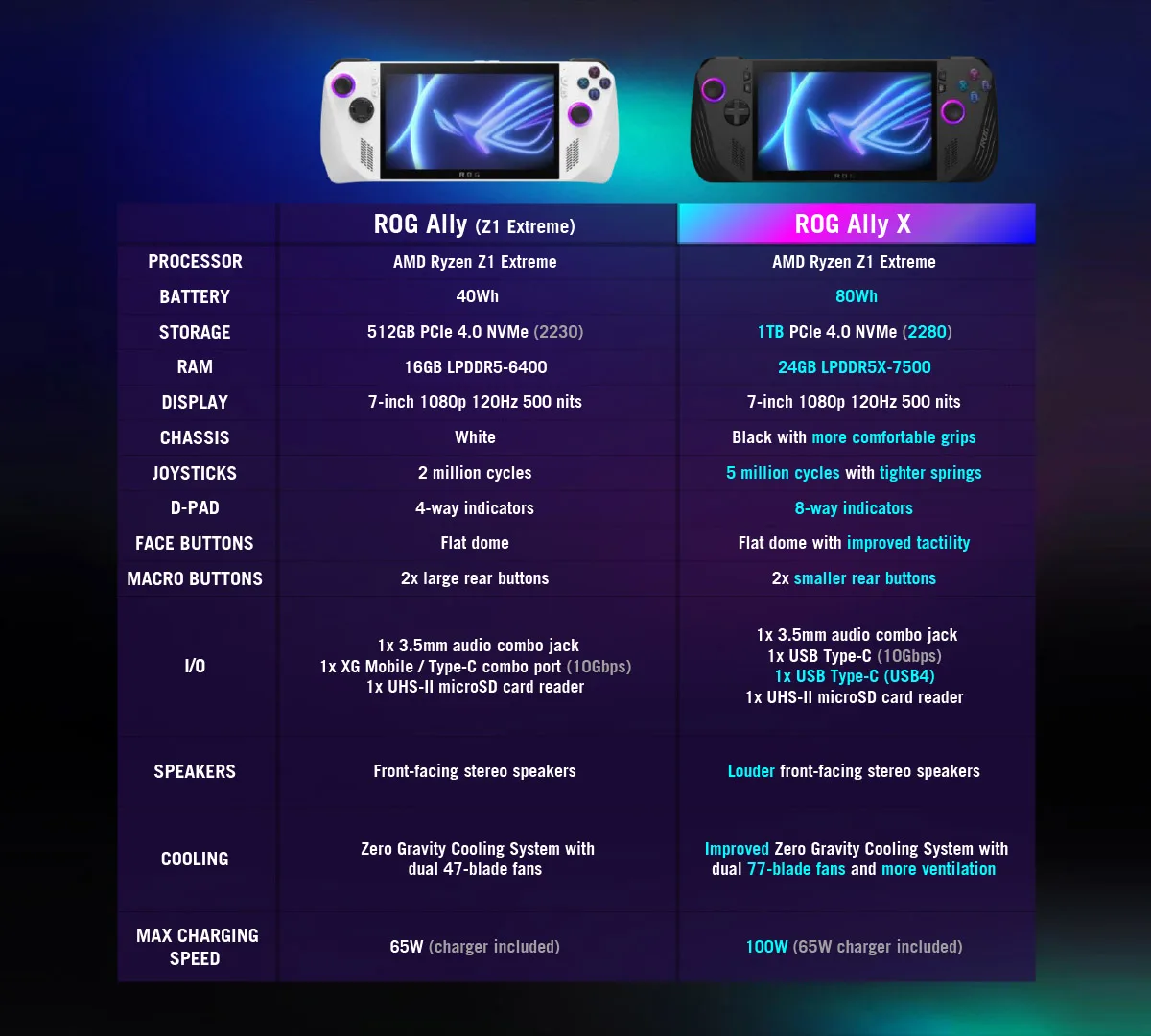
ASUS spec chart for the ROG Ally (Z1 Extreme) and ROG Ally X. (Image: ASUS ROG)
Quick pick: choose the Ally X if your hands cramp on small controllers or you play for hours at a time, and choose the original if pocketable weight matters most.
Ports, Storage and Cooling
The original has a combined ROG XG Mobile and USB-C port plus a microSD reader. The Ally X drops the XG Mobile connector and instead offers two USB-C ports, one USB 3.2 Gen 2 and one USB4 with Thunderbolt 4 compliance, so it docks to a wider range of displays and accessories. If you rely on the ROG XG Mobile external GPU, that is a real reason to stay with the original.
Storage jumps from a 512GB PCIe 4.0 SSD in the short M.2 2230 size to a 1TB drive in the full M.2 2280 size, which is easier to find and upgrade. Cooling moves from dual 47-blade fans to dual 77-blade fans with more ventilation, and the Ally X also gets louder front-facing speakers.
ROG Ally vs ROG Ally X: Full Specs
Feature
ROG Ally (2023)
ROG Ally X (2024)
Processor
AMD Ryzen Z1 Extreme
AMD Ryzen Z1 Extreme
Display
7-inch 1080p, 120Hz, 500 nits
7-inch 1080p, 120Hz, 500 nits
Memory
16GB LPDDR5-6400
24GB LPDDR5X-7500 Wins
Storage
512GB PCIe 4.0 (M.2 2230)
1TB PCIe 4.0 (M.2 2280) Wins
Battery
40Wh
80Wh Wins
Max charging
65W
100W Wins
Ports
XG Mobile / USB-C combo, microSD, 3.5mm
2x USB-C (one USB4), microSD, 3.5mm Wins
Cooling
Dual 47-blade fans
Dual 77-blade fans Wins
Thumbsticks
2 million cycles
5 million cycles, tighter springs Wins
Weight
608 g (1.34 lb) Wins
678 g (1.49 lb)
Thickness
Up to 3.24 cm Wins
Up to 3.69 cm
Color
White
Black
And the Winner Is…
WinnerASUS ROG Ally X (2024)
The original ROG Ally still wins on weight and on price now that it is the older model, and it keeps the XG Mobile port that the Ally X dropped. But the ROG Ally vs ROG Ally X decision favors the newer handheld for most players, because the 80Wh battery, 24GB of memory, 1TB of storage, stiffer thumbsticks and better cooling address the main weak spots of the first Ally. You get the same chip and screen, so you are paying for endurance and comfort, not raw speed. If you already own the original and mostly play near a charger, keep it. If you are buying today and the price gap is small, get the Ally X.
Is the ROG Ally X Worth the Upgrade Over the Original?
For a new buyer, yes, as long as you accept the extra weight. For an owner of the first model, the upgrade is a quality-of-life one rather than a performance one, so it makes sense mainly if battery life and grip comfort are what bother you. Newer ASUS handhelds exist too, and our ROG Xbox Ally vs ROG Xbox Ally X comparison covers the 2025 models. Among the two 2023 and 2024 machines here, the Ally X is the better handheld, and the original is the smarter buy only when a lower price or lighter body is the priority.
I'm Sean, and I write the comparisons on GameCuki. I cover anything gamers weigh up before buying: consoles and handhelds, PC components and gaming laptops, monitors, controllers, headsets and accessories, plus subscriptions and services like Game Pass and PlayStation Plus. I put both options on the same checklist, using official specs, professional reviews and owner feedback, and I only mention what owners say when at least two of them report the same thing. Every comparison ends with one clear verdict and the type of player each option suits. I don't accept free products or payment from brands, and what I write comes from research, not my own use of the products. You can read my full process on our How We Review page.
Areas of Focus
Controller Match-UpsHeadset Match-UpsConsole vs. ConsoleSpecs & Latency