GameCuki is reader-supported. When you buy through links on our site, we may earn an affiliate commission at no extra cost to you. As an Amazon Associate I earn from qualifying purchases. Learn more.
Shopping for the best AMD gaming laptop is less about the processor brand than it used to be. Almost every Ryzen gaming laptop pairs its CPU with an Nvidia GeForce graphics chip, so the real choice is how much GPU, screen and portability you want around that Ryzen. These seven AMD gaming laptops cover a budget 16-inch, a mainstream workhorse, a thin 14-inch OLED, and an unusual all-AMD model that skips Nvidia entirely.
Setting a hard spending cap first? Our list of the best gaming laptop under 1000 covers cheaper machines, and the full best gaming laptop guide includes Intel models too.
How to Choose an AMD Gaming Laptop
Start with the graphics chip, because that sets your frame rates more than anything else. On these laptops the GPU is usually a GeForce RTX card, and an RTX 4060 or 5060 class chip is a sensible floor for smooth 1080p and 1200p play. Move up to an RTX 5070 or higher if you want a high-refresh 1600p screen.
Next, read the Ryzen name. Recent Ryzen AI 300 chips (such as the Ryzen AI 9 HX 370) have edged out comparable Intel chips in multicore work and in gaming graphics optimization, while Intel’s Lunar Lake chips hold the edge for efficiency and battery life. Higher-tier Ryzen 9 chips cost more and suit bigger laptops, while Ryzen 7 chips keep budget builds affordable.
Then check memory and storage. 16GB of RAM works for most players, 32GB gives gamers more headroom, and a 1TB SSD is the practical minimum because modern games take up a lot of space. Finally, think about size: 14-inch laptops are easy to carry, while 15-inch and 16-inch models are bigger and heavier but offer larger screens.
Best AMD Gaming Laptop: Our Picks in Detail
GameCuki may earn a commission if you buy through the links below. That never changes which laptops make the list or how they rank. Laptop configurations and prices change often, so check the exact CPU, GPU, RAM and storage on the listing before you buy.

1
Best Overall for Performance
ASUS ROG Strix G16 (Ryzen 9 9955HX, RTX 5070)
Bottom line: A top-tier Ryzen 9 paired with an RTX 5070 gives you high frame rates and strong cooling in a 16-inch chassis, as long as you do not need a light laptop.
The Strix G16 is the pick for players who want a strong AMD processor and a fast Nvidia GPU in one balanced 16-inch laptop.
Pros & Cons
Pros- Ryzen 9 9955HX is a top-tier AMD mobile processor
- RTX 5070 supports DLSS 4 for higher frame rates in supported games
- 165Hz display with a 3ms response time keeps fast games smooth
- Tri-fan cooling with a full-width heatsink and full-surround vents handles long sessions
- MUX switch with Advanced Optimus routes frames straight from the GPU, then saves battery on desktop tasks
- Fingerprint reader and a customizable RGB light bar, with a Stealth Mode that turns the lighting off
- 1TB PCIe Gen 4 SSD gives room for a decent game library
Cons- Heavy for a laptop you carry every day
- Speakers are a weak point on this chassis, so plan on a headset
- 16GB of RAM is the minimum comfortable amount, with no headroom for heavy multitasking
Why We Picked It
Gaming laptops tend to fail on cooling before they fail on raw specs, and the Strix G16 puts a lot of its design into heat. The tri-fan setup, full-width heatsink and MUX switch are the reason the top-end Ryzen 9 and RTX 5070 pairing makes sense here. It also comes sold by Amazon.com directly, which makes the listing easier to trust than many third-party versions of the same laptop.
Who It's For
You play shooters, open-world games and the latest releases at high frame rates, and the laptop mostly lives on a desk or in a dorm room. You want a screen that keeps up with a fast GPU without paying for a premium OLED, and you are comfortable carrying a bigger machine when you travel.
Specs & Configurations
- CPU
- AMD Ryzen 9 9955HX
- GPU
- NVIDIA GeForce RTX 5070
- RAM
- 16GB DDR5-5600
- Storage
- 1TB PCIe Gen 4 SSD
- Display
- 16-inch 16:10, 165Hz
- Model
- G614FP-OS94

2
Best 14-Inch for Travel
ASUS TUF Gaming A14 (Ryzen AI 9 HX 370, RTX 4060)
Bottom line: A slim 14-inch frame with a Ryzen AI 9 and an RTX 4060 makes this the AMD gaming laptop to buy if you carry it to class or work every day.
This is the lightest way to get a serious Ryzen AI gaming laptop without giving up a high-refresh, high-resolution screen.
Pros & Cons
Pros- Ryzen AI 9 HX 370 has up to 50 TOPS of AI performance for Copilot+ features
- RTX 4060 with Advanced Optimus switches to integrated graphics to save battery
- WQXGA 165Hz screen with G-SYNC cuts tearing and stutter
- Dual 89-blade fans are built to handle the high-power CPU
- Roughly two-thirds of an inch thick, so it fits in a normal backpack
- An extra SSD slot makes storage upgrades easy
- Built to MIL-STD-810H durability standards, and the listing includes PC Game Pass access
Cons- An RTX 4060 with 8GB of VRAM only manages moderate settings in the newest games
- Speakers are quiet, so earbuds or a headset are worth having
- A 14-inch screen is small for long sessions without an external monitor
Why We Picked It
This TUF A14 pairs the Ryzen AI 9 HX 370 with an RTX 4060 in a body just 0.67 inches thick, keeps the sharp 16:10 display, and adds a spare SSD slot.
Who It's For
You are a student or remote worker who games in the evening and wants one laptop for everything. You pack it in a bag every morning, you need a screen that looks good for documents and games, and you would rather play at moderate settings than carry a heavier machine.
Specs & Configurations
- CPU
- AMD Ryzen AI 9 HX 370
- GPU
- NVIDIA GeForce RTX 4060
- RAM
- 16GB LPDDR5X
- Storage
- 1TB PCIe Gen 4 SSD
- Display
- 14-inch WQXGA 16:10, 165Hz
- Thickness
- 0.67 in
- Model
- FA401WV-WB94

3
Best Premium Ultraportable
ASUS ROG Zephyrus G14 (Ryzen 9 270, RTX 5060, OLED)
Bottom line: Its 3K OLED screen and 3.3-pound body make the Zephyrus G14 the best-looking AMD gaming laptop here for players who value display quality and portability.
Pick this if you want an OLED screen in a gaming laptop that fits in any bag.
Pros & Cons
Pros- 3K OLED panel covers 100% of DCI-P3 and reaches 500 nits for rich color
- 120Hz refresh rate with a 0.2ms response time and G-SYNC looks very smooth
- 3.3-pound body with a 0.64-inch profile carries easily
- RTX 5060 with 8GB of GDDR7 handles modern games at 1080p-class settings
- Wi-Fi 7 and Bluetooth 5.4 for current wireless gear
- HDMI 2.1, USB-C, USB-A and a microSD slot cover the basics
- 1080p IR camera and Dolby Atmos speakers with a smart amp
Cons- Compact cooling means fans can get loud and the chassis warm under heavy load
- Battery life drops fast when you game away from a charger
- Memory is soldered on many Zephyrus G14 models, so check upgrade options before buying
Why We Picked It
The OLED panel is the headline feature of the Zephyrus G14, and a thin 0.64-inch profile at 3.3 pounds makes it one of the most portable ways to get an RTX 5060 in a laptop. This listing pairs it with an efficient Ryzen 9 270 and an RTX 5060 rather than a pricier top-tier GPU.
Who It's For
You split your time between gaming and creative work like photo or video editing, and you care how the screen looks. You want one machine that goes from desk to coffee shop to couch, and you accept that a thin laptop trades some cooling headroom for portability.
Specs & Configurations
- CPU
- AMD Ryzen 9 270 (8 cores, up to 5.2GHz)
- GPU
- NVIDIA GeForce RTX 5060 8GB GDDR7
- RAM
- 16GB DDR5
- Storage
- 1TB SSD
- Display
- 14-inch 2880 x 1800 OLED, 120Hz
- Weight
- 3.3 lb

4
Best Mainstream Value
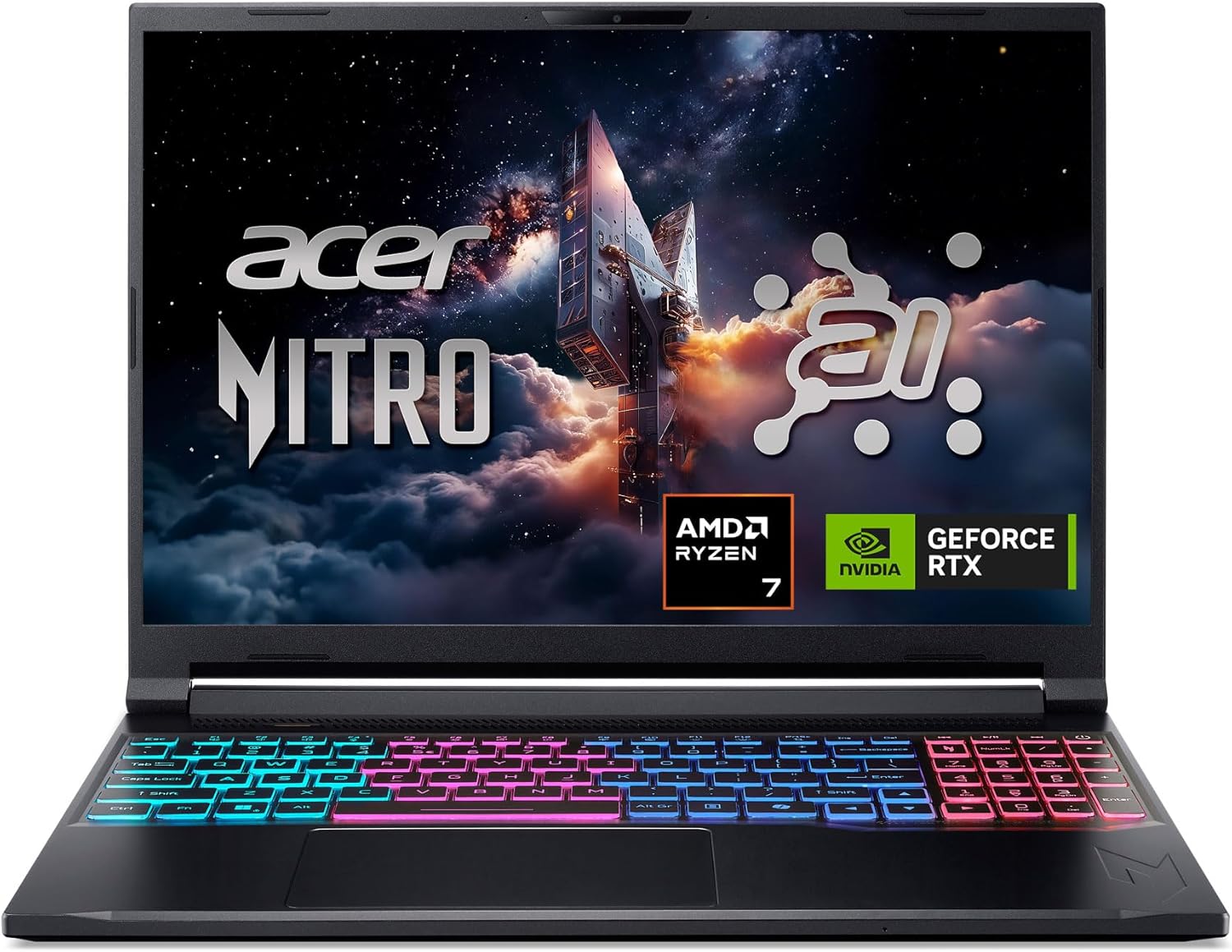
Lenovo Legion 5 Gen 10 (Ryzen 7 260, RTX 5060)
Bottom line: A Ryzen 7 260 and RTX 5060 on a 165Hz 16:10 screen deliver a well-rounded gaming laptop for players who want performance without paying for flashy extras.
The Legion 5 is the steady middle-of-the-road choice, and it pairs an efficient AMD chip with a capable GPU.
Pros & Cons
Pros- RTX 5060 runs at a 115W TGP, a generous power limit for this class
- 8 cores and 16 threads handle games and background apps together
- 16:10 screen with 165Hz, G-SYNC and 100% sRGB looks clean and smooth
- RAM is a standard SO-DIMM, so it can be upgraded later
- M.2 PCIe 4.0 storage with room to swap in a bigger drive
- Dolby Vision support and an anti-glare finish on the display
- Backlit keyboard with a full-size layout
Cons- 512GB of storage fills up fast with big games
- The 300-nit screen is not bright enough for sunny rooms
- At about 5.4 pounds, it is a laptop to move around the house, not across campus
Why We Picked It
This Gen 10 Legion 5 keeps things simple with a Ryzen 7 260 and a full RTX 5060. The 115W graphics limit and upgradeable memory give it more long-term value than the spec sheet suggests.
Who It's For
You want a laptop that plays most current games at high settings at 1080p and 1200p, and you plan to keep it for several years. You are willing to add storage later, and you want a screen with accurate color and no extras to pay for.
Specs & Configurations
- CPU
- AMD Ryzen 7 260 (8 cores/16 threads, up to 5.1GHz)
- GPU
- NVIDIA GeForce RTX 5060 8GB GDDR7, 115W TGP
- RAM
- 16GB DDR5-5600 SO-DIMM
- Storage
- 512GB PCIe 4.0 NVMe
- Display
- 15.3-inch 1920 x 1200, 165Hz, G-SYNC
- Weight
- 5.4 lb
5
Best Budget Pick
Acer Nitro V 16S AI (Ryzen 7 260, RTX 5060)
Bottom line: With 32GB of RAM and a 1TB drive included, the Nitro V 16S is the cheapest way here to get a roomy, ready-to-game AMD laptop.
This laptop gives you the most hardware per dollar of any AMD model on this list.
Pros & Cons
Pros- 32GB of DDR5 memory in the box is rare at this price tier
- 1TB PCIe Gen 4 SSD loads games quickly and holds a decent library
- 16-inch 16:10 screen at 180Hz is large, bright and colorful
- Ports include HDMI 2.1, Gigabit Ethernet, three USB-A and a microSD slot
- Four-zone RGB keyboard and loud, clear speakers
- About 4.6 pounds with a 76Wh battery, easier to move than many 16-inch gaming laptops
- Sold and shipped by Amazon.com and listed in stock
Cons- 1080p gaming performance trails some similarly priced laptops with faster GPU power limits
- The 720p webcam is poor for video calls
- Preinstalled bloatware needs a cleanup after setup
Why We Picked It
Budget gaming laptops usually cut memory and storage first. The Nitro V 16S AI ships with 32GB of RAM and a 1TB SSD, which means fewer upgrades are needed down the line. The RTX 5060 here runs at a lower power limit than in some rivals, which is the real trade-off for the price.
Who It's For
You have a fixed budget and want a big screen, a roomy drive and enough memory for multitasking. You play at 1080p and 1200p and care more about price and value than about getting the last few frames per second out of the GPU.
Specs & Configurations
- CPU
- AMD Ryzen 7 260
- GPU
- NVIDIA GeForce RTX 5060 (up to 85W)
- RAM
- 32GB DDR5-5600
- Storage
- 1TB PCIe Gen 4 SSD
- Display
- 16-inch 1920 x 1200, 180Hz
- Battery
- 76Wh
- Weight
- 4.6 lb

6
Best for High-Refresh 16-Inch Play
HP Omen Max 16 (Ryzen AI 7 350, RTX 5070)
Bottom line: A 240Hz 2560 x 1600 display, 32GB of RAM and a 2TB SSD make this the best-equipped Omen Max 16 for players who want everything included from day one.
Choose this one if a fast, sharp screen matters as much to you as the processor underneath it.
Pros & Cons
Pros- 240Hz refresh rate with a 3ms response time suits fast shooters
- 2560 x 1600 resolution is sharper than most 1200p laptops
- 500 nits and 100% sRGB make the screen bright and accurate
- 32GB of DDR5 RAM leaves room for gaming with background apps
- 2TB SSD stores a large game library without external drives
- RJ-45 Ethernet, HDMI 2.1, two USB-C and two USB-A 10Gbps ports
- OMEN Tempest Cooling Pro is designed to limit thermal throttling
Cons- 8GB of VRAM can limit the highest texture settings at 2560 x 1600 in newer games
- Ryzen AI 7 350 has 8 cores, fewer than the HX chips in the Strix G16
- Sold by a third-party seller, so check warranty terms before ordering
Why We Picked It
The 240Hz 2560 x 1600 panel is the standout here, and HP pairs it with its Tempest Cooling Pro thermal design. Matching it with 32GB of RAM and a 2TB SSD means the listing is ready to play with no upgrades.
Who It's For
You play competitive shooters and battle royales and want the highest refresh rate you can get on a laptop. You also want enough storage to avoid deleting games, and you would rather pay once for a loaded configuration than upgrade parts later.
Specs & Configurations
- CPU
- AMD Ryzen AI 7 350 (8 cores/16 threads, up to 5.0GHz)
- GPU
- NVIDIA GeForce RTX 5070 8GB GDDR7
- RAM
- 32GB DDR5
- Storage
- 2TB SSD
- Display
- 16-inch 2560 x 1600, 240Hz, 500 nits
- Cooling
- OMEN Tempest Cooling Pro

7
Best All-AMD Laptop
ASUS TUF Gaming A14 (Ryzen AI Max+ 392, Radeon 8060S)
Bottom line: An AMD Ryzen AI Max+ chip with Radeon 8060S graphics is the only pick here with no Nvidia card, a good fit if you want the whole system built by AMD.
This is the AMD gaming laptop for people who want AMD graphics rather than just an AMD processor.
Pros & Cons
Pros- Radeon 8060S graphics come built in, with no separate Nvidia GPU to pay for
- 32GB of unified memory can be shared between the CPU and graphics
- Quad-channel LPDDR5X-8000 memory gives the integrated graphics more bandwidth
- Heavy multitasking and creative work benefit from the many-core Ryzen AI Max+ chip
- 165Hz 2.5K display with a 3ms response time
- Redesigned keyboard and 97-blade dual fans help airflow and surface temperatures
- Compact 14-inch body at about 0.87 inches thick
Cons- No Nvidia GPU means no DLSS and fewer ray tracing options in some games
- Priced like a premium laptop, so check the listing price before you commit
- Memory is unified, so you cannot upgrade RAM later
Why We Picked It
Most AMD gaming laptops use Ryzen for the CPU and Nvidia for graphics. The Ryzen AI Max+ chips change that by putting a large integrated Radeon GPU on the same package, backed by fast shared memory. That makes this TUF A14 the one model on the list worth buying for AMD's graphics technology itself.
Who It's For
You want a compact laptop that can play games and also handle video editing, coding or local AI work. You prefer AMD's FSR upscaling to Nvidia's DLSS and you are fine with 1080p to 1440p play at medium to high settings.
Specs & Configurations
- CPU
- AMD Ryzen AI Max+ 392
- Graphics
- Radeon 8060S (integrated)
- RAM
- 32GB LPDDR5X-8000 quad-channel, unified
- Storage
- 1TB PCIe Gen 4 SSD
- Display
- 14-inch 2560 x 1440, 165Hz, 3ms
- Model
- FA401
Are AMD Laptops Good for Gaming?
Yes. A Ryzen processor handles games and everyday tasks well, and most AMD gaming laptops pair it with an Nvidia GeForce graphics card, so you are not giving up DLSS or ray tracing. Recent Ryzen AI chips have edged out comparable Intel systems in multicore performance and gaming graphics optimization, while Intel’s Lunar Lake chips still lead on efficiency and battery life.
What Specs Do You Need in an AMD Gaming Laptop?
Aim for a recent Ryzen chip, 16GB of RAM at minimum (32GB if gaming is the main use), and a 1TB SSD, since modern games can take up well over 100GB each. For graphics, a GeForce RTX 4060 or 4070 class card or newer fits most players. Check the exact model number on the listing, because one laptop name often covers several CPU, GPU and screen options.
Which AMD Gaming Laptop Should You Buy?
The best AMD gaming laptop depends on where you play. Buy the ROG Strix G16 for raw speed at a desk, the TUF Gaming A14 or Zephyrus G14 if you carry your laptop daily, and the Nitro V 16S AI if budget is the deciding factor. The Legion 5 sits comfortably in the middle, and the Ryzen AI Max+ TUF A14 is the one to choose if you want AMD graphics too. Whichever you pick, match the GPU to the screen you want and confirm the configuration before you order.

