

A stock keyboard decides everything for you, down to the switches and the keycaps. The best barebones mechanical keyboard flips that: you buy the case, plate and circuit board, then pick the parts that decide how it feels and sounds. These eight kits cover compact 65% and 75% layouts, wired and wireless builds, and options from budget to premium aluminum.
Best Barebones Mechanical Keyboard in 2026: 8 Kits to Build Your Own
GameCuki is reader-supported. When you buy through links on our site, we may earn an affiliate commission at no extra cost to you. As an Amazon Associate I earn from qualifying purchases. Learn more.
Our Top Picks

Best Overall for a First Build
Keychron Q2 Barebone
Bottom line: A full aluminum 65% kit with QMK/VIA remapping and a double-gasket design, ideal if you want a premium case and a straightforward first build.
- Full aluminum frame
- Double-gasket mount for a softer, quieter feel
- Hot-swap sockets take 3-pin and 5-pin MX switches without soldering
- QMK/VIA remapping on Windows, macOS and Linux
- Screw-in PCB-mounted stabilizers for less wobble on big keys
- Sound-absorbing and case foam already inside
- Components can be taken apart and reassembled
- Wired only, so it is not for anyone who wants a cable-free desk
- Layout has no function row or numpad, which rules it out if you use them daily
- Switches and keycaps are extra, so the total cost grows quickly

Best Modular 75% Kit
Glorious GMMK 3 75% Barebones
Bottom line: A modular 75% frame with swappable gaskets and a programmable knob, best for builders who want to keep tuning the board after it is built.
- Nine points of modularity, including keycaps, top and bottom case, badge, knob and cable
- Modular Gasket System for a firmer or softer typing feel
- Programmable knob for volume, play/pause and mute
- 5-pin MX hot-swap, no soldering
- Two layers of dense case foam against resonance
- Switch plates and gaskets are sold as add-ons
- Keeps the dedicated arrow keys and function row of a 75% layout
- Hot-swap sockets are 5-pin MX, so older 3-pin switches are not a clean fit
- Many of the best customization options are separate purchases
- Wired only

Best for Competitive Gaming
Razer BlackWidow V4 75% Barebones
Bottom line: A gasket-mounted 75% kit with an 8,000 Hz polling rate and Razer's software, built for gamers who want enthusiast sound without giving up esports features.
- Up to 8,000 Hz polling for very fast input reporting
- Gasket-mounted FR4 plate and dual-layer foam for better acoustics
- Hot-swap sockets take most 3-pin and 5-pin mechanical switches
- 5052 aluminum alloy top case
- Per-key Chroma RGB with two-sided underglow
- Five onboard profiles and Razer Synapse 4 software
- Razer Snap Tap plus a dedicated multifunction roller and media buttons
- Wired only, so there is no wireless mode for a tidy desk
- Razer Synapse is needed for the full feature set, which not every builder wants
- Chassis only, so switches and keycaps cost extra

Best Wireless Barebones Kit
Keychron Q1 Max Barebone
Bottom line: A full-metal wireless kit with 2.4 GHz, Bluetooth and QMK/VIA, for builders who want a premium custom board without a cable.
- Full metal body
- 2.4 GHz wireless with a 1,000 Hz polling rate
- Bluetooth 5.1 pairing with up to three devices
- Wired USB-C mode as a fallback
- QMK/VIA remapping and macros
- Double-gasket design with layers of acoustic foam
- Screw-in stabilizers
- Hot-swap for 3-pin and 5-pin MX switches
- Bluetooth mode drops to a 90 Hz polling rate, so it is not for competitive play over Bluetooth
- It is one of the most expensive kits here, before you buy switches and keycaps
- Barebones, so switches and keycaps are extra

Best Premium Aluminum Frame
Glorious GMMK Pro Barebones
Bottom line: A heavy CNC-machined aluminum 75% frame with a rotary knob and swappable parts, for builders who want a showpiece that sits still on the desk.
- CNC machined from solid aluminum, with a scratch-resistant anodized surface
- About 3.3 lb of weight, so it stays put on the desk
- 3-pin and 5-pin MX hot-swap, no soldering
- Aluminum plate included, with brass and polycarbonate alternatives for a different feel
- Top frame, knob and cable are replaceable
- Braided USB-C cable included
- Switch puller and keycap puller in the box
- Wired only, with the weight working against anyone who carries a keyboard around
- Hot-swap and the plate options can be fiddly for a first-time builder
- Premium frame, so the switches and keycaps you add can push the total build high
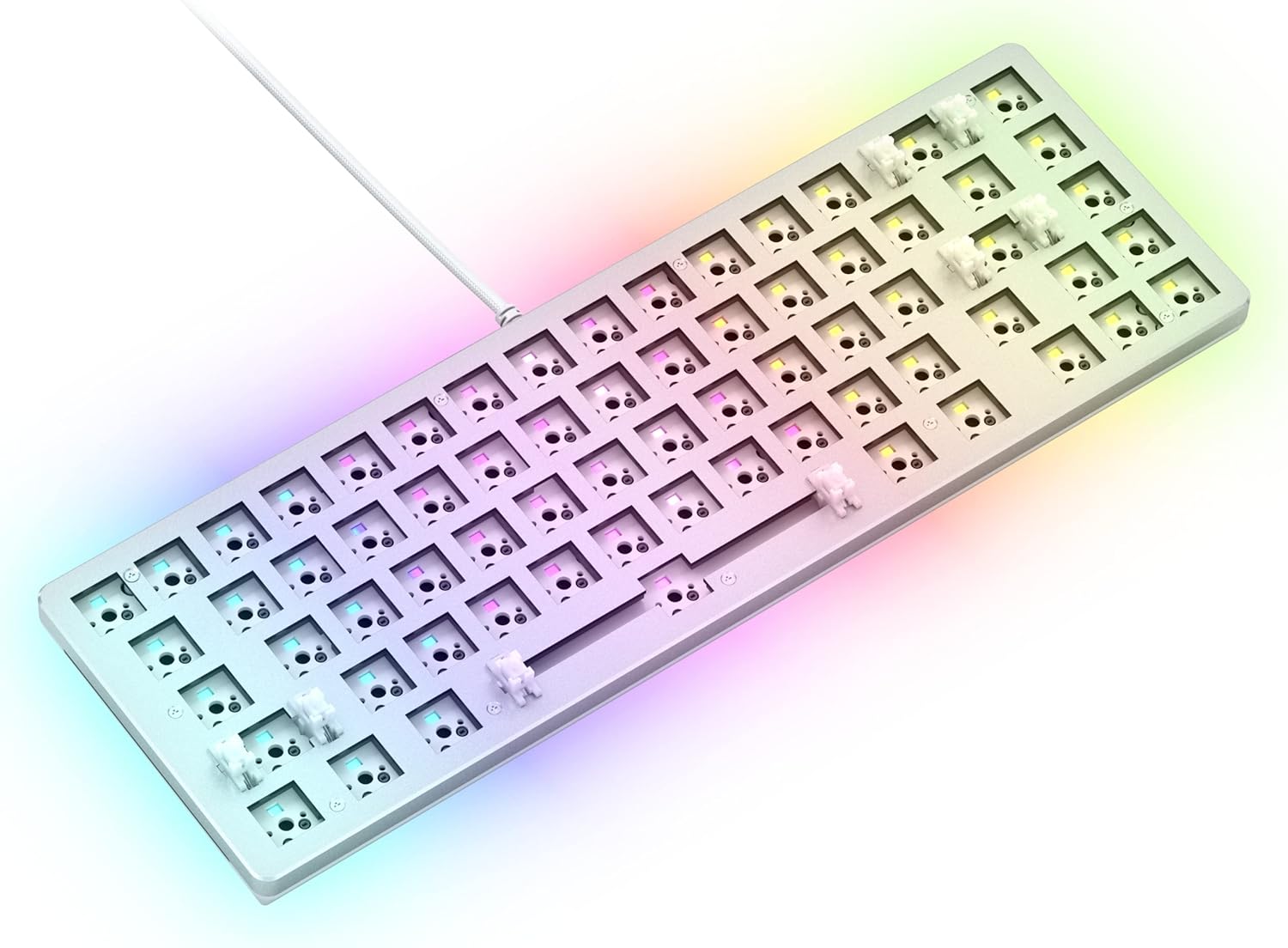
Best Compact Kit with Arrow Keys
Glorious GMMK 2 65% Barebones
Bottom line: A 65% hot-swap kit with lubed stabilizers and thick foam already in place, best for small desks where you still need arrow keys.
- Aluminum top shell for rigidity
- Dedicated arrow and navigation keys in a compact 65% layout
- Pre-installed lubricated stabilizers
- Thick interior foam to cut case ping
- Hot-swap sockets, no soldering
- Grippy rubber feet and enough weight to stay put
- Braided USB-C cable, both pullers and a novelty ESC key in the box
- Wired only
- Sockets are designed for 5-pin switches, so 3-pin switches are a worse fit
- Not the kit for anyone who wants wireless or deep modding options

Best Budget Wireless Kit
BOYI GMK67 Barebones Kit
Bottom line: A tri-mode 65% kit with a knob, VIA support and a 4,000 mAh battery, for builders who want wireless without paying for a premium brand.
- Tri-mode: Bluetooth 5.0, 2.4 GHz and USB-C wired
- 4,000 mAh built-in battery
- VIA programmable keys, macros and backlighting
- Gasket-mounted plate to reduce vibration and cavity sound
- Hot-swap sockets for 3-pin or 5-pin switches
- Multifunction knob for media control
- Foam preinstalled and a polycarbonate plate included
- South-facing RGB with 16.8 million colors
- Smaller brand than Keychron, Razer or Glorious, so there is less accessory and community support
- Plate and foam are fine for a first build, but they will not match a metal premium kit
- Not for anyone who wants an all-metal case

Best Budget Aluminum 75% Kit
LEOBOG Hi75C Kit
Bottom line: An aluminum gasket-mounted 75% kit with a knob and a retractable cable, for wired builders who want a metal case at a modest price.
- CNC-machined aluminum alloy frame
- Gasket-mount design for a cushioned feel
- Hot-swappable PCB for 3-pin and 5-pin switches
- Keeps the function row and arrow keys of a 75% layout
- Integrated volume knob and mute button
- Retractable Type-C to USB-A cable
- 17 preset RGB effects and music modes
- Macro programming and remapping through compatible software
- Wired only
- Lesser-known brand, so software and support are not as established as bigger names
- Barebones, so switches and keycaps are extra
Table of Contents
What a Barebones Mechanical Keyboard Is (and What You Still Have to Buy)
A barebones keyboard is a kit, not a finished product. You get the case, the PCB and usually the plate, stabilizers and foam, but the switches and the keycaps are sold separately, so the board does nothing until you add both. Every kit on this list is listed as a barebones or frame-only product, and each one has hot-swap sockets, which means switches pull in and out by hand with no soldering iron.
Budget for three extras before you order: a set of MX-style switches, a keycap set that fits the layout, and a switch puller if the kit does not ship with one. If you have never built a board, our first-timer’s guide to building a custom keyboard walks through the assembly, and once the board is running, learning how to lube keyboard switches is the cheapest way to change how it sounds.
Best Barebones Mechanical Keyboard: Our Picks in Detail
1
Best Overall for a First Build
Keychron Q2 Barebone
Bottom line: A full aluminum 65% kit with QMK/VIA remapping and a double-gasket design, ideal if you want a premium case and a straightforward first build.
The Q2 is the kit people reach for when they want a metal case without custom-board prices.
Pros & Cons
Pros
- Full aluminum frame
- Double-gasket mount for a softer, quieter feel
- Hot-swap sockets take 3-pin and 5-pin MX switches without soldering
- QMK/VIA remapping on Windows, macOS and Linux
- Screw-in PCB-mounted stabilizers for less wobble on big keys
- Sound-absorbing and case foam already inside
- Components can be taken apart and reassembled
Cons
- Wired only, so it is not for anyone who wants a cable-free desk
- Layout has no function row or numpad, which rules it out if you use them daily
- Switches and keycaps are extra, so the total cost grows quickly
Why We Picked It
Everything that matters in a first build is already handled: a rigid aluminum body, foam inside, stabilizers that screw into the PCB and a double-gasket structure that keeps the plate from feeling harsh. The firmware runs on QMK/VIA, so key remapping and macros are a drag-and-drop job in the browser rather than a firmware flash. It is a plain, sensible foundation and the parts you add on top do most of the personality work.
Who It's For
You are building your first custom board and want a solid, quiet-leaning foundation in a compact layout. You keep your arrow keys but can live without a function row, and you do not mind plugging in a cable.
You enjoy changing switches every few weeks. The Q2 swaps them in seconds, so you can chase the exact feel you want.
Specs & Configurations
- Layout
- 65%
- Case
- full aluminum
- Mount
- double-gasket
- Hot-swap
- 3-pin and 5-pin MX switches
- Firmware
- QMK/VIA
- Connection
- wired USB
- Lighting
- south-facing RGB
- Includes
- screw-in PCB stabilizers, acoustic foam
Get It Now
Check Price on Amazon
2
Best Modular 75% Kit
Glorious GMMK 3 75% Barebones
Bottom line: A modular 75% frame with swappable gaskets and a programmable knob, best for builders who want to keep tuning the board after it is built.
The GMMK 3 is built to be changed, which is the whole point of a kit.
Pros & Cons
Pros
- Nine points of modularity, including keycaps, top and bottom case, badge, knob and cable
- Modular Gasket System for a firmer or softer typing feel
- Programmable knob for volume, play/pause and mute
- 5-pin MX hot-swap, no soldering
- Two layers of dense case foam against resonance
- Switch plates and gaskets are sold as add-ons
- Keeps the dedicated arrow keys and function row of a 75% layout
Cons
- Hot-swap sockets are 5-pin MX, so older 3-pin switches are not a clean fit
- Many of the best customization options are separate purchases
- Wired only
Why We Picked It
Most kits lock you into one feel the day you build them. Glorious lets you swap the gaskets, plate, case parts and knob later, so you can start with the default and move the board toward firmer or softer without buying a new one. The 75% layout also keeps a function row, which many gamers miss on 65% boards.
Who It's For
You like to tweak, and you want a board that grows with you rather than one you finish and forget. A 75% layout fits your desk and your workflow, and Glorious CORE software for the knob and lighting does not put you off.
You game and type on the same keyboard and want volume and media control one twist away.
Specs & Configurations
- Layout
- 75% (81 keys)
- Modularity
- 9 swappable points
- Gaskets
- Modular Gasket System
- Hot-swap
- 5-pin MX switches
- Knob
- programmable (Glorious CORE software)
- Foam
- two layers
- Weight
- 1.3 lb
Get It Now
Check Price on Amazon
3
Best for Competitive Gaming
Razer BlackWidow V4 75% Barebones
Bottom line: A gasket-mounted 75% kit with an 8,000 Hz polling rate and Razer's software, built for gamers who want enthusiast sound without giving up esports features.
Razer built an esports-minded kit with enthusiast parts inside it.
Pros & Cons
Pros
- Up to 8,000 Hz polling for very fast input reporting
- Gasket-mounted FR4 plate and dual-layer foam for better acoustics
- Hot-swap sockets take most 3-pin and 5-pin mechanical switches
- 5052 aluminum alloy top case
- Per-key Chroma RGB with two-sided underglow
- Five onboard profiles and Razer Synapse 4 software
- Razer Snap Tap plus a dedicated multifunction roller and media buttons
Cons
- Wired only, so there is no wireless mode for a tidy desk
- Razer Synapse is needed for the full feature set, which not every builder wants
- Chassis only, so switches and keycaps cost extra
Why We Picked It
Barebones kits often skip the competitive features that gamers care about. The BlackWidow V4 75% keeps them: a polling rate up to 8,000 Hz, Snap Tap for faster direction changes and five onboard profiles you can take to another PC. Underneath, the tape-enhanced PCB, lubricated stabilizers and gasket-mounted plate mean the board sounds like it came from the enthusiast world rather than a mass-market shelf.
Who It's For
You play shooters or other fast games, you want a hot-swap board you can tune, and you already like the Razer ecosystem. You have a favorite linear or tactile switch in mind and would rather install it than accept whatever came in a prebuilt.
You want RGB and underglow that react to games through Chroma.
Specs & Configurations
- Layout
- 75%
- Case
- 5052 aluminum top
- Plate
- gasket-mounted FR4
- Polling rate
- up to 8,000 Hz
- Hot-swap
- most 3-pin and 5-pin switches
- Lighting
- per-key Chroma RGB plus underglow
- Profiles
- 5 onboard
- Connection
- USB
Get It Now
Check Price on Amazon
4
Best Wireless Barebones Kit
Keychron Q1 Max Barebone
Bottom line: A full-metal wireless kit with 2.4 GHz, Bluetooth and QMK/VIA, for builders who want a premium custom board without a cable.
This is the kit to buy when a cable on a clean desk is the thing you want to get rid of.
Pros & Cons
Pros
- Full metal body
- 2.4 GHz wireless with a 1,000 Hz polling rate
- Bluetooth 5.1 pairing with up to three devices
- Wired USB-C mode as a fallback
- QMK/VIA remapping and macros
- Double-gasket design with layers of acoustic foam
- Screw-in stabilizers
- Hot-swap for 3-pin and 5-pin MX switches
Cons
- Bluetooth mode drops to a 90 Hz polling rate, so it is not for competitive play over Bluetooth
- It is one of the most expensive kits here, before you buy switches and keycaps
- Barebones, so switches and keycaps are extra
Why We Picked It
Wireless is where most barebones kits fall down, and the Q1 Max handles it with both a 2.4 GHz dongle and Bluetooth. Over 2.4 GHz and wired it reports at 1,000 Hz, which is fine for gaming, and the double-gasket mount and acoustic foam give you a refined base. QMK/VIA keeps the remapping free of vendor lock-in.
Who It's For
You want a custom board that moves between a desk, a laptop and maybe a tablet without a tangle of cables. You are willing to spend more on the frame because it will outlast several rounds of switch and keycap changes.
Your setup is Mac, Windows or Linux, and QMK/VIA fits all three.
Specs & Configurations
- Case
- full metal
- Connection
- 2.4 GHz, Bluetooth 5.1 and USB-C wired
- Polling rate
- 1,000 Hz (2.4 GHz and wired)
- Firmware
- QMK/VIA
- Mount
- double-gasket
- Stabilizers
- screw-in
- Hot-swap
- 3-pin and 5-pin MX switches
- Version
- with knob
Get It Now
Check Price on Amazon
5
Best Premium Aluminum Frame
Glorious GMMK Pro Barebones
Bottom line: A heavy CNC-machined aluminum 75% frame with a rotary knob and swappable parts, for builders who want a showpiece that sits still on the desk.
The GMMK Pro is the kit to buy if the case itself is the attraction.
Pros & Cons
Pros
- CNC machined from solid aluminum, with a scratch-resistant anodized surface
- About 3.3 lb of weight, so it stays put on the desk
- 3-pin and 5-pin MX hot-swap, no soldering
- Aluminum plate included, with brass and polycarbonate alternatives for a different feel
- Top frame, knob and cable are replaceable
- Braided USB-C cable included
- Switch puller and keycap puller in the box
Cons
- Wired only, with the weight working against anyone who carries a keyboard around
- Hot-swap and the plate options can be fiddly for a first-time builder
- Premium frame, so the switches and keycaps you add can push the total build high
Why We Picked It
A solid aluminum body has a feel that thinner cases do not, and the GMMK Pro leans into it with 3.3 lb of metal, an anodized surface and a rotary knob. The plate can be swapped for brass or polycarbonate when you want a firmer or softer typing feel, and the included pullers mean you can start building without a separate tool order.
Who It's For
Your keyboard lives in one place and you want it to feel heavy and solid. You like the idea of changing the frame, knob or plate later, and you are comfortable with a wired connection.
You are the person who notices case ping, and you want to deal with it at the source.
Specs & Configurations
- Layout
- 75% (83 keys)
- Case
- CNC-machined solid aluminum
- Weight
- 3.3 lb (1.5 kg)
- Hot-swap
- 3-pin and 5-pin MX switches
- Plate
- aluminum, swappable
- Includes
- braided USB-C cable, switch puller, keycap puller
- Knob
- rotary
Get It Now
Check Price on Amazon
6
Best Compact Kit with Arrow Keys
Glorious GMMK 2 65% Barebones
Bottom line: A 65% hot-swap kit with lubed stabilizers and thick foam already in place, best for small desks where you still need arrow keys.
The GMMK 2 65% is a friendly place to start for anyone short on desk space.
Pros & Cons
Pros
- Aluminum top shell for rigidity
- Dedicated arrow and navigation keys in a compact 65% layout
- Pre-installed lubricated stabilizers
- Thick interior foam to cut case ping
- Hot-swap sockets, no soldering
- Grippy rubber feet and enough weight to stay put
- Braided USB-C cable, both pullers and a novelty ESC key in the box
Cons
- Wired only
- Sockets are designed for 5-pin switches, so 3-pin switches are a worse fit
- Not the kit for anyone who wants wireless or deep modding options
Why We Picked It
Plenty of compact kits drop the arrow keys, which makes everyday use frustrating. This one keeps them in a 65% layout, comes with stabilizers that are already lubricated and ships with both pullers and a cable. That cuts the number of small purchases standing between you and a working keyboard.
Who It's For
You have a small desk and want the biggest mouse area you can get while still keeping the arrow keys. You also want a kit with fewer loose ends, because it is your first custom board.
You like color and want something that looks more playful than a plain black frame.
Specs & Configurations
- Layout
- 65% (67 keys)
- Top shell
- aluminum
- Weight
- 1.9 lb
- Hot-swap
- 5-pin switches
- Stabilizers
- pre-installed and lubricated, screw-in mounts available
- Includes
- braided USB-C cable, switch puller, keycap puller, novelty ESC key
- Foam
- thick interior
Get It Now
Check Price on Amazon
7
Best Budget Wireless Kit
BOYI GMK67 Barebones Kit
Bottom line: A tri-mode 65% kit with a knob, VIA support and a 4,000 mAh battery, for builders who want wireless without paying for a premium brand.
This is the cheapest way here to get wireless and a knob in a hot-swap kit.
Pros & Cons
Pros
- Tri-mode: Bluetooth 5.0, 2.4 GHz and USB-C wired
- 4,000 mAh built-in battery
- VIA programmable keys, macros and backlighting
- Gasket-mounted plate to reduce vibration and cavity sound
- Hot-swap sockets for 3-pin or 5-pin switches
- Multifunction knob for media control
- Foam preinstalled and a polycarbonate plate included
- South-facing RGB with 16.8 million colors
Cons
- Smaller brand than Keychron, Razer or Glorious, so there is less accessory and community support
- Plate and foam are fine for a first build, but they will not match a metal premium kit
- Not for anyone who wants an all-metal case
Why We Picked It
A wireless barebones board usually costs a lot more than the wired one. The GMK67 packs Bluetooth, 2.4 GHz and wired modes, a 4,000 mAh battery and VIA support into a 65% layout, with gasket mounting and pre-installed foam. For a first custom keyboard that you will probably modify, it is a low-risk way to find out what you like.
Who It's For
You want to try building a keyboard without committing to a premium kit, and you would like to cut the cable. A 65% layout suits you and so does a knob for volume.
You plan to learn by experimenting with switches, lube and foam.
Specs & Configurations
- Layout
- 65% (67 keys)
- Connection
- Bluetooth 5.0, 2.4 GHz and USB-C wired
- Battery
- 4,000 mAh
- Mount
- gasket
- Firmware
- VIA
- Hot-swap
- 3-pin and 5-pin switches
- Lighting
- south-facing RGB
- Includes
- polycarbonate plate
Get It Now
Check Price on Amazon
8
Best Budget Aluminum 75% Kit
LEOBOG Hi75C Kit
Bottom line: An aluminum gasket-mounted 75% kit with a knob and a retractable cable, for wired builders who want a metal case at a modest price.
The Hi75C is the pick for a metal 75% kit without paying premium-brand prices.
Pros & Cons
Pros
- CNC-machined aluminum alloy frame
- Gasket-mount design for a cushioned feel
- Hot-swappable PCB for 3-pin and 5-pin switches
- Keeps the function row and arrow keys of a 75% layout
- Integrated volume knob and mute button
- Retractable Type-C to USB-A cable
- 17 preset RGB effects and music modes
- Macro programming and remapping through compatible software
Cons
- Wired only
- Lesser-known brand, so software and support are not as established as bigger names
- Barebones, so switches and keycaps are extra
Why We Picked It
Aluminum, gasket mounting and a knob are features that used to be reserved for expensive kits, and the Hi75C brings all three in a wired 75% board. The retractable cable is a thoughtful extra for a desk that moves between home and the office, and the upgraded PCB is meant to improve stability over the older Hi75.
Who It's For
You want an aluminum build and the function row of a 75% layout, and you do not need wireless. You would rather put the money you save into better switches and keycaps.
You carry your keyboard now and then and appreciate a cable that retracts.
Specs & Configurations
- Layout
- 75% (81 keys)
- Case
- CNC-machined aluminum alloy
- Mount
- gasket
- Hot-swap
- 3-pin and 5-pin
- Knob
- volume knob with mute button
- Cable
- retractable Type-C to USB-A
- Lighting
- RGB, 17 preset effects
Get It Now
Check Price on AmazonHow to Choose a Barebones Mechanical Keyboard
Layout
Layout is the first decision, because it controls which keycap sets fit. A 65% kit keeps the arrow keys but drops the function row, while a 75% kit adds the function row back in a slightly larger body. Full-size and TKL kits exist, but the compact formats are where most gamers settle because they free up mouse room.
Hot-swap sockets
Hot-swap is what makes a kit beginner friendly. Check that the sockets accept the switches you want: 5-pin MX switches fit most sockets, while some sockets are made for 5-pin switches only.
Mounting style and case material
Gasket mounting, where the plate floats on soft strips, gives a cushioned, quieter typing feel than a plate bolted straight to the case. Aluminum cases add weight and rigidity, while plastic or mixed cases cost less and weigh less. Neither is wrong, so pick the one that fits how you use the board.
Wired or wireless
Wired kits are simpler and usually cheaper, and they avoid battery concerns. Wireless kits remove the cable but cost more and often report at a lower rate over Bluetooth than over a dongle, so check which mode runs at the speed you need.
Firmware and software
QMK and VIA let you remap keys and set macros in a browser on Windows, macOS and Linux. Brand software such as Razer Synapse or Glorious CORE adds lighting and extra features but ties you to one ecosystem.
Which Barebones Mechanical Keyboard Should You Buy?
If you want the safest start, the Keychron Q2 is the best barebones mechanical keyboard on this list for a first build, and the Glorious GMMK 3 75% is the one to pick if you want a board you can keep modifying. Gamers chasing fast input should look at the Razer BlackWidow V4 75%, and anyone who wants wireless can choose the Keychron Q1 Max or save money with the BOYI GMK67. Whichever kit you choose, remember that the switches and keycaps you add decide the final sound and feel, so budget for them before you order.