

Plenty of mice call themselves ambidextrous, but only some put usable thumb buttons where a left hand actually reaches. The best ambidextrous gaming mouse gives you a symmetrical shell plus buttons on both sides or modules you can move. These seven picks cover swappable-button wireless models, a light wired shooter and one budget option, and each card says which kind of ambidextrous design you are getting.
Best Ambidextrous Gaming Mouse in 2026: 7 Picks for Either Hand
GameCuki is reader-supported. When you buy through links on our site, we may earn an affiliate commission at no extra cost to you. As an Amazon Associate I earn from qualifying purchases. Learn more.
Our Top Picks

Best Overall for Both Hands
Corsair M75 Wireless
Bottom line: A wireless mouse with a symmetrical shell and magnetic side buttons you can set up for either hand, best for players who share a desk or simply use their left.
- Side buttons are symmetrical, so there are thumb buttons on both sides of the shell
- Magnetic replacement buttons are included, so you choose which sit raised and which sit flush
- All four side buttons can be switched on at once
- The shell has a relatively high arch that is not angled toward either hand
- Up to 105 hours of battery on 2.4 GHz and up to 210 hours on Bluetooth
- 26,000 DPI optical sensor
- Bluetooth lets one mouse cover a PC and a laptop
- Side buttons set flush can be harder to find by feel
- At 89 g it is heavier than the lightest FPS mice
- Wireless polling tops out at 1,000 Hz, so players who want 8,000 Hz need the wired version

Best for Competitive Play
Logitech G PRO 2 LIGHTSPEED
Bottom line: A symmetrical esports mouse with magnetic side buttons and a very fast sensor, best for competitive players who want a wireless setup that works from the left side.
- Symmetric design usable by left- or right-handed players
- Magnetic side buttons can be swapped to suit your grip
- HERO 2 sensor reaches up to 44,000 DPI
- Tracks over 888 inches per second
- LIGHTFORCE switches pair optical speed with a mechanical click
- LIGHTSPEED wireless for cable-free play
- Up to 8 kHz polling when you add the PRO LIGHTSPEED receiver
- The 8 kHz receiver is sold separately
- Can cost roughly double the older G PRO Wireless, so it is a stretch for budget buyers
Best for Wireless Charging
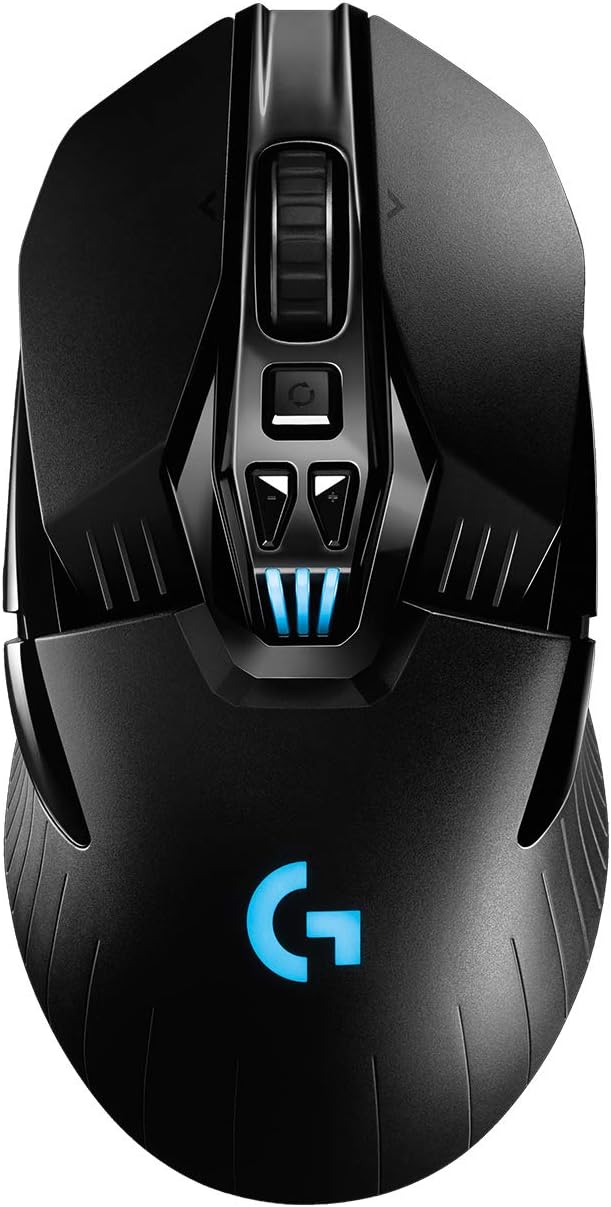
Logitech G903 LIGHTSPEED
Bottom line: An ambidextrous wireless mouse with removable thumb buttons and up to 180 hours of battery, best for players who want it to keep charging on a POWERPLAY mat.
- Ambidextrous design for left or right hands
- Removable thumb buttons you can change to suit your grip
- HERO 25K sensor with up to 25,600 DPI
- Up to 140 hours of battery with lighting on
- Up to 180 hours of battery with lighting off
- Works with POWERPLAY so it can charge as you play
- Metal scroll wheel that can switch to free spin
- Costs more than most ambidextrous rivals
- Ambidextrous rather than a dedicated left-handed shape
- POWERPLAY charging needs a separate mat

Best Wired Mouse for Shooters
Razer Viper
Bottom line: A 69 g wired mouse with mirrored thumb buttons on both sides, best for left-handed shooter players who prefer a cable to charging.
- Mirrored side buttons give a left thumb its own pair
- Only 69 g, light enough for fast flicks
- Wired, so there is no battery to charge
- Lean shape built for speed
- Suits first-person shooters like Warzone, Fortnite and Apex Legends
- Extra grips on the sides help hold the mouse
- Wired only
- Lean shape suits claw and fingertip grips better than a full palm grip

Best Light Wireless Option
Razer Viper Ultimate
Bottom line: A 74 g wireless mouse with an ambidextrous design, best for players who want the Viper shape without a cable.
- Ambidextrous design for left or right hands
- 74 g for a wireless mouse
- 8 programmable buttons through Razer Synapse 3
- 20,000 DPI sensor with 650 IPS tracking
- Optical switches with 0.2 ms actuation
- Up to 70 hours of battery
- Works with the Razer Mouse Dock Chroma for charging
- Battery life trails the M75 Wireless and G903
- Charging dock may be a separate purchase depending on the listing

Best Ultralight Symmetrical Shell
Corsair M75 Air Wireless
Bottom line: A 60 g wireless mouse with a symmetrical shell and Bluetooth, best for lefties who put weight first and can confirm the button layout before buying.
- Symmetrical shell shape
- 60 g is the lightest mouse on this list
- 26,000 DPI sensor with 650 IPS tracking
- Optical switches rated for 100 million clicks
- Bluetooth mode runs up to 100 hours
- Full recharge in 75 minutes or less
- Storage compartment for the USB receiver
- Battery drops to about 34 hours on 2.4 GHz
- Corsair's page calls the shell symmetrical but does not list swappable side buttons, so lefties should check the thumb button layout first
Best Budget Wireless
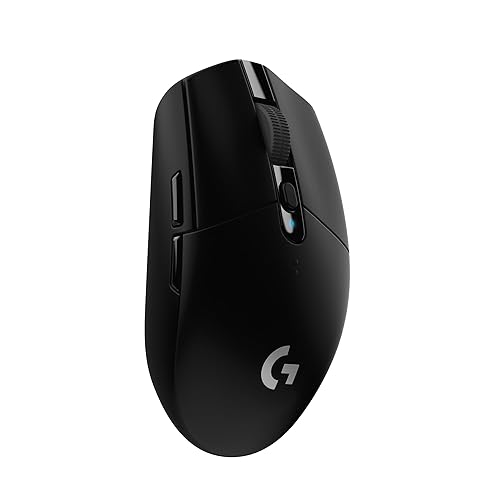
Logitech G305 LIGHTSPEED
Bottom line: A cheap wireless mouse with a symmetrical shape, best for budget buyers who need wireless play and will check which side the thumb buttons sit on.
- Wireless at a budget level
- HERO sensor with 200 to 12,000 DPI
- Up to 250 hours from one AA battery
- 1 ms LIGHTSPEED wireless
- Built-in storage for the USB receiver
- Fast, light and sturdy as a design
- 6 programmable buttons through Logitech G HUB
- 99 g is heavier than most mice here
- Runs on a single AA battery rather than a rechargeable cell
- Only 6 programmable buttons, so left-handers should check where the thumb buttons sit
Table of Contents
Best Ambidextrous Gaming Mouse: Our Picks in Detail
1
Best Overall for Both Hands
Corsair M75 Wireless
Bottom line: A wireless mouse with a symmetrical shell and magnetic side buttons you can set up for either hand, best for players who share a desk or simply use their left.
The M75 Wireless is Corsair's ambidextrous wireless mouse, built around a symmetrical shell and magnetic side buttons.
Pros & Cons
Pros
- Side buttons are symmetrical, so there are thumb buttons on both sides of the shell
- Magnetic replacement buttons are included, so you choose which sit raised and which sit flush
- All four side buttons can be switched on at once
- The shell has a relatively high arch that is not angled toward either hand
- Up to 105 hours of battery on 2.4 GHz and up to 210 hours on Bluetooth
- 26,000 DPI optical sensor
- Bluetooth lets one mouse cover a PC and a laptop
Cons
- Side buttons set flush can be harder to find by feel
- At 89 g it is heavier than the lightest FPS mice
- Wireless polling tops out at 1,000 Hz, so players who want 8,000 Hz need the wired version
Why We Picked It
Corsair places the side buttons symmetrically, so a left hand and a right hand both get thumb buttons, and the box includes extra magnetic buttons so you decide which ones stand out. That makes it one of the few mice here where ambidextrous means the layout itself, not just the outline of the shell. Add a 26,000 DPI sensor, two wireless modes and battery that lasts for weeks, and it covers most reasons to want a mouse for either hand.
Who It's For
You are left-handed, or you share a desk with someone who is, and you want a wireless mouse that does not feel like a right-hand design flipped over. You also want one mouse that moves from a gaming PC to a laptop over Bluetooth without a second purchase. It suits shooters and everyday play alike.
Specs & Configurations
- Handedness
- ambidextrous, magnetic swappable side buttons
- Weight
- 89 g (3.13 oz)
- Connection
- 2.4 GHz SLIPSTREAM, Bluetooth, USB-C
- Sensor
- 100 to 26,000 DPI optical
- Battery
- up to 105 hours on 2.4 GHz, up to 210 hours on Bluetooth (RGB off)
- Polling
- 1,000 Hz
Get It Now
Check Price on Amazon
2
Best for Competitive Play
Logitech G PRO 2 LIGHTSPEED
Bottom line: A symmetrical esports mouse with magnetic side buttons and a very fast sensor, best for competitive players who want a wireless setup that works from the left side.
Logitech built the G PRO 2 for esports, and its symmetrical body with swappable magnetic buttons makes it one of the most capable competitive mice for a left hand.
Pros & Cons
Pros
- Symmetric design usable by left- or right-handed players
- Magnetic side buttons can be swapped to suit your grip
- HERO 2 sensor reaches up to 44,000 DPI
- Tracks over 888 inches per second
- LIGHTFORCE switches pair optical speed with a mechanical click
- LIGHTSPEED wireless for cable-free play
- Up to 8 kHz polling when you add the PRO LIGHTSPEED receiver
Cons
- The 8 kHz receiver is sold separately
- Can cost roughly double the older G PRO Wireless, so it is a stretch for budget buyers
Why We Picked It
Most esports mice are shaped for right hands. The G PRO 2 takes the opposite approach, with a body that works for either hand and side buttons that attach magnetically, so you build the layout your thumb needs. The HERO 2 sensor's 888+ IPS tracking speed leaves plenty of headroom for fast flicks, and the LIGHTFORCE switches give you the speed of an optical switch with a click that feels mechanical.
Who It's For
You play fast shooters, you are left-handed or switch hands, and you want a wireless mouse with a sensor and switches made for competition. If you are willing to add Logitech's PRO LIGHTSPEED receiver, the 8 kHz polling option gives you a faster report rate on a high-refresh monitor.
Specs & Configurations
- Handedness
- symmetrical, magnetic swappable side buttons
- Connection
- LIGHTSPEED wireless
- Sensor
- HERO 2, up to 44,000 DPI, 888+ IPS
- Switches
- LIGHTFORCE hybrid optical-mechanical
- Polling
- up to 8 kHz with the separate PRO LIGHTSPEED receiver
Get It Now
Check Price on Amazon
3
Best for Wireless Charging
Logitech G903 LIGHTSPEED
Bottom line: An ambidextrous wireless mouse with removable thumb buttons and up to 180 hours of battery, best for players who want it to keep charging on a POWERPLAY mat.
The G903 is a wireless mouse with removable thumb buttons that is built to work in either hand.
Pros & Cons
Pros
- Ambidextrous design for left or right hands
- Removable thumb buttons you can change to suit your grip
- HERO 25K sensor with up to 25,600 DPI
- Up to 140 hours of battery with lighting on
- Up to 180 hours of battery with lighting off
- Works with POWERPLAY so it can charge as you play
- Metal scroll wheel that can switch to free spin
Cons
- Costs more than most ambidextrous rivals
- Ambidextrous rather than a dedicated left-handed shape
- POWERPLAY charging needs a separate mat
Why We Picked It
Logitech lets you change the thumb buttons to match the hand you use, and the HERO 25K sensor raises the top setting to 25,600 DPI. The battery is rated for up to 140 hours with lighting on and up to 180 hours with it off, and with a POWERPLAY mat the mouse can top itself up while you play. The metal scroll wheel can click out of its notched spin into a free-spinning mode for long scrolls.
Who It's For
You are left-handed or ambidextrous in how you play, you want a wireless mouse that practically never needs a cable, and a wireless charging mat is already part of your setup or on your wish list. The removable buttons also give you room to adjust the layout as your grip changes.
Specs & Configurations
- Handedness
- ambidextrous, removable thumb buttons
- Sensor
- HERO 25K, up to 25,600 DPI
- Battery
- up to 140 hours with lighting, up to 180 hours without
- Charging
- compatible with POWERPLAY wireless charging (sold separately)
- Report rate
- 1 ms
Get It Now
Check Price on Amazon
4
Best Wired Mouse for Shooters
Razer Viper
Bottom line: A 69 g wired mouse with mirrored thumb buttons on both sides, best for left-handed shooter players who prefer a cable to charging.
The original Viper is Razer's wired ambidextrous mouse, trimmed down for fast shooter play.
Pros & Cons
Pros
- Mirrored side buttons give a left thumb its own pair
- Only 69 g, light enough for fast flicks
- Wired, so there is no battery to charge
- Lean shape built for speed
- Suits first-person shooters like Warzone, Fortnite and Apex Legends
- Extra grips on the sides help hold the mouse
Cons
- Wired only
- Lean shape suits claw and fingertip grips better than a full palm grip
Why We Picked It
The thumb buttons are mirrored on both sides, so a left hand uses the pair on its side of the shell without any setup. The body weighs 69 g, which keeps flicks quick, and the cable means the weight never changes with a battery. It is a simple, quick mouse that stays out of the way.
Who It's For
You are a left-handed shooter, you play at a desk where a cable is not a problem, and you care about speed more than a pile of extra buttons. It suits competitive players and anyone who wants a light, reliable mouse with nothing to charge.
Specs & Configurations
- Handedness
- ambidextrous, mirrored side buttons on each side
- Weight
- 69 g (2.43 oz)
- Connection
- wired USB
Get It Now
Check Price on Amazon
5
Best Light Wireless Option
Razer Viper Ultimate
Bottom line: A 74 g wireless mouse with an ambidextrous design, best for players who want the Viper shape without a cable.
The Viper Ultimate takes the Viper shape wireless, with a 74 g body that stays light.
Pros & Cons
Pros
- Ambidextrous design for left or right hands
- 74 g for a wireless mouse
- 8 programmable buttons through Razer Synapse 3
- 20,000 DPI sensor with 650 IPS tracking
- Optical switches with 0.2 ms actuation
- Up to 70 hours of battery
- Works with the Razer Mouse Dock Chroma for charging
Cons
- Battery life trails the M75 Wireless and G903
- Charging dock may be a separate purchase depending on the listing
Why We Picked It
Razer lists 8 programmable buttons, a sensor that reaches 20,000 DPI and 650 IPS, and optical switches with a 0.2 ms actuation time. Battery life is rated up to 70 hours, roughly a week at 10 hours of play per day. The Mouse Dock Chroma charges it, extends the dongle's reach and shows battery status in Synapse.
Who It's For
You are a left-handed or ambidextrous shooter who wants a light wireless mouse and is happy with a modest button count. It works best when speed and low weight matter more to you than a huge battery or lots of thumb buttons.
Specs & Configurations
- Handedness
- ambidextrous design
- Weight
- 74 g (2.61 oz)
- Buttons
- 8 programmable
- Sensor
- up to 20,000 DPI, 650 IPS
- Switches
- optical, 0.2 ms actuation
- Battery
- up to 70 hours
Get It Now
Check Price on Amazon
6
Best Ultralight Symmetrical Shell
Corsair M75 Air Wireless
Bottom line: A 60 g wireless mouse with a symmetrical shell and Bluetooth, best for lefties who put weight first and can confirm the button layout before buying.
The M75 Air is Corsair's ultra-light wireless mouse, and its symmetrical shell makes it a candidate for either hand.
Pros & Cons
Pros
- Symmetrical shell shape
- 60 g is the lightest mouse on this list
- 26,000 DPI sensor with 650 IPS tracking
- Optical switches rated for 100 million clicks
- Bluetooth mode runs up to 100 hours
- Full recharge in 75 minutes or less
- Storage compartment for the USB receiver
Cons
- Battery drops to about 34 hours on 2.4 GHz
- Corsair's page calls the shell symmetrical but does not list swappable side buttons, so lefties should check the thumb button layout first
Why We Picked It
It weighs 60 g, which is the lightest weight here, and it keeps the 26,000 DPI Marksman sensor and optical Quickstrike switches. Corsair describes the shape as symmetrical, so the outline works for a left hand, but the maker's page does not spell out a mirrored button layout like the M75 Wireless does. Think of it as the ultralight choice for lefties who confirm the thumb buttons suit them.
Who It's For
You want the lowest weight you can get, you play fast shooters and you use a claw or fingertip grip. It also helps if you move between a desk PC and a laptop, since the Bluetooth mode stretches battery life to 100 hours.
Specs & Configurations
- Shape
- symmetrical shell
- Weight
- 60 g (2.12 oz)
- Connection
- 2.4 GHz SLIPSTREAM, Bluetooth
- Sensor
- MARKSMAN 26K optical, 650 IPS
- Switches
- optical QUICKSTRIKE, rated for 100 million clicks
- Battery
- up to 34 hours on 2.4 GHz, up to 100 hours on Bluetooth
Get It Now
Check Price on Amazon
7
Best Budget Wireless
Logitech G305 LIGHTSPEED
Bottom line: A cheap wireless mouse with a symmetrical shape, best for budget buyers who need wireless play and will check which side the thumb buttons sit on.
The G305 is a long-running wireless mouse that is often grouped with ambidextrous options for its symmetrical shape.
Pros & Cons
Pros
- Wireless at a budget level
- HERO sensor with 200 to 12,000 DPI
- Up to 250 hours from one AA battery
- 1 ms LIGHTSPEED wireless
- Built-in storage for the USB receiver
- Fast, light and sturdy as a design
- 6 programmable buttons through Logitech G HUB
Cons
- 99 g is heavier than most mice here
- Runs on a single AA battery rather than a rechargeable cell
- Only 6 programmable buttons, so left-handers should check where the thumb buttons sit
Why We Picked It
Its HERO sensor reaches 12,000 DPI, LIGHTSPEED wireless delivers a 1 ms report rate, and a single AA battery can last up to 250 hours. The shell is symmetrical, and the built-in receiver storage keeps travel simple. It trades some weight and features for a low price.
Who It's For
You are a budget buyer who wants wireless play without paying for a premium mouse, and you do not mind swapping an AA battery. Left-handers should look at the product photos and confirm which side the thumb buttons are on before buying.
Specs & Configurations
- Shape
- symmetrical, described as ambidextrous
- Weight
- 99 g (3.49 oz)
- Connection
- LIGHTSPEED wireless, 1 ms
- Sensor
- HERO, 200 to 12,000 DPI
- Battery
- up to 250 hours on one AA battery
- Buttons
- 6 programmable
Get It Now
Check Price on AmazonTruly Ambidextrous vs Symmetrical Mice: What to Check
A truly ambidextrous mouse has a neutral shell and either mirrored side buttons on both sides or buttons you can move. A mouse that is only symmetrical has the same outline from left to right, but its thumb buttons may still sit on one side. For a left-hander, the buttons are the whole question, so look at the product photos and spec sheet before you buy.
Look at the Side Buttons
The M75 Wireless and G PRO 2 use magnetic modules, the G903 uses removable thumb buttons and the Viper puts a pair on each side. The M75 Air and G305 have symmetrical shells, so confirm the thumb button layout first.
Match the Shell to Your Grip
Ambidextrous mice tend to suit claw and fingertip grips best, while a palm grip can feel less comfortable than on a shape built for one hand. If you want a shape that supports a full palm, a dedicated design may fit better, and our best left handed gaming mouse guide covers that choice.
Think About Weight and Wireless
Weights here run from 60 g to 99 g. Wireless saves cable drag, but it adds a battery to charge, and our best wireless gaming mouse roundup compares the wider market.
Ambidextrous Gaming Mouse FAQ
Are there ambidextrous gaming mice?
Yes. Corsair, Logitech and Razer all sell ambidextrous models, from wireless mice with swappable side buttons to wired shooter mice with buttons on both sides.
Are ambidextrous mice good for gaming?
They can be. Models like the G PRO 2 and Viper are built for fast shooters. Ambidextrous shells tend to suit claw and fingertip grips, and a palm grip can feel less comfortable than on a shape made for one hand.
Can you switch a mouse to be left-handed?
You can change your mouse buttons in your operating system settings, but that only swaps the main clicks. A mouse with thumb buttons on both sides, or buttons you can move, gives a left hand access to the extra controls too.
Which Is the Best Ambidextrous Gaming Mouse for You?
If you want one wireless mouse that works for either hand, start with the Corsair M75 Wireless. Competitive players should look at the Logitech G PRO 2, shooter fans who want a cable will like the Razer Viper, and the Corsair M75 Air is the pick when weight matters most. The best ambidextrous gaming mouse is the one with thumb buttons on the side your hand reaches and a shell that fits your grip.