

The wired vs wireless gaming mouse debate used to have an easy answer: wired for anything competitive, wireless for the couch. Modern 2.4GHz wireless has closed most of that gap, which makes the real question what you are willing to give up: a cable, or a charging routine and a higher price tag.
Wired vs Wireless Gaming Mouse: Which Is Best for Gaming?
Table of Contents
- Latency and Reliability: The Gap Has Mostly Closed
- Cable Drag and Weight: Where Wireless Pulls Ahead
- Battery Life: The One Real Trade-Off for Wireless
- Price and Setup: Wired Is Still Cheaper
- Wired vs Wireless Gaming Mouse: Full Specs
- And the Winner Is…
- Final Thoughts on Wired vs Wireless Gaming Mouse
Latency and Reliability: The Gap Has Mostly Closed
A good wired mouse sends data over USB with latency around or below 1ms. Current premium wireless mice on a 2.4GHz dongle land in the same range, roughly 0.5 to 1ms, which is not something a player can feel in a match. Connection drops are rare today, though a small chance remains with any wireless mouse, especially if it sits far from the receiver or behind a crowded USB hub.
Bluetooth is a different story. It is built for power efficiency rather than speed and can add 10ms or more of delay, so keep it for browsing and use the included dongle for anything competitive. Budget wireless models are also the most likely to fall short of wired latency, so the parity applies mostly to mid-range and premium mice.
Quick pick: choose wired if you never want to think about signal at all, for example in a tournament hall packed with wireless gear.
Cable Drag and Weight: Where Wireless Pulls Ahead
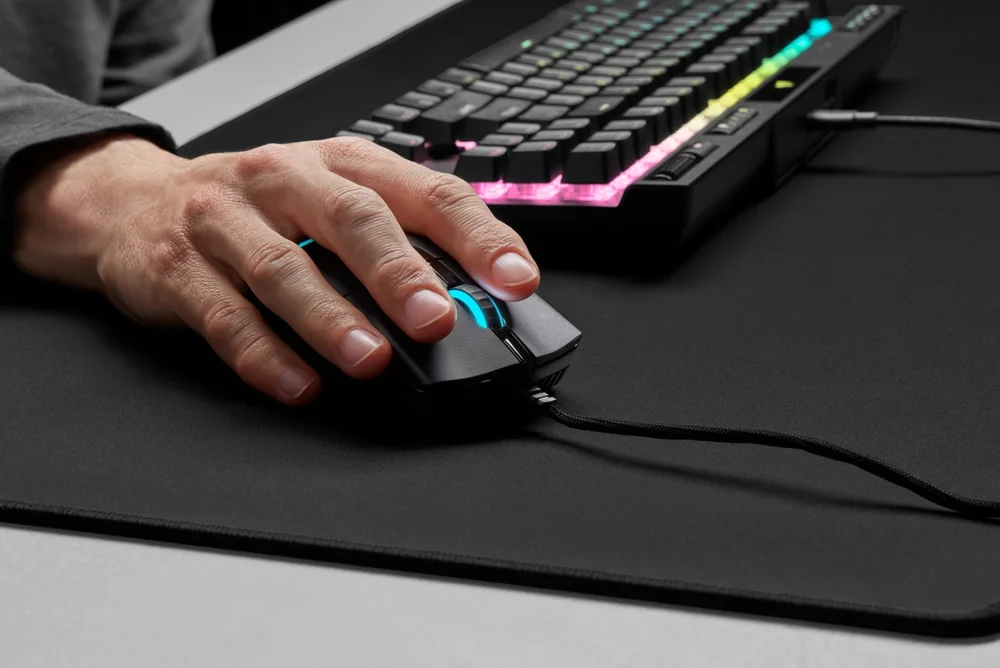
A cable can catch on the desk edge or tug against fast flicks. Flexible paracord-style cables and a mouse bungee reduce the effect, but they do not remove it. Wireless mice drop the cable entirely, and many ultralight wireless models now weigh about 54 to 70g, which is lighter than some wired mice. The battery does add some weight inside a wireless shell, so a wired version of the same shape can be a little lighter.
Battery Life: The One Real Trade-Off for Wireless
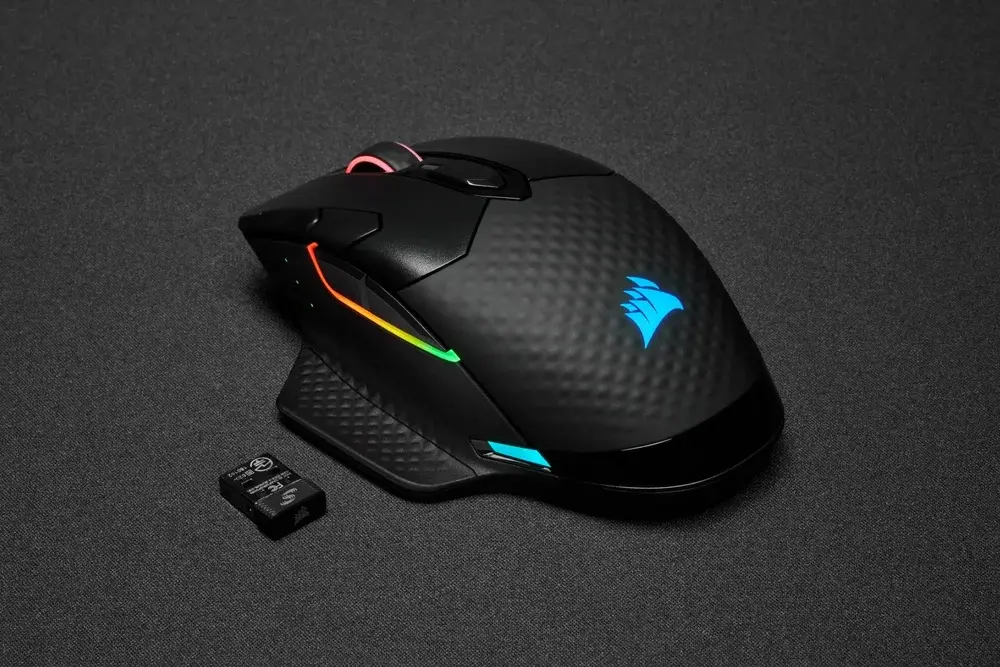
Wired mice draw power from the USB port and never need charging. Wireless mice do, and the effort depends on the model. Many mid-range wireless gaming mice last 40 to 80 hours per charge and some premium ones run well past 100 hours, which means plugging in every few weeks for a typical player. High polling rates, bright RGB lighting and Bluetooth versus dongle choices all change that number, and the worst moment for a dead battery is mid-match, when most mice let you keep playing by plugging in the charging cable.
Price and Setup: Wired Is Still Cheaper
With a similar sensor and switches, the wired version of a mouse usually costs noticeably less than the wireless one, and some brands sell both versions of the same shape so you can see the gap directly. Wired is also plug and play, with no receiver, no pairing and no charge level to watch. Laptop owners should note that many modern laptops have few full-size USB ports, which makes a wireless dongle or Bluetooth the easier fit on the road.
Quick pick: if the budget is tight, a wired mouse puts more of your money into sensor and shape.
Wired vs Wireless Gaming Mouse: Full Specs
| Feature | Wired | Wireless |
|---|---|---|
| Latency (2.4GHz / USB) | Around 1ms or lower | Roughly 0.5 to 1ms on premium models |
| Bluetooth mode | Not applicable | Adds 10ms or more, avoid for competitive play |
| Power | USB, never needs charging Wins | Battery, often 40 to 80+ hours per charge |
| Cable drag | Possible, reduced with a bungee | None Wins |
| Weight | No battery inside, though many weigh 80 to 100g | Ultralight models about 54 to 70g Wins |
| Price | Usually lower Wins | Usually higher |
| Setup | Plug and play Wins | Dongle or pairing, charging routine |
| Desk tidiness | Cable on the desk | Cleaner setup Wins |
| Laptop and travel use | Needs a free USB port | Dongle or Bluetooth Wins |
And the Winner Is…
WinnerWireless
Wired still deserves credit: it costs less, never runs out of power and has no signal to worry about. For most players, though, wireless is now the better wired vs wireless gaming mouse choice, because the latency gap is gone on mid-range and premium models, cable drag disappears and the desk looks cleaner. Battery life usually spans weeks of normal play, so charging is a minor chore. Stay with wired if you are on a tight budget, want zero maintenance or play where wireless interference is heavy. If you go wireless, play on the 2.4GHz dongle, not Bluetooth. If wireless sounds right, start with our list of the best wireless gaming mouse picks.
Final Thoughts on Wired vs Wireless Gaming Mouse
Pick wireless if you can spend a little more and want the freedom of movement. Pick wired if saving money or avoiding batteries matters more than a clean desk. Either way, the sensor, shape and weight that fit your grip will affect your aim more than the connection type.