GameCuki is reader-supported. When you buy through links on our site, we may earn an affiliate commission at no extra cost to you. As an Amazon Associate I earn from qualifying purchases. Learn more.
Your PS5 can send a 4K picture at 120 frames per second, but plenty of TVs never let it. The best TV for PS5 gaming needs HDMI 2.1 bandwidth, variable refresh rate and low input lag, and it should handle the room you actually play in. We picked eight sets, from OLEDs that make dark games look incredible to Mini-LED screens that stay punchy in a sunny living room.
If you are still deciding on the console itself, our PS5 Slim vs PS5 Pro comparison covers what the extra graphics power buys you. Whichever model you own, the TVs below take full advantage of it.
What to Look for in a TV for PS5
Four things matter most. First, HDMI 2.1 bandwidth on the port your console uses, because that is what carries 4K at 120Hz, the top refresh rate the PS5 and PS5 Pro offer. Second, VRR support, which cuts screen tearing. Third, low input lag, so button presses feel immediate. Fourth, the panel type for your room: an OLED gives near-perfect blacks and very fast pixel response but can show reflections and carries a small burn-in risk with static HUDs, while a Mini-LED set is brighter and has no burn-in risk, but its pixels are slower, so fast action looks blurrier.
Also count the HDMI 2.1 ports. Some budget sets have only two, so if you plan to connect a PS5 and another high-end device, choose a model with four.
Best TV for PS5 Gaming: Our Picks in Detail

1
Best for Most PS5 Players
LG C6 OLED (65-inch)
Bottom line: An OLED with four HDMI 2.1 ports, near-instant response and low input lag, ideal if you want one TV for games and movies in a room you can dim.
The LG C6 is the OLED to buy if you want a single TV that does everything well. It has four HDMI 2.1 ports, supports VRR, and has input lag low enough that games feel snappy. Its response time is nearly instantaneous, so fast camera pans in an action game stay clear.
Pros & Cons
Pros- Four HDMI 2.1 ports for a PS5 plus other consoles
- Supports 4K at 120Hz, the PS5 maximum, with room to spare
- VRR removes screen tearing
- Nearly instantaneous response time keeps fast motion crystal clear
- Deep, inky blacks with no haloing around bright highlights
- Dolby Vision HDR support
- LG promises five years of software updates
- Wide viewing angle for couch seating
Cons- Glossy screen shows reflections from lamps and windows
- Risk of permanent burn-in with long exposure to static HUD elements
- No HDR10+ and no DTS audio passthrough
Why We Picked It
The C6 pairs OLED contrast with a full set of console features. Blacks are deep and uniform with no haloing, so horror games and night scenes look the way the developers intended, and the PS5 Pro's ray-traced lighting has real contrast to show off. It reaches high enough brightness to handle some daytime glare, it supports Dolby Vision, and LG's five-year update promise makes it an easier long-term buy than most TVs.
Who It's For
You play on a PS5 or PS5 Pro in a living room or den where you can control the lighting, and you also watch movies and shows on the same screen. You want one TV that covers 4K/120 gaming today and the next console you buy, without juggling HDMI cables, and you value black levels more than raw brightness.
Specs & Configurations
- Panel
- OLED evo (WOLED)
- HDMI 2.1 ports
- 4
- Max refresh rate
- 165Hz at 4K
- Gaming features
- VRR, low input lag
- HDR
- Dolby Vision (no HDR10+ or DTS passthrough)
- Sizes
- 42, 48, 55, 65 inch (77 and 83 inch are the C6H)

2
Best Value OLED for Dark Rooms
LG B6 OLED (65-inch)
Bottom line: The same excellent gaming performance and OLED blacks as the C6 in a dimmer, more affordable package for players who game after dark.
The B6 is the entry point to LG's 2026 OLED line, and for PS5 gaming it gives up very little. It keeps the four HDMI 2.1 ports, VRR and near-instant pixel response, so the PS5 and PS5 Pro run at their best.
Pros & Cons
Pros- Four HDMI 2.1 ports cover a PS5 and more
- Games feel responsive thanks to low input lag
- Very clear motion with no blur behind fast-moving objects
- Gaming mode does not change picture quality
- Deep blacks with no haloing around bright lights or subtitles
- Accurate colors out of the box
- Wide viewing angle, so the image holds up from the sides
- webOS with a large selection of streaming and gaming apps
Cons- Glossy coating does little against glare, so bright rooms are a struggle
- Not as bright as the C6, so very bright HDR scenes look a little dull
- Burn-in risk with static HUDs over long sessions
Why We Picked It
The B6 delivers the same dark-room picture as the C6 for less, which is what most PS5 players care about. Games look rich because blacks are perfect and motion is smooth, and the dedicated gaming mode keeps picture quality intact. The tradeoff is brightness: small details do not stand out as strongly in bright scenes, and it needs a room where daylight is under control.
Who It's For
Most of your gaming happens in the evening, with curtains drawn or lights low, and you want OLED picture quality without paying for the top models. You play story-driven or atmospheric games where deep blacks matter, and you are happy to give up some peak brightness to get them.
Specs & Configurations
- Panel
- OLED (WOLED)
- HDMI 2.1 ports
- 4
- Gaming features
- VRR, low input lag
- HDR
- Dolby Vision
- Processor
- LG Alpha 8 AI 4K Gen3
- Sizes
- 48, 55, 65, 77, 83 inch

3
Best OLED for Bright Rooms
Samsung S90H OLED (65-inch)
Bottom line: A matte-coated OLED that shrugs off glare and still delivers perfect blacks, perfect for players whose TV faces a window.
Samsung's S90H fixes the biggest complaint about most OLEDs, which is reflections. A matte screen coating that used to be reserved for flagship models now sits on this mid-range set, so it handles glare from lights and windows far better than a glossy panel.
Pros & Cons
Pros- Matte coating handles glare from lamps and windows
- Four HDMI 2.1 ports for multiple consoles
- Supports 4K at 120Hz for the PS5 and up to 165Hz
- Low input lag for a responsive feel
- Very quick response times keep fast motion clear
- Supports all commonly used VRR formats
- Perfect black levels and vibrant colors
- Very wide viewing angle for seating off to the side
Cons- No Dolby Vision support
- Very bright colors can look slightly washed out
- Burn-in risk with long exposure to static HUD elements
Why We Picked It
For PS5 gaming, the S90H combines the OLED basics with strong console features: four HDMI 2.1 ports, VRR, quick response times and low input lag. Both SDR and HDR games look great, and the wide viewing angle means everyone on the couch sees a good picture. The main gap is Dolby Vision, which Samsung still does not support.
Who It's For
Your TV sits in a living room with big windows or overhead lights, and a glossy OLED would turn into a mirror at 2 p.m. You want OLED blacks for night sessions but also play on weekend afternoons, and you often have friends on the sofa next to you instead of directly in front of the screen.
Specs & Configurations
- Panel
- OLED with matte screen coating
- HDMI 2.1 ports
- 4 (up to 4K at 165Hz)
- Gaming features
- VRR in all common formats
- Processor
- NQ4 AI Gen3
- HDR
- no Dolby Vision
- Sizes
- 42, 48, 55, 65, 77, 83 inch

4
Best for Colorful HDR Games
Samsung S90F OLED (65-inch)
Bottom line: A QD-OLED in the 65-inch size with punchy HDR and very fast response, built for players who love vivid, high-contrast games.
The S90F is a 2025 model, and its QD-OLED panel in the 65-inch size gives games rich color and strong HDR highlights. It is tailor-made for gaming, with near-instant pixel response, very low input lag and full VRR support.
Pros & Cons
Pros- Drives 4K at 120Hz and up to 144Hz
- Fast pixel response for sharp fast motion
- Ultra-low input lag
- Complete VRR support for smooth, tear-free play
- HDR highlights pop with vivid, lifelike colors
- Contrast and HDR brightness hold steady in Game Mode
- Good reflection handling for daytime play
- Very wide viewing angle
Cons- No Dolby Vision or DTS audio support
- Ambient light lifts blacks to a charcoal gray
- Burn-in risk with long exposure to static HUD elements
Why We Picked It
Color and contrast are the S90F's strengths. Shadows are perfectly black with no blooming, HDR highlights stand out, and SDR games still look rich. The TV keeps its contrast and HDR brightness when Game Mode is on, so you do not trade picture quality for low lag. Check the listing for panel type, since some sizes use a WOLED panel instead of QD-OLED.
Who It's For
You mostly play colorful, visually busy games such as open-world adventures and racing titles, and you want the most vivid picture an OLED can deliver. Your room has moderate lighting, and you are fine with a TV that looks best when the lights are lowered for a late-night session.
Specs & Configurations
- Panel
- QD-OLED in the 65-inch size (WOLED in some other sizes)
- Max refresh rate
- 4K at 144Hz
- Gaming features
- full VRR support, ultra-low input lag
- HDR
- HDR10+ (no Dolby Vision)
- Audio
- 40W 2.1 channel speakers, Dolby Atmos
- Sizes
- 42, 48, 55, 65, 77, 83 inch
5
Best Mini-LED for Bright Rooms
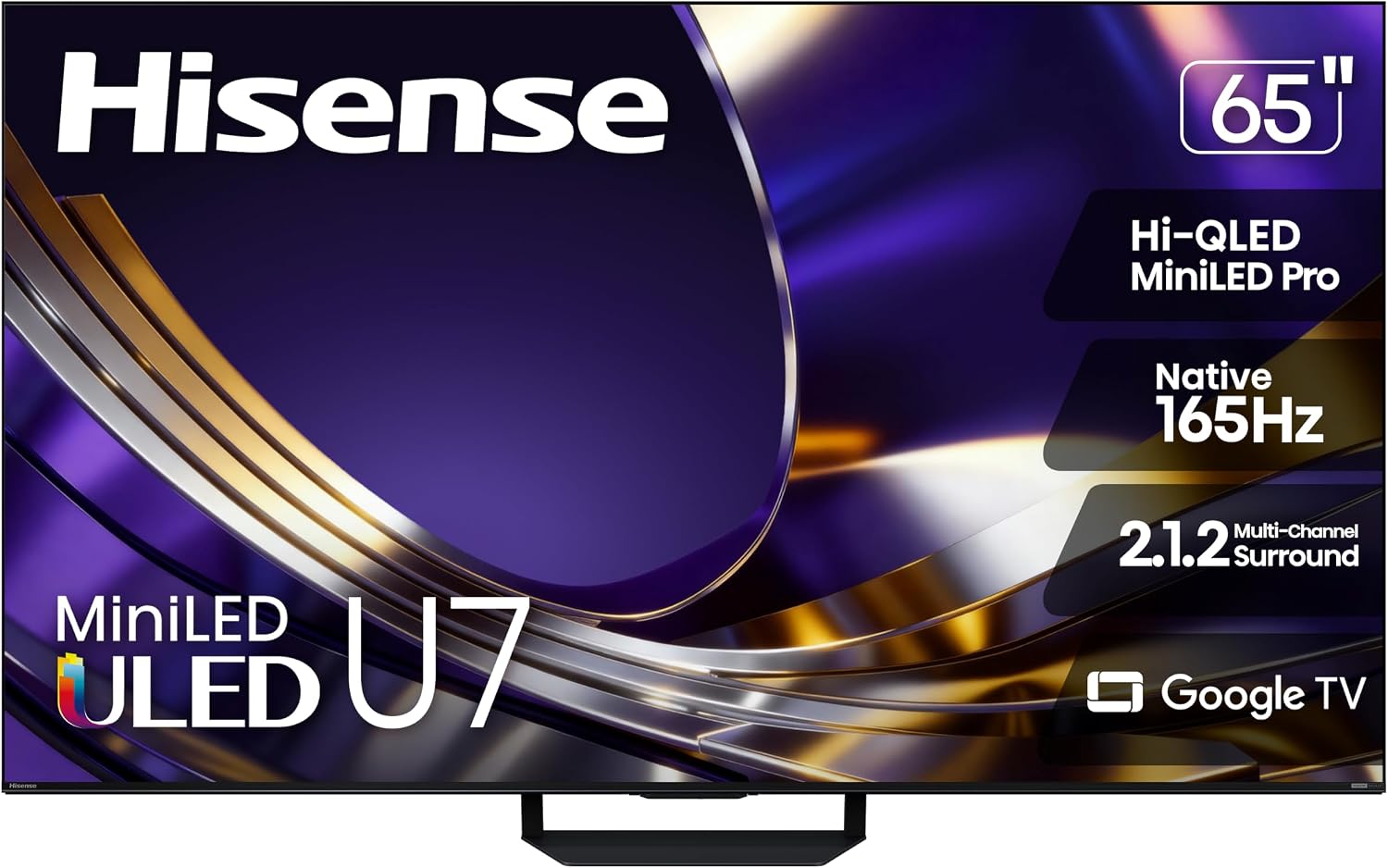
Hisense U7SG (65-inch)
Bottom line: A bright Mini-LED with four HDMI 2.1 inputs and an anti-reflective screen, made for players gaming in a sunlit living room.
Not everyone wants an OLED, and not everyone can control the light in their room. The Hisense U7SG answers that with a bright Mini-LED panel, a matte coating that kills reflections, and HDMI 2.1 on all four inputs.
Pros & Cons
Pros- HDMI 2.1 bandwidth on all four inputs
- Very low input lag for a responsive feel
- Supports VRR and refresh rates up to 165Hz at 4K
- Game Mode does not affect picture quality or local dimming
- Very bright with excellent glare handling
- Deep, uniform blacks from effective local dimming
- No burn-in worries
- Dolby Vision and HDR10+ support
Cons- Sluggish response time makes games look blurry, especially in shadow details
- Narrow viewing angle, so the image fades from the sides
- Banding in HDR games
Why We Picked It
The U7SG gives PS5 owners a rare mix: a full slate of gaming features, very low input lag and screen brightness that stays strong at midday. Local dimming keeps blacks deep, and Game Mode leaves the picture untouched. The cost of using an LCD is motion clarity, since pixels transition more slowly than on an OLED.
Who It's For
You game in a bright living room where the TV faces windows, and you do not want to worry about burn-in from long sessions of the same game. You sit more or less in front of the screen rather than at an angle, and you want a modern set that uses all four HDMI 2.1 ports for a PS5 plus other devices.
Specs & Configurations
- Panel
- Mini-LED with matte anti-reflective coating
- HDMI 2.1 ports
- 4
- Max refresh rate
- 165Hz at 4K, 330Hz at 1080p
- HDR
- Dolby Vision, HDR10+
- Smart platform
- Google TV (Fire TV as the U7SF)
- Sizes
- 55, 65, 75, 85, 100, 116 inch

6
Best for Bright Rooms and Movies
TCL QM8L (65-inch)
Bottom line: A very bright Mini-LED with four HDMI 2.1 ports and Bang & Olufsen speakers, best for living rooms where games share the screen with movies.
The QM8L is TCL's premium 2026 Mini-LED, and it is built for brightness. HDR highlights are strong, local dimming is excellent, and four HDMI 2.1 ports mean your PS5 will not fight another console for a port.
Pros & Cons
Pros- Four HDMI 2.1 ports for a PS5 and other consoles
- Very low input lag for a responsive feel
- Supports VRR to reduce tearing
- Game Master mode does not hurt picture quality
- High peak brightness makes HDR content stand out
- Excellent Mini-LED local dimming with very high contrast
- Ambient light has little effect on color and contrast
- Built-in ATSC 3.0 tuner for over-the-air 4K
Cons- Slow response time causes considerable blur around fast-moving objects
- Image degrades quickly when viewed from the sides
- Poor HDR accuracy, even after calibration
Why We Picked It
This set is a strong all-rounder for a shared living room. Games respond instantly thanks to very low input lag, and the picture holds up in daylight. It is not the best choice for twitchy, fast-paced titles because of its slow pixel response, but for cinematic single-player games and movie nights it looks great.
Who It's For
You use the PS5 for cinematic adventures and RPGs, you watch a lot of movies, and your room is bright enough that you want HDR to punch through the light. The Bang & Olufsen tuned speakers and over-the-air tuner make it a practical centerpiece for the whole family, not just the gamer.
Specs & Configurations
- Panel
- SQD Mini-LED, WHVA 2.0
- HDMI 2.1 ports
- 4
- Max refresh rate
- 4K at 144Hz, 1080p at 288Hz
- HDR
- Dolby Vision, HDR10+
- Audio
- speakers tuned by Bang & Olufsen, DTS support
- Sizes
- 65, 75, 85, 98 inch
7
Best for Mixed Gaming and Streaming
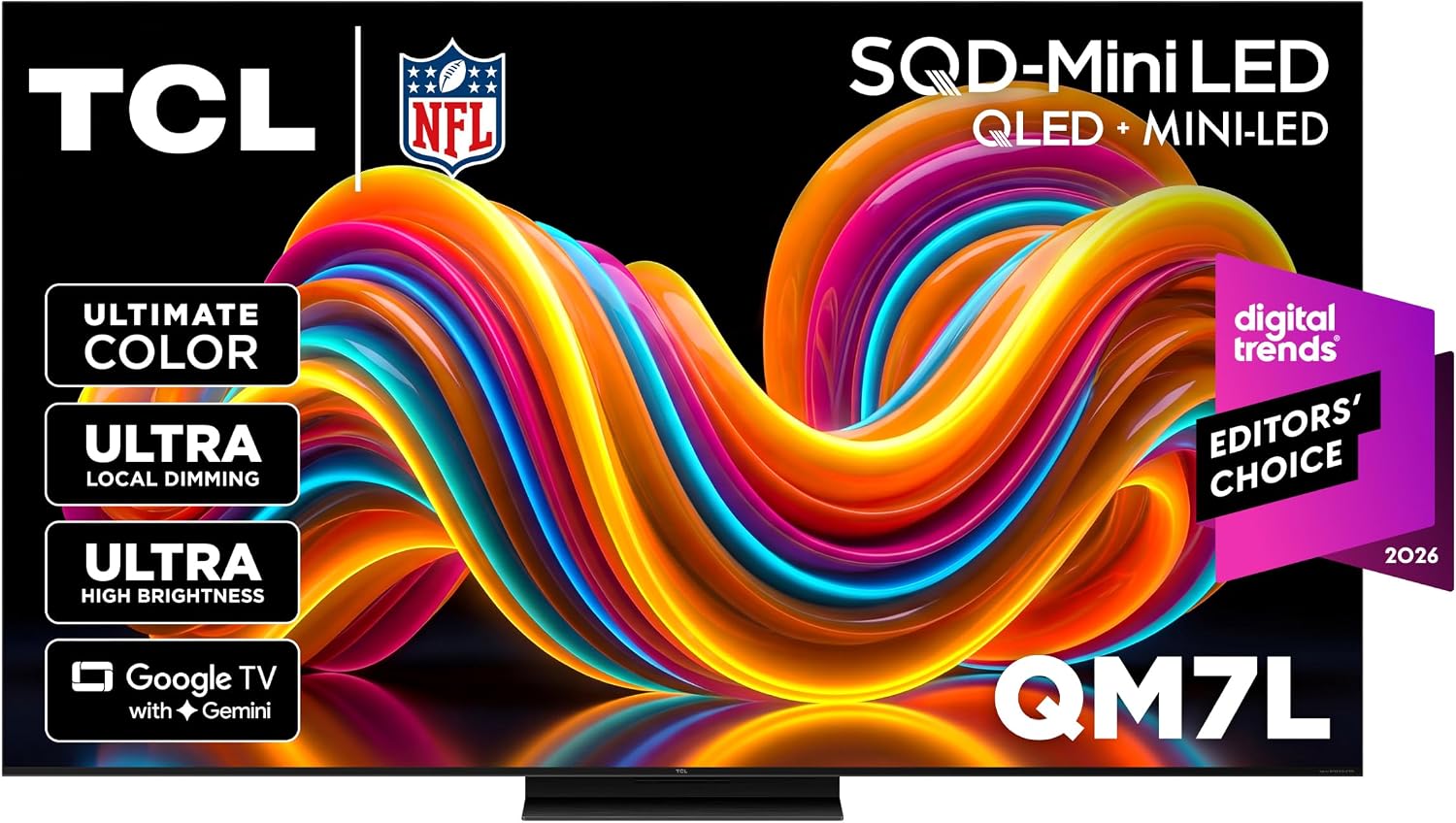
TCL QM7L (55-inch)
Bottom line: A bright, colorful Mini-LED with strong input lag and VRR that suits players who stream and game on the same TV.
The TCL QM7L sits one step below the QM8L but keeps most of what makes it good, including Mini-LED local dimming, a bright panel and a full slate of console features. Games look colorful and punchy.
Pros & Cons
Pros- Two HDMI 2.1 ports support a PS5 plus one more console
- Very low input lag for a responsive feel
- VRR reduces screen tearing
- Colorful, punchy image even in Game Master mode
- Very bright in SDR, so glare is rarely an issue
- Excellent local dimming for very deep blacks
- Ambient light barely affects blacks or color
- Supports Dolby Vision, HDR10+ and advanced Dolby and DTS audio
Cons- Very slow pixel transitions create considerable motion blur in fast games
- Image quality degrades rapidly from the sides
- Very inaccurate HDR, so it strays from the creator's intent
Why We Picked It
With two HDMI 2.1 ports, 4K at 144Hz and VRR, the QM7L covers a PS5 and one other high-end device easily. Its local dimming provides very deep blacks with only minor haloing, and the image holds up in a lit room. The weak point is pixel speed, which blurs fast action.
Who It's For
You play on one console, maybe two, and you spend as much time streaming shows as you do gaming. Your room is moderately bright, you sit in front of the screen, and you want a lively, colorful picture and Google TV apps without moving up to a premium price tier.
Specs & Configurations
- Panel
- SQD Mini-LED, WHVA 2.0
- HDMI 2.1 ports
- 2 (4K at 144Hz, 1080p at 288Hz)
- Gaming features
- VRR, very low input lag
- HDR
- Dolby Vision, HDR10+
- Smart platform
- Google TV
- Sizes
- 55, 65, 75, 85, 98 inch

8
Best for Tight Budgets
TCL QM6K (65-inch)
Bottom line: A budget Mini-LED with real HDMI 2.1 gaming features for players who want 4K/120 on the PS5 without paying for a premium panel.
The TCL QM6K is the pick for gamers who want the essentials of a PS5 TV on a tighter budget. Its two HDMI 2.1 ports handle 4K at 120Hz with VRR, and input lag is very low.
Pros & Cons
Pros- Supports 4K at 144Hz, so the PS5's 120Hz mode works
- VRR with a wide range reduces tearing
- Very low input lag for quick responses
- Local dimming gives good black levels at this level
- Bright enough in SDR to overcome glare from indirect light
- Dolby Vision and HDR10+ support
- eARC port with full Dolby and DTS passthrough for a soundbar
- No burn-in risk
Cons- More haloing around bright highlights than pricier sets
- Too dim in HDR for a truly impactful experience
- Struggles with direct reflections from lights facing the screen
Why We Picked It
Its gaming performance is the strongest part of the package: low lag, VRR and 4K at 144Hz in a Mini-LED set that includes local dimming. Image quality is a step down from the other TVs here, especially in HDR, where it is too dim to make highlights pop. For evening play and a PS5, it does the job.
Who It's For
You want to play the PS5 at 4K and 120 frames per second without spending OLED money, mostly in the evening or in a room with indirect light. One console is enough for you, and you care more about smooth, responsive play than about HDR spectacle.
Specs & Configurations
- Panel
- QLED Mini-LED
- HDMI 2.1 ports
- 2 (4K at 144Hz, 1080p at 288Hz)
- Other ports
- 2 HDMI 2.0, one doubles as eARC
- HDR
- Dolby Vision, HDR10+
- Smart platform
- Google TV 12
- Sizes
- 50, 55, 65, 75, 85, 98 inch
Which TV Is the Best for PS5 Gaming?
For most players, the LG C6 is the best TV for PS5 gaming: it handles dark rooms beautifully and has every HDMI 2.1 feature you need. If your room is bright, the Samsung S90H is the OLED to get, and the Hisense U7SG or TCL QM8L are the Mini-LED answers if you want to avoid burn-in. The LG B6 gives you OLED blacks for less, the Samsung S90F is the pick for color, and the TCL QM7L and QM6K work for mixed use and tight budgets. If you are still weighing consoles, our PS5 Pro vs Xbox Series X comparison is a good next read.

