

Nintendo’s own dock does its job, but it is bulky, it lives next to one TV, and a second one costs real money. The best Switch 2 dock for you may be a smaller third-party model that goes in a bag, covers a second TV or a dorm room, or adds a port the original lacks. These nine docks cover travel, budget, Ethernet and case-friendly setups, with the catches that matter before you plug your console into any of them.
Best Switch 2 Dock in 2026: 9 Third-Party Replacement and Travel Docks
GameCuki is reader-supported. When you buy through links on our site, we may earn an affiliate commission at no extra cost to you. As an Amazon Associate I earn from qualifying purchases. Learn more.
Our Top Picks

Best for Most Travelers
JSAUX OmniCentro 65W Dock
Bottom line: A compact 65W dock from an established accessory brand, the safest third-party buy for a second TV or a trip.
- Brand with a track record in Switch accessories
- 65W pass-through keeps the console charging in TV mode
- Small enough to slip into a bag next to the console
- Also docks a Steam Deck or ROG Ally on the same trip
- Dedicated USB-A port for a wireless controller receiver or a drive
- Works as both a travel dock and a spare for a second TV
- USB-A is 2.0 only, so slow for external storage
- You supply the HDMI cable and a 65W-plus charger
- Short audio dropouts can occur with HDR on some LG C-series TVs

Best Look-Alike Replacement
SIWIQU Switch 2 Dock
Bottom line: A light, familiar-shaped dock with a TV/tabletop button, for a second living-room spot where you already own the power adapter.
- Familiar dock shape, so the console slides in like it does on the original
- Spring-buffered guide notch to protect the USB-C port from wear
- Back button switches between TV and tabletop output
- Anti-skid base keeps it from sliding
- Weighs about a quarter of a pound
- Built-in short-circuit, over-power and overheating protection
- Switch 2 only, it will not dock an original Switch
- The console must be out of its protective case
- No charger or cable in the box

Best for Wired Online Play
DGBOSEN Switch 2 Dock with Ethernet
Bottom line: An aluminum travel dock with a gigabit Ethernet port, for players who want a stable wired connection away from the main dock.
- Gigabit Ethernet port for steadier online matches
- Two USB 3.0 ports for controllers or storage
- Aluminum body helps dissipate heat compared with plastic shells
- Up to 100W power input charges while you play
- Built-in short-circuit, overcurrent and overheat protection
- Also works with Steam Deck and several handhelds
- The Ethernet port may not work after some Switch 2 firmware updates
- You have to use the bottom USB-C port on the console
- No charger or HDMI cable included

Best Simple Aluminum Dock
DGBOSEN Portable Switch 2 Dock
Bottom line: A small aluminum dock with HDMI 2.1, 100W input and a USB port, for players who want the basics at a low price.
- Aluminum shell for better heat spread
- 100W input leaves headroom for any decent charger
- USB 3.0 port for a controller dongle
- Also supports Steam Deck, ROG Ally and Legion Go
- Short-circuit, overcurrent and overheat protection
- Compact enough for a jacket pocket
- Only one USB port
- No Ethernet
- Charger and HDMI cable are not included

Best for Newer Firmware
velolink Switch 2 Dock V22
Bottom line: A compact HDMI 2.1 travel dock that advertises compatibility with recent Switch 2 firmware, for players who update their console right away.
- Listing states support for the latest official firmware without manual updates
- HDMI 2.1 port for the 2K@120Hz mode
- 10Gbps USB-A port is fast for storage
- 100W PD input has plenty of headroom
- Also works as a USB-C video adapter for a laptop
- Plug-and-play, no companion app
- Newer brand, so less track record
- PD port is power-only, no data
- You supply the charger and HDMI cable

Best Modular Case-Friendly Dock
Skull & Co. Jumpgate Pro
Bottom line: A modular dock that works with protective cases and detaches into a pocket-size core, for players who do not want to strip the case every time.
- Works with a protective case on
- Detachable Core Drive shrinks to a pocket-size travel piece
- One dock for Switch 2, Switch OLED and the original Switch
- Charges the console while it plays in tabletop mode
- Also supports Steam Deck and MacBook
- Modular design means more pieces to set up than a one-piece dock
- Modular parts are another thing to lose

Best for Thin Cases
GuliKit Dock Station
Bottom line: A ventilated dock that fits slim cases with a thinned bottom, for players who want cooling airflow and TV output in a sturdy base.
- Vents on the bottom and around the USB-C port for airflow
- Supports 4K at 60Hz and 2K at 120Hz, matching the console's limits
- Works with slim cases that have a thinned or notched bottom
- Wide anti-tip body with four anti-slip pads
- Magnetic dust cover
- Docks Switch 2 and older Switch models
- Only some cases fit, so check your case first
- Firmware may need updating for best results
- Fewer proven units in the wild than the bigger brands

Best Complete Kit
ALOBON TV Dock Set for Switch 2
Bottom line: A full dock set with charger and HDMI cable in the box, for buyers who want a drop-in second dock without shopping for parts.
- Charger and HDMI cable come in the box
- Same shape and workflow as the original dock
- 4K@60Hz matches the Switch 2's TV ceiling
- USB 3.0 port for controllers
- Over-voltage, over-current and short-circuit protection
- Nothing else to buy to start playing
- Full-size dock, not travel friendly
- Not the pick if you want something that fits a jacket pocket
- HDMI 2.0 only
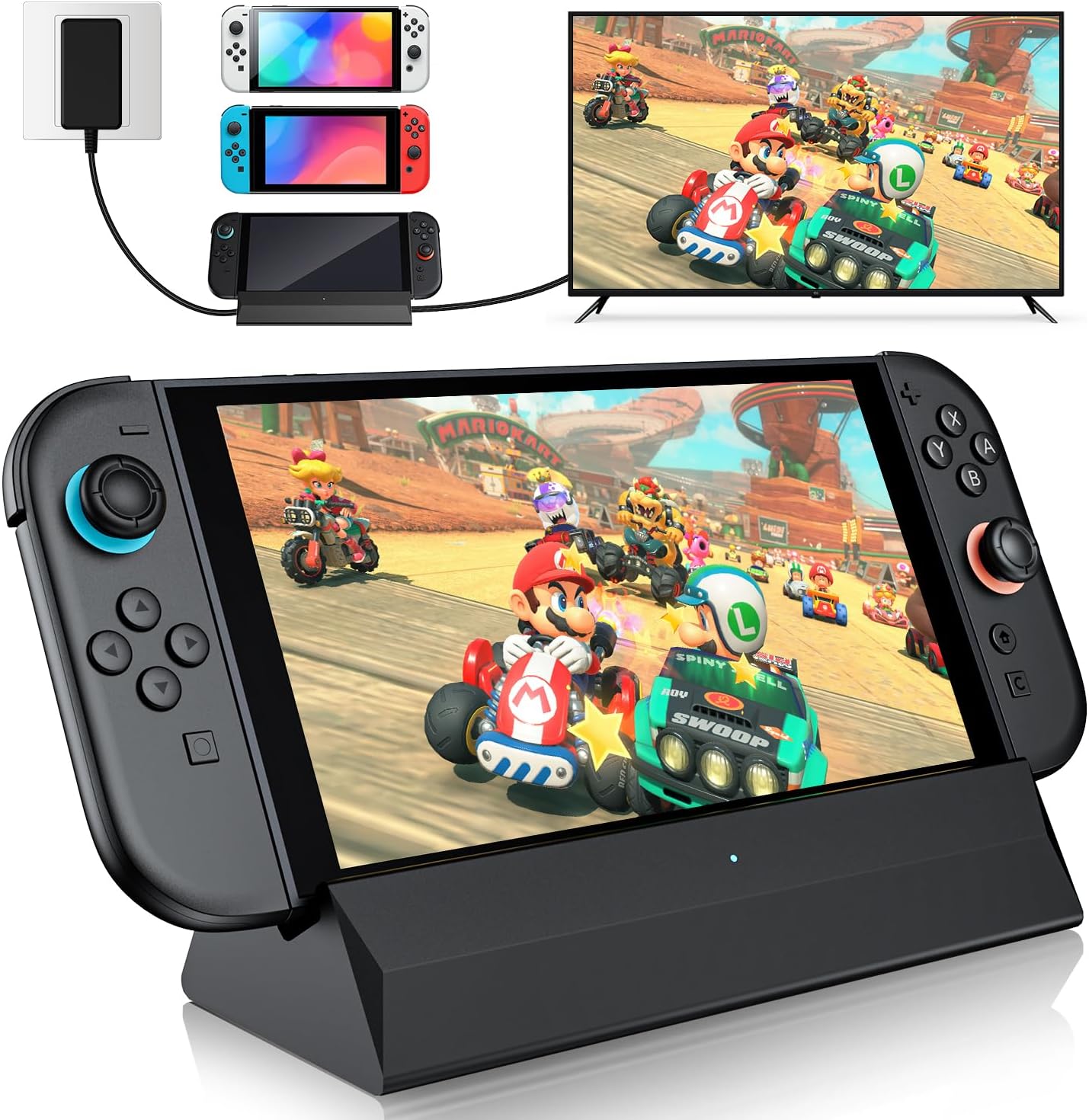
Best for Lowest Cost
BOXPSII Switch 2 Dock
Bottom line: A very cheap portable dock with three USB ports and a firmware-ready listing, for a throwaway spare you will not mind replacing.
- Budget-oriented dock
- Three USB ports for controllers and accessories
- Back button switches TV and tabletop output
- Light enough for a bag
- Anti-skid pad on the bottom
- Also docks the original Switch and OLED
- Unproven brand
- Console must be out of its case
- Listing claims far above what the console can output, so treat spec numbers with caution
Table of Contents
Best Switch 2 Dock: Our Picks in Detail
1
Best for Most Travelers
JSAUX OmniCentro 65W Dock
Bottom line: A compact 65W dock from an established accessory brand, the safest third-party buy for a second TV or a trip.
Plenty of Switch 2 owners just want a lighter dock that does not feel like a gamble, and this is the one that fits that job.
Pros & Cons
Pros
- Brand with a track record in Switch accessories
- 65W pass-through keeps the console charging in TV mode
- Small enough to slip into a bag next to the console
- Also docks a Steam Deck or ROG Ally on the same trip
- Dedicated USB-A port for a wireless controller receiver or a drive
- Works as both a travel dock and a spare for a second TV
Cons
- USB-A is 2.0 only, so slow for external storage
- You supply the HDMI cable and a 65W-plus charger
- Short audio dropouts can occur with HDR on some LG C-series TVs
Why We Picked It
JSAUX has been making Switch docks for years, and its Switch 2 model keeps the formula simple: HDMI out, a 65W USB-C power input that also charges the console, and one USB-A port. It is a fraction of the size of Nintendo's dock, and the same box also docks a Steam Deck or ROG Ally. The trade-off is that it is a bare dock, so you bring your own HDMI cable and a charger that can supply enough wattage.
Who It's For
You split time between a living room TV and somewhere else, such as a hotel, a relative's house or a dorm, and you do not want to haul Nintendo's dock around. You already own a decent USB-C charger and an HDMI cable, and you want one small brick that also handles a second handheld.
Specs & Configurations
- Video
- HDMI, 4K@120Hz capable (Switch 2 itself outputs up to 4K@60Hz)
- Power
- 65W USB-C PD pass-through
- Ports
- 1 USB-A 2.0
- Also works with
- Steam Deck, ROG Ally, Samsung DeX, iPad, MacBook
- Size
- pocket-sized, smaller than the original dock
Get It Now
Check Price on Amazon
2
Best Look-Alike Replacement
SIWIQU Switch 2 Dock
Bottom line: A light, familiar-shaped dock with a TV/tabletop button, for a second living-room spot where you already own the power adapter.
This is the closest thing to a like-for-like swap for the stock dock at a lower weight.
Pros & Cons
Pros
- Familiar dock shape, so the console slides in like it does on the original
- Spring-buffered guide notch to protect the USB-C port from wear
- Back button switches between TV and tabletop output
- Anti-skid base keeps it from sliding
- Weighs about a quarter of a pound
- Built-in short-circuit, over-power and overheating protection
Cons
- Switch 2 only, it will not dock an original Switch
- The console must be out of its protective case
- No charger or cable in the box
Why We Picked It
It keeps the open-front shape most people are used to, adds a spring buffer to the guide notch, and puts a button on the back to flip between TV and tabletop output. At 109g it is far lighter than the original. You need the official power adapter and an HDMI cable, which is the usual deal with third-party docks.
Who It's For
You want a second dock for a bedroom or a vacation rental and would rather the console drop in with one motion than plug into a dongle. You keep the Switch 2 without a case when you play on the TV, and you already own the official adapter.
Specs & Configurations
- Works with
- Switch 2 only
- Weight
- 109g (0.24 lb)
- Size
- 7.5 x 2.3 x 1.3 in
- Mode switch
- TV/Tabletop button on the back
- Included
- dock only, no charger or cables
- Protective cases
- not supported
Get It Now
Check Price on Amazon
3
Best for Wired Online Play
DGBOSEN Switch 2 Dock with Ethernet
Bottom line: An aluminum travel dock with a gigabit Ethernet port, for players who want a stable wired connection away from the main dock.
Wi-Fi in a hotel or a crowded apartment is where a wired port earns its place.
Pros & Cons
Pros
- Gigabit Ethernet port for steadier online matches
- Two USB 3.0 ports for controllers or storage
- Aluminum body helps dissipate heat compared with plastic shells
- Up to 100W power input charges while you play
- Built-in short-circuit, overcurrent and overheat protection
- Also works with Steam Deck and several handhelds
Cons
- The Ethernet port may not work after some Switch 2 firmware updates
- You have to use the bottom USB-C port on the console
- No charger or HDMI cable included
Why We Picked It
Most travel docks drop Ethernet to stay small. This one keeps a 1000M port and adds two 5Gbps USB ports in an aluminum shell. The video side supports 4K up to 120Hz HDR on displays that can use it, though the Switch 2 itself tops out at 4K at 60Hz. As with every dock here, the console has to be connected through its bottom USB-C port.
Who It's For
You play online in games where lag matters, and the place you play has a wall jack or a router within reach. You are comfortable checking for a firmware fix if a console update interferes with the Ethernet port.
Specs & Configurations
- Video
- HDMI 2.1, 4K@60Hz to 120Hz HDR (Switch 2 itself outputs up to 4K@60Hz)
- Power
- up to 100W USB-C input
- Ports
- 1000M Ethernet, 2 USB 3.0 (5Gbps)
- Body
- aluminum alloy
- Note
- use the console's bottom USB-C port
Get It Now
Check Price on Amazon
4
Best Simple Aluminum Dock
DGBOSEN Portable Switch 2 Dock
Bottom line: A small aluminum dock with HDMI 2.1, 100W input and a USB port, for players who want the basics at a low price.
The no-frills version of the Ethernet model above, for people who will never use a wired port.
Pros & Cons
Pros
- Aluminum shell for better heat spread
- 100W input leaves headroom for any decent charger
- USB 3.0 port for a controller dongle
- Also supports Steam Deck, ROG Ally and Legion Go
- Short-circuit, overcurrent and overheat protection
- Compact enough for a jacket pocket
Cons
- Only one USB port
- No Ethernet
- Charger and HDMI cable are not included
Why We Picked It
It strips the design down to HDMI, one data port and a power input, all in a metal body. That keeps the weight and price low and still supports charging while you play. It also works with other USB-C handhelds, which is handy if the household owns more than one.
Who It's For
You want an inexpensive travel dock for hotel TVs, and Wi-Fi is good enough for what you play. You are happy with a single USB port and plan to use a Bluetooth or wireless controller.
Specs & Configurations
- Video
- HDMI 2.1, 4K@60Hz to 120Hz HDR (Switch 2 itself outputs up to 4K@60Hz)
- Power
- up to 100W USB-C input
- Ports
- 1 USB 3.0
- Body
- aluminum alloy
- Note
- use the console's bottom USB-C port
Get It Now
Check Price on Amazon
5
Best for Newer Firmware
velolink Switch 2 Dock V22
Bottom line: A compact HDMI 2.1 travel dock that advertises compatibility with recent Switch 2 firmware, for players who update their console right away.
Firmware compatibility is the main risk with third-party docks, and this one is built around it.
Pros & Cons
Pros
- Listing states support for the latest official firmware without manual updates
- HDMI 2.1 port for the 2K@120Hz mode
- 10Gbps USB-A port is fast for storage
- 100W PD input has plenty of headroom
- Also works as a USB-C video adapter for a laptop
- Plug-and-play, no companion app
Cons
- Newer brand, so less track record
- PD port is power-only, no data
- You supply the charger and HDMI cable
Why We Picked It
The listing is explicit about supporting recent Switch 2 firmware and about the console's actual video ceiling, which is a good sign. It adds a fast USB-A port and doubles as a laptop adapter, so it is useful off the console too. Treat the compatibility claim as current rather than permanent, since Nintendo's updates can change what docks are allowed to do.
Who It's For
You install every Switch 2 update the day it lands and have been burned by a dock that stopped working. You also like the idea of a travel dock that can plug a laptop into a hotel TV.
Specs & Configurations
- Video
- HDMI 2.1 (Switch 2 outputs up to 4K@60Hz or 2K@120Hz)
- USB
- 1 USB-A 3.2 (10Gbps)
- Power
- up to 100W PD input
- Firmware
- listed as plug and play on V21 and later
- Also works with
- Switch 1, MacBook and USB-C laptops
Get It Now
Check Price on Amazon
6
Best Modular Case-Friendly Dock
Skull & Co. Jumpgate Pro
Bottom line: A modular dock that works with protective cases and detaches into a pocket-size core, for players who do not want to strip the case every time.
Taking a case off before docking is a small chore that adds up over a year.
Pros & Cons
Pros
- Works with a protective case on
- Detachable Core Drive shrinks to a pocket-size travel piece
- One dock for Switch 2, Switch OLED and the original Switch
- Charges the console while it plays in tabletop mode
- Also supports Steam Deck and MacBook
Cons
- Modular design means more pieces to set up than a one-piece dock
- Modular parts are another thing to lose
Why We Picked It
Skull & Co. built the Jumpgate Pro around two ideas: the dock shell stays at home while the core drive travels, and the shell does not force you to remove a protective case. Both address real annoyances with Switch 2 docking. The same core also works with the original Switch family and a Steam Deck.
Who It's For
You use a grip case or thick protective shell on your Switch 2 and refuse to pull it off for every TV session. You also own an older Switch or a Steam Deck and like one dock that covers them.
Specs & Configurations
- Design
- detachable Core Drive and dock shell
- Works with
- Switch 2, Switch OLED, original Switch, Steam Deck, MacBook
- Video
- HDMI 2.1, 8K@30Hz or 4K@120Hz
- Ports
- USB 3.0
- Cases
- compatible, no need to remove
Get It Now
Check Price on Amazon
7
Best for Thin Cases
GuliKit Dock Station
Bottom line: A ventilated dock that fits slim cases with a thinned bottom, for players who want cooling airflow and TV output in a sturdy base.
GuliKit has built controllers for Switch players for years, and the dock follows the same enthusiast approach.
Pros & Cons
Pros
- Vents on the bottom and around the USB-C port for airflow
- Supports 4K at 60Hz and 2K at 120Hz, matching the console's limits
- Works with slim cases that have a thinned or notched bottom
- Wide anti-tip body with four anti-slip pads
- Magnetic dust cover
- Docks Switch 2 and older Switch models
Cons
- Only some cases fit, so check your case first
- Firmware may need updating for best results
- Fewer proven units in the wild than the bigger brands
Why We Picked It
The base is wide and weighted against tipping, with vents where the console runs warm. It supports the console's real top modes, 4K at 60Hz and 2K at 120Hz, and works with a limited set of slim cases. The firmware is upgradeable, which matters as Nintendo keeps changing how docks are verified.
Who It's For
You play long TV sessions and want airflow around the console, and your case is thin enough to qualify. You would rather have a sturdy base than the lightest possible dongle.
Specs & Configurations
- Works with
- Switch 2, Switch, Switch OLED
- Video
- 4K@60Hz, 2K@120Hz
- Power
- 100W PD input
- Ports
- HDMI, USB-C, USB 3.0
- Weight
- 105g
- Cases
- cases with bottom thinning (1.0mm or less) or a notch
Get It Now
Check Price on Amazon
8
Best Complete Kit
ALOBON TV Dock Set for Switch 2
Bottom line: A full dock set with charger and HDMI cable in the box, for buyers who want a drop-in second dock without shopping for parts.
For a second TV that stays put, a kit saves hunting for the right brick and cable.
Pros & Cons
Pros
- Charger and HDMI cable come in the box
- Same shape and workflow as the original dock
- 4K@60Hz matches the Switch 2's TV ceiling
- USB 3.0 port for controllers
- Over-voltage, over-current and short-circuit protection
- Nothing else to buy to start playing
Cons
- Full-size dock, not travel friendly
- Not the pick if you want something that fits a jacket pocket
- HDMI 2.0 only
Why We Picked It
It is the only pick here that ships with the charger and HDMI cable, and it keeps the original dock's layout. The video side tops out at 4K at 60Hz, which is the most the console outputs anyway. You give up the portability and some build quality of the aluminum docks.
Who It's For
You want a permanent spare dock for a bedroom or basement TV and would rather not match parts yourself. Weight and pocket size do not matter because it will sit next to the TV.
Specs & Configurations
- Video
- HDMI 2.0, 4K@60Hz or 1080p@60Hz
- Ports
- USB-C power in, HDMI, USB 3.0
- Included
- dock, charger, HDMI cable
- Style
- replacement for the original dock
Get It Now
Check Price on Amazon
9
Best for Lowest Cost
BOXPSII Switch 2 Dock
Bottom line: A very cheap portable dock with three USB ports and a firmware-ready listing, for a throwaway spare you will not mind replacing.
Sometimes the best buy is the cheapest one that works, and this is that tier.
Pros & Cons
Pros
- Budget-oriented dock
- Three USB ports for controllers and accessories
- Back button switches TV and tabletop output
- Light enough for a bag
- Anti-skid pad on the bottom
- Also docks the original Switch and OLED
Cons
- Unproven brand
- Console must be out of its case
- Listing claims far above what the console can output, so treat spec numbers with caution
Why We Picked It
It carries three USB ports and a button to change output mode, and the listing names recent firmware and VRR support. The marketing numbers are inflated, since the Switch 2 does not output 8K, so judge it on what the console can use: a working HDMI path and a charging input.
Who It's For
You need a cheap backup for a dorm or a holiday trip and accept that it may not last as long as a name-brand dock. You are ready to take the console out of its case and use the official adapter.
Specs & Configurations
- Works with
- Switch 2, Switch, Switch OLED (not Switch Lite)
- Weight
- 100g
- Size
- 7.5 x 2.3 x 1.3 in
- Ports
- HDMI, Type-C, 3 USB
- Included
- dock only, no charger or cables
- Cases
- remove before use
Get It Now
Check Price on AmazonWhat to Check Before You Buy a Third-Party Switch 2 Dock
Firmware Can Break a Dock
Several early Switch 2 docks stopped working when the console needed a 20V power input to enter TV mode, and a firmware update from the maker was the fix in some cases. Nintendo can change how docks are verified, so favor brands that ship firmware updates and check recent reviews before you buy.
Power and Cables
A dock needs a charger that can supply enough wattage for TV mode. A 65W or higher USB-C charger is the safe choice, and our best charger for Nintendo Switch 2 list covers options. Most docks ship without a cable, so budget for an HDMI cable.
What the Console Can Output
The Switch 2 outputs up to 4K at 60Hz, or 2K at 120Hz, so an HDMI 2.1 dock advertising 4K120 gives no extra picture. HDMI 2.0 is enough for the 4K60 mode.
Cases, Ports and Heat
Many docks require removing the protective case, which is where case-friendly models help. Use the console’s bottom USB-C port, check for the USB or Ethernet ports you need, and favor aluminum bodies for heat. If you are building a full kit, our Switch 2 accessories roundup and carrying case list cover the rest.
Safety and Warranty
Nintendo’s warranty excludes damage caused by products it does not sell or license, including adapters and power supplies, so a bad dock is your risk. Stick with brands that list protection circuits and certifications.
Which Switch 2 Dock Should You Buy?
If you only get one, the JSAUX OmniCentro is the safest travel pick because the brand has a record and a sensible 65W design. Players who live online should choose the DGBOSEN with Ethernet, anyone who keeps a case on should look at the Jumpgate Pro, and a permanent second TV is easiest with the ALOBON kit. Whichever Switch 2 dock you choose, plan for the occasional firmware hiccup and keep the original dock for your main TV.