GameCuki is reader-supported. When you buy through links on our site, we may earn an affiliate commission at no extra cost to you. As an Amazon Associate I earn from qualifying purchases. Learn more.
Your PS5’s 825GB or 1TB drive fills up after a handful of big installs, and the M.2 slot under the cover is the cheapest way out of deleting games. The best SSD for PS5 is a PCIe 4.0 NVMe drive with a heatsink that fits Sony’s size limits, and the nine drives below all clear that bar, from 1TB starters to a 4TB library drive.
Plan the rest of your setup too: the PS5 Slim vs PS5 Pro comparison covers which console is worth the money, and if you also game on a handheld, the best SSD for Steam Deck OLED uses a different, shorter drive size.
Best SSD for PS5: Our Picks in Detail
GameCuki may earn a commission if you buy through the links below. That never changes which drives make the list or how they rank.

1
Best for Maximum Speed
Samsung 990 Pro with Heatsink 2TB
Bottom line: The fastest Gen4 drive on the list with a slim heatsink already attached, best for players who want the quickest installs and the easiest fit.
Samsung's 990 Pro is the drive most PS5 guides put first, and the reason is simple: it pairs the top rated speeds in Gen4 with a heatsink thin enough to slide into the console slot without fuss.
Pros & Cons
Pros- Rated speeds sit at the top of what PCIe 4.0 allows
- Slim heatsink is built in, so there is nothing extra to buy
- Ready for the PS5 slot with no assembly
- Capacities up to 4TB cover very large libraries
- Nickel-coated controller helps keep temperatures in check
- Samsung Magician software for health and firmware updates
- 256-bit hardware encryption
Cons- Costs more per terabyte than budget Gen4 drives
- The PS5 cannot use all of its rated speed, so part of the premium goes unused
Why We Picked It
The PS5 slot tops out at PCIe 4.0, and the 990 Pro uses that bandwidth about as fully as any drive can. It also comes with its heatsink attached, which removes the most common source of install trouble. Sony's page says a drive with built-in cooling should not get a second heatsink, and this one needs none.
Who It's For
You have a stack of 80GB to 100GB installs and you want patches and loading screens to finish as quickly as the slot allows. You would rather pay once for a drive that arrives ready to install than piece together a drive and a cooler.
It also suits players who may move the drive into a PC later, since it is a standard 2280 Gen4 drive with strong software support.
Specs & Configurations
- Capacity
- 1TB to 4TB
- Interface
- PCIe 4.0 x4 NVMe
- Sequential read/write
- up to 7,450/6,900 MB/s
- Heatsink
- integrated, slim
- Encryption
- 256-bit AES

2
Best Officially Licensed Drive
WD_BLACK SN850P 2TB
Bottom line: An officially licensed drive with a heatsink designed for the console, best for players who want the least guesswork about compatibility.
WD_BLACK's SN850P is the drive built for this slot, and the license is the headline: it removes the question of whether the cooler fits.
Pros & Cons
Pros- Officially licensed for PlayStation 5 consoles
- Heatsink is shaped for the PS5 slot, so fit is not a gamble
- Up to 7,300 MB/s rated read speed clears Sony's 5,500 MB/s guidance by a wide margin
- Available up to 8TB, the top of what the console supports
- Play games directly from the drive with no need to shuffle installs
- Backed by a major storage brand
Cons- Read speed is no higher than cheaper unlicensed Gen4 drives, so you pay for certainty rather than speed
- The PS5-shaped heatsink may not suit a desktop motherboard later
Why We Picked It
Sony states that cooler sizes vary widely and that a drive which fits the slot may still have a heatsink that does not. The SN850P ships with a heatsink made for the console, so that risk is mostly gone. It also scales from 1TB to 8TB, which matches the capacity range Sony lists.
Who It's For
You want the install to be boring. You do not care about squeezing out the last few hundred MB/s and you would rather buy a drive with the PS5 license printed on the box than read heatsink dimension charts.
It is a natural fit for a household console where someone else may end up opening the slot cover later and expects a drive that is known to work.
Specs & Configurations
- Capacity
- 1TB to 8TB
- Interface
- PCIe 4.0 x4 NVMe
- Sequential read
- up to 7,300 MB/s
- Heatsink
- PS5-specific, included
- License
- officially licensed for PS5

3
Best for Large Game Libraries
WD_BLACK SN850X 2TB with Heatsink
Bottom line: A very fast Gen4 drive that scales up to 8TB with a robust heatsink, best for players who keep a huge installed library.
The SN850X is one of the most widely recommended Gen4 gaming drives, and its capacity ladder is what makes it a pick for big libraries.
Pros & Cons
Pros- Up to 7,300 MB/s read speed and 6,300 MB/s write speed
- Available in capacities up to 8TB
- Comes with a heatsink version, with no extra cooler to buy
- Reaches or exceeds its rated sequential speeds
- Strong PCMark and 3DMark storage scores
- Familiar 2280 format that also works in a gaming PC
Cons- No hardware-based 256-bit encryption
- Western Digital's gaming SSD line is being rebranded under SanDisk, so listings and names may differ
Why We Picked It
A 4TB or 8TB drive can hold dozens of current AAA installs at once, which is the point of buying one. The SN850X is sold in those sizes, and its rated speeds clear Sony's minimum comfortably.
Who It's For
You are done uninstalling one game to make room for another. You download every big release, keep older ones around for a rainy weekend and want one drive that can hold it all.
It also suits players who split time between a PS5 and a PC, since the drive is a standard 2280 NVMe that moves between them.
Specs & Configurations
- Capacity
- 1TB to 8TB
- Interface
- PCIe 4.0 x4 NVMe
- Sequential read/write
- up to 7,300/6,300 MB/s
- Heatsink
- included
- Form factor
- M.2 2280

4
Best for Heavy Installs and Patches
Crucial T500 2TB with Heatsink
Bottom line: A TLC Gen4 drive with some of the highest rated write speeds here, best for players who download huge games and patches often.
Crucial's T500 is a premium Gen4 drive, and the heatsink version drops straight into the PS5.
Pros & Cons
Pros- Rated write speed of 7,000 MB/s helps big downloads and moves
- Up to 7,400 MB/s rated read speed
- Integrated heatsink for quiet, stable cooling
- TLC flash from Micron
- Listed as PS5 compatible
- Includes Acronis cloning software for moving data from an old drive
- Sold with and without a heatsink, so the right version is easy to spot
Cons- Higher cost per gigabyte than most drives on this list
- Overkill if you mostly play a handful of games
Why We Picked It
Write speed matters when you move games between the console drive and the M.2 drive or patch a huge title. The T500's 7,000 MB/s rated write figure is the highest on the list, and TLC flash keeps speeds steadier when the drive is busy. The included cloning software also makes the move from an older drive less painful.
Who It's For
You rotate through a lot of large games, move installs around often and want the drive to keep up when a 100GB patch lands on release day.
If you plan to reuse the drive in a desktop later, the T500 is just as at home there.
Specs & Configurations
- Capacity
- 2TB (also 1TB and 4TB)
- Interface
- PCIe 4.0 x4 NVMe
- Sequential read/write
- up to 7,400/7,000 MB/s
- NAND
- TLC
- Heatsink
- integrated

5
Best for Lower Power Draw
Lexar NM790 2TB with Heatsink
Bottom line: A fast, efficient Gen4 drive with a single-sided heatsink design, best for players who want strong speeds without paying for a premium brand.
Lexar's NM790 gets recommended in a lot of Gen4 round-ups because it hits flagship-class speeds with lower power draw.
Pros & Cons
Pros- Rated up to 7,400 MB/s read and 6,500 MB/s write
- Single-sided heatsink design suits the tight PS5 slot
- Up to 40% less power use than DRAM-cache Gen4 drives, per the maker
- Endurance rating of 1,500 TBW on the 2TB model
- Listed as compatible with PS5
- Standard 2280 drive that also works in PCs and laptops
- Comes in 1TB, 2TB and 4TB sizes
Cons- Uses Host Memory Buffer in place of onboard DRAM, and Sony says the PS5 does not support HMB, so real-world speed may be lower than the rating
- Less brand recognition than Samsung or WD_BLACK
Why We Picked It
The NM790 matches premium drives on paper, and the heatsink version is listed as a PS5 fit with a single-sided design, which helps in the tight slot. The one caveat is a real one: Sony notes the console does not support Host Memory Buffer, so drives that lean on it may feel slower than the numbers suggest.
Who It's For
You want a drive with Gen4 speeds from a brand that is not the headline name, and you care more about the long-term running cost and heat than about topping a benchmark chart.
It also suits builders who will share the drive between a console and a PC over its lifetime.
Specs & Configurations
- Capacity
- 2TB (also 1TB and 4TB)
- Interface
- PCIe 4.0 x4 NVMe
- Sequential read/write
- up to 7,400/6,500 MB/s
- Endurance
- 1,500 TBW (2TB)
- Heatsink
- included, single-sided design

6
Best for Budget-Minded Upgraders
Crucial P310 2TB with Heatsink
Bottom line: A Gen4 drive with a heatsink that clears Sony's speed guidance at a lower price tier, best for players who want a simple, affordable upgrade.
Crucial's P310 is the practical step down from the T500: it meets Sony's speed guidance, includes a heatsink and costs less.
Pros & Cons
Pros- Up to 7,100 MB/s read speed clears Sony's 5,500 MB/s guidance
- Heatsink included, so installation is one step
- Micron G8 NAND
- Listed as PS5 compatible
- Backward compatible with Gen3 slots if you move it to an older PC
- Sits a tier below the T500 in Crucial's lineup
Cons- Rated write speed of 6,000 MB/s trails the T500 and 990 Pro
- A 1TB drive fills quickly if you install many 100GB games
Why We Picked It
Sony recommends 5,500 MB/s sequential read or faster, and the P310's rated 7,100 MB/s read is well past that. The slower rated writes are the main trade, and for a console that mostly reads installed games, that trade is easy to accept.
Who It's For
You are upgrading because the console drive is full, not because you want the fastest number on a chart. You want a plug-in drive that does the job and leaves budget for the games themselves.
Specs & Configurations
- Capacity
- 2TB (also 1TB)
- Interface
- PCIe 4.0 x4 NVMe
- Sequential read/write
- up to 7,100/6,000 MB/s
- NAND
- Micron G8
- Heatsink
- included

7
Best 1TB Starter Drive
Corsair MP600 Elite 1TB with Heatsink
Bottom line: A PS5-optimized 1TB Gen4 drive with a low-profile aluminum heatsink included, best for players who want the smallest, simplest upgrade.
Corsair's MP600 Elite is built for the console's slot, and a low-profile heatsink comes in the box.
Pros & Cons
Pros- Optimized for PS5 and sold with its heatsink included
- Low-profile aluminum heatsink helps the drive fit the console slot
- Up to 7,000 MB/s read and 6,500 MB/s write
- Exceeds Sony's M.2 performance requirements
- Works in a PC as well if you change consoles
Cons- Rated speeds sit a step below the Samsung and Crucial flagships
- 1TB is only room for a few dozen modern games
Why We Picked It
Heatsink thickness is where PS5 upgrades go wrong, since the slot allows 8.0 mm above the board. A low-profile cooler that ships with the drive is the lowest-risk way to stay inside that limit.
Who It's For
You want to double your storage, nothing more. A 1TB drive roughly doubles a standard PS5, and you would rather not check heatsink dimensions or order a separate cooler.
Specs & Configurations
- Capacity
- 1TB
- Interface
- PCIe 4.0 x4 NVMe
- Sequential read/write
- up to 7,000/6,500 MB/s
- Heatsink
- low-profile aluminum, included
- Form factor
- M.2 2280

8
Best for a 4TB Digital Library
Lexar PLAY 4TB with Heatsink
Bottom line: A 4TB heatsink drive that doubles the PS5 Pro's built-in storage, best for players who buy games digitally and hate deleting.
For a digital-only library, capacity matters more than the last bit of speed, and the 4TB PLAY puts a lot of room into a slot with a heatsink already on.
Pros & Cons
Pros- 4TB is double the PS5 Pro's 2TB internal drive
- Integrated heatsink for direct installation
- Rated read speed clears Sony's 5,500 MB/s guidance
- Built for PS5 with a standard 2280 shape
- Room for a full digital library plus captures and clips
Cons- Not the fastest Gen4 drive, with speeds below the top picks here
- A 4TB drive is a large single purchase if you only play a few games
Why We Picked It
Sony's slot supports up to 8TB,. Rated speeds remain above the 5,500 MB/s guidance, so loads stay quick.
Who It's For
You own mostly digital games, keep screenshots and clips on the console and are tired of managing space. You would rather buy once and stop thinking about it.
Specs & Configurations
- Capacity
- 4TB
- Interface
- PCIe 4.0 NVMe
- Sequential read
- up to 6,500 MB/s
- Form factor
- M.2 2280
- Heatsink
- integrated
9
Best for Long-Term Endurance
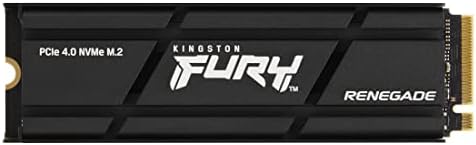
Kingston FURY Renegade 2TB with Heat Sink
Bottom line: A PS5-ready Gen4 drive with above-par endurance ratings and sizes up to 4TB, best for players who write a lot of data over time.
Kingston's FURY Renegade is a steady, well-rounded drive, and its endurance numbers are the reason it earns the last spot here.
Pros & Cons
Pros- Up to 7,300 MB/s rated read speed
- Marketed as PS5 ready
- Delivers its rated sequential read and write speeds
- Above-par endurance (TBW) ratings
- Capacities up to 4TB
- Acronis True Image cloning and backup software included
Cons- Overall benchmark scores are middling next to the top drives
- Kingston also sells a low-profile spreader version, so check the listing says heat sink
- No hardware-based encryption
Why We Picked It
A console drive takes a steady stream of installs, updates and moves, so endurance matters over a few years of use. Kingston rates the Renegade above the average for TBW, and it comes in PS5-friendly heatsink form.
Who It's For
You install and delete a lot, and you want a drive from a known memory brand that is built to last. You are not chasing the top speed rating.
Specs & Configurations
- Capacity
- 1TB to 4TB
- Interface
- PCIe 4.0 x4 NVMe
- Sequential read
- up to 7,300 MB/s
- Form factor
- M.2 2280
- Heatsink
- this listing includes a heat sink
What to Look for in a PS5 SSD
Sony publishes the rules, and they are strict. The PS5 M.2 slot takes a PCIe Gen4 x4 NVMe SSD (Key M, Socket 3) from 250GB to 8TB. Sony recommends sequential read speeds of 5,500 MB/s or faster, and it supports 2230, 2242, 2260, 2280 and 22110 form factors.
Heatsink size is the part people miss
The drive plus its cooling must stay within 25 mm wide and 11.25 mm thick, with up to 8.0 mm above the board and 2.45 mm below it. Sony says a cooling structure is required, and that heatsink sizes vary greatly. If a drive already has a built-in heatsink, Sony recommends against adding a second one, since it may reduce the built-in cooler’s effectiveness.
Skip SATA, and do not pay for Gen5
M.2 SATA SSDs are not supported. The slot tops out at PCIe 4.0, so a Gen5 drive will not run faster in it.
Games must live on one drive
All data for a game has to sit in one place, either console storage or the M.2 SSD. Sony also notes that not every game will behave exactly as it does on the internal drive, and that the PS5 does not support Host Memory Buffer, which can slow drives that rely on it.
Capacity
A 1TB drive roughly doubles a standard PS5. A 2TB drive fits a mixed library, and 4TB or larger suits mostly digital collections.
FAQ
Will a Gen5 SSD work in a PS5?
It will fit if it meets the size limits, but the slot is PCIe 4.0, so you will not get Gen5 speed. A Gen4 drive is the better buy.
What is the best size SSD for a PS5?
For most players, 1TB or 2TB is the sweet spot. Go to 4TB if you keep a large digital library installed.
Do I need a heatsink for a PS5 SSD?
Yes. Sony says an M.2 SSD should not be used without a heat-dissipation mechanism such as a heatsink or heat transfer sheet. Many drives include one, and those do not need another.
Which SSD Should You Buy for Your PS5?
Choosing the best SSD for PS5 comes down to Sony’s specs and your habits. The Samsung 990 Pro is the simple choice if you want top speed with a slim heatsink attached, and the WD_BLACK SN850P is the one to buy if an official license matters. Go with the SN850X or the 4TB Lexar PLAY if your library is huge, the Crucial P310 if you want a budget Gen4 upgrade, and keep the Sony requirements open when you compare any drive that is not on this list. If you are still setting up the rest of your console, our guide to the best game controller for PS5 is the next upgrade worth considering.

