

Every inch a keyboard takes up is an inch your mouse hand can’t use, which is why gamers keep shrinking their boards. The best 60 percent keyboard keeps the main typing block, drops everything else and gives you the room for wide, relaxed mouse swipes. These nine picks cover magnetic Rapid Trigger boards, wireless models and one cheap way in.
Best 60% Keyboard in 2026: 9 Gaming Picks
GameCuki is reader-supported. When you buy through links on our site, we may earn an affiliate commission at no extra cost to you. As an Amazon Associate I earn from qualifying purchases. Learn more.
Our Top Picks
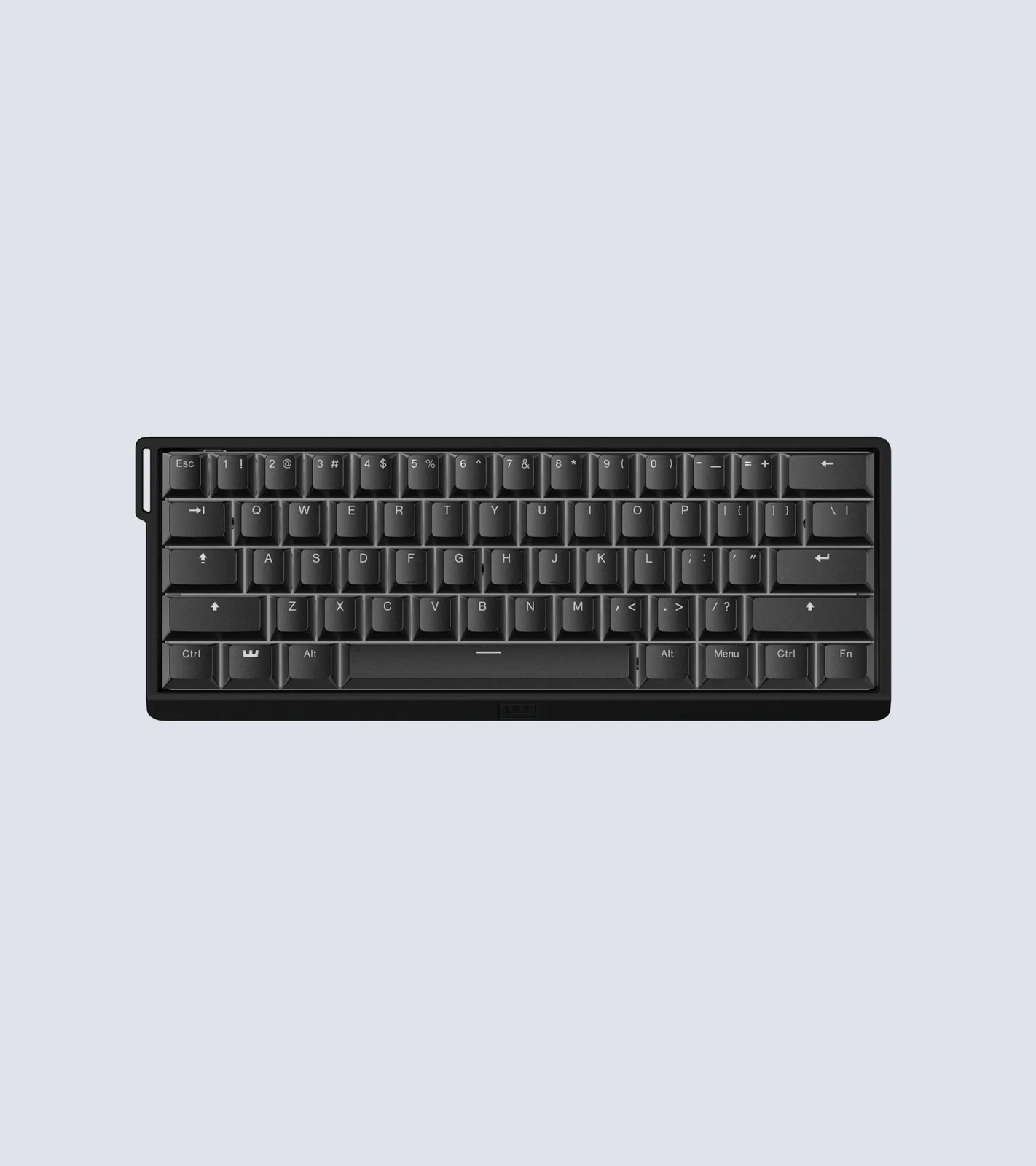
Best Overall
Wooting 60HE v2
Bottom line: The best all-round 60% keyboard for competitive play, with top-tier software and a four-year warranty, as long as you don't need wireless.
- Exceptionally low latency
- Wootility software is among the best, in a browser or as an app
- Four-year warranty, the longest of any pick here
- Optional split spacebar for an extra input
- Adjustable actuation across the full 4 mm of travel
- Rapid Trigger, SOCD and multiple inputs per key
- Hot-swappable Lekker magnetic switches
- Choice of ABS or aluminum case
- Wired only
- Sold mainly through Wooting's own store
- Expensive, and the aluminum case costs more again

Best Low-Profile 60% Keyboard
NuPhy Air60 HE
Bottom line: The pick for long sessions without a wrist rest, with Rapid Trigger in a board that sits far lower on the desk than any other here.
- Low-profile design, more comfortable without a wrist rest
- Key travel similar to taller boards
- Robust web-based software
- Performance close to the Wooting
- Hyper Tap, Rapid Shift and SOCD
- Actuation from 0.1 to 3.3 mm
- Smooth, crisp switches
- Mid-range pricing for a magnetic board
- Wired only
- Plastic case with a less premium feel than the Wooting
- One-year warranty and key legends that are hard to read in dark rooms
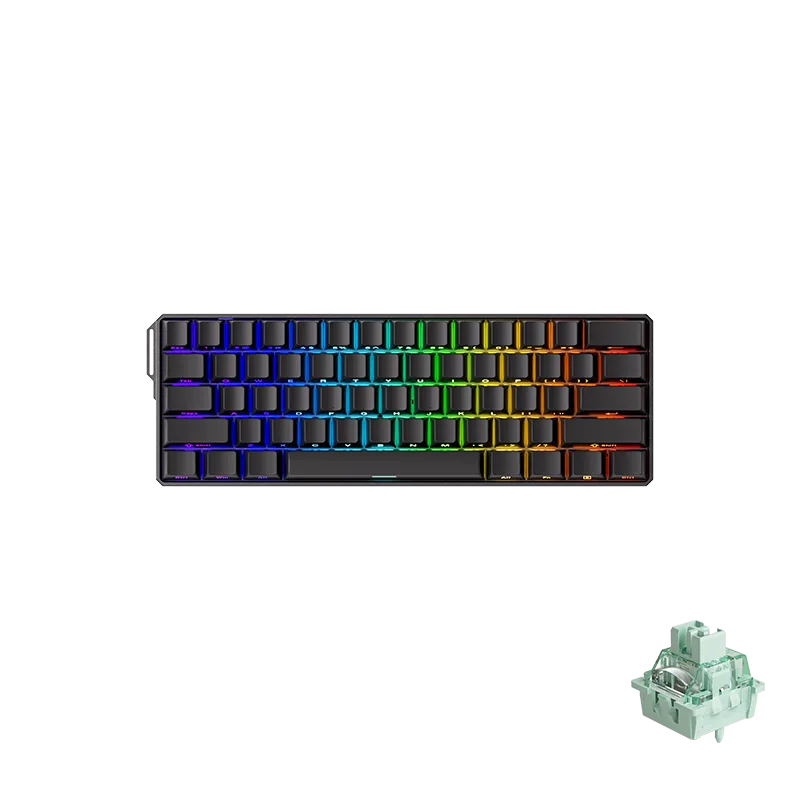
Best Budget Magnetic Keyboard
MonsGeek FUN60 Ultra
Bottom line: Close to Wooting speed with an aluminum case and a wireless option, for players who value price and features over software polish.
- Performance close to the Wooting 60HE v2
- Aluminum case at a budget price
- Wireless version available
- TMR version also accepts mechanical switches
- Actuation from 0.1 to 3.4 mm
- Rapid Trigger from 0.01 to 2.0 mm
- 8,000 Hz polling rate
- Tri-mode wireless option with 4,000 mAh battery
- Software is less polished and updated less often than Wooting's or NuPhy's
- One-year warranty
- Sometimes out of stock at big retailers, so check MonsGeek's own store

Best Wireless 60% for Esports
Logitech G Pro X 60 Lightspeed
Bottom line: A wireless 60% board built with esports pros, ideal if you want Lightspeed's fast radio and a familiar gaming-brand setup.
- Lightspeed wireless with 1 ms response
- Optical switches with no debounce delay
- KEYCONTROL gives 5 layers of key assignments
- Bluetooth for a second device
- Dual-shot PBT keycaps
- Carrying case included for tournaments or travel
- Choice of linear or tactile switches
- No Rapid Trigger or adjustable actuation
- Not a low-profile board and weighs 1.3 lb
- Full customization needs the G HUB app

Best Analog 60% From a Major Brand
SteelSeries Apex Pro Mini Gen 3
Bottom line: Pro-level analog switches and presets from a brand you can find anywhere, for players who don't mind a high price and a tall frame.
- Rapid Trigger and Rapid Tap built in
- Protection Mode helps prevent accidental presses on nearby keys
- Quieter than older Apex Pro models
- 40 adjustable actuation levels
- GG QuickSet loads ready-made game presets
- Compact 60% layout frees up desk space
- Backed by a major, widely available brand
- Expensive
- Sits tall, so you may want a wrist rest
- No F-key row, so some games need rebinding

Best for Tuning on the Keyboard Itself
Razer Huntsman V3 Pro Mini
Bottom line: Adjust actuation and Rapid Trigger without opening any software, a great fit for tweakers who can live with a loud typing sound.
- Adjust actuation and Rapid Trigger on the keyboard itself
- Snap Tap for opposite movement keys
- Bottom-right modifiers double as arrow keys
- Durable PBT keycaps
- Actuation adjustable from 0.1 to 4.0 mm
- Save settings without software
- Side-printed functions on doubleshot PBT keycaps
- Loud, unpleasant typing sound
- Expensive
- Snap Tap needs a firmware update
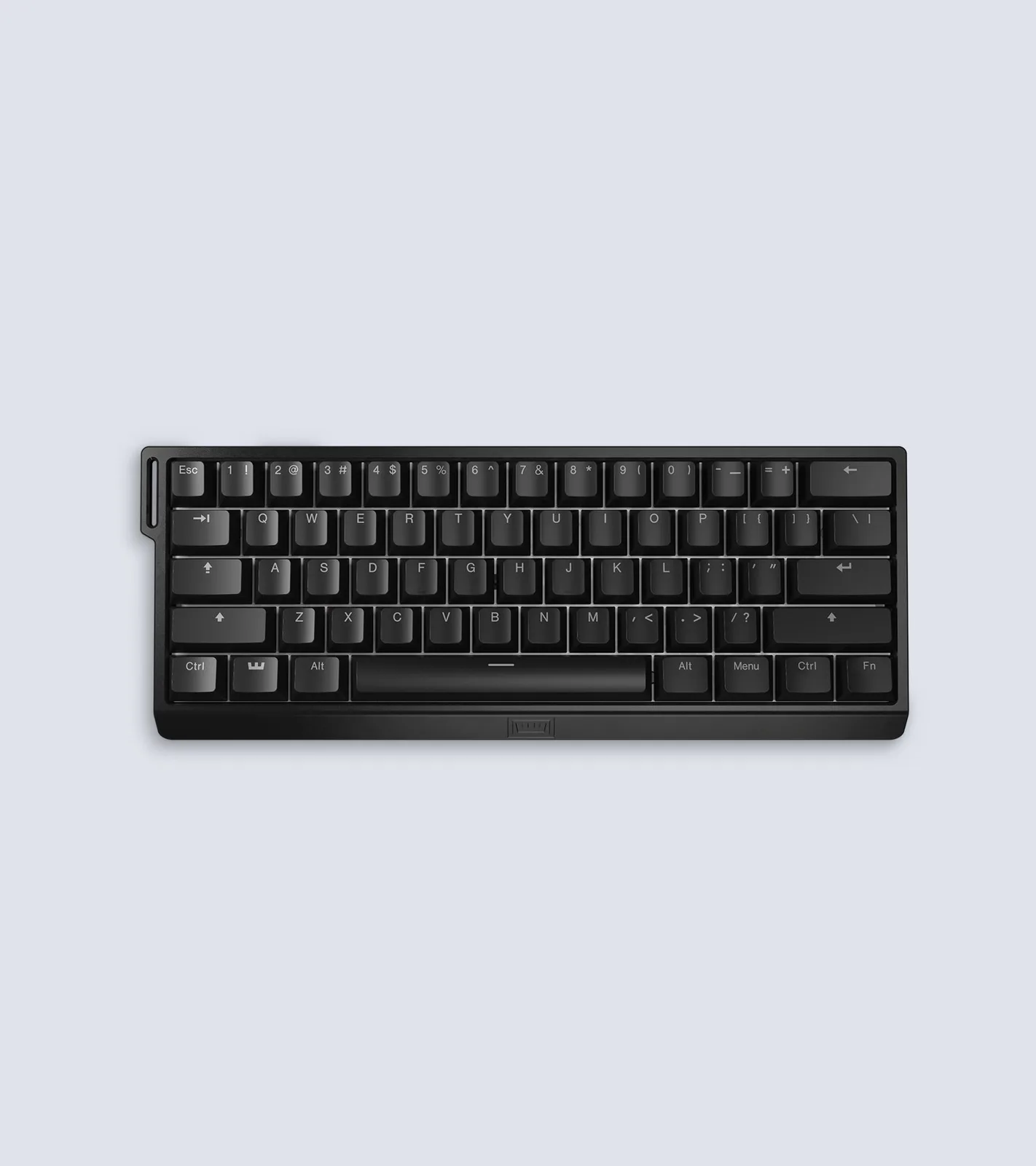
Best for Modders
Wooting 60HE+
Bottom line: A hot-swappable magnetic board that fits most aftermarket cases, made for players who enjoy customizing their keyboard.
- Very precise, responsive switches
- Easy browser-based setup
- Hot-swappable and built to be modded
- Two actuation points per key
- Adjustable actuation
- Fits most aftermarket 60% cases
- Same Lekker switches as Wooting's newer board
- Stock typing sound isn't the best
- Wired only

Best Wireless 60% With Rapid Trigger
SteelSeries Apex Pro Mini Wireless
Bottom line: The established pick for a cable-free analog 60% board, for players who accept modest battery life and older switches.
- 2.4GHz wireless plus Bluetooth 5.0
- Rapid Trigger and adjustable actuation
- Two actions on one key
- Aluminum top plate
- Actuation from 0.1 to 4.0 mm in 40 levels
- Detachable USB-C cable
- Can move between devices
- Battery life is modest, especially with RGB on
- Older OmniPoint 2.0 switches
- Software takes some setup

Best Cheap 60% Keyboard
Royal Kludge RK61 (Wired)
Bottom line: The lowest-cost way into a 60% mechanical board, fine for casual play and learning the layout, though it lacks Rapid Trigger.
- Very affordable
- Hot-swappable switches let you try other mechanical switches
- Compact 60% layout
- RGB backlighting
- Linear red switches
- Works with Windows, macOS and Android
- Runs QMK and VIA
- No Rapid Trigger or adjustable actuation
- Much higher latency than the analog picks
- Software is hard to use
Table of Contents
What You Give Up With a 60% Keyboard
A 60% keyboard has no number pad, no navigation cluster and no function row. Most boards put those missing commands behind Fn combinations, which is fine for gaming but slows you down if you lean on the arrow keys or F keys all day. If that sounds like a deal breaker, a 65% or 75% layout adds those keys back at the cost of some desk space.
What you get in return is a board that fits in a bag, leaves your mouse more room and, in the case of the analog models below, lets you set exactly how far a key has to travel before it registers. Magnetic (Hall effect) and analog optical switches also power Rapid Trigger, which resets a key the moment you start lifting your finger so follow-up inputs come out faster. SOCD handling decides what happens when you press opposite movement keys at once, which matters in shooters.
Best 60 Percent Keyboards: Our Picks in Detail
1
Best Overall
Wooting 60HE v2
Bottom line: The best all-round 60% keyboard for competitive play, with top-tier software and a four-year warranty, as long as you don't need wireless.
This is the board the rest of this list gets compared with. It pairs very low latency with the deepest settings menu in the group.
Pros & Cons
Pros
- Exceptionally low latency
- Wootility software is among the best, in a browser or as an app
- Four-year warranty, the longest of any pick here
- Optional split spacebar for an extra input
- Adjustable actuation across the full 4 mm of travel
- Rapid Trigger, SOCD and multiple inputs per key
- Hot-swappable Lekker magnetic switches
- Choice of ABS or aluminum case
Cons
- Wired only
- Sold mainly through Wooting's own store
- Expensive, and the aluminum case costs more again
Why We Picked It
The magnetic switches let you decide where each key actuates and where it resets, and the software exposes Rapid Trigger, SOCD and several inputs per key without a hunt through menus. The v2 adds a better typing feel and an optional split spacebar, and Wooting's track record of supporting older boards suggests the software will keep improving. The cheaper ABS case is the smart buy unless you want a heavier, custom-style aluminum body.
Who It's For
You play competitive shooters or rhythm games where a few milliseconds of key response change the outcome, and you're happy to plug in a cable. Everything you'd want to tune is a click away, and a four-year warranty means you can stop worrying about the switches wearing out.
If you also want to carry the keyboard between a desk and a laptop, the cable becomes a nuisance. This one stays put.
Specs & Configurations
- Switches
- Lekker magnetic (Hall effect), hot-swappable
- Actuation
- adjustable, full 4 mm travel
- Polling rate
- 8,000 Hz (Wooting)
- Connection
- wired, USB-C
- Case
- ABS (606 g) or aluminum (945 g)
- Warranty
- 4 years (Wooting)
- Extras
- Rapid Trigger, SOCD, multiple inputs per key, split spacebar option
Get It Now
Check Price at Wooting
2
Best Low-Profile 60% Keyboard
NuPhy Air60 HE
Bottom line: The pick for long sessions without a wrist rest, with Rapid Trigger in a board that sits far lower on the desk than any other here.
Low-profile magnetic keyboards are still rare, and this is one of the few that keeps the key travel of a taller board.
Pros & Cons
Pros
- Low-profile design, more comfortable without a wrist rest
- Key travel similar to taller boards
- Robust web-based software
- Performance close to the Wooting
- Hyper Tap, Rapid Shift and SOCD
- Actuation from 0.1 to 3.3 mm
- Smooth, crisp switches
- Mid-range pricing for a magnetic board
Cons
- Wired only
- Plastic case with a less premium feel than the Wooting
- One-year warranty and key legends that are hard to read in dark rooms
Why We Picked It
Sitting close to the desk lets your wrists stay flatter, so you can play for hours without angling your hands or stacking a wrist rest under the board. You still get Rapid Trigger, SOCD and the other competitive settings through a web-based app, and the raw speed trails the Wooting by a margin you're unlikely to feel in a match.
Who It's For
Your wrists complain after a long evening of ranked games, or you simply prefer the look and feel of a slim keyboard. You get analog features at a mid-range price without giving up how the keys feel under your fingers.
Specs & Configurations
- Switches
- low-profile magnetic (Hall effect)
- Actuation
- 0.1 to 3.3 mm
- Connection
- wired
- Case
- plastic
- Extras
- Rapid Trigger, Hyper Tap, Rapid Shift, SOCD, web-based NuPhyIO software, RGB
Get It Now
Check Price on Amazon
3
Best Budget Magnetic Keyboard
MonsGeek FUN60 Ultra
Bottom line: Close to Wooting speed with an aluminum case and a wireless option, for players who value price and features over software polish.
Magnetic switches, an aluminum body and optional wireless for a lot less than the Wooting: that is the pitch, and it mostly holds up.
Pros & Cons
Pros
- Performance close to the Wooting 60HE v2
- Aluminum case at a budget price
- Wireless version available
- TMR version also accepts mechanical switches
- Actuation from 0.1 to 3.4 mm
- Rapid Trigger from 0.01 to 2.0 mm
- 8,000 Hz polling rate
- Tri-mode wireless option with 4,000 mAh battery
Cons
- Software is less polished and updated less often than Wooting's or NuPhy's
- One-year warranty
- Sometimes out of stock at big retailers, so check MonsGeek's own store
Why We Picked It
Rapid Trigger and SOCD are both covered, and the speed sits very close to the leading board. The TMR version is the interesting one: its sensors let you install regular mechanical switches as well as magnetic ones, so you can tailor the typing feel instead of living with the stock choice. The tray-mounted build feels a little stiff next to pricier boards.
Who It's For
You want competitive speed on a tighter budget and care more about hardware than about a perfectly smooth settings app. Pick the wireless TMR model if you'd like to switch between a desk and a couch without a cable.
Specs & Configurations
- Switches
- Akko Glare magnetic, HE or TMR versions
- Actuation
- 0.1 to 3.4 mm, Rapid Trigger 0.01 to 2.0 mm (MonsGeek)
- Polling rate
- 8,000 Hz wired or 2.4GHz (MonsGeek)
- Connection
- wired or tri-mode (2.4GHz, Bluetooth, USB-C)
- Battery
- 4,000 mAh on the tri-mode version
- Case
- aluminum
Get It Now
Check Price at MonsGeek
4
Best Wireless 60% for Esports
Logitech G Pro X 60 Lightspeed
Bottom line: A wireless 60% board built with esports pros, ideal if you want Lightspeed's fast radio and a familiar gaming-brand setup.
Logitech's first 60% keyboard was designed with input from esports athletes, and it shows in the details around travel and carrying.
Pros & Cons
Pros
- Lightspeed wireless with 1 ms response
- Optical switches with no debounce delay
- KEYCONTROL gives 5 layers of key assignments
- Bluetooth for a second device
- Dual-shot PBT keycaps
- Carrying case included for tournaments or travel
- Choice of linear or tactile switches
Cons
- No Rapid Trigger or adjustable actuation
- Not a low-profile board and weighs 1.3 lb
- Full customization needs the G HUB app
Why We Picked It
The same Lightspeed radio used in Logitech's pro mice keeps wireless play quick, and Bluetooth lets the board pair with a laptop or tablet when you're not gaming. GX optical switches skip debounce delay, while KEYCONTROL puts five layers of assignments under your fingers, handy on a layout with no dedicated extra keys. The included case is a thoughtful extra if you head to LANs.
Who It's For
You want to cut the cable, you already use Logitech gear and G HUB, and you care about reliability more than analog tuning. It suits players who bring their keyboard to friends' houses and events.
Specs & Configurations
- Layout
- 60%, 61 keys
- Switches
- GX optical, linear or tactile
- Connection
- Lightspeed 2.4 GHz, Bluetooth or USB
- Response
- 1 ms over Lightspeed
- Software
- G HUB with KEYCONTROL (5 layers)
- Includes
- carrying case
Get It Now
Check Price on Amazon
5
Best Analog 60% From a Major Brand
SteelSeries Apex Pro Mini Gen 3
Bottom line: Pro-level analog switches and presets from a brand you can find anywhere, for players who don't mind a high price and a tall frame.
The Gen 3 refines a design that already had a following among competitive players, with quieter switches and some clever safeguards.
Pros & Cons
Pros
- Rapid Trigger and Rapid Tap built in
- Protection Mode helps prevent accidental presses on nearby keys
- Quieter than older Apex Pro models
- 40 adjustable actuation levels
- GG QuickSet loads ready-made game presets
- Compact 60% layout frees up desk space
- Backed by a major, widely available brand
Cons
- Expensive
- Sits tall, so you may want a wrist rest
- No F-key row, so some games need rebinding
Why We Picked It
OmniPoint 3.0 switches give you 40 actuation levels plus Rapid Trigger and Rapid Tap, which favors the most recent of two movement keys. Protection Mode lowers the sensitivity of the keys surrounding the one you press, so a stray finger doesn't fire an input. GG QuickSet loads game presets in one click, so setup doesn't need much tinkering.
Who It's For
You want analog performance without hunting for a specialist store, and you like having settings preconfigured for the games you play. It's a good fit for someone upgrading from a standard mechanical board who wants the jump to be easy.
Specs & Configurations
- Switches
- OmniPoint 3.0 Hall effect
- Actuation
- 40 adjustable levels
- Connection
- wired
- Extras
- Rapid Trigger, Rapid Tap, Protection Mode, GG QuickSet game presets
Get It Now
Check Price on Amazon
6
Best for Tuning on the Keyboard Itself
Razer Huntsman V3 Pro Mini
Bottom line: Adjust actuation and Rapid Trigger without opening any software, a great fit for tweakers who can live with a loud typing sound.
Razer's analog optical switches travel from 0.1 to 4.0 mm, and the standout trick is changing them without leaving the game.
Pros & Cons
Pros
- Adjust actuation and Rapid Trigger on the keyboard itself
- Snap Tap for opposite movement keys
- Bottom-right modifiers double as arrow keys
- Durable PBT keycaps
- Actuation adjustable from 0.1 to 4.0 mm
- Save settings without software
- Side-printed functions on doubleshot PBT keycaps
Cons
- Loud, unpleasant typing sound
- Expensive
- Snap Tap needs a firmware update
Why We Picked It
An LED guide walks you through setting actuation and Rapid Trigger sensitivity directly on the board, and the settings save without software. Snap Tap picks the latest of two movement keys, and the bottom-right modifiers double as arrow keys when tapped, softening the loss of a dedicated arrow cluster. Textured doubleshot PBT keycaps should hold up to heavy use.
Who It's For
You change settings between games, switch between your own PC and a friend's, or just like to tweak. If you share a desk or room with someone sensitive to noise, the loud sound is worth weighing before you buy.
Specs & Configurations
- Switches
- Razer Analog Optical Gen-2
- Actuation
- 0.1 to 4.0 mm
- Connection
- wired
- Keycaps
- textured doubleshot PBT with side-printed functions
- Extras
- Rapid Trigger, Snap Tap, on-board adjustments with LED guide, modifier keys that double as arrow keys
Get It Now
Check Price on Amazon
7
Best for Modders
Wooting 60HE+
Bottom line: A hot-swappable magnetic board that fits most aftermarket cases, made for players who enjoy customizing their keyboard.
Before the v2 arrived, this was Wooting's flagship, and it remains a favorite for people who like to open a keyboard up.
Pros & Cons
Pros
- Very precise, responsive switches
- Easy browser-based setup
- Hot-swappable and built to be modded
- Two actuation points per key
- Adjustable actuation
- Fits most aftermarket 60% cases
- Same Lekker switches as Wooting's newer board
Cons
- Stock typing sound isn't the best
- Wired only
Why We Picked It
Two actuation points per key let you bind separate actions to a light press and a deep press, and the browser-based software makes configuring them painless. The hot-swappable PCB lets you replace switches individually and fits most popular aftermarket 60% cases, so a fresh case or a new set of keycaps is an easy weekend project.
Who It's For
You enjoy customizing, or you want to start with a stock board and build it up over time. The tinkering potential is the draw here rather than out-of-the-box polish.
Specs & Configurations
- Switches
- Lekker magnetic (Hall effect)
- PCB
- hot-swappable, fits most aftermarket 60% cases
- Connection
- wired
- Weight
- 605 g
- Extras
- Rapid Trigger, adjustable actuation, two actuation points per key, browser-based software
Get It Now
Check Price at Wooting
8
Best Wireless 60% With Rapid Trigger
SteelSeries Apex Pro Mini Wireless
Bottom line: The established pick for a cable-free analog 60% board, for players who accept modest battery life and older switches.
Wireless analog boards are still uncommon, which keeps this one relevant even after a newer wired generation arrived.
Pros & Cons
Pros
- 2.4GHz wireless plus Bluetooth 5.0
- Rapid Trigger and adjustable actuation
- Two actions on one key
- Aluminum top plate
- Actuation from 0.1 to 4.0 mm in 40 levels
- Detachable USB-C cable
- Can move between devices
Cons
- Battery life is modest, especially with RGB on
- Older OmniPoint 2.0 switches
- Software takes some setup
Why We Picked It
A 2.4GHz dongle handles gaming while Bluetooth 5.0 covers phones and tablets. The 2-in-1 action keys let you assign two actions to one key, such as walking with a light press and sprinting with a deeper one, and Rapid Trigger works as advertised. The aluminum top plate gives it a solid feel.
Who It's For
You want a tidy, cable-free desk without giving up Rapid Trigger. It works for someone who plays at a desk but also wants to use the same board with a laptop elsewhere in the house.
Specs & Configurations
- Switches
- OmniPoint 2.0 Hall effect
- Actuation
- 0.1 to 4.0 mm, 40 levels
- Connection
- 2.4GHz, Bluetooth 5.0, detachable USB-C
- Extras
- Rapid Trigger, 2-in-1 action keys, aluminum top plate, RGB
Get It Now
Check Price on Amazon
9
Best Cheap 60% Keyboard
Royal Kludge RK61 (Wired)
Bottom line: The lowest-cost way into a 60% mechanical board, fine for casual play and learning the layout, though it lacks Rapid Trigger.
The RK61 is what you buy when you want to find out whether a 60% layout suits you before spending real money.
Pros & Cons
Pros
- Very affordable
- Hot-swappable switches let you try other mechanical switches
- Compact 60% layout
- RGB backlighting
- Linear red switches
- Works with Windows, macOS and Android
- Runs QMK and VIA
Cons
- No Rapid Trigger or adjustable actuation
- Much higher latency than the analog picks
- Software is hard to use
Why We Picked It
It's a real mechanical keyboard with linear red switches, and the hot-swappable sockets let you try other switches as you learn what you like. Latency is much higher than on the analog boards above and the build feels less solid, so treat it as a starter rather than a competitive tool.
Who It's For
You are new to compact keyboards, play casually or want a secondary board for travel, and don't need advanced features. Plug it in over USB and start playing.
Specs & Configurations
- Switches
- red linear mechanical, hot-swappable
- Connection
- wired USB
- Programming
- QMK/VIA
- Lighting
- RGB
- Works with
- Windows, macOS, Android
Get It Now
Check Price on AmazonWhich 60 Percent Keyboard Should You Buy?
If you want the strongest overall package, the Wooting 60HE v2 is the best 60 percent keyboard in this group, and the NuPhy Air60 HE is the one to pick when comfort matters most. Players who want a cable-free setup should look at the Logitech G Pro X 60 or the Apex Pro Mini Wireless, and the MonsGeek FUN60 Ultra delivers most of the speed for much less. If you’re coming from a shooter like Fortnite, our best 60 percent keyboard for Fortnite guide goes deeper on what the pros use, and the RK61 remains the cheap way to see whether the layout works for you.