GameCuki is reader-supported. When you buy through links on our site, we may earn an affiliate commission at no extra cost to you. As an Amazon Associate I earn from qualifying purchases. Learn more.
The 8BitDo Ultimate 2C vs Ultimate 2 choice looks close on paper: both have Hall effect triggers, remappable L4/R4 bumpers and a 1000Hz 2.4G connection. The real question is whether the Ultimate 2’s TMR sticks, back paddles, gyro, charging dock and software are worth paying more for, or whether the 2C already does everything you need.
Best Budget Pick
8BitDo Ultimate 2C
Bottom LineThe pick if you want fast, drift-resistant PC and Android play for as little as possible and can live without paddles, gyro and software.
Both names cover more than one model. This comparison uses the Ultimate 2C Wireless and the Ultimate 2 Wireless, the Xbox-layout versions for Windows and Android. Each also has a separate Bluetooth edition for Nintendo Switch. For that split, see our Ultimate 2 Wireless vs Bluetooth guide.
Design: Same Footprint, Different Weight and Extras
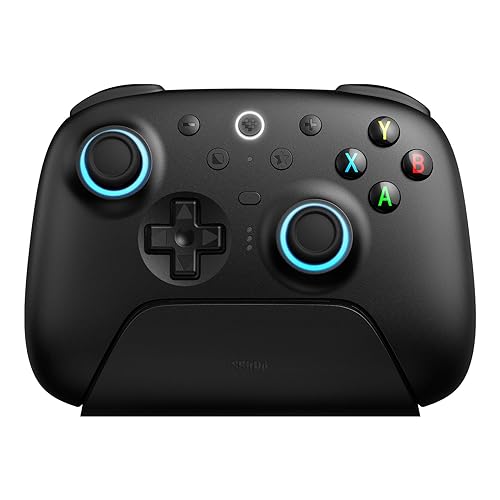
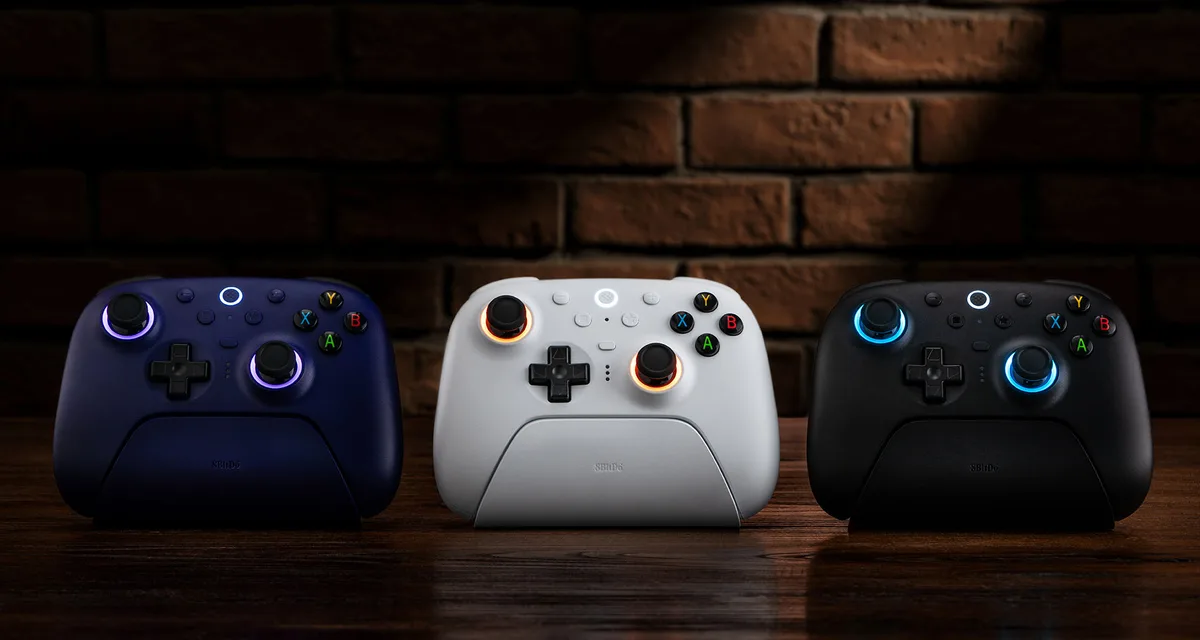
The two controllers are almost the same size, at 147 x 103 mm. The Ultimate 2C is 61.4 mm deep and weighs 217.5g, while the Ultimate 2 is 61.3 mm deep and weighs 246g, so the Ultimate 2 feels noticeably heavier in the hand. The 2C comes in several pastel colors plus a transparent edition. The Ultimate 2 adds RGB Fire Rings around the sticks and ships with a charging dock.
The Ultimate 2 comes with a charging dock and RGB rings around the sticks. (Image: 8BitDo)
Sticks and Triggers: Hall Effect vs TMR
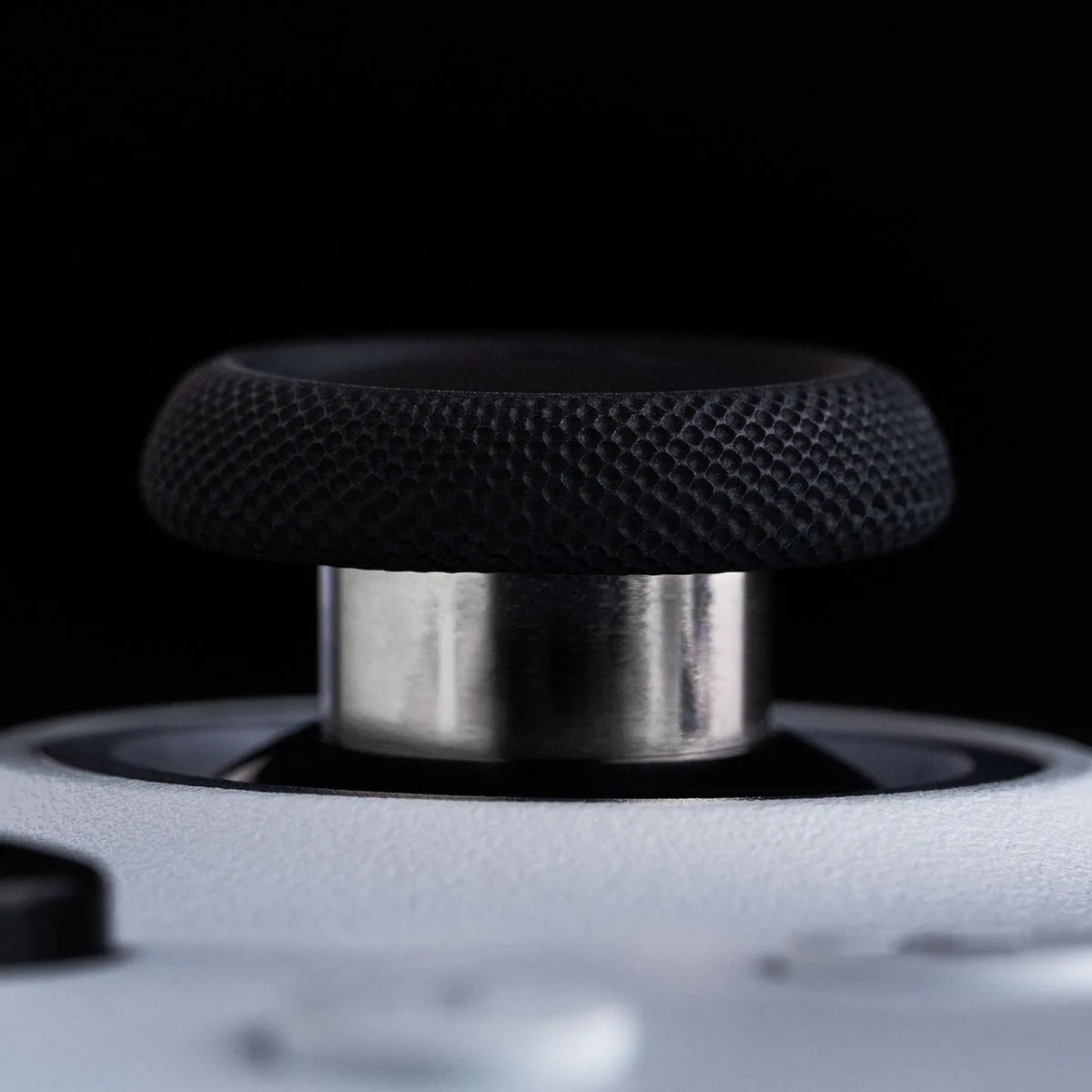
The 2C uses Hall effect sticks and linear Hall effect triggers, so it is drift-resistant at a low price. The Ultimate 2 moves to TMR sticks with a 12-bit ADC sampling chip, and its triggers switch between a linear Hall mode and a tactile mode. In daily play the biggest difference is stick precision: the Ultimate 2 reports a stick resolution of 10.5 bits against 6.7 bits for the 2C. The 2C’s sticks are still a big step up from older potentiometer sticks, but if you play aim-heavy shooters the Ultimate 2 has the edge.
The Ultimate 2 uses TMR joysticks with a 12-bit ADC. (Image: 8BitDo)
Buttons and Customization: Two Paddles and Software
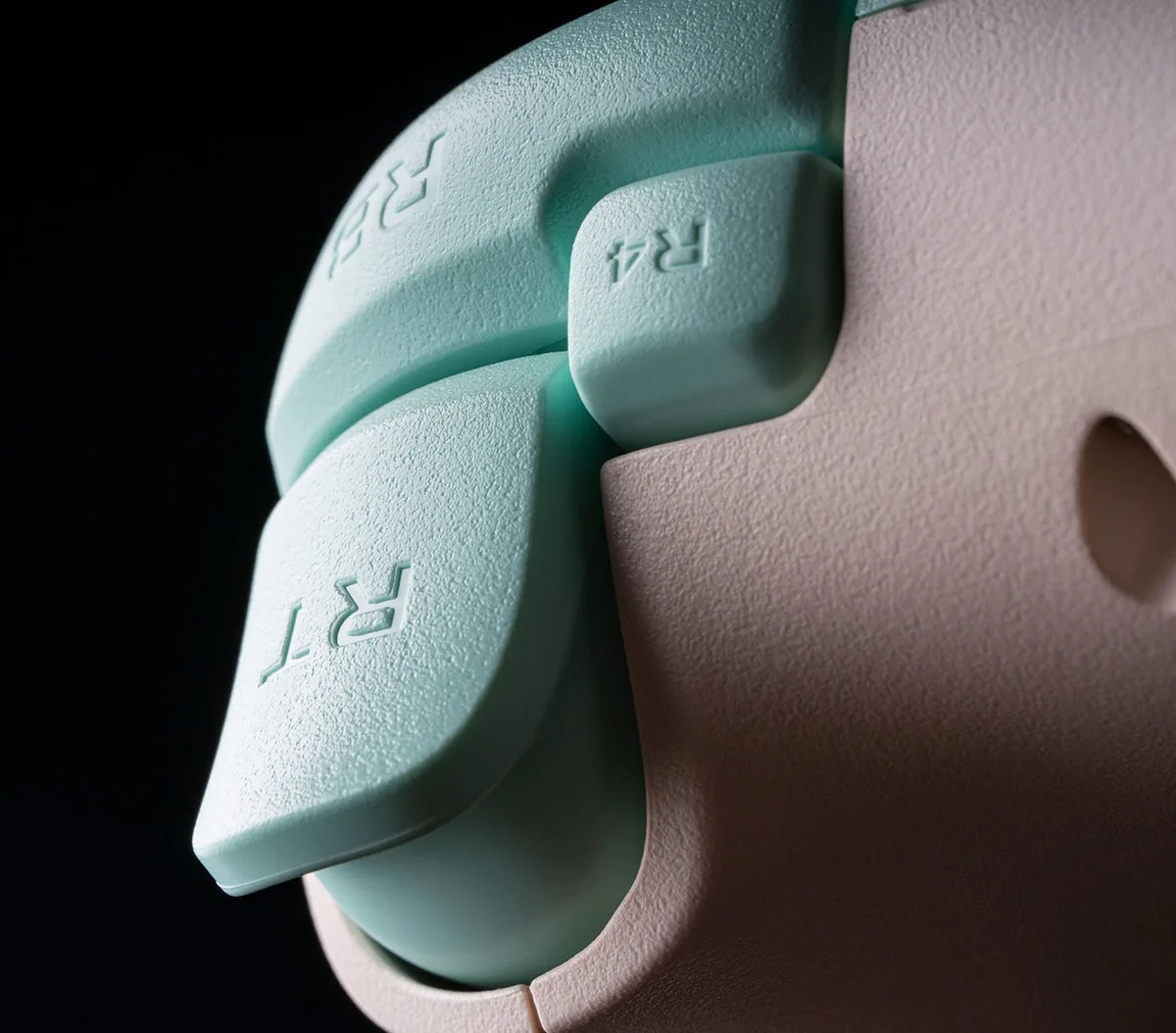
Both controllers have remappable L4/R4 Fast Bumpers that need no software. The Ultimate 2 adds two Pro back paddles, 6-axis motion control over 2.4G, turbo, and the Ultimate Software V2 app for mapping, stick and trigger tuning, vibration, RGB, macros and firmware updates. The 2C maps buttons on the controller itself and has turbo and rumble, but no paddles, gyro or app. Its ABXY buttons are listed as clicky, while the Ultimate 2’s are listed as membrane.
The 2C’s R4 and L4 bumpers can be remapped without software. (Image: 8BitDo)
Latency: The 2C Wins Over Cable and Dongle on Sticks
The cheaper pad is not slower. Over a cable and the 2.4G dongle, the 2C has much faster stick response, while the Ultimate 2 has faster button response on every connection.
Latency
Ultimate 2C
Ultimate 2
Buttons, cable
5.1ms
2.8ms Wins
Sticks, cable
1.9ms Wins
7ms
Buttons, 2.4G dongle
5.1ms
4ms Wins
Sticks, 2.4G dongle
4.1ms Wins
8.1ms
Buttons, Bluetooth
15.2ms
12ms Wins
Sticks, Bluetooth
8.6ms Wins
16ms
Both land in the same range, about 4 to 7ms overall over cable or dongle, so the gap is hard to feel outside competitive play. Bluetooth is slower on both, at roughly 14 to 18ms overall.
Battery and Charging: Dock vs Cable
The 2C has a 480mAh battery, rated up to 19 hours over 2.4G and up to 32 hours over Bluetooth, with a charge time of about 2 hours by cable. The Ultimate 2 has a 1000mAh battery rated at roughly 20 hours over 2.4G, and its dock keeps it topped up and reconnects the controller as soon as you lift it off. If you charge by cable anyway, the 2C is no worse. If you like grabbing a pad that is always full, the dock is the Ultimate 2’s best everyday feature.
Platforms and Connectivity
Both connect over a 2.4G adapter or a cable on Windows. For Bluetooth, the 2C supports Android 9.0 and later, with Windows 10 and later on the cable and dongle. The Ultimate 2 needs Android 13 or later, and adds Bluetooth for Apple devices (iOS, iPadOS, tvOS, macOS and visionOS 26 or later) and SteamOS 3.7.13 or later. If you want to use the controller with an iPhone or iPad, only the Ultimate 2 qualifies. Neither Wireless model is the Switch version. For a budget pad that works on Switch and phones, see our Ultimate 2C vs GameSir Nova Lite comparison, and for the pricier flagship alternative, read 8BitDo Pro 3 vs Ultimate 2.
8BitDo Ultimate 2C vs Ultimate 2: Full Specs
Feature
Ultimate 2C
Ultimate 2
Size
147 x 103 x 61.4mm
147 x 103 x 61.3mm
Weight
217.5g
246g
Sticks
Hall effect, wear-resistant metal rings
TMR, 12-bit ADC, RGB Fire Ring Wins
Stick resolution
6.7 bits
10.5 bits Wins
Triggers
Linear Hall effect
Switchable linear Hall or tactile Wins
Extra buttons
L4/R4 bumpers
L4/R4 bumpers + 2 back paddles Wins
Motion controls
No
6-axis, over 2.4G Wins
Software
None, mapping on the controller
Ultimate Software V2 Wins
Polling rate
1000Hz (2.4G and wired)
1000Hz (2.4G and wired)
Battery
480mAh, up to 19 hrs (2.4G) or 32 hrs (Bluetooth)
1000mAh, around 20 hrs (2.4G)
Charging
Cable, about 2 hours
Charging dock
Windows
Windows 10+
Windows 10 (1903+)
Android
Android 9.0+
Android 13+
Apple and SteamOS
No
Bluetooth on iOS, iPadOS, tvOS, macOS, visionOS 26+, SteamOS 3.7.13+ Wins
In the box
Controller, 2.4G adapter, USB cable
Controller, dock, 2.4G adapter, USB cable
Price
Lower Wins
Higher
And the Winner Is…
Winner8BitDo Ultimate 2
The Ultimate 2C deserves credit. It is lighter, has faster stick response over cable and dongle, lasts longer on Bluetooth and costs noticeably less, all while keeping Hall effect sticks and triggers. But the Ultimate 2 gives more for the money: TMR sticks with higher resolution, two back paddles, gyro, a dock, trigger modes and software, plus Apple and SteamOS support. Most PC players will use those every day, so it is the one we would buy. Pick the 2C if you just want a drift-resistant pad for Windows or Android on a tight budget, and you do not need paddles, gyro or an app.
Final Thoughts on the 8BitDo Ultimate 2C vs Ultimate 2
If the 8BitDo Ultimate 2C vs Ultimate 2 decision still feels tight, ask what you will miss. Paddles, gyro, software and a dock make the Ultimate 2 a pad you can tune and forget about. The 2C is the smarter buy when price matters most and your games do not need extra inputs.
FAQ
What is the connectivity of the 8BitDo Ultimate 2C?
It connects over a 2.4G adapter or a cable on Windows 10 and later, and over Bluetooth on Android 9.0 and later.
How is the battery on the Ultimate 2C and Ultimate 2?
The 2C has a 480mAh battery rated up to 19 hours over 2.4G and 32 hours over Bluetooth, charged by cable in about 2 hours. The Ultimate 2 has a 1000mAh battery rated around 20 hours over 2.4G and charges on its dock.
Does the 8BitDo Ultimate 2C work on Switch?
Not the Wireless model covered here. 8BitDo sells a separate Ultimate 2C Bluetooth model for Switch.
I'm Sean, and I write the comparisons on GameCuki. I cover anything gamers weigh up before buying: consoles and handhelds, PC components and gaming laptops, monitors, controllers, headsets and accessories, plus subscriptions and services like Game Pass and PlayStation Plus. I put both options on the same checklist, using official specs, professional reviews and owner feedback, and I only mention what owners say when at least two of them report the same thing. Every comparison ends with one clear verdict and the type of player each option suits. I don't accept free products or payment from brands, and what I write comes from research, not my own use of the products. You can read my full process on our How We Review page.
Areas of Focus
Controller Match-UpsHeadset Match-UpsConsole vs. ConsoleSpecs & Latency