GameCuki is reader-supported. When you buy through links on our site, we may earn an affiliate commission at no extra cost to you. As an Amazon Associate I earn from qualifying purchases. Learn more.
Two of the most talked-about 60% keyboards for FPS players use adjustable actuation and rapid trigger, and both are wired only. The Razer Huntsman V3 Pro Mini vs Apex Pro Mini decision comes down to switch tech, how much you want to tweak, and how the board feels when you are not gaming. Here the Apex is the SteelSeries Apex Pro Mini Gen 3, the current model, and the Razer is the Huntsman V3 Pro Mini sold today.
Best Overall
Razer Huntsman V3 Pro Mini
Bottom LineThe better pick for most FPS players: faster polling, a 2-year warranty and a lubricated, foam-damped feel.
Bottom LineThe pick if you want Protection Mode, GG QuickSet presets and an easier software setup, and can accept a shorter warranty and no 8000 Hz option.
A note on versions: Razer sells the original Huntsman V3 Pro Mini (1000 Hz) and a newer Huntsman V3 Pro Mini 8KHz. We use the 8KHz model for the card and specs table because it is the version Razer currently sells, and both share the same Gen-2 switches, 0.1 to 4.0 mm range and 60% layout. On the SteelSeries side, Gen 3 is the current Apex Pro Mini, with OmniPoint 3.0 Hall effect switches. The older Apex Pro Mini Wireless uses OmniPoint 2.0 and is a different keyboard.
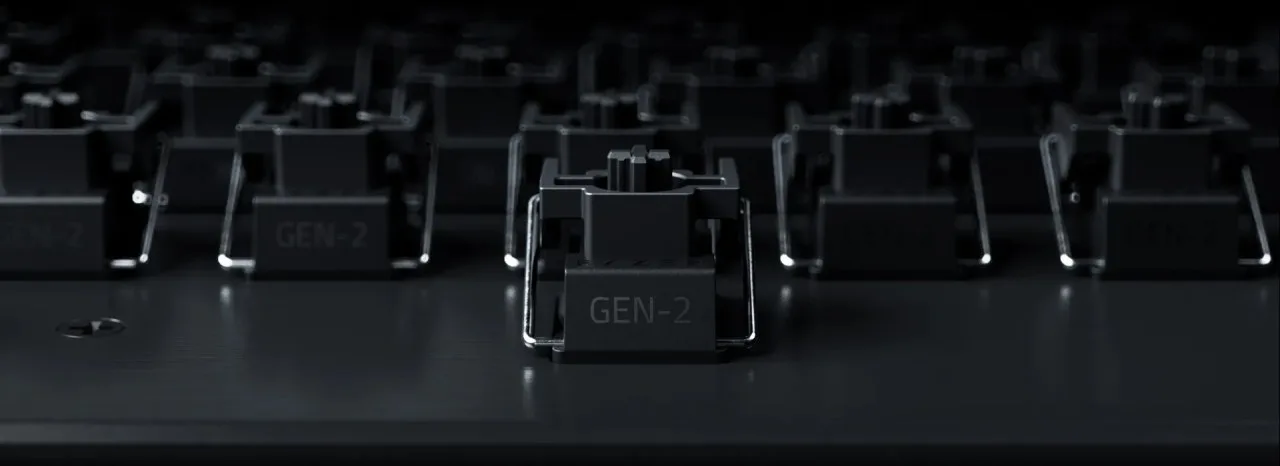
Both boards give you the same headline range. The Huntsman V3 Pro Mini uses Razer Analog Optical Switches Gen-2 with a 0.1 to 4.0 mm adjustable actuation range, rapid trigger and a 100 million keystroke rating. The Apex Pro Mini Gen 3 uses OmniPoint 3.0 Adjustable HyperMagnetic switches, an analog Hall effect design, with the same 0.1 to 4.0 mm range, rapid trigger and a 100 million keystroke rating. SteelSeries also lists 0.7 ms response time and 40 levels of adjustable actuation.
In practice the switch type matters less than what each brand builds around it. Razer ships a factory default profile at 2.0 mm with rapid trigger off for typing, and its switches have a 40 g actuation force at that default. SteelSeries adds Protection Mode, which lowers the sensitivity of nearby keys so a stray finger is less likely to trigger the wrong one. Neither is hot-swappable, so you keep the switches you buy.
A Razer Analog Optical Switch Gen-2, the switch used in the Huntsman V3 Pro Mini (Image: Razer)
Speed and Input Features: Razer Pulls Ahead on Paper
The 8KHz Huntsman V3 Pro Mini polls at 8000 Hz, and Razer rates it at 0.48 ms average latency. The original Huntsman V3 Pro Mini polls at 1000 Hz. SteelSeries lists the Apex Pro Mini Gen 3 with a 0.7 ms response time, and the keyboard is wired through a detachable braided USB-C cable. Whether you can feel a gap this small depends on your hardware and how much you play at a high level, but the 8000 Hz option is the more future-proof spec.
On input tricks, Razer offers Snap Tap, Snap Flex (separate actions on press and release) and Dual-Keypress Priority. SteelSeries offers Rapid Tap, which prioritizes the last key pressed in a pair with up to 5 pairings, and dual-stage 2-in-1 action keys that assign two actions to one key by press depth. Both cover counter-strafing well. Rapid Tap and Snap Tap solve the same problem in slightly different ways, so check that the game or tournament you play allows them.
Build and Typing Feel: Razer Is Quieter Out of the Box
The Huntsman V3 Pro Mini has an aluminum top plate, textured doubleshot PBT keycaps, and individually lubricated switches seated in a dense foam layer for a muted sound. The 8KHz model comes with a 2-year warranty.
The Apex Pro Mini Gen 3 has a plastic body with a high-grade aluminum top frame, double-shot PBT keycaps, per-key pre-lubricated stabilizers and three sound-dampening layers. It weighs 543 g (1.2 lb) and comes with a 1-year warranty. The typing feel is comfortable and precise, but it is not class-leading, so if you type a lot beyond gaming, the quieter Razer is the safer bet.
Size and Layout: Almost the Same 60% Footprint
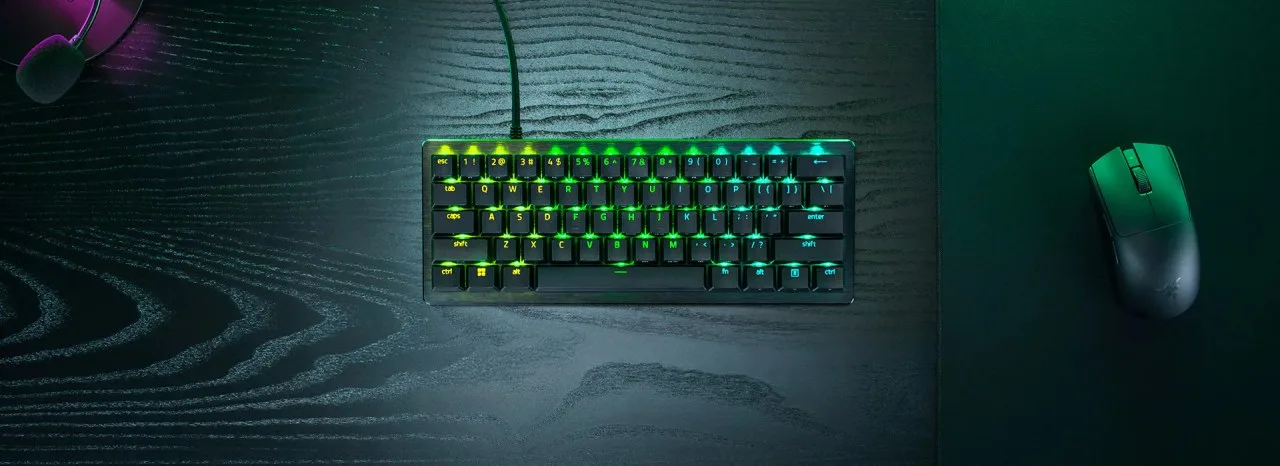
Both are 61-key, 60% boards. SteelSeries lists the Apex Pro Mini Gen 3 at 293 x 103 x 40.3 mm (11.53 x 4.02 x 1.59 in). The Huntsman V3 Pro Mini 8KHz is listed at about 11.74 x 4.49 x 1.5 in and 1.3 lb, so it is slightly longer, wider and a little heavier.
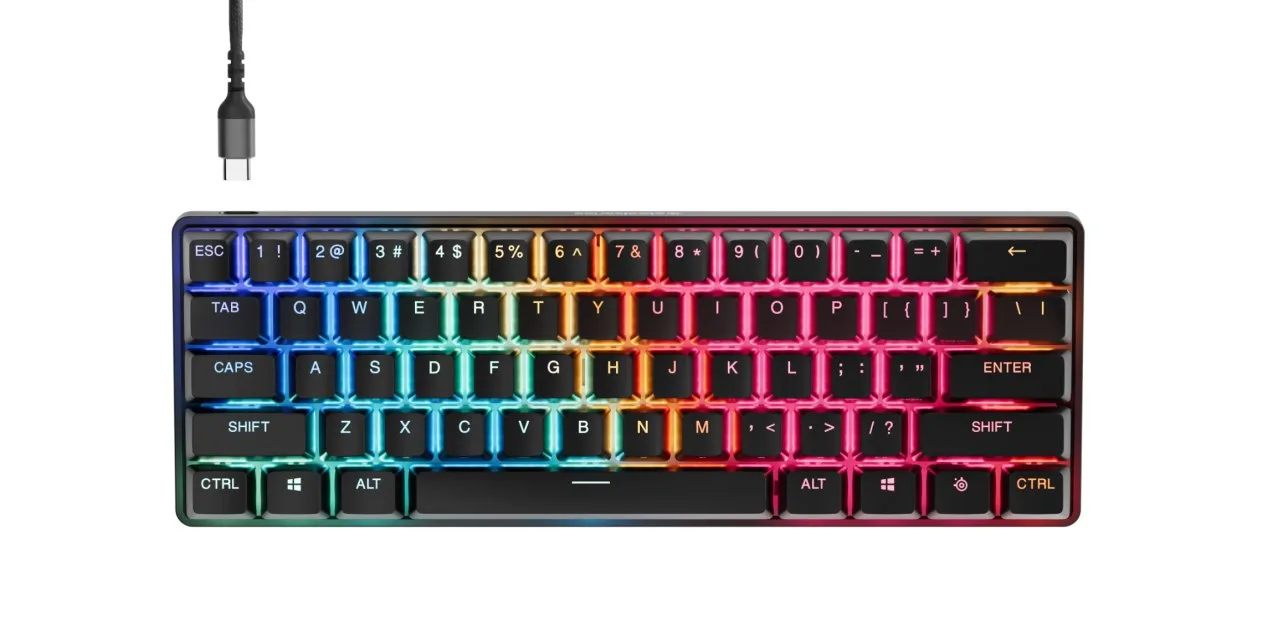
The layouts differ in how they handle arrows. Razer’s bottom-right modifier keys double as arrow keys when tapped. The Apex uses a function layer, with a SteelSeries key that lights up the shortcut keys across the board so they are easier to learn. For more compact options in this size class, see our best 60 percent keyboard for Fortnite picks.
The Apex Pro Mini Gen 3 is a 61-key, wired 60% board with a detachable braided USB-C cable (Image: SteelSeries)The Huntsman V3 Pro Mini keeps a compact footprint that leaves room for low-sensitivity mouse swipes (Image: Razer)
Software and Setup: SteelSeries Is Easier to Learn
Razer lets you adjust actuation, rapid trigger and Snap Tap directly on the keyboard with hotkeys, using the number row as a visual guide, and saves them to onboard memory with no software needed. It stores 6 profiles, of which 2 are fixed presets and 4 are editable. Deeper tuning happens in Razer Synapse.
SteelSeries uses GG Engine and GG QuickSet, a library of ready-made presets for popular games, and stores 5 custom profiles onboard. A dedicated SteelSeries key shows shortcuts for switching profiles, adjusting actuation and controlling media. If you do not want to build your own settings, QuickSet is the quicker route. If you prefer to adjust without opening an app, Razer’s onboard modes are handy for LAN events.
Razer Huntsman V3 Pro Mini vs Apex Pro Mini: Full Specs
The Apex Pro Mini Gen 3 is the easier board to live with: Protection Mode and GG QuickSet remove a lot of guesswork, the build feels solid, and the setup flow is friendlier for anyone new to adjustable actuation. Still, for most people shopping the Razer Huntsman V3 Pro Mini vs Apex Pro Mini matchup, the Razer is the stronger buy. It matches the SteelSeries on actuation range and rapid trigger, adds an 8000 Hz option, ships with lubricated switches and foam for a quieter feel and carries a longer 2-year warranty. Pick the SteelSeries if presets and Protection Mode matter more than raw speed and warranty length.
Which Is Worth It: Huntsman V3 Pro Mini or Apex Pro Mini?
If you play competitive FPS games and want the most speed and value from a 60% board, choose the Huntsman V3 Pro Mini. If you want a gentler setup, game presets and an anti-misclick feature, choose the Apex Pro Mini Gen 3. Either way, remember that both are wired only and neither is hot-swappable, so wireless fans should look elsewhere, for example in our best gaming keyboard for small hands list. Settle the Razer Huntsman V3 Pro Mini vs Apex Pro Mini question by deciding whether you value tuning ease or speed and warranty first.
I'm Sean, and I write the comparisons on GameCuki. I cover anything gamers weigh up before buying: consoles and handhelds, PC components and gaming laptops, monitors, controllers, headsets and accessories, plus subscriptions and services like Game Pass and PlayStation Plus. I put both options on the same checklist, using official specs, professional reviews and owner feedback, and I only mention what owners say when at least two of them report the same thing. Every comparison ends with one clear verdict and the type of player each option suits. I don't accept free products or payment from brands, and what I write comes from research, not my own use of the products. You can read my full process on our How We Review page.
Areas of Focus
Controller Match-UpsHeadset Match-UpsConsole vs. ConsoleSpecs & Latency