GameCuki is reader-supported. When you buy through links on our site, we may earn an affiliate commission at no extra cost to you. As an Amazon Associate I earn from qualifying purchases. Learn more.
Put these two side by side and the difference is obvious before you read a single spec. The Logitech G Pro X Superlight 2 vs Razer DeathAdder V3 matchup is really a question of hand shape. Logitech built a low, symmetrical 60 g shell. Razer kept the arched, ergonomic body that made the DeathAdder famous. Here the wireless DeathAdder V3 Pro is the model matched against the Superlight 2, since the wired DeathAdder V3 is a separate mouse.
Best Overall
Logitech G Pro X Superlight 2
Bottom LineThe lighter, lower-profile pick for claw, fingertip and relaxed palm grips, with POWERPLAY charging support and a sensor that tops the Razer on paper.
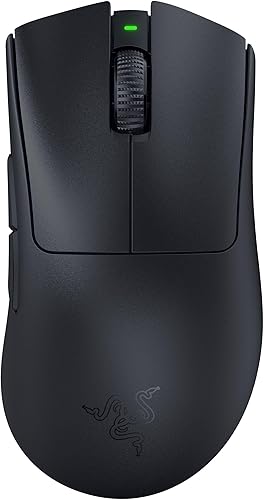
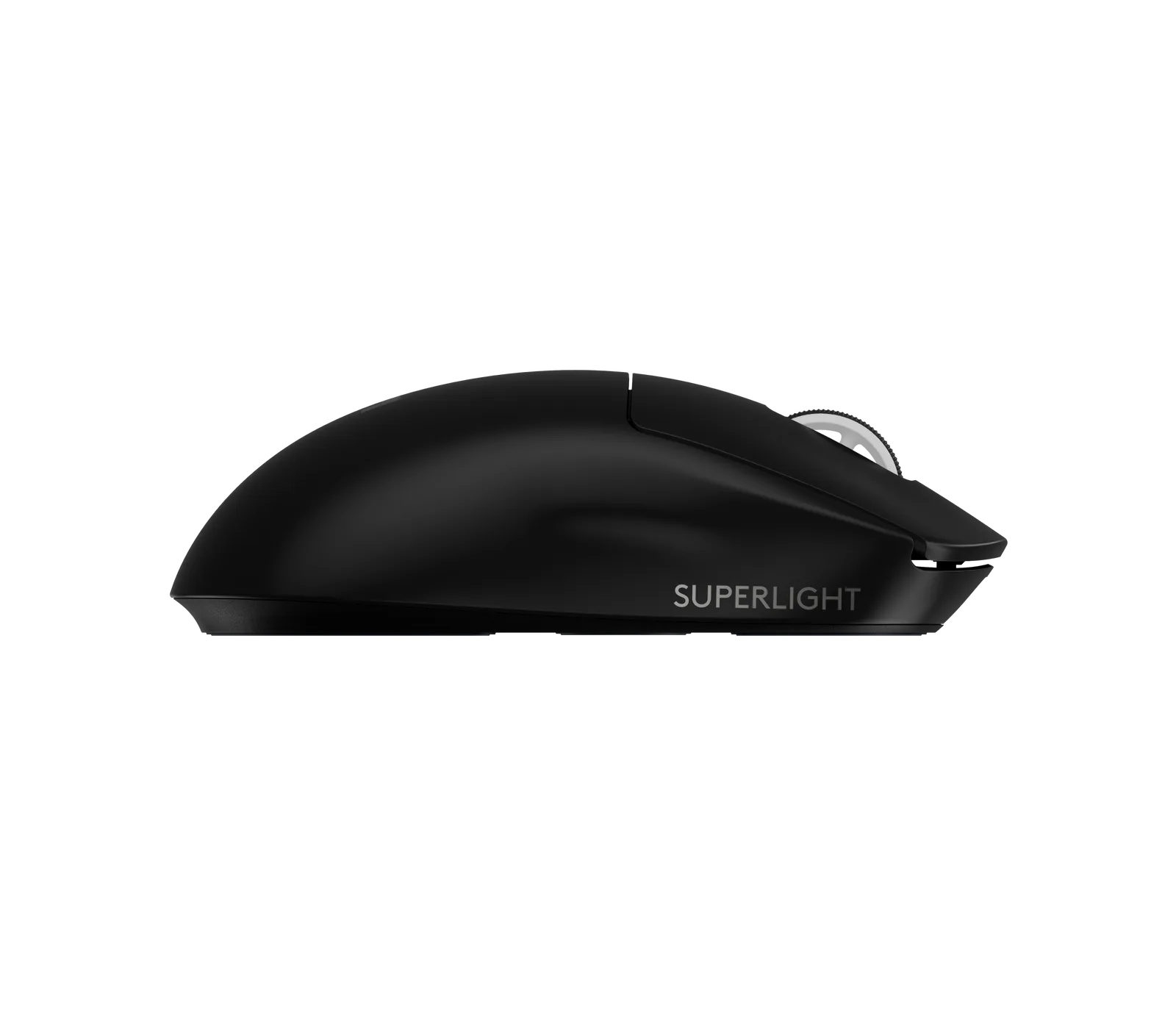
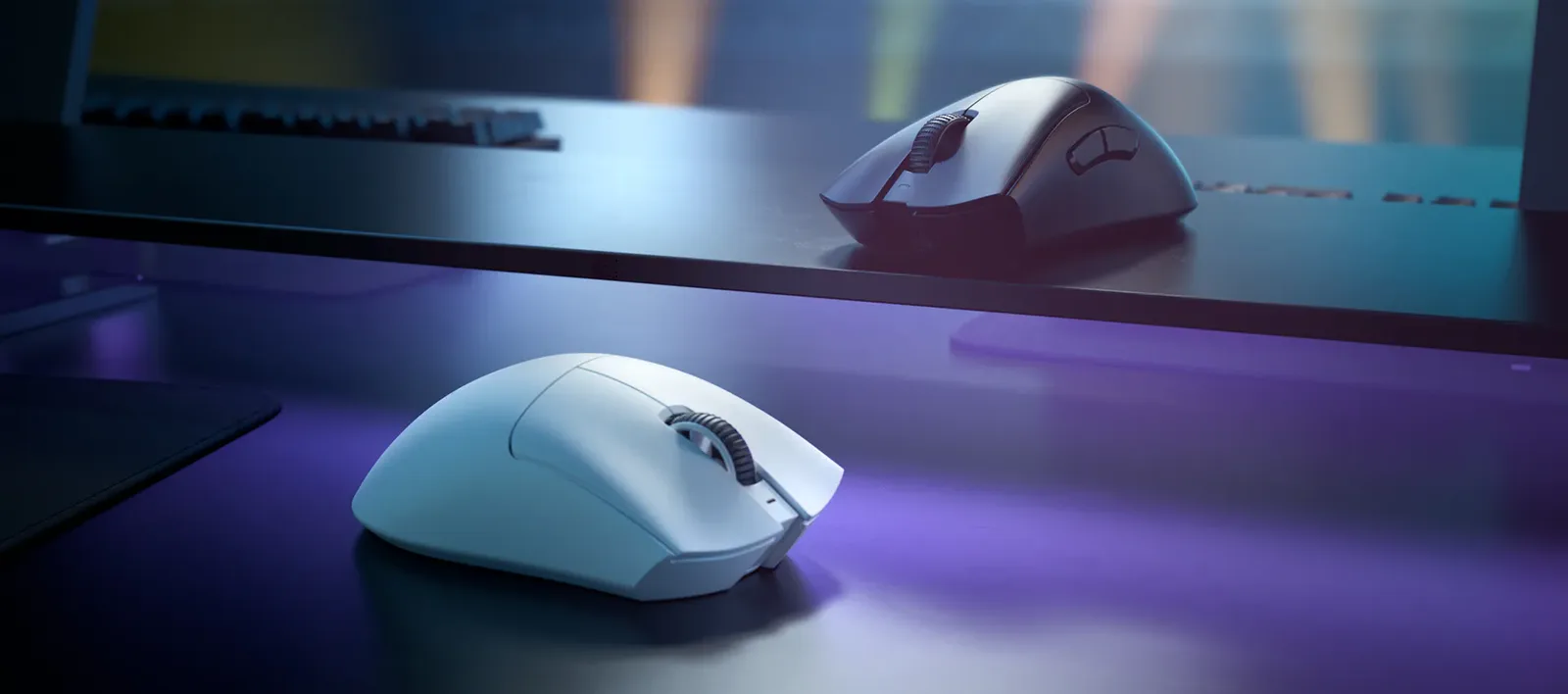
The Superlight 2 is a low-profile, symmetrical shell that Logitech lists at 125 mm long, 63.5 mm wide and 40 mm tall (4.92 x 2.5 x 1.57 in). That shape lets the mouse move quickly and suits claw and fingertip grips, where only part of your palm touches the body. The DeathAdder V3 Pro is a right-handed ergonomic mouse with a raised arch, so your palm has something to rest on. Razer lists it at 128 mm long, 68 mm wide and 44 mm tall (5.00 x 2.67 x 1.73 in), and describes it as a mid-to-large mouse, so it is about 3 mm longer, 4.5 mm wider and 4 mm taller. If your hand is medium to large and you palm the mouse, the DeathAdder is the more natural fit. If you grip with your fingertips or claw, the lower Logitech shell is easier to control. Our guide to the best gaming mouse for palm grip explains how grip style changes the choice.
The Superlight 2 in side profile: low and symmetrical. (Image: Logitech G)The DeathAdder V3 Pro in white and black: a higher, ergonomic arch. (Image: Razer)
Weight: Only 3 Grams Apart
Logitech rates the Superlight 2 at 60 g and Razer rates the DeathAdder V3 Pro at 63 g, excluding cable and dongle. Both are far lighter than a typical wireless gaming mouse. A 3 g gap is small, so shape and fit will matter more than weight when you pick between them.
Sensor and Polling Rate: Logitech Pushes Wireless Polling Further
The Superlight 2 uses the HERO 2 sensor, rated for 100 to 32,000 DPI, over 888 IPS and over 88 G of acceleration, with wireless polling up to 8,000 Hz. The DeathAdder V3 Pro uses the Focus Pro 30K Optical Sensor, rated for 30,000 DPI, 750 IPS and 70 G. Those ceilings sit well above the DPI settings most players use, so the sensor alone should not decide this one.
Polling rate is the more practical difference. The DeathAdder V3 Pro polls at 1,000 Hz out of the box. Razer says it can reach 8,000 Hz wireless only with its HyperPolling Wireless Dongle, which is sold separately. If you want high wireless polling without buying another accessory, the Logitech is the simpler route. At standard 1,000 Hz, most players will not notice a difference between the two.
Switches and Click Feel: Hybrid vs Optical
The Superlight 2 uses Logitech’s LIGHTFORCE hybrid switches, rated for 70 million clicks, which combine optical speed with a mechanical feel. The DeathAdder V3 Pro uses Razer Optical Mouse Switches Gen-3, rated for 90 million clicks with 0.2 ms actuation and no unintended double-clicks. Both are well suited to fast, repeated clicks. Which one feels better is a personal call, and 70 million clicks is still far more than most players will ever use.
Battery Life and Charging: Close, With One Logitech Extra
Logitech rates the Superlight 2 at up to 95 hours and Razer rates the DeathAdder V3 Pro at up to 90 hours. Both charge over USB-C. Runtime falls when you raise the polling rate, so treat both numbers as best-case figures. The Logitech also works with the POWERPLAY wireless charging system.
Logitech G Pro X Superlight 2 vs Razer DeathAdder V3 Pro: Full Specs
Feature
Superlight 2
DeathAdder V3 Pro
Shape
Symmetrical, low profile
Ergonomic, raised arch Wins
Weight
60 g Wins
63 g
Sensor
HERO 2
Focus Pro 30K Optical
Max DPI
32,000 Wins
30,000
Max tracking speed
Over 888 IPS Wins
750 IPS
Wireless polling rate
Up to 8,000 Hz Wins
1,000 Hz (8,000 Hz with separate dongle)
Switches
LIGHTFORCE hybrid, 70M clicks
Optical Gen-3, 90M clicks Wins
Battery life (maker rating)
Up to 95 hours Wins
Up to 90 hours
Charging
USB-C, POWERPLAY compatible
USB-C
Size (L x W x H)
125 x 63.5 x 40 mm (4.92 x 2.5 x 1.57 in)
128 x 68 x 44 mm (5.00 x 2.67 x 1.73 in)
Best grip
Claw, fingertip
Palm, medium to large hands Wins
One note on versions: Logitech also sells the Superlight 2 SE, which polls at 1,000 Hz out of the box, needs a separate receiver for 8,000 Hz and is rated for up to 88 hours of battery life. The specs above are for the standard Superlight 2, and the SE is the version to check if you buy the Logitech through the button below.
And the Winner Is…
WinnerLogitech G Pro X Superlight 2
The DeathAdder V3 Pro deserves credit where the Superlight 2 cannot match it: its raised arch gives a palm grip real support, and it usually costs less. The Superlight 2 still wins for most people because its low, symmetrical shell suits more grip styles, from claw and fingertip to a relaxed hybrid palm, and it is the lighter mouse with POWERPLAY charging support. The standard model also reaches 8,000 Hz without extra hardware. The SE version sold through the button below matches the Razer’s setup there, so check which one you are buying if polling rate matters to you. If you palm the mouse or have a larger hand, buy the DeathAdder V3 Pro instead. Everyone else comparing the Logitech G Pro X Superlight 2 vs Razer DeathAdder V3 should start with the Logitech.
Is the Razer DeathAdder V3 the same as the V3 Pro?
No. The DeathAdder V3 is a wired mouse at 59 g with 8,000 Hz polling over the cable, while the V3 Pro is the wireless version. The Superlight 2 is wireless, so the V3 Pro is the closer match.
Does the DeathAdder V3 Pro need the HyperPolling dongle?
No. It works at 1,000 Hz with the dongle in the box. The separate HyperPolling Wireless Dongle is only needed for 8,000 Hz.
Which mouse suits large hands?
The DeathAdder V3 Pro, especially for palm grip. The Superlight 2 is lower and symmetrical, which favors claw and fingertip grips.
Is the weight difference noticeable?
Probably not. The gap is 3 g, 60 g against 63 g, so shape will matter far more than weight.
Which Mouse Should You Buy: Superlight 2 or DeathAdder V3 Pro?
Pick the Superlight 2 if you claw or fingertip grip, want the lightest shell and high wireless polling without extra hardware. Pick the DeathAdder V3 Pro if your palm needs a taller shell and you would rather spend less. In the Logitech G Pro X Superlight 2 vs Razer DeathAdder V3 decision, grip and hand size should settle it before any spec does. If you are also weighing Razer’s own lineup, see our Razer Viper V3 Pro vs DeathAdder V3 Pro comparison.
I'm Sean, and I write the comparisons on GameCuki. I cover anything gamers weigh up before buying: consoles and handhelds, PC components and gaming laptops, monitors, controllers, headsets and accessories, plus subscriptions and services like Game Pass and PlayStation Plus. I put both options on the same checklist, using official specs, professional reviews and owner feedback, and I only mention what owners say when at least two of them report the same thing. Every comparison ends with one clear verdict and the type of player each option suits. I don't accept free products or payment from brands, and what I write comes from research, not my own use of the products. You can read my full process on our How We Review page.
Areas of Focus
Controller Match-UpsHeadset Match-UpsConsole vs. ConsoleSpecs & Latency