GameCuki is reader-supported. When you buy through links on our site, we may earn an affiliate commission at no extra cost to you. As an Amazon Associate I earn from qualifying purchases. Learn more.
Both promise drift-resistant sticks and a stack of extra buttons for PC, but they get there differently. The Flydigi Vader 4 Pro vs GameSir G7 Pro choice really asks one thing: do you value adjustable stick tension and more inputs, or lower latency and Xbox support? Platforms, latency, sticks, triggers, buttons, software, battery and availability all tip one way or the other.
Best Overall
GameSir G7 Pro
Bottom LineThe controller most people should buy, with far lower latency, Xbox support and a charging station in the box.
Wired on Xbox, 2.4G or wired on PC, Bluetooth on Android
Wired, 2.4G dongle, Bluetooth
Polling rate
1000Hz on PC (wired and 2.4G)
1000Hz (wired and wireless)
Sticks
GameSir Mag-Res TMR
Hall effect with tension adjustment rings Wins
Triggers
Hall effect with micro-switch trigger stops
Hall effect with switchable micro-switch mode
Extra buttons
2 back buttons + 2 mini bumpers
4 back buttons + C and Z buttons Wins
ABXY buttons
Optical micro-switch
Mechanical
D-pad
Mechanical micro-switch
Rotary 8-way, mechanical
Rumble
4 motors (grips and triggers)
4 motors (grips and triggers)
Motion controls
Gyroscope (PC only)
Gyroscope Wins
Audio
3.5mm jack Wins
None
Lighting
LED ring, magnetic faceplates
V-shaped RGB light bar
Software
GameSir Nexus
Flydigi Space Station (PC and mobile)
Battery
1200mAh
800mAh, up to 15 hours with RGB on
Charging dock
Included Wins
Not included (supports wireless charging)
Weight
272g
About 260g
Specs come from GameSir’s and Flydigi’s official listings, and the Vader 4 Pro’s weight is from retail spec sheets, since Flydigi doesn’t list it. Note that this is the standard G7 Pro, which plays wirelessly on PC but connects to Xbox by cable. GameSir sells a separate G7 Pro Wireless edition for wireless play on Xbox.
Key Advantages of Each Controller
Where the GameSir G7 Pro wins:
Much lower latency over cable, dongle and Bluetooth
TMR sticks
Officially works on Xbox Series X/S and Xbox One
3.5mm headset jack
Rubberized grips and a charging station in the box
Where the Flydigi Vader 4 Pro wins:
Stick tension you can adjust with a twist, even mid-game
Six extra buttons instead of four
Works with Nintendo Switch, iOS and macOS, and can wake a Switch
Macro support and a mobile companion app
Platforms and Connection: Xbox vs. Switch
This is the first thing to settle, because the two controllers barely overlap outside of PC and Android. The G7 Pro is an officially licensed Xbox controller. It plugs into Xbox Series X/S and Xbox One by cable, connects to PC over its 2.4G adapter or USB-C, and pairs with Android phones over Bluetooth. It doesn’t support Switch, PlayStation or iOS.
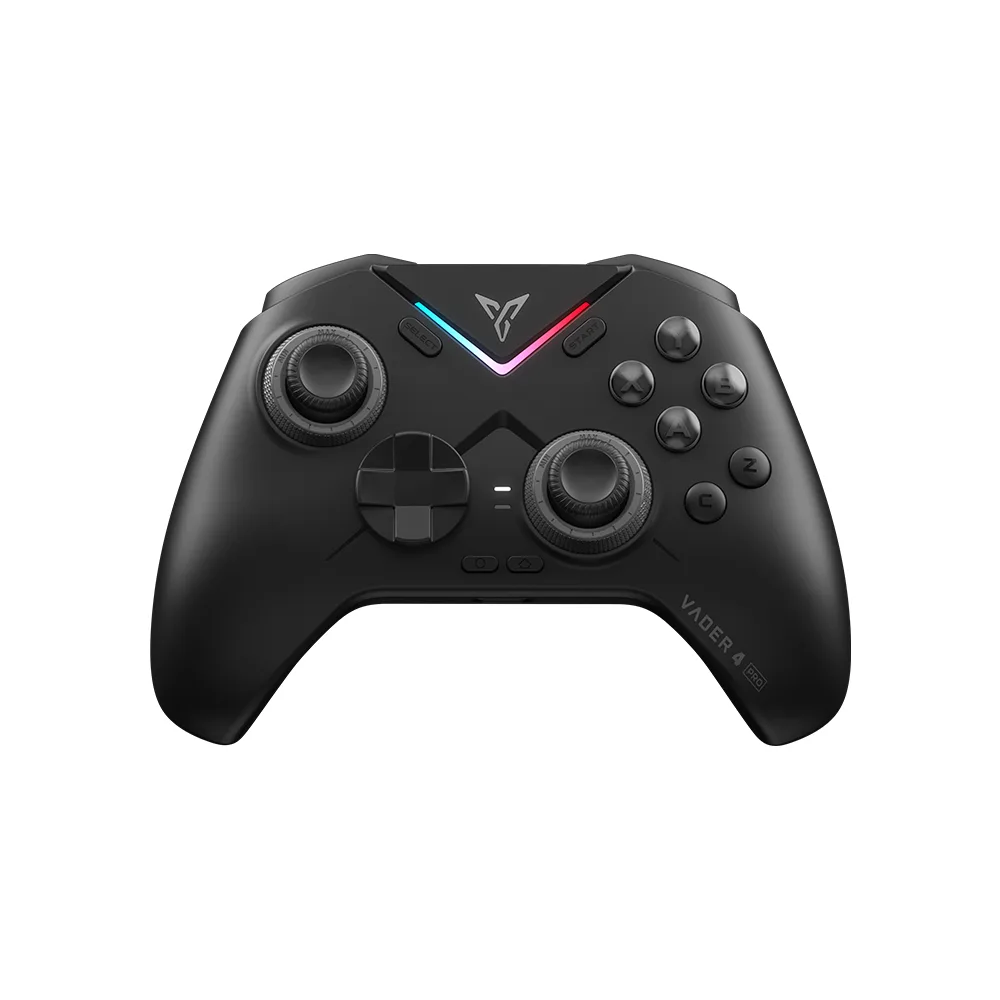
The Vader 4 Pro goes the other way. It works with PC, Nintendo Switch, Android, iOS and macOS. It connects by cable, 2.4G dongle or Bluetooth, and it can wake a Switch from sleep. It doesn’t work on Xbox or PlayStation. Both run at 1000Hz on PC, wired or wireless.
The Vader 4 Pro supports PC, Switch and mobile, but not Xbox or PlayStation. (Image: Flydigi)
Latency: The G7 Pro Is Much Faster
Latency is the clearest gap between these two, and it’s the main reason competitive players pick the G7 Pro:
Latency
GameSir G7 Pro
Flydigi Vader 4 Pro
Buttons, cable
2.4ms Wins
6.4ms
Sticks, cable
2.7ms Wins
16.2ms
Buttons, 2.4G dongle
5.7ms Wins
7.6ms
Sticks, 2.4G dongle
15ms Wins
19.2ms
Buttons, Bluetooth
5.4ms Wins
22.2ms
Sticks, Bluetooth
5.8ms Wins
28.8ms
The G7 Pro is faster in every mode. The biggest difference is stick latency over a cable, where the G7 Pro is about six times faster. Over the 2.4G dongle the gap narrows to a few milliseconds, which most players won’t notice outside of fast shooters. Over a cable, the G7 Pro’s latency is excellent, while the Vader 4 Pro’s is merely good. Keep in mind that the G7 Pro’s Bluetooth mode is meant for Android, so on PC you’ll use the cable or the dongle anyway.
Sticks: Adjustable Tension vs. TMR
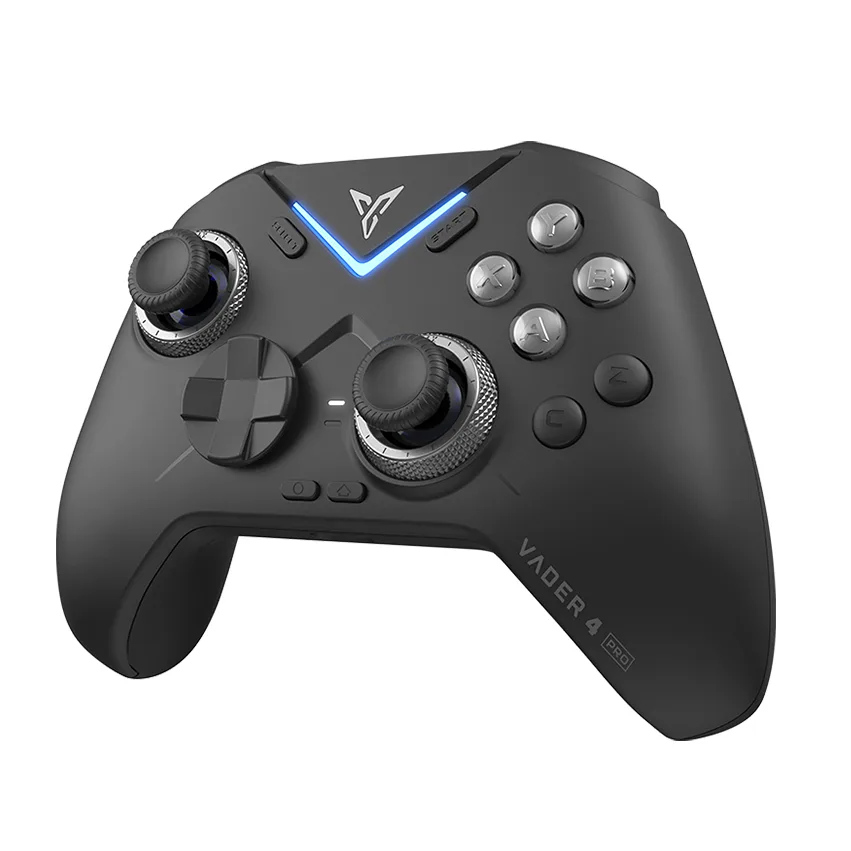
Both controllers use magnetic sticks that resist drift, but they take different approaches. The Vader 4 Pro’s Hall effect sticks sit inside knurled tension rings. Turn a ring and the stick gets stiffer or looser, and you can set each stick differently. Tighter sticks can help with fine aim, looser ones with fast movement. This is the feature Vader fans bring up most, and the G7 Pro has nothing like it.
The G7 Pro uses GameSir’s Mag-Res TMR sticks, which GameSir says combine the durability of magnetic sensing with the smooth, linear feel of classic potentiometer sticks. The tension is fixed, so what you get out of the box is what you live with.
One caveat on the Vader: the tension rings can slowly shift during play, especially when set somewhere in the middle, so you may need to retighten them now and then.
The rings around the Vader 4 Pro’s sticks adjust their tension. (Image: Flydigi)
Triggers and Rumble: A Near Tie
Both controllers let you switch between long Hall effect trigger pulls and short micro-switch clicks. The long pull suits racing games, and the short click feels like a mouse button for faster shots in shooters. Both also have four rumble motors, two in the grips and two in the triggers. There’s no clear winner here.
Buttons and D-Pad: More Inputs on the Vader
The Vader 4 Pro has six extra buttons: four on the back (M1 to M4) and two small C and Z buttons below the face buttons. The G7 Pro has four: two lockable back buttons and two mini bumpers next to the triggers. If you like to map many actions off the face buttons, the Vader gives you more room.
Both controllers have clicky mechanical face buttons. The G7 Pro uses optical micro-switches and a micro-switch D-pad with a plus shape. The Vader 4 Pro uses a round, rotary eight-way D-pad. If you play platformers or retro games that need clean up, down, left and right presses, a plus-shaped D-pad like the G7 Pro’s is the safer choice.
Software and Gyro: The Vader Does More
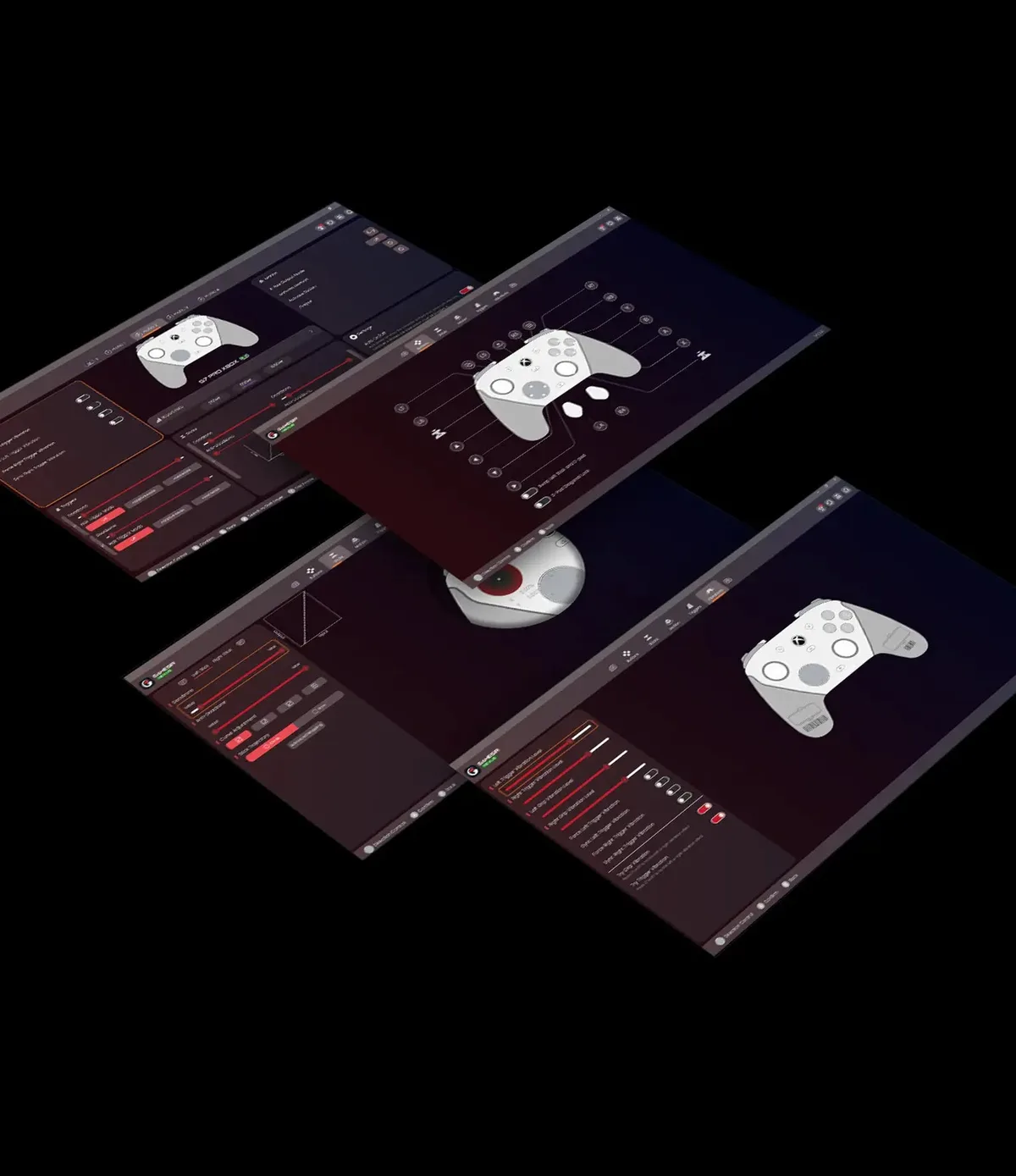
Both controllers work with companion apps for remapping, stick tuning and deadzones. GameSir’s Nexus app handles the G7 Pro, and the newest version adds gyro settings, stick curves and button-to-mouse mapping. Flydigi’s Space Station handles the Vader 4 Pro on PC and adds macro support, which the G7 Pro lacks. Flydigi also has a mobile app for the Vader, and the G7 Pro has none.
Both have a gyroscope. GameSir limits the G7 Pro’s gyro to PC, where you can map it to a stick, buttons or the mouse. Space Station offers custom gyro mapping for aiming on the Vader 4 Pro. With macros and a mobile app on top, the Vader takes this round.
GameSir’s Nexus app adds gyro, stick curve and mouse mapping settings for the G7 Pro. (Image: GameSir)
Battery, Build and Availability: Advantage G7 Pro
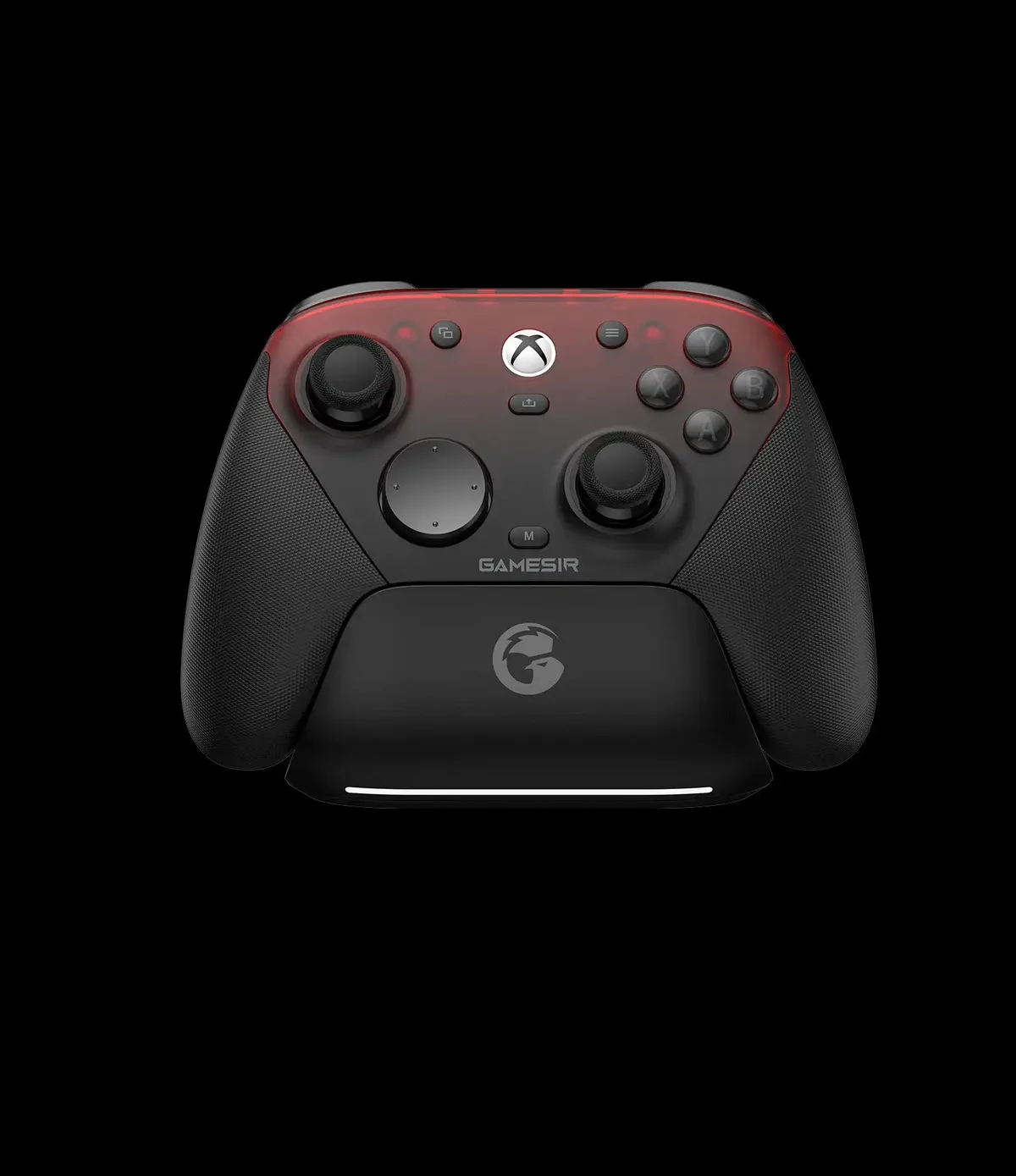
The G7 Pro has the bigger battery at 1200mAh and comes with a charging station that starts and stops charging automatically when you set the controller down. The Vader 4 Pro has an 800mAh battery that Flydigi rates for up to 15 hours with the RGB on, and it charges in about two hours. It supports wireless charging, but there’s no dock in the box.
The G7 Pro also has rubberized grips and magnetic, swappable faceplates. The Vader 4 Pro doesn’t have rubber grips, and opinions on its smooth shell are mixed, so plan on a grip kit or silicone skin if your hands get sweaty.
Availability matters too. The Vader 4 Pro is no longer listed in Flydigi’s official store, which now sells the newer Vader 5 Pro, and it was out of stock on Amazon when we checked. The G7 Pro is widely available.
The G7 Pro comes with a charging station for its 1200mAh battery. (Image: GameSir)
And the Winner Is…
WinnerGameSir G7 Pro
The Vader 4 Pro still has the cleverest feature in this matchup. Its twist-to-adjust stick tension, six extra buttons, macros and Switch support make it the more flexible controller on paper. But it isn’t the one we’d tell most people to buy. The G7 Pro has far lower latency, especially on stick input over a cable, and that matters more than extra buttons in fast, competitive games. It also adds a headset jack, rubber grips, a charging station and Xbox support, and you can actually buy it new. It’s one of our picks for the best controller for PC and Steam and for Rocket League on PC. If you play mostly on Switch and want tension-adjustable sticks, look for a Vader 4 Pro or step up to the Vader 5 Pro. For everyone else, the GameSir G7 Pro wins this Flydigi Vader 4 Pro vs GameSir G7 Pro comparison.
I'm Sean, and I write the comparisons on GameCuki. I cover anything gamers weigh up before buying: consoles and handhelds, PC components and gaming laptops, monitors, controllers, headsets and accessories, plus subscriptions and services like Game Pass and PlayStation Plus. I put both options on the same checklist, using official specs, professional reviews and owner feedback, and I only mention what owners say when at least two of them report the same thing. Every comparison ends with one clear verdict and the type of player each option suits. I don't accept free products or payment from brands, and what I write comes from research, not my own use of the products. You can read my full process on our How We Review page.
Areas of Focus
Controller Match-UpsHeadset Match-UpsConsole vs. ConsoleSpecs & Latency