GameCuki is reader-supported. When you buy through links on our site, we may earn an affiliate commission at no extra cost to you. As an Amazon Associate I earn from qualifying purchases. Learn more.
If you are weighing the DualSense vs DualSense Edge, you are really asking whether back paddles, swappable sticks and saved profiles are worth paying far more for a pad that feels almost the same in your hands. Both are made by Sony for the PS5, and both share the same haptics and adaptive triggers.
Best for Most PS5 Players
DualSense
Bottom LineThe pick for anyone who wants Sony's haptics and adaptive triggers at the lowest price, with no extra buttons to learn and a lot of color choices.
Bottom LineThe pick for competitive and fine-tuning players who will actually use the back buttons, trigger stops and swappable sticks, and who accept shorter battery life.
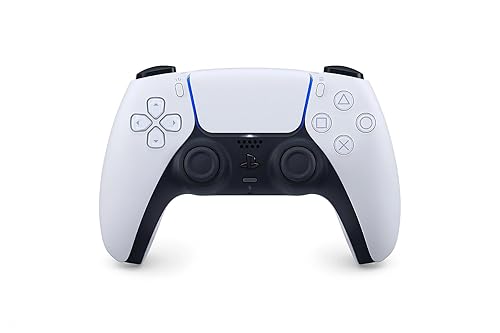
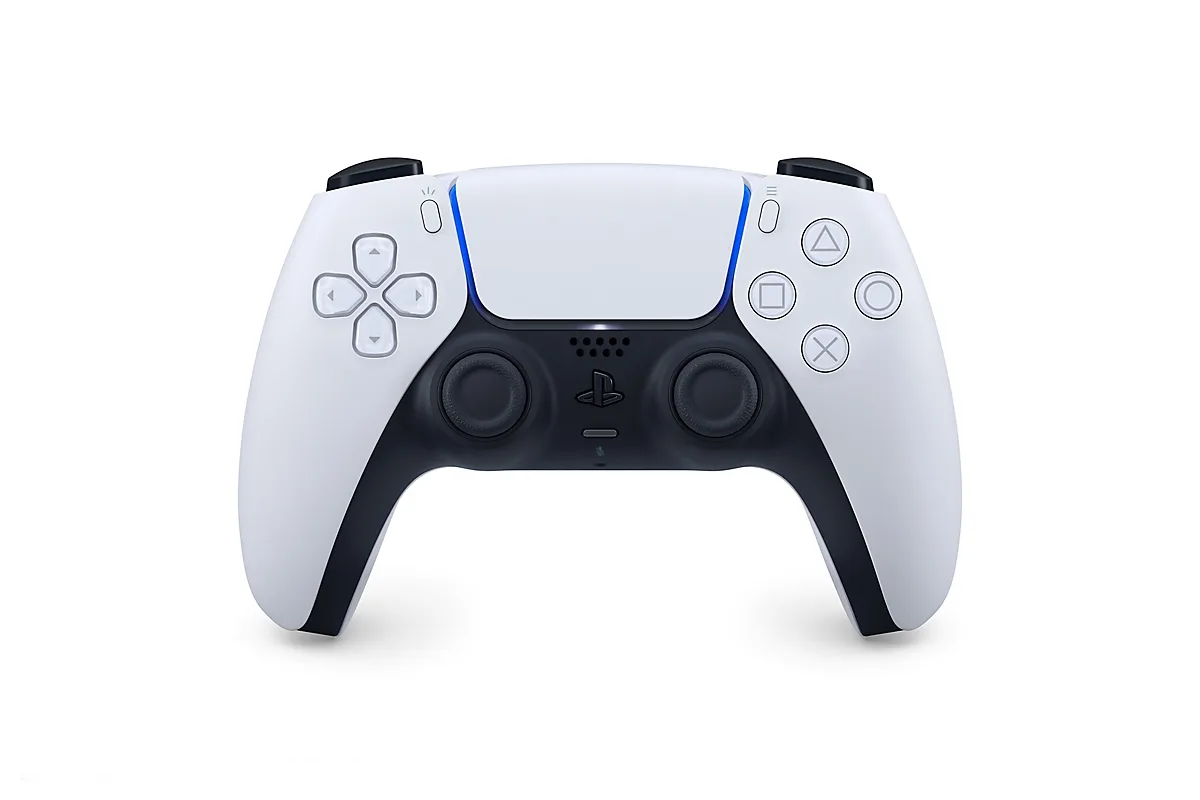
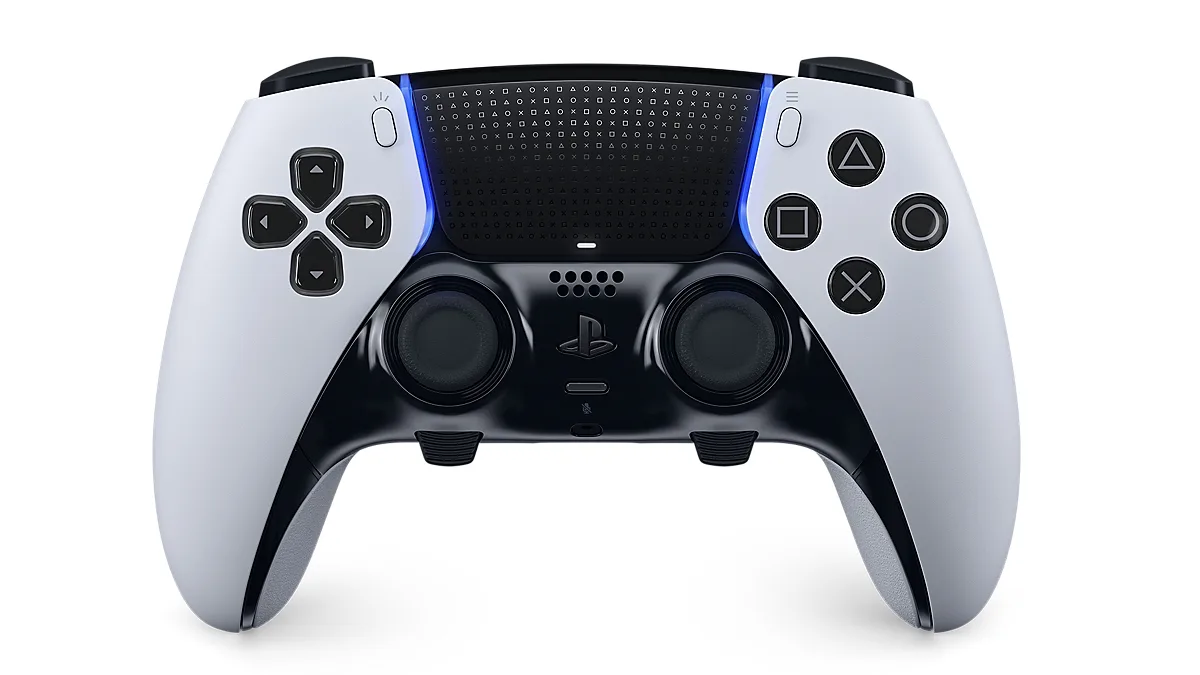
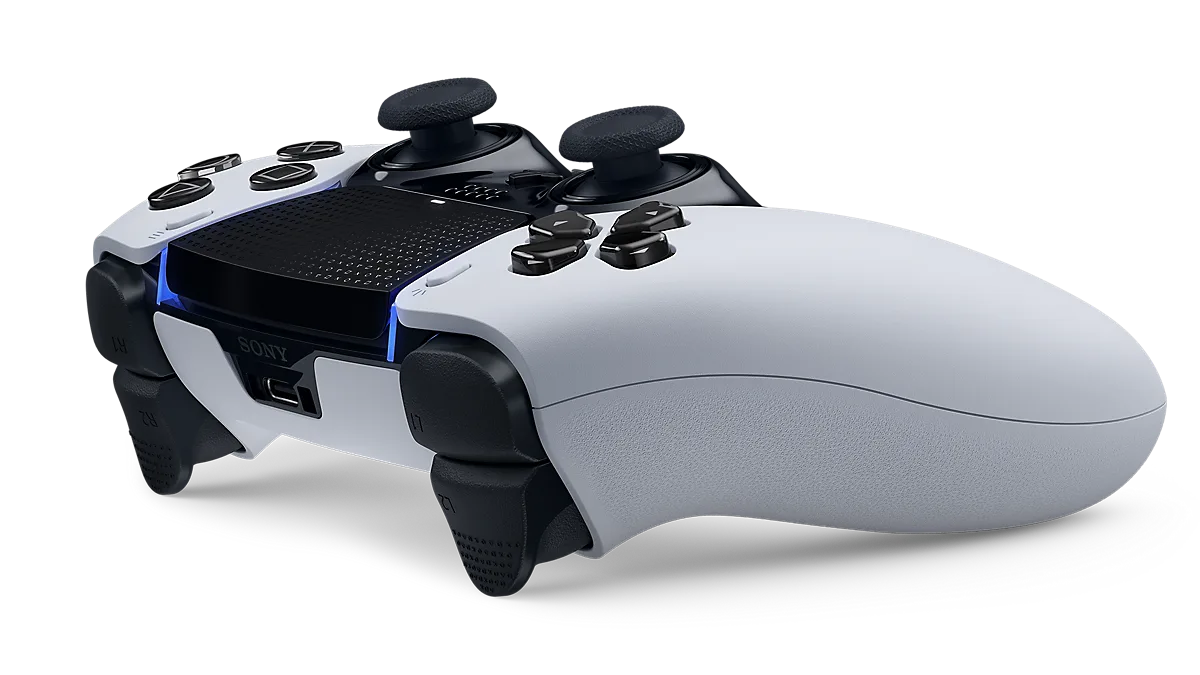
Place them side by side and the silhouette is nearly identical. Button, stick and trigger positions match, so the Edge does not feel like a new controller in your hands. The differences are in the finish and the details. The standard pad is matte white plastic with a white touchpad. The Edge swaps in black D-pad and face buttons, a textured touchpad stamped with PlayStation symbols, and a glossier, more premium look overall. It is also a little heavier.
The standard DualSense. (Image: Sony Interactive Entertainment)The DualSense Edge, with black face buttons and a textured touchpad. (Image: Sony Interactive Entertainment)
Color choice also splits them. The DualSense comes in a long list of colors and limited editions, while the Edge has been sold mainly in white. If you care about how the controller looks on your desk, the standard pad gives you far more options.
Customization: The Edge Is Built for Tuning
This is the whole reason the Edge exists. It adds two Function buttons under the sticks, so you can swap between saved control profiles in the middle of a game. You can remap every button except the PS button, adjust stick sensitivity and dead zones, set trigger dead zones and change vibration strength. The standard DualSense has none of that on the controller itself.
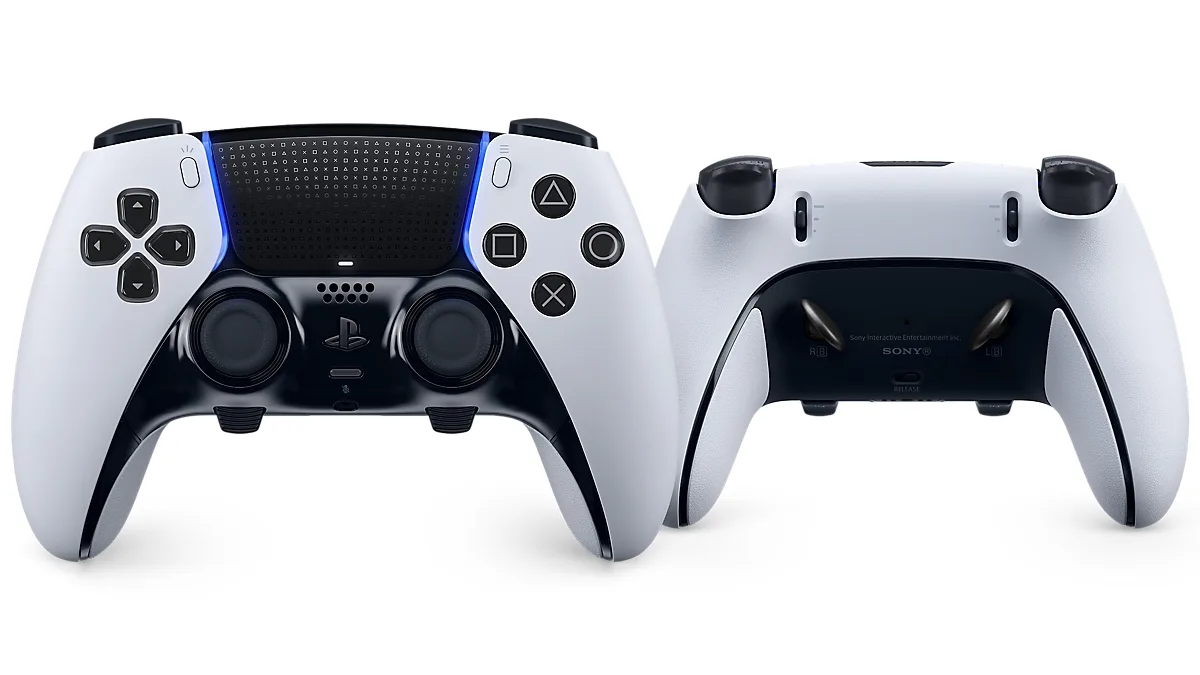
The back buttons are the feature most players notice first. They attach magnetically to the rear of the pad and come in two shapes, half-dome and lever, so you can keep your thumbs on the sticks while pressing extra inputs.
The DualSense Edge from the front and rear, showing the removable back buttons. (Image: Sony Interactive Entertainment)
The Edge also offers adjustable trigger travel, with full, medium and short ranges. A short range suits shooters, while a long range gives finer control in racing games. The standard DualSense triggers cannot be shortened. If you play competitive shooters or fighting games and keep wishing for extra inputs, go with the Edge. If you mostly play single-player games, you will likely never touch these settings.
The Edge’s textured triggers and replaceable stick modules. (Image: Sony Interactive Entertainment)
Sticks and Durability: Replaceable Modules on the Edge
The Edge’s thumbsticks are removable modules. If one starts to drift, you can swap the module instead of replacing the whole controller, and the box includes extra stick caps in low-dome, standard and high-dome heights. The package also includes a carrying case that lets you charge the controller while it is stored, plus a braided USB-C cable with a connector lock. The standard DualSense has fixed sticks, so a drifting stick means replacing or repairing the whole pad.
Performance and Battery Life: Almost No Difference
Here the two controllers are nearly identical. Haptic feedback, adaptive triggers, the built-in microphone, motion controls and the speaker all come from the same DualSense design, so a game feels the same in your hands on either one. Do not expect the Edge to make games feel more immersive.
Battery life is the weak point of both, and the Edge does not fix it. Its extra hardware means it tends to drain faster than the standard pad, so you may find yourself plugging in sooner. If you play long wireless sessions, keep a USB-C cable or the DualSense charging station nearby. Both pads dock in that station.
Compatibility: PS5 First, PC Too
Both controllers are made for the PS5 and neither works on the PS4. Both connect to a PC over USB-C or Bluetooth. On PC, Sony’s PlayStation Accessories app lets you update the Edge’s firmware and edit its profiles. Haptics and adaptive triggers may need a USB connection on PC and depend on game support. For more options, including third-party pads, see our best game controller for PS5 guide.
DualSense vs DualSense Edge: Full Specs
Feature
DualSense
DualSense Edge
Back buttons
None
Two removable (half-dome or lever)
Function buttons
No
Yes, two Wins
Control profiles
No on-controller profiles
Saved profiles, switched with Function buttons Wins
Button remapping
System-level options only
Remap all but the PS button Wins
Trigger travel
One fixed range
Full, medium and short Wins
Thumbsticks
Fixed
Replaceable modules Wins
Haptic feedback and adaptive triggers
Yes
Yes
Included extras
None
Case, braided USB-C cable, extra stick caps and back buttons Wins
Battery life
Short, but usually longer than the Edge Wins
Shorter
Weight
Lighter Wins
Heavier
Colors
Many colors and limited editions Wins
Fewer color options
Works with PS4
No
No
PC support
USB-C or Bluetooth
USB-C or Bluetooth, plus profile app
Is the DualSense Edge Worth It?
It depends on what you play. The Edge is worth it if you play competitive shooters, fighting games or racing games and you will use back buttons, shorter triggers and saved profiles. It is also worth considering if stick drift worries you, since the modules are replaceable. It is not worth it if you play mostly story games, want longer battery life or only want better haptics, because the Edge does not improve those. Casual players may also find the new back buttons awkward at first.
And the Winner Is…
WinnerDualSense
The Edge is the better controller on paper. Its back buttons, trigger stops, replaceable sticks and saved profiles are real upgrades, and no standard pad matches them. But the core experience, including the haptics, adaptive triggers and shape, is shared, and the Edge gives up battery life and costs far more. For most people choosing between the DualSense vs DualSense Edge, the standard DualSense is the smarter buy: it already delivers what makes the PS5 controller special, comes in many colors and leaves money for games. Pick the Edge if you play competitively, need extra inputs or want to tune your pad per game. Otherwise save the difference. If you are also thinking about a console upgrade, see our PS5 Slim vs PS5 Pro comparison.
I'm Sean, and I write the comparisons on GameCuki. I cover anything gamers weigh up before buying: consoles and handhelds, PC components and gaming laptops, monitors, controllers, headsets and accessories, plus subscriptions and services like Game Pass and PlayStation Plus. I put both options on the same checklist, using official specs, professional reviews and owner feedback, and I only mention what owners say when at least two of them report the same thing. Every comparison ends with one clear verdict and the type of player each option suits. I don't accept free products or payment from brands, and what I write comes from research, not my own use of the products. You can read my full process on our How We Review page.
Areas of Focus
Controller Match-UpsHeadset Match-UpsConsole vs. ConsoleSpecs & Latency