

A hotel room, a dorm desk, a spot on the couch: the Steam Deck’s 800p screen starts to feel tiny the moment you have room for something bigger. The best portable monitor for Steam Deck gives you that bigger screen over a single USB-C cable, and because the Deck can’t push every game at high resolutions, refresh rate often matters more than pixels. These nine all run from the Deck’s USB-C port, from budget 1080p panels to 2.5K, 240Hz and OLED models.
Best Portable Monitor for Steam Deck in 2026
GameCuki is reader-supported. When you buy through links on our site, we may earn an affiliate commission at no extra cost to you. As an Amazon Associate I earn from qualifying purchases. Learn more.
Our Top Picks

Best Overall
Arzopa Z1FC 16.1-Inch 144Hz
Bottom line: The best portable monitor for most Steam Deck owners, a 1080p 144Hz screen with a built-in kickstand that matches what the Deck can actually run.
- 1080p resolution the Deck can drive at playable frame rates
- 144Hz for smoother motion in lighter games
- Built-in kickstand
- Arzopa lists Steam Deck support
- 106% sRGB coverage
- Two full-function USB-C ports for one-cable use
- Also works with laptops, PS5 and Xbox
- No adaptive sync or FreeSync
- 1080p looks softer than 2.5K panels up close

Best 2.5K Monitor
VisionOwl 16-Inch 2.5K 144Hz
Bottom line: The pick if you want a sharper 16:10 screen for desktop mode and older games, with a bright 470-nit 2.5K panel, 144Hz and a full kit in the box.
- Same 16:10 shape as the Deck's screen
- Brightest panel in this guide at 470 nits
- Full-size HDMI instead of Mini HDMI
- Power adapter and cables included
- 110% sRGB with 8-bit plus FRC
- Sleeve included for travel
- Weighs just 1.48 lb
- 2.5K is demanding for the Deck in newer games
- USB-C single-cable mode needs DisplayPort Alt Mode
Best Budget
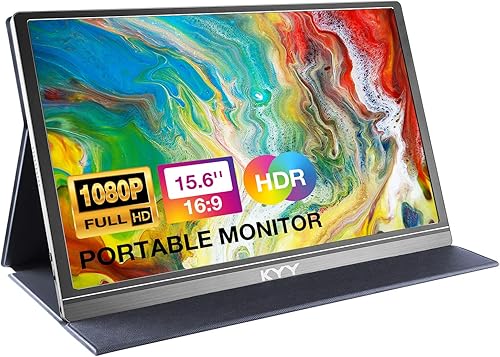
KYY K3 15.6-Inch 1080p
Bottom line: The cheapest way to put your Steam Deck on a bigger screen, a slim 1080p panel with full USB-C ports, as long as you don't need more than 60Hz.
- Very affordable
- Slim and light for travel
- Two full-function USB-C ports for single-cable use
- Built-in speakers
- Only 0.3 in thick and 1.7 lb
- Magnetic cover doubles as a stand
- Full USB-C with DisplayPort Alt Mode
- Standard refresh rate, not high refresh
- Cover-style stand offers only a couple of angles

Best Budget High Refresh Rate
Acer Nitro PG161Q
Bottom line: A low-cost 1080p 165Hz screen with FreeSync and single-cable USB-C, a good match for the Deck if you also game on a laptop or PC.
- 165Hz with AMD FreeSync
- Single USB-C cable for video, data and power
- 1080p is easy for the Deck to drive
- From a major monitor brand
- 6ms response time
- Mini HDMI port for consoles
- 250 nits is dim for bright rooms
- Heavier than most 15.6-inch panels

Best Build Quality
Upperizon 16-Inch 2K 144Hz
Bottom line: A well-built 2.5K 144Hz monitor with an aluminum chassis and a 180-degree kickstand, ideal if you want something sturdier than the usual plastic travel screen.
- Aluminum chassis with a wide-range kickstand
- 144Hz over USB-C
- Wide color gamut
- Comes with cables, adapter and sleeve
- 400 nits of brightness
- 100% DCI-P3 color gamut
- 0 to 180 degree kickstand
- 2.5K is demanding for the Deck in newer games
- 144Hz only over USB-C, HDMI tops out at 120Hz

Best Large Screen
UPERFECT 18-Inch 2K 144Hz QLED
Bottom line: The biggest screen here that still travels, an 18-inch 2.5K 144Hz QLED panel with FreeSync, best for desk setups where the Deck stays docked.
- Large 18-inch screen at only 2.3 lb
- Wide color and 400-nit brightness
- FreeSync support
- VESA mount for a desk arm
- 100% DCI-P3 color on a QLED panel
- Only 0.4 in thick
- HDR support
- Needs a 30W or stronger adapter for full 2K 144Hz
- Bulkier to pack than a 15.6-inch screen

Best 17-Inch Gaming Monitor
NexiGo NG17FGQ-S 17.3-Inch 300Hz
Bottom line: A fast 17.3-inch 1080p gaming screen with a kickstand, speakers and a remote, best if you also own a gaming laptop that can use its 300Hz.
- Large 17.3-inch 1080p panel the Deck can drive
- FreeSync and a kickstand
- Remote and speakers included
- Accurate color after calibration
- 300Hz over USB-C, 240Hz over HDMI
- G-Sync compatible
- 1ms response time
- The Deck can't use anywhere near 300Hz
- Limited HDR performance
Best High Refresh Rate
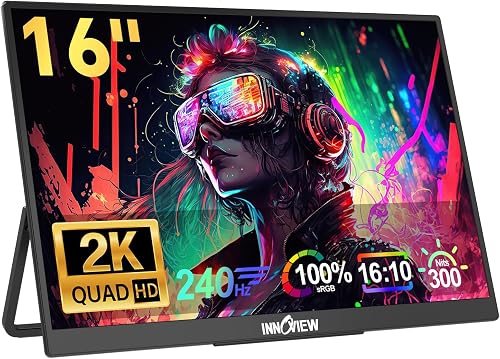
InnoView 16-Inch 2K 240Hz
Bottom line: A 2.5K 240Hz screen for players who also connect a gaming PC, with built-in speakers and two full-featured USB-C ports for the Deck.
- 2.5K and 240Hz in one portable screen
- Two full-featured USB-C ports
- Built-in speakers
- 16:10 panel suits SteamOS desktop mode
- Full-size HDMI port
- The Deck can't use 240Hz in most games
- InnoView asks you to check your device supports its modes

Best OLED
ViewSonic VX1655-4K-OLED
Bottom line: The premium pick for Deck OLED owners who want deep blacks on a bigger screen, with a 4K OLED panel and 60W two-way USB-C power, at a high price.
- OLED contrast and color
- 60W two-way USB-C power for pass-through charging
- Light at 1.5 lb
- 3-year warranty
- True blacks from self-lit pixels
- Integrated kickstand plus protective cover
- Expensive
- Only 60Hz
- The Deck can't run most games at 4K
Table of Contents
Best Portable Monitors for Steam Deck: Our Picks in Detail
1
Best Overall
Arzopa Z1FC 16.1-Inch 144Hz
Bottom line: The best portable monitor for most Steam Deck owners, a 1080p 144Hz screen with a built-in kickstand that matches what the Deck can actually run.
The Arzopa Z1FC hits the sweet spot for the Steam Deck. Its 1080p resolution is one the Deck can run without a big performance hit, and its 144Hz refresh rate gives lighter games and older titles room to look smoother than on the Deck's own 60Hz or 90Hz screen. Arzopa names the Steam Deck as a supported device, and the two full-function USB-C ports mean one cable carries video from the Deck.
Pros & Cons
Pros
- 1080p resolution the Deck can drive at playable frame rates
- 144Hz for smoother motion in lighter games
- Built-in kickstand
- Arzopa lists Steam Deck support
- 106% sRGB coverage
- Two full-function USB-C ports for one-cable use
- Also works with laptops, PS5 and Xbox
Cons
- No adaptive sync or FreeSync
- 1080p looks softer than 2.5K panels up close
Why We Picked It
The Deck struggles to hold 60fps in many newer games even at 1080p, so a higher-resolution panel mostly adds load, and the Z1FC's 1080p resolution is a sensible match that holds up well over years of use. The 16.1-inch IPS panel covers 106% of sRGB, and the built-in kickstand is easier to set up than a folding cover.
Who It's For
You play on a Steam Deck and want a bigger, smoother screen without chasing a resolution the Deck cannot drive. The 1080p panel keeps frame rates playable, the 144Hz refresh rate gives lighter games and older titles room to look smoother, and one USB-C cable carries video from the Deck. The built-in kickstand means you can set it on a table and start playing.
Specs & Configurations
- Screen
- 16.1-inch IPS, 1920 x 1080
- Refresh rate
- 144Hz (no FreeSync)
- Color
- 106% sRGB
- Ports
- 2 full-function USB-C, Mini HDMI
- Stand
- built-in kickstand
- Works with
- Steam Deck, laptops, PS5, Xbox (Arzopa)
Get It Now
Check Price on Amazon
2
Best 2.5K Monitor
VisionOwl 16-Inch 2.5K 144Hz
Bottom line: The pick if you want a sharper 16:10 screen for desktop mode and older games, with a bright 470-nit 2.5K panel, 144Hz and a full kit in the box.
The VisionOwl uses a 2560 x 1600 panel, which has the same 16:10 aspect ratio as the Steam Deck's 1280 x 800 screen. That makes it a great fit for SteamOS desktop mode, browsing and older or 2D games, which run easily at higher resolutions.
Pros & Cons
Pros
- Same 16:10 shape as the Deck's screen
- Brightest panel in this guide at 470 nits
- Full-size HDMI instead of Mini HDMI
- Power adapter and cables included
- 110% sRGB with 8-bit plus FRC
- Sleeve included for travel
- Weighs just 1.48 lb
Cons
- 2.5K is demanding for the Deck in newer games
- USB-C single-cable mode needs DisplayPort Alt Mode
Why We Picked It
At 470 nits it's the brightest monitor here, so it holds up better in a sunny room. It also has a full-size HDMI port instead of the fragile Mini HDMI on most portable monitors, and VisionOwl includes a sleeve, a power adapter and all the cables you need. Its USB-C ports carry power and video over one cable from devices with DisplayPort Alt Mode, which the Deck supports.
Who It's For
You use your Steam Deck in desktop mode a lot, browse, or mostly play older and 2D games that run easily at higher resolutions. The 16:10 2.5K panel matches the shape of the Deck's own screen, 470 nits holds up in a sunny room, and the full-size HDMI port is sturdier than a Mini HDMI. The box includes a sleeve, power adapter and cables, so you can start right away.
Specs & Configurations
- Screen
- 16-inch IPS, 2560 x 1600 (16:10)
- Refresh rate
- 144Hz
- Brightness
- 470 nits
- Color
- 110% sRGB, 8-bit + FRC
- Ports
- 2 USB-C, full-size HDMI
- In the box
- sleeve, power adapter, HDMI cable, 2 USB-C cables
- Weight
- 1.48 lb
Get It Now
Check Price on Amazon
3
Best Budget
KYY K3 15.6-Inch 1080p
Bottom line: The cheapest way to put your Steam Deck on a bigger screen, a slim 1080p panel with full USB-C ports, as long as you don't need more than 60Hz.
The KYY K3 is one of the best budget portable gaming monitors, a back-to-basics 1080p screen that focuses on solid image quality in a slim package. For a Steam Deck, it's the simplest, cheapest upgrade.
Pros & Cons
Pros
- Very affordable
- Slim and light for travel
- Two full-function USB-C ports for single-cable use
- Built-in speakers
- Only 0.3 in thick and 1.7 lb
- Magnetic cover doubles as a stand
- Full USB-C with DisplayPort Alt Mode
Cons
- Standard refresh rate, not high refresh
- Cover-style stand offers only a couple of angles
Why We Picked It
You get respectable 1080p visuals, decent color for a budget IPS panel and full USB-C connectivity with DisplayPort Alt Mode, which lets one cable carry video and power. It's only 0.3 inches thick and 1.7 lb, and it has small built-in speakers. The magnetic smart cover doubles as a stand.
Who It's For
You want a bigger screen for your Steam Deck at the lowest cost and plan to travel with it. The 15.6-inch 1080p IPS panel looks respectable, one USB-C cable carries video and power, and at 0.3 inches thick and 1.7 lb it slips into a bag. The small built-in speakers and 3.5mm port mean you can play straight out of the box.
Specs & Configurations
- Screen
- 15.6-inch IPS, 1920 x 1080
- Ports
- 2 full-function USB-C, Mini HDMI, 3.5mm audio
- Stand
- magnetic smart cover
- Thickness and weight
- 0.3 in, 1.7 lb
- Extras
- 2 built-in speakers
Get It Now
Check Price on Amazon
4
Best Budget High Refresh Rate
Acer Nitro PG161Q
Bottom line: A low-cost 1080p 165Hz screen with FreeSync and single-cable USB-C, a good match for the Deck if you also game on a laptop or PC.
UPerfect picks the Acer Nitro PG161Q as the best budget portable gaming monitor for the Steam Deck. It pairs a 1080p IPS panel with a 165Hz refresh rate and AMD FreeSync.
Pros & Cons
Pros
- 165Hz with AMD FreeSync
- Single USB-C cable for video, data and power
- 1080p is easy for the Deck to drive
- From a major monitor brand
- 6ms response time
- Mini HDMI port for consoles
Cons
- 250 nits is dim for bright rooms
- Heavier than most 15.6-inch panels
Why We Picked It
At 1080p, the Deck has a realistic chance of using some of that high refresh rate in lighter games, and FreeSync is a plus when you connect a gaming laptop. One USB-C cable carries video, data and power, and a side Mini HDMI port covers consoles.
Who It's For
You game on a Steam Deck and a gaming laptop and want one fast, inexpensive screen for both. The 1080p panel is easy for the Deck to drive, 165Hz and FreeSync help when you connect a laptop, and one USB-C cable carries video, data and power. A side Mini HDMI port covers consoles too.
Specs & Configurations
- Screen
- 15.6-inch IPS, 1920 x 1080
- Refresh rate
- 165Hz
- Adaptive sync
- AMD FreeSync
- Response time
- 6ms (GtG)
- Brightness
- 250 nits
- Ports
- 2 USB-C, Mini HDMI
- Weight
- 2.73 lb
Get It Now
Check Price on Amazon
5
Best Build Quality
Upperizon 16-Inch 2K 144Hz
Bottom line: A well-built 2.5K 144Hz monitor with an aluminum chassis and a 180-degree kickstand, ideal if you want something sturdier than the usual plastic travel screen.
The Upperizon is another 16:10 2.5K screen, but its aluminum chassis and built-in kickstand that opens from 0 to 180 degrees make it feel sturdier than most portable monitors.
Pros & Cons
Pros
- Aluminum chassis with a wide-range kickstand
- 144Hz over USB-C
- Wide color gamut
- Comes with cables, adapter and sleeve
- 400 nits of brightness
- 100% DCI-P3 color gamut
- 0 to 180 degree kickstand
Cons
- 2.5K is demanding for the Deck in newer games
- 144Hz only over USB-C, HDMI tops out at 120Hz
Why We Picked It
It reaches 144Hz over USB-C, the connection the Deck uses, with 400 nits of brightness and a wide 100% DCI-P3 color gamut. At 1.6 lb it's still easy to carry, and the box includes a sleeve, two USB-C cables, an HDMI cable and a power adapter.
Who It's For
You carry your monitor around often and want a metal build you do not have to baby. The aluminum chassis and 0 to 180 degree kickstand feel sturdy, 144Hz over USB-C matches the connection the Deck uses, and the sleeve, two USB-C cables, HDMI cable and power adapter are all in the box. At 1.6 lb, it is easy to pack.
Specs & Configurations
- Screen
- 16-inch IPS, 2560 x 1600 (16:10)
- Refresh rate
- 144Hz over USB-C, 120Hz over HDMI
- Brightness
- 400 nits, 1200:1 contrast
- Color
- 145% sRGB, 100% DCI-P3
- Build
- aluminum alloy, built-in 0 to 180 degree kickstand
- Weight
- 1.6 lb
- In the box
- sleeve, 2 USB-C cables, HDMI cable, power adapter
Get It Now
Check Price on Amazon
6
Best Large Screen
UPERFECT 18-Inch 2K 144Hz QLED
Bottom line: The biggest screen here that still travels, an 18-inch 2.5K 144Hz QLED panel with FreeSync, best for desk setups where the Deck stays docked.
UPerfect calls a 17-inch or 18-inch screen the sweet spot between size and portability for Steam Deck owners, and this 18-inch model is the largest pick here that still weighs only 2.3 lb.
Pros & Cons
Pros
- Large 18-inch screen at only 2.3 lb
- Wide color and 400-nit brightness
- FreeSync support
- VESA mount for a desk arm
- 100% DCI-P3 color on a QLED panel
- Only 0.4 in thick
- HDR support
Cons
- Needs a 30W or stronger adapter for full 2K 144Hz
- Bulkier to pack than a 15.6-inch screen
Why We Picked It
Its 2560 x 1600 QLED panel covers 100% of DCI-P3 at 400 nits, and it supports FreeSync for PCs. VESA mounting holes let it double as a desk monitor on an arm, so it works for a docked Deck setup at home and still fits in a large bag.
Who It's For
You want the biggest screen you can still carry and keep your Steam Deck docked at a desk at home. The 18-inch 2.5K QLED panel weighs only 2.3 lb, the VESA 75 x 75mm holes let you mount it on an arm, and FreeSync helps if you connect a PC. Pair it with one of our picks for the best controller for Steam Deck docked for a full couch or desk setup.
Specs & Configurations
- Screen
- 18-inch QLED, 2560 x 1600
- Refresh rate
- 144Hz
- Brightness
- 400 nits, HDR
- Color
- 100% DCI-P3
- Ports
- 2 USB-C, Mini HDMI
- Mount
- VESA 75 x 75mm
- Weight
- 2.3 lb, 0.4 in thick
- Power tip
- 30W or higher USB-C adapter for 2K 144Hz (UPERFECT)
Get It Now
Check Price on Amazon
7
Best 17-Inch Gaming Monitor
NexiGo NG17FGQ-S 17.3-Inch 300Hz
Bottom line: A fast 17.3-inch 1080p gaming screen with a kickstand, speakers and a remote, best if you also own a gaming laptop that can use its 300Hz.
The NexiGo NG17FGQ is one of the best 17-inch portable gaming monitors, with strong video processing, gaming performance and build quality.
Pros & Cons
Pros
- Large 17.3-inch 1080p panel the Deck can drive
- FreeSync and a kickstand
- Remote and speakers included
- Accurate color after calibration
- 300Hz over USB-C, 240Hz over HDMI
- G-Sync compatible
- 1ms response time
Cons
- The Deck can't use anywhere near 300Hz
- Limited HDR performance
Why We Picked It
It gives you a bigger 17.3-inch screen while keeping the Deck-friendly 1080p resolution, and it adds FreeSync, a kickstand, speakers and a remote for the on-screen menu. The 300Hz refresh rate (over USB-C) won't matter for the Deck, which can't reach anything like that frame rate, but it's a bonus if you also connect a gaming laptop. It also lacks extended color or dynamic contrast for HDR.
Who It's For
You game on a Steam Deck and a gaming laptop and want a bigger 1080p screen for both. The 17.3-inch panel keeps the Deck-friendly resolution, the kickstand, dual speakers and remote make it easy to set up, and FreeSync with 300Hz over USB-C gives your laptop room to stretch.
Specs & Configurations
- Screen
- 17.3-inch IPS, 1920 x 1080
- Refresh rate
- 300Hz over USB-C, 240Hz over HDMI
- Adaptive sync
- FreeSync, G-Sync compatible
- Response time
- 1ms (NexiGo)
- Ports
- 2 USB-C, HDMI, 3.5mm, extra USB port
- Extras
- kickstand, dual speakers, remote
- Weight
- about 2.1 lb
Get It Now
Check Price on Amazon
8
Best High Refresh Rate
InnoView 16-Inch 2K 240Hz
Bottom line: A 2.5K 240Hz screen for players who also connect a gaming PC, with built-in speakers and two full-featured USB-C ports for the Deck.
The InnoView combines a 2560 x 1600 resolution with a 240Hz refresh rate, a rare mix in a 16-inch portable monitor.
Pros & Cons
Pros
- 2.5K and 240Hz in one portable screen
- Two full-featured USB-C ports
- Built-in speakers
- 16:10 panel suits SteamOS desktop mode
- Full-size HDMI port
Cons
- The Deck can't use 240Hz in most games
- InnoView asks you to check your device supports its modes
Why We Picked It
Its two full-featured USB-C ports work with the Deck over one cable, and the 16:10 panel suits SteamOS desktop mode. The high refresh rate mostly pays off with a gaming PC or laptop, so it makes the most sense as one screen for several devices. InnoView itself advises checking that your source device natively supports the resolution and refresh rate you want before buying.
Who It's For
You split your time between a Steam Deck and a gaming PC and want one screen for both. The 2.5K panel at 240Hz pays off most when your PC or laptop feeds it, two full-featured USB-C ports connect the Deck over one cable, and the built-in speakers mean no extra audio gear.
Specs & Configurations
- Screen
- 16-inch IPS, 2560 x 1600
- Refresh rate
- 240Hz
- Color
- 100% sRGB
- Ports
- 2 full-featured USB-C, HDMI
- Extras
- built-in speakers
Get It Now
Check Price on Amazon
9
Best OLED
ViewSonic VX1655-4K-OLED
Bottom line: The premium pick for Deck OLED owners who want deep blacks on a bigger screen, with a 4K OLED panel and 60W two-way USB-C power, at a high price.
If you have a Steam Deck OLED and don't want to give up that contrast on a bigger screen, the ViewSonic VX1655-4K-OLED is the one to get. Its self-lit pixels deliver true blacks that IPS panels can't match.
Pros & Cons
Pros
- OLED contrast and color
- 60W two-way USB-C power for pass-through charging
- Light at 1.5 lb
- 3-year warranty
- True blacks from self-lit pixels
- Integrated kickstand plus protective cover
Cons
- Expensive
- Only 60Hz
- The Deck can't run most games at 4K
Why We Picked It
ViewSonic says its USB-C ports support 60W two-way power, so the monitor can be powered from a charger and pass power along to a connected device. It weighs just 1.5 lb and has both a kickstand and a protective cover, plus a 3-year warranty. You won't run new games at 4K on a Deck, but video, desktop use and lighter games look excellent.
Who It's For
You own a Steam Deck OLED and want that deep contrast on a bigger screen. The 15.6-inch 4K OLED panel delivers true blacks, 60W two-way USB-C power charges the Deck while you play, and at 1.5 lb with a kickstand and cover it travels well. Video, desktop use and lighter games look excellent, and a 3-year warranty backs it up.
Specs & Configurations
- Screen
- 15.6-inch OLED, 3840 x 2160
- Refresh rate
- 60Hz
- Power
- 60W two-way USB-C
- Ports
- 2 USB-C, Mini HDMI
- Stand
- integrated kickstand plus cover
- Weight
- 1.5 lb, 0.6 in thick
- Warranty
- 3 years
Get It Now
Check Price on AmazonSteam Deck Portable Monitors Compared
| Monitor | Size | Resolution | Refresh rate | Stand |
|---|---|---|---|---|
| Arzopa Z1FC | 16.1 in | 1920 x 1080 | 144Hz | Kickstand |
| VisionOwl 16-Inch | 16 in | 2560 x 1600 | 144Hz | Kickstand |
| KYY K3 | 15.6 in | 1920 x 1080 | Standard | Smart cover |
| Acer Nitro PG161Q | 15.6 in | 1920 x 1080 | 165Hz | Not listed |
| Upperizon 16-Inch | 16 in | 2560 x 1600 | 144Hz | 0 to 180 degree kickstand |
| UPERFECT 18-Inch | 18 in | 2560 x 1600 | 144Hz | VESA mount |
| NexiGo NG17FGQ-S | 17.3 in | 1920 x 1080 | 300Hz | Kickstand |
| InnoView 16-Inch | 16 in | 2560 x 1600 | 240Hz | Not listed |
| ViewSonic VX1655-4K-OLED | 15.6 in | 3840 x 2160 | 60Hz | Kickstand and cover |
Specs are from each maker’s listing at the time of writing.
What to Look for in a Portable Monitor for Steam Deck
A USB-C Port With DisplayPort Alt Mode
The Steam Deck outputs video through its USB-C port using DisplayPort, up to 4K at 120Hz or 8K at 60Hz, according to Valve. Look for a monitor with a full-function USB-C port that supports DisplayPort Alt Mode, so one cable carries the picture. Mini HDMI alone means you’ll need a dock or adapter.
Resolution vs Refresh Rate
The Deck’s own screen is 1280 x 800, and its 4W to 15W chip can’t run most new games at high resolutions. A 1080p panel is the safest match, and a refresh rate of 120Hz or more helps in older and lighter games that can run faster. UPerfect suggests at least 90Hz if you want games to look as smooth as they do on the Deck OLED, whose screen runs at up to 90Hz. A 2.5K screen looks sharper in desktop mode, and its 16:10 shape matches the Deck’s screen, but expect to lower settings or use upscaling in demanding games.
Screen Size
Any portable monitor will be much bigger than the Deck’s own screen, which measures about 7 inches. UPerfect recommends 15.6 inches as a baseline and calls 17 or 18 inches the sweet spot between immersion and portability. If you travel with it, a 15.6-inch or 16-inch screen is much easier to pack.
Power
The Deck has only one USB-C port, so if the monitor draws power from it, the Deck drains faster and can’t charge at the same time. For longer sessions, plug the monitor into its own charger, choose a model with two-way USB-C power like the ViewSonic, or use a dock. Away from an outlet, one of our best Steam Deck power banks can keep both going. Bigger, brighter panels may need more power, and UPERFECT recommends a 30W or higher adapter for its 18-inch model at 2K 144Hz.
Kickstand and Brightness
A built-in kickstand beats a magnetic folding cover, which is rarely as stable. Brightness matters too: 400 nits or more holds up much better in bright rooms than a 250-nit panel.
FAQ
What is the best portable monitor for Steam Deck?
For most people, the best portable monitor for Steam Deck is a 1080p screen with a high refresh rate, like the Arzopa Z1FC, because the Deck can actually run games at that resolution. Choose a 2.5K 16:10 model like the VisionOwl if you use desktop mode a lot or play older games.
Can you use a portable monitor with the Steam Deck?
Yes. The Steam Deck can connect to most portable monitors with a single USB-C cable, so you don’t need a separate dock. The monitor’s USB-C port needs to support DisplayPort Alt Mode.
Should I prioritize resolution or refresh rate for a Steam Deck?
Refresh rate, in most cases. The Deck struggles to hold 60fps in many new games even at 1080p, so a higher resolution mostly adds load. A 1080p 120Hz or 144Hz panel lets lighter games run smoother, while demanding games stay playable.
Are portable monitors worth it?
They are if you want a bigger screen for your Deck without a full desktop monitor. They’re thin, run off USB-C and pack into a bag for travel, and they double as a second screen for a laptop. For more ways to upgrade your handheld, see our best Steam Deck accessories guide.