

Mid-teamfight, your left hand is doing a lot: Q, W, E and R for abilities, D and F for summoner spells, and the number row for items. The best keyboard for League of Legends keeps every one of those keys where your fingers expect them, registers a quick tap cleanly, and leaves your mouse arm enough room to click and kite. These seven boards cover tenkeyless, 75% and 60% layouts, including models that appear on the League pro lists.
Best Keyboard for League of Legends in 2026
GameCuki is reader-supported. When you buy through links on our site, we may earn an affiliate commission at no extra cost to you. As an Amazon Associate I earn from qualifying purchases. Learn more.
Our Top Picks

Best for a Pro-Style TKL
Razer Huntsman V3 Pro TKL
Bottom line: A tenkeyless board with adjustable 0.1 to 4.0 mm actuation that is one of the most used models among tracked League pros, for players who want full keys and room to tune them.
- One of the most used keyboards among tracked League pros
- Full function row keeps F2 to F5 teammate checks one press away
- Actuation adjustable from 0.1 to 4.0 mm so ability keys can sit a little deeper to avoid stray casts
- Settings adjust on the keyboard through an LED indicator and save to onboard memory
- Up to six onboard profiles carry your setup to any PC
- Doubleshot PBT keycaps resist shine and fading
- Magnetic wrist rest and multi-function dial add comfort and quick volume control
- Wired only, so a cable stays on the desk
- TKL footprint takes more mouse room than a 60% board
- Rapid Trigger and Snap Tap features add little for a click-heavy game like League

Best for Logitech G Setups
Logitech G PRO X TKL Rapid
Bottom line: A magnetic-switch TKL with per-key actuation and on-the-fly FN adjustments, for players who already live in Logitech software and want a pro-lineage board.
- Per-key actuation lets you set ability keys and item keys differently
- Switch travel can be changed on the fly without software
- Light 35 g actuation force suits fast, repeated taps
- KEYCONTROL layers let you bind commands and multi-action combos to any key
- Dual-shot PBT keycaps hold up to long ranked sessions
- Dedicated media controls handle volume without leaving the game
- Detachable USB-C cable packs easily for a LAN or a friend's place
- Wired only
- Advanced key control needs Logitech G HUB
- TKL width takes more mouse room than a 60% board

Best Wireless TKL
Logitech G PRO X TKL Lightspeed
Bottom line: A wireless tenkeyless board with tactile GX Brown switches that appears on the League pro lists, for players who want a clean desk and a familiar mechanical feel.
- LIGHTSPEED wireless clears the cable from your desk and mouse path
- Bluetooth and USB options let one board serve a PC and a laptop
- Tactile GX Brown switches give a clear bump on each press
- Full function row keeps F2 to F5 and the arrows without a Fn layer
- Dual-shot PBT keycaps resist shine
- Volume roller adjusts sound without leaving the game
- Included carrying case helps for travel and LANs
- No adjustable actuation or rapid trigger, unlike the magnetic boards on this list
- Rechargeable battery means a charging cable and the occasional top-up
- Mechanical switches ship with a fixed feel, so you can't tune how deep a press registers

Best for Avoiding Accidental Casts
SteelSeries Apex Pro TKL Gen 3
Bottom line: A Hall effect TKL with an OLED screen and a Protection Mode that reduces accidental presses on nearby keys, for players who hate a misfired ultimate.
- Protection Mode reduces accidental presses on nearby keys, such as a stray ultimate
- 40 levels of actuation from 0.1 to 4.0 mm let you set ability keys to your own depth
- OLED smart display changes settings from the keyboard itself
- QuickSet auto-presets load your configs when your game launches
- Settings stay saved onboard, so they follow the board to any PC
- Full function row and arrows keep F2 to F5 one press away
- OLED and QuickSet extras go unused if you only want to plug in and play
- TKL footprint is larger than a 60% board
- Rapid Trigger and Rapid Tap add little for a click-heavy game
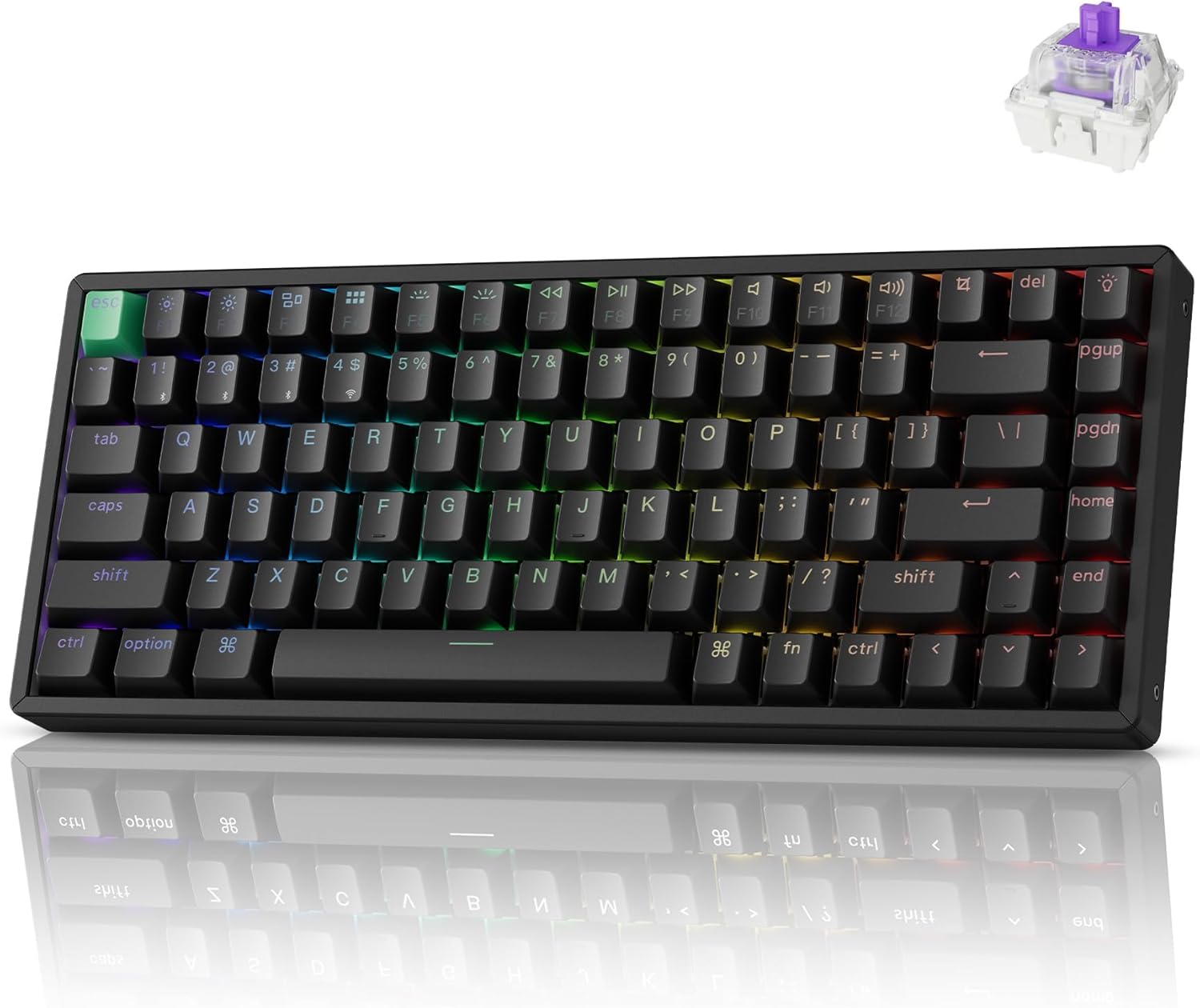
Best 75% with Wireless
Keychron K2 HE
Bottom line: A 75% magnetic keyboard that keeps F-keys and arrows, connects by 2.4 GHz, Bluetooth or USB-C, and lets you swap switches, for players who want a compact board without losing keys.
- 75% layout keeps the F-keys and arrows without a Fn layer
- Smaller footprint than a TKL leaves more room for the mouse
- 2.4 GHz, Bluetooth 5.2 and USB-C cover wired, wireless and multi-device use
- Actuation adjustable from 0.2 to 3.8 mm in 0.1 mm steps
- Hot-swappable switches let you change the feel later
- Web-based Launcher configurator handles remaps, macros and actuation from a browser
- Shine-through PBT keycaps and acoustic foam improve look and sound
- Hot-swap works with Gateron magnetic switches, so swapping means buying that type
- No number pad, which only matters if you want one
- At 2.2 lb it is heavier than a small 60% board

Best 75% With a Volume Knob
DrunkDeer A75 Pro
Bottom line: A wired 75% Hall effect keyboard with a programmable knob and adjustable rapid trigger, for players who want a compact board with tuning options.
- 75% layout keeps the F-keys and arrow keys without Fn
- Silent Hall effect switches dull key noise for the mic
- Actuation adjustable from 0.2 to 3.3 mm
- Rapid Trigger sensitivity adjusts in 0.1 mm steps
- Programmable knob works as a volume dial or a custom control
- Cherry profile PBT keycaps resist shine
- Shock-absorbing tilt legs add a cushioned feel to the board
- Wired only, so a cable stays on the desk
- Linear switches only, with no tactile or clicky option
- Brand and software are less familiar than Logitech or Razer

Best 60% for Small Desks
Razer Huntsman V3 Pro Mini
Bottom line: A 60% analog optical board with 0.1 to 4.0 mm actuation that gives your mouse arm the most room, for players who rely on custom binds and don't need a function row.
- 60% layout gives your mouse arm the most room
- Actuation adjustable from 0.1 to 4.0 mm
- Settings adjust on the board using the number row visual guide
- Onboard memory saves your profiles so they follow you to any PC
- Modifier keys double as arrows when tapped
- Doubleshot PBT keycaps with side-printed secondary functions resist fading
- 5052 aluminum top plate adds durability for travel and LANs
- No dedicated F-keys, so F2 to F5 teammate checks sit behind Fn
- The 61-key layout has no function row or dedicated arrow keys
- Wired only
Table of Contents
What Makes a Keyboard Good for League of Legends?
League is a click-and-hotkey game, so a keyboard helps most through layout and key behavior rather than raw speed. Summoner spells sit on D and F, items on the number keys, and the F2 through F5 keys are handy for checking teammates in lane and jungle. That is why layout is the first choice to make. A 75% board keeps the F-keys and arrows without holding Fn, while a 60% board gives you the most mouse room but puts some of those keys behind a function layer.
Tenkeyless, 75% or 60%?
A tenkeyless (TKL) board drops the number pad but keeps the full function row and arrow cluster, which suits most League players who want every key one press away. A 75% board shrinks that further and still keeps F-keys and arrows. A 60% board is the smallest and works best if you already rely on custom binds and play on a small desk. If you want to go smaller, our guide to the best 75 percent gaming keyboard goes deeper on that size.
Switches and Key Settings
Magnetic (Hall effect) and analog optical boards let you set how far a key must travel before it registers. For League, that is more useful as protection than as speed: a slightly deeper setting on ability keys can reduce accidental casts, while a light setting keeps rapid taps responsive. Look for a board that stores those settings on the keyboard itself so they follow you to any PC. If you also play shooters, the best keyboard for CS2 list covers the same switch tech from a movement angle.
Best Keyboard for League of Legends: Our Picks in Detail
1
Best for a Pro-Style TKL
Razer Huntsman V3 Pro TKL
Bottom line: A tenkeyless board with adjustable 0.1 to 4.0 mm actuation that is one of the most used models among tracked League pros, for players who want full keys and room to tune them.
Razer's TKL shows up on more League pro setups than any other board here, and it gives you the tuning room to make it your own.
Pros & Cons
Pros
- One of the most used keyboards among tracked League pros
- Full function row keeps F2 to F5 teammate checks one press away
- Actuation adjustable from 0.1 to 4.0 mm so ability keys can sit a little deeper to avoid stray casts
- Settings adjust on the keyboard through an LED indicator and save to onboard memory
- Up to six onboard profiles carry your setup to any PC
- Doubleshot PBT keycaps resist shine and fading
- Magnetic wrist rest and multi-function dial add comfort and quick volume control
Cons
- Wired only, so a cable stays on the desk
- TKL footprint takes more mouse room than a 60% board
- Rapid Trigger and Snap Tap features add little for a click-heavy game like League
Why We Picked It
The Huntsman V3 Pro TKL is one of the most used models among tracked League pros, and it keeps the full function row and arrow keys that make teammate checks and camera control easy. The adjustable actuation matters more for League than the headline rapid trigger, because you can set Q, W, E and R to register where you want and keep accidental presses down. Everything saves onboard.
Who It's For
You want the board a large share of League pros use, you like a full function row and arrow cluster, and you have the desk space for a tenkeyless layout. You would rather set your actuation once and spend the rest of the night climbing than tweak software.
Specs & Configurations
- Layout
- tenkeyless
- Switches
- Analog Optical Gen-2, 0.1 to 4.0 mm adjustable actuation
- Onboard profiles
- up to six
- Keycaps
- doubleshot PBT
- Extras
- multi-function dial, media and macro buttons, magnetic wrist rest
- Connection
- wired USB
Get It Now
Check Price on Amazon
2
Best for Logitech G Setups
Logitech G PRO X TKL Rapid
Bottom line: A magnetic-switch TKL with per-key actuation and on-the-fly FN adjustments, for players who already live in Logitech software and want a pro-lineage board.
Logitech's pro-lineage TKL, now with adjustable magnetic switches.
Pros & Cons
Pros
- Per-key actuation lets you set ability keys and item keys differently
- Switch travel can be changed on the fly without software
- Light 35 g actuation force suits fast, repeated taps
- KEYCONTROL layers let you bind commands and multi-action combos to any key
- Dual-shot PBT keycaps hold up to long ranked sessions
- Dedicated media controls handle volume without leaving the game
- Detachable USB-C cable packs easily for a LAN or a friend's place
Cons
- Wired only
- Advanced key control needs Logitech G HUB
- TKL width takes more mouse room than a 60% board
Why We Picked It
Logitech's G PRO X TKL boards appear on the League pro lists, and the Rapid version swaps mechanical switches for magnetic analog ones. The result is a TKL where you can change how far each key travels before it registers, which helps you shape a light feel on summoner spells and a firmer one on keys you hit by accident. The FN-key controls let you change settings without opening software.
Who It's For
You already use a Logitech mouse and G HUB, you want a TKL layout with a full function row, and you like a light, quick key feel. You want the board to sit quietly in your setup and let you focus on lane control.
Specs & Configurations
- Layout
- tenkeyless
- Switches
- magnetic analog (Hall effect), 35 g actuation force
- Key control
- per-key actuation and Rapid Trigger sensitivity
- Keycaps
- dual-shot PBT
- Lighting
- LIGHTSYNC RGB
- Connection
- detachable USB-C cable
Get It Now
Check Price on Amazon
3
Best Wireless TKL
Logitech G PRO X TKL Lightspeed
Bottom line: A wireless tenkeyless board with tactile GX Brown switches that appears on the League pro lists, for players who want a clean desk and a familiar mechanical feel.
This is the wireless pick for a tidy desk.
Pros & Cons
Pros
- LIGHTSPEED wireless clears the cable from your desk and mouse path
- Bluetooth and USB options let one board serve a PC and a laptop
- Tactile GX Brown switches give a clear bump on each press
- Full function row keeps F2 to F5 and the arrows without a Fn layer
- Dual-shot PBT keycaps resist shine
- Volume roller adjusts sound without leaving the game
- Included carrying case helps for travel and LANs
Cons
- No adjustable actuation or rapid trigger, unlike the magnetic boards on this list
- Rechargeable battery means a charging cable and the occasional top-up
- Mechanical switches ship with a fixed feel, so you can't tune how deep a press registers
Why We Picked It
The Logitech G PRO X TKL Lightspeed is on the League pro lists and carries Logitech's esports pedigree in a wireless tenkeyless body. It keeps the layout simple, the tactile switches give each key a distinct bump, and the carrying case makes it an easy board to take along. It trades the adjustable tuning of the magnetic boards for a classic mechanical feel.
Who It's For
You want a wireless TKL that stays out of the way, you prefer a tactile bump over a smooth linear press, and you care about a clear desk more than fine-tuned actuation. You play at home and on the go and want one board that handles both.
Specs & Configurations
- Layout
- tenkeyless
- Switches
- GX Brown tactile
- Connection
- LIGHTSPEED wireless, Bluetooth and USB
- Keycaps
- dual-shot PBT
- Extras
- volume roller, game mode, carrying case, RGB lighting
Get It Now
Check Price on Amazon
4
Best for Avoiding Accidental Casts
SteelSeries Apex Pro TKL Gen 3
Bottom line: A Hall effect TKL with an OLED screen and a Protection Mode that reduces accidental presses on nearby keys, for players who hate a misfired ultimate.
SteelSeries aimed this board at the mistakes everyone makes in the heat of a fight.
Pros & Cons
Pros
- Protection Mode reduces accidental presses on nearby keys, such as a stray ultimate
- 40 levels of actuation from 0.1 to 4.0 mm let you set ability keys to your own depth
- OLED smart display changes settings from the keyboard itself
- QuickSet auto-presets load your configs when your game launches
- Settings stay saved onboard, so they follow the board to any PC
- Full function row and arrows keep F2 to F5 one press away
Cons
- OLED and QuickSet extras go unused if you only want to plug in and play
- TKL footprint is larger than a 60% board
- Rapid Trigger and Rapid Tap add little for a click-heavy game
Why We Picked It
Protection Mode reduces accidental keypresses on nearby keys, which maps directly to the League problem of hitting R when you meant E. The OLED display lets you adjust actuation between games, and QuickSet loads a preset when your game launches. For players who play with a lot of hotkeys in a tight cluster, it is the most direct answer to stray inputs.
Who It's For
You press a lot of keys under pressure, you have been burned by a misfired ability, and you like seeing and changing your settings on the board instead of in a menu. You want a TKL with a full function row.
Specs & Configurations
- Layout
- tenkeyless
- Switches
- OmniPoint 3 Hall effect, 40 actuation levels from 0.1 to 4.0 mm
- Bottom-out force
- 45 g
- Extras
- OLED smart display, QuickSet auto-presets, Protection Mode
- Connection
- USB-C
Get It Now
Check Price on Amazon
5
Best 75% with Wireless
Keychron K2 HE
Bottom line: A 75% magnetic keyboard that keeps F-keys and arrows, connects by 2.4 GHz, Bluetooth or USB-C, and lets you swap switches, for players who want a compact board without losing keys.
The compact board that doesn't make you give up the keys League uses.
Pros & Cons
Pros
- 75% layout keeps the F-keys and arrows without a Fn layer
- Smaller footprint than a TKL leaves more room for the mouse
- 2.4 GHz, Bluetooth 5.2 and USB-C cover wired, wireless and multi-device use
- Actuation adjustable from 0.2 to 3.8 mm in 0.1 mm steps
- Hot-swappable switches let you change the feel later
- Web-based Launcher configurator handles remaps, macros and actuation from a browser
- Shine-through PBT keycaps and acoustic foam improve look and sound
Cons
- Hot-swap works with Gateron magnetic switches, so swapping means buying that type
- No number pad, which only matters if you want one
- At 2.2 lb it is heavier than a small 60% board
Why We Picked It
The K2 HE is a 75% board, the size that keeps the function row and arrows without making you hold Fn. It adds magnetic switches with adjustable actuation, three connection modes and a browser-based configurator. The hot-swap sockets mean you can change the switch feel later without a new keyboard.
Who It's For
You want a smaller board than a TKL but still need F2 to F5, you move between a desktop and a laptop, and you like being able to tweak and remap everything in a browser. You want a wireless board that doesn't feel like a compromise.
Specs & Configurations
- Layout
- 75%, 84 keys
- Switches
- hot-swap Gateron magnetic, 0.2 to 3.8 mm adjustable actuation
- Connection
- 2.4 GHz, Bluetooth 5.2 and USB-C
- Polling rate
- 1000 Hz
- Software
- web-based Launcher (QMK)
- Keycaps
- Cherry profile PBT
Get It Now
Check Price on Amazon
6
Best 75% With a Volume Knob
DrunkDeer A75 Pro
Bottom line: A wired 75% Hall effect keyboard with a programmable knob and adjustable rapid trigger, for players who want a compact board with tuning options.
A compact Hall effect board with a knob and the tuning options you need.
Pros & Cons
Pros
- 75% layout keeps the F-keys and arrow keys without Fn
- Silent Hall effect switches dull key noise for the mic
- Actuation adjustable from 0.2 to 3.3 mm
- Rapid Trigger sensitivity adjusts in 0.1 mm steps
- Programmable knob works as a volume dial or a custom control
- Cherry profile PBT keycaps resist shine
- Shock-absorbing tilt legs add a cushioned feel to the board
Cons
- Wired only, so a cable stays on the desk
- Linear switches only, with no tactile or clicky option
- Brand and software are less familiar than Logitech or Razer
Why We Picked It
The A75 Pro packs adjustable actuation and rapid trigger into an 82-key 75% layout, which keeps the function row and arrows while freeing desk space. The silent switches take the edge off the clatter during voice chat, and the programmable knob gives you a quick volume dial. It is the one on this list that keeps the 75% shape and Hall effect tuning without wireless.
Who It's For
You want a compact 75% board with magnetic switches, you play at one desk and don't need wireless, and you want a quieter key sound for voice chat. You are happy with a linear feel.
Specs & Configurations
- Layout
- 75%, 82 keys
- Switches
- silent Hall effect, 0.2 to 3.3 mm adjustable actuation
- Rapid Trigger
- 0.1 to 3.3 mm sensitivity in 0.1 mm steps
- Keycaps
- Cherry profile PBT
- Extras
- programmable knob, RGB lighting
- Connection
- wired USB-A
Get It Now
Check Price on Amazon
7
Best 60% for Small Desks
Razer Huntsman V3 Pro Mini
Bottom line: A 60% analog optical board with 0.1 to 4.0 mm actuation that gives your mouse arm the most room, for players who rely on custom binds and don't need a function row.
For a small desk or a low-sensitivity mouse setup, this is the smallest board here.
Pros & Cons
Pros
- 60% layout gives your mouse arm the most room
- Actuation adjustable from 0.1 to 4.0 mm
- Settings adjust on the board using the number row visual guide
- Onboard memory saves your profiles so they follow you to any PC
- Modifier keys double as arrows when tapped
- Doubleshot PBT keycaps with side-printed secondary functions resist fading
- 5052 aluminum top plate adds durability for travel and LANs
Cons
- No dedicated F-keys, so F2 to F5 teammate checks sit behind Fn
- The 61-key layout has no function row or dedicated arrow keys
- Wired only
Why We Picked It
The Huntsman V3 Pro Mini is the 60% board for players who put mouse room first. It keeps the same Gen-2 analog optical switches as the TKL, so you still get adjustable actuation, but the layout drops the function row. You can move teammate checks onto custom binds or an Fn layer.
Who It's For
You play on a small desk or with a wide mouse sweep, you already rely on custom binds, and you don't mind keeping some keys behind a function layer. You want the smallest footprint that still has good tuning.
Specs & Configurations
- Layout
- 60%, 61 keys
- Switches
- Analog Optical Gen-2, 0.1 to 4.0 mm adjustable actuation
- Keycaps
- doubleshot PBT
- Top plate
- 5052 aluminum alloy
- Weight
- 1.7 lb
- Connection
- wired USB-C
Get It Now
Check Price on AmazonWhich Keyboard for League of Legends Should You Buy?
For most players, a TKL such as the Razer Huntsman V3 Pro TKL is the safest pick: full keys, onboard tuning and a layout that shows up on plenty of League pro setups. If you want to cut cables, the Logitech G PRO X TKL Lightspeed is the wireless option, and if you worry about stray casts, the SteelSeries Apex Pro TKL Gen 3 is built for it. If desk space is tight, the K2 HE and A75 Pro give you a 75% layout without losing the F-keys, and the Huntsman V3 Pro Mini suits a 60% setup if you play on custom binds. Whichever you pick, set your actuation to match how you press, and the best keyboard for League of Legends is the one you stop noticing.