

Plastic feet wear down, and a few months in, the glide you paid for is gone. The best glass mouse skates fix that by swapping soft plastic for polished aluminosilicate or tempered glass, which stays slick far longer. These 9 sets of glass mouse feet cover Logitech, Razer and universal fits, with one catch to know first: they’re built for cloth pads, not glass ones.
Best Glass Mouse Skates in 2026
GameCuki is reader-supported. When you buy through links on our site, we may earn an affiliate commission at no extra cost to you. As an Amazon Associate I earn from qualifying purchases. Learn more.
Our Top Picks

Best Overall
Pulsar Superglide Type-S for G Pro X Superlight 2
Bottom line: The glass set to start with for the Superlight 2: polished aluminosilicate, rounded edges and a cut that matches the mouse.
- Polished glass glide that wears far slower than PTFE
- Cut to the Superlight 2 base
- Rounded edges to avoid snagging
- Replaces the stock feet with no dot placement
- Suits micro aiming and tracking on cloth pads
- Not recommended for glass mousepads
- Glossy surface is fast, so it can feel slippery if you want a firm stop
- Mouse-specific, so it won't fit other models
Best Value for Logitech
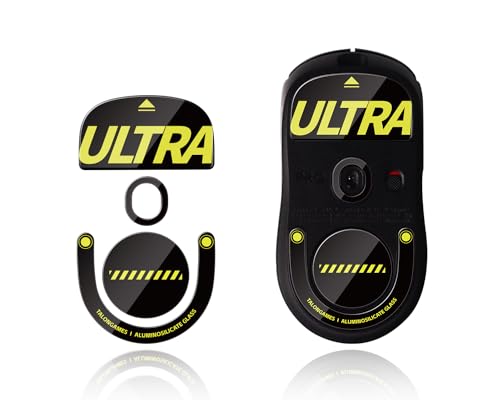
TALONGAMES Glass Skates for G Pro X Superstrike and Superlight 2
Bottom line: A cheaper aluminosilicate alternative that also covers the newer Superstrike mice, though not the Superlight 1 or DEX.
- Fits the Superstrike mice as well as the Superlight 2
- Curved edges, no break-in period listed
- Costs less than the Pulsar set
- Aluminosilicate glass for durable glide
- Clear compatibility list avoids ordering the wrong cut
- Doesn't fit the Superlight 2 DEX or original Superlight
- Not meant for glass mousepads
Best for Original Superlight
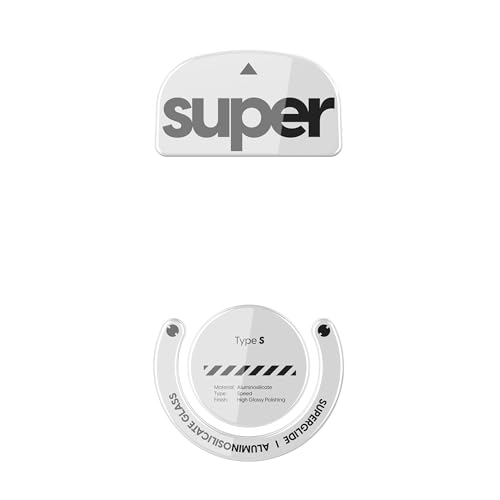
Pulsar Superglide Type-S for G Pro X Superlight 1
Bottom line: The glass upgrade for the first Superlight, with the same polished aluminosilicate surface as the newer kit.
- Polished glass glide that lasts
- Cut for the original Superlight
- Rounded edges
- Same aluminosilicate surface as the newer Pulsar kit
- One-time swap since glass doesn't wear like PTFE
- Won't fit the Superlight 2
- Not recommended for glass pads
- Very fast, so it can feel loose if you like a firm stop

Best for G502 X
Pulsar Superglide Type-S for Logitech G502 X
Bottom line: A glass kit cut for the full-size G502 X shell, for players who want a slicker glide.
- Glass glide on a larger, heavier shape
- Cut for the G502 X base
- Rounded edges
- Polished aluminosilicate surface
- Drop-in fit for a full-size shell
- G502 X only
- Not recommended for glass pads
- Fast surface may need adjusting if you grip hard

Best for Razer Viper V3 Pro
immoenuc Glass Skates for Razer Viper V3 Pro
Bottom line: A tempered glass set cut for the Viper V3 Pro and V3 Pro SE, with the install kit included.
- Cut for the Viper V3 Pro shape
- Slim profile that doesn't add weight
- Installation tool and cleaning tools included
- Tempered glass polished for low surface roughness
- 2.5D curved edges
- Fit is limited to the V3 Pro models
- Glass is fast, so firm-stop fans may want PTFE
Best for G305/G304
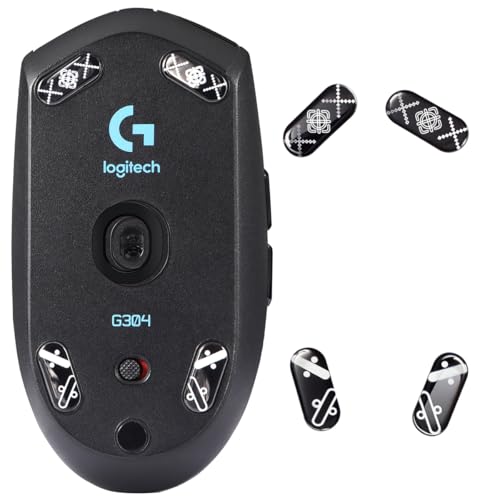
immoenuc Glass Skates for Logitech G305 and G304
Bottom line: A budget-friendly way to make an older wireless favorite glide like a much pricier mouse.
- Cut for the popular G305 and G304
- Scratch-resistant tempered glass
- Tweezers and cleaning tools included
- Curved 2.5D edge reduces friction
- No guesswork on dot placement
- Fits only those two mice
- Glass can feel too fast for some tactical shooter players
- Not made for glass mousepads
Best Universal Glass Dots
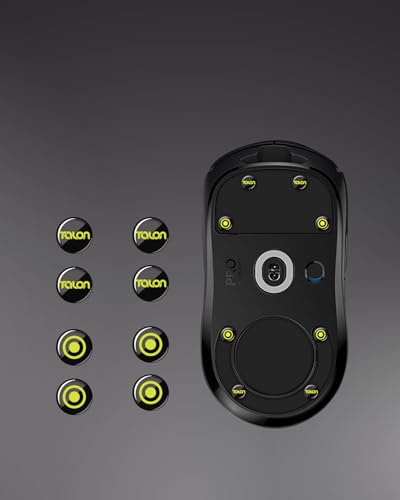
TALONGAMES Universal 6mm Glass Skates
Bottom line: The simplest glass option when your mouse has no dedicated kit, with dots you place where you want them.
- Works on mice without a dedicated glass kit
- Dots let you tune speed against control
- Rounded edges, no break-in period listed
- Aluminosilicate glass in a 6mm size
- Universal fit for older or lesser-known mice
- Placement is up to you, so it takes patience
- The sensor feet should stay in place
- Not for glass mousepads
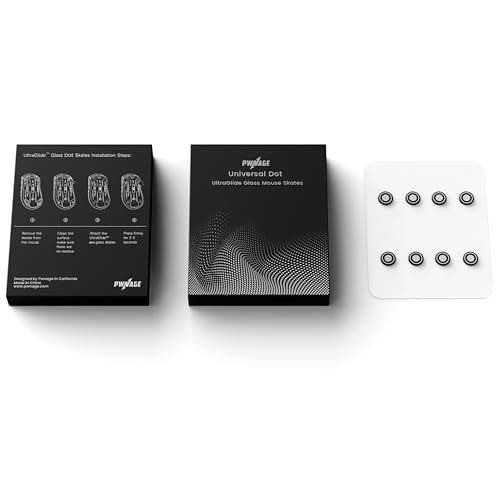
Thinnest Universal Dots
PWNAGE Ultraglide Glass Dot Skates
Bottom line: Ultra-thin 0.7mm glass dots in a small eight-piece pack, good for mice where stock feet are thin.
- Thin 0.7mm profile keeps lift-off height close to stock
- Universal fit for gaming mice
- Rounded edges
- Fast, smooth glass dots
- Eight pieces cover most layouts
- Only 8 dots in the pack
- The listing warns against using them on glass pads
- Less detail on glass type than the aluminosilicate sets
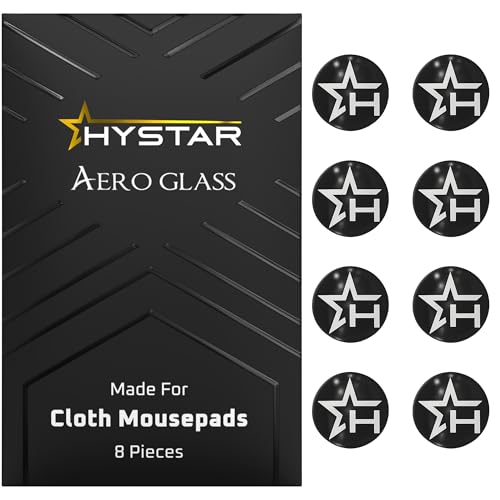
Best for Cloth Pads
Hystar Aero Glass
Bottom line: Aluminosilicate dots engineered specifically for cloth mousepads, with wipes in the box and a protective sleeve.
- Designed for cloth mousepads
- Fits any gaming mouse
- Two wipes and a protective sleeve included
- Polished, hardened aluminosilicate glass
- Simple install: clean, set the dots, press for 10 seconds
- Eight dots limits layouts
- Not for glass pads
- Fast, polished surface isn't ideal if you want grippy stops
Table of Contents
Glass Mouse Skates vs PTFE: What You Get and What You Give Up
Glass skates are small polished pieces of aluminosilicate or tempered glass with rounded edges, stuck to the base of your mouse in place of the stock feet. Compared with the usual PTFE set, the trade looks like this.
- Longevity: glass doesn’t wear down like PTFE, so the glide stays the same for a long time.
- Speed: the polished surface is very slick, which suits tracking and flicking and can feel too loose in tactical shooters if you like a firm stop.
- Pad match: most listings say not to use them on glass mousepads. Cloth and hybrid pads are the target. If you play on a glass pad, a UHMW-PE or hardened PTFE set is the safer route.
- Fit: many glass sets are cut for one mouse model, so check the compatibility line before you add to cart. Universal dot sets exist if your mouse has no dedicated kit.
If you’d rather browse PTFE and UPE sets too, we cover those separately, and the best mouse skates for the Logitech G Pro X Superlight 2 compares both materials for that one mouse.
Best Glass Mouse Skates: Our Picks in Detail
1
Best Overall
Pulsar Superglide Type-S for G Pro X Superlight 2
Bottom line: The glass set to start with for the Superlight 2: polished aluminosilicate, rounded edges and a cut that matches the mouse.
Pulsar's Superglide Type-S is the glossy aluminosilicate option for the Superlight 2.
Pros & Cons
Pros
- Polished glass glide that wears far slower than PTFE
- Cut to the Superlight 2 base
- Rounded edges to avoid snagging
- Replaces the stock feet with no dot placement
- Suits micro aiming and tracking on cloth pads
Cons
- Not recommended for glass mousepads
- Glossy surface is fast, so it can feel slippery if you want a firm stop
- Mouse-specific, so it won't fit other models
Why We Picked It
The listing describes aluminosilicate glass with a polished surface and flawlessly rounded edges, aimed at players who want durable, fast glide for micro aiming and tracking. It's cut for the Logitech G Pro X Superlight 2, so it replaces the stock feet instead of asking you to arrange dots by hand. Pulsar also makes a micro-textured Type-C version if you'd rather have extra stopping control, which is worth knowing before you buy.
Who It's For
You run a Superlight 2 on a cloth or hybrid pad and keep re-skating every few months. This set is cut to the mouse's base, so it replaces the stock feet directly, and the polished aluminosilicate with rounded edges gives a fast, durable glide for micro aiming and tracking.
Specs & Configurations
- Material
- aluminosilicate glass
- Surface
- polished, rounded edge
- Fit
- Logitech G Pro X Superlight 2
- Pads
- cloth and hybrid, not glass pads
Get It Now
Check Price on Amazon
2
Best Value for Logitech
TALONGAMES Glass Skates for G Pro X Superstrike and Superlight 2
Bottom line: A cheaper aluminosilicate alternative that also covers the newer Superstrike mice, though not the Superlight 1 or DEX.
If you own a Superstrike, this is the glass kit that lists it by name.
Pros & Cons
Pros
- Fits the Superstrike mice as well as the Superlight 2
- Curved edges, no break-in period listed
- Costs less than the Pulsar set
- Aluminosilicate glass for durable glide
- Clear compatibility list avoids ordering the wrong cut
Cons
- Doesn't fit the Superlight 2 DEX or original Superlight
- Not meant for glass mousepads
Why We Picked It
TALONGAMES lists aluminosilicate glass with a specially calibrated thickness and rounded edges that it says give a scratch-free slide right out of the pack. The compatibility note is unusually clear: it names the Superstrike mice and the Superlight 2 and warns that the Superlight 2 DEX and original Superlight are not supported. That clarity saves you from the most common mistake with mouse-specific cuts.
Who It's For
You own a Logitech Superstrike or Superlight 2 and want glass feet on a tighter budget. The compatibility list names your mouse outright, and the aluminosilicate glass with rounded edges slides cleanly out of the pack on a cloth pad.
Specs & Configurations
- Material
- aluminosilicate glass
- Edges
- curved
- Fit
- G Pro X Superstrike, G Pro X2 Superstrike, G Pro X Superlight 2
- Not for
- Superlight 2 DEX, Superlight 1
- Pads
- not for glass pads
Get It Now
Check Price on Amazon
3
Best for Original Superlight
Pulsar Superglide Type-S for G Pro X Superlight 1
Bottom line: The glass upgrade for the first Superlight, with the same polished aluminosilicate surface as the newer kit.
The original Superlight is still everywhere, and this is the glass kit cut for it.
Pros & Cons
Pros
- Polished glass glide that lasts
- Cut for the original Superlight
- Rounded edges
- Same aluminosilicate surface as the newer Pulsar kit
- One-time swap since glass doesn't wear like PTFE
Cons
- Won't fit the Superlight 2
- Not recommended for glass pads
- Very fast, so it can feel loose if you like a firm stop
Why We Picked It
It uses the same aluminosilicate glass, tempered build and rounded edge as Pulsar's newer sets, only in the shape of the first-generation base. Because glass doesn't wear like PTFE, it's a one-time swap for a mouse many players have owned for years.
Who It's For
You still play on the original Superlight, probably for years now, on a cloth pad. This kit is cut for that first-generation base and uses the same polished aluminosilicate glass and rounded edge as Pulsar's newer sets, so it's a one-time swap instead of another round of re-skating.
Specs & Configurations
- Material
- aluminosilicate glass
- Surface
- polished, rounded edge
- Fit
- Logitech G Pro X Superlight 1
- Pads
- cloth and hybrid, not glass pads
Get It Now
Check Price on Amazon
4
Best for G502 X
Pulsar Superglide Type-S for Logitech G502 X
Bottom line: A glass kit cut for the full-size G502 X shell, for players who want a slicker glide.
Most glass kits target lightweight mice, so one cut for the G502 X is a useful find.
Pros & Cons
Pros
- Glass glide on a larger, heavier shape
- Cut for the G502 X base
- Rounded edges
- Polished aluminosilicate surface
- Drop-in fit for a full-size shell
Cons
- G502 X only
- Not recommended for glass pads
- Fast surface may need adjusting if you grip hard
Why We Picked It
The listing carries the same polished aluminosilicate glass and rounded edge as other Superglide kits, cut for the G502 X.
Who It's For
You use a G502 X on a cloth pad and want a more fluid glide on a full-size shell. Most glass kits target lightweight mice, and this one is cut for your base with the same polished aluminosilicate and rounded edge as other Superglide sets.
Specs & Configurations
- Material
- aluminosilicate glass
- Surface
- polished, rounded edge
- Fit
- Logitech G502 X
- Pads
- cloth and hybrid, not glass pads
Get It Now
Check Price on Amazon
5
Best for Razer Viper V3 Pro
immoenuc Glass Skates for Razer Viper V3 Pro
Bottom line: A tempered glass set cut for the Viper V3 Pro and V3 Pro SE, with the install kit included.
Razer's lightweight Viper V3 Pro gets a glass option without a universal-dot compromise.
Pros & Cons
Pros
- Cut for the Viper V3 Pro shape
- Slim profile that doesn't add weight
- Installation tool and cleaning tools included
- Tempered glass polished for low surface roughness
- 2.5D curved edges
Cons
- Fit is limited to the V3 Pro models
- Glass is fast, so firm-stop fans may want PTFE
Why We Picked It
The listing says the glass is polished many times to lower surface roughness, with 2.5D curved edges and a thin build that adds no noticeable weight. It's cut for the Viper V3 Pro and V3 Pro SE and comes with an installation tool and cleaning supplies, so the swap takes minutes.
Who It's For
You play on a Razer Viper V3 Pro or V3 Pro SE with a cloth pad and want slick, durable feet. The tempered glass is cut to your mouse, adds no noticeable weight, and the included installation and cleaning tools make the swap a matter of minutes.
Specs & Configurations
- Material
- tempered glass
- Edges
- 2.5D curved, polished
- Fit
- Razer Viper V3 Pro and Viper V3 Pro SE
- Extras
- installation tool and cleaning tools
Get It Now
Check Price on Amazon
6
Best for G305/G304
immoenuc Glass Skates for Logitech G305 and G304
Bottom line: A budget-friendly way to make an older wireless favorite glide like a much pricier mouse.
The G304 and G305 are everywhere in budget setups, and glass feet are an easy upgrade for them.
Pros & Cons
Pros
- Cut for the popular G305 and G304
- Scratch-resistant tempered glass
- Tweezers and cleaning tools included
- Curved 2.5D edge reduces friction
- No guesswork on dot placement
Cons
- Fits only those two mice
- Glass can feel too fast for some tactical shooter players
- Not made for glass mousepads
Why We Picked It
The listing describes thin, scratch-resistant tempered glass polished several times, with a curved 2.5D edge that reduces friction. Because the pack matches the mouse's base, there's no guesswork about dot placement, and the included tweezers help with the small pieces.
Who It's For
You have a G304 or G305 in a budget setup on a cloth pad and want it to glide better without buying a new mouse. The pack matches the mouse's base, so there's no dot placement to work out, and the included tweezers help with the small pieces.
Specs & Configurations
- Material
- tempered glass
- Edges
- 2.5D curved, polished
- Fit
- Logitech G305 and G304
- Extras
- tweezers and cleaning tools
Get It Now
Check Price on Amazon
7
Best Universal Glass Dots
TALONGAMES Universal 6mm Glass Skates
Bottom line: The simplest glass option when your mouse has no dedicated kit, with dots you place where you want them.
When your mouse isn't on anyone's compatibility list, glass dots keep the choice open.
Pros & Cons
Pros
- Works on mice without a dedicated glass kit
- Dots let you tune speed against control
- Rounded edges, no break-in period listed
- Aluminosilicate glass in a 6mm size
- Universal fit for older or lesser-known mice
Cons
- Placement is up to you, so it takes patience
- The sensor feet should stay in place
- Not for glass mousepads
Why We Picked It
These 6mm aluminosilicate dots are listed for general use, so you choose the layout. More dots add stopping control and fewer make the mouse faster. The listing also notes not to remove the stock feet around the sensor.
Who It's For
Your mouse is older or lesser known and isn't on any glass kit's compatibility list. These 6mm aluminosilicate dots let you choose the layout, with more dots adding stopping control and fewer making the mouse faster, while the stock feet around the sensor stay put.
Specs & Configurations
- Material
- aluminosilicate glass
- Size
- 6mm
- Edges
- rounded
- Fit
- universal, place yourself
- Pads
- not for glass pads
Get It Now
Check Price on Amazon
8
Thinnest Universal Dots
PWNAGE Ultraglide Glass Dot Skates
Bottom line: Ultra-thin 0.7mm glass dots in a small eight-piece pack, good for mice where stock feet are thin.
A slim glass dot set that suits mice with low-profile stock feet.
Pros & Cons
Pros
- Thin 0.7mm profile keeps lift-off height close to stock
- Universal fit for gaming mice
- Rounded edges
- Fast, smooth glass dots
- Eight pieces cover most layouts
Cons
- Only 8 dots in the pack
- The listing warns against using them on glass pads
- Less detail on glass type than the aluminosilicate sets
Why We Picked It
The listing highlights the 0.7mm thickness and rounded dot shape, and it says the dots are fast, smooth and durable. Thin skates help preserve your mouse's lift-off distance, and eight pieces is enough for most layouts.
Who It's For
Your mouse has low-profile stock feet and you want glass glide without adding height. These 0.7mm round dots keep lift-off distance close to stock, fit gaming mice universally, and eight pieces is enough for most layouts.
Specs & Configurations
- Material
- glass
- Shape
- round dots, rounded edge
- Thickness
- 0.7mm
- Count
- 8 pieces
- Fit
- universal
Get It Now
Check Price on Amazon
9
Best for Cloth Pads
Hystar Aero Glass
Bottom line: Aluminosilicate dots engineered specifically for cloth mousepads, with wipes in the box and a protective sleeve.
Hystar built this set around cloth pads, the surface glass skates are meant for.
Pros & Cons
Pros
- Designed for cloth mousepads
- Fits any gaming mouse
- Two wipes and a protective sleeve included
- Polished, hardened aluminosilicate glass
- Simple install: clean, set the dots, press for 10 seconds
Cons
- Eight dots limits layouts
- Not for glass pads
- Fast, polished surface isn't ideal if you want grippy stops
Why We Picked It
The listing describes premium aluminosilicate glass that's polished and hardened, meant to outlast PTFE on cloth pads. The 6mm dots are universal and the install steps are simple: clean with the wipe, set the dots and press for 10 seconds.
Who It's For
You play on a cloth pad and want universal glass dots that work on any gaming mouse. The polished, hardened aluminosilicate is meant to outlast PTFE on that surface, and the install is simple with the included wipe and a 10 second press.
Specs & Configurations
- Material
- aluminosilicate glass
- Size
- 6mm dots, 8 pieces
- Edges
- rounded, polished
- Pads
- cloth and other surfaces, not glass
- Extras
- two cleaning wipes
Get It Now
Check Price on AmazonHow to Choose Glass Mouse Skates
Match the Mouse First
Dedicated cuts replace the stock feet one for one, so confirm your exact model (Superlight 1, Superlight 2 and DEX are not interchangeable). If nothing fits, go for universal dots such as the Hystar or TALONGAMES sets.
Check the Pad
Glass skates are meant for cloth and hybrid pads. Several listings say plainly not to use them on glass mousepads.
Speed and Stopping Power
Polished glass is very fast. If you want more control, look for a textured finish such as Pulsar’s Type-C or place extra dots to add friction. For tactical shooters, some players may still prefer PTFE or UPE, and our list of the best mouse skates covers those materials. If your hand slips when the mouse is this fast, add the best mouse grip tape to the shell.
Installation
Remove old feet, clean off the adhesive, place the skates and press for about 10 seconds. Leave the sensor-adjacent feet alone if the listing says so.