

Fortnite asks a lot of one hand: a fast flick onto a moving target, then a burst of build and edit binds a second later. Picking the best gaming mouse for Fortnite means finding the shape and weight you can hold steady through both. The nine wireless mice below, from 49g to 82g, start with what tracked Fortnite pros actually use and end with a cheaper pick for everyone else.
Best Gaming Mouse for Fortnite in 2026
GameCuki is reader-supported. When you buy through links on our site, we may earn an affiliate commission at no extra cost to you. As an Amazon Associate I earn from qualifying purchases. Learn more.
Our Top Picks

Best Overall
Razer Viper V3 Pro
Bottom line: The mouse most Fortnite pros actually pick, light enough for fast edits and shaped to fit nearly any grip, and the safest buy on this list.
- Used by about 24 percent of tracked pros, the most of any mouse
- 54g body with a safe, boxy shape
- Optical switches with fast actuation
- 8000 Hz polling with long battery life
- Symmetrical shell suits both hands
- Focus Pro 35K sensor
- Side buttons can feel mushy
- Expensive for a mouse
- Needs a medium or larger grip to feel stable

Best for Any Grip
Logitech G Pro X Superlight 2
Bottom line: A familiar, easy-to-hold shape with modern USB-C charging and 8K polling, the one to buy if Razer's boxy shell is not your style.
- Shape fits most hands and grip styles
- USB-C charging fixes the original's main complaint
- 60g with 8K polling
- Hybrid switches with a crisp click
- Drops 3g against the original
- HERO 2 sensor up to 44,000 DPI
- Clicks are heavier than the original
- Bottom skate design changed from the first model
- Expensive

Lightest Pick
Razer Viper V4 Pro
Bottom line: At 49g it is the lightest mouse here, a good fit for fast edit resets if you want to go lighter than the V3 Pro.
- 49g, about 9 percent lighter than the previous generation
- Optical scroll wheel and Gen-4 optical switches
- Choose 180 hours at 1000 Hz or 45 hours at 8000 Hz
- Same pro-trusted Viper shape
- Focus Pro 50K Gen-3 sensor
- True 8000 Hz polling
- Battery drops sharply at 8000 Hz
- Expensive

Best for Building
Logitech G Pro X2 Superstrike
Bottom line: Adjustable click points and rapid-trigger resets make this the one to buy if build and edit binds are what you want to speed up.
- 10 actuation levels and 5 rapid-trigger reset levels
- Adjustable haptic click feedback
- Familiar Logitech pro shape
- 8000 Hz with LIGHTSPEED wireless
- Tune click response in G HUB
- Magnetic switches for fast resets
- Extremely expensive
- Feet can feel somewhat scratchy
- Click tuning needs Logitech's G HUB software

Best Ergonomic Shape
Razer DeathAdder V4 Pro
Bottom line: The curved DeathAdder shell at a flyweight 56g with true 8K polling, the pick if flat-sided symmetrical mice leave your palm unsupported.
- Ergonomic palm-grip shell at only 56g
- Optical scroll wheel and Gen-4 optical switches
- 8000 Hz in wireless and wired modes
- Up to 150 hours of battery at 1000 Hz
- Focus Pro 45K Gen-2 sensor
- Sloped, curved shell supports the palm
- Right-handed only
- Expensive
- Battery life drops at higher polling rates
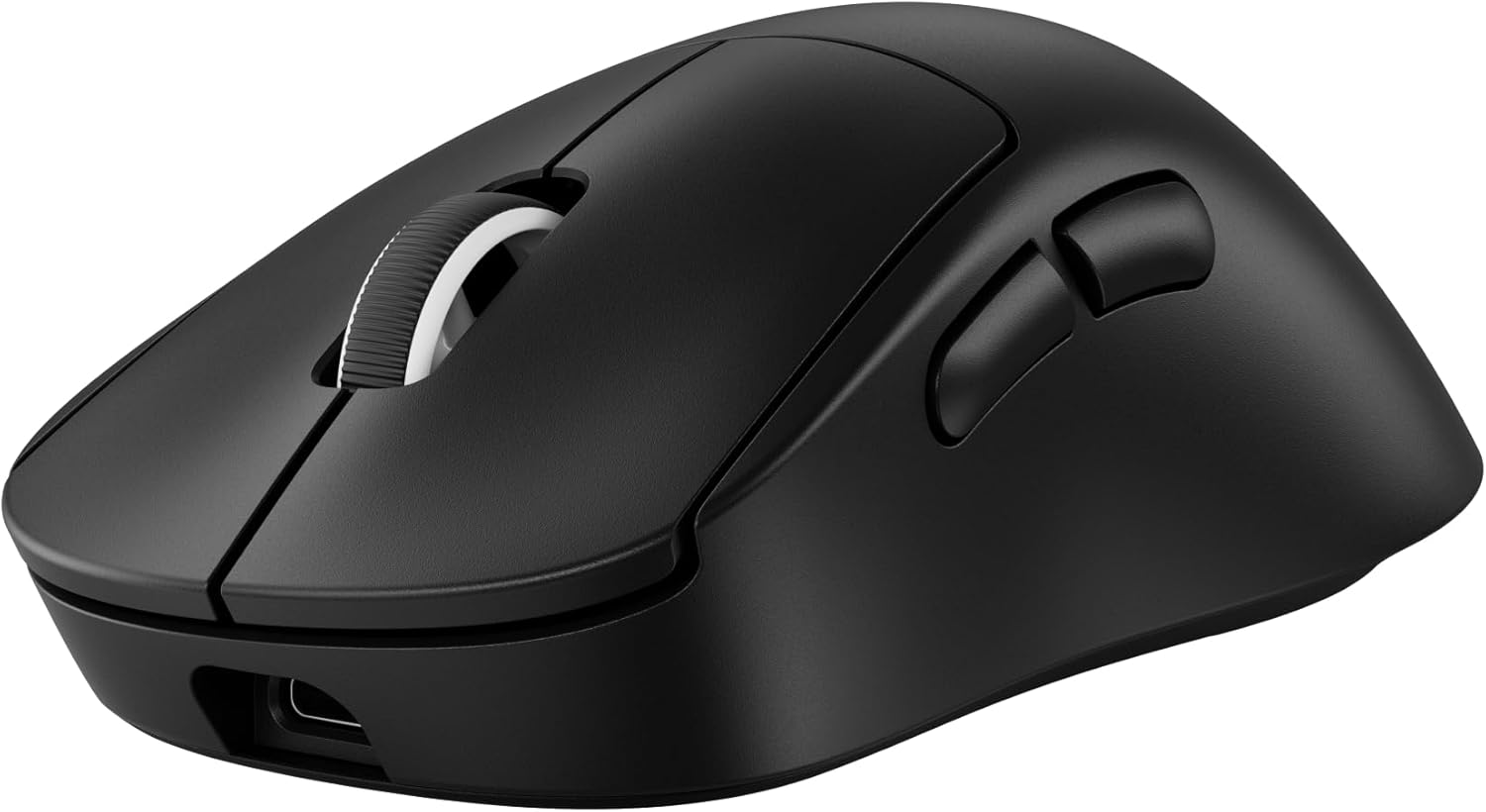
Best Right-Handed Ergo
Logitech G Pro X Superlight 2 DEX SE
Bottom line: Superlight 2 internals in a right-handed shell with thumb buttons, a good fit if the symmetrical Superlight shape feels too flat for you.
- 60g with the HERO 2 sensor
- Asymmetrical shell with programmable thumb buttons
- Hybrid optical-mechanical switches
- Upgradeable to 8 kHz
- Ships with a standard 1 kHz receiver
- Up to 88 hours of battery
- Right-handed only
- 8 kHz needs a separate receiver, sold separately

Best Ergonomic Alternative
Razer DeathAdder V3 Pro
Bottom line: The classic palm-grip shell at a pro-friendly 63g, best if symmetrical mice leave your hand cramped.
- Ergonomic palm-grip shell at only 63g
- Optical switches
- Up to 90 hours of battery
- Solid build quality
- Focus Pro 30K sensor
- Light enough for Fortnite flicking
- Shape differs from the older DeathAdders and not everyone likes it
- Expensive
- Right-handed only

Best Non-Razer Alternative
HyperX Pulsefire Haste 2 Pro
Bottom line: A 61g symmetrical mouse with native 4K polling and Bluetooth for less than the big-name flagships, good if you want to skip the Razer and Logitech price tags.
- 61g with native 4000 Hz polling
- 2.4 GHz plus Bluetooth
- Up to 90 hours of battery
- Ambidextrous shell
- Bluetooth for laptop or console-side setups
- 26K DPI HyperX sensor
- Few tracked pros use it
- Smaller software and ecosystem than Razer or Logitech

Best Budget
Razer Viper V3 HyperSpeed
Bottom line: The cheapest way into a proper wireless Viper, with a Focus Pro 30K sensor and 280 hours on one AA, as long as you accept the 82g weight.
- Focus Pro 30K sensor
- Up to 280 hours from a single AA battery
- Viper-style ambidextrous shape
- Cheapest mouse on this list
- Wireless without frequent charging
- Mechanical Gen-2 switches rated for 60 million clicks
- 82g is heavy for fast flicks
- Not a pro-tier mouse
Table of Contents
What Makes a Mouse Good for Fortnite?
Fortnite is not a game that needs a wall of buttons. A standard mouse with two side buttons covers building, editing and aiming, so grip and hand size matter more than a spec sheet. Pros lean toward light, nimble mice over heavier, steadier ones, and that is why this list sits mostly between 49g and 63g.
- Weight: Lighter mice make fast flicks and quick edit resets easier on the wrist. The heavier picks here trade that for battery life or a more ergonomic shape.
- Shape: Symmetrical shells fit most grips and either hand. An ergonomic shell like the DeathAdder suits a palm grip, but it is right-handed only.
- Polling rate: 8000 Hz models report your hand’s position far more often than a standard 1000 Hz mouse. Once you are above 1000 Hz, a shape you can hold steady while hitting build binds matters more than a few extra specs.
- Sensitivity: Most Fortnite pros run 800 DPI with 5 to 9 percent X-axis sensitivity, which works out to about 47 cm per 360. Every mouse below can hit that, so DPI ceilings should not drive your choice.
- Wireless: All nine picks are wireless. Pro setups are overwhelmingly wireless too, with Razer used by about 42 percent of 339 tracked pros and Logitech G by about 31 percent.
Best Gaming Mouse for Fortnite: Our Picks in Detail
1
Best Overall
Razer Viper V3 Pro
Bottom line: The mouse most Fortnite pros actually pick, light enough for fast edits and shaped to fit nearly any grip, and the safest buy on this list.
The Viper V3 Pro is the mouse the Fortnite scene settled on. Of 339 tracked pro players, 80 use it, and no other model comes close.
Pros & Cons
Pros
- Used by about 24 percent of tracked pros, the most of any mouse
- 54g body with a safe, boxy shape
- Optical switches with fast actuation
- 8000 Hz polling with long battery life
- Symmetrical shell suits both hands
- Focus Pro 35K sensor
Cons
- Side buttons can feel mushy
- Expensive for a mouse
- Needs a medium or larger grip to feel stable
Why We Picked It
At 54g with a symmetrical shell, it gives you the quick, low-effort flicks that building and editing reward, and the Focus Pro 35K sensor and 8000 Hz polling mean the hardware never holds you back. The boxy shape is forgiving, so it works for claw, fingertip and relaxed palm grips alike. Every other mouse here is a variation on what it already does well.
Who It's For
You want the pick the Fortnite scene settled on and don't want to gamble on shape. The 54g symmetrical shell gives the quick, low-effort flicks that building and editing reward, and the boxy body is forgiving for claw, fingertip and relaxed palm grips. It works for left- and right-handed players alike.
Specs & Configurations
- Weight
- 54g
- Sensor
- Focus Pro 35K Gen-2
- Polling
- 8000 Hz
- Battery
- Up to 95 hours
- Shape
- Symmetrical
Get It Now
Check Price on Amazon
2
Best for Any Grip
Logitech G Pro X Superlight 2
Bottom line: A familiar, easy-to-hold shape with modern USB-C charging and 8K polling, the one to buy if Razer's boxy shell is not your style.
Logitech's follow-up keeps the shape that made the original a staple and fixes what players disliked about it.
Pros & Cons
Pros
- Shape fits most hands and grip styles
- USB-C charging fixes the original's main complaint
- 60g with 8K polling
- Hybrid switches with a crisp click
- Drops 3g against the original
- HERO 2 sensor up to 44,000 DPI
Cons
- Clicks are heavier than the original
- Bottom skate design changed from the first model
- Expensive
Why We Picked It
The Superlight 2 is the mouse that led pro Fortnite charts for years before the Viper V3 Pro overtook it, and 26 tracked pros still use it. It keeps the same safe shell, drops 3g against the original, charges over USB-C and adds 8000 Hz polling, so it is an easy mouse to settle into.
Who It's For
You want a low-risk shape that works with almost any hand and grip, and you like Logitech's clicks and software. The Superlight 2 keeps the shell that made the original a staple, adds USB-C charging and 8000 Hz polling, and weighs 60g. It is an easy mouse to settle into from the first session.
Specs & Configurations
- Weight
- 60g
- Sensor
- HERO 2, up to 44,000 DPI
- Polling
- Up to 8000 Hz
- Battery
- Up to 95 hours
- Shape
- Symmetrical
Get It Now
Check Price on Amazon
3
Lightest Pick
Razer Viper V4 Pro
Bottom line: At 49g it is the lightest mouse here, a good fit for fast edit resets if you want to go lighter than the V3 Pro.
The V4 Pro takes the V3 Pro's shape and shaves the weight again.
Pros & Cons
Pros
- 49g, about 9 percent lighter than the previous generation
- Optical scroll wheel and Gen-4 optical switches
- Choose 180 hours at 1000 Hz or 45 hours at 8000 Hz
- Same pro-trusted Viper shape
- Focus Pro 50K Gen-3 sensor
- True 8000 Hz polling
Cons
- Battery drops sharply at 8000 Hz
- Expensive
Why We Picked It
It keeps the symmetrical shell pros already trust and drops to 49g, with a Focus Pro 50K sensor, true 8000 Hz polling and an optical scroll wheel. 19 of 339 tracked pros already run it, which is a strong start for a newer model.
Who It's For
You love the Viper shape and want less mass behind every flick, especially when edit speed is the priority. At 49g it keeps the symmetrical shell pros already trust, with true 8000 Hz polling and a Focus Pro 50K sensor. Running 1000 Hz stretches the battery to 180 hours, so you can pick speed or endurance.
Specs & Configurations
- Weight
- 49g
- Sensor
- Focus Pro 50K Gen-3
- Polling
- True 8000 Hz
- Battery
- Up to 180 hours at 1000 Hz, 45 hours at 8000 Hz
- Shape
- Symmetrical
Get It Now
Check Price on Amazon
4
Best for Building
Logitech G Pro X2 Superstrike
Bottom line: Adjustable click points and rapid-trigger resets make this the one to buy if build and edit binds are what you want to speed up.
The Superstrike swaps ordinary mechanical clicks for magnetic switches you can tune.
Pros & Cons
Pros
- 10 actuation levels and 5 rapid-trigger reset levels
- Adjustable haptic click feedback
- Familiar Logitech pro shape
- 8000 Hz with LIGHTSPEED wireless
- Tune click response in G HUB
- Magnetic switches for fast resets
Cons
- Extremely expensive
- Feet can feel somewhat scratchy
- Click tuning needs Logitech's G HUB software
Why We Picked It
HITS lets you change how deep a click has to travel, and how quickly it resets, from G HUB. In a game where you tap the same build and edit binds dozens of times a minute, shaving travel is the kind of change you notice. 24 of 339 tracked pros already run it.
Who It's For
Building and editing are the core of your game and you want to tune every millisecond of click response. HITS lets you set how deep a click travels and how quickly it resets from G HUB, which you notice when tapping the same binds dozens of times a minute. The familiar Logitech shape and 8000 Hz LIGHTSPEED wireless keep the rest comfortable.
Specs & Configurations
- Weight
- 61g
- Sensor
- HERO 2, up to 44,000 DPI
- Polling
- 8000 Hz
- Battery
- 60 to 90 hours
- Clicks
- Adjustable magnetic switches (HITS)
Get It Now
Check Price on Amazon
5
Best Ergonomic Shape
Razer DeathAdder V4 Pro
Bottom line: The curved DeathAdder shell at a flyweight 56g with true 8K polling, the pick if flat-sided symmetrical mice leave your palm unsupported.
The DeathAdder V4 Pro is the pick for players whose hand wants a sloped, curved shell instead of a flat-sided one.
Pros & Cons
Pros
- Ergonomic palm-grip shell at only 56g
- Optical scroll wheel and Gen-4 optical switches
- 8000 Hz in wireless and wired modes
- Up to 150 hours of battery at 1000 Hz
- Focus Pro 45K Gen-2 sensor
- Sloped, curved shell supports the palm
Cons
- Right-handed only
- Expensive
- Battery life drops at higher polling rates
Why We Picked It
It carries the classic DeathAdder curve down to 56g and adds a Focus Pro 45K sensor, optical switches and up to 8000 Hz polling over wireless or USB-C. That is a light, fast mouse for flicks that still gives a palm grip something to rest on. If your hand is on the bigger side, our best gaming mouse for large hands guide goes deeper on larger shells.
Who It's For
You use a right-handed palm grip and find flat-sided symmetrical mice cramped. The DeathAdder curve gives your palm something to rest on at a light 56g, and the Focus Pro 45K sensor and up to 8000 Hz polling over wireless or USB-C keep flicks fast. Battery runs up to 150 hours at 1000 Hz.
Specs & Configurations
- Weight
- 56g
- Sensor
- Focus Pro 45K Gen-2
- Polling
- Up to 8000 Hz, wired or wireless
- Battery
- Up to 150 hours at 1000 Hz
- Shape
- Ergonomic, right-handed
Get It Now
Check Price on Amazon
6
Best Right-Handed Ergo
Logitech G Pro X Superlight 2 DEX SE
Bottom line: Superlight 2 internals in a right-handed shell with thumb buttons, a good fit if the symmetrical Superlight shape feels too flat for you.
The DEX SE keeps the Superlight 2's sensor and weight and changes the shape.
Pros & Cons
Pros
- 60g with the HERO 2 sensor
- Asymmetrical shell with programmable thumb buttons
- Hybrid optical-mechanical switches
- Upgradeable to 8 kHz
- Ships with a standard 1 kHz receiver
- Up to 88 hours of battery
Cons
- Right-handed only
- 8 kHz needs a separate receiver, sold separately
Why We Picked It
It gives you the HERO 2 sensor and 60g body in an asymmetrical shell with room for the thumb. It ships with a standard 1 kHz receiver, so you only pay for 8 kHz if you decide you want it.
Who It's For
You are right-handed, like the Logitech feel, and want more hand support than a flat symmetrical shell gives. The asymmetrical body leaves room for your thumb, with programmable thumb buttons, the HERO 2 sensor and a 60g weight. It ships with a 1 kHz receiver, so you only add 8 kHz if you decide you want it.
Specs & Configurations
- Weight
- 60g
- Sensor
- HERO 2, up to 44,000 DPI
- Polling
- 1000 Hz, 8 kHz with a separate receiver
- Battery
- Up to 88 hours
- Shape
- Asymmetrical, right-handed
Get It Now
Check Price on Amazon
7
Best Ergonomic Alternative
Razer DeathAdder V3 Pro
Bottom line: The classic palm-grip shell at a pro-friendly 63g, best if symmetrical mice leave your hand cramped.
The DeathAdder is the pick for players whose hand wants a sloped, curved shell instead of a flat-sided one.
Pros & Cons
Pros
- Ergonomic palm-grip shell at only 63g
- Optical switches
- Up to 90 hours of battery
- Solid build quality
- Focus Pro 30K sensor
- Light enough for Fortnite flicking
Cons
- Shape differs from the older DeathAdders and not everyone likes it
- Expensive
- Right-handed only
Why We Picked It
It brings the familiar DeathAdder curve down to 63g, which is light enough for Fortnite flicking. Six tracked pros use it, so it is a minority choice, but it covers a grip style the Vipers and Superlights do not, and it is lighter and easier on the hand than older DeathAdders.
Who It's For
You are a right-handed palm-grip player who finds symmetrical mice cramped or too flat. The sloped DeathAdder curve is down to a pro-friendly 63g, light enough for Fortnite flicking, and it is easier on the hand than older DeathAdders. Optical switches and up to 90 hours of battery make it a low-maintenance daily driver.
Specs & Configurations
- Weight
- 63g
- Sensor
- Focus Pro 30K
- Battery
- Up to 90 hours
- Shape
- Ergonomic, right-handed
Get It Now
Check Price on Amazon
8
Best Non-Razer Alternative
HyperX Pulsefire Haste 2 Pro
Bottom line: A 61g symmetrical mouse with native 4K polling and Bluetooth for less than the big-name flagships, good if you want to skip the Razer and Logitech price tags.
Not every competitive setup needs a Razer or a Logitech.
Pros & Cons
Pros
- 61g with native 4000 Hz polling
- 2.4 GHz plus Bluetooth
- Up to 90 hours of battery
- Ambidextrous shell
- Bluetooth for laptop or console-side setups
- 26K DPI HyperX sensor
Cons
- Few tracked pros use it
- Smaller software and ecosystem than Razer or Logitech
Why We Picked It
The Haste 2 Pro matches the usual pro weight at 61g, supports native 4000 Hz and gives you Bluetooth for a laptop or console-side setup. It is a reasonable way into light-mouse play without paying flagship money.
Who It's For
You want pro-level weight and polling on a tighter budget, and a Razer or Logitech badge isn't a must. The Haste 2 Pro matches the usual 61g, supports native 4000 Hz and adds Bluetooth for a laptop or console-side setup. The ambidextrous shell suits either hand, and up to 90 hours of battery keeps charging rare.
Specs & Configurations
- Weight
- 61g
- Sensor
- HyperX 26K, up to 26,000 DPI
- Polling
- Native 4000 Hz
- Battery
- Up to 90 hours
- Shape
- Ambidextrous
Get It Now
Check Price on Amazon
9
Best Budget
Razer Viper V3 HyperSpeed
Bottom line: The cheapest way into a proper wireless Viper, with a Focus Pro 30K sensor and 280 hours on one AA, as long as you accept the 82g weight.
The V3 HyperSpeed is the one for players who want to upgrade without chasing a flagship.
Pros & Cons
Pros
- Focus Pro 30K sensor
- Up to 280 hours from a single AA battery
- Viper-style ambidextrous shape
- Cheapest mouse on this list
- Wireless without frequent charging
- Mechanical Gen-2 switches rated for 60 million clicks
Cons
- 82g is heavy for fast flicks
- Not a pro-tier mouse
Why We Picked It
It brings the Viper shape and a top-tier Focus Pro 30K sensor into a much more affordable package. The AA battery adds weight but runs for up to 280 hours, which means you rarely think about charging.
Who It's For
You are new to competitive play, or gaming on a budget, and want a wireless Viper without the premium. It brings the Viper shape and a top-tier Focus Pro 30K sensor into an affordable package. The AA battery runs up to 280 hours, so you rarely think about charging.
Specs & Configurations
- Weight
- 82g
- Sensor
- Focus Pro 30K
- Battery
- Up to 280 hours on one AA
- Switches
- Mechanical Gen-2, 60 million clicks
- Shape
- Ambidextrous
Get It Now
Check Price on AmazonBest Mouse for Fortnite: Specs Compared
| Mouse | Weight | Sensor | Polling | Shape |
|---|---|---|---|---|
| Razer Viper V3 Pro | 54g | Focus Pro 35K Gen-2 | 8000 Hz | Symmetrical |
| Logitech G Pro X Superlight 2 | 60g | HERO 2 | 8000 Hz | Symmetrical |
| Razer Viper V4 Pro | 49g | Focus Pro 50K Gen-3 | 8000 Hz | Symmetrical |
| Logitech G Pro X2 Superstrike | 61g | HERO 2 | 8000 Hz | Symmetrical |
| Razer DeathAdder V4 Pro | 56g | Focus Pro 45K Gen-2 | 8000 Hz | Ergonomic |
| Logitech G Pro X Superlight 2 DEX SE | 60g | HERO 2 | 1000 Hz (8 kHz with separate receiver) | Ergonomic |
| Razer DeathAdder V3 Pro | 63g | Focus Pro 30K | Not listed | Ergonomic |
| HyperX Pulsefire Haste 2 Pro | 61g | HyperX 26K | 4000 Hz | Ambidextrous |
| Razer Viper V3 HyperSpeed | 82g | Focus Pro 30K | Not listed | Ambidextrous |
FAQ
Which mouse do most Fortnite pros use?
The Razer Viper V3 Pro. 80 of 339 tracked pros, about 24 percent, use it, and the Superlight 2 and Superstrike are among the next most used.
What DPI and sensitivity do Fortnite pros use?
Most run 800 DPI with 5 to 9 percent X-axis sensitivity, which works out to about 47 cm per 360.
Do I need 8000 Hz polling for Fortnite?
No. It is a nice extra on the V3 Pro, V4 Pro, DeathAdder V4 Pro, Superlight 2 and Superstrike, but a shape you can hold steady while hitting build binds matters more once you are above 1000 Hz. Higher polling also costs battery life, as the V4 Pro shows.
Should I get a wired or wireless mouse for Fortnite?
Wireless. Every mouse in the top pro lineup is wireless, and current wireless connections from Razer, Logitech and HyperX are reliable enough that a cable no longer buys you anything.
Which mouse is best for a lefty?
A symmetrical mouse such as the Viper V3 Pro or Superlight 2. Avoid the DeathAdder V3 Pro, DeathAdder V4 Pro and Superlight 2 DEX SE, which are all right-handed shells.
What is a good keyboard to pair with these mice?
A compact board leaves more desk space for low-sensitivity swipes. Our best 60 percent keyboard for Fortnite guide covers the options.