GameCuki is reader-supported. When you buy through links on our site, we may earn an affiliate commission at no extra cost to you. As an Amazon Associate I earn from qualifying purchases. Learn more.
A TV is not the only way to get the most out of a console, and the best gaming monitor for Xbox Series X can give you faster response, a sharper picture at desk distance and a screen that also works with your PC. This guide covers seven 27-inch monitors that connect over HDMI 2.1, from a 4K OLED to budget 4K and 1440p screens, so you can match the panel to your room and your budget.
The Xbox Series X outputs up to 4K at 120Hz or 1440p at 120Hz, and it supports HDMI 2.1, variable refresh rate (VRR), auto low latency mode, Dolby Vision and HDR10. Every monitor below has at least one HDMI 2.1 input, so the console can use those modes, and the picks are sorted by what you play and where you sit. The buying section after them explains the specs that matter on a console.
Best Gaming Monitor for Xbox Series X: Our Picks in Detail

1
Best for 4K Xbox Gaming
ASUS ROG Swift PG27UCDM
Bottom line: A 27-inch 4K QD-OLED with HDMI 2.1 and 3-year burn-in coverage for Xbox players who want the sharpest, deepest-black picture at desk distance.
The top end of what a console monitor can be, with a 4K OLED panel that also scales up as a PC screen later.
Pros & Cons
Pros- 4K at 166 pixels per inch gives a very sharp image at desk distance
- QD-OLED panel with 99% DCI-P3 color and true 10-bit color
- Pixels turn fully off for black, so dark scenes keep real contrast
- 0.03ms response time keeps fast motion clean
- Two HDMI 2.1 ports let you connect the console and a second device
- Neo Proximity Sensor blanks the screen when you step away to lower burn-in risk
- Covered for three years, including burn-in
- USB-C with 90W charging for a laptop
Cons- The 240Hz refresh rate and DisplayPort 2.1a are wasted on the console, which tops out at 120Hz
- The price is the highest here, so it is overkill if you only play casually
- OLED can still wear unevenly if a static HUD stays up for hours
Why We Picked It
This is the monitor that makes the most of an Xbox Series X. It pairs the console's 4K 120Hz output with an OLED panel, so shadows, space scenes and night driving look far deeper than on an LCD. The proximity sensor, heatsink and three-year burn-in warranty are the reassurance you want when buying an OLED for long sessions.
Who It's For
Players who sit at a desk, game on the Series X in single-player games such as racing, open-world and story titles, and want the best picture available in a 27-inch size. If you also have, or plan to build, a high-end PC, the 240Hz panel and DisplayPort 2.1a will pay off there while the HDMI 2.1 ports handle the console.
Specs & Configurations
- Size
- 26.5 inches
- Resolution
- 3840x2160
- Refresh rate
- 240Hz
- Panel
- QD-OLED, matte
- Ports
- 2 HDMI 2.1, DisplayPort 2.1a, USB-C
2
Best for Bright Rooms and HDR
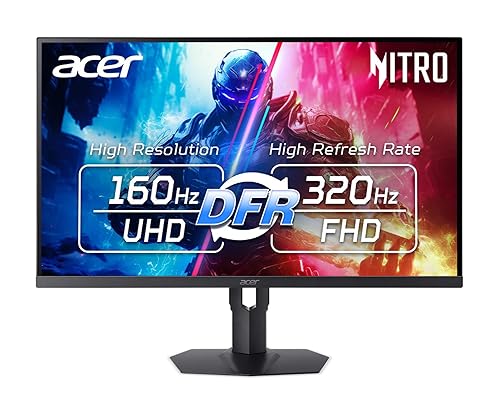
Acer Nitro XV275K
Bottom line: A 27-inch 4K Mini LED with DisplayHDR 1000, two HDMI 2.1 ports and no burn-in worries, for Xbox players who game in a bright room.
Mini LED brings real HDR punch to a 4K console monitor without the care routine OLED asks for.
Pros & Cons
Pros- 4K at 160Hz covers the console's 4K 120Hz mode with headroom
- VESA DisplayHDR 1000 certification with up to 1000 nits brightness
- Mini LED backlight gives far more contrast than a standard IPS panel
- IPS panel with wide viewing angles
- 0.5ms response time and FreeSync Premium for smooth VRR
- Two HDMI 2.1 ports
- 320Hz at 1080p for competitive PC play
- No OLED burn-in concern for static HUDs
- 3-year parts and labor warranty
Cons- Mini LED dimming zones can show haloing around bright objects on dark backgrounds, which OLED does not
- Native contrast is still 1000:1, so blacks in a dark room are not as deep as OLED
- Not the choice if you want the deepest blacks in dark rooms
Why We Picked It
Bright rooms are where OLED struggles, and this monitor goes the other way. The Mini LED backlight reaches up to 1000 nits, which helps HDR highlights stand out in the games and streaming apps that use them, and the IPS panel keeps colors consistent from the side. It is also the monitor to buy if you leave menus and HUD elements on for long stretches and would rather not think about burn-in.
Who It's For
Players whose gaming space has a window, a lamp or a lit living room, and who play long sessions of games with static interfaces such as sports, strategy or live-service titles. It is a strong match if you want a 4K HDR picture on the Series X and also plan to play on a PC at 4K 160Hz.
Specs & Configurations
- Size
- 27 inches
- Resolution
- 3840x2160
- Refresh rate
- 160Hz (320Hz at 1080p)
- Panel
- IPS with Mini LED backlight
- HDR
- VESA DisplayHDR 1000
- Ports
- 2 HDMI 2.1, DisplayPort

3
Best OLED Value for Xbox
LG UltraGear 27GX704A-B
Bottom line: A glossy 27-inch QHD OLED with dual HDMI 2.1 and 240Hz, for Xbox players who want OLED contrast without paying for 4K.
OLED contrast and a 240Hz panel at QHD, with the console-ready ports and a lower barrier to entry than a 4K OLED.
Pros & Cons
Pros- OLED blacks and a 1,500,000:1 contrast ratio at QHD
- 240Hz and 0.03ms response, with the console's 1440p 120Hz mode comfortably covered
- Dual HDMI 2.1 inputs for the console plus a second device
- Glossy panel looks bright and punchy with up to 1300 nits peak brightness
- DisplayHDR True Black 400 and HDR10 support
- G-SYNC Compatible and FreeSync Premium Pro for VRR
- UL certifications for anti-glare, flicker-free and low blue light
- QHD pixel count is easier on a PC graphics card than 4K
Cons- QHD is less sharp than 4K at 27 inches, so you give up some fine detail
- The glossy finish reflects lamps and windows
- OLED carries some burn-in risk with static HUDs, and the warranty is two years
Why We Picked It
This monitor takes the main reason people want OLED, near-perfect blacks, and puts it at 27-inch QHD, where the console can run 1440p at 120Hz. Dual HDMI 2.1 ports mean the Series X and a second console or PC can sit on the same screen, and the glossy panel is noticeably vivid in a dim room.
Who It's For
Players who want an OLED upgrade for the Xbox and who would rather run 1440p at a steady 120Hz than push 4K. If you play competitive shooters on the console and also keep a PC on the same desk, the 240Hz panel works in both places, and the QHD resolution is easy for a mid-range graphics card to drive.
Specs & Configurations
- Size
- 27 inches
- Resolution
- 2560x1440
- Refresh rate
- 240Hz
- Panel
- OLED, glossy
- HDR
- DisplayHDR True Black 400
- Ports
- 2 HDMI 2.1, DisplayPort 1.4

4
Best for Xbox and Fast PC Play
Samsung Odyssey OLED G6 G60SD
Bottom line: A 27-inch QHD QD-OLED with a glare-free matte finish, 360Hz and heat management built in, for players who split time between Xbox and PC.
A matte QD-OLED that handles the Series X now and a fast PC later.
Pros & Cons
Pros- QD-OLED panel with 99% color gamut coverage and 1,000,000:1 contrast
- Glare Free matte finish cuts reflections from windows and lamps
- 360Hz and 0.03ms response keep fast motion sharp on a PC
- HDMI 2.1 and variable refresh rate with AMD FreeSync Premium Pro
- Dynamic Cooling System with a pulsating heat pipe to reduce burn-in risk
- Logo and taskbar detection and an automatic screen saver
- 3-year manufacturer warranty
Cons- The 360Hz refresh rate is more than the Xbox can use, which tops out at 120Hz
- Brightness is around 250 nits for standard use, so it looks less vivid in very bright rooms
- The stand is deeper than most, so check your desk space
Why We Picked It
Samsung's panel is built around heat control, which is the biggest long-term concern with OLED, and the matte coating keeps the picture usable in a room with light coming in. On a console it runs 1440p at 120Hz with VRR, and the 360Hz ceiling means you will not outgrow it when you upgrade your PC.
Who It's For
Players who use the Xbox for story games and the desk PC for shooters, and want one OLED screen that does both. If your room has daylight on the screen for part of the day, the matte finish helps the picture stay readable instead of turning into a mirror.
Specs & Configurations
- Size
- 27 inches
- Resolution
- 2560x1440
- Refresh rate
- 360Hz
- Panel
- QD-OLED, matte
- Response
- 0.03ms
- Ports
- HDMI 2.1, DisplayPort

5
Best for Competitive Shooters
Sony INZONE M10S
Bottom line: A 27-inch QHD OLED with a 480Hz refresh rate, a 24.5-inch mode and two HDMI 2.1 ports, for players who care about response above all.
A speed-first OLED for players who want one monitor for competitive PC play and a console connection.
Pros & Cons
Pros- 480Hz and 0.03ms response set a very high bar for motion clarity
- Two HDMI 2.1 inputs and VRR support for the Series X
- Switchable 24.5-inch mode for competitive shooters
- FPS Pro and FPS Plus modes for brighter dark scenes
- Custom heatsink with passive cooling and pixel refresh, static image detection and pixel shift
- Slim 4mm base frees desk space and supports height, tilt and swivel
- Anti-glare finish helps in a lit room
- G-SYNC Compatible for PC play
Cons- 480Hz is far beyond the console's 120Hz limit, so you pay for speed the Xbox cannot use
- OLED burn-in risk remains with static HUDs, even with the care features
- The price is steep for a 1440p screen
Why We Picked It
Sony built this panel for esports play with Fnatic, and the compact base and 24.5-inch mode make it easy to fit in a competitive setup. On the Series X it behaves like a very responsive 1440p 120Hz OLED, and the PC-side headroom means it stays useful through several graphics card upgrades.
Who It's For
Players who spend most of their time in fast shooters on PC and want a monitor that can also take an Xbox Series X. If most of your gaming is on the console, a lower-refresh panel covers your needs for less money.
Specs & Configurations
- Size
- 27 inches
- Resolution
- 2560x1440
- Refresh rate
- 480Hz
- Panel
- OLED, anti-glare
- Response
- 0.03ms
- Ports
- 2 HDMI 2.1, DisplayPort 2.1
6
Best Budget 4K for Xbox
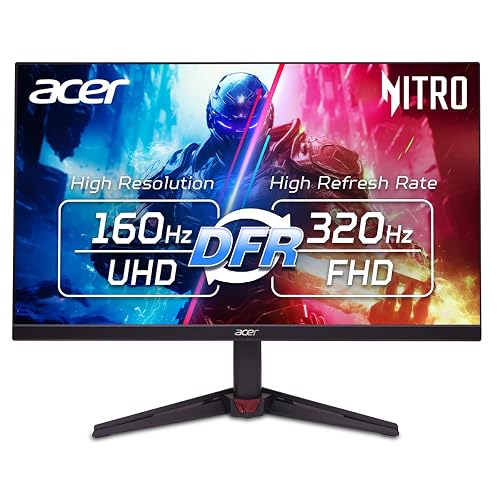
Acer Nitro VG270K V4
Bottom line: A 27-inch 4K IPS with two HDMI 2.1 ports and 160Hz that gets Xbox players a sharp 4K picture without paying OLED money.
The most affordable way to put the Xbox Series X's 4K 120Hz mode on a desk.
Pros & Cons
Pros- 4K resolution at 27 inches with sharp detail
- 160Hz at 4K covers the console's 4K 120Hz mode
- Two HDMI 2.1 ports with an HDMI cable included
- AMD FreeSync Premium for tear-free variable refresh rate
- 0.5ms response time for smooth motion
- IPS panel with wide viewing angles
- Zero-frame design looks clean on a desk
- HDR10 support and 3-year parts and labor warranty
Cons- Contrast is 1000:1, so blacks look gray in a dark room compared with OLED or Mini LED
- HDR10 is basic here, with limited brightness and color gamut for true HDR
- The stand only tilts, with no height adjustment
Why We Picked It
A lot of budget 4K monitors only offer HDMI 2.0, which leaves a Series X stuck below 4K 120Hz. This one ships with two HDMI 2.1 ports and a cable, and the 160Hz IPS panel is sharp and quick enough that most console games look noticeably better than on a basic 1080p screen.
Who It's For
Players moving a Series X from a living room TV to a desk, or buying a first console monitor, who want 4K without a high price. The picture is clean and responsive, and it suits bright rooms where deep OLED blacks are less important.
Specs & Configurations
- Size
- 27 inches
- Resolution
- 3840x2160
- Refresh rate
- 160Hz (320Hz at 1080p)
- Panel
- IPS
- Response
- 0.5ms (G to G)
- Ports
- 2 HDMI 2.1, DisplayPort 1.4

7
Best Budget 1440p for Xbox
LG UltraGear 27G64NA-B
Bottom line: A 27-inch QHD IPS with HDMI 2.1, 300Hz and a low-cost footprint for Xbox players who want smooth 1440p at 120Hz.
A cost-conscious 1440p monitor that makes sense when the budget is tight.
Pros & Cons
Pros- QHD at 27 inches is sharper than 1080p and runs the console's 1440p 120Hz mode
- HDMI 2.1 input for the Series X
- 300Hz and 1ms response leave plenty of headroom for PC play
- G-SYNC Compatible and AMD FreeSync Premium for VRR
- VESA DisplayHDR 400 and HDR10 support
- Black Stabilizer, crosshair and FPS counter built in
- Height, tilt and pivot adjustment
- Lighter and easier to move than the OLED models, at 10.1 pounds
Cons- 1440p tops out below the console's 4K output, so you give up resolution
- DisplayHDR 400 adds only a modest HDR boost with no local dimming
- Warranty is one year
Why We Picked It
Not every Xbox player wants to chase 4K. A 27-inch QHD panel looks sharp at desk distance, and the console can drive 1440p at 120Hz more easily than 4K, so frame rates stay steadier in demanding games. The 300Hz IPS panel leaves room to grow if you add a PC later.
Who It's For
Budget-conscious players who want a clear upgrade over a 1080p monitor and a screen that works with both an Xbox Series X and a PC. It suits competitive and general gaming in a room with normal lighting, and the savings can go toward a headset or games instead. If you are building the rest of your setup, our best headset for Xbox Series X guide is a good next stop.
Specs & Configurations
- Size
- 27 inches
- Resolution
- 2560x1440
- Refresh rate
- 300Hz
- Panel
- IPS, matte
- HDR
- DisplayHDR 400
- Response
- 1ms (GtG)
How to Choose a Gaming Monitor for Xbox Series X
HDMI 2.1 Is the Port That Matters
The Xbox Series X supports HDMI 2.1, so the monitor needs at least one HDMI 2.1 input to use 4K at 120Hz or 1440p at 120Hz. A monitor with only HDMI 2.0 can limit what the console sends, which is why every pick here lists HDMI 2.1. DisplayPort does not work with the console, so ignore it when comparing.
4K or 1440p
4K shows the most detail at 27 inches and fits single-player games, while 1440p is easier to run at 120Hz in demanding titles and costs less. The Series X can output either, so choose by budget and how much you value sharpness.
Refresh Rate and VRR
The console tops out at 120Hz, so a 360Hz or 480Hz monitor does not make console games faster. It matters only if you also use a PC. VRR keeps the screen in step with the console and reduces tearing, so check that the monitor supports FreeSync or HDMI VRR.
OLED, Mini LED or IPS
OLED gives the deepest blacks and the fastest response but can show burn-in with static images, so look for care features and a burn-in warranty. Mini LED reaches higher brightness and avoids burn-in, and a standard IPS panel is the budget route with weaker contrast. For more on panel types, see our best OLED gaming monitor guide.
HDR and Input Lag
HDR10 and Dolby Vision are supported by the console, but a monitor needs real brightness and contrast to show them well. DisplayHDR 1000 and OLED True Black certifications are the signals to look for, while HDR400 is a modest improvement. Low response time and a game mode keep input lag down, and the Series X also supports auto low latency mode on compatible screens.
Best Gaming Monitor for Xbox Series X: FAQ
What features should I look for in a monitor for Xbox Series X?
Look for HDMI 2.1, 4K or 1440p resolution at 120Hz, variable refresh rate, HDR support and low input lag.
Does the Xbox Series X support 4K gaming on a monitor?
Yes. The console outputs up to 4K at 120Hz, and a monitor with an HDMI 2.1 port can show it.
Why is HDMI 2.1 important for an Xbox Series X monitor?
HDMI 2.1 carries the bandwidth for 4K at 120Hz and for variable refresh rate and auto low latency mode. Without it, the console may fall back to lower resolutions or refresh rates.
What is variable refresh rate on an Xbox Series X monitor?
VRR lets the monitor match its refresh rate to the frames the console is producing, which reduces tearing and stutter.
Can I use a gaming monitor with Xbox Series X and a PC?
Yes. Every monitor here has HDMI 2.1 for the console and a DisplayPort or second HDMI input for a PC, and the faster models give a PC more headroom. If you are also weighing a new console, our PS5 Pro vs Xbox Series X comparison covers the differences.
Which Gaming Monitor for Xbox Series X Should You Buy?
The best gaming monitor for Xbox Series X depends on your room and your budget. The ASUS ROG Swift PG27UCDM is the pick for the best 4K picture, the Acer Nitro XV275K suits a bright room, and the LG UltraGear 27GX704A-B is the OLED to buy if you would rather run 1440p. If cost matters most, the Acer Nitro VG270K V4 puts 4K 120Hz on a desk for less, and the LG 27G64NA-B is the easy 1440p choice. Buy for the 120Hz the console can use, and spend any extra on contrast and HDR rather than refresh rate.

