

Nothing ends a ranked session faster than ear cups that fold the top of your ear against the driver after an hour. The best gaming headset for large ears gives your ear real room inside the cup, with an over-ear shape, pads deep enough to keep your ear off the driver and cushions that stay soft. These eight picks are built around that, from a planar magnetic flagship to budget-friendly wired classics.
Best Gaming Headset for Large Ears in 2026
GameCuki is reader-supported. When you buy through links on our site, we may earn an affiliate commission at no extra cost to you. As an Amazon Associate I earn from qualifying purchases. Learn more.
Our Top Picks

Best for Very Large Ears
Audeze Maxwell
Bottom line: The only pick with a published ear opening, and at 2.6 by 2.0 inches it gives big ears the most proven room here.
- Published ear opening of 2.6 x 2.0 in (65 x 50 mm)
- Pad depth of 0.8 to 1.2 in keeps ears off the driver
- Over-ear design encloses the whole ear
- Planar magnetic drivers measure 90 mm
- Up to 80 hours of battery life
- Bluetooth and low-latency wireless
- Detachable cable with a 3.5 mm jack
- At about 17.3 oz (490 g) it is much heavier than the others here
- Premium-class headset, so it is a stretch for a casual budget
Best Wired Value for Big Ears
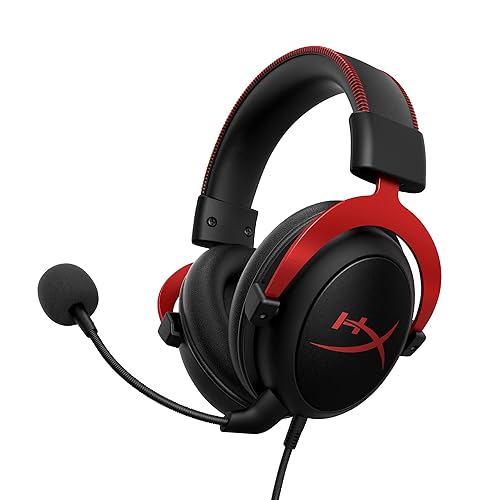
HyperX Cloud II
Bottom line: A long-running wired favorite with memory foam pads and a velour option, the easy first choice if you want an affordable pair with a roomy over-ear cup.
- Over-ear closed cups enclose the ear
- 100% memory foam ear pads
- Leatherette and velour pad options for different feel
- Aluminum frame holds up for years
- 53 mm drivers sound punchy
- Detachable noise-cancelling mic
- 3.5 mm cable works on nearly every platform
- Wired only, so skip it if you want to move away from the desk
- Stock leatherette pads can feel warm until you swap in the velour set

Best for Long Wired Sessions
HyperX Cloud Alpha
Bottom line: Memory foam and leatherette cups on an aluminum frame make this a dependable wired headset for players who want comfort that lasts through a long night.
- Over-ear fit enclosing the ear
- Memory foam and leatherette cushions
- Aluminum frame with expanded headband
- Dual chamber drivers separate bass from mids and highs
- Detachable braided cable with inline audio control
- Detachable noise-cancelling mic
- Works with PC, PlayStation, Xbox and Switch through 3.5 mm
- Wired only
- At about 10.5 oz it is heavier than the BlackShark V2 X
Best Updated Wired Pick
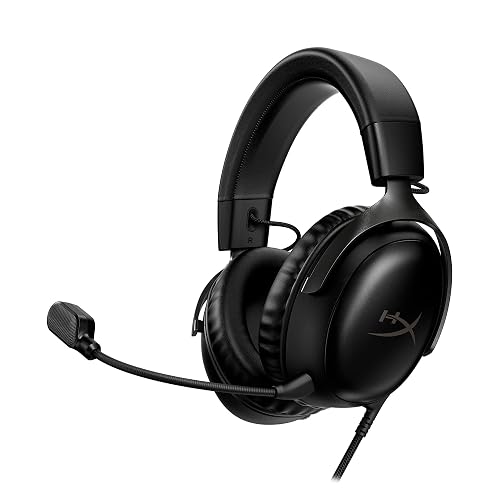
HyperX Cloud III
Bottom line: HyperX's newer wired headset keeps the memory foam and metal frame, with a USB-C adapter and better mic for PC, PS5 and Xbox.
- Memory foam ear cushions wrapped in premium leatherette
- Angled 53 mm drivers tuned by HyperX
- Flexible aluminum frame
- Noise-cancelling mic with LED mute indicator
- Controls for volume and mic mute on the earcup
- Works with PC, PS5, Xbox Series X/S and mobile
- USB-C and USB-A adapters included
- Wired only
- Leatherette cushions run warmer than fabric ones on long nights
Best Light Wireless
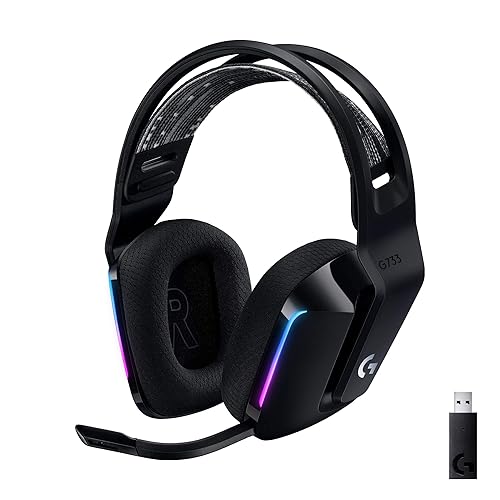
Logitech G733 Lightspeed
Bottom line: Fabric-covered dual-layer memory foam cups and a 9.8 oz weight make the G733 a low-fatigue wireless choice for anyone whose ears run warm.
- Dual-layer memory foam earcups
- Fabric ear cushions that do not peel like leatherette
- Light at about 9.8 oz (278 g)
- Reversible suspension headband
- Up to 29 hours of battery life
- Lightspeed 2.4GHz wireless with 20 m range
- Works with PC, PS5, PS4 and Switch
- Up to 29 hours of battery is far shorter than the Cloud Alpha Wireless

Best for Weeks Between Charges
HyperX Cloud Alpha Wireless
Bottom line: The Cloud Alpha Wireless keeps the Alpha's memory foam cups and adds up to 300 hours of battery, so you can wear it for weeks without a plug.
- Plush memory foam with breathable leatherette
- Up to 300 hours of battery life
- Dual chamber drivers
- Durable aluminum frame
- DTS Headphone:X spatial audio
- Detachable noise-cancelling mic
- 2.4GHz wireless connection
- No Bluetooth, so phone audio needs a separate connection
- Leatherette cushions run warmer than fabric ones

Best for Cross-Platform Wireless
SteelSeries Arctis Nova 7 Wireless Gen 2
Bottom line: AirWeave memory foam cushions and a steel frame give the Nova 7 Gen 2 a soft fit, with 2.4GHz and Bluetooth running at the same time.
- AirWeave memory foam cushions
- Comfy elastic headband
- Steel frame for durability
- 50+ hours of battery life
- Simultaneous 2.4GHz and Bluetooth
- Plug-and-play USB-C dongle
- 200+ game-specific audio presets
- At about 11.5 oz it is heavier than the G733, so skip it if weight bothers you

Best Oval Cups on a Budget
Razer BlackShark V2 X
Bottom line: An oval over-ear cup with breathable memory foam at just 8.5 oz makes the V2 X a tidy budget choice for taller ears.
- Oval over-ear cushions suit taller ears
- Breathable memory foam cushions
- Light at about 8.5 oz (240 g)
- Closed earcups cover the ear fully
- TriForce 50 mm drivers
- Detachable HyperClear cardioid mic
- 3.5 mm jack for PC, PlayStation, Xbox, Switch and mobile
- Wired only
- 3.5 mm only, so there is no USB sound card or software EQ
Table of Contents
How Big Is a Large Ear, and What Cup Size Do You Need?
Adult ears usually run about 2.2 to 2.6 inches (55 to 65 mm) tall and project about 0.6 to 0.8 inches (15 to 21 mm) from the side of the head. If yours fall outside that range, ordinary ear cups will feel cramped. Cups that measure larger than your ear on every side are not a requirement, but a few numbers help when you compare headsets.
- Pad height: about 2.3 to 2.8 inches (58 to 70 mm) suits larger ears.
- Pad width: about 1.6 to 2.8 inches (40 to 70 mm), depending on how much your ear sticks out.
- Pad depth: about 0.7 to 1 inch (18 to 25 mm), so the top of your ear never touches the driver cover.
Two other details matter as much as the numbers. First, choose over-ear cups that enclose the ear and skip on-ear designs, which press the ear flat and get painful fast on bigger ears. Second, look at the pad shape. Round pads suit ears that stick out evenly, oval pads suit taller ears, and D-shaped or polygon pads follow the ear more naturally. Weight counts too, since anything under about 0.55 lb (250 g) is considered light and gets less tiring over a long night.
Most gaming headset makers do not publish the inside size of their ear cups, so the cup details below come from each maker’s stated cup shape and pad materials. The one exception is the Audeze Maxwell, where Audeze gives exact numbers. If your head is also on the large side, our guide to the best gaming headset for big heads covers headband length and clamping force, which this list does not.
Best Gaming Headset for Large Ears: Our Picks in Detail
1
Best for Very Large Ears
Audeze Maxwell
Bottom line: The only pick with a published ear opening, and at 2.6 by 2.0 inches it gives big ears the most proven room here.
The Audeze Maxwell is the clearest answer for anyone whose ears are bigger than average, because Audeze states the numbers instead of leaving you to guess.
Pros & Cons
Pros
- Published ear opening of 2.6 x 2.0 in (65 x 50 mm)
- Pad depth of 0.8 to 1.2 in keeps ears off the driver
- Over-ear design encloses the whole ear
- Planar magnetic drivers measure 90 mm
- Up to 80 hours of battery life
- Bluetooth and low-latency wireless
- Detachable cable with a 3.5 mm jack
Cons
- At about 17.3 oz (490 g) it is much heavier than the others here
- Premium-class headset, so it is a stretch for a casual budget
Why We Picked It
Audeze lists the Maxwell's ear opening at 65 mm tall by 50 mm wide, with pads that are 30 mm deep at the back and 20 mm at the front. That height falls inside the 58 to 70 mm range suited to larger ears. It is also one of the few gaming headsets that tells you any of this.
Who It's For
You have large ears, you play for hours at a time, and you are tired of guessing whether the cup will fit. The Maxwell gives you a number to check against your own ear before you order, and the over-ear cups enclose the whole ear.
It also suits players who want one headset for a PlayStation, a PC and a Switch, with wireless and a cable fallback.
Specs & Configurations
- Ear opening
- 2.6 x 2.0 in (65 x 50 mm)
- Pad depth
- 1.2 in back, 0.8 in front (30 mm and 20 mm)
- Drivers
- 90 mm planar magnetic
- Battery
- up to 80 hours
- Weight
- about 17.3 oz (490 g)
- Works with
- PlayStation, PC, Mac, Switch
Get It Now
Check Price on Amazon
2
Best Wired Value for Big Ears
HyperX Cloud II
Bottom line: A long-running wired favorite with memory foam pads and a velour option, the easy first choice if you want an affordable pair with a roomy over-ear cup.
The HyperX Cloud II is the wired headset to start with if you want a proven over-ear shape without spending flagship money.
Pros & Cons
Pros
- Over-ear closed cups enclose the ear
- 100% memory foam ear pads
- Leatherette and velour pad options for different feel
- Aluminum frame holds up for years
- 53 mm drivers sound punchy
- Detachable noise-cancelling mic
- 3.5 mm cable works on nearly every platform
Cons
- Wired only, so skip it if you want to move away from the desk
- Stock leatherette pads can feel warm until you swap in the velour set
Why We Picked It
The Cloud II uses closed over-ear cups with memory foam pads, and HyperX offers both leatherette and velour pad textures. Velour is the softer, less sticky choice when your ear is pressed against the pad for hours. The aluminum frame and a plain 3.5 mm cable mean the whole thing outlasts most plastic headsets.
Who It's For
You want a wired headset that does not cost much, that works with your PC and your console, and that has soft pads you can swap for velour if the leatherette feels warm on larger ears.
You play with a USB sound card or straight into a controller, and you would rather replace a pad than an entire headset.
Specs & Configurations
- Type
- wired, closed-back
- Ear pads
- memory foam, leatherette or velour
- Drivers
- 53 mm
- Frame
- aluminum
- Mic
- detachable, noise-cancelling
- Works with
- PC, Mac, PlayStation, Xbox, Switch, mobile
Get It Now
Check Price on Amazon
3
Best for Long Wired Sessions
HyperX Cloud Alpha
Bottom line: Memory foam and leatherette cups on an aluminum frame make this a dependable wired headset for players who want comfort that lasts through a long night.
The HyperX Cloud Alpha pairs memory foam cushions with a metal frame, and comfort is the whole point of its design.
Pros & Cons
Pros
- Over-ear fit enclosing the ear
- Memory foam and leatherette cushions
- Aluminum frame with expanded headband
- Dual chamber drivers separate bass from mids and highs
- Detachable braided cable with inline audio control
- Detachable noise-cancelling mic
- Works with PC, PlayStation, Xbox and Switch through 3.5 mm
Cons
- Wired only
- At about 10.5 oz it is heavier than the BlackShark V2 X
Why We Picked It
HyperX describes the Alpha's comfort as its signature, and the cushions use memory foam under leatherette on an over-ear cup. At about 10.5 oz it is not the lightest, but the frame is strong and the cushions sit softly around the ear.
Who It's For
You play on PC or console with a cable and you want a headset that lasts. The over-ear cups enclose the ear instead of pressing on it, and the detachable braided cable means the headset can be repaired instead of replaced.
It suits players who want a setup that works with almost every device that has a headphone jack.
Specs & Configurations
- Type
- wired, over-ear
- Ear cushions
- memory foam and leatherette
- Drivers
- 50 mm dual chamber
- Weight
- about 10.5 oz (298 g)
- Cable
- detachable braided
- Mic
- detachable, noise-cancelling
Get It Now
Check Price on Amazon
4
Best Updated Wired Pick
HyperX Cloud III
Bottom line: HyperX's newer wired headset keeps the memory foam and metal frame, with a USB-C adapter and better mic for PC, PS5 and Xbox.
The HyperX Cloud III is the update to the Cloud II formula, with memory foam cushions in the headband and the cups.
Pros & Cons
Pros
- Memory foam ear cushions wrapped in premium leatherette
- Angled 53 mm drivers tuned by HyperX
- Flexible aluminum frame
- Noise-cancelling mic with LED mute indicator
- Controls for volume and mic mute on the earcup
- Works with PC, PS5, Xbox Series X/S and mobile
- USB-C and USB-A adapters included
Cons
- Wired only
- Leatherette cushions run warmer than fabric ones on long nights
Why We Picked It
HyperX says comfort is the core of the Cloud III. The cushions are memory foam wrapped in premium leatherette, and the drivers are angled toward the ear. The aluminum frame is built to take abuse.
Who It's For
You want a wired headset that plugs into a PC, PS5 or Xbox Series X/S without fuss, and the cups should feel soft around a larger ear. The USB-C and USB-A adapters make it easy to move between devices.
It also suits players who want on-cup controls for volume and mic mute while a match is in progress.
Specs & Configurations
- Type
- wired
- Ear cushions
- memory foam with premium leatherette
- Drivers
- angled 53 mm
- Frame
- aluminum, flexible
- Mic
- 10 mm, noise-cancelling
- Connections
- 3.5 mm, USB-C and USB-A adapters
Get It Now
Check Price on Amazon
5
Best Light Wireless
Logitech G733 Lightspeed
Bottom line: Fabric-covered dual-layer memory foam cups and a 9.8 oz weight make the G733 a low-fatigue wireless choice for anyone whose ears run warm.
The Logitech G733 is the light wireless pick, with fabric cushions that breathe better against the ear than leatherette.
Pros & Cons
Pros
- Dual-layer memory foam earcups
- Fabric ear cushions that do not peel like leatherette
- Light at about 9.8 oz (278 g)
- Reversible suspension headband
- Up to 29 hours of battery life
- Lightspeed 2.4GHz wireless with 20 m range
- Works with PC, PS5, PS4 and Switch
Cons
- Up to 29 hours of battery is far shorter than the Cloud Alpha Wireless
Why We Picked It
Logitech lists dual-layer memory foam earcups with a soft fabric covering, and the whole headset weighs about 278 g. A light headset with a fabric cushion is less likely to make larger ears feel hot or squeezed late in a session.
Who It's For
You play wirelessly on PC, PS5 or Switch and you want a headset you can forget you are wearing. The fabric pads are a good fit if leatherette ever left your ears sweaty.
You also like the idea of RGB lighting and Blue VO!CE mic filters set up through G HUB.
Specs & Configurations
- Type
- wireless
- Earcups
- dual-layer memory foam with soft fabric
- Weight
- about 9.8 oz (278 g)
- Headband
- reversible suspension
- Battery
- up to 29 hours
- Range
- 20 m (Lightspeed 2.4GHz)
Get It Now
Check Price on Amazon
6
Best for Weeks Between Charges
HyperX Cloud Alpha Wireless
Bottom line: The Cloud Alpha Wireless keeps the Alpha's memory foam cups and adds up to 300 hours of battery, so you can wear it for weeks without a plug.
The HyperX Cloud Alpha Wireless is the wireless take on the Alpha, with the same cushion approach and a very long battery.
Pros & Cons
Pros
- Plush memory foam with breathable leatherette
- Up to 300 hours of battery life
- Dual chamber drivers
- Durable aluminum frame
- DTS Headphone:X spatial audio
- Detachable noise-cancelling mic
- 2.4GHz wireless connection
Cons
- No Bluetooth, so phone audio needs a separate connection
- Leatherette cushions run warmer than fabric ones
Why We Picked It
HyperX calls the memory foam and breathable leatherette signature HyperX comfort, and the headset is described as lightweight and built for marathon sessions. The aluminum frame handles durability.
Who It's For
You want a wireless headset that rarely needs charging and has soft, deep memory foam around the ear. It suits long sessions on PC or PlayStation without the cord.
Specs & Configurations
- Type
- wireless, over-ear
- Ear cushions
- memory foam, breathable leatherette
- Drivers
- 50 mm dual chamber
- Battery
- up to 300 hours
- Frame
- aluminum
- Mic
- detachable, noise-cancelling
Get It Now
Check Price on Amazon
7
Best for Cross-Platform Wireless
SteelSeries Arctis Nova 7 Wireless Gen 2
Bottom line: AirWeave memory foam cushions and a steel frame give the Nova 7 Gen 2 a soft fit, with 2.4GHz and Bluetooth running at the same time.
The SteelSeries Arctis Nova 7 Wireless Gen 2 brings AirWeave memory foam to a cross-platform wireless headset.
Pros & Cons
Pros
- AirWeave memory foam cushions
- Comfy elastic headband
- Steel frame for durability
- 50+ hours of battery life
- Simultaneous 2.4GHz and Bluetooth
- Plug-and-play USB-C dongle
- 200+ game-specific audio presets
Cons
- At about 11.5 oz it is heavier than the G733, so skip it if weight bothers you
Why We Picked It
SteelSeries pairs a rugged steel frame with an elastic headband and AirWeave memory foam cushions. SteelSeries describes the weight as balanced for long sessions.
Who It's For
You want a soft cushion and one headset that works with your PC and PlayStation, plus Bluetooth for your phone while you play.
It also fits players who prefer a steel frame that handles being tossed into a bag.
Specs & Configurations
- Type
- wireless, over-ear
- Cushions
- AirWeave memory foam
- Frame
- steel with elastic headband
- Weight
- about 11.5 oz
- Battery
- 50 hours or more
- Connection
- 2.4GHz and Bluetooth at once
Get It Now
Check Price on Amazon
8
Best Oval Cups on a Budget
Razer BlackShark V2 X
Bottom line: An oval over-ear cup with breathable memory foam at just 8.5 oz makes the V2 X a tidy budget choice for taller ears.
The Razer BlackShark V2 X is the pick when you want oval cups and a low weight on a modest budget.
Pros & Cons
Pros
- Oval over-ear cushions suit taller ears
- Breathable memory foam cushions
- Light at about 8.5 oz (240 g)
- Closed earcups cover the ear fully
- TriForce 50 mm drivers
- Detachable HyperClear cardioid mic
- 3.5 mm jack for PC, PlayStation, Xbox, Switch and mobile
Cons
- Wired only
- 3.5 mm only, so there is no USB sound card or software EQ
Why We Picked It
Razer calls the V2 X over-ear with oval cushions, and the breathable memory foam is meant for long sessions. Oval pads suit taller ears better than round ones.
Who It's For
You play competitive shooters on a wired headset and want closed cups that cover your ear. The oval shape suits taller ears, and at 240 g it stays light.
Specs & Configurations
- Type
- wired, closed-back
- Cushions
- oval, breathable memory foam
- Weight
- about 8.5 oz (240 g)
- Drivers
- TriForce 50 mm
- Mic
- HyperClear cardioid, detachable
- Connection
- 3.5 mm
Get It Now
Check Price on AmazonWhat to Look For in a Gaming Headset for Large Ears
Before buying, run through a short checklist. Over-ear cups come first, since on-ear cups sit on top of the ear. Next comes pad shape, with oval or D-shaped pads better for taller ears. Then look at pad depth, because shallow cups let the top of the ear brush the driver cover. Pad material comes after that: velour and fabric stay cooler than leatherette, and memory foam gives under pressure. Finally, check the weight and the return policy, because makers rarely publish cup sizes and a try-on is the only reliable check.
Which Gaming Headset for Large Ears Should You Buy?
If you want certainty, buy the Audeze Maxwell, because it is the only headset here with a stated ear opening you can compare against your own ear. On a tighter budget, the HyperX Cloud II with velour pads is the safest wired bet. For wireless, the G733 is the lightest, and for a large budget, the Cloud Alpha Wireless is the one to wear for weeks between charges. Whatever you choose, buy from a store with an easy return window, since a fit that looks right on a spec sheet can still feel wrong on your ear. You can also read about the best open back gaming headset if closed cups feel stuffy.