

Your PS5 can save about an hour of gameplay on its own, but a long Twitch or YouTube stream needs a box between the console and your TV. Picking the best capture card for PS5 streaming mostly comes down to three choices: how sharp the stream needs to be, whether you want a USB box or a card inside your PC, and how you plan to get party chat into the broadcast. The nine cards below cover each of those setups.
Best Capture Card for PS5 Streaming in 2026: 9 Top Picks
GameCuki is reader-supported. When you buy through links on our site, we may earn an affiliate commission at no extra cost to you. As an Amazon Associate I earn from qualifying purchases. Learn more.
Our Top Picks

Best Overall for PS5
AVerMedia Live Gamer Ultra 2.1
Bottom line: HDMI 2.1 passthrough, 4K capture and two headset-ready audio ports make it the most complete way to put PS5 party chat on stream.
- Passes HDR and VRR through at up to 4K144, which covers every mode the PS5 can send
- 4K capture on Windows and macOS
- Dual 3.5 mm ports capture headset and gamepad audio for party chat
- 5.1 channel audio support on compatible Windows setups
- Works with OBS through the AVerMedia plugin or its own Streaming Center
- 10 Gbps USB-C link
- RGB lighting that supports Windows Dynamic Lighting
- HDCP has to be turned off on the console
- Costs more than the 1080p60 cards in this list

Best for PS5 and Mac
Elgato Game Capture 4K S
Bottom line: A compact 4K60 USB-C box that records and passes through 1440p120 and 1080p240 and runs on Windows, Mac and iPad, ideal if your streaming laptop is not a Windows PC.
- 4K60 capture and 1440p120 or 1080p240 play and capture
- Compatible with PS5, Xbox Series X/S and Switch 2
- Analog audio in for in-game chat or commentary
- Plug and play on Windows, Mac and iPad
- Small and light at about 0.09 kg
- HDR10 tone mapping works on Windows only
- Needs a recent CPU and a modern GPU, such as an Intel Core i5 8th gen or newer
- Costs more than a basic 1080p60 box

Best Elgato Alternative at 4K60
AVerMedia Live Gamer Ultra S (GC553Pro)
Bottom line: A 4K60 USB-C card that names the PS5 and PS5 Pro, passes HDR and VRR through and captures 5.1 audio on Windows, a strong pick if you want AVerMedia over Elgato.
- 4K60 capture over a single USB-C cable
- HDR and VRR passthrough while you record
- Lists the PS5 and PS5 Pro as supported sources
- 5.1 channel audio capture on Windows
- Works with Streaming Center and an OBS plugin
- Supports 3440x1440 and 2560x1080 ultrawide input
- VRR recording up to 1440p60 or 1080p240
- 4K passthrough tops out at 60 fps, below the PS5's 4K120 output mode
- Uses USB 3.2 Gen 1, so it has less bandwidth than the Gen 2 cards

Best for PS5 and High-Refresh PC
Elgato 4K X
Bottom line: An HDMI 2.1 USB 3.2 Gen 2 box with VRR passthrough and 1080p240 recording, built for streamers who also capture a fast gaming PC.
- HDMI 2.1 in and out with VRR passthrough
- Records up to 1080p240 for fast shooters
- HDR10 support
- Fast USB 3.2 Gen 2 link for low-latency preview
- Works with OBS, Streamlabs, Twitch Studio and Restream
- Lists PS5, Xbox Series X, Switch and PC as supported sources
- Windows, macOS and iPadOS support
- Needs a fast USB 3.2 Gen 2 port to run at full speed
- More card than a PS5 alone requires
- Costs noticeably more than the 4K S

Best for 1080p60 Streams
Elgato HD60 X
Bottom line: A driverless USB box that passes 4K60 HDR10 to your TV while capturing 1080p60 HDR10 for streams, the sweet spot for most Twitch and YouTube broadcasts.
- Passes 4K60 HDR10 and VRR through to your display
- Captures 1080p60 HDR10, which suits Twitch and YouTube
- Passthrough up to 1440p120 and 1080p120 for smooth play
- Driverless plug and play on Windows and Mac
- No watermarks, time limits or subscriptions
- Works with OBS, Streamlabs, vMix and Zoom
- Familiar Elgato software for recording
- You choose between 1080p60 and 4K30 capture, so there is no 4K60 recording
- Passthrough stops at 4K60, so the PS5's 4K120 mode is not covered

Best for Beginner Streamers
Elgato Game Capture Neo
Bottom line: A smartphone-sized USB box that passes 4K60 HDR to your TV and captures 1080p60, the simplest way to start streaming a PS5.
- Passes 4K60 HDR to your TV while you play
- Captures 1080p60, the format most PS5 streams use
- Small enough to slip into a bag
- No time limits, watermarks or subscriptions
- Works with OBS Studio, Discord, QuickTime and Zoom
- Connects to a PC, Mac or iPad
- Lists PlayStation and Xbox consoles as supported sources
- Records 1080p only, with no 4K capture
- Passthrough stops at 4K60, so the PS5's 120 fps modes are not covered

Best for Simple 4K30 Capture
AVerMedia Live Gamer Extreme 3 (GC551G2)
Bottom line: A plug-and-play USB box with 4K30 capture, low-latency passthrough and headset-ready audio jacks, built for streamers who want to start quickly.
- Plug and play with no extra drivers or external power
- Passthrough up to 4K60 HDR with VRR at 1440p120 or 1080p120
- 3.5 mm in and out connect a headset and mic directly
- Records 4K30, 1440p60 and 1080p60
- Works with OBS and Twitch, and with RECentral for simultaneous streams
- Supports PS5, PS5 Pro, Switch and Xbox Series X/S
- Runs on Windows, Mac and iPad
- No HDR capture, so recordings are SDR
- 4K capture is limited to 30 fps
Best Internal Card for PS5
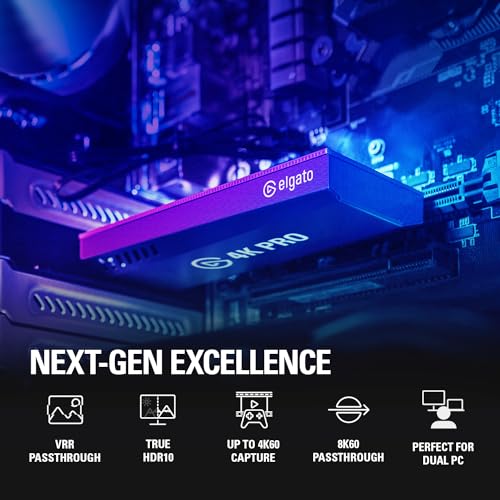
Elgato Game Capture 4K Pro
Bottom line: An internal PCIe card with 4K60 HDR10 capture, 8K60 passthrough and dual-PC support, the cleanest option for a desktop streaming rig.
- 4K60 HDR10 capture inside your PC
- HDMI 2.1 in and out with VRR passthrough
- Records up to 1080p240
- 8K60 passthrough leaves room for future displays
- No USB cable or extra box on the desk
- Suited to dual-PC streaming setups
- Ultra-low latency preview
- Needs a desktop PC with a free PCIe slot
- Windows only
- Overkill if you only stream at 1080p60
Best Lower-Cost Internal Card
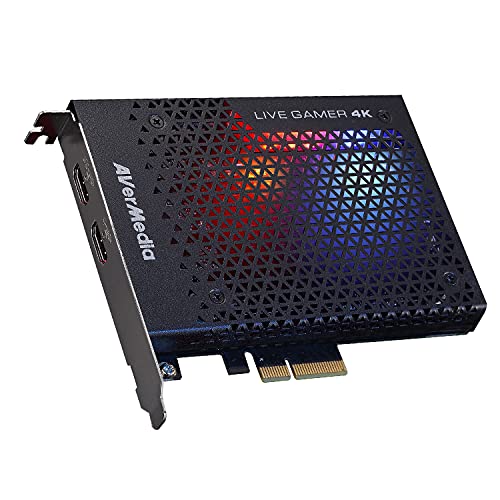
AVerMedia Live Gamer 4K (GC573)
Bottom line: A long-running internal card that captures 4K60 HDR10 with zero-lag passthrough, a solid way to get PCIe quality without the newest flagship.
- 4K60 HDR10 capture for PS5 and Xbox Series X/S
- Zero-lag passthrough to your display
- Capture at up to 240 fps at lower resolutions
- Works with OBS, Streamlabs and XSplit
- AVerMedia Gaming Utility lets you pick the resolutions and frame rates you preview and record
- Three RGB lighting presets
- Leaves your USB ports free
- Some motherboards give the x4 slot too little bandwidth for 4K60 HDR, so you may need an x8 or x16 slot
- Desktop PC and Windows only
Table of Contents
What to Look for in a PS5 Capture Card
The PS5 outputs up to 120 Hz at 1080p, 1440p and 4K, and few cards record every one of those modes. The good news is that you rarely need them. Twitch does not allow 4K streams, and 1080p at 60 fps is a sensible target for most broadcasts, so a card that records 1080p60 cleanly is a perfectly good place to start. A card with 144 or 240 fps support gives you headroom the console cannot use.
Two numbers sit on every box. Passthrough is what your TV or monitor receives while you play, and capture is what lands in your stream or recording. A card can pass 4K60 HDR through to your screen while capturing 1080p60, and that is a fine arrangement for streaming. Beyond resolution, look at audio inputs for party chat and commentary, and check whether the card works with OBS, which most do.
Setup has one PS5-specific catch. HDCP, the copy protection on the console’s HDMI output, can stop a capture card from getting a signal, so turn HDCP off in the PS5’s settings if you see a black screen. Also pick an output resolution your card supports, line up the HDR setting with the card, and enable HDMI audio output if that is where your sound comes from. If you want a quick audio upgrade at the same time, our guide to the best headset for PS5 covers options that suit streaming. Playing on a Switch 2 as well? The best capture card for Nintendo Switch 2 covers that console’s own output quirks.
Best Capture Card for PS5 Streaming: Our Picks in Detail
1
Best Overall for PS5
AVerMedia Live Gamer Ultra 2.1
Bottom line: HDMI 2.1 passthrough, 4K capture and two headset-ready audio ports make it the most complete way to put PS5 party chat on stream.
No card here covers more of the PS5's output, and the reason is flexibility. It takes the console's HDMI 2.1 signal, passes it to your display with HDR and VRR intact, and records at up to 4K on both Windows and macOS.
Pros & Cons
Pros
- Passes HDR and VRR through at up to 4K144, which covers every mode the PS5 can send
- 4K capture on Windows and macOS
- Dual 3.5 mm ports capture headset and gamepad audio for party chat
- 5.1 channel audio support on compatible Windows setups
- Works with OBS through the AVerMedia plugin or its own Streaming Center
- 10 Gbps USB-C link
- RGB lighting that supports Windows Dynamic Lighting
Cons
- HDCP has to be turned off on the console
- Costs more than the 1080p60 cards in this list
Why We Picked It
Capturing party chat is usually the fiddly part of a PS5 stream, and this card handles it with two 3.5 mm four-pole ports for headset and gamepad audio instead of extra software. Pair that with OBS support and a USB-C connection that does not need an external power supply, and the setup stays short. It is overbuilt for a console that tops out at 120 Hz, but that headroom keeps it useful if you add a high-refresh PC later.
Who It's For
You stream a PS5 with a friend group on voice chat and want your whole mix, game sound plus party chat, to land in the broadcast without a mixer on the desk. You would rather buy one card now than upgrade when you change screens, and you are comfortable disabling HDCP once on the console.
Specs & Configurations
- Type
- External USB 3.2 Gen 2 Type-C
- Capture
- up to 4K144 on Windows, 4K60 on macOS
- Passthrough
- HDMI 2.1 with HDR and VRR
- Audio
- dual 3.5 mm four-pole ports, 5.1 audio on Windows
- Works with
- Windows, macOS, iPadOS
Get It Now
Check Price on Amazon
2
Best for PS5 and Mac
Elgato Game Capture 4K S
Bottom line: A compact 4K60 USB-C box that records and passes through 1440p120 and 1080p240 and runs on Windows, Mac and iPad, ideal if your streaming laptop is not a Windows PC.
Elgato's current flagship USB card keeps things simple. A single USB-C cable carries the picture to your computer, and the analog input takes a mic or party chat feed.
Pros & Cons
Pros
- 4K60 capture and 1440p120 or 1080p240 play and capture
- Compatible with PS5, Xbox Series X/S and Switch 2
- Analog audio in for in-game chat or commentary
- Plug and play on Windows, Mac and iPad
- Small and light at about 0.09 kg
Cons
- HDR10 tone mapping works on Windows only
- Needs a recent CPU and a modern GPU, such as an Intel Core i5 8th gen or newer
- Costs more than a basic 1080p60 box
Why We Picked It
Most PS5 capture setups assume a Windows desktop. The 4K S works the same on a MacBook or an iPad, which makes it the easiest pick for streamers who edit and broadcast away from a tower. The 4K60 capture is more than Twitch can show, but it gives you sharper recordings for YouTube.
Who It's For
You stream or record PS5 gameplay from a laptop, maybe a MacBook, and want a card that behaves the same on every machine you own. You need an analog audio input for a mic or party chat and a box small enough to keep in a backpack.
Specs & Configurations
- Type
- External USB-C
- Capture
- 4K60, passthrough 1440p120 or 1080p240
- HDR
- HDR10 with tone mapping on Windows
- Audio
- 3.5 mm analog input
- Works with
- Windows 11, macOS 13 or later, iPadOS
Get It Now
Check Price on Amazon
3
Best Elgato Alternative at 4K60
AVerMedia Live Gamer Ultra S (GC553Pro)
Bottom line: A 4K60 USB-C card that names the PS5 and PS5 Pro, passes HDR and VRR through and captures 5.1 audio on Windows, a strong pick if you want AVerMedia over Elgato.
AVerMedia's Ultra S sits between the beginner boxes and the HDMI 2.1 flagships. It records 4K60 and keeps HDR and VRR intact on the way to your display.
Pros & Cons
Pros
- 4K60 capture over a single USB-C cable
- HDR and VRR passthrough while you record
- Lists the PS5 and PS5 Pro as supported sources
- 5.1 channel audio capture on Windows
- Works with Streaming Center and an OBS plugin
- Supports 3440x1440 and 2560x1080 ultrawide input
- VRR recording up to 1440p60 or 1080p240
Cons
- 4K passthrough tops out at 60 fps, below the PS5's 4K120 output mode
- Uses USB 3.2 Gen 1, so it has less bandwidth than the Gen 2 cards
Why We Picked It
It gets the headline numbers right for a PS5 streamer: 4K60 capture, HDR passthrough and 5.1 audio, without stepping up to a 4K144 card. It also gives you a real alternative when Elgato stock is thin or you prefer AVerMedia's software.
Who It's For
You want 4K60 capture on a Windows PC or a Mac, a clean HDR picture on your TV, and an alternative to Elgato's lineup. You mostly play the PS5 at 4K60 or below and do not need the console's 4K120 mode passed through.
Specs & Configurations
- Type
- External USB 3.2 Gen 1 Type-C
- Capture
- 4K60
- Passthrough
- 4K60, 1440p144 or 1080p240 with HDR and VRR
- Audio
- 5.1 capture on Windows
- Works with
- Windows 10 and 11, macOS 13 or later, iPadOS 17 or later
Get It Now
Check Price on Amazon
4
Best for PS5 and High-Refresh PC
Elgato 4K X
Bottom line: An HDMI 2.1 USB 3.2 Gen 2 box with VRR passthrough and 1080p240 recording, built for streamers who also capture a fast gaming PC.
The 4K X is for a shared setup. One HDMI 2.1 box handles the PS5 today and a high-refresh gaming PC tomorrow, and the USB 3.2 Gen 2 link keeps the preview responsive.
Pros & Cons
Pros
- HDMI 2.1 in and out with VRR passthrough
- Records up to 1080p240 for fast shooters
- HDR10 support
- Fast USB 3.2 Gen 2 link for low-latency preview
- Works with OBS, Streamlabs, Twitch Studio and Restream
- Lists PS5, Xbox Series X, Switch and PC as supported sources
- Windows, macOS and iPadOS support
Cons
- Needs a fast USB 3.2 Gen 2 port to run at full speed
- More card than a PS5 alone requires
- Costs noticeably more than the 4K S
Why We Picked It
The PS5 stops at 120 fps, so you are paying for headroom the console cannot use. We still include it because many console streamers also play shooters on PC, and a card that records 1080p240 and passes VRR through covers both without a second purchase.
Who It's For
Your channel mixes PS5 games with PC games, and you want one HDMI 2.1 card that handles both. Your computer has a free USB 3.2 Gen 2 port and a Ryzen 5 or Core i5 class processor, and you want your capture hardware to outlast your next console or GPU upgrade.
Specs & Configurations
- Type
- External USB 3.2 Gen 2
- Interface
- HDMI 2.1 in and out
- Capture
- up to 1080p240
- Extras
- VRR passthrough, HDR10
- Works with
- Windows 10, macOS 11, iPadOS 17 or later
Get It Now
Check Price on Amazon
5
Best for 1080p60 Streams
Elgato HD60 X
Bottom line: A driverless USB box that passes 4K60 HDR10 to your TV while capturing 1080p60 HDR10 for streams, the sweet spot for most Twitch and YouTube broadcasts.
This is one of the best-known PS5 capture cards for a reason. It does the common job well: pass the PS5's best picture to your TV and send a 1080p60 stream to your audience.
Pros & Cons
Pros
- Passes 4K60 HDR10 and VRR through to your display
- Captures 1080p60 HDR10, which suits Twitch and YouTube
- Passthrough up to 1440p120 and 1080p120 for smooth play
- Driverless plug and play on Windows and Mac
- No watermarks, time limits or subscriptions
- Works with OBS, Streamlabs, vMix and Zoom
- Familiar Elgato software for recording
Cons
- You choose between 1080p60 and 4K30 capture, so there is no 4K60 recording
- Passthrough stops at 4K60, so the PS5's 4K120 mode is not covered
Why We Picked It
1080p60 is the format most PS5 streams actually use, and the HD60 X captures it in HDR10 without driver installs. Where pricier cards chase 4K60, this one spends its effort on a clean, low-hassle workflow, and that is what most new streamers need first.
Who It's For
You are launching a Twitch or YouTube channel for your PS5 gameplay and want something dependable rather than maxed out. You value simple setup and OBS support over 4K60 recording, and your TV or monitor plays the PS5's 4K60 or 120 Hz modes without help.
Specs & Configurations
- Type
- External USB 3.0
- Capture
- 1080p60 HDR10 or 4K30 HDR10
- Passthrough
- 4K60 HDR10, 1440p120, 1080p120, VRR
- Setup
- driverless on Windows and Mac
- Software
- OBS, Streamlabs, vMix, Zoom and more
Get It Now
Check Price on Amazon
6
Best for Beginner Streamers
Elgato Game Capture Neo
Bottom line: A smartphone-sized USB box that passes 4K60 HDR to your TV and captures 1080p60, the simplest way to start streaming a PS5.
The Neo trims the capture card idea down to what a first stream needs. Your TV gets the full 4K60 HDR picture while your computer receives a clean Full HD feed.
Pros & Cons
Pros
- Passes 4K60 HDR to your TV while you play
- Captures 1080p60, the format most PS5 streams use
- Small enough to slip into a bag
- No time limits, watermarks or subscriptions
- Works with OBS Studio, Discord, QuickTime and Zoom
- Connects to a PC, Mac or iPad
- Lists PlayStation and Xbox consoles as supported sources
Cons
- Records 1080p only, with no 4K capture
- Passthrough stops at 4K60, so the PS5's 120 fps modes are not covered
Why We Picked It
Beginners stall on settings, not hardware. The Neo has few of them, works with OBS and the apps people already use for calls, and still protects the picture you play on. For many first channels, 1080p60 is also all the broadcast platforms will show.
Who It's For
You are about to stream your first PS5 session and want a small box that does the job with minimal setup. You mainly play at 4K60 or below and plan to broadcast at 1080p.
Specs & Configurations
- Type
- External USB 3.0
- Passthrough
- 4K60 HDR
- Capture
- 1080p60
- Size
- about 4.8 x 2.6 x 0.8 inches
- Software
- Elgato apps, OBS Studio, Discord, QuickTime, Zoom
Get It Now
Check Price on Amazon
7
Best for Simple 4K30 Capture
AVerMedia Live Gamer Extreme 3 (GC551G2)
Bottom line: A plug-and-play USB box with 4K30 capture, low-latency passthrough and headset-ready audio jacks, built for streamers who want to start quickly.
The Extreme 3 aims at the middle of the market. It passes through HDR at 4K60, captures 4K30 for sharper recordings and gives you jacks for headset audio.
Pros & Cons
Pros
- Plug and play with no extra drivers or external power
- Passthrough up to 4K60 HDR with VRR at 1440p120 or 1080p120
- 3.5 mm in and out connect a headset and mic directly
- Records 4K30, 1440p60 and 1080p60
- Works with OBS and Twitch, and with RECentral for simultaneous streams
- Supports PS5, PS5 Pro, Switch and Xbox Series X/S
- Runs on Windows, Mac and iPad
Cons
- No HDR capture, so recordings are SDR
- 4K capture is limited to 30 fps
Why We Picked It
Capturing HDR is not essential for a stream, and many PS5 players will use the 1080p60 mode. What the Extreme 3 offers is a short setup and direct audio jacks, which cuts the cable and software work that slows most first streams.
Who It's For
You want a PS5 capture card that works the moment you plug it in, with a headset and mic connected directly to the box. You can accept SDR recordings, and you care more about a smooth stream than about 4K60 footage.
Specs & Configurations
- Type
- External USB 3.2 Gen 1 Type-C
- Capture
- 4K30, 1440p60 and 1080p60
- Passthrough
- up to 4K60 HDR and 1080p240, VRR at 1440p120 or 1080p120
- Audio
- 3.5 mm in and out
- Works with
- Windows 10 and 11, Mac, iPadOS
Get It Now
Check Price on Amazon
8
Best Internal Card for PS5
Elgato Game Capture 4K Pro
Bottom line: An internal PCIe card with 4K60 HDR10 capture, 8K60 passthrough and dual-PC support, the cleanest option for a desktop streaming rig.
A PCIe card lives inside the tower, so there is no extra box to place and no USB port to share. It handles the PS5's full signal and keeps room for newer consoles.
Pros & Cons
Pros
- 4K60 HDR10 capture inside your PC
- HDMI 2.1 in and out with VRR passthrough
- Records up to 1080p240
- 8K60 passthrough leaves room for future displays
- No USB cable or extra box on the desk
- Suited to dual-PC streaming setups
- Ultra-low latency preview
Cons
- Needs a desktop PC with a free PCIe slot
- Windows only
- Overkill if you only stream at 1080p60
Why We Picked It
Capturing 4K60 HDR10 asks a lot of a connection, and an internal slot has the bandwidth for it. If your streaming PC is a desktop, this removes cables and gives you the strongest hardware path for a PS5 on a dual-PC setup.
Who It's For
You run a desktop streaming PC with a free PCIe slot and want the highest quality PS5 capture without a USB bottleneck. You stream from one computer and play on another, or you plan to keep the same capture hardware for years.
Specs & Configurations
- Type
- Internal PCIe
- Capture
- 4K60 HDR10, up to 1080p240 recording
- Passthrough
- HDMI 2.1 with VRR, 8K60
- Extras
- dual PC setup compatible
- Works with
- Windows 10 and later, PCIe slot
Get It Now
Check Price on Amazon
9
Best Lower-Cost Internal Card
AVerMedia Live Gamer 4K (GC573)
Bottom line: A long-running internal card that captures 4K60 HDR10 with zero-lag passthrough, a solid way to get PCIe quality without the newest flagship.
This AVerMedia card is the older, simpler internal option. It records 4K60 HDR10 and passes the same signal to your display with no added delay.
Pros & Cons
Pros
- 4K60 HDR10 capture for PS5 and Xbox Series X/S
- Zero-lag passthrough to your display
- Capture at up to 240 fps at lower resolutions
- Works with OBS, Streamlabs and XSplit
- AVerMedia Gaming Utility lets you pick the resolutions and frame rates you preview and record
- Three RGB lighting presets
- Leaves your USB ports free
Cons
- Some motherboards give the x4 slot too little bandwidth for 4K60 HDR, so you may need an x8 or x16 slot
- Desktop PC and Windows only
Why We Picked It
It brings the internal-card benefits, a clean desk and plenty of bandwidth, to a lower tier than the newest HDMI 2.1 cards. Its low preview delay is also a plus when you watch the capture window while you play.
Who It's For
You have a desktop PC and want internal capture for your PS5 without paying for HDMI 2.1 features the console does not need. You are fine checking your motherboard slot layout before you buy, and you stream or record on Windows.
Specs & Configurations
- Type
- Internal PCI Express x4
- Capture
- 4K60 HDR10, up to 240 fps
- Passthrough
- 4K60 HDR10, zero lag
- Lighting
- three RGB presets
- Works with
- Windows 10 x64 and later, OBS, Streamlabs, XSplit
Get It Now
Check Price on AmazonCapture Card for PS5 Streaming FAQ
Can I stream a PS5 to OBS with a capture card?
Yes. Connect the PS5’s HDMI output to the card’s HDMI in, plug the card into your computer, then add a video capture device source in OBS Studio. Most cards on this list work with OBS.
Is it better to stream a PS5 with a capture card?
Usually, yes. Streaming directly from the console limits your options, while a capture card sends footage to OBS or similar software without touching your game, which gives you more control over the stream and the results.
Why does my capture card show a black screen with the PS5?
HDCP is the usual cause. Turn off HDCP in the PS5’s settings so the card can receive the signal, then confirm that your output resolution and HDR setting match what the card supports.
Do I need a 4K capture card for PS5 streaming?
No. Twitch does not allow 4K streams, and 1080p at 60 fps works well for most broadcasts. A 4K60 card mainly helps if you also record higher quality footage for YouTube.
Which Capture Card for PS5 Streaming Should You Buy?
If you are starting out, a 1080p60 box such as the Elgato HD60 X or the Game Capture Neo covers the platforms you will actually stream to. If party chat is a big part of your channel, the AVerMedia Live Gamer Ultra 2.1 is the one that handles it best. A desktop streamer with a free slot should look at the internal Elgato 4K Pro. Whichever you choose, the best capture card for PS5 streaming is the one that matches your computer and how you broadcast, not the one with the biggest frame rate number.