GameCuki is reader-supported. When you buy through links on our site, we may earn an affiliate commission at no extra cost to you. As an Amazon Associate I earn from qualifying purchases. Learn more.
Both of these pads cost far more than a standard Xbox controller, and they spend that money in very different ways. The Razer Wolverine V3 Pro vs Xbox Elite Series 2 question is really about whether you want mouse-click speed or Microsoft’s modular, go-anywhere design. We compare sticks, triggers, back buttons, wireless performance and battery to help you choose.
Best Overall
Xbox Elite Series 2 Core
Bottom LineThe better all-rounder for anyone who wants Bluetooth, mobile support, a 40-hour battery and parts they can swap, as long as you accept sticks that can wear over time.
Bottom LineThe sharper pick for shooter players on Xbox and PC who want Hall effect sticks, instant mouse-click triggers and back buttons that sit right under the fingers.
Both names cover more than one package. This comparison uses the Elite Series 2 Core, the version sold new today, and notes where Microsoft’s Complete Component Pack adds parts.
Start with where you play. The Xbox Elite Series 2 works with Xbox consoles, Windows PCs, and iOS and Android devices. It connects to consoles with Xbox Wireless and to PCs, tablets and phones over Bluetooth, and it includes a 9 ft USB-C cable.
The Wolverine V3 Pro is officially licensed for Xbox Series X|S, Xbox One and Windows PC. It goes wireless through a USB-A dongle and has no Bluetooth, so you cannot pair it straight to a phone or tablet. If you want one pad that moves between a console, a laptop and a phone, the Elite is the easier fit.
Thumbsticks: Hall Effect vs Adjustable Tension
The V3 Pro uses Hall effect sticks, which read position with magnets instead of a contact surface. That design is why they are marketed as drift resistant, and the pad ships with two stick cap sets: standard concave caps, plus one taller concave cap and one shorter dome cap.
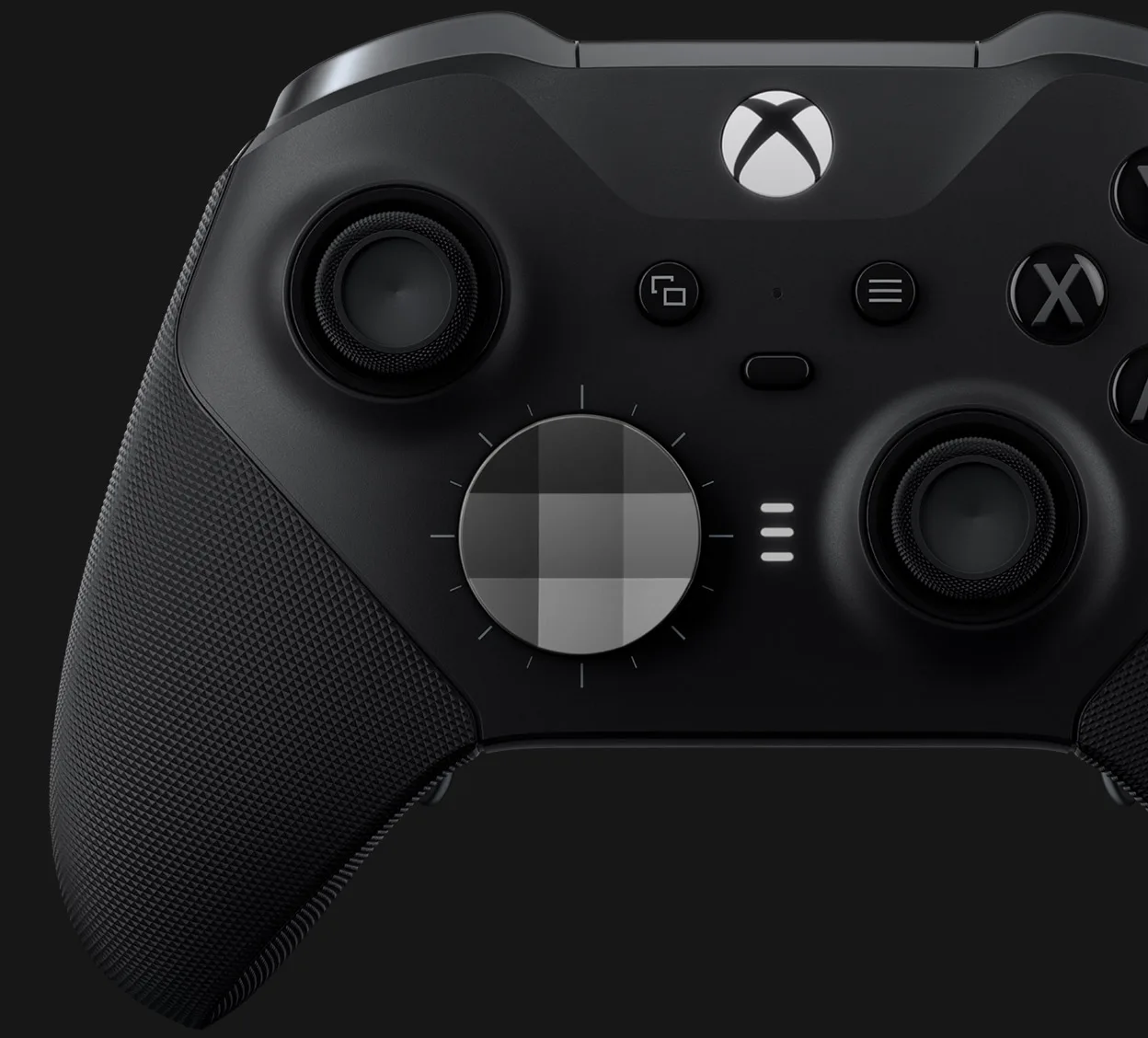
The Elite does not use Hall effect sensors. Its answer is adjustability. An included tool lets you set stick tension to one of three levels, and the Xbox Accessories app lets you adjust sensitivity curves. The Core comes with the controller, the tool and a USB-C cable, and the Complete Component Pack adds extra stick toppers. The tradeoff is long-term wear. Older Elite pads can develop stick drift after a few years of use, which the V3 Pro’s Hall effect sticks are designed to avoid.
The Elite Series 2 stick wells and D-pad. (Image: Xbox)
Triggers: Mouse Clicks vs Hair Trigger Locks
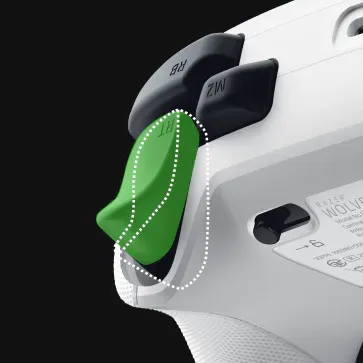
This is where the V3 Pro pulls ahead for shooters. Each trigger has a slide switch underneath. Set it one way and a mouse-click switch gives you instant actuation with no travel. Set it the other way and you get a full analog pull for racing games, with haptic feedback in both modes.
The Elite takes a simpler route with hair trigger locks that shorten the pull, so each trigger travels a shorter distance before it registers. They work well and are easy to switch, but they still behave like normal triggers, not like a mouse button.
A HyperTrigger stop turns the trigger into an instant mouse click. (Image: Razer)
Back Buttons: Paddles You Can Remove vs Mouse-Click Buttons
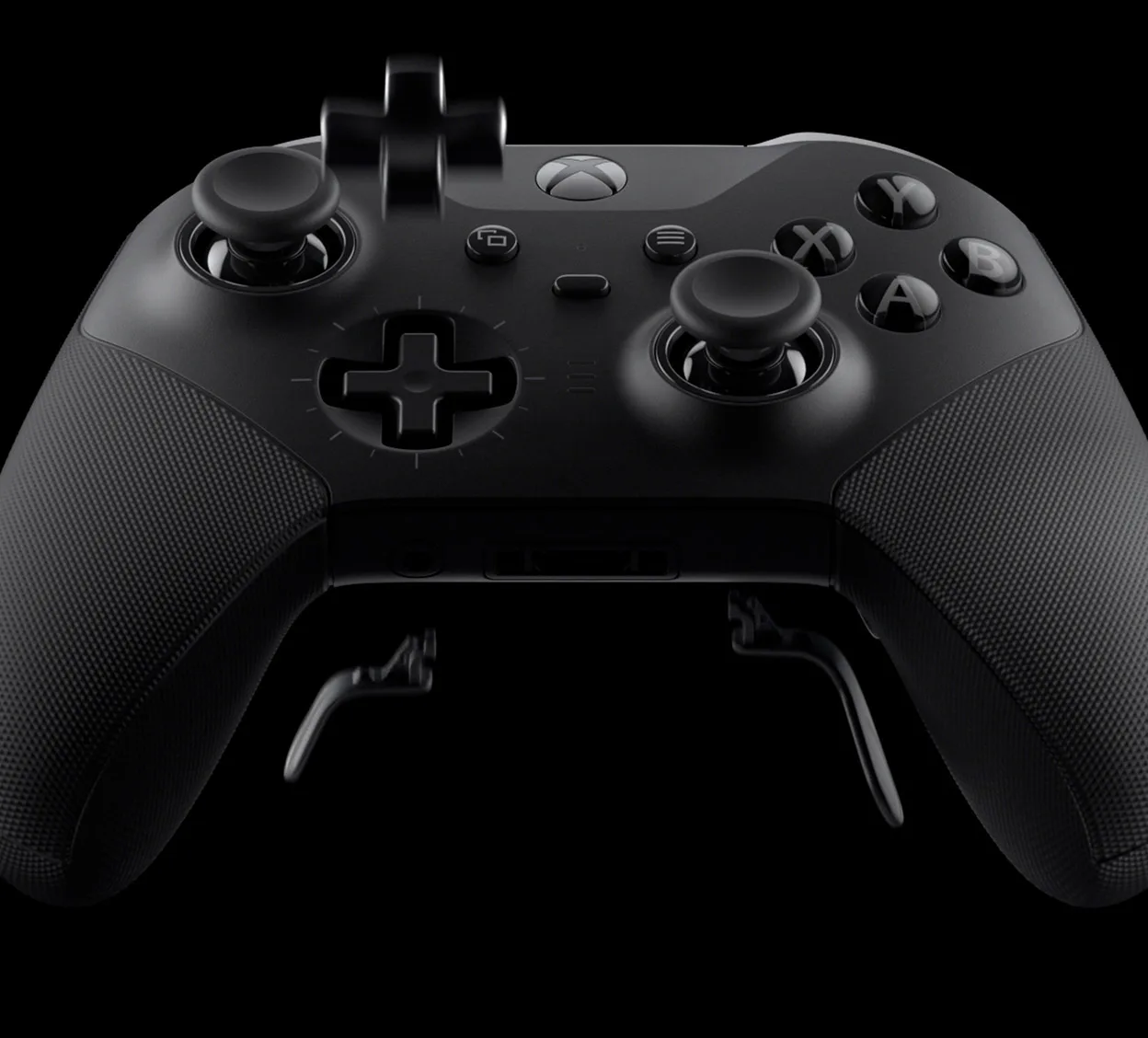
Both pads add four back inputs under the grips. The Elite uses removable paddles, two medium and two mini. The Core does not include them in the box, so you need the Complete Component Pack to get them. Factor that in if back inputs matter to you.
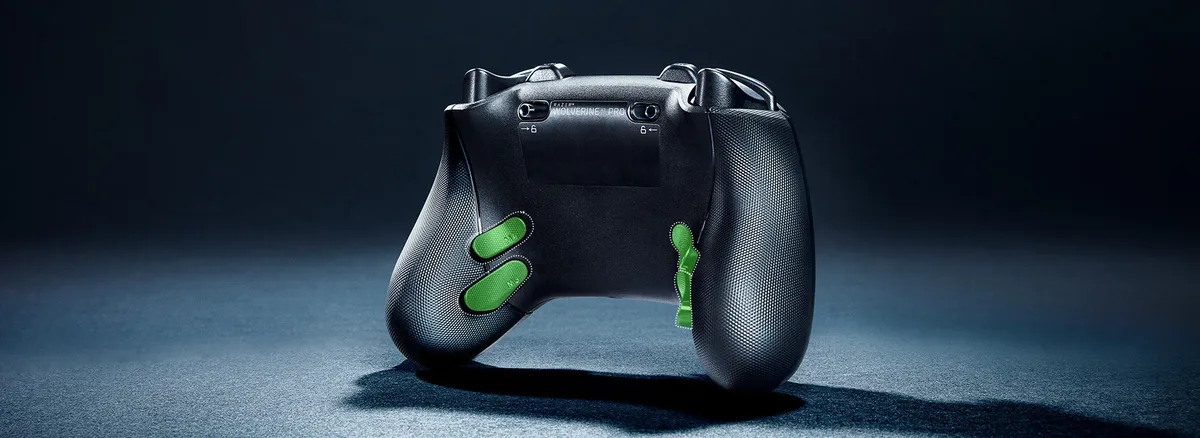
The V3 Pro uses four built-in back buttons that use mouse-click switches, plus two extra claw grip bumpers on the front edge, for six remappable inputs in total. They sit right under your fingers, but you cannot take them off. Claw grip players will get more from the extra bumpers, while players who dislike back buttons can remove Elite paddles and leave them out.
The V3 Pro’s four back buttons are fixed to the grips. (Image: Razer)The Elite’s paddles, D-pad and thumbstick toppers all come off. (Image: Xbox)
Wireless and Latency: Wired Favors Razer, Dongle Favors Elite
Razer rates the V3 Pro at 250Hz polling when it is wireless or plugged into an Xbox. On PC, a Tournament Mode raises that to 1000Hz, but only when you are wired.
Latency follows the connection. Over a cable, the V3 Pro reaches a button latency of about 4.8 ms against about 7.9 ms for the Elite, and the two are close on stick latency (about 13.7 ms against 13.2 ms). Over a 2.4GHz dongle the order flips on button presses, at about 10.6 ms for the Razer against about 6.6 ms for the Elite, and the Razer’s stick latency over its dongle is listed at about 32.9 ms. Treat these figures as approximate, since latency varies from unit to unit. In short, wired PC play suits the Razer, and wireless play favors the Elite.
Battery and Accessories: Elite Lasts Longer
Microsoft rates the Elite at up to 40 hours of battery life per charge, with actual life depending on use. The Core does not come with a charging dock or a carrying case. Both are part of the Complete Component Pack.
Razer does not publish a battery life figure for the V3 Pro, and a full recharge takes roughly 3 hours. Its carrying case, 10 ft braided USB-C cable and spare caps are included, but the case does not double as a charging dock.
Customization: Two Different Approaches
Both pads use a companion app. The Xbox Accessories app on Xbox and Windows 10 or 11 handles button mapping, and you can store up to three custom profiles plus one default profile on the controller itself. The Razer Controller App adjusts thumbstick sensitivity, vibration and button layouts, and stores a profile.
The physical side is where they differ. The Elite lets you swap thumbstick toppers, the D-pad and paddles. The V3 Pro offers swappable stick caps and Mecha-Tactile face buttons that combine a membrane feel with a crisp click, plus an 8-way floating D-pad aimed at fighting games. The V3 Pro also adds Razer Sensa HD haptics.
Razer Wolverine V3 Pro vs Xbox Elite Series 2: Full Specs
Feature
Xbox Elite Series 2 Core
Razer Wolverine V3 Pro
Platforms
Xbox consoles, Windows PC, iOS, Android Wins
Xbox Series X/S, Xbox One, Windows PC
Wireless
Xbox Wireless and Bluetooth Wins
2.4GHz USB-A dongle, no Bluetooth
Thumbsticks
Adjustable tension (3 levels), swappable toppers with the Component Pack
Hall effect, taller and shorter caps Wins
Triggers
Hair trigger locks
Hall effect analog with mouse-click stops Wins
Back inputs
4 removable paddles (Component Pack)
4 fixed mouse-click buttons plus 2 claw grip bumpers Wins
Polling rate
Not published by Microsoft
250Hz wireless and on Xbox, 1000Hz wired on PC
Button latency, wired
About 7.9 ms
About 4.8 ms Wins
Button latency, dongle
About 6.6 ms Wins
About 10.6 ms
Battery
Up to 40 hours Wins
Not published by Razer
Weight
345 g (plus or minus 15 g, with 4 paddles)
Not published by Razer
Profiles
3 custom plus 1 default on the controller
Stored through the Razer app
Included
Controller, tension tool, USB-C cable (Core)
Carrying case, 10 ft cable, dongle, spare caps Wins
And the Winner Is…
WinnerXbox Elite Series 2
The Razer Wolverine V3 Pro does several things better. Its Hall effect sticks avoid drift, its mouse-click triggers are faster, and its back buttons and extra bumpers are easy to reach. But the Xbox Elite Series 2 is the more flexible pad, with Bluetooth, phone and tablet support, a 40-hour battery, adjustable stick tension and parts you can swap. Most players will get more from that range, especially if you add the Complete Component Pack for the paddles, dock and case. Pick the V3 Pro if you mainly play shooters on Xbox or PC and want fast triggers and drift-resistant sticks. Pick the Elite if you want one pad for everything.
Final Thoughts on the Razer Wolverine V3 Pro vs Xbox Elite Series 2
When you weigh the Razer Wolverine V3 Pro vs Xbox Elite Series 2, ask where you play and what you play. Shooter fans on Xbox or PC who want instant triggers and sticks that should stay accurate will like the Razer, provided they are fine with a dongle and no Bluetooth. Everyone else, and anyone who wants one controller for console, PC and mobile, will be happier with the Elite, and should plan for its stick wear and the extra cost of the Component Pack if they want paddles.
I'm Sean, and I write the comparisons on GameCuki. I cover anything gamers weigh up before buying: consoles and handhelds, PC components and gaming laptops, monitors, controllers, headsets and accessories, plus subscriptions and services like Game Pass and PlayStation Plus. I put both options on the same checklist, using official specs, professional reviews and owner feedback, and I only mention what owners say when at least two of them report the same thing. Every comparison ends with one clear verdict and the type of player each option suits. I don't accept free products or payment from brands, and what I write comes from research, not my own use of the products. You can read my full process on our How We Review page.
Areas of Focus
Controller Match-UpsHeadset Match-UpsConsole vs. ConsoleSpecs & Latency