GameCuki is reader-supported. When you buy through links on our site, we may earn an affiliate commission at no extra cost to you. As an Amazon Associate I earn from qualifying purchases. Learn more.
If you already own a headset from the last generation, the Razer BlackShark V2 Pro vs V3 question is really about whether noise cancellation and extra connections justify a heavier, pricier replacement. The V3 Pro is the successor most buyers weigh against the V2 Pro, so it is the focus here, with a note on where the cheaper plain V3 fits in.
Best Value
Razer BlackShark V2 Pro
Bottom LineStill the smarter buy for FPS players who want a lighter, simpler wireless headset and have no use for noise cancellation.
Bottom LineThe better all-rounder if you switch between PC, console and phone, though the extra weight and cost only pay off if you use those features.
The V2 Pro weighs about 331 g (11.7 oz), while the V3 Pro comes in at roughly 365 g (12.9 oz). That is a gap of about 34 g, which is easy to feel over a long session. Both headsets use 50 mm drivers, closed earcups with memory foam and a detachable boom mic, so the shape and fit philosophy are the same. The extra mass on the V3 Pro goes toward the noise cancelling hardware and the larger feature set.
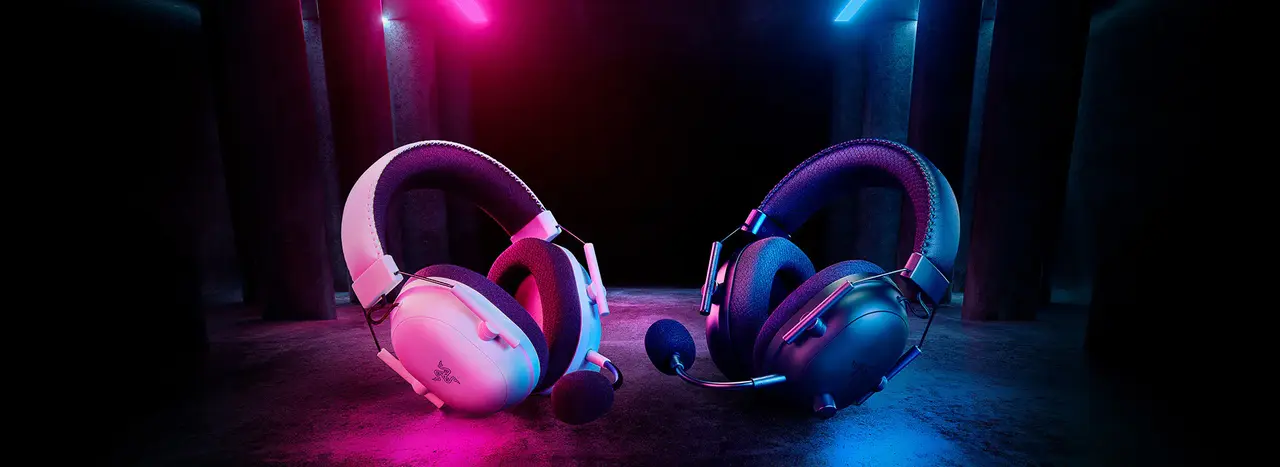
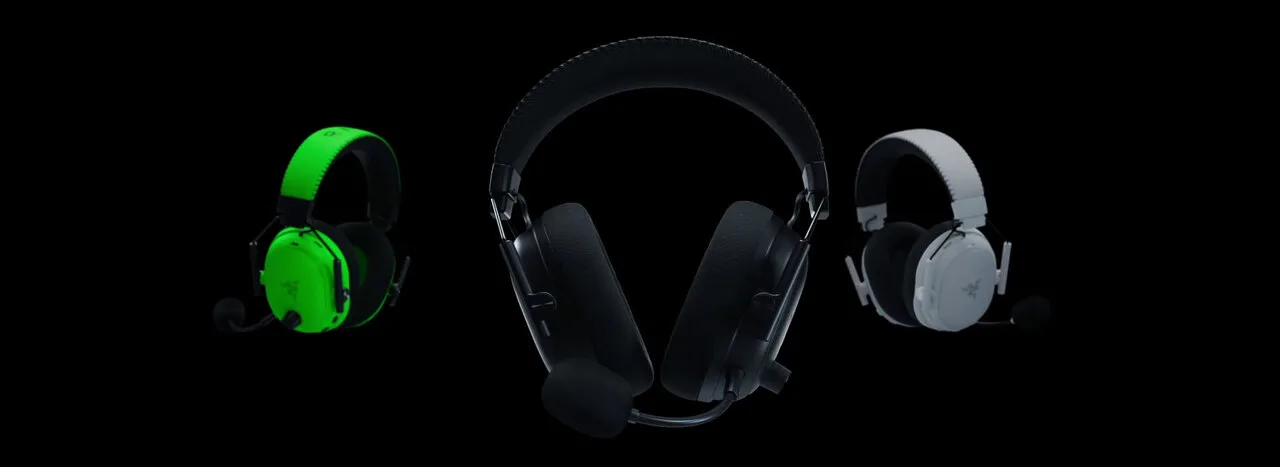
The BlackShark V2 Pro in white and black (Image: Razer)The BlackShark V3 Pro (black, center) (Image: Razer)
Noise Cancellation: Only the V3 Pro Has It
The V2 Pro relies on passive isolation from its closed earcups. The V3 Pro adds hybrid active noise cancellation with three modes (ANC on, ambient and off) and four adjustable levels in Razer’s software. If you play in a loud room or share a space, this is the clearest reason to upgrade. In a quiet bedroom or office, the V2 Pro’s passive seal is usually enough, and ANC also draws on the battery.
Connectivity: The V3 Pro Offers Far More Options
The V2 Pro connects over a 2.4 GHz dongle or Bluetooth 5.2, and its USB-C port is for charging only. The V3 Pro uses Razer’s HyperSpeed Wireless Gen-2 with audio latency as low as 10 ms, Bluetooth 5.3, USB audio and a 3.5 mm wired mode. It can also run 2.4 GHz and Bluetooth at the same time, so you can take a phone call or play music from your phone while staying in a match. For anyone moving between a PC, a console and a phone, that flexibility is the biggest practical upgrade.
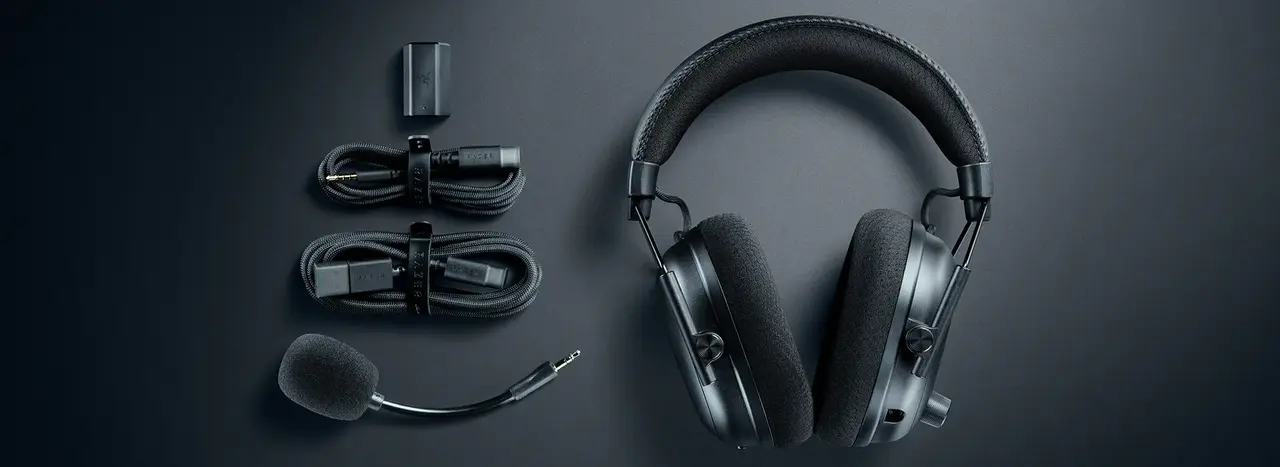
The BlackShark V3 Pro with its dongle, cables and detachable mic (Image: Razer)
Sound and Microphone: Different Tuning, Real Trade-offs
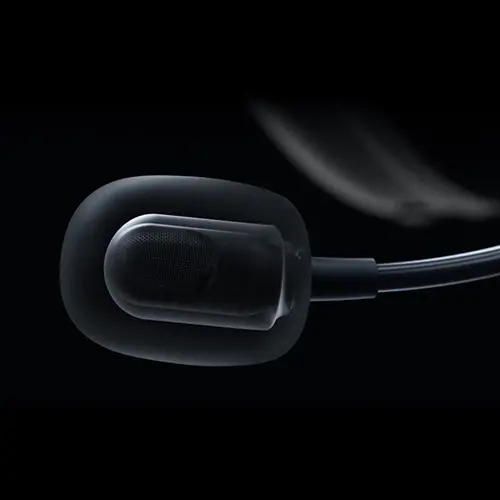
The V3 Pro swaps the V2 Pro’s titanium-coated drivers for TriForce bio-cellulose Gen-2 drivers, and its detachable mic is a new 12 mm full band design. Razer lists the V2 Pro mic at 100 Hz to 10 kHz, so the V3 Pro should capture a fuller voice. Do not assume newer means better sound, though. The V2 Pro still sounds a touch cleaner overall, with lower distortion and a slightly more immersive presentation. If pure FPS positioning is your priority, both are strong, and the V2 Pro is not a downgrade.
The BlackShark V3 Pro’s boom microphone (Image: Razer)
Battery Life: Both Reach 70 Hours
Razer rates both headsets at up to 70 hours on a charge. Expect less on the V3 Pro with ANC on, and on consoles, where the maker figure drops to around 48 hours. A 15-minute charge on the V3 Pro gives roughly 6 hours of play, which is handy if you forget to plug in overnight.
What About the Plain BlackShark V3?
Razer also sells a regular BlackShark V3 without ANC. It weighs roughly 270 g, so it is actually lighter than the V2 Pro, and it keeps the newer wireless features. If you want the V3 generation without noise cancellation or the V3 Pro price, read our Razer BlackShark V3 review before choosing between them.
Razer BlackShark V2 Pro vs V3 Pro: Full Specs
Feature
BlackShark V2 Pro
BlackShark V3 Pro
Weight
About 331 g (11.7 oz) Wins
About 365 g (12.9 oz)
Drivers
50 mm TriForce Titanium
50 mm TriForce Bio-Cellulose Gen-2
Active noise cancellation
No (passive isolation)
Yes, hybrid ANC with 4 levels Wins
Wireless
2.4 GHz and Bluetooth 5.2
HyperSpeed Gen-2 2.4 GHz and Bluetooth 5.3 Wins
Wired modes
None (USB-C charging only)
USB audio and 3.5 mm Wins
Simultaneous 2.4 GHz and Bluetooth
No
Yes Wins
Wireless latency
Not specified by Razer
As low as 10 ms Wins
Microphone
Detachable HyperClear Super Wideband, 100 Hz to 10 kHz
Detachable HyperClear Full Band 12 mm Wins
Battery life
Up to 70 hours
Up to 70 hours
Surround
THX Spatial Audio
THX Spatial Audio 7.1.4 (Windows 11 23H2 or later)
And the Winner Is…
WinnerRazer BlackShark V2 Pro
The V3 Pro does more. It adds noise cancellation, wired modes, simultaneous Bluetooth and a newer mic, and anyone who switches between a PC, console and phone will use all of it. Even so, the V2 Pro is the better Razer BlackShark V2 Pro vs V3 pick for most FPS players. It is lighter, it already reaches 70 hours, its sound still holds up against the newer model, and it usually costs noticeably less. Choose the V3 Pro instead if you play in a noisy space, want a wired fallback, or need to stay connected to your phone while gaming.
Final Thoughts on the Razer BlackShark V2 Pro vs V3 Pro
This razer blackshark v2 pro vs v3 matchup rewards honesty about how you play. A single-PC shooter player gains little from the upgrade and gives up some comfort in the process, so the V2 Pro stays an easy recommendation. A multi-platform player in a busy home gets real, daily value from the V3 Pro, and for that person the premium is justified. If neither describes you, look at the plain V3 first.
I'm Sean, and I write the comparisons on GameCuki. I cover anything gamers weigh up before buying: consoles and handhelds, PC components and gaming laptops, monitors, controllers, headsets and accessories, plus subscriptions and services like Game Pass and PlayStation Plus. I put both options on the same checklist, using official specs, professional reviews and owner feedback, and I only mention what owners say when at least two of them report the same thing. Every comparison ends with one clear verdict and the type of player each option suits. I don't accept free products or payment from brands, and what I write comes from research, not my own use of the products. You can read my full process on our How We Review page.
Areas of Focus
Controller Match-UpsHeadset Match-UpsConsole vs. ConsoleSpecs & Latency